
📊 Full opportunity report: Quiet GPUs for Local AI: Acoustic and Thermal Roundup on ThorstenMeyerAI.com — validation score, market gap, and execution plan.

Get the latest gadgets delivered free — and shop member deals
- Fast, free delivery on millions of items
- Access to Prime Big Deal Days deals on October 6–7
- Prime Video, Amazon Music and more included
TL;DR
This article reviews the quietest GPUs for local AI in 2026, emphasizing cooling and noise reduction. The NVIDIA RTX 5090 stands out as the top choice for high-performance, quiet inference rigs, with practical tips on undervolting and cooling. Uncertainties remain around real-world noise levels for some partner cards and future model availability.
The NVIDIA RTX 5090 emerges as the quietest and coolest high-end GPU for local AI in 2026, with expert tips on undervolting and cooling to optimize acoustic and thermal performance.
This roundup evaluates GPUs based on their acoustic and thermal performance for local AI workloads, emphasizing the importance of undervolting and cooling solutions. The RTX 5090, with 32GB of GDDR7 memory and a 575W TDP, can be made near-silent through power capping and high-quality cooling, making it the top choice for demanding inference tasks.
Other notable models include the RTX 4090 and used RTX 3090, which offer good value at 24GB VRAM but are less efficient and generate more heat. For smaller models, the RTX 5080 and RTX 4060 Ti provide efficient, low-power options that stay cool and quiet. The professional RTX PRO 6000 Blackwell with 96GB VRAM targets dense, large-model deployments, though its acoustic profile remains less documented.
Quiet GPUs
for local AI.
The GPU makes ~70% of your heat and most of your noise. But here’s the secret: the chip doesn’t decide how loud your card is — the cooler design and your power settings do. Match your VRAM tier in Part 2, then make it quiet.
Capping to 70–80% sheds a huge amount of heat for almost no inference loss — because inference is memory-bound. A capped 5090 is dramatically cooler & quieter than stock. Do this first.
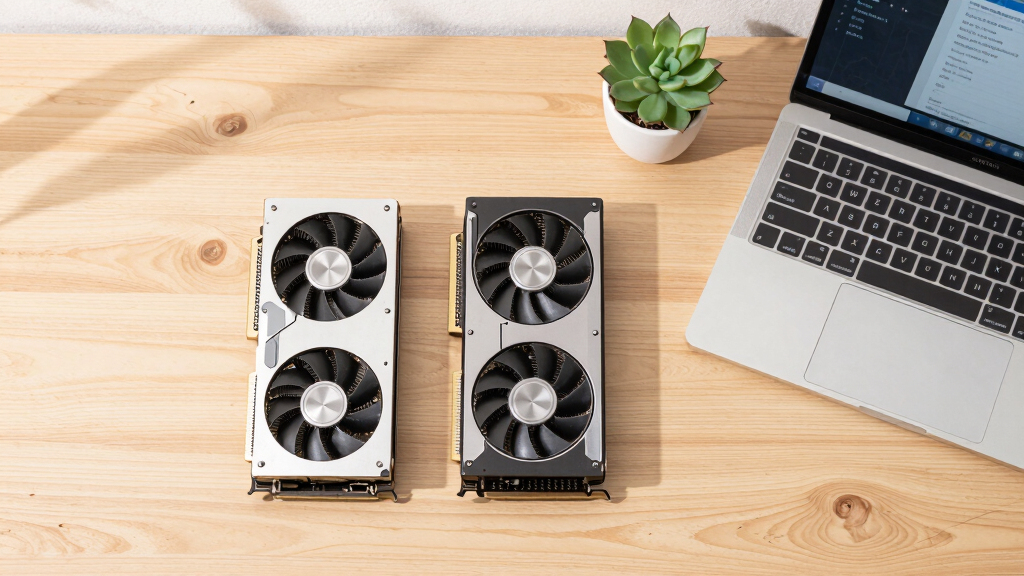
Within one GPU model, partner cards differ enormously. For a single card, a large triple-fan open-air with zero-RPM idle runs slow & quiet. For multi-GPU, the calculus flips →
With room to breathe, a large triple-fan open-air cooler spreads heat across a big fin stack and runs its fans slowly. The quietest choice — what most people should buy.
Why Quiet GPUs Matter for Local AI Setups
For users running AI models locally, noise and heat are critical factors affecting usability and comfort. GPUs that run quietly and stay cool enable longer, more stable inference sessions and reduce the need for elaborate cooling setups. This makes high-performance local AI more accessible for individual developers, researchers, and small teams, expanding the practical deployment of AI models outside data centers.
quiet high-performance GPU for AI inference
As an affiliate, we earn on qualifying purchases.
As an affiliate, we earn on qualifying purchases.
2026 GPU Landscape for Local AI
In 2026, GPU options for local AI are dominated by NVIDIA’s latest offerings, with a focus on balancing VRAM capacity, power efficiency, and thermal management. Power capping and cooling innovations have become standard to mitigate the heat and noise generated by high-performance cards. For more on cooling strategies, see Quiet GPUs for Local AI: Acoustic and Thermal Roundup. The emphasis on undervolting and partner cooler designs reflects industry efforts to make these cards viable for prolonged, quiet operation at home or office environments.
"Power-capping and high-quality cooling are the keys to turning top-tier GPUs into near-silent, efficient AI workhorses."
— Thorsten Meyer, AI hardware expert
As an affiliate, we earn on qualifying purchases.
Uncertainties Around Real-World Noise and Cooling
While specifications and expert recommendations suggest that undervolted, well-cooled GPUs can run quietly, real-world noise levels vary based on partner designs and individual system configurations. The acoustic profiles of some high-end models, especially professional cards like the RTX PRO 6000 Blackwell, are still not fully documented or tested under sustained workloads.
undervolting GPU for silent operation
As an affiliate, we earn on qualifying purchases.
As an affiliate, we earn on qualifying purchases.
Upcoming Developments and Testing of Quiet GPU Solutions
Further testing and user reports are expected to clarify the actual acoustic and thermal performance of various partner cards and cooling solutions. Learn more about quiet GPU options. Manufacturers are likely to release new models with improved cooling and noise reduction features, and software tools for better undervolting and power management will become more widespread. Monitoring these developments will help users optimize their local AI setups for quiet, stable operation.
As an affiliate, we earn on qualifying purchases.
Key Questions
Which GPU offers the best balance of performance and quiet operation in 2026?
The NVIDIA RTX 5090, when paired with a quality cooler and power capping, offers the best balance of high inference performance and quiet operation for demanding local AI workloads.
Can older GPUs like the RTX 3090 be made quiet enough for home use?
Yes, with effective undervolting and high-quality cooling, used RTX 3090 cards can run more quietly, though they generally produce more heat than newer models and may require additional cooling considerations.
Are professional GPUs like the RTX PRO 6000 Blackwell suitable for quiet, dense AI deployments?
While the RTX PRO 6000 Blackwell offers large VRAM capacity for dense models, its acoustic performance under load remains less documented, and it may require specialized cooling solutions to operate quietly.
What practical steps can I take to reduce GPU noise in my AI workstation?
Power-capping your GPU, choosing partner cards with large, high-quality coolers, and ensuring proper airflow are key steps. Software tools for undervolting and fan control can further minimize noise levels.
Source: ThorstenMeyerAI.com
Fall Picks
fall essentials
As an affiliate, we earn on qualifying purchases.