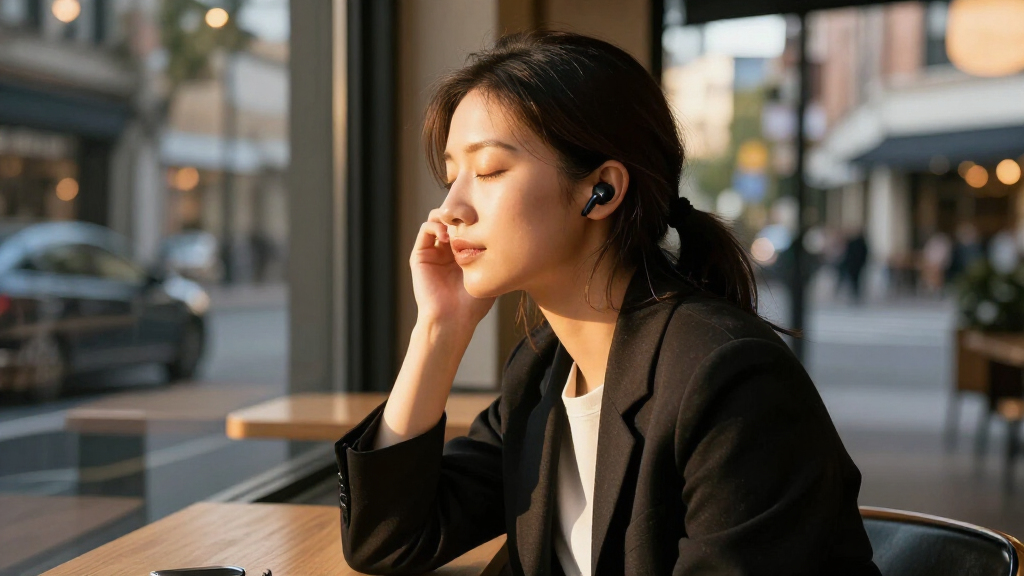

Set up your wireless noise-cancelling earbuds so they connect to your phone or computer, fit comfortably, and use the noise control mode you want. This guide is for first-time users and anyone setting up a new pair. Allow 15–30 minutes; the exact controls and app features vary by model, so keep the earbuds’ quick-start guide nearby.

Get the latest gadgets delivered free with Prime
- Fast, free delivery on millions of items
- Prime Video, Amazon Music and more included
- Member-only deals all year

Bose QuietComfort True Wireless Earbuds
- ✔ Connectivity: Bluetooth 5.3; multipoint
- ✔ Battery life: Up to 8.5 hours
- ✔ Quick charge: 20 minutes for up to 2 hours of playback

Soundcore P30i Noise-Cancelling Wireless Earbuds with Phone-Stand Charging Case
- ✔ Noise cancellation: Adaptive ANC, up to 42 dB
- ✔ Bluetooth: 5.4
- ✔ Drivers: 10 mm with BassUp technology

TOZO NC3 Hybrid Active Noise Cancelling Wireless Earbuds
- ✔ Noise cancellation: Hybrid ANC, up to 45 dB
- ✔ Bluetooth: 5.3; range up to 20 meters
- ✔ Driver: 12 mm dynamic
Difficulty: Beginner | Time: 15–30 minutes
What You’ll Need
Tools & Materials:
- Wireless noise-cancelling earbuds and charging case
- Compatible phone, tablet, or computer with Bluetooth
- Charging cable and suitable power source
- Earbud companion app, if the manufacturer offers one
Knowledge:
- Basic ability to open Bluetooth settings and select a device
- Ability to follow the manufacturer’s instructions for touch controls or buttons
Charge the case and earbuds before setup. Check the product guide for model-specific pairing steps, supported devices, and app requirements. Do not use noise cancellation when you need to hear traffic, alarms, announcements, or other surroundings.
Bose QuietComfort True Wireless Earbuds
Bose QuietComfort is our leading pick for listeners who want noise cancellation to fit into a multi-device routine. Its active noise cancellation is paired with customizable sound settings in the Bose app, so we can adjust the listening profile instead of relying on one fixed presentation. Bluetooth multipoint also gives it a practical edge over the Soundcore P30i and TOZO NC3 when we move between a computer and a phone.Fit is part of the noise-control story here. Bose supplies three eartip sizes and three stability-band sizes, giving buyers more ways to keep the earbuds secure than the basic fit details provided for Soundcore. That can matter during walks or workouts, though it does not guarantee a seal for every ear. The stated 8.5-hour battery life is useful for a typical listening day, but the listing does not provide a total runtime with the case or a separate ANC-on figure, making battery comparisons less complete than TOZO’s.Choose Bose when adjustable sound, device switching, and a range of fit components matter more than maximizing the stated total charge. Compared with Soundcore, it has fewer case-specific conveniences in the supplied details; compared with TOZO, it gives less battery information and a lower water-resistance rating. Its IPX4 protection is aimed at sweat and splashes, not immersion.
Pros:
- Active noise cancellation with customizable sound settings in the Bose app.
- Bluetooth multipoint supports connections to multiple devices.
- Three eartip sizes and three stability-band sizes allow fit adjustments.
- Wireless charging case and a quick-charge feature are included.
Cons:
- The supplied specifications do not state total playback with the charging case or battery life with ANC enabled.
- IPX4 is for water and sweat resistance, not immersion.
Best for: Listeners who want app-adjustable sound, multipoint connections, and several options for securing the earbuds.
Not ideal for: Buyers who need the longest stated playback, a case with extra functions, or a water-resistance rating for immersion.
Bottom line: Choose Bose QuietComfort for adjustable ANC, multipoint convenience, and fit flexibility, provided its less detailed battery figures suit your needs.
“Choose Bose QuietComfort for adjustable ANC, multipoint convenience, and fit flexibility, provided its less detailed battery figures suit your needs.”
Soundcore P30i Noise-Cancelling Wireless Earbuds with Phone-Stand Charging Case
Soundcore P30i earns its place as the most versatile everyday option in this group. Adaptive active noise cancellation, transparency mode, app-based audio settings, and four microphones cover the essentials for commuting, listening at home, and taking calls. Its charging case doubles as a phone stand, a small but distinct convenience for watching a screen hands-free. Bose offers multipoint connectivity in the supplied details, which Soundcore’s listing does not mention, but P30i counters with more explicit ANC and case information.Battery figures need context. Soundcore lists up to 45 hours total with the case, but that falls to 25 hours with ANC; the earbuds themselves are rated for up to six hours with cancellation on. That is a meaningful gap from the headline total and less ANC-on case playback than TOZO’s stated 40 hours. The 10-minute quick charge for up to two hours can help between longer sessions, although the case takes 2.5 hours to charge.The P30i makes sense when flexible listening and practical extras matter more than maximizing ANC-on runtime. Its stated cancellation reaches up to 42 dB, but that figure alone does not predict how much noise every wearer will hear. Compared with Bose, Soundcore gives us a stand built into the case; compared with TOZO, it has a lower water-resistance rating and fewer listed ear-tip sizes. IP54 protection adds dust resistance as well as water protection, but the supplied details do not position it for immersion.
Pros:
- Adaptive ANC and transparency mode support changing listening environments.
- Case doubles as a phone stand for hands-free viewing.
- Up to 45 hours total playback with ANC off and a 10-minute quick-charge feature.
- Four microphones and Bluetooth 5.4 support calls and newer wireless connectivity.
Cons:
- Earbud playback is stated as up to six hours with ANC enabled.
- The charging case takes 2.5 hours to charge.
Best for: Everyday listeners who want adaptive ANC, app audio settings, a phone-stand case, and a quick top-up option.
Not ideal for: People who need more than six hours of stated earbud playback with ANC on or who want the strongest stated water protection.
Bottom line: Pick Soundcore P30i for a useful mix of adaptive ANC and everyday case features, while keeping its shorter ANC-on earbud runtime in mind.
“Pick Soundcore P30i for a useful mix of adaptive ANC and everyday case features, while keeping its shorter ANC-on earbud runtime in mind.”
TOZO NC3 Hybrid Active Noise Cancelling Wireless Earbuds
TOZO NC3 is the battery-focused pick, with the longest stated runtime in this comparison: up to 68 hours total with ANC off, or 40 hours with ANC on. That ANC-on total outlasts Soundcore’s stated 25 hours with the case, which makes TOZO a better match for long stretches away from a charger. The six-microphone noise-reduction setup is also the largest microphone array listed here, though microphone count alone cannot guarantee clearer calls in every setting.Its hybrid ANC is specified at up to 45 dB, alongside transparency mode and 32 EQ presets. Buyers also get six pairs of ear tips, from XS through XXL. That range is especially relevant because TOZO says cancellation depends on achieving a proper seal: we have more sizes to try, but may need to spend time finding the right fit. Bose also includes multiple fit components, while Soundcore’s supplied specifications do not list a comparable range of tip sizes.TOZO is the clearest choice for buyers who prioritize extended playback and water protection over the Bose set’s multipoint switching or Soundcore’s phone-stand case. Its IPX8 rating is the strongest water-resistance specification of the three, and the supplied product information also highlights workouts. Keep expectations grounded: the 68-hour figure applies with ANC off, while using cancellation brings the stated total to 40 hours. Bluetooth 5.3 is also one generation behind Soundcore’s 5.4 listing.
Pros:
- Up to 40 hours total playback with ANC on, and up to 68 hours with ANC off.
- IPX8 waterproof rating offers the strongest stated water protection in this lineup.
- Six included ear-tip sizes provide a wide range of fit adjustments.
- Hybrid ANC, transparency mode, and 32 EQ presets provide listening options.
Cons:
- The ANC-on total is lower than the 68-hour headline figure.
- Noise cancellation depends on achieving a proper seal with the ear tips.
Best for: Listeners who want long stated playback, workout-friendly water resistance, and a broad choice of ear-tip sizes.
Not ideal for: Buyers who prioritize multipoint connectivity or want ANC performance that is less dependent on achieving a good in-ear seal.
Bottom line: Choose TOZO NC3 when extended ANC-on playback, adjustable fit, and water resistance matter more than multipoint or case extras.
“Choose TOZO NC3 when extended ANC-on playback, adjustable fit, and water resistance matter more than multipoint or case extras.”
As an Amazon Associate we earn from qualifying purchases.
Before You Start
Move to a quiet place for the first fit and sound check. Remove any protective film from the charging contacts, if present. Keep the earbuds clean and dry, and do not force a tip into your ear. Noise cancellation reduces some outside sound but does not block every sound or replace hearing protection.
Step-by-Step Instructions
Step 1: Charge the earbuds and case
Connect the case to power with the supplied or compatible cable. Place both earbuds in their matching slots and check that each sits against its charging contacts. Leave them charging for the time stated in the quick-start guide.
Tip:If an earbud does not show a charging light or status in the app, lift it out and reseat it. Check for packaging film over the contacts.
Check: The case or app shows that both earbuds are charging or charged.
Step 2: Install the companion app
Install the manufacturer’s companion app from your device’s official app store, if one is available. Open the app and follow its setup prompts. Allow Bluetooth access when requested; grant other permissions only when needed for a feature you plan to use.
Tip:Some earbuds pair and play audio without an app. Use the product guide to check whether the app is required for firmware updates or noise control settings.
Check: The app recognizes your earbud model, or you have confirmed that app setup is optional.
Step 3: Put the earbuds into pairing mode
Open the charging case with the earbuds inside. Start pairing using the method in the product guide, such as holding the case button until its light flashes. If the earbuds have no case button, follow the model’s stated method. Leave the lid open while you select them on your device.
Tip:A steady light may mean the earbuds are already connected or charged; pairing mode commonly uses a flashing light, but signals differ by model.
Check: The earbuds appear as an available Bluetooth device on your phone, tablet, or computer.
Step 4: Pair the earbuds with your device
Open your device’s Bluetooth settings and turn Bluetooth on. Select the earbud name from the available devices, then accept the pairing prompt if one appears. If the list shows separate entries for the earbuds and a companion feature, follow the product guide to choose the audio device.
Tip:Keep the earbuds near the device while pairing. If a prompt asks to confirm a code, compare it on both screens before accepting.
Check: The device reports that the earbuds are connected. Play a short audio clip at a low volume to confirm sound comes through them.
Step 5: Choose and fit the ear tips
Try the supplied tip sizes, starting with the size already attached. With clean hands, gently place each earbud in the corresponding ear and twist or angle it as the guide shows. If the fit feels loose, leaks sound, or causes pressure, try another size. Use the app’s fit test if available.
Tip:Both ears may need different tip sizes. Do not push the earbuds in deeply to compensate for a poor fit.
Check: The earbuds stay in place during gentle head movement, feel comfortable, and produce balanced sound in both ears.
Step 6: Set your noise control mode
Select noise cancellation with the earbud controls or companion app. If the app offers adjustable levels, begin with a moderate level and change it to suit your surroundings. Try transparency or ambient mode when you need outside sounds to come through, and use noise cancellation only in settings where reduced awareness is safe.
Tip:Noise cancellation often works best with a good seal. A loose tip can make it seem as though the feature is not working.
Check: Changing modes produces a change in how much surrounding sound you hear. Check the app or product guide if you cannot tell which mode is active.
Step 7: Check playback, controls, and calls
Play audio and use the documented tap, press, or swipe controls to pause and resume it. Adjust volume from your device or the method listed in the guide. Make a brief test call in a quiet place and confirm that you can hear the other person and that your voice reaches them.
Tip:Control gestures vary across models. If a gesture changes noise mode when you meant to pause, check the app for control customization.
Check: Audio plays in both earbuds, the controls perform the expected actions, and the call audio is clear enough to use.
Common Mistakes to Avoid
- Selecting the wrong Bluetooth entry or pairing before the earbuds enter pairing mode. — Follow the model’s pairing instructions, wait for the earbuds to appear in the device list, and select the listed audio device.
- Using tips that do not seal the ears. — Try the included sizes and check that both earbuds sit securely. A poor seal can weaken bass and noise cancellation.
- Expecting noise cancellation to remove every sound. — Test the feature in a safe, quiet setting and remember that voices and sudden sounds may still be audible.
- Wearing noise cancellation where hearing nearby hazards matters. — Switch to transparency or remove the earbuds around traffic, alarms, public announcements, and other situations that require awareness.
Troubleshooting
Problem: The earbuds do not appear in Bluetooth settings.
Solution: Return them to the case, check that they have charge, and repeat the model’s pairing-mode steps. Turn Bluetooth off and on on the device, then scan again. If they were paired to another device, disconnect them there first.
Problem: Only one earbud produces sound.
Solution: Place both earbuds in the case and confirm each is charging. Remove and reseat them, then reconnect through Bluetooth. Check the device’s audio balance setting and the app for a reconnect or reset procedure for your model.
Problem: Noise cancellation seems weak or uneven.
Solution: Refit both earbuds and try another tip size to improve the seal. Confirm that noise cancellation is selected rather than transparency or off. Clean the earbud openings as directed by the manufacturer.
Problem: The other person cannot hear you clearly on a call.
Solution: Move away from wind or loud background noise, check that the earbuds are selected as the call’s microphone and audio output, and make sure microphone openings are not covered. Consult the guide for microphone placement and call settings.
What Success Looks Like
Setup is complete when both earbuds connect to your device, stay comfortably in place, play audio in both ears, and respond to their documented controls. You can select noise cancellation and transparency or ambient mode, and you have confirmed that a test call works. You know how to switch modes or remove the earbuds when you need to hear your surroundings.
Next Steps
Return the earbuds to the case after use so they can charge. Wipe them with a dry, soft cloth and clean the tips only as the manufacturer directs. Check the app or product guide for firmware updates and battery information. Repeat the fit check if an earbud becomes loose or noise cancellation changes, and consult the manufacturer’s support instructions if pairing or sound problems continue after reconnecting.
Frequently Asked Questions
Can I use the earbuds without installing an app?
Many models support Bluetooth audio and basic controls without an app. The app may be needed for firmware updates, fit tests, control changes, or advanced noise settings; check the product guide for your model.
Why can I still hear people with noise cancellation on?
Noise cancellation reduces some steady background sounds but may not remove voices, sudden noises, or every frequency. A better ear-tip seal may improve the effect, but it will not make the earbuds soundproof.
Should I use noise cancellation while walking outside?
Use transparency mode or remove the earbuds anywhere you need to hear traffic, alarms, or people nearby. Follow local rules for headphone use and keep enough awareness of your surroundings.
What should I do if the earbuds connect to the wrong device?
Disconnect them from the device you do not want to use, then select them in the Bluetooth settings of the intended device. If they reconnect automatically, temporarily turn Bluetooth off on the other device or use the manufacturer’s multipoint settings.