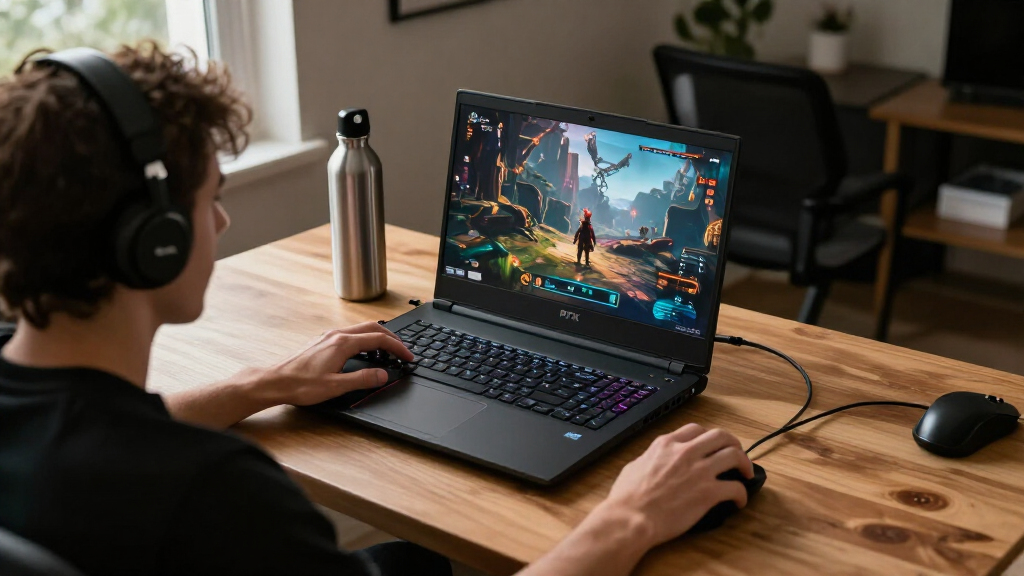

Choosing the best RTX gaming laptops requires balancing raw graphical power with portability and thermal efficiency. The ASUS ROG Strix G16 (2026) stands out as the top choice for enthusiasts seeking RTX 5080 performance without the bulk of larger chassis. For those prioritizing value, the Acer Nitro V 16S offers a compelling mix of the RTX 5060 and high-refresh-rate displays at a more accessible price point. Buyers often struggle with the tradeoff between screen size and battery life, especially when moving from 15-inch to 18-inch models. This guide breaks down the top contenders to help you identify which machine fits your specific gaming library and budget constraints.

Get the latest gadgets delivered free with Prime
- Fast, free delivery on millions of items
- Prime Video, Amazon Music and more included
- Member-only deals all year
Complete the kit



Key Takeaways
- The RTX 50-series GPUs prioritize efficiency, allowing thinner chassis like the Acer Predator Helios Neo 14 to maintain high frame rates without excessive heat.
- Display resolution and refresh rate are now tightly coupled; 2.5K 240Hz panels are becoming the sweet spot for competitive gamers who want clarity without sacrificing speed.
- Budget options featuring older GPUs like the RTX 3050 are struggling to keep up with modern AAA titles, making the RTX 5050 the new entry-level floor.
- Thermal management is the primary differentiator between similarly specced laptops, with ASUS ROG Strix and MSI Crosshair models offering superior cooling for sustained loads.
- Portability no longer means compromised performance, as seen in the Lenovo Legion 5a, which combines a 15.3-inch OLED with powerful RTX silicon in a slim profile.
| ASUS ROG Strix G16 (2026) Gaming Laptop |  | Best Overall | Processor: Intel Core Ultra 9 290HX Plus | Graphics: NVIDIA GeForce RTX 5080 Laptop GPU, 16GB GDDR7 | Display: 16-inch, 2560 × 1600, 300Hz | VIEW LATEST PRICE | See Our Full Breakdown |
| Alienware 16 Aurora Gaming Laptop | 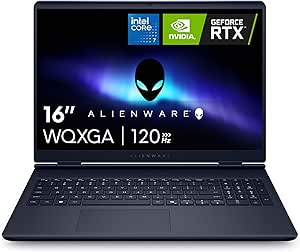 | Best for Alienware Buyers | Processor: Intel Core 7 240H | Graphics: NVIDIA GeForce RTX 5060 | Display: 16-inch WQXGA, 2560 × 1600, 16:10, 120Hz, 300 nits | VIEW LATEST PRICE | See Our Full Breakdown |
| Acer Predator Helios Neo 14 AI Gaming Laptop |  | Best Compact RTX 5070 Pick | Processor: Intel Core Ultra 9 285H | Graphics: NVIDIA GeForce RTX 5070 Laptop GPU | Display: 14.5-inch WQXGA matte, 165Hz, G-SYNC, 100% sRGB | VIEW LATEST PRICE | See Our Full Breakdown |
| HP HyperX OMEN 15.3-Inch Gaming Laptop |  | Best Entry-Level RTX Pick | Processor: AMD Ryzen 5 240, 6 cores and 12 threads, up to 5.0GHz | Graphics: NVIDIA GeForce RTX 5050 Laptop GPU, 8GB GDDR7 | Display: 15.3-inch IPS, 1920 × 1200, up to 165Hz, anti-glare | VIEW LATEST PRICE | See Our Full Breakdown |
| Acer Nitro V 16S AI Gaming Laptop |  | Best RTX 5060 Value Configuration | Processor: AMD Ryzen 7 260 | Graphics: NVIDIA GeForce RTX 5060 Laptop GPU | Display: 16-inch WUXGA IPS, 1920 × 1200, 180Hz, 100% sRGB | VIEW LATEST PRICE | See Our Full Breakdown |
| ASUS ROG Strix G18 (2025) 18-Inch Gaming Laptop |  | Best for Big-Screen Multitasking | Display: 18 inches, 2560 × 1600 | Refresh rate: 144Hz | Processor: Intel Core i9-14900HX | VIEW LATEST PRICE | See Our Full Breakdown |
| MSI Crosshair 18 HX AI Gaming Laptop, 18-inch QHD+ 240Hz, Intel Core Ultra 9 275HX, RTX 5070, 32GB RAM, 2TB SSD |  | Best for High-Refresh 18-Inch Gaming | Display: 18-inch IPS, 2560 × 1600, 240Hz, 100% DCI-P3 | Processor: Intel Core Ultra 9 275HX, 24 cores, up to 5.4GHz | Graphics: NVIDIA GeForce RTX 5070, 8GB GDDR7 | VIEW LATEST PRICE | See Our Full Breakdown |
| ASUS ROG Strix G16 (2025) Gaming Laptop, 16-inch FHD+ 165Hz, RTX 5060, Intel Core i7-14650HX, 16GB DDR5, 1TB SSD |  | Best Compact ROG Pick | Model: G615JMR-AS74 | Display: 16-inch FHD+ 16:10 | Refresh rate: 165Hz | VIEW LATEST PRICE | See Our Full Breakdown |
| HP Victus 15.6-inch FHD 144Hz Gaming Laptop, Intel Core i5-12450H, NVIDIA GeForce RTX 3050, 16GB RAM, 512GB PCIe SSD, Wi-Fi 6, Windows 11 Pro |  | Best Entry-Level RTX Option | Display: 15.6-inch FHD IPS LED, 1920 × 1080, 144Hz, anti-glare | Processor: Intel Core i5-12450H, up to 4.4GHz | Graphics: NVIDIA GeForce RTX 3050, 6GB GDDR6 | VIEW LATEST PRICE | See Our Full Breakdown |
| MSI Cyborg 17 17.3-Inch FHD 144Hz Gaming Laptop, Intel Core 7-240H, NVIDIA GeForce RTX 5060, 16GB DDR5, 1TB SSD |  | Best Lightweight Large-Screen RTX Pick | Display: 17.3-inch LCD, 1920 × 1080, 144Hz, matte | Processor: Intel Core 7-240H | Graphics: NVIDIA GeForce RTX 5060, 8GB GDDR7 | VIEW LATEST PRICE | See Our Full Breakdown |
| Lenovo Legion 5a Gaming Laptop |  | Best Display Quality | Processor: AMD Ryzen 7 250 (8 cores, up to 5.1GHz) | Graphics: NVIDIA GeForce RTX 5060 (8GB GDDR7) | Display: 15.3-inch WQXGA OLED, 2560×1600, 165Hz | VIEW LATEST PRICE | See Our Full Breakdown |
| Lenovo LOQ Gaming Laptop |  | Best Entry-Level Performance | Processor: Intel Core i7-13650HX | Graphics: NVIDIA GeForce RTX 5050 | Display: 15.6-inch FHD IPS, 144Hz, G-Sync | VIEW LATEST PRICE | See Our Full Breakdown |
| MSI Katana 15 HX Gaming Laptop |  | Best High-Performance Value | Processor: Intel Core i9-14900HX (24 cores) | Graphics: NVIDIA GeForce RTX 5070 (8GB GDDR7) | Display: 15.6-inch QHD+, 165Hz, 100% DCI-P3 | VIEW LATEST PRICE | See Our Full Breakdown |
| Alienware 15 Gaming Laptop |  | Best Brand Reliability | Processor: Intel Core 7 240H | Graphics: NVIDIA GeForce RTX 4050 (6GB GDDR6) | Display: 15.3-inch WUXGA, 165Hz, matte | VIEW LATEST PRICE | See Our Full Breakdown |
| ASUS ROG Strix G16 (2025) Gaming Laptop |  | Best Premium Performance | Processor: Intel Core Ultra 9 275HX | Graphics: NVIDIA GeForce RTX 5070 Ti Laptop GPU | Display: 16-inch 2.5K, 240Hz, 3ms response | VIEW LATEST PRICE | See Our Full Breakdown |
| RTX gaming laptop | Processor | Graphics | Display | Memory |
|---|---|---|---|---|
| ASUS ROG Strix G16 | Intel Core Ultra 9 290HX Plus | NVIDIA GeForce RTX 5080 Laptop GPU, 16GB GDDR7 | 16-inch, 2560 × 1600, 300Hz | 32GB DDR5-5600 |
| Alienware 16 Aurora Gaming Lap | Intel Core 7 240H | NVIDIA GeForce RTX 5060 | 16-inch WQXGA, 2560 × 1600, 16:10, 120Hz, 300 nits | 16GB DDR5-5600, upgradeable to 32GB |
| Acer Predator Helios Neo 14 AI | Intel Core Ultra 9 285H | NVIDIA GeForce RTX 5070 Laptop GPU | 14.5-inch WQXGA matte, 165Hz, G-SYNC, 100% sRGB | 32GB onboard LPDDR5X |
| HP HyperX OMEN 15.3-Inch Gamin | AMD Ryzen 5 240, 6 cores and 12 threads, up to 5.0GHz | NVIDIA GeForce RTX 5050 Laptop GPU, 8GB GDDR7 | 15.3-inch IPS, 1920 × 1200, up to 165Hz, anti-glare | 16GB DDR5-5600 |
| Acer Nitro V 16S AI Gaming Lap | AMD Ryzen 7 260 | NVIDIA GeForce RTX 5060 Laptop GPU | 16-inch WUXGA IPS, 1920 × 1200, 180Hz, 100% sRGB | 32GB DDR5-5600, maximum 32GB |
| ASUS ROG Strix G18 | Intel Core i9-14900HX | NVIDIA GeForce RTX 5070 or RTX 5060 (listing conflict) | 18 inches, 2560 × 1600 | 32GB DDR5-5600 |
| MSI Crosshair 18 HX AI Gaming | Intel Core Ultra 9 275HX, 24 cores, up to 5.4GHz | NVIDIA GeForce RTX 5070, 8GB GDDR7 | 18-inch IPS, 2560 × 1600, 240Hz, 100% DCI-P3 | 32GB DDR5-5600 |
| ASUS ROG Strix G16 | Intel Core i7-14650HX | NVIDIA GeForce RTX 5060 Laptop GPU | 16-inch FHD+ 16:10 | 16GB DDR5-5600 |
| HP Victus 15.6-inch FHD 144Hz | Intel Core i5-12450H, up to 4.4GHz | NVIDIA GeForce RTX 3050, 6GB GDDR6 | 15.6-inch FHD IPS LED, 1920 × 1080, 144Hz, anti-glare | 16GB RAM |
| MSI Cyborg 17 17.3-Inch FHD 14 | Intel Core 7-240H | NVIDIA GeForce RTX 5060, 8GB GDDR7 | 17.3-inch LCD, 1920 × 1080, 144Hz, matte | 16GB DDR5 |
| Lenovo Legion 5a Gaming Laptop | AMD Ryzen 7 250 (8 cores, up to 5.1GHz) | NVIDIA GeForce RTX 5060 (8GB GDDR7) | 15.3-inch WQXGA OLED, 2560×1600, 165Hz | 32GB DDR5 RAM |
| Lenovo LOQ Gaming Laptop | Intel Core i7-13650HX | NVIDIA GeForce RTX 5050 | 15.6-inch FHD IPS, 144Hz, G-Sync | 16GB RAM |
| MSI Katana 15 HX Gaming Laptop | Intel Core i9-14900HX (24 cores) | NVIDIA GeForce RTX 5070 (8GB GDDR7) | 15.6-inch QHD+, 165Hz, 100% DCI-P3 | 32GB DDR5 |
| Alienware 15 Gaming Laptop | Intel Core 7 240H | NVIDIA GeForce RTX 4050 (6GB GDDR6) | 15.3-inch WUXGA, 165Hz, matte | 16GB DDR5 RAM |
| ASUS ROG Strix G16 | Intel Core Ultra 9 275HX | NVIDIA GeForce RTX 5070 Ti Laptop GPU | 16-inch 2.5K, 240Hz, 3ms response | 32GB DDR5-5600MHz |
More Details on Our Top Picks
ASUS ROG Strix G16 (2026) Gaming Laptop
For buyers who want an RTX laptop with room for both demanding games and high-refresh competitive play, the ROG Strix G16 is the strongest all-round fit in this group. Its RTX 5080 with 16GB GDDR7 sits above the RTX 5070 in the Acer Predator Helios Neo 14 AI, while the 2560 × 1600, 300Hz screen gives fast motion more headroom than the Acer’s 165Hz panel. The 32GB of memory and tool-free upgrade access also make it a more flexible long-term setup than the Alienware 16 Aurora’s 16GB configuration. The tradeoff is portability: this is a large 16-inch gaming machine, not a compact daily carry. Product details also list conflicting processor models and refresh rates, so I would verify the exact configuration before buying.
Pros:- RTX 5080 Laptop GPU with 16GB GDDR7
- 2560 × 1600 display specified at 300Hz
- 32GB DDR5 memory and 1TB PCIe Gen 4 SSD
- Tool-free upgrade access and vapor-chamber, tri-fan cooling
Cons:- Large 16-inch gaming-laptop form factor is less convenient to carry
- Listing details conflict on processor model and display refresh rate
Best for: Competitive and visually demanding PC gamers who want RTX 5080 graphics, a high-refresh 16-inch screen, and accessible upgrades.
Not ideal for: Frequent travelers seeking a light laptop, or buyers who need fully consistent processor and display specifications before ordering.
- Processor:Intel Core Ultra 9 290HX Plus
- Graphics:NVIDIA GeForce RTX 5080 Laptop GPU, 16GB GDDR7
- Display:16-inch, 2560 × 1600, 300Hz
- Memory:32GB DDR5-5600
- Storage:1TB PCIe Gen 4 SSD
- Wireless:Wi-Fi 7, Bluetooth 5.4
- Battery:90Wh
- Cooling and features:Vapor chamber, tri-fan cooling, Dolby Vision HDR, tool-free upgrade access
Our verdict“Choose the ROG Strix G16 for the strongest stated GPU and fastest display in this batch, provided you confirm the configuration details first.”
Alienware 16 Aurora Gaming Laptop
The Alienware 16 Aurora suits buyers who want an RTX 5060 system with a high-resolution screen and Alienware’s Cryo-Chamber cooling design, without stepping up to the more powerful RTX 5080 in the ROG Strix G16. Its 2560 × 1600, 120Hz display offers more workspace and detail than the HP HyperX OMEN 15.3’s 1920 × 1200 panel, though the OMEN lists a faster 165Hz refresh rate. A 1TB SSD gives game libraries more breathing room than the HP’s 512GB drive. The main compromise is the starting memory: 16GB is workable for many games, but the stated upgrade ceiling is 32GB. At 5.5 pounds, it is also a substantial laptop to carry, and its RTX 5060 is a step below the batch’s RTX 5070 and RTX 5080 options.
Pros:- RTX 5060 graphics paired with a 2560 × 1600 screen
- 1TB SSD provides space for a larger installed game library
- Memory can be upgraded to 32GB
- Cryo-Chamber cooling design and backlit keyboard
Cons:- Configured with 16GB of memory, less than the 32GB in the Acer Nitro V 16S AI
- 5.5-pound weight makes it a burden for frequent travel
- 120Hz display is slower than the 165Hz HP HyperX OMEN and 180Hz Nitro V panels
Best for: Alienware fans who want a 16-inch, high-resolution RTX 5060 laptop for gaming and everyday use, with the option to expand memory.
Not ideal for: Players seeking the highest graphics performance in this group, a particularly light travel laptop, or 16GB-plus memory out of the box.
- Processor:Intel Core 7 240H
- Graphics:NVIDIA GeForce RTX 5060
- Display:16-inch WQXGA, 2560 × 1600, 16:10, 120Hz, 300 nits
- Memory:16GB DDR5-5600, upgradeable to 32GB
- Storage:1TB SSD
- Weight:5.5 pounds
- Cooling:Cryo-Chamber structure
- Operating system:Windows 11 Home
Our verdict“Pick the Alienware 16 Aurora if its Alienware design and sharp 16-inch screen matter more to you than a faster display or higher-tier RTX graphics.”
Acer Predator Helios Neo 14 AI Gaming Laptop
The Predator Helios Neo 14 AI is the portability-first choice here: it pairs an RTX 5070 Laptop GPU with a 14.5-inch, 165Hz screen in a 4.19-pound chassis. That makes it easier to take along than the 5.5-pound Alienware 16 Aurora, while its GPU tier sits above the Alienware’s RTX 5060. Its matte WQXGA display adds G-SYNC and full sRGB coverage, a useful mix for games and color-conscious creative work. The larger ASUS ROG Strix G16 counters with a more powerful stated RTX 5080 and a much faster 300Hz panel, but is less travel-friendly. The Acer’s fixed 32GB of onboard memory cannot be expanded, and only one of its two M.2 slots is available, limiting future upgrades.
Pros:- RTX 5070 Laptop GPU in a 4.19-pound design
- 14.5-inch WQXGA matte display with 165Hz, G-SYNC, and 100% sRGB
- 32GB LPDDR5X memory and 1TB PCIe Gen 4 SSD
- Thunderbolt 4, HDMI 2.1, and a useful selection of other ports
Cons:- 32GB memory is onboard and cannot be upgraded
- Only one of the two M.2 slots is available
- Smaller display offers less screen area than the 16-inch ROG Strix G16 and Alienware 16 Aurora
Best for: Gamers and creators who want RTX 5070-class graphics, a color-capable high-refresh display, and a smaller laptop to carry between locations.
Not ideal for: Buyers who plan to upgrade memory later, need multiple open M.2 slots, or prefer a larger screen for gaming.
- Processor:Intel Core Ultra 9 285H
- Graphics:NVIDIA GeForce RTX 5070 Laptop GPU
- Display:14.5-inch WQXGA matte, 165Hz, G-SYNC, 100% sRGB
- Memory:32GB onboard LPDDR5X
- Storage:1TB PCIe Gen 4 SSD
- Weight:4.19 pounds
- Wireless:Killer Wi-Fi 6E, Bluetooth 5.4 or above
- Ports:Thunderbolt 4, USB-C, 2 USB-A, HDMI 2.1, headset jack
Our verdict“Choose the Predator Helios Neo 14 AI if portability and RTX 5070 performance matter more than memory upgrades or a larger gaming screen.”
HP HyperX OMEN 15.3-Inch Gaming Laptop
The HP HyperX OMEN 15.3 is the entry-level pick for buyers who want dedicated RTX graphics and a fast panel without moving to the higher tiers represented by the Acer Predator Helios Neo 14 AI’s RTX 5070 or the ROG Strix G16’s RTX 5080. Its RTX 5050 with 8GB GDDR7 and 165Hz display make it a reasonable fit for mainstream gaming, while the Ryzen 5 240 provides six cores and 12 threads for everyday multitasking. The Acer Nitro V 16S AI is a more capable step-up within the lineup, offering RTX 5060 graphics, 32GB memory, and a 180Hz screen. Here, 16GB RAM and a 512GB SSD mean a smaller starting allowance for multitasking and game installs. The display’s 62.5% sRGB coverage also makes it less suitable for color-critical work.
Pros:- RTX 5050 Laptop GPU with 8GB GDDR7
- 15.3-inch 1920 × 1200 IPS display supports up to 165Hz
- 16GB DDR5-5600 memory and PCIe Gen 4 NVMe storage
- OMEN cooling features and HP Fast Charge support
Cons:- 512GB SSD gives less room for installed games than the 1TB drives in the Alienware and Acer Nitro
- Display covers 62.5% of sRGB, limiting color-sensitive creative work
- 5.3-pound weight is high for a laptop with a 15.3-inch screen
Best for: First-time gaming-laptop buyers who want RTX 5050 graphics, a high-refresh screen, and a straightforward system for mainstream games.
Not ideal for: Players chasing higher-tier RTX performance, users with large game libraries, or creators who need a wide-gamut display.
- Processor:AMD Ryzen 5 240, 6 cores and 12 threads, up to 5.0GHz
- Graphics:NVIDIA GeForce RTX 5050 Laptop GPU, 8GB GDDR7
- Display:15.3-inch IPS, 1920 × 1200, up to 165Hz, anti-glare
- Memory:16GB DDR5-5600
- Storage:512GB PCIe Gen 4 NVMe M.2 SSD
- Wireless:Wi-Fi 6, Bluetooth 5.4
- Weight:5.3 pounds
- Operating system:Windows 11 Home
Our verdict“Choose the HP HyperX OMEN 15.3 as a first RTX gaming laptop if mainstream graphics performance is enough and you can work within its smaller drive and narrower-gamut display.”
Acer Nitro V 16S AI Gaming Laptop
The Acer Nitro V 16S AI makes the most sense for buyers who want an RTX 5060 paired with enough memory and storage to handle a busy gaming setup from the start. Its 32GB DDR5 and 1TB SSD are a stronger out-of-box combination than the Alienware 16 Aurora’s 16GB memory, while the 180Hz panel is faster than the Alienware’s 120Hz screen. The Predator Helios Neo 14 AI offers a higher RTX tier and a sharper WQXGA display, but its compact format comes with non-upgradeable onboard memory. The Nitro’s 16-inch WUXGA panel instead prioritizes speed and full sRGB coverage over extra resolution. Memory is already at the stated 32GB maximum, and one of the two M.2 slots is occupied, so expansion options are limited.
Pros:- RTX 5060 Laptop GPU supports ray tracing and DLSS 4
- 16-inch 1920 × 1200 display with 180Hz refresh and 100% sRGB coverage
- 32GB DDR5-5600 memory and 1TB PCIe Gen 4 SSD
- Two DDR5 slots and two M.2 slots provide some serviceability
Cons:- 32GB is the stated maximum memory, leaving no listed capacity for a RAM upgrade
- One of the two M.2 slots is already occupied
- WUXGA resolution is lower than the WQXGA display on the Alienware 16 Aurora
Best for: Gamers who want an RTX 5060 laptop with 32GB RAM, 1TB storage, and a fast, full-sRGB 16-inch screen from the outset.
Not ideal for: Buyers who want a higher-resolution screen, need to expand memory beyond 32GB, or want both M.2 slots free for drives.
- Processor:AMD Ryzen 7 260
- Graphics:NVIDIA GeForce RTX 5060 Laptop GPU
- Display:16-inch WUXGA IPS, 1920 × 1200, 180Hz, 100% sRGB
- Memory:32GB DDR5-5600, maximum 32GB
- Storage:1TB PCIe Gen 4 SSD
- Memory slots:2 DDR5 slots
- M.2 slots:2 PCIe M.2 slots, 1 available
- Wireless:Wi-Fi 6
Our verdict“Pick the Nitro V 16S AI for a ready-to-play RTX 5060 configuration with generous memory and a quick, color-capable screen, not for high-resolution gaming or extensive upgrades.”
ASUS ROG Strix G18 (2025) 18-Inch Gaming Laptop
The ROG Strix G18 suits buyers who want a roomy gaming station with strong supporting hardware: its 18-inch, 2560 × 1600 display, 32GB of memory, and 1TB SSD leave space for demanding games and multitasking. Its 144Hz refresh rate is less fluid than the MSI Crosshair 18 HX AI’s 240Hz panel, but the G18 pairs that larger screen with an Intel Core i9-14900HX and vapor-chamber, tri-fan cooling. The main buying caveat is unusually important: the listing conflicts on graphics, naming an RTX 5070 in some places and an RTX 5060 elsewhere. I would verify the GPU configuration before choosing it over clearly specified alternatives. At 10 pounds, it is better suited to a desk than frequent commutes.
Pros:- 18-inch 2560 × 1600 display provides generous screen space for games and multitasking.
- 32GB DDR5 memory and a 1TB PCIe Gen 4 SSD provide a capable starting configuration.
- Vapor-chamber and tri-fan cooling support sustained gaming workloads.
- Tool-free RAM and SSD access makes future upgrades easier.
Cons:- The listing identifies the graphics card as both RTX 5070 and RTX 5060.
- At 10 pounds, it is cumbersome for regular travel.
- Its 144Hz refresh rate is lower than the MSI Crosshair 18 HX AI’s 240Hz.
Best for: Gamers who want an 18-inch, high-resolution screen, generous memory, and a laptop that will mostly stay at a desk.
Not ideal for: Buyers who need a confirmed GPU configuration or regularly carry their laptop; the listing conflicts on the RTX model, and the chassis weighs 10 pounds.
- Display:18 inches, 2560 × 1600
- Refresh rate:144Hz
- Processor:Intel Core i9-14900HX
- Graphics:NVIDIA GeForce RTX 5070 or RTX 5060 (listing conflict)
- Memory:32GB DDR5-5600
- Storage:1TB PCIe Gen 4 SSD
- Operating system:Windows 11 Home
- Weight:10 pounds
Our verdict“Choose the G18 for a mostly stationary, large-screen setup, but confirm its RTX graphics model before buying.”
MSI Crosshair 18 HX AI Gaming Laptop, 18-inch QHD+ 240Hz, Intel Core Ultra 9 275HX, RTX 5070, 32GB RAM, 2TB SSD
The MSI Crosshair 18 HX AI is the clearest pick here for buyers who want a large display with a fast refresh rate: its 18-inch QHD+ 240Hz panel outpaces the 144Hz screen on the ASUS ROG Strix G18 and covers 100% of the DCI-P3 color gamut. An RTX 5070 with 8GB GDDR7, a 24-core Core Ultra 9 275HX, and 32GB of RAM make a strong combination for gaming and demanding workloads; its 2TB SSD also offers twice the listed capacity of the G18. The tradeoffs are portability and listing clarity: it is a large 18-inch machine, and the product information gives conflicting weights. The 720p webcam is modest for frequent video calls.
Pros:- QHD+ 240Hz display combines sharp resolution with a higher refresh rate than the ASUS ROG Strix G18.
- 100% DCI-P3 color coverage suits colorful games and creative work.
- RTX 5070, 32GB DDR5 memory, and a 2TB NVMe SSD form a capable configuration.
- Thunderbolt 4, HDMI 2.1, and Ethernet provide flexible wired connections.
Cons:- The large 18-inch chassis is not an easy choice for frequent travel.
- The listing gives conflicting weights: 6.83 pounds in the description and 13.1 pounds in product information.
- The 720p webcam has limited detail for video calls.
Best for: Players who want an 18-inch QHD+ screen with a very high refresh rate, strong color coverage, and a 2TB game library drive.
Not ideal for: Frequent travelers and buyers who prioritize video calls; its large chassis has conflicting listed weights, and the webcam is only 720p.
- Display:18-inch IPS, 2560 × 1600, 240Hz, 100% DCI-P3
- Processor:Intel Core Ultra 9 275HX, 24 cores, up to 5.4GHz
- Graphics:NVIDIA GeForce RTX 5070, 8GB GDDR7
- Memory:32GB DDR5-5600
- Storage:2TB NVMe SSD
- Operating system:Windows 11 Home
- Connectivity:Thunderbolt 4 USB-C, HDMI 2.1, RJ45 Ethernet, Wi-Fi 6E, Bluetooth 5.3
- Weight:Conflicting listings: 6.83 pounds and 13.1 pounds
Our verdict“Pick the Crosshair 18 HX AI if a 240Hz QHD+ screen and 2TB of storage matter more than easy portability.”
ASUS ROG Strix G16 (2025) Gaming Laptop, 16-inch FHD+ 165Hz, RTX 5060, Intel Core i7-14650HX, 16GB DDR5, 1TB SSD
The ROG Strix G16 is the more manageable ROG option in this group: its 16-inch FHD+ 165Hz display takes up less space than the 18-inch MSI Crosshair 18 HX AI, while its RTX 5060 brings DLSS 4 support. That makes it a sensible fit for players who want a high-refresh gaming laptop without stepping up to an 18-inch chassis. The Core i7-14650HX, 16GB DDR5 memory, and 1TB SSD cover a useful mix of gaming and everyday tasks, and vapor-chamber plus tri-fan cooling is a welcome feature. The compromise is a less demanding configuration than the 32GB Crosshair: memory headroom is lower, and the listed display resolution is FHD+, not QHD+.
Pros:- RTX 5060 graphics support DLSS 4.
- 165Hz display offers a fast refresh rate in a smaller format than the 18-inch MSI Crosshair.
- 1TB PCIe Gen 4 SSD provides room for a selection of games.
- Vapor-chamber, tri-fan cooling and liquid metal are designed to manage heat.
Cons:- FHD+ resolution is less detailed than the QHD+ panels on the MSI Crosshair and ASUS ROG Strix G18.
- 16GB of memory provides less headroom than the 32GB configurations in this lineup.
- The listing does not provide a laptop weight, making portability harder to judge.
Best for: Gamers who want an RTX 5060 ROG laptop with a high-refresh 16-inch screen and a more space-conscious footprint than an 18-inch model.
Not ideal for: Buyers who want QHD+ detail or 32GB of memory out of the box; this configuration has an FHD+ display and 16GB RAM.
- Model:G615JMR-AS74
- Display:16-inch FHD+ 16:10
- Refresh rate:165Hz
- Processor:Intel Core i7-14650HX
- Graphics:NVIDIA GeForce RTX 5060 Laptop GPU
- Memory:16GB DDR5-5600
- Storage:1TB PCIe Gen 4 SSD
- Cooling:Vapor chamber, tri-fan technology, and Conductonaut Extreme liquid metal
Our verdict“Choose this ROG Strix G16 for a 16-inch RTX 5060 system with a fast display, not for QHD+ sharpness or ample memory.”
HP Victus 15.6-inch FHD 144Hz Gaming Laptop, Intel Core i5-12450H, NVIDIA GeForce RTX 3050, 16GB RAM, 512GB PCIe SSD, Wi-Fi 6, Windows 11 Pro
The HP Victus is the entry-level choice in this set, built around an older RTX 3050 with 6GB of GDDR6 rather than the RTX 5060 found in the MSI Cyborg 17 or ASUS ROG Strix G16. Its 15.6-inch FHD screen runs at 144Hz, and the 16GB of RAM makes for a more usable starting configuration than a bare-bones gaming laptop. This pairing suits buyers focused on familiar 1080p gaming and general use, not those chasing the newest RTX features or heavier graphics settings. The 512GB SSD fills sooner than the 1TB drives in both RTX 5060 alternatives. At 7 pounds, it is also heavier than its screen size might suggest, and the listed 250-nit brightness may be limiting in bright rooms.
Pros:- RTX 3050 with 6GB GDDR6 provides dedicated graphics for gaming.
- 144Hz anti-glare FHD display supports smoother motion in compatible games.
- 16GB RAM offers a practical starting point for gaming and everyday applications.
- Windows 11 Pro and Wi-Fi 6 add useful productivity and connectivity features.
Cons:- RTX 3050 is an older, lower-tier option than the RTX 5060 GPUs in the ASUS ROG Strix G16 and MSI Cyborg 17.
- The 512GB SSD has less capacity than the 1TB drives in those RTX 5060 models.
- Listed 250-nit brightness may be limiting in brightly lit spaces, and the laptop weighs 7 pounds.
Best for: New PC gamers and students who want a 15.6-inch 1080p laptop with dedicated RTX graphics and Windows 11 Pro.
Not ideal for: Players seeking newer RTX 50-series graphics, a large game library on the internal drive, or a laptop for bright environments.
- Display:15.6-inch FHD IPS LED, 1920 × 1080, 144Hz, anti-glare
- Processor:Intel Core i5-12450H, up to 4.4GHz
- Graphics:NVIDIA GeForce RTX 3050, 6GB GDDR6
- Memory:16GB RAM
- Storage:512GB PCIe SSD
- Operating system:Windows 11 Pro
- Wireless:Wi-Fi 6 and Bluetooth 5
- Weight:7 pounds
Our verdict“Pick the Victus for entry-level 1080p RTX gaming and Windows 11 Pro, but choose an RTX 5060 laptop for newer graphics hardware.”
MSI Cyborg 17 17.3-Inch FHD 144Hz Gaming Laptop, Intel Core 7-240H, NVIDIA GeForce RTX 5060, 16GB DDR5, 1TB SSD
The MSI Cyborg 17 stands apart by pairing a 17.3-inch screen with a listed 5.3-pound weight, making it a more travel-friendly large-screen option than the 10-pound ASUS ROG Strix G18. Its RTX 5060 with 8GB GDDR7 also gives it a newer graphics generation than the HP Victus’s RTX 3050, while the 1TB SSD offers twice that HP’s listed capacity. The tradeoff is display detail: the Cyborg’s FHD 144Hz panel is less sharp than the QHD+ screens on the Crosshair 18 HX AI and Strix G18. It also has 16GB of memory rather than the 32GB found in those larger alternatives. Conflicting listed dimensions and weight make its portability claims worth checking.
Pros:- RTX 5060 with 8GB GDDR7 is a newer graphics option than the HP Victus’s RTX 3050.
- 17.3-inch 144Hz matte display offers a large gaming view.
- Listed 5.3-pound weight is substantially below the ASUS ROG Strix G18’s 10 pounds.
- 1TB NVMe SSD and 16GB DDR5 provide a useful core configuration.
Cons:- FHD resolution is less detailed than the QHD+ panels on the MSI Crosshair 18 HX AI and ASUS ROG Strix G18.
- 16GB memory is below the 32GB offered by those larger-screen alternatives.
- The source lists conflicting thickness and weight figures.
Best for: Gamers who want a large 17.3-inch display and RTX 5060 graphics but prefer a lighter listed weight than the 18-inch ASUS ROG Strix G18.
Not ideal for: Buyers who prioritize QHD+ resolution, 32GB RAM, or fully consistent size and weight specifications.
- Display:17.3-inch LCD, 1920 × 1080, 144Hz, matte
- Processor:Intel Core 7-240H
- Graphics:NVIDIA GeForce RTX 5060, 8GB GDDR7
- Memory:16GB DDR5
- Storage:1TB NVMe SSD
- Operating system:Windows 11 Home
- Connectivity:Wi-Fi 6E, Bluetooth 5.3, USB-C, USB-A, HDMI, RJ45
- Weight:Listed as 5.3 pounds; source also notes conflicting figures
Our verdict“Choose the Cyborg 17 for a large FHD screen and RTX 5060 in a lighter listed package, after checking its conflicting size and weight details.”
Lenovo Legion 5a Gaming Laptop
This Lenovo Legion 5a stands out primarily for its WQXGA OLED panel, which offers superior contrast and color accuracy compared to the standard IPS screens found on many competitors like the Lenovo LOQ. The inclusion of 32GB DDR5 RAM and a RTX 5060 with GDDR7 memory ensures it handles modern titles smoothly, though it may not reach the extreme frame rates of higher-tier GPUs. I find the 165Hz refresh rate to be a sweet spot for competitive gaming without overwhelming the GPU. However, the 5 lb weight makes it less portable than lighter ultrabooks, and the battery life details remain vague, which is a risk for mobile users. It is a strong choice if visual fidelity matters more than raw wattage efficiency.
Pros:- OLED display provides exceptional contrast and 100% DCI-P3 color coverage
- RTX 5060 with GDDR7 memory offers modern architecture benefits
- Generous 32GB RAM and 1TB SSD eliminate immediate upgrade needs
- Includes a portable 500GB drive for extra storage convenience
Cons:- OLED panels can be susceptible to burn-in over long-term static use
- Battery runtime specifications are not clearly defined
- 5 lb weight is heavier than many 15-inch competitors
Best for: Content creators and gamers who prioritize color accuracy and deep blacks for media consumption and immersive single-player games.
Not ideal for: Frequent travelers or students who need a lightweight machine with confirmed all-day battery life for classes.
- Processor:AMD Ryzen 7 250 (8 cores, up to 5.1GHz)
- Graphics:NVIDIA GeForce RTX 5060 (8GB GDDR7)
- Display:15.3-inch WQXGA OLED, 2560×1600, 165Hz
- Memory:32GB DDR5 RAM
- Storage:1TB SSD
- Weight:Approx. 5 lb
Our verdict“Choose this model if you value a stunning OLED screen for visual richness over maximum portability.”
Lenovo LOQ Gaming Laptop
The Lenovo LOQ positions itself as an accessible entry point into dedicated gaming hardware. While its RTX 5050 graphics are a step down from the RTX 5060 found in the Lenovo Legion 5a, the Intel Core i7-13650HX provides strong multi-threaded performance for multitasking. The 144Hz FHD display is adequate for casual gaming but lacks the resolution and color depth of the Legion’s OLED. I appreciate the Hyperchamber Cooling and Rapid Charge Pro, which are practical features for students or office workers who need quick top-ups. However, the 16GB RAM limit may feel restrictive for heavy multitaskers compared to the 32GB in higher-end models. This is a balanced machine for those starting their gaming journey without breaking the bank.
Pros:- Rapid Charge Pro charges battery to 70% in under 30 minutes
- Hyperchamber Cooling helps maintain sustained performance
- Durable aluminum chassis feels sturdy for the price point
- G-Sync support reduces screen tearing in compatible games
Cons:- RTX 5050 is less capable than RTX 5060 for high-detail gaming
- FHD resolution looks less sharp than QHD or WQXGA alternatives
- 5.3 lb weight is heavier than some slim competitors
Best for: Beginner gamers and students who need reliable 1080p performance and fast charging capabilities.
Not ideal for: Enthusiasts who want high-resolution textures or color-critical work on an OLED panel.
- Processor:Intel Core i7-13650HX
- Graphics:NVIDIA GeForce RTX 5050
- Display:15.6-inch FHD IPS, 144Hz, G-Sync
- Memory:16GB RAM
- Storage:1TB SSD
- Battery Charging:Rapid Charge Pro (70% in <30 mins)
Our verdict“This is the sensible choice for first-time gamers who prioritize value and battery convenience over premium visuals.”
MSI Katana 15 HX Gaming Laptop
The MSI Katana 15 HX delivers impressive raw power with its Intel Core i9-14900HX and RTX 5070 graphics, significantly outpacing the mid-range offerings like the Lenovo Legion 5a. The QHD+ 165Hz display strikes a good balance between sharpness and frame rate, making it suitable for competitive shooters. Its Cooler Boost 5 thermal design is robust, though MSI laptops often run louder under load. The 32GB DDR5 RAM and 1TB SSD are standard for this tier, ensuring no bottlenecks in most scenarios. However, the chassis design is utilitarian and lacks the premium finish of Alienware or ASUS ROG models. If you prioritize CPU and GPU horsepower over aesthetics, this Katana offers excellent bang for your buck.
Pros:- Core i9-14900HX offers top-tier processing power for multitasking
- RTX 5070 handles high-settings gaming better than 5060 models
- QHD+ resolution provides crisp visuals for immersive worlds
- 4-zone RGB keyboard adds customizable aesthetic appeal
Cons:- High-performance components may generate significant fan noise
- Plastic-heavy chassis feels less premium than metal competitors
- 5 lb weight limits extreme portability
Best for: Serious gamers who want high-end CPU and GPU power for competitive and AAA titles at a mid-range price.
Not ideal for: Users who prefer a quiet, sleek, or premium-feeling laptop design.
- Processor:Intel Core i9-14900HX (24 cores)
- Graphics:NVIDIA GeForce RTX 5070 (8GB GDDR7)
- Display:15.6-inch QHD+, 165Hz, 100% DCI-P3
- Memory:32GB DDR5
- Storage:1TB NVMe SSD
- Cooling:Cooler Boost 5 Dual-Fan System
Our verdict“Pick this laptop if you want maximum performance per dollar and don’t mind a utilitarian design.”
Alienware 15 Gaming Laptop
This Alienware 15 leverages the brand’s reputation for build quality and service, highlighted by the one-year onsite warranty. While the RTX 4050 graphics are a previous-generation card compared to the RTX 50-series in the MSI Katana, it remains capable for 1080p gaming. The WUXGA 165Hz display offers a taller aspect ratio useful for productivity, though it lacks the color gamut of the MSI’s DCI-P3 panel. The 4.9 lb weight is relatively light for an Alienware, making it a decent hybrid for work and play. However, the 16GB RAM is becoming a limiting factor for modern AAA titles, and the Wi-Fi 6 standard is slower than the Wi-Fi 7 found in newer models. It is a safe, conservative choice for brand loyalists.
Pros:- Includes one year of onsite service for peace of mind
- 165Hz WUXGA display supports smooth gameplay and productivity
- Relatively light at 4.9 lbs for a gaming laptop
- Stealth mode and Cryo-tech cooling optimize performance quietly
Cons:- RTX 4050 is older generation hardware compared to RTX 50-series
- 16GB RAM may require an upgrade for heavy multitasking
- Wi-Fi 6 lacks the speed and efficiency of Wi-Fi 7
Best for: Professionals and students who value Alienware’s onsite support and a balanced 1080p gaming experience.
Not ideal for: Gamers who want the latest RTX 50-series architecture or high-resolution displays.
- Processor:Intel Core 7 240H
- Graphics:NVIDIA GeForce RTX 4050 (6GB GDDR6)
- Display:15.3-inch WUXGA, 165Hz, matte
- Memory:16GB DDR5 RAM
- Storage:1TB SSD
- Warranty:1 Year Onsite Service
Our verdict“Choose this if you prioritize brand trust and onsite support over cutting-edge GPU specifications.”
ASUS ROG Strix G16 (2025) Gaming Laptop
The ASUS ROG Strix G16 is a powerhouse designed for users who demand the best. With an RTX 5070 Ti and Core Ultra 9, it significantly outperforms the standard RTX 5070 in the MSI Katana. The 2.5K 240Hz display is a standout feature, offering ultra-smooth motion that benefits competitive gamers immensely. Its advanced vapor chamber and liquid metal cooling allow the system to sustain high boost clocks longer than cheaper rivals. The 32GB DDR5 RAM and Wi-Fi 7 ensure future-proof connectivity and multitasking capability. However, this level of performance often comes with a larger footprint and potentially shorter battery life under load. This machine is for those who refuse to compromise on frame rates or visual fidelity.
Pros:- RTX 5070 Ti offers substantial performance gains over standard 5070
- 240Hz 2.5K display provides fluid, high-resolution visuals
- Liquid metal cooling and tri-fan system handle heat effectively
- Wi-Fi 7 ensures the fastest available wireless connectivity
Cons:- High-end specs may result in higher power consumption
- Weight and battery life specifics are not disclosed, indicating potential bulk
- Premium features come at a higher cost tier
Best for: Enthusiast gamers and esports players who need maximum frame rates and top-tier visual clarity.
Not ideal for: Budget-conscious buyers or those who only play casual, low-demand titles.
- Processor:Intel Core Ultra 9 275HX
- Graphics:NVIDIA GeForce RTX 5070 Ti Laptop GPU
- Display:16-inch 2.5K, 240Hz, 3ms response
- Memory:32GB DDR5-5600MHz
- Storage:1TB PCIe Gen 4 SSD
- Cooling:Vapor chamber, tri-fan, liquid metal
Our verdict“Invest in this laptop if you want top-tier gaming performance and a high-refresh-rate display without compromise.”

How We Picked
I evaluated these laptops based on their ability to deliver consistent frame rates in modern titles, rather than just peak synthetic benchmarks. Thermal performance was a key metric, as many thin-and-light gaming laptops throttle significantly under load. I also weighed the quality of the display, focusing on color accuracy and refresh rates that match the GPU’s output capabilities. Port selection and build durability were considered to ensure these machines survive daily use. Finally, I assessed the value proposition by comparing the cost per frame against competitors in the same GPU tier.
Factors to Consider When Choosing Best RTX Gaming Laptops
Selecting a gaming laptop involves more than just picking the highest number on the spec sheet. You must consider how the hardware interacts with your specific gaming habits and physical constraints.
GPU Tier and Performance Scaling
The NVIDIA RTX 50-series introduces new architectures that change how we think about entry-level gaming. While the RTX 5050 is sufficient for esports titles and medium-setting AAA games, it lacks the VRAM headroom of the RTX 5070 and above. Gamers targeting 1440p or higher resolutions should prioritize the RTX 5070 Ti or RTX 5080 to avoid bottlenecks in texture-heavy environments. Paying for a higher-tier GPU pays off in longevity, as newer titles increasingly demand more video memory. If you play competitive shooters, a mid-tier GPU with a high-refresh screen is often a smarter investment than a high-end GPU with a standard 60Hz panel.
Display Resolution and Refresh Rate Tradeoffs
Matching your GPU to your display is critical for a smooth experience. A 2.5K 240Hz screen, found in the ASUS ROG Strix G16, offers a perfect balance of sharpness and speed for most gamers. However, pushing frames at this resolution requires significant GPU power, often necessitating upscaling technologies like DLSS. Lower-end laptops with FHD 144Hz panels, such as the HP Victus, are easier to drive but may look blurry on larger screens. OLED panels, like those in the Lenovo Legion 5a, provide incredible contrast but can be prone to burn-in if static HUD elements are left on for too long. Consider what you play most: fast-paced shooters benefit from high refresh rates, while single-player RPGs shine on high-resolution, high-contrast displays.
Thermal Management and Chassis Design
Powerful GPUs generate heat, and how a laptop manages that heat determines its real-world performance. Models with larger chassis, like the MSI Crosshair 18 HX, typically have better airflow and larger heat sinks, allowing the GPU to run at higher clock speeds for longer periods. Thinner laptops like the Acer Predator Helios Neo 14 often sacrifice sustained performance for portability, leading to thermal throttling during long sessions. Look for laptops with multiple exhaust vents and vapor chamber cooling solutions. If you plan to use your laptop on a desk for extended gaming sessions, a larger, heavier model with robust cooling is preferable to a slim ultrabook-style gaming machine.
RAM and Storage Configurations
While 16GB of RAM is still the minimum standard, 32GB is becoming the recommended baseline for multitasking and future-proofing. Games like Cyberpunk 2077 with heavy modding or streaming software running in the background can quickly consume 16GB. Storage speed is equally important; PCIe Gen 4 or Gen 5 SSDs drastically reduce load times and texture streaming stutter. Many budget laptops, such as the HP HyperX OMEN, ship with smaller 512GB drives that fill up quickly with just a few major titles. Check if the RAM and SSD are soldered or upgradeable, as this impacts the long-term viability of your investment.
Portability and Battery Life
Gaming laptops are rarely used untethered, but battery life still matters for portability and general productivity. The RTX 50-series GPUs are more power-efficient than previous generations, allowing for longer battery life in non-gaming tasks. However, high-performance CPUs like the Intel Core Ultra 9 can drain batteries quickly. If you travel frequently, look for a laptop with USB-C charging support, allowing you to use a smaller power adapter for work. Larger 18-inch models are difficult to transport and often lack battery capacity for meaningful unplugged use. Balance your need for a desktop replacement against the reality of carrying a 5-6 pound machine in a backpack.
Frequently Asked Questions
Is the RTX 5050 worth buying for gaming in 2027?
The RTX 5050 is the new entry-level standard, replacing older cards like the RTX 3050. It handles popular esports titles and older AAA games at 1080p with high settings comfortably. However, it struggles with ray tracing and high-resolution textures in the latest releases. If your budget is tight and you play games like Valorant, League of Legends, or Fortnite, it is a capable choice. For anyone wanting to play new AAA releases at high settings, investing in an RTX 5060 or higher is the better long-term strategy.
Do I really need a 240Hz display for gaming?
A 240Hz display provides a smoother visual experience and lower input latency, which is beneficial for competitive gaming. However, your GPU must be powerful enough to consistently push 240 frames per second in your favorite titles. For most single-player games, a 144Hz or 165Hz panel is more than sufficient and places less strain on the hardware. If you are building a machine for esports, the extra refresh rate is worth it. For casual gamers, the difference between 165Hz and 240Hz is subtle and often not worth the premium cost unless the GPU tier matches the demand.
Are OLED screens bad for gaming laptops?
OLED panels, like those in the Lenovo Legion 5a, offer superior contrast and color accuracy compared to traditional IPS screens. The concern with gaming laptops is burn-in, where static elements like health bars or taskbars leave permanent ghost images. Modern OLEDs have mitigation features like pixel shifting, but the risk remains if you leave static images on screen for hours daily. If you play varied games and avoid leaving the same HUD on screen for long periods, the visual benefits outweigh the risks. For pure productivity users, IPS remains a safer bet, but gamers often prefer the immersion OLED provides.
Can I upgrade the RAM and SSD in these laptops?
This varies significantly by model. Thinner laptops like the ASUS ROG Strix G16 often have soldered RAM, meaning you must buy the configuration you need upfront. Larger models like the MSI Crosshair 18 HX typically offer user-upgradeable RAM and multiple SSD slots. Always check the specific product specifications or manufacturer documentation before purchasing. If a laptop has soldered RAM, buying a higher-capacity model initially is wise. For models with empty slots, you can save money by buying a base configuration and adding your own RAM and storage later.
What is the difference between the RTX 5070 and RTX 5070 Ti?
The RTX 5070 Ti offers roughly 15-20% more performance than the standard RTX 5070, primarily due to higher core counts and increased VRAM bandwidth. This difference becomes more apparent at 1440p and 4K resolutions, where the Ti model can maintain higher frame rates. The standard 5070 is excellent for 1080p and entry-level 1440p gaming, offering great value. The Ti is a step up for enthusiasts who want to play at higher settings without relying heavily on upscaling. If the price gap is small, the Ti is the better long-term investment; otherwise, the standard 5070 delivers excellent performance for the price.
Conclusion
Choosing the best RTX gaming laptop depends on your specific gaming priorities and budget constraints. For the best overall balance of power and portability, the ASUS ROG Strix G16 (2026) is the standout choice, offering RTX 5080 performance in a manageable 16-inch chassis. Gamers on a tighter budget should look at the Acer Nitro V 16S, which delivers solid RTX 5060 performance at an attractive price point. If you prioritize visual fidelity, the Lenovo Legion 5a with its OLED display provides an immersive experience that IPS panels cannot match. Enthusiasts who want maximum screen real estate and cooling capacity for desktop replacement use should consider the MSI Crosshair 18 HX. For beginners or those primarily playing esports titles, the HP Victus or Alienware 16 Aurora offer reliable entry points into the RTX ecosystem. Ultimately, match the GPU tier to your target resolution and refresh rate to ensure a smooth, stutter-free experience.
Fall Picks
fall essentials
As an affiliate, we earn on qualifying purchases.