The best augmented reality glasses balance a sharp, comfortable virtual screen with features that suit the way you plan to use them. My best overall pick is the XREAL One Pro, which pairs a built-in X1 chip and native 3DoF tracking with a high-refresh display. For more advanced spatial interaction, the VITURE Luma Ultra stands out for 6DoF tracking, while the VITURE Pro 2 is a practical choice for people who need adjustable myopia focus. The main tradeoffs are tracking depth, display clarity, fit, and how well the glasses work with your devices. Read on for the full breakdown and advice on choosing the right pair for your setup.

Get the latest gadgets delivered free with Prime
- Fast, free delivery on millions of items
- Prime Video, Amazon Music and more included
- Member-only deals all year
Complete the kit



Key Takeaways
- XREAL One Pro is the strongest all-around choice in this lineup because its X1 chip and native 3DoF tracking combine a large virtual display with fewer reliance points on external spatial hardware.
- 6DoF tracking is a meaningful step up, not an automatic upgrade: the VITURE Luma Ultra options are aimed at spatial interaction, while simpler screen mirroring may not benefit from the added capability.
- Refresh rate and resolution do not settle the decision alone. Field of view, fit, and how the display sits in your line of sight can matter more during long viewing sessions.
- Vision correction changes the shortlist. The VITURE Pro 2’s adjustable myopia focus targets a practical comfort need that a brighter or wider display cannot address.
- Not every product here is a conventional media-first headset. Translation and teleprompter glasses, plus the Maverick Sport, suit narrower needs and should be compared by their intended use rather than by virtual-screen specs.
| XREAL One Pro AR Glasses with X1 Chip, 171-Inch 120Hz FHD Display and Native 3DoF | 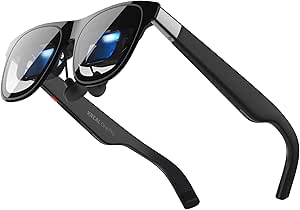 | Best Overall for Native 3DoF | Chip: XREAL X1 | Display: Sony 0.55-inch Micro-OLED | Refresh rate: 120 Hz | VIEW LATEST PRICE | See Our Full Breakdown |
| DOMARS AR/XR Video Glasses with 3-Screen Display and Spatial Computer |  | Best for Multi-Screen Workspaces | Display type: Micro-OLED | Listed resolution: 1920 × 1200 | Refresh rate: Conflicting listings: 120 Hz in description; 160 Hz in specifications | VIEW LATEST PRICE | See Our Full Breakdown |
| VITURE Luma Ultra XR Glasses, 1200p, 1500 Nits, 120Hz, 6DoF |  | Best for Brightness and Upgradeable Spatial Features | Display: Sony Micro-OLED | Resolution: 1200p | Brightness: Up to 1500 nits | VIEW LATEST PRICE | See Our Full Breakdown |
| RayNeo Air 4 Pro AR/XR Glasses with HDR10 Display and B&O Audio |  | Best for Movies and Gaming | Display: 201-inch virtual display with HDR10 | Refresh rate: 120Hz | 3D features: 2D-to-3D conversion | VIEW LATEST PRICE | See Our Full Breakdown |
| XREAL 1 Pro+ AR Glasses with 120Hz OLED Display |  | Best for Brightness and 3D Conversion | Display type: OLED | Maximum resolution: 1920 × 1080 | Refresh rate: 120 Hz | VIEW LATEST PRICE | See Our Full Breakdown |
| VITURE Beast XR/AR Glasses, 1200p per Eye, 58° FOV |  | Best for Immersive Viewing | Display: Sony Micro-OLED | Resolution: 1200p per eye | Field of view: 58° | VIEW LATEST PRICE | See Our Full Breakdown |
| RayNeo GT Max AR Glasses – 267” Virtual Display, 59° Field of View, Native 3DoF, IPD 64‑67 mm |  | Best for a Cinema-Size Screen | Virtual screen size: 267 inches; selectable up to 307 inches | Field of view: 59° | Refresh rate: 120 Hz | VIEW LATEST PRICE | See Our Full Breakdown |
| Rokid Max 2 AR Glasses with Micro-OLED Display |  | Best for Lightweight, Prescription-Free Viewing | Display: Micro-OLED | Virtual screen size: 215 inches at 6 meters | Field of view: 50° | VIEW LATEST PRICE | See Our Full Breakdown |
| VITURE Luma Ultra AR Glasses with 1200p Micro-OLED Display, 6DoF Tracking and Hand Gesture Support |  | Best for Advanced Spatial Features | Display resolution: 1200p | Virtual screen size: Up to 152 inches | Field of view: 52° | VIEW LATEST PRICE | See Our Full Breakdown |
| VITURE Luma Ultra XR Glasses with 1200p Display |  | Best for Multi-Screen Work | Display technology: Sony Micro-OLED | Display resolution: 1200p | Virtual screen size: Up to 152 inches | VIEW LATEST PRICE | See Our Full Breakdown |
| XREAL 1S AR Glasses with X1 Chip and Native 3DoF |  | Best for Spatial Viewing Modes | Resolution: 1920 × 1200 | Refresh rate: Up to 120Hz | Field of view: 52 degrees | VIEW LATEST PRICE | See Our Full Breakdown |
| VITURE Pro 2 XR Glasses with Adjustable Myopia Focus |  | Best for Built-In Myopia Adjustment | Display: 146-inch virtual screen | Resolution: 1080p | Refresh rate: 120Hz | VIEW LATEST PRICE | See Our Full Breakdown |
| VITURE Beast AR Glasses, 1200p, 58° FOV, 3DoF |  | Best for a Wide, Anchored View | Display size: 174 inches | Resolution: 1200p per eye; listed display resolution 1920 × 1200 | Field of view: 58 degrees | VIEW LATEST PRICE | See Our Full Breakdown |
| AR Smart Glasses with Real-Time Translation and Teleprompter Display |  | Best for Translation and Prompts | Display: 1.5-inch AMOLED | Operating system compatibility: Android Wear 8.1; iOS 10 and above | Listed weight: 40g in product details; 43g in description | VIEW LATEST PRICE | See Our Full Breakdown |
| Maverick Sport Augmented Reality Glasses |  | Best for Outdoor Sports Data | Display technology: Sony OLED | Water resistance: IP55 | Battery life: Up to 10 hours | VIEW LATEST PRICE | See Our Full Breakdown |
| augmented reality glasse | Refresh rate | Field of view |
|---|---|---|
| XREAL One Pro AR Glasses with | 120 Hz | 57° |
| DOMARS AR/XR Video Glasses wit | Conflicting listings: 120 Hz in description; 160 Hz in specifications | — |
| VITURE Luma Ultra XR Glasses | Up to 120Hz | 52° |
| RayNeo Air 4 Pro AR/XR Glasses | 120Hz | — |
| XREAL 1 Pro+ AR Glasses with 1 | 120 Hz | 57° |
| VITURE Beast XR/AR Glasses | 120 Hz | 58° |
| RayNeo GT Max AR Glasses | 120 Hz | 59° |
| Rokid Max 2 AR Glasses with Mi | 120 Hz | 50° |
| VITURE Luma Ultra AR Glasses w | 120 Hz | 52° |
| VITURE Luma Ultra XR Glasses w | Up to 120 Hz | 52° |
| XREAL 1S AR Glasses with X1 Ch | Up to 120Hz | 52 degrees |
| VITURE Pro 2 XR Glasses with A | 120Hz | 50 degrees |
| VITURE Beast AR Glasses | 120Hz | 58 degrees |
| AR Smart Glasses with Real-Tim | — | — |
| Maverick Sport Augmented Reali | — | — |
More Details on Our Top Picks
XREAL One Pro AR Glasses with X1 Chip, 171-Inch 120Hz FHD Display and Native 3DoF
The XREAL One Pro is my strongest all-round pick for buyers who want spatial screen control without adding a separate computing accessory. Its native 3DoF tracking and stated 3 ms motion-to-photon latency help keep a virtual screen positioned as you move your head, while the 120Hz Micro-OLED display and 57° field of view give it a more immersive viewing area than the RayNeo Air 4 Pro’s 201-inch screen-focused setup. Bose-tuned audio and adjustable electrochromic tint also make it adaptable to different rooms and viewing habits. The tradeoff is that its tracking stops at 3DoF unless you buy the optional XREAL Eye, and USB-C devices must support video output. I’d pick it over the XREAL 1 Pro+ when two IPD size options and explicitly stated low latency matter more than the latter’s higher listed brightness.
Pros:- Native 3DoF tracking with a stated 3 ms motion-to-photon latency
- 120Hz Micro-OLED display with a 57° field of view
- Two IPD size options and three-stage adjustable arms
- Bose-tuned audio and adjustable electrochromic lens tint
Cons:- 6DoF spatial anchoring requires the optional XREAL Eye
- Some HDMI devices need an additional Beam or adapter
- USB-C compatibility requires video output support
Best for: Buyers who want a high-refresh virtual screen with native 3DoF tracking for compatible USB-C phones, computers, or handhelds.
Not ideal for: People who need built-in 6DoF anchoring, HDMI-first connections, or compatibility with USB-C devices that lack video output.
- Chip:XREAL X1
- Display:Sony 0.55-inch Micro-OLED
- Refresh rate:120 Hz
- Field of view:57°
- Virtual screen:171 inches
- Tracking:Native 3DoF; optional 6DoF with XREAL Eye
- Brightness:Up to 700 nits
- Connectivity:USB-C devices with video output
Our verdict“Choose the XREAL One Pro for built-in 3DoF and a broad, high-refresh viewing experience, but skip it if you need 6DoF without an add-on.”
DOMARS AR/XR Video Glasses with 3-Screen Display and Spatial Computer
The DOMARS AR/XR Video Glasses stand apart by centering the experience on multi-screen layouts, rather than just mirroring one large display. Paired with the spatial station, their 3DoF viewing can suit people who want separate virtual panels for work or media; the XREAL One Pro offers native 3DoF without that station, but its supplied description does not emphasize a three-screen workspace. DOMARS also lists adjustable myopia correction from 0 to -6.00D, which may help some nearsighted viewers avoid contact lenses. I’d be cautious about buying based on headline display figures: the supplied details conflict on refresh rate, field of view, and virtual screen size. The spatial station is also required for the multi-screen setup, making this a more accessory-dependent and less predictable choice than the RayNeo Air 4 Pro.
Pros:- Supports multi-screen layouts when paired with the spatial station
- 3DoF viewing for spatially arranged content
- Adjustable myopia correction from 0 to -6.00D
- Light 75 g design with air-cushioned nose pads
Cons:- Multi-screen workspace requires the spatial station
- Supplied refresh-rate, field-of-view, and virtual-screen figures conflict
- Feature support depends on compatible devices and wireless or wired connections
Best for: Nearsighted users and desk-based viewers who want a spatial station-driven, multi-screen setup and can verify compatibility before buying.
Not ideal for: Buyers who want clear, consistent display specifications, simple direct USB-C use, or spatial features without an extra station.
- Display type:Micro-OLED
- Listed resolution:1920 × 1200
- Refresh rate:Conflicting listings: 120 Hz in description; 160 Hz in specifications
- Spatial tracking:3DoF
- Myopia adjustment:0 to -6.00D
- Weight:75 g
- Memory and storage:8 GB memory; 128 GB storage
- Connectivity:Wi-Fi, Bluetooth, USB Type-C, and wireless screen mirroring
Our verdict“Consider DOMARS if multi-screen use and adjustable myopia correction matter most, but verify the specifications and station requirements before choosing it over simpler glasses such as the RayNeo Air 4 Pro.”
VITURE Luma Ultra XR Glasses, 1200p, 1500 Nits, 120Hz, 6DoF
The VITURE Luma Ultra XR is a strong fit for buyers who put display visibility and a path to richer spatial interaction ahead of out-of-the-box simplicity. Its 1200p Sony Micro-OLED display reaches up to 1500 nits, and the 120Hz refresh rate supports smooth video and gaming. Compared with the XREAL One Pro, VITURE lists a higher maximum brightness and includes front RGB and dual depth cameras, but those cameras do not make full 6DoF and hand gesture control available on their own: the VITURE Pro Neckband is required. SpaceWalker multi-screen features and 3DoF also depend on supported devices and platforms. That makes this more conditional than the RayNeo Air 4 Pro’s direct USB-C media focus. I’d choose it for its brighter display and expansion options, not for effortless compatibility across every device.
Pros:- 1200p Sony Micro-OLED display with up to 1500 nits brightness
- Up to 120Hz refresh rate
- SpaceWalker supports multi-screen workspaces and 3DoF on compatible platforms
- HARMAN-tuned open-ear audio and onboard RGB and depth cameras
Cons:- 6DoF tracking and hand gesture control require the VITURE Pro Neckband
- Supported features vary by device, operating system, app, and connection method
- Some consoles and HDMI devices require a compatible dock
Best for: Viewers who want a bright 1200p display and are willing to check device support or add the VITURE Pro Neckband for 6DoF and gesture control.
Not ideal for: Buyers seeking built-in 6DoF without extra hardware, or a plug-and-play experience that works consistently across devices and connection types.
- Display:Sony Micro-OLED
- Resolution:1200p
- Brightness:Up to 1500 nits
- Refresh rate:Up to 120Hz
- Field of view:52°
- Virtual screen:152 inches
- Tracking:3DoF on supported SpaceWalker platforms; 6DoF with VITURE Pro Neckband
- Audio:HARMAN-tuned open-ear audio
Our verdict“Pick the VITURE Luma Ultra XR for its bright 1200p display and add-on spatial upgrade path, but choose the XREAL One Pro if you want native 3DoF with fewer stated dependencies.”
RayNeo Air 4 Pro AR/XR Glasses with HDR10 Display and B&O Audio
The RayNeo Air 4 Pro is the clearest choice here for buyers who mainly want a personal screen for films, shows, and games. Its HDR10 display, 120Hz refresh rate, and 2D-to-3D conversion focus on visual entertainment, while four Bang & Olufsen-tuned speakers provide open-ear audio. Compared with the XREAL One Pro, it does not list native 3DoF tracking, so it is less suited to keeping a workspace anchored as you move your head. In exchange, the RayNeo keeps the setup straightforward: connect a compatible USB-C device and use its screen-focused features. The main limitation is that the glasses have no internal battery and depend on the connected device for power and content. The optional Sound Tube is another add-on if the built-in audio is not enough for your setting.
Pros:- HDR10 display with a listed 201-inch virtual screen
- 120Hz refresh rate and 2D-to-3D conversion
- Four Bang & Olufsen-tuned speakers in an open-ear design
- USB-C connection for listed phones, tablets, computers, and gaming devices
Cons:- No internal battery; requires a connected device for power and content
- Does not list native spatial tracking like the XREAL One Pro
- Optional Sound Tube is needed for enhanced volume
Best for: Movie and handheld-gaming viewers who want HDR10, 120Hz playback, and open-ear audio from a compatible USB-C device.
Not ideal for: People who want native 3DoF or 6DoF spatial anchoring, a self-powered headset, or a screen that works without a connected device.
- Display:201-inch virtual display with HDR10
- Refresh rate:120Hz
- 3D features:2D-to-3D conversion
- Processor:Vision 4000
- Audio:Four Bang & Olufsen-tuned speakers
- Connectivity:USB Type-C
- Weight:2.72 ounces
- Power:No internal battery
Our verdict“Choose the RayNeo Air 4 Pro for USB-C-connected movies and gaming, but pick the XREAL One Pro instead if spatial screen anchoring is a priority.”
XREAL 1 Pro+ AR Glasses with 120Hz OLED Display
The XREAL 1 Pro+ puts brightness and real-time image conversion ahead of a more elaborate spatial package. Its OLED display reaches up to 1200 nits, and the glasses can convert photos, videos, livestreams, and games to 3D in real time—features that give it a different appeal from the RayNeo Air 4 Pro, whose focus is HDR10 viewing and audio. Native 3DoF and three-level electrochromic dimming round out the experience, while the 171-inch virtual screen matches the XREAL One Pro’s listed size. However, the XREAL One Pro provides a 57° field of view and explicitly lists two IPD size options; this model lists a 57–66 mm IPD range. Like its sibling, 6DoF requires the optional XREAL Eye, and USB-C use depends on device support.
Pros:- OLED display with up to 1200 nits brightness and 120Hz refresh
- Native 3DoF tracking
- Real-time 3D conversion for photos, video, livestreams, and games
- Three-level electrochromic lens dimming
Cons:- 6DoF spatial anchoring requires the optional XREAL Eye
- USB-C compatibility depends on the connected device
- Listed maximum resolution is 1920 × 1080
Best for: Viewers who want a bright 120Hz virtual screen with native 3DoF and real-time 3D conversion for compatible devices.
Not ideal for: Buyers who need 6DoF out of the box, broad connection options beyond supported USB-C, or a clearly stated higher resolution than 1920 × 1080.
- Display type:OLED
- Maximum resolution:1920 × 1080
- Refresh rate:120 Hz
- Virtual screen:171 inches
- Field of view:57°
- Brightness:Up to 1200 nits
- Tracking:Native 3DoF; optional 6DoF with XREAL Eye
- Connectivity:USB Type-C
Our verdict“Choose the XREAL 1 Pro+ for its bright display and real-time 3D conversion, while the XREAL One Pro is the better fit if its stated latency and two IPD size options matter more.”
VITURE Beast XR/AR Glasses, 1200p per Eye, 58° FOV
The VITURE Beast is a strong pick for buyers who put image detail and a broad view ahead of advanced room-scale interaction. Its Sony Micro-OLED displays deliver 1200p per eye, while the 58° field of view and 120Hz refresh rate make films and games feel expansive and fluid. Built-in 3DoF tracking can keep the virtual screen positioned as you move your head, without relying on a separate processing box.
Compared with the Rokid Max 2, the Beast adds tracking, more resolution detail, and electrochromic dimming, but it weighs more at 88 g. Adjustable arms and interchangeable nose pads help with fit, though its stated IPD limits may rule it out for some buyers. Multi-screen viewing and 2D-to-3D conversion also depend on software, so this is better for polished personal viewing than a self-contained spatial computer.
Pros:- 1200p-per-eye Sony Micro-OLED displays with a 120Hz refresh rate
- Built-in 3DoF tracking and adjustable screen modes
- Electrochromic dimming with more than nine levels and auto transparency
- Adjustable arms and interchangeable nose pads
Cons:- Regular and Large fit options are specified only up to 70 and 74 IPD, respectively
- Multi-screen viewing and 2D-to-3D conversion rely on software
- At 88 g, it is heavier than the 75 g Rokid Max 2
Best for: Movie and handheld-gaming viewers who want a high-resolution, tracked virtual screen and adjustable lens dimming.
Not ideal for: Buyers outside the stated IPD ranges, or people who want reliable multi-screen and spatial features without depending on companion software.
- Display:Sony Micro-OLED
- Resolution:1200p per eye
- Field of view:58°
- Refresh rate:120 Hz
- Peak brightness:1250 nits
- Tracking:Built-in 3DoF
- Weight:88 g
- Compatibility:SpaceWalker for iOS, Android, macOS, and Windows
Our verdict“Choose the VITURE Beast for detailed, high-refresh-rate viewing with built-in 3DoF, provided its fit range suits you.”
RayNeo GT Max AR Glasses – 267” Virtual Display, 59° Field of View, Native 3DoF, IPD 64‑67 mm
The RayNeo GT Max is aimed at viewers who want the largest-feeling personal display in this group. Its selectable virtual screen reaches 267 inches, with modes up to 307 inches, and the 59° field of view gives that scale room to register. Native 3DoF Zone 360 tracking keeps the display anchored without an external processing box, while the B&O-tuned quad speakers add a more spatial sound presentation than the open-ear audio on the VITURE Luma Ultra XR.
It also pairs 120Hz refresh with up to 1200 nits of brightness, making it a compelling option for video and gaming. The tradeoffs are practical: the connection needs USB-C DisplayPort, so some devices require adapters, and its three preset IPD sizes may not fit everyone. Compared with the VITURE Beast, its wider stated view and larger screen appeal to cinema-focused users, but it offers less flexibility in fit adjustment.
Pros:- Selectable virtual screen up to 307 inches
- Native 3DoF tracking without an external processing box
- 59° field of view, 120Hz refresh rate, and up to 1200 nits brightness
- B&O-tuned quad speakers with spatial audio
Cons:- USB-C DisplayPort is required, and some devices may need adapters
- Three preset IPD sizes may not fit all users
- Large virtual-screen modes may be less useful to buyers seeking a compact work display
Best for: Film and console gamers with a USB-C DisplayPort device who want a very large, head-anchored virtual screen.
Not ideal for: Buyers whose devices lack USB-C DisplayPort or whose IPD does not match one of the three preset sizes.
- Virtual screen size:267 inches; selectable up to 307 inches
- Field of view:59°
- Refresh rate:120 Hz
- Brightness:Up to 1200 nits
- Tracking:Native 3DoF Zone 360
- IPD options:S under 64 mm; M 64–67 mm; L over 67 mm
- Audio:B&O-tuned quad speaker spatial audio
- Connectivity:USB-C DisplayPort
Our verdict“Pick the RayNeo GT Max if an expansive virtual cinema and native tracking matter more to you than flexible fit options.”
Rokid Max 2 AR Glasses with Micro-OLED Display
The Rokid Max 2 puts comfort and simple personal viewing ahead of the tracking and spatial features found on the VITURE Beast and RayNeo GT Max. At 75 g, it is the lightest option in this batch, and its Micro-OLED display supports 120Hz refresh for smooth video and games. A built-in dial adjusts for myopia up to 600 diopters, which can spare some near-sighted buyers from ordering separate prescription inserts.
The tradeoff is a narrower 50° field of view and no listed built-in 3DoF tracking, so it is better suited to a fixed virtual screen than spatial work or anchored displays. Its 600-nit maximum brightness is also below the VITURE Luma Ultra models. The glasses draw power and video from a compatible USB-C device rather than an internal battery, and the vision adjustment does not support astigmatism or presbyopia.
Pros:- Lightweight 75 g design with cushioned nose pads
- Micro-OLED display with a 120Hz refresh rate
- Built-in myopia adjustment up to 600 diopters
- Compatible with supported USB-C phones, computers, and tablets
Cons:- Requires a compatible USB-C device for power and screen mirroring
- Myopia adjustment does not support astigmatism or presbyopia
- 50° field of view and no listed 3DoF tracking are less suited to spatial use
Best for: Near-sighted viewers who want lightweight glasses for video or gaming and need myopia correction up to 600 diopters.
Not ideal for: People who need astigmatism or presbyopia correction, broader spatial tracking, or use with devices lacking compatible USB-C output.
- Display:Micro-OLED
- Virtual screen size:215 inches at 6 meters
- Field of view:50°
- Refresh rate:120 Hz
- Maximum brightness:600 nits
- Myopia adjustment:Up to 600 diopters
- Weight:75 g
- Power and connection:USB-C; powered by a compatible connected device
Our verdict“Choose the Rokid Max 2 for a light, straightforward viewing setup if its myopia dial and USB-C connection fit your needs.”
VITURE Luma Ultra AR Glasses with 1200p Micro-OLED Display, 6DoF Tracking and Hand Gesture Support
The VITURE Luma Ultra is the spatial-feature pick for buyers who want more than a screen that follows head movement. Its front RGB camera and dual depth cameras support 6DoF tracking, while the 1200p display, 120Hz refresh rate, and up to 1500 nits brightness make the visual side strong too. SpaceWalker adds multi-screen work modes, and the built-in myopia adjustment and electrochromic film help tailor viewing without separate lens changes.
Compared with the VITURE Beast, this model targets room-aware interaction rather than simply providing built-in 3DoF and a wider 58° view; the Luma Ultra’s field of view is 52°. Its most ambitious features have conditions: hand gestures require the VITURE Pro Neckband, and 6DoF mobile compatibility is listed as coming soon. Buyers should treat software and device support as part of the purchase decision, not assume every feature works on every connection.
Pros:- Triple-camera system supports 6DoF spatial tracking
- 1200p display with 120Hz refresh and up to 1500 nits brightness
- Electrochromic film and built-in myopia adjustment up to -4.0D
- SpaceWalker supports multi-screen work modes
Cons:- Hand gesture support requires the VITURE Pro Neckband
- 6DoF mobile compatibility is listed as coming soon
- 52° field of view is narrower than the VITURE Beast’s 58°
Best for: Spatial-computing enthusiasts and mobile professionals who want camera-based 6DoF tracking and multi-screen workflows on compatible devices.
Not ideal for: Buyers who expect hand gestures without an added Pro Neckband or need dependable 6DoF support across all mobile devices now.
- Display resolution:1200p
- Virtual screen size:Up to 152 inches
- Field of view:52°
- Peak brightness:1500 nits
- Refresh rate:120 Hz
- Tracking:6DoF with front RGB camera and dual depth cameras
- Myopia adjustment:Up to -4.0D
- IPD range:58–70 mm
Our verdict“Choose the Luma Ultra if camera-based spatial tracking is your priority and you are prepared to check device and Neckband requirements.”
VITURE Luma Ultra XR Glasses with 1200p Display
The VITURE Luma Ultra XR makes the most sense for buyers who want a bright virtual work display and flexible viewing controls, without treating full spatial tracking as a built-in, ready-to-use feature. Its Sony Micro-OLED panels offer 1200p resolution, up to 1500 nits brightness, and refresh rates up to 120Hz. On compatible devices, SpaceWalker supports multi-screen workspaces and 3DoF tracking, while electrochromic dimming and built-in myopia adjustment up to -4.0D help adapt the image to the wearer.
Compared with the Rokid Max 2, this VITURE model offers higher stated brightness and more workspace features, but it is more dependent on software, adapters, and compatible connections. The distinction from the other Luma Ultra in this list is key: this model lists 3DoF support, while full 6DoF tracking and hand gestures require the Pro Neckband. Open-ear HARMAN-tuned audio keeps surroundings audible, though nearby people may hear it.
Pros:- 1200p Sony Micro-OLED display with up to 1500 nits brightness
- SpaceWalker multi-screen workspaces and compatible-device 3DoF support
- Electrochromic dimming and built-in myopia adjustment up to -4.0D
- HARMAN-tuned open-ear audio lets ambient sounds remain audible
Cons:- Full 6DoF tracking and hand gestures require the VITURE Pro Neckband
- Device features and connections may require compatible adapters or docks
- Open-ear audio can be heard by people nearby
Best for: Laptop and compatible-device users who want a bright virtual monitor, SpaceWalker multi-screen tools, and built-in myopia adjustment.
Not ideal for: Buyers who want full 6DoF and gesture control directly from the glasses or need private audio in shared spaces.
- Display technology:Sony Micro-OLED
- Display resolution:1200p
- Virtual screen size:Up to 152 inches
- Field of view:52°
- Brightness:1500 nits
- Refresh rate:Up to 120 Hz
- Tracking:3DoF supported; full 6DoF requires VITURE Pro Neckband
- Audio:HARMAN-tuned open-ear audio
- Myopia adjustment:Up to -4.0D
Our verdict“Pick this Luma Ultra for bright, adaptable multi-screen work if 3DoF is enough or you are willing to add the Pro Neckband for advanced tracking.”
XREAL 1S AR Glasses with X1 Chip and Native 3DoF
The XREAL 1S is the strongest fit here for buyers who want more than a fixed virtual screen. Its native 3DoF tracking lets the display stay anchored as you move your head, and modes such as ultrawide and Real 3D give it more viewing flexibility than the VITURE Pro 2, which focuses on a 120Hz screen and built-in myopia adjustment. The 1S also offers a 120Hz refresh rate in 3DoF mode, Bose-tuned open-ear audio, and eye-comfort features for longer viewing sessions. The tradeoff is device compatibility: you need USB-C DisplayPort video output, and 6DoF anchoring requires a separate XREAL Eye accessory. Choose it for spatial screen options, not for standalone use or full room-scale tracking.
Pros:- Native 3DoF tracking supports anchored viewing without an added accessory.
- Ultrawide, Real 3D, and other spatial modes offer more ways to arrange content than the VITURE Pro 2.
- Up to 120Hz refresh rate in 3DoF mode supports smoother motion.
- Bose-tuned open-ear audio and TÜV Rheinland-certified eye-comfort features are included.
Cons:- Requires a compatible device with USB-C DisplayPort video output.
- 6DoF spatial anchoring requires the separately mentioned XREAL Eye accessory.
Best for: USB-C DisplayPort phone, computer, and console users who want anchored viewing, ultrawide layouts, or Real 3D modes.
Not ideal for: Buyers without a USB-C DisplayPort video source, or anyone who wants 6DoF anchoring without an extra accessory.
- Resolution:1920 × 1200
- Refresh rate:Up to 120Hz
- Field of view:52 degrees
- Virtual screen size:Up to 500 inches
- Connectivity:USB-C DisplayPort
- Spatial modes:0DoF follow, 3DoF anchor, ultrawide, Real 3D, side-view
- IPD range:59.5–70.5 mm
- Audio:Bose-tuned open-ear audio
Our verdict“Choose the XREAL 1S if spatial viewing modes and native 3DoF matter more to you than built-in prescription adjustment or accessory-free 6DoF.”
VITURE Pro 2 XR Glasses with Adjustable Myopia Focus
For buyers with myopia who want to avoid prescription inserts, the independent 0 to -5.00D focus adjustment is the VITURE Pro 2’s clearest advantage. Its Sony Micro-OLED panels deliver a 1080p, 120Hz virtual display, while the 63g frame and seven nose-pad sizes give more fit flexibility than the heavier 88g VITURE Beast. Compatible software can also convert 2D content to 3D, though that feature depends on the software and source content rather than working as a universal display mode. This is a screen-focused option, not the best pick for built-in spatial anchoring: unlike the XREAL 1S, it does not list native 3DoF. It also needs a compatible USB-C video output, with some devices requiring separate accessories.
Pros:- Independent myopia adjustment from 0 to -5.00D for each eye.
- Sony Micro-OLED display combines 1080p resolution with a 120Hz refresh rate.
- 63g frame and seven nose-pad sizes provide fit options while keeping weight down.
- Compatible software supports real-time 2D-to-3D conversion.
Cons:- Some consoles, HDMI sources, older phones, and other setups need separately sold accessories.
- Does not list native 3DoF tracking like the XREAL 1S or VITURE Beast.
- May feel warm during use, and the listed operating range is 0–30°C.
Best for: Myopic phone, tablet, and computer users who want adjustable focus built into lightweight glasses rather than relying on prescription inserts.
Not ideal for: Buyers seeking native 3DoF screen anchoring, or those whose devices lack compatible USB-C video output and who do not want extra adapters.
- Display:146-inch virtual screen
- Resolution:1080p
- Refresh rate:120Hz
- Display panels:Sony Micro-OLED
- Peak brightness:1600 nits
- Field of view:50 degrees
- Myopia adjustment:0 to -5.00D, independently adjustable for each eye
- Weight:63g
- Included fit accessories:Seven nose-pad sizes and removable lens shade
Our verdict“Pick the VITURE Pro 2 if built-in myopia adjustment and a light 120Hz display matter more than native spatial tracking.”
VITURE Beast AR Glasses, 1200p, 58° FOV, 3DoF
The VITURE Beast makes the most sense for buyers who want a broad view and screen anchoring without adding a tracking accessory. Its 58-degree field of view is wider than the XREAL 1S’s 52 degrees, and built-in VisionPair 3DoF tracking keeps the virtual screen positioned as your head moves. The 1200p-per-eye Micro-OLED display, 120Hz refresh rate, adjustable dimming, and Auto Transparency make it more adaptable to different viewing conditions than a simple fixed-screen setup. That capability comes with tradeoffs: at 88g, it weighs more than the VITURE Pro 2, and its USB-C connection still needs DisplayPort video support. Check the size-specific IPD range before buying; the regular and large versions do not fit the same range.
Pros:- 58-degree field of view is wider than the XREAL 1S’s 52 degrees.
- Built-in VisionPair 3DoF tracking supports screen positioning without separate tracking hardware.
- 1200p-per-eye Micro-OLED display runs at 120Hz.
- Adjustable dimming and Auto Transparency offer more control over immersion and outside visibility.
Cons:- At 88g, it is heavier than the 63g VITURE Pro 2.
- Requires a compatible device with DisplayPort video over USB-C.
- Regular and large sizes have different maximum IPD ranges.
Best for: XR viewers who want a wide field of view, built-in 3DoF anchoring, and controls for balancing immersion with awareness of their surroundings.
Not ideal for: Buyers who prioritize the lightest frame, need connection support for devices without USB-C DisplayPort, or have not checked the model’s IPD range.
- Display size:174 inches
- Resolution:1200p per eye; listed display resolution 1920 × 1200
- Field of view:58 degrees
- Refresh rate:120Hz
- Display type:Micro-OLED
- Peak brightness:1250 nits
- Head tracking:Built-in VisionPair 3DoF
- Weight:88g
- Audio:HARMAN AudioEFX
Our verdict“Choose the VITURE Beast if you want a wide, natively anchored virtual display and can accept a heavier frame and device-compatibility checks.”
AR Smart Glasses with Real-Time Translation and Teleprompter Display
These glasses serve a different purpose from the XREAL 1S and VITURE Beast: rather than turning a phone or computer into a large virtual screen, they put translations, teleprompter text, notifications, and navigation cues in the wearer’s field of view. That makes them a better match for travelers, presenters, and people who want quick prompts while keeping their attention on the task in front of them. Bluetooth pairing, voice control, open-ear audio, and listed offline support add practical tools, while the 1.5-inch AMOLED display is intended for information rather than movie-sized viewing. The main compromise is endurance: listed battery life is 2.5 hours, far shorter than the Maverick Sport’s stated 10 hours. The product listing also gives two different weights, 40g and 43g.
Pros:- Displays translation, teleprompter scripts, notifications, and navigation prompts in the field of view.
- Supports iOS and Android, with offline operation listed.
- Includes built-in GPS, voice control, touchpad gestures, and open-ear speakers.
- At 40g in the product details, it is lighter than the VITURE Beast.
Cons:- Listed battery life is only 2.5 hours, limiting extended use.
- The listed weight conflicts between 40g in the product details and 43g in the description.
- Its 1.5-inch information display is not a substitute for the large virtual screens offered by the XREAL 1S or VITURE Pro 2.
Best for: Travelers who need on-glasses translation prompts, presenters who read scripts, and users who want glanceable notifications or navigation cues.
Not ideal for: Buyers seeking a large private cinema screen, long sessions away from charging, or a clearly stated frame weight.
- Display:1.5-inch AMOLED
- Operating system compatibility:Android Wear 8.1; iOS 10 and above
- Listed weight:40g in product details; 43g in description
- Battery capacity:183mAh
- Battery life:2.5 hours
- Connectivity:Bluetooth
- Navigation:Built-in GPS
- Language support:Real-time translation in 15 languages
- Audio:Open-ear speakers
Our verdict“Choose these glasses for short, prompt-focused tasks such as translation or presenting, not for extended virtual-screen viewing.”
Maverick Sport Augmented Reality Glasses
The Maverick Sport is the most purpose-built option in this group. Instead of competing with the XREAL 1S on virtual-screen size or spatial modes, it presents sports data and navigation in your line of sight for activities such as cycling, running, golf, and driving. Strava integration and Garmin radar support give it a focused role for athletes who want fewer glances down at a phone or watch. Its IP55 protection and up to 10-hour battery life also suit outdoor sessions better than the translation glasses, which list just 2.5 hours. The tradeoff is flexibility: five included purpose-built apps do not match a general smart-glasses platform, and the product data does not specify display resolution, field of view, or detailed fit measurements. Skip it if cinema-style viewing is your priority.
Pros:- Shows real-time performance data and navigation without requiring a downward glance at a phone or watch.
- Strava and Garmin radar integrations support a focused set of athlete workflows.
- IP55 protection is suited to exposure to rain and dust during outdoor activity.
- Up to 10 hours of stated battery life outlasts the translation glasses in this roundup.
Cons:- Five purpose-built apps provide less flexibility than a broad third-party app ecosystem.
- Not designed as a general-purpose smart device or large-screen entertainment display.
- Product data does not specify display resolution or field of view.
Best for: Cyclists, runners, golfers, and drivers who want glanceable activity data or navigation, especially users who already rely on Strava or Garmin radar.
Not ideal for: Buyers who want a large virtual display, a broad third-party app ecosystem, or detailed published display and fit specifications.
- Display technology:Sony OLED
- Water resistance:IP55
- Battery life:Up to 10 hours
- Weight:Approximately regular-eyewear weight
- Included apps:E-Sport, E-Drive, E-Walk, E-Translate
- Integrations:Strava and Garmin radar
Our verdict“Choose the Maverick Sport if outdoor performance data and navigation matter more than a general-purpose AR screen or open app selection.”
How We Picked
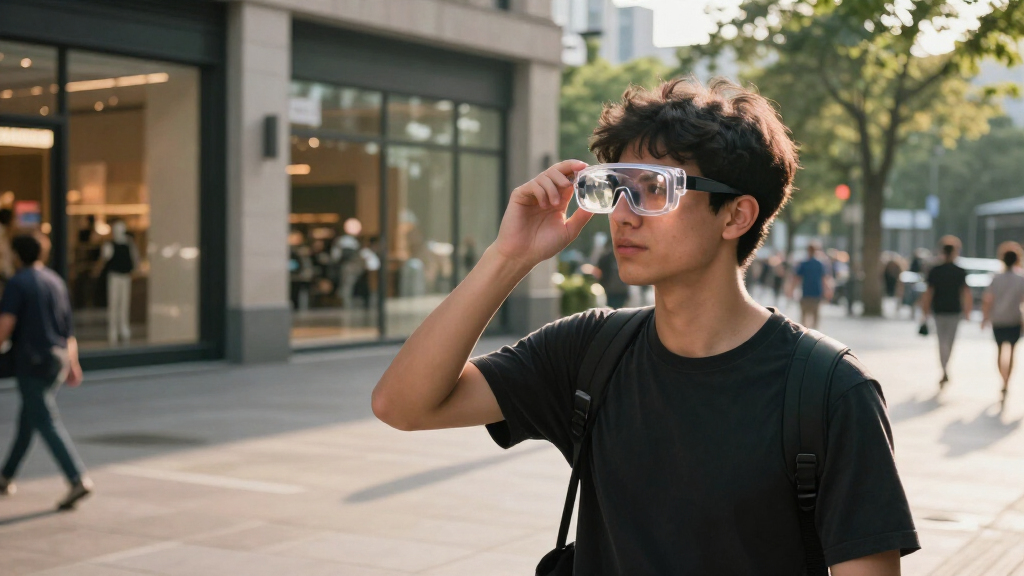
I judged these glasses by how well their stated features support real buying priorities: display clarity and refresh rate, tracking capability, viewing comfort, device compatibility, and usefulness for the intended task. I gave more weight to features that can change everyday use—such as native tracking or adjustable myopia focus—than to large virtual-screen claims on their own. I also considered whether a product appears designed for immersive video, spatial interaction, work prompts, translation, or sport, since those use cases call for different strengths.
The ranking favors versatile glasses with a clear role and a persuasive balance of display and usability. That puts the XREAL One Pro first as a broadly capable option, while the VITURE Luma Ultra models rank well for buyers who specifically want 6DoF features. Specialized products are not treated as inferior simply for being niche, but they sit lower for a general roundup when their stated purpose is narrower or the available product information gives less basis for comparing everyday viewing. Similar model names are kept distinct; buyers should check the exact version and feature set before ordering.
Factors to Consider When Choosing Best Augmented Reality Glasses
Before choosing from this lineup, decide what you want the glasses to replace or add to your setup. A private screen for video, a tracked spatial display, and a prompt or translation aid solve different problems. These checks can help avoid paying attention to a headline feature that does little for your actual use.
Choose the kind of augmented reality you actually need
Many display glasses create a large virtual screen in front of you, but that does not mean they place interactive objects throughout a room. 3DoF tracking generally lets a virtual view hold its orientation as you turn your head; 6DoF tracking adds positional movement, which can matter for spatial tasks. If your main goal is watching films or mirroring a laptop, prioritize a stable, comfortable screen before paying extra for advanced tracking. For spatial interaction, check what software and devices support the tracking features, not just whether they appear in the specification. A common mistake is treating every product labeled AR or XR as offering the same kind of experience.
Match display claims to viewing comfort
Resolution, brightness, refresh rate, and field of view describe different parts of the picture; none can stand in for the others. Higher refresh rates may make motion feel smoother, while brightness can help in brighter surroundings, but a wide field of view can also make edge clarity and fit more noticeable. Look for a display that suits your content and likely environment rather than choosing by the largest virtual-screen measurement. If you can, check the return policy and fit guidance before buying, because the perceived image depends on where the lenses sit relative to your eyes. A strong spec sheet cannot compensate for a display that is hard to position comfortably.
Check compatibility across your devices
Confirm how the glasses connect to each device you plan to use, including whether a compatible video-output port, adapter, or separate computing device is required. A phone that charges over USB-C does not automatically support video output, and features may differ between a phone, laptop, console, and dedicated spatial computer. Check the manufacturer’s compatibility information for the exact device and operating system, then verify what works without optional accessories. This matters especially for glasses that advertise spatial computing or tracking, since those functions may depend on more than a video connection. Buyers who rotate between devices should prioritize a dependable connection path over a feature they can use on only one source.
Treat fit and vision correction as core features
Glasses are personal-fit devices: nose support, temple pressure, eye position, and light leakage can affect comfort and image quality at once. If you wear prescription lenses, check whether the model supports inserts, adjustable focus, or another correction method compatible with your prescription. Adjustable myopia focus, as offered by the VITURE Pro 2, addresses a different need from standard screen adjustments and should not be assumed to suit every vision condition. Do not assume that a fit reported as comfortable by another person will work for your face or interpupillary distance. When fit is uncertain, prioritize clear measurements, adjustment options, and a return window.
Pay for the feature that changes your use
A premium model makes sense when its added capability solves a specific limitation, such as a need for spatial tracking, a brighter display, or vision adjustment. If you mostly want a personal screen for travel, simpler glasses may meet the need without features you rarely use. On the other hand, choosing the least complex model can be a false economy if it lacks the tracking or connection support your workflow depends on. Compare the complete setup, including any required adapters or accessories, rather than judging the glasses alone. The useful question is not which model has the longest feature list, but which added features you will use regularly.
Separate specialist glasses from all-purpose viewing models
Translation and teleprompter displays, sport-focused glasses, and video glasses serve different tasks, so they should not be compared as if they were interchangeable screens. For a work prompt, check text readability, control method, and whether the display fits your speaking or recording routine. For translation, language support and how information appears during conversation matter more than a cinema-sized virtual screen. Sport buyers should confirm that the design and intended use suit their activity rather than assuming general AR features make a product appropriate for every setting. A specialist can be the right choice when its single job matches yours, even if it lacks the broad feature set of a media-focused model.
Frequently Asked Questions
Should I choose 3DoF or 6DoF augmented reality glasses?
Choose based on whether you need a screen that stays oriented as you move your head or a spatial experience that also responds to your position. 3DoF can be enough for video and basic pinned screens, while 6DoF is more relevant to spatial interaction. The Luma Ultra models are the lineup’s clearest fit for buyers seeking 6DoF, but those features matter only if your software and connected device support them. If you mainly mirror a laptop or phone, comfort and compatibility may matter more than tracking depth. Check the supported apps and connection requirements before treating 6DoF as a reason to buy.
Will these glasses work with my phone, laptop, or game console?
Compatibility depends on the exact device, its video-output support, the connection method, and sometimes an adapter. A USB-C port alone does not guarantee that a phone can send a display signal to glasses. Console setups may need a dock or other hardware, and spatial features can have narrower device support than basic screen mirroring. Check the manufacturer’s compatibility list for your exact model and the function you want to use. If you plan to switch among several sources, confirm each connection path before choosing the glasses.
Can I use augmented reality glasses if I wear prescription glasses?
Possibly, but the right solution depends on your prescription and the glasses’ fit. Some models support prescription inserts, while the VITURE Pro 2 lists adjustable myopia focus; these approaches are not interchangeable and may not cover every vision need. Wearing regular glasses underneath can affect comfort and lens alignment, so do not assume that arrangement will work for long sessions. Check prescription limits, insert availability, and return terms before buying. If you have astigmatism or another correction need, confirm compatibility with the maker or an eye-care professional.
Are augmented reality glasses a good replacement for a monitor?
They can provide a private virtual display for compatible devices, but they do not automatically replace a desktop monitor for every workflow. Screen placement, text clarity, head movement, and the number of usable virtual screens vary by product and software. Glasses such as the XREAL One Pro may appeal to buyers who want a large personal display, while a multi-screen claim alone does not prove a setup will suit spreadsheets or detailed editing. Consider how long you work, whether you need to see your physical workspace, and how easily you can position the image. Try to confirm the specific apps and screen arrangement you rely on before making them your main display.
Which features should I prioritize for travel rather than home use?
For travel, prioritize a comfortable fit, straightforward connection to your portable device, and a viewing experience that works in the places you expect to use it. A personal screen can be useful in a confined seat, but brightness and light control may affect how easy it is to see the image in changing surroundings. Check how many adapters or accessories your setup needs and whether the glasses can be stored and carried safely. Advanced tracking may be less useful on a trip if your main task is watching downloaded video. For frequent travel, reliable device compatibility and comfort are often better priorities than the biggest virtual-screen claim.
Conclusion
For the broadest mix of display and built-in tracking features, I recommend the XREAL One Pro as best overall. Buyers who want more spatial movement should look first at the VITURE Luma Ultra, while anyone who needs a vision-adjustment feature has a clearer match in the VITURE Pro 2. I would treat the XREAL 1S and other simpler display-focused options as candidates for buyers seeking a more direct personal-screen setup, then confirm device compatibility before choosing; the feature details provided here do not establish a definitive value winner. For beginners, start with the glasses whose connection path and main use are easiest to verify rather than buying 6DoF by default. Translation, teleprompter, and sport buyers should choose the specialist model only when its intended task matches theirs. In short, start with your use case, then narrow the choice by fit, device support, and the features you will actually use.