
The best high-end tablet for most people in this lineup is the Samsung Galaxy Tab S11, which pairs a premium Android experience and included S Pen with a more manageable size than the Ultra models. For a larger creative canvas, the iPad Pro 13-inch with M5 stands out for its high-end display and Apple performance, while the Microsoft Surface Pro makes more sense when Windows software matters more than a tablet-first design. The main tradeoffs are screen size, operating system, cellular connectivity, and whether you need laptop-class work tools or a lighter everyday device. Paying more can bring a better display or more storage, but it does not automatically make a tablet easier to carry or use. Read on for the full breakdown and help matching a model to the way you work.

Get the latest gadgets delivered free with Prime
- Fast, free delivery on millions of items
- Prime Video, Amazon Music and more included
- Member-only deals all year
Complete the kit



Key Takeaways
- The Galaxy Tab S11 is the most balanced Android choice: it includes an S Pen and avoids the bulk of the 14.6-inch S11 Ultra models.
- The S11 Ultra and iPad Pro 13-inch favor workspace over portability: their large displays suit drawing, split-screen work, and media, but take up more room.
- Apple’s M5 iPad Pro models sit at the premium end: the 11-inch version is easier to carry, while the 13-inch version gives more space for demanding creative work.
- The Surface Pro is the Windows outlier: it is the closest fit for buyers who need desktop applications, though its laptop-style role differs from an iPad or Android tablet.
- Several entries are near-duplicates or lower-tier alternatives: compare storage, cellular support, and included accessories carefully before choosing among the Tab S10+ and S11 Ultra configurations.




| high-end tablet | Display | Storage | Processor | Connectivity |
|---|---|---|---|---|
| Samsung Galaxy Tab S10+ Plus 1 | 12.4-inch AMOLED, 2800 x 1752, 120Hz | 256GB plus 256GB SD card | MT6989 | Wi-Fi, Bluetooth 5.3, USB Type-C |
| TCL TAB A1 Plus NXTPAPER Andro | 12.2-inch 2.4K NXTPAPER, up to 120Hz | 256GB, microSD expansion up to 2TB | Snapdragon 4 Gen 2 | — |
| Samsung Galaxy Tab S11 Ultra w | 14.6-inch AMOLED, 120Hz, HDR10+ | 256GB | MediaTek Dimensity 9400+ | Wi-Fi 6E, Bluetooth 5.4, USB Type-C 3.2 |
| Samsung Galaxy Tab S11 Ultra | 14.6-inch AMOLED, 120Hz | 512GB listed; description specifies 256GB internal plus 256GB SD card | Exynos, 2.4GHz | — |
| Apple iPad 11-inch with A16 Ch | 11-inch Liquid Retina | 512GB | Apple A16 chip | Wi-Fi 6, USB-C |
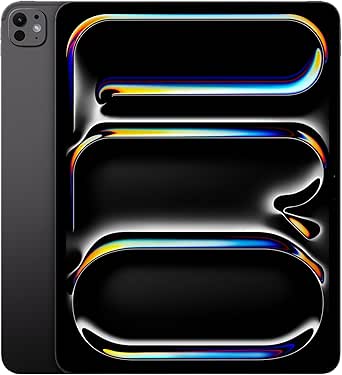
| Apple iPad Pro 11-inch | 11-inch Ultra Retina XDR | 1TB | Apple M5 | Wi-Fi 7 with Apple N1 |
| Samsung Galaxy Tab S9 FE+ Andr | 12.4-inch WQXGA (2560 × 1600), 90Hz | 128GB built-in plus 128GB microSD | Exynos 1380 octa-core, up to 2.4GHz | Wi-Fi 6, Bluetooth 5.3, USB-C |
| Apple iPad Pro 13-Inch | 13-inch Ultra Retina XDR | 512GB | Apple M4 with up to 10-core CPU | Wi-Fi 6E, Thunderbolt / USB 4 |
| Samsung Galaxy Tab S11 512GB W | 11-inch Dynamic AMOLED 2X with Vision Booster | 512GB, expandable via microSD | 3nm MediaTek | — |
| Apple iPad Pro 13-inch | 13-inch Ultra Retina XDR | 1TB | Apple M5 | Wi-Fi 7 with Apple N1 |
| Samsung Galaxy Tab S10+ 5G 12. | 12.4-inch Dynamic AMOLED 2X | 256GB | — | — |
| Samsung Galaxy Tab S10+ Plus 1 | 12.4-inch AMOLED | 512GB | MediaTek Dimensity 9300+ | — |
| Samsung Galaxy Tab S11 Ultra W | 14.6-inch AMOLED, 2960 × 1848, 120Hz | 256GB | MediaTek Dimensity 9400+ | Wi-Fi 7, Bluetooth 5.3, USB 3.2 Gen 1 |
| Microsoft Surface Pro | 13-inch OLED touchscreen, 2880 × 1920 | 1TB SSD | Qualcomm Snapdragon X2 Elite, 12-core | — |
More Details on Our Top Picks
Samsung Galaxy Tab S10+ Plus 12.4″ Tablet, 12GB RAM, 256GB + 256GB SD Card
The Galaxy Tab S10+ is my most balanced pick here for buyers who want a premium Android tablet without the 14.6-inch footprint of the Galaxy Tab S11 Ultra. Its 12.4-inch 120Hz AMOLED display gives movies, drawing, and split-screen work room to breathe, while the included S Pen makes handwritten notes and sketching part of the package rather than an extra purchase. With 12GB RAM and the listed 256GB storage plus a 256GB SD card, it is well suited to juggling demanding apps and keeping files on the device. IP68 protection also adds reassurance around dust and water exposure. The tradeoff is size: it is less convenient to hold for long stretches than the 11-inch iPad, and its Android app experience may not suit buyers already invested in Apple devices.
Pros:- 12.4-inch AMOLED panel with 120Hz refresh rate
- Included S Pen supports handwriting and drawing
- 12GB RAM suits multitasking and demanding apps
- IP68 water and dust resistance
Cons:- Large body is less comfortable for extended handheld use
- Android may be a poor fit for buyers tied to Apple’s app ecosystem
- Battery life can vary with display and workload demands
Best for: Android users who want a large, vivid screen, an included stylus, and enough performance for multitasking, drawing, and entertainment.
Not ideal for: Readers seeking a compact one-handed tablet or Apple users who rely on iPadOS apps and accessories.
- Display:12.4-inch AMOLED, 2800 x 1752, 120Hz
- Processor:MT6989
- Memory:12GB RAM
- Storage:256GB plus 256GB SD card
- Battery life:Up to 16 hours
- Protection:IP68 water and dust resistance
- Cameras:13MP and 8MP rear; 12MP front
- Connectivity:Wi-Fi, Bluetooth 5.3, USB Type-C
Our verdict“Choose the Galaxy Tab S10+ if you want a capable, stylus-ready Android tablet with a generous screen but less bulk than the Tab S11 Ultra.”
TCL TAB A1 Plus NXTPAPER Android Tablet, 12.2″ 2.4K, 6GB RAM, 256GB Storage
The TCL TAB A1 Plus NXTPAPER earns its place by prioritizing screen comfort rather than matching the raw performance or vivid contrast of Samsung’s AMOLED tablets. Its 12.2-inch 2.4K display has a paper-like, glare-reducing treatment that makes long reading and study sessions its clearest advantage. The included T-Pen 2 and flip case add practical value for annotating documents and taking notes, while microSD expansion gives readers room for large offline libraries. Compared with the Galaxy Tab S10+, TCL offers a more reading-focused surface but only 6GB of physical RAM and a less powerful Snapdragon 4 Gen 2 processor, so it is not the pick for intensive creative work or heavy multitasking. Its 1.23-pound body is also substantial for prolonged one-handed reading.
Pros:- Paper-like display treatment reduces glare for reading
- Included T-Pen 2 and flip case
- 256GB storage with microSD expansion up to 2TB
- 10,000mAh battery with 33W fast charging
Cons:- 6GB physical RAM and Snapdragon 4 Gen 2 are less suited to demanding workloads than the Galaxy Tab S10+
- At 1.23 pounds, it is heavy for extended handheld reading
- IP54 protection is less extensive than the IP68 rating on the Samsung options
Best for: Students and avid readers who want a large, glare-reducing screen, an included stylus, and expandable storage for books and course materials.
Not ideal for: Power users running demanding creative apps, or commuters who want a light tablet for one-handed use.
- Display:12.2-inch 2.4K NXTPAPER, up to 120Hz
- Processor:Snapdragon 4 Gen 2
- Memory:6GB RAM, with up to 10GB virtual RAM
- Storage:256GB, microSD expansion up to 2TB
- Battery:10,000mAh with 33W fast charging
- Cameras:8MP front and rear
- Audio:Quad stereo speakers with Sound Booster
- Weight and protection:1.23 pounds; IP54
Our verdict“Pick the TCL TAB A1 Plus if reading comfort and included study accessories matter more than flagship-level speed or AMOLED contrast.”
Samsung Galaxy Tab S11 Ultra with S-Pen (2025, 256GB, 12GB RAM, Wi-Fi Only, Moonstone Gray)
The Galaxy Tab S11 Ultra is the strongest fit in this group for people who want a tablet-sized canvas, not a device that disappears into a bag. Its 14.6-inch 120Hz AMOLED screen gives video, illustration, and side-by-side documents more space than the 12.4-inch Galaxy Tab S10+. The Dimensity 9400+ chipset, 12GB RAM, and included S Pen support demanding work as well as entertainment, while the 11,600mAh battery is sized for extended sessions away from a charger. This version is explicitly Wi-Fi only, though, so it cannot replace a cellular-connected tablet on the move. Its large footprint also makes handheld reading less comfortable, and the international model may come with warranty limitations depending on the buyer’s region.
Pros:- 14.6-inch AMOLED display with 120Hz refresh rate and HDR10+
- Dimensity 9400+ processor and 12GB RAM
- S Pen is included for notes and drawing
- 11,600mAh battery
Cons:- Wi-Fi-only connectivity rules out built-in mobile data
- Large dimensions can make handheld use and travel less convenient
- International model may have limited warranty support in some regions
Best for: Digital artists, media enthusiasts, and multitaskers who want the largest available canvas and usually work near Wi-Fi.
Not ideal for: Frequent travelers who need cellular data, buyers wanting a compact device, or shoppers who need clear local warranty coverage.
- Display:14.6-inch AMOLED, 120Hz, HDR10+
- Processor:MediaTek Dimensity 9400+
- Memory:12GB RAM
- Storage:256GB
- Battery:11,600mAh
- Cameras:13MP and 8MP rear; dual 12MP front
- Connectivity:Wi-Fi 6E, Bluetooth 5.4, USB Type-C 3.2
- Included:S Pen and 25W fast charger
Our verdict“Choose this Tab S11 Ultra for a huge, fast Android canvas if you can accept Wi-Fi-only use and its less portable size.”
Samsung Galaxy Tab S11 Ultra, 11th Gen, AI Tablet, WiFi, 12GB RAM, 512GB Storage, Gray, 14.6 Inch, 120Hz Display, Includes S Pen, IP68
This Galaxy Tab S11 Ultra is aimed at buyers who want a tablet to take on laptop-style work, with Samsung DeX providing a desktop-like multitasking layout and AI tools aimed at writing and drawing. Its 14.6-inch 120Hz AMOLED display gives that workspace room, while the included S Pen makes markup and handwritten input straightforward. The listing specifies 12GB RAM and 512GB storage, a useful combination for keeping projects and media close at hand. Compared with the other Tab S11 Ultra in this roundup, it emphasizes DeX and lists a different processor and storage configuration; the product details also describe storage as 256GB internal plus a 256GB SD card. Buyers should check that configuration carefully. It remains a large Wi-Fi tablet, and the stated Exynos processor details are sparse.
Pros:- 14.6-inch AMOLED display with 120Hz refresh rate
- Samsung DeX supports desktop-style multitasking
- S Pen included for writing and drawing
- IP68 water resistance and listed 11,600mAh battery
Cons:- Large screen and body are cumbersome for extended handheld use
- Wi-Fi listing does not specify cellular connectivity
- Processor and storage descriptions need verification, including the listed internal-plus-SD configuration
Best for: People who want a large-screen Android tablet for DeX-based multitasking, handwriting, and work sessions without a cellular connection.
Not ideal for: Buyers who need cellular access, a compact handheld device, or a clearly specified processor and storage configuration before purchase.
- Display:14.6-inch AMOLED, 120Hz
- Processor:Exynos, 2.4GHz
- Memory:12GB RAM
- Storage:512GB listed; description specifies 256GB internal plus 256GB SD card
- Battery:11,600mAh; up to 23 hours playback listed
- Protection:IP68 water resistance
- Included accessory:S Pen
- Color:Gray
Our verdict“Pick this Tab S11 Ultra if DeX and a spacious S Pen workspace are your priorities, but verify the listed configuration before choosing it over the other S11 Ultra.”
Apple iPad 11-inch with A16 Chip, 512GB, Liquid Retina Display, Wi-Fi 6, 12MP Cameras, Touch ID – Silver
The 11-inch iPad with A16 is the most compact high-capacity option in this set, pairing a portable 1.05-pound design with 512GB storage. Its A16 chip is a strong fit for everyday creative apps, browsing, and media, while the 12MP Center Stage front camera helps keep video calls framed as people move. Compared with the larger Galaxy Tab S10+, this iPad is easier to carry and hold, but its Liquid Retina screen is smaller and it does not list an included stylus. Apple Pencil and Magic Keyboard Folio support add flexibility, though those accessories are separate purchases. Buyers choosing between this and the Android tablets should also weigh ecosystem: iPadOS is a natural fit for Apple users, but it will not provide the same Android app setup or expandable microSD storage.
Pros:- A16 chip supports responsive everyday and creative app use
- 512GB built-in storage
- Light 1.05-pound design is easier to carry than the 12.4-inch Galaxy Tab S10+
- 12MP Center Stage front camera and 12MP rear camera
Cons:- Apple Pencil and Magic Keyboard Folio are separate accessories
- 11-inch display offers less workspace than the Samsung tablets with larger screens
- Wi-Fi 6 is listed, with no cellular option specified
Best for: Apple users who want a light, portable tablet with substantial built-in storage for apps, media, and creative projects.
Not ideal for: Buyers who want an included stylus, expandable microSD storage, a very large screen, or cellular connectivity.
- Display:11-inch Liquid Retina
- Processor:Apple A16 chip
- Storage:512GB
- Connectivity:Wi-Fi 6, USB-C
- Cameras:12MP Center Stage front; 12MP Wide rear with True Tone flash
- Battery life:All-day
- Weight:1.05 pounds
- Accessories:Compatible with Apple Pencil and Magic Keyboard Folio
Our verdict“Choose this iPad if portability, 512GB storage, and Apple app compatibility matter more than a larger display or bundled pen.”
Apple iPad Pro 11-inch (2025) with M5 Chip, 1TB, Ultra Retina XDR Display, 12MP Front and Back Cameras, LiDAR Scanner, Wi-Fi 7, Face ID, Space Black
I’d choose this 11-inch iPad Pro for demanding creative work when a large tablet would get in the way. Its M5 chip, 16GB of memory, and 1TB of storage give it room for intensive apps and substantial project files, while the Ultra Retina XDR display brings ProMotion and P3 color to a more portable size. The LiDAR scanner also makes it a better fit for AR workflows than a general-purpose tablet. Compared with the 13-inch M5 iPad Pro, this model is easier to carry and hold, but gives up screen area for split-screen work and detailed timelines. That compactness comes with a real tradeoff: at 15.7 ounces, it can still feel heavy during long handheld sessions, and its professional features make less sense for casual browsing.
Pros:- M5 chip and 16GB memory suit demanding creative apps and multitasking.
- Ultra Retina XDR display includes ProMotion and P3 wide color.
- 1TB storage accommodates large apps and project files.
- LiDAR scanner supports AR workflows, and Wi-Fi 7 provides newer wireless connectivity.
Cons:- A premium professional feature set is excessive for basic tablet use.
- The 11-inch screen is less comfortable than the 13-inch model for detailed editing and split-screen work.
- Its 15.7-ounce weight can tire the hand during extended handheld use.
Best for: Creative professionals and frequent travelers who need strong tablet performance, ample local storage, and a screen smaller than 13 inches.
Not ideal for: Buyers who mainly stream video or browse, or people who need a roomy canvas for side-by-side apps; the 13-inch iPad Pro is a better fit for that work.
- Display:11-inch Ultra Retina XDR
- Processor:Apple M5
- Memory:16GB
- Storage:1TB
- Cameras:12MP front and 12MP back
- Connectivity:Wi-Fi 7 with Apple N1
- Weight:15.7 ounces
- Other features:LiDAR scanner; Face ID
Our verdict“Choose this iPad Pro if you want M5-level capability and generous storage in a more portable format than the 13-inch model.”
Samsung Galaxy Tab S9 FE+ Android Tablet
The Galaxy Tab S9 FE+ earns its place through durability and included tools rather than flagship speed. Its IP68 rating offers protection against dust and water that the iPad Pro models in this group do not list, while the included S Pen makes notes and sketches possible without adding a separate stylus to the setup. The 12.4-inch, 90Hz display gives it more room for reading and split-screen tasks than the 11-inch iPad Pro, though it is not the same class of screen or processing hardware as Samsung’s Galaxy Tab S11. With an Exynos 1380 and 8GB of RAM, it suits everyday multitasking, but demanding creative workloads will favor the M5 iPads or the Tab S11’s newer processor and 12GB of RAM. Its lack of cellular connectivity also limits work away from Wi-Fi.
Pros:- IP68 dust and water resistance adds protection for travel and everyday handling.
- S Pen is included for handwriting, annotation, and drawing.
- 12.4-inch WQXGA display offers ample room for media and multitasking.
- Storage combines 128GB built-in capacity with a listed 128GB microSD card.
Cons:- Exynos 1380 and 8GB RAM are less suited to intensive workloads than the Galaxy Tab S11 or M5 iPads.
- Wi-Fi-only connectivity means no built-in LTE or 5G option.
- A charger is not included.
Best for: Students, field workers, and families who want a large-screen Android tablet with an included stylus and water- and dust-resistance.
Not ideal for: Professionals running intensive creative or compute-heavy apps, or people who need mobile data without a Wi-Fi hotspot.
- Display:12.4-inch WQXGA (2560 × 1600), 90Hz
- Processor:Exynos 1380 octa-core, up to 2.4GHz
- Memory:8GB RAM
- Storage:128GB built-in plus 128GB microSD
- Operating system:Android
- Durability:IP68 dust and water resistance
- Stylus:S Pen included
- Connectivity:Wi-Fi 6, Bluetooth 5.3, USB-C
- Weight:1.38 pounds
Our verdict“Pick the Tab S9 FE+ if durability, a bundled S Pen, and a spacious display matter more than flagship performance or cellular data.”
Apple iPad Pro 13-Inch (M4) with 512GB Storage – Space Black
This 13-inch iPad Pro with M4 is the large-screen choice for buyers who want a professional display and expansive workspace without requiring the newest M5 generation. The Ultra Retina XDR screen gives drawing, editing, and split-screen apps more room than the 11-inch iPad Pro, while the M4 chip remains built for demanding tablet workloads. It also supports Apple Pencil Pro and Magic Keyboard, though neither accessory is included. Compared with the 13-inch M5 iPad Pro, this model has 512GB rather than 1TB and Wi-Fi 6E rather than Wi-Fi 7, making it a less future-forward configuration. For buyers whose priorities are screen size and Apple’s pro display experience, those differences may matter less than choosing the newer model; anyone needing maximum storage or the latest chip should favor the M5 version.
Pros:- 13-inch Ultra Retina XDR display provides generous space for creative apps and split-screen work.
- M4 chip supports demanding productivity and creative tasks.
- Compatible with Apple Pencil Pro and Magic Keyboard.
- 12MP rear camera supports 4K video and ProRes.
Cons:- The M5 13-inch iPad Pro offers a newer chip, Wi-Fi 7, and 1TB storage.
- Apple Pencil Pro and Magic Keyboard are sold separately.
- The large display makes it less compact than the 11-inch iPad Pro.
Best for: Apple users who want a large professional display for illustration, video work, and multitasking, but do not need the latest M5 model or 1TB storage.
Not ideal for: Buyers who want the newest iPad Pro generation, more than 512GB of storage, or a complete keyboard-and-stylus setup in the box.
- Display:13-inch Ultra Retina XDR
- Processor:Apple M4 with up to 10-core CPU
- Storage:512GB
- Front camera:12MP Ultra Wide with Center Stage
- Rear camera:12MP Wide with 4K video and ProRes
- Connectivity:Wi-Fi 6E, Thunderbolt / USB 4
- Battery life:All-day
- Weight:1.27 pounds
Our verdict“Choose this model for a spacious pro-grade iPad experience if you can do without the M5 version’s newer chip, Wi-Fi 7, and extra storage.”
Samsung Galaxy Tab S11 512GB WiFi Android Tablet, Galaxy AI, IP68, Silver
The Galaxy Tab S11 is my Android pick for buyers who want flagship multitasking and a built-in stylus without moving into the very large tablet category. Its 12GB of RAM and 3nm MediaTek processor are a stronger foundation for demanding Android workloads than the Tab S9 FE+’s 8GB and Exynos 1380. The 11-inch Dynamic AMOLED 2X display keeps the device more manageable than the 13-inch iPad Pro, while the included S Pen and IP68 rating add practical value for note-taking and use on the go. The iPad Pro 11-inch, by comparison, pairs its display with the M5 chip and Wi-Fi 7, so buyers focused on Apple apps or that ecosystem may prefer it. Samsung’s advantages are expandable storage and Android flexibility; battery-life figures are not provided, and some features depend on a Samsung account and internet access.
Pros:- 12GB RAM and a 3nm MediaTek processor support demanding multitasking.
- 11-inch Dynamic AMOLED 2X display is suited to vivid media and portable use.
- S Pen is included for writing and drawing.
- IP68 protection and microSD expansion add flexibility.
Cons:- Battery-life details are not specified in the provided product data.
- Some features require an internet connection and Samsung account.
- The iPad Pro 11-inch lists an M5 chip and Wi-Fi 7, which may better suit Apple-centric workflows.
Best for: Android users who want a compact premium tablet for multitasking, stylus work, and media, with expandable storage and water resistance.
Not ideal for: Buyers committed to iPadOS apps or Apple accessories, or anyone who needs clearly documented battery-life details before choosing.
- Display:11-inch Dynamic AMOLED 2X with Vision Booster
- Processor:3nm MediaTek
- Memory:12GB RAM
- Storage:512GB, expandable via microSD
- Durability:IP68-rated
- Included accessory:S Pen
- Model year:2025
- Color:Silver
Our verdict“Choose the Galaxy Tab S11 if you want a portable, capable Android tablet with an included S Pen, microSD expansion, and IP68 protection.”
Apple iPad Pro 13-inch (M5) with Ultra Retina XDR Display, 1TB, Space Black
For buyers who want the largest and most capable iPad configuration in this group, the 13-inch iPad Pro with M5 brings together a spacious Ultra Retina XDR display, 1TB of storage, and Apple’s current M5 chip. That combination suits large creative projects and multi-app workflows better than the 11-inch M5 model, whose smaller display is easier to carry but less accommodating for detailed work. It also advances beyond the 13-inch M4 iPad Pro with a newer chip, Wi-Fi 7, and twice the listed storage. LiDAR adds support for AR workflows, though the supplied description does not give more detail about its display technology beyond Ultra Retina XDR. The tradeoff is size and accessory dependence: at 1.28 pounds, it is less comfortable as a handheld device, and a keyboard or stylus is needed to build out a fuller work setup.
Pros:- M5 chip is suited to demanding creative and productivity tasks.
- 13-inch Ultra Retina XDR display gives complex projects and multitasking more room.
- 1TB storage accommodates large apps and project libraries.
- Wi-Fi 7 and a LiDAR scanner support fast wireless networking and AR workflows.
Cons:- Its 1.28-pound weight is less comfortable for extended handheld use than the 11-inch M5 iPad Pro.
- A keyboard and stylus are needed for a fuller work setup but are not listed as included.
- The 13-inch M4 iPad Pro may suit buyers who do not need the newer chip or 1TB capacity.
Best for: Digital artists, video editors, and mobile professionals who need a large display, high-end processing, and 1TB of local storage.
Not ideal for: Casual tablet users, people who prioritize one-handed use, or buyers who expect a keyboard and stylus to be included.
- Display:13-inch Ultra Retina XDR
- Processor:Apple M5
- Storage:1TB
- Cameras:12MP front and back
- Other camera feature:LiDAR scanner
- Connectivity:Wi-Fi 7 with Apple N1
- Battery life:All-day
- Weight:1.28 pounds
- Color:Space Black
Our verdict“Choose this iPad Pro if a large creative workspace, M5 performance, and 1TB capacity take priority over portability and included accessories.”
Samsung Galaxy Tab S10+ 5G 12.4” 256GB Android Tablet (Verizon Network)
I’d pick this S10+ when cellular connectivity matters as much as the screen. Its 12.4-inch Dynamic AMOLED 2X display gives work documents, video, and creative apps room to breathe, while the included S Pen makes handwritten notes and sketches practical away from a desk. Compared with the Wi-Fi-only Galaxy Tab S11 Ultra, this model is easier to keep connected when you leave a hotspot behind, but its smaller display is less suited to expansive multitasking. The tradeoff is carrier lock-in: this configuration is Verizon-compatible only, so it is a poor fit if you use another network or want carrier flexibility. Its AI tools also depend on an internet connection for some features. I’d choose it for mobile work, not as the most flexible S10+ configuration.
Pros:- 12.4-inch Dynamic AMOLED 2X display suits video, documents, and split-screen work
- 5G connectivity supports streaming and downloads away from Wi-Fi
- Included S Pen is useful for notes, markup, and drawing
- Water- and dust-resistant design adds reassurance for mobile use
Cons:- Network compatibility is limited to Verizon
- Some AI features and search functions require an internet connection
- The 12.4-inch screen offers less working space than the 14.6-inch Galaxy Tab S11 Ultra
Best for: Verizon customers who want a premium Android tablet with a large display, included S Pen, and cellular access for work or travel
Not ideal for: Buyers on other carriers, or anyone who mainly uses a tablet at home and would rather avoid a carrier-specific model
- Display:12.4-inch Dynamic AMOLED 2X
- Storage:256GB
- Network compatibility:Verizon
- Model:Galaxy Tab S10+ 5G
- Model year:2024
- Color:Moonstone Gray
- Included components:USB cable and USB charging adapter
Our verdict“Choose this S10+ if you’re a Verizon user who needs a premium, pen-ready tablet with cellular connectivity.”
Samsung Galaxy Tab S10+ Plus 12.4” 512GB Android Tablet, Platinum Silver
This S10+ is my pick for buyers who want a premium Android tablet with generous built-in storage but don’t need the cellular service of the Verizon S10+ 5G. Its 512GB capacity gives large creative projects, downloaded media, and work files more room before you need to manage what stays on the device. The 12.4-inch AMOLED display and included S Pen also make it a stronger all-rounder for drawing and note-taking than a basic media tablet. Compared with the newer Galaxy Tab S11 Ultra, it is more compact and carries less cutting-edge processing hardware, but its screen is easier to manage in everyday settings. Its premium build and AI features come with practical caveats: some AI tools need a network connection and Samsung account, and the 12.4-inch panel may feel cramped for demanding multitasking.
Pros:- 512GB storage accommodates sizeable apps, projects, and offline downloads
- 12.4-inch AMOLED display offers a spacious, vivid canvas
- Included S Pen supports handwriting, annotation, and drawing
- Armor Aluminum frame and stated water- and dust-resistance suit regular travel
Cons:- Some AI tools require both a network connection and a Samsung account
- Wi-Fi-focused configuration lacks the cellular connectivity of the S10+ 5G
- Smaller display and older listed processor trail the Galaxy Tab S11 Ultra for expansive multitasking
Best for: Android users who keep large offline media libraries or creative files and want an included pen without cellular service
Not ideal for: Buyers who need mobile data, the largest available tablet workspace, or AI features that work without an internet connection
- Display:12.4-inch AMOLED
- Storage:512GB
- Processor:MediaTek Dimensity 9300+
- Rear camera:12MP
- Video capture:4K UHD 2160p
- Frame material:Armor Aluminum
- Included components:Galaxy Tab S10+, S Pen, data cable, and ejection pin
- Model year:2024
Our verdict“Choose this model if you want a roomy, pen-ready Android tablet with 512GB storage and don’t need cellular data.”
Samsung Galaxy Tab S11 Ultra Wi-Fi Model, 14.6″ 256GB + 12GB, Gray
The S11 Ultra is the strongest fit here when screen area is the priority. Its 14.6-inch AMOLED panel runs at 120Hz, giving drawing, video, and side-by-side apps more room and smoother motion than the 12.4-inch Galaxy Tab S10+ models. With 12GB RAM and a Dimensity 9400+, it is built for heavier multitasking, while the included S Pen makes the large display useful for more than watching content. The size is also the main compromise: this is less convenient to carry and hold than the S10+ 5G, and this configuration is Wi-Fi only. Compared with the Surface Pro (2026), it offers a larger screen and a pen-focused Android setup, but it does not provide the same Windows laptop environment. The listing also reports no U.S. warranty and gives limited durability details.
Pros:- 14.6-inch AMOLED display with 2960 × 1848 resolution and 120Hz refresh rate
- 12GB RAM and Dimensity 9400+ support demanding multitasking
- Included S Pen suits drawing, handwriting, and precise screen input
- Listed battery life is up to 16 hours
Cons:- Wi-Fi-only configuration has no cellular data
- Large dimensions make it less portable than the 12.4-inch Galaxy Tab S10+
- Product information states no U.S. warranty and offers limited water- and dust-resistance details
Best for: Artists, media fans, and multitaskers who want a large, high-refresh-rate Android screen and usually work near Wi-Fi
Not ideal for: Frequent travelers needing cellular service, buyers who prioritize compact handling, or shoppers who require a stated U.S. warranty
- Display:14.6-inch AMOLED, 2960 × 1848, 120Hz
- Processor:MediaTek Dimensity 9400+
- RAM:12GB
- Storage:256GB
- Battery:11,600mAh, 44.7Wh; listed battery life up to 16 hours
- Connectivity:Wi-Fi 7, Bluetooth 5.3, USB 3.2 Gen 1
- Cameras:12MP front ultrawide; 13MP rear and 8MP rear ultrawide
- Dimensions:12.85 × 8.21 × 0.20 inches
Our verdict“Choose the S11 Ultra if you want the largest Android workspace here and can accept Wi-Fi-only use and a less portable build.”
Microsoft Surface Pro (2026), 13-inch Premium Performance 2-in-1 Laptop with Snapdragon X2 Elite Processor, Touchscreen OLED Display, 16GB RAM, 1TB SSD, Windows 11 Copilot+
I’d choose the Surface Pro when a tablet needs to run a Windows work setup, not just tablet apps. Its Snapdragon X2 Elite processor, 16GB RAM, and 1TB SSD provide a laptop-oriented combination for larger files and demanding workflows, while the OLED touchscreen keeps it appealing for reading and media. The kickstand supports flexible viewing, and an optional keyboard can turn it into a more conventional work machine. Compared with the Android Galaxy Tab S11 Ultra, it offers Windows 11 and more listed storage, but its 13-inch display is smaller and keyboard use adds a separate accessory. Two USB-C/USB4 ports also limit built-in connections, so docks or adapters may be part of a desk setup. Its dimensions and 2-in-1 design make it less effortless to carry as a simple tablet than the 12.4-inch Galaxy Tab S10+.
Pros:- Windows 11 Home supports a laptop-style software and file workflow
- Snapdragon X2 Elite processor and 16GB RAM target demanding work
- 1TB SSD provides substantial built-in storage
- OLED touchscreen and adjustable kickstand support varied work and viewing positions
Cons:- Only two USB-C/USB4 ports are listed, limiting direct connections
- Keyboard is optional, adding a separate accessory for laptop-style typing
- Larger 2-in-1 dimensions are less convenient for casual, handheld tablet use
Best for: Professionals and students who need Windows software, substantial local storage, and a device that can switch between tablet and laptop use
Not ideal for: Buyers who want a light, one-handed media tablet, need more built-in ports, or prefer an Android-first tablet experience
- Display:13-inch OLED touchscreen, 2880 × 1920
- Processor:Qualcomm Snapdragon X2 Elite, 12-core
- RAM:16GB
- Storage:1TB SSD
- Battery life:Up to 15.5 hours
- Ports:Two USB-C/USB4 ports
- Operating system:Windows 11 Home
- Color:Platinum
Our verdict“Choose the Surface Pro if Windows applications and laptop-style productivity matter more than a compact, tablet-first design.”

How We Picked
I ranked these tablets by how well their performance, display, portability, software, and configuration fit distinct high-end buying needs. I gave more weight to models that offer a compelling overall balance than to devices that lead in one area but bring a substantial usability tradeoff. I also considered whether the product’s operating system and included features suit its likely role: creative work, media, everyday use, or replacing a laptop.
Within repeated families, I treated screen size, storage, cellular connectivity, and configuration as meaningful differences rather than assuming that similarly named models are interchangeable. The Samsung Galaxy Tab S11 leads as a more portable premium Android choice; large-screen iPad Pro and Ultra models rank well for buyers who will use their added workspace. The standard iPad, older-generation options, and the Surface Pro serve narrower budgets or software needs, so their position reflects fit—not a claim that one platform is best for everyone.
Factors to Consider When Choosing Best High-end Tablets
Before choosing a high-end tablet, I would start with the work it needs to do and the compromises you will notice every day. A larger screen or more storage can look appealing on a spec sheet, but software, accessories, and how often you carry the device may matter more.
Choose an operating system around your actual apps
Start by listing the apps and file workflows you rely on, rather than choosing a tablet by processor alone. An iPad can be a strong fit when your work centers on iPadOS apps and Apple devices, while Samsung models suit buyers who prefer Android and its familiar services. The Surface Pro is the clearest option here for Windows desktop software, but a Windows tablet may feel less streamlined for casual, touch-first use. Check that specialist software supports tablet input and the peripherals you need. A fast chip cannot compensate for a missing app or a workflow that depends on a desktop feature. If you share files with a work team, confirm how your preferred device handles their formats before buying.
Pick screen size based on where you will use it
A large display makes split-screen work, sheet music, drawing, and movie viewing more comfortable, but it also makes a tablet harder to hold and pack. The 14.6-inch Galaxy Tab S11 Ultra models and 13-inch iPad Pros prioritize workspace; smaller models make more sense for reading, travel, and handheld use. Do not judge portability by the tablet’s dimensions alone: a keyboard case or stand can change the experience considerably. If you expect to use the device on a desk most of the time, a large screen may be worth carrying. For frequent commuting, try to picture the tablet in your usual bag and on your usual seating. A compact premium model can be a better everyday choice even when a larger one has more room for content.
Budget for the accessories that make a tablet productive
A tablet’s listed capabilities do not tell the full story of what it costs to build a comfortable work setup. Check whether a stylus, keyboard, trackpad, stand, or protective case is included before comparing configurations. The Galaxy Tab S11 products listed here include an S Pen, which gives note-takers and sketchers a useful starting point; that does not mean every accessory need is covered. Apple and Windows buyers should confirm the exact compatibility and availability of their preferred input devices. A keyboard can make long writing sessions more practical, but it adds bulk and may change how easily the tablet works as a handheld screen. Buy accessories to support a specific task, not just to make the tablet look more like a laptop.
Match storage to your files and internet habits
Choose storage by looking at the files you keep offline, such as video projects, large games, reference libraries, or travel downloads. A higher-capacity model can reduce the need to manage space, but it is wasteful if most of your work lives in cloud storage and your connection is dependable. Some Samsung configurations in this lineup advertise microSD expansion, which may help with media libraries; check the precise model’s support and limits rather than assuming every variant has it. Cloud storage is less useful on flights, in the field, or where network access is unreliable. Leave headroom for app data and future files instead of planning to fill a tablet immediately. If your needs are uncertain, compare upgrade costs with the practical value of expandable storage or external drives.
Decide whether cellular connectivity solves a real problem
Cellular service is most useful when you work away from reliable Wi-Fi and need the tablet connected without relying on a phone hotspot. The Tab S10+ 5G listing is tied to Verizon, so buyers should verify carrier compatibility, activation requirements, and service availability before choosing it. Wi-Fi models can be a simpler fit for home, school, office, or travel where hotspots are adequate. Cellular hardware alone does not provide a data plan, and ongoing connectivity can add cost and account management. Think about how often you have needed a connection in places without Wi-Fi during the past month. If that situation is rare, a Wi-Fi model may be the more sensible configuration.
Do not pay for performance you cannot use
High-end chips and premium displays are valuable when your workload can take advantage of them, such as demanding creative apps, advanced multitasking, or specialized desktop software. For browsing, note-taking, video, and basic document work, a flagship processor may not change the day-to-day experience as much as a better size, keyboard, or storage choice. Also check the software’s limits: a powerful tablet may still handle file management or external displays differently from a laptop. Compare the exact generation and configuration, since similar product names in this roundup span different hardware tiers. Think about the most demanding task you will do regularly, not an occasional hypothetical project. If that task is light, direct the budget toward comfort and accessories instead.
Frequently Asked Questions
Should I choose an iPad Pro or a Samsung Galaxy Tab for drawing and handwritten notes?
Start with the apps and devices you already use, because drawing tools and file workflows differ by platform. The Samsung Galaxy Tab S11 and S11 Ultra listings include an S Pen, which is a useful advantage for buyers who want a stylus in the box. The iPad Pro line may be a better match if your preferred creative apps or existing work setup are built around iPadOS, but check stylus compatibility and accessory requirements for the exact model. A 13- or 14.6-inch screen offers more room for detailed work, while a smaller tablet is easier to hold for notes. Try to prioritize app fit and comfortable screen size over headline processor claims.
Is a 14.6-inch tablet too large for everyday use?
It depends on whether you mostly use a tablet at a desk or carry and hold it throughout the day. The S11 Ultra’s large screen can help with split-screen work, drawing, and viewing documents, but its size is less convenient for one-handed reading or small bags. If your routine includes frequent travel, standing use, or reading in bed, a smaller tablet may feel easier to live with. A stand or keyboard can make a large model more comfortable at a desk, though those accessories add to the setup. Choose the bigger display for tasks that benefit from the extra space, not simply because it is the largest option.
Does the Surface Pro make more sense than an iPad if I want to replace a laptop?
The Surface Pro is the most direct choice in this group if your work depends on Windows desktop applications, familiar file workflows, or business tools that do not have suitable tablet versions. That role comes with a different feel from an iPad: it is better treated as a touch-enabled computer than as a simple media tablet. Check whether the software you rely on supports the processor and peripherals you plan to use. Also confirm the keyboard and other accessories needed for laptop-style work, since a tablet alone may not provide the setup you expect. If your daily tasks are mostly touch-first, creative, or media-focused, an iPad may be a more natural fit.
When is it worth choosing a high-storage configuration?
Higher storage is useful if you keep large projects, downloaded media, games, or work files on the tablet and need them available offline. It is less compelling if your files live in cloud services and you have reliable internet access. Some Samsung models in this roundup list microSD support, but you should verify that feature on the exact configuration rather than assume it applies to every Tab model. Storage needs can also grow as apps and project files accumulate, so leave room for more than your current library. Compare the benefit of extra built-in capacity with expansion options and your actual offline habits.
Should I buy the Verizon Galaxy Tab S10+ 5G or a Wi-Fi model?
Choose the 5G listing if you regularly need independent internet access away from Wi-Fi and are comfortable using Verizon service. Before purchase, verify that the tablet is compatible with your account and that coverage suits the places where you work or travel. A Wi-Fi model is often easier for home and office use, and you can share a phone connection when necessary. Remember that cellular hardware does not include a data plan, so account requirements and ongoing service matter. If you rarely use a hotspot today, cellular connectivity may not solve a frequent problem for you.
Conclusion
For most buyers seeking a premium Android tablet that remains manageable, I recommend the Samsung Galaxy Tab S11 as the best overall. The best value for everyday use is the Apple iPad 11-inch with A16, especially for buyers who need a capable tablet but do not require Pro-level hardware; the TCL TAB A1 Plus NXTPAPER is another option for readers drawn to its screen approach, though it is a different performance tier from the flagship picks. For a best premium choice, consider the M5 iPad Pro: pick 11 inches for portability or 13 inches for a larger creative workspace. The best choice for beginners is the standard iPad, with a familiar, straightforward role and fewer flagship features to sort through. For Windows desktop apps, choose the Surface Pro; for a very large Android canvas and included pen, look at the Galaxy Tab S11 Ultra. Before deciding, match the model to your apps, screen-size preference, and accessory needs—not just its place in this ranking.
Halloween Picks
halloween
As an affiliate, we earn on qualifying purchases.