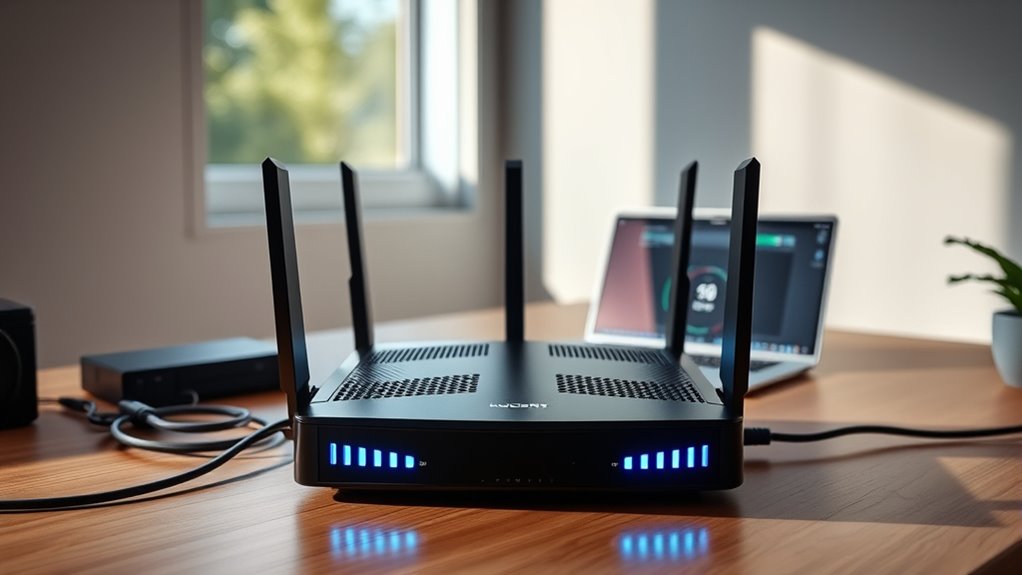

Choosing the right router for fiber internet can significantly impact your home network’s speed and stability. The best options deliver fast, reliable connections while accommodating multiple devices. The ASUS RT-AX1800S stands out as the overall best for its balance of performance and security features. For those seeking high-end speeds, the NETGEAR Nighthawk WiFi 7 Router offers cutting-edge technology, though it comes at a higher price. Other models excel in coverage or affordability, but most face tradeoffs like range versus speed or ease of setup versus advanced features. Continue reading for a detailed comparison that helps match your needs with the right router.
Complete the kit



Key Takeaways
- The highest-performing routers often include WiFi 6 or WiFi 7 for faster speeds and future-proofing.
- Mesh systems like the TP-Link Deco X55 provide better coverage for large homes but may sacrifice some speed at the edges.
- Advanced features such as multi-Gig ports and tri-band support are mainly found in premium models, offering more versatility for heavy users.
- Ease of setup and user interface can vary significantly, impacting usability for non-technical buyers.
- Tradeoffs between price, speed, coverage, and features mean buyers should prioritize what matters most for their specific home setup.
| ASUS RT-AX1800S Dual Band WiFi 6 Extendable Router with Network Security and Parental Control |  | Best Overall for Balanced Performance and Security | WiFi Standard: WiFi 6 (802.11ax) | Antenna: External x 4 | Processor: Dual-core | VIEW ON AMAZON | See Our Full Breakdown |
| TP-Link Deco X55 AX3000 WiFi 6 Mesh System (1-Pack) |  | Best for Whole-Home Mesh Coverage | WiFi Standard: WiFi 6 (AX3000) | Coverage: 2500 sq ft | Number of Units: 1 | VIEW ON AMAZON | See Our Full Breakdown |
| GL.iNet GL-MT6000 Flint 2 Wi-Fi 6 Gaming Router Dual 2.5G Ports |  | Best for Gamers Requiring High-Speed, Versatile Connectivity | Wi-Fi Standard: Wi-Fi 6 | Speed: 6 Gbps | RAM: 1 GB | VIEW ON AMAZON | See Our Full Breakdown |
| NETGEAR Nighthawk Dual-Band WiFi 7 Router (RS140) |  | Best for High-Capacity, Ultra-Fast Home Networks | WiFi Standard: WiFi 7 | Speed: up to 5 Gbps | Coverage: 2250 sq ft | VIEW ON AMAZON | See Our Full Breakdown |
| TP-Link AX1800 WiFi 6 Router (Archer AX21 V5) |  | Best for Budget-Conscious Users Seeking Reliable WiFi 6 | Technology: Wi-Fi 6 (802.11ax) | Bands: Dual-Band | Total Bandwidth: 1.8 Gbps | VIEW ON AMAZON | See Our Full Breakdown |
| NETGEAR Nighthawk Dual-Band WiFi 7 Router (RS90) |  | Best Overall for High-Speed, Large Homes | Speed: up to 3.6 Gbps | Coverage: up to 2,000 sq. ft. | Device Capacity: 50 devices | VIEW ON AMAZON | See Our Full Breakdown |
| TP-Link AXE5400 Tri-Band WiFi 6E Router (Archer AXE75) |  | Best for Cutting-Edge Speed and Low Latency | WiFi Speed: up to 5400 Mbps | Bands: Tri-Band (6 GHz, 5 GHz, 2.4 GHz) | Processor: 1.0 GHz dual-core CPU | VIEW ON AMAZON | See Our Full Breakdown |
| NETGEAR WiFi 6 Router (R6700AX) – AX1800 Wireless Speed, Dual-Band, Covers Up to 1,500 sq. ft., Supports 20 Devices |  | Best for Small to Medium Homes on a Budget | Wireless Speed: Up to 1.8 Gbps | Coverage: Up to 1,500 sq. ft. | Device Support: Supports up to 20 devices | VIEW ON AMAZON | See Our Full Breakdown |
| NETGEAR Nighthawk Tri-Band WiFi 7 Router (RS700S) – Up to 19 Gbps, 10 Gig Internet Port, Covers 3,500 sq. ft. |  | Best for Ultra-High-Speed Gaming and Streaming | Wireless Speed: up to 19 Gbps | Coverage: up to 3,500 sq. ft. | Ports: 1 x 10 Gig, 4 x 1 Gig LAN | VIEW ON AMAZON | See Our Full Breakdown |
| TP-Link AX3000 Dual-Band Wi-Fi 6 Router for Home |  | Best for Reliable Performance in Medium Homes | Wi-Fi Speed: 2402 Mbps on 5 GHz, 574 Mbps on 2.4 GHz | Frequency Band: Dual-Band | Wireless Standards: 802.11ax, 802.11ac | VIEW ON AMAZON | See Our Full Breakdown |
| TP-Link BE6500 Dual-Band WiFi 7 Router (BE400) |  | Best Overall for Advanced Home Networks | Wi-Fi Technology: Wi-Fi 7 | Maximum Speed: 5764 Mbps (5GHz), 688 Mbps (2.4GHz) | Coverage: Up to 2,400 sq. ft. | VIEW ON AMAZON | See Our Full Breakdown |
| TP-Link Dual-Band Wi-Fi 7 Router, Archer BE230 |  | Best Value for High-Speed Wi-Fi 7 | Wi-Fi Technology: Wi-Fi 7 | Speed (5 GHz): 2882 Mbps | Speed (2.4 GHz): 688 Mbps | VIEW ON AMAZON | See Our Full Breakdown |
| Netgear Nighthawk 5-Stream AX3600 Dual-Band WiFi 6 Router (up to 3.45Gbps) – RAX41 |  | Best for Medium Homes with Wi-Fi 6 | Coverage: 2,250 sq. ft. | Max Speed: 3.45 Gbps | Number of Devices Supported: 25 | VIEW ON AMAZON | See Our Full Breakdown |
| TP-Link Tri-Band WiFi 7 Router (Archer BE600) |  | Best for High-Speed Multi-Device Homes | WiFi Bands: Tri-Band | Total Bandwidth: 9.7 Gbps | 6 GHz Speed: 5,765 Mbps | VIEW ON AMAZON | See Our Full Breakdown |
| GL.iNet GL-BE6500 Flint 3e Wi-Fi 7 Router with VPN for Home and Gaming |  | Best for Security-Conscious Gaming and Home Users | Wi-Fi Standard: Wi-Fi 7 | Max Speed: 6.5 Gbps | Coverage: Up to 2,500 sq ft | VIEW ON AMAZON | See Our Full Breakdown |
| routers for fiber internet | Coverage | Ports |
|---|---|---|
| ASUS RT-AX1800S Dual Band WiFi | — | 1 Gigabit WAN, 4 Gigabit LAN |
| TP-Link Deco X55 AX3000 WiFi 6 | 2500 sq ft | — |
| GL.iNet GL-MT6000 Flint 2 Wi-F | Wide Coverage | 2 x 2.5G, 4 x 1G |
| NETGEAR Nighthawk Dual-Band Wi | 2250 sq ft | 1x 2.5G WAN, 3x 1G Ethernet LAN |
| TP-Link AX1800 WiFi 6 Router | — | — |
| NETGEAR Nighthawk Dual-Band Wi | up to 2,000 sq. ft. | 1 x 2.5 Gig WAN, 4 x 1 Gig Ethernet LAN |
| TP-Link AXE5400 Tri-Band WiFi | — | — |
| NETGEAR WiFi 6 Router | Up to 1,500 sq. ft. | — |
| NETGEAR Nighthawk Tri-Band WiF | up to 3,500 sq. ft. | 1 x 10 Gig, 4 x 1 Gig LAN |
| TP-Link AX3000 Dual-Band Wi-Fi | — | — |
| TP-Link BE6500 Dual-Band WiFi | Up to 2,400 sq. ft. | 1x 2.5 Gbps WAN/LAN, 1x 2.5 Gbps LAN, 3x 1 Gbps LAN |
| TP-Link Dual-Band Wi-Fi 7 Rout | Up to 2,000 sq. ft. | 1x 2.5 Gbps WAN/LAN, 1x 2.5 Gbps LAN, 3x 1 Gbps LAN |
| Netgear Nighthawk 5-Stream AX3 | 2,250 sq. ft. | — |
| TP-Link Tri-Band WiFi 7 Router | 2,600 sq. ft. | 1x 10 Gbps WAN, 1x 2.5 Gbps WAN, 3x 2.5 Gbps LAN, USB 3.0 |
| GL.iNet GL-BE6500 Flint 3e Wi- | Up to 2,500 sq ft | — |
More Details on Our Top Picks
ASUS RT-AX1800S Dual Band WiFi 6 Extendable Router with Network Security and Parental Control
The ASUS RT-AX1800S stands out for its combination of WiFi 6 support, security features, and expandability. Compared to the TP-Link AX1800, it offers similar speeds but adds robust parental controls and VPN options, making it ideal for families and small offices. Its four external antennas and dual-core processor help deliver reliable coverage and faster speeds, though actual performance can depend on your environment. Unlike mesh systems like the Deco X55, this router is better suited for users with a dedicated modem and want a strong wired backbone. The main tradeoff is that it doesn’t include mesh features, so larger homes may need additional devices. Overall, this model is best for users seeking security and future-proofing without sacrificing wired connection options.
Pros:- Supports WiFi 6 for faster wireless speeds
- Includes multiple gigabit ports for wired devices
- Built-in security features with VPN and parental controls
- Extendable via AiMesh compatibility
Cons:- Performance may vary depending on environment
- No included accessories or advanced features beyond basic security
Best for: Tech-savvy households needing reliable security and WiFi 6 performance with expandability
Not ideal for: Large homes with complex layouts that require mesh networks for seamless coverage
- WiFi Standard:WiFi 6 (802.11ax)
- Antenna:External x 4
- Processor:Dual-core
- Ports:1 Gigabit WAN, 4 Gigabit LAN
- Security:AiProtection Classic, VPN
- Power Supply:AC 110V-240V, DC 12V/1.5A
Our verdict“Ideal for users who want a secure, expandable WiFi 6 router for smaller or medium-sized homes.”
TP-Link Deco X55 AX3000 WiFi 6 Mesh System (1-Pack)
The TP-Link Deco X55 excels at providing extensive coverage with its mesh system, making it a strong choice for larger homes up to 2,500 sq ft. Compared to the ASUS RT-AX1800S, it offers less focus on security but compensates with seamless whole-home WiFi and easy management via the Deco app. Its three Ethernet ports per unit support wired devices, and its support for Ethernet backhaul helps maintain fast speeds across multiple units. As a standalone unit, it’s less flexible than dedicated routers like the GL.iNet Flint 2 but easier for non-technical users to set up and manage. The main drawback is that it requires a separate modem, and some advanced features are managed through the app, which may not appeal to power users. This pick makes the most sense for those prioritizing whole-home wireless coverage and simplicity.
Pros:- Provides coverage up to 2500 sq ft with a single unit
- Supports WiFi 6 for fast, efficient network performance
- Easy setup and management with Deco app
- Includes multiple Gigabit Ethernet ports for wired devices
Cons:- Requires a separate modem for internet connection
- Advanced features may need app management, limiting customization
Best for: Homeowners wanting reliable, straightforward mesh WiFi coverage for larger spaces
Not ideal for: Users seeking advanced security features or extensive wired networking options
- WiFi Standard:WiFi 6 (AX3000)
- Coverage:2500 sq ft
- Number of Units:1
- Ethernet Ports:3 per unit
- Supports Ethernet Backhaul:Yes
- Security:TP-Link HomeShield
Our verdict“Best suited for users who want simple, reliable mesh WiFi coverage without complex configurations.”
GL.iNet GL-MT6000 Flint 2 Wi-Fi 6 Gaming Router Dual 2.5G Ports
The GL.iNet Flint 2 offers exceptional speeds up to 6 Gbps with Wi-Fi 6, making it ideal for gaming, streaming, and heavy data use. Compared with the Nighthawk RS140, it provides higher speeds and more device support, along with dual 2.5G ports for fast wired connections. Its Linux-based OS and support for over a hundred devices highlight its versatility, but initial setup can be complex, especially for non-technical users. Its security is advanced with WPA3, and VPN speeds are impressive, making it a strong choice for gamers and power users. The main tradeoff is that it may require firmware updates and a more involved setup process. This router fits best for gamers and tech enthusiasts who want maximum speed and device support in a single device.
Pros:- Supports speeds up to 6 Gbps with Wi-Fi 6
- Handles over a hundred devices simultaneously
- Advanced security with WPA3
- Dual 2.5G ports for high-speed wired connections
Cons:- Requires firmware updates for optimal performance
- Setup process can be complex for beginners
Best for: Gamers and tech-savvy users needing high-speed, multi-device connectivity
Not ideal for: Casual users or those seeking simple plug-and-play solutions
- Wi-Fi Standard:Wi-Fi 6
- Speed:6 Gbps
- RAM:1 GB
- Ports:2 x 2.5G, 4 x 1G
- Security Protocol:WPA3
- Coverage:Wide Coverage
Our verdict“Best for gamers or power users who demand high-speed Wi-Fi 6 with extensive device support.”
NETGEAR Nighthawk Dual-Band WiFi 7 Router (RS140)
The NETGEAR Nighthawk RS140 delivers WiFi 7 speeds up to 5 Gbps and supports up to 80 devices, making it suitable for households with many connected gadgets. Compared to the TP-Link Deco X55, it offers faster speeds and broader device support, with a focus on high-capacity performance. Its coverage of 2,250 sq ft and easy management via the Nighthawk app make it user-friendly despite some features like NETGEAR Armor requiring a subscription. Its main tradeoffs include the need for a separate modem and potential interference in complex layouts. This router is best for busy households that prioritize speed and device capacity over mesh coverage or simplicity.
Pros:- Supports WiFi 7 with speeds up to 5 Gbps
- Handles up to 80 devices simultaneously
- Wide coverage area of 2,250 sq ft
- Easy management via Nighthawk app
Cons:- Requires a separate modem for internet access
- Some features like NETGEAR Armor require a subscription
Best for: Families with multiple smart devices, streaming, and gaming needs requiring high-capacity WiFi 7
Not ideal for: Users looking for an all-in-one router with integrated modem or simpler setup
- WiFi Standard:WiFi 7
- Speed:up to 5 Gbps
- Coverage:2250 sq ft
- Device Capacity:80 devices
- Ports:1x 2.5G WAN, 3x 1G Ethernet LAN
- Compatibility:WiFi 6 and earlier devices
Our verdict“Best for households needing high-speed WiFi 7 capable of supporting many devices concurrently.”
TP-Link AX1800 WiFi 6 Router (Archer AX21 V5)
The TP-Link AX1800 Archer AX21 V5 offers solid WiFi 6 speeds up to 1.8 Gbps and good coverage with four high-gain antennas. Compared to the ASUS RT-AX1800S, it provides similar performance but at a more affordable price point, making it attractive for budget-conscious households. Its dual-band setup and OFDMA technology support multiple devices simultaneously, ensuring smooth streaming and browsing. However, it lacks support for the newer 6 GHz band found in more premium routers like the Nighthawk RS140, which could limit future-proofing. Its simple setup and security features make it suitable for average users, but those with demanding smart home setups might find it less capable. This router is best for users who want reliable WiFi 6 without paying a premium.
Pros:- Fast WiFi 6 speeds with 1.8 Gbps total bandwidth
- Supports multiple devices with OFDMA
- Good coverage with high-gain antennas
- Affordable price point
Cons:- Lacks support for the 6 GHz band
- Performance can vary based on environment
Best for: Budget-minded households needing dependable WiFi 6 with decent coverage
Not ideal for: Power users or smart home enthusiasts requiring advanced features or WiFi 6E
- Technology:Wi-Fi 6 (802.11ax)
- Bands:Dual-Band
- Total Bandwidth:1.8 Gbps
- 5 GHz Speed:up to 1200 Mbps
- 2.4 GHz Speed:up to 574 Mbps
- Antennas:4 high-gain
Our verdict“Great choice for budget-conscious users seeking reliable WiFi 6 connectivity for everyday use.”
NETGEAR Nighthawk Dual-Band WiFi 7 Router (RS90)
The NETGEAR Nighthawk RS90 stands out as the best overall choice for households that need fast, reliable WiFi across a sizable area. Its WiFi 7 support delivers speeds up to 3.6 Gbps, outperforming older WiFi 6 models like the NETGEAR R6700AX in raw speed and device capacity. Its coverage of 2,000 sq. ft. suits larger homes, but it requires a separate modem and may need additional mesh units for very expansive spaces. The inclusion of multi-gig Ethernet ports and advanced security features enhances its appeal, although a subscription is required after the free trial for full protection. Compared to the RS700S, it offers less extreme speed but at a more accessible price point for most families.
Pros:- Supports WiFi 7 speeds up to 3.6 Gbps, ideal for demanding activities
- Covers up to 2,000 sq. ft. and supports 50 devices simultaneously
- Includes multi-gig Ethernet port for high-speed wired connections
- Provides strong security features like NETGEAR Armor
Cons:- Requires an external modem, adding to setup complexity
- Larger homes may need additional mesh systems for full coverage
- Full security requires a paid subscription after trial
Best for: Busy households with streaming, gaming, and many smart devices needing fast, wide coverage
Not ideal for: Small apartments or users on tight budgets who don’t need the latest WiFi 7 features
- Speed:up to 3.6 Gbps
- Coverage:up to 2,000 sq. ft.
- Device Capacity:50 devices
- WiFi Bands:Dual-band WiFi 7
- Ports:1 x 2.5 Gig WAN, 4 x 1 Gig Ethernet LAN
- Processor:Quad-core 2.0 GHz
- Compatibility:WiFi 6 and earlier
- Security:Advanced Router Protection, NETGEAR Armor
Our verdict“This router offers high-speed, broad coverage suited for large homes with many devices, provided you’re prepared for some extra setup.”
TP-Link AXE5400 Tri-Band WiFi 6E Router (Archer AXE75)
The TP-Link Archer AXE75 is designed for those seeking the latest WiFi 6E technology, supporting speeds up to 5400 Mbps across three bands, including the new 6 GHz spectrum. This tri-band setup reduces congestion significantly compared to dual-band routers like the NETGEAR R6700AX, making it ideal for busy homes with many devices or high-bandwidth activities. Its dual-core CPU and 512 MB memory ensure smooth operation, while features like mesh support and VPN security add versatility. However, it is a more expensive option, and its advanced features may be overwhelming for casual users. Unlike the RS90, it’s better suited for tech-savvy households that want future-proofing and minimal lag.
Pros:- Supports WiFi 6E with a 6 GHz band for ultra-fast, low-latency connections
- Tri-band design reduces network congestion with multiple device streams
- Dual-core CPU and high memory for reliable, responsive performance
- Supports mesh networking and VPN for added flexibility
Cons:- Higher price point than dual-band options
- Requires a compatible modem for most internet providers
- Complex setup might be challenging for non-technical users
Best for: Tech enthusiasts or gamers with many devices wanting the fastest, lowest-latency WiFi
Not ideal for: Casual users or those with simple internet needs who may find the complexity unnecessary
- WiFi Speed:up to 5400 Mbps
- Bands:Tri-Band (6 GHz, 5 GHz, 2.4 GHz)
- Processor:1.0 GHz dual-core CPU
- Memory:512 MB
- Supports Mesh:Yes
- VPN Support:Yes
- Security:TP-Link HomeShield
- Warranty:2 years
Our verdict“Ideal for households craving cutting-edge speeds and minimal lag, especially with many devices or gaming needs.”
NETGEAR WiFi 6 Router (R6700AX) – AX1800 Wireless Speed, Dual-Band, Covers Up to 1,500 sq. ft., Supports 20 Devices
The NETGEAR R6700AX offers reliable WiFi 6 performance for smaller households, supporting speeds up to 1.8 Gbps across dual bands. It’s a step up from older WiFi standards, providing better device support and security, comparable to the TP-Link AX3000 but at a more affordable price point. Its coverage of 1,500 sq. ft. is sufficient for many apartments or smaller homes, though walls and interference can impact signal strength. With four Gigabit Ethernet ports and easy setup via the Nighthawk app, it’s straightforward for less tech-savvy users. The main tradeoff involves limited coverage and device support compared to larger, more advanced routers like the RS90 or RS700S.
Pros:- Supports WiFi 6 speeds up to 1.8 Gbps, suitable for streaming and gaming
- Easy setup with the Nighthawk app
- Supports up to 20 devices reliably
- Includes WPA3 security and NETGEAR Armor trial
Cons:- Coverage of 1,500 sq. ft. may be limiting for larger homes
- Some features require a subscription after the trial
- No integrated multi-gig Ethernet port
Best for: Small families or apartment dwellers needing solid WiFi without high costs
Not ideal for: Large households or homes with many smart devices that require broader coverage and higher speeds
- Wireless Speed:Up to 1.8 Gbps
- Coverage:Up to 1,500 sq. ft.
- Device Support:Supports up to 20 devices
- Bands:Dual-Band (2.4 GHz, 5 GHz)
- Ethernet Ports:4 x 1 Gigabit Ethernet
- Security:WPA3, NETGEAR Armor
Our verdict“A reliable, budget-friendly WiFi 6 router for small homes or apartments needing decent speed and security.”
NETGEAR Nighthawk Tri-Band WiFi 7 Router (RS700S) – Up to 19 Gbps, 10 Gig Internet Port, Covers 3,500 sq. ft.
The NETGEAR RS700S takes the crown for sheer speed, offering up to 19 Gbps WiFi 7 performance and a 10 Gigabit Ethernet port. Its extensive coverage of 3,500 sq. ft. makes it suitable for large homes or those with demanding connectivity needs, surpassing the coverage of the RS90. Its sleek design and advanced antennas support high-bandwidth tasks like gaming, VR, and 4K streaming without lag. However, it requires a separate modem, and its high price reflects its premium features. Compared to the RS90, it’s more targeted toward users who need the fastest possible speeds and the largest coverage, regardless of cost or complexity.
Pros:- Supports WiFi 7 speeds up to 19 Gbps, ideal for demanding tasks
- Massive coverage of up to 3,500 sq. ft.
- Includes a 10 Gigabit port for ultra-fast wired connections
- Modern, sleek design with high-performance antennas
Cons:- Requires a separate cable modem, adding to initial setup cost
- High purchase price for most consumers
- May be overkill for typical small households
Best for: High-end gamers, streamers, or large households demanding maximum speeds and coverage
Not ideal for: Budget-conscious users or those with small spaces that don’t need such extreme performance
- Wireless Speed:up to 19 Gbps
- Coverage:up to 3,500 sq. ft.
- Ports:1 x 10 Gig, 4 x 1 Gig LAN
- Antenna Design:3D antenna
- WiFi Technology:Tri-Band WiFi 7
- Compatibility:Any ISP (modem needed)
- Dimensions:11.09 x 5.59 x 4.88 inches
Our verdict“Best suited for users who need the highest speeds and broadest coverage, and are willing to invest in top-tier hardware.”
TP-Link AX3000 Dual-Band Wi-Fi 6 Router for Home
The TP-Link AX3000 offers a balanced mix of speed and coverage for everyday home use, supporting speeds up to 2.4 Gbps across dual bands. It handles multiple devices well, thanks to OFDMA technology, making it suitable for most small to medium homes. Its security features, including TP-Link HomeShield, add peace of mind, while voice control via Alexa offers convenient management. Compared to the NETGEAR R6700AX, it provides similar performance but with a more straightforward setup process. However, it still requires a separate modem, and its coverage of around 1,500 sq. ft. might be limiting for larger or heavily obstructed spaces. It’s a solid choice for those seeking dependable WiFi without the complexity of WiFi 6E or tri-band systems.
Pros:- Supports WiFi 6 speeds up to 2.4 Gbps for smooth streaming and gaming
- Supports multiple devices with OFDMA technology
- Easy setup with user-friendly app
- Includes advanced security features and voice control
Cons:- Coverage may be limited in larger or obstructed spaces
- Some features require a subscription after free trial
- No integrated multi-gig Ethernet port
Best for: Families with moderate internet needs in medium-sized homes seeking reliable WiFi 6 performance
Not ideal for: Large households with many smart devices or users needing the absolute fastest speeds
- Wi-Fi Speed:2402 Mbps on 5 GHz, 574 Mbps on 2.4 GHz
- Frequency Band:Dual-Band
- Wireless Standards:802.11ax, 802.11ac
- Antennas:4 high-gain external
- Security Features:TP-Link HomeShield
- Power Voltage:100-240V
Our verdict“A dependable, mid-range WiFi 6 router ideal for medium homes that prioritize steady performance and security.”
TP-Link BE6500 Dual-Band WiFi 7 Router (BE400)
The TP-Link BE6500 stands out for its support of the latest Wi-Fi 7 technology, delivering up to 5764 Mbps on the 5GHz band, which is significantly faster than Wi-Fi 6 options like the Netgear AX3600. Its extensive coverage of up to 2,400 sq. ft. makes it ideal for large homes with many devices, especially when paired with advanced security features. However, its premium price and complex features may be overwhelming for less tech-savvy users, and its limited wired ports could be a drawback for those relying heavily on Ethernet connections. Compared with the TP-Link Archer BE230, this model offers higher speeds and better security but at a higher cost and complexity.
Pros:- Supports the latest Wi-Fi 7 technology for ultra-fast speeds
- Extensive coverage ideal for large, device-rich homes
- Easy setup via app or web interface with advanced security
Cons:- Premium price may be prohibitive for some users
- Complex features could be confusing for non-technical users
- Limited wired ports for Ethernet connections
Best for: Tech-savvy homeowners wanting the latest Wi-Fi 7 speeds and maximum security
Not ideal for: Casual users or those on a tight budget who prefer simple setup and fewer features
- Wi-Fi Technology:Wi-Fi 7
- Maximum Speed:5764 Mbps (5GHz), 688 Mbps (2.4GHz)
- Coverage:Up to 2,400 sq. ft.
- Number of Devices:Up to 90
- Ports:1x 2.5 Gbps WAN/LAN, 1x 2.5 Gbps LAN, 3x 1 Gbps LAN
- Security:Advanced cybersecurity features, VPN support
Our verdict“This router is best for users seeking cutting-edge Wi-Fi 7 performance and security, willing to handle its complexity and cost.”
TP-Link Dual-Band Wi-Fi 7 Router, Archer BE230
The Archer BE230 offers a compelling balance of high-speed Wi-Fi 7 (up to 3.6 Gbps) and affordability compared to premium models like the BE6500. It supports advanced features such as Multi-Link Operation and mesh support, making it suitable for large homes with multiple devices. Unlike the BE600, it does not include Wi-Fi 6E support, which could be a limitation if you want the latest 6 GHz band. Its quad-core processor ensures reliable performance, but it requires a separate modem and may see performance dips with dense obstacles. Compared to the Netgear Nighthawk AX3600, it offers faster speeds and better future-proofing at a similar price point.
Pros:- High-speed Wi-Fi 7 with advanced features for reliable performance
- Supports mesh networking for whole-home coverage
- Multiple high-speed ports including 2.5 Gbps
Cons:- Does not support Wi-Fi 6E or 6 GHz band
- Requires separate modem, adding to setup complexity
- Performance depends on environment and obstacles
Best for: Home users needing high-speed Wi-Fi 7 with mesh capabilities and good value
Not ideal for: Users wanting Wi-Fi 6E support or a combined router-modem solution
- Wi-Fi Technology:Wi-Fi 7
- Speed (5 GHz):2882 Mbps
- Speed (2.4 GHz):688 Mbps
- Ports:1x 2.5 Gbps WAN/LAN, 1x 2.5 Gbps LAN, 3x 1 Gbps LAN
- Coverage:Up to 2,000 sq. ft.
- Supports Mesh:Yes
Our verdict“This router makes the most sense for budget-conscious users who want cutting-edge Wi-Fi 7 and mesh support without the latest Wi-Fi 6E features.”
Netgear Nighthawk 5-Stream AX3600 Dual-Band WiFi 6 Router (up to 3.45Gbps) – RAX41
The Netgear Nighthawk AX3600 (RAX41) provides reliable Wi-Fi 6 speeds up to 3.45 Gbps, supporting up to 25 devices, which is ideal for medium-sized homes. Its powerful 1.5 GHz triple-core processor ensures stable performance across multiple devices, making it a solid alternative to Wi-Fi 7 routers like the BE230 when the latest standard isn’t necessary. However, its coverage of 2,250 sq. ft. makes it less suitable for larger spaces, and with only four Ethernet ports, wired expansion is limited. Compared to Wi-Fi 7 models, it offers great value and simplicity but doesn’t match the future-proofing of newer standards.
Pros:- Fast speeds up to 3.45 Gbps with Wi-Fi 6
- Supports multiple devices for smooth streaming and gaming
- Strong security features for safe browsing
Cons:- Limited to medium-sized home coverage
- Only four Ethernet ports for wired devices
- Does not support Wi-Fi 6E or newer standards
Best for: Families in medium-sized homes seeking reliable Wi-Fi 6 performance without needing Wi-Fi 7 features
Not ideal for: Large households or those wanting the latest Wi-Fi technology and higher speeds
- Coverage:2,250 sq. ft.
- Max Speed:3.45 Gbps
- Number of Devices Supported:25
- Processor:1.5 GHz triple-core
- Ethernet Ports:4 x 1 Gbps
- WiFi Standard:802.11ax
Our verdict“This router suits households needing dependable Wi-Fi 6 performance and decent coverage without the extra cost of Wi-Fi 7.”
TP-Link Tri-Band WiFi 7 Router (Archer BE600)
The Archer BE600 offers a substantial total bandwidth of 9.7 Gbps across tri-bands, making it ideal for homes with heavy streaming, gaming, and smart device use. Its combination of 6 GHz, 5 GHz, and 2.4 GHz bands provides flexibility and speed, surpassing dual-band options like the BE230, especially for demanding environments. The large coverage of 2,600 sq. ft. and multiple gigabit ports, including a 10 Gbps WAN port, make it suitable for large households with multiple wired and wireless devices. However, its complex setup and size may challenge less experienced users, and its high cost might be a barrier for some budgets. Compared with the BE230, it delivers higher total bandwidth and more advanced features but requires more space and technical know-how.
Pros:- High-speed tri-band Wi-Fi 7 with up to 9.7 Gbps total bandwidth
- Supports numerous devices with extensive coverage
- Multiple gigabit ports including 10 Gbps WAN for future-proofing
Cons:- Setup can be complex for non-technical users
- Large size requires ample space for placement
- Premium price may be high for budget-conscious buyers
Best for: Large households or gaming setups needing extensive bandwidth and multi-device support
Not ideal for: Budget users or those with limited space who prefer simpler, less expensive routers
- WiFi Bands:Tri-Band
- Total Bandwidth:9.7 Gbps
- 6 GHz Speed:5,765 Mbps
- Coverage:2,600 sq. ft.
- Ports:1x 10 Gbps WAN, 1x 2.5 Gbps WAN, 3x 2.5 Gbps LAN, USB 3.0
- Processor:Quad-core CPU
Our verdict“This router is best suited for large households or power users seeking maximum bandwidth and device support, despite its size and cost.”
GL.iNet GL-BE6500 Flint 3e Wi-Fi 7 Router with VPN for Home and Gaming
The GL.iNet GL-BE6500 Flint 3e offers impressive Wi-Fi 7 speeds up to 6.5 Gbps, making it suitable for high-speed gaming and streaming. Its coverage of up to 2,500 sq. ft. and support for over 100 devices make it one of the most capable routers for large, device-heavy environments. Unique among the lineup, it includes built-in VPN, parental controls, and DNS filtering, prioritizing online security. However, real-world speeds can vary depending on environmental factors, and setup may require technical know-how or following detailed guides. Compared with the TP-Link BE6500, it emphasizes security features at the expense of a slightly more complex setup process, making it ideal for security-focused users.
Pros:- Supports ultra-fast Wi-Fi 7 speeds up to 6.5 Gbps
- Coverage up to 2,500 sq. ft. for large homes
- Built-in VPN, parental controls, and DNS filtering for security
Cons:- Actual speeds depend on environment and provider
- Setup may be technical for some users
- Price may be high relative to basic routers
Best for: Gamers and home users prioritizing online security and extensive device support
Not ideal for: Users seeking plug-and-play simplicity or with limited technical skills
- Wi-Fi Standard:Wi-Fi 7
- Max Speed:6.5 Gbps
- Coverage:Up to 2,500 sq ft
- Device Capacity:Over 100 devices
- Processor:DDR4 1GB
Our verdict“This router is an excellent choice for security-conscious gamers and large households needing extensive device support, despite its setup complexity.”
How We Picked
Our selection process focused on performance, usability, build quality, and value. We evaluated each router’s maximum speed, range, support for multiple devices, and compatibility with fiber plans. Ease of setup and user interface also played a role, as a router that’s difficult to configure can hinder performance. We prioritized models with proven reliability and future-proof technology like WiFi 6 and WiFi 7. Cost-effectiveness was considered by comparing features relative to price, ensuring options suit various budgets. The final ranking reflects a combination of technical specs, user experience, and overall value for fiber internet users.
Factors to Consider When Choosing Routers For Fiber Internet
When choosing a router for fiber internet, it’s essential to consider several key factors that influence your network’s performance and usability. Fiber plans can deliver incredibly fast speeds, but only if your router can handle the throughput and coverage you need. Beyond specs, understanding how your home layout and device count impact your choice will ensure you get the best experience. Let’s explore the main considerations that help you make an informed decision.Speed and Compatibility
Ensure the router supports WiFi standards compatible with your fiber plan, ideally WiFi 6 or WiFi 7 for maximum speed and future-proofing. Check that it can handle multi-Gig connections if your fiber service exceeds 1 Gbps. Using a router with insufficient speed capacity can bottleneck your internet, leaving you with less than advertised performance. Compatibility with your modem is also critical, especially if you’re upgrading from an older device, to avoid bottlenecks or connection issues.
Coverage and Mesh Options
Consider your home size and layout. Larger homes benefit from mesh systems or routers with strong beamforming capabilities to eliminate dead zones. While a single-router setup might suffice for small apartments, multi-room or multi-story homes often require mesh support. Keep in mind that adding mesh nodes can increase overall cost, so balance coverage needs with your budget. Placement of the router and mesh nodes also impacts coverage quality.
Ports and Connectivity
Evaluate the number and type of ports you need, especially if you have wired devices like gaming consoles or NAS drives. Multi-Gig ports (2.5G or 10G) are increasingly important for fiber plans with speeds above 1 Gbps. A router lacking sufficient wired ports or slow Ethernet speeds can limit overall network performance, especially for data-heavy tasks. Think about future expansion, ensuring your router has enough ports for the devices you plan to connect.
Ease of Use and Management
A user-friendly interface can save time and frustration, especially if you’re not tech-savvy. Routers with intuitive apps or web dashboards make setup and troubleshooting easier. Advanced features like QoS or parental controls can improve your experience but might complicate configuration. Consider whether you prefer a simple setup process or are comfortable tweaking settings to optimize performance.
Price and Future-Proofing
Higher-end models with WiFi 6/7 and multi-Gig ports usually cost more but offer longer-lasting performance. Cheaper options may suffice for basic browsing but might struggle with multiple high-bandwidth devices or large homes. Investing in a slightly more expensive router can provide better longevity and improved support for future internet speeds, especially as fiber plans continue to evolve.
Frequently Asked Questions
Can I use any router with fiber internet?
Most fiber internet providers recommend or require specific types of routers compatible with their service. While many standard routers work with fiber, some providers may supply a modem-router combo or specify certain standards for optimal performance. It’s essential to verify compatibility with your provider to avoid setup issues or speed limitations. Upgrading to a router supporting WiFi 6 or WiFi 7 will maximize your fiber connection’s potential, especially for high-speed plans.
Do I need a mesh system for fiber internet?
A mesh system isn’t necessary for all homes but is highly recommended for larger properties or those with complex layouts. Mesh setups improve coverage and eliminate dead zones, ensuring reliable speeds throughout your space. For small apartments or single-room setups, a high-quality single router may suffice. Consider your home’s size and device density when deciding whether a mesh system offers enough value for your needs.
Is WiFi 6 worth the extra cost for fiber plans?
WiFi 6 can significantly improve network efficiency, speed, and device capacity, making it a worthwhile investment if you have multiple devices or high-bandwidth activities. It’s especially beneficial for fiber internet plans capable of multi-gig speeds, as WiFi 6 can better handle the data load. While more expensive upfront, WiFi 6 routers tend to be more future-proof, helping you get the most out of your fiber connection for years to come.
How do I know if my router supports multi-Gig speeds?
Look for Ethernet ports labeled 2.5G, 5G, or 10G, which indicate support for multi-Gig speeds. Additionally, check the router’s specifications to see if it lists support for internet plans exceeding 1 Gbps. Not all WiFi 6 or WiFi 7 routers include multi-Gig ports, so verify this feature if you have a high-speed fiber plan. This capability ensures your wired connections won’t bottleneck your internet speed.
How often should I upgrade my fiber router?
Typically, a router should be replaced every 3-5 years to keep pace with evolving standards and speed demands. Advances in WiFi technology, such as WiFi 6 and WiFi 7, can dramatically improve your network, making older models less capable of handling the latest speeds and device loads. Upgrading also ensures compatibility with future fiber plans that may offer multi-gig speeds, maintaining a fast, reliable connection over time.
Conclusion
For most users, the ASUS RT-AX1800S offers a balanced mix of speed, security, and ease of use, making it the best overall choice. Those with large homes or multiple high-bandwidth devices should consider a mesh system like the TP-Link Deco X55 for broader coverage. If you prioritize cutting-edge speed and future-proofing, the NETGEAR Nighthawk WiFi 7 Router stands out, though it comes at a premium. Beginners or those on a budget might find the TP-Link AX1800 sufficient, while power users needing multi-Gig wired connections should look at models with multi-Gig ports. Matching your specific home setup and internet plan will ensure you get the best experience from your fiber connection.