Color e-readers have finally matured, and the field splits into three clear camps: simple reading-first devices like the Kobo Libra Colour, ecosystem powerhouses like the Kindle Colorsoft Signature Edition, and full Android tablets with color E Ink like the Bigme B7 Pro. The Kobo Libra Colour stands out as my best overall pick because it balances a sharp 7-inch Kaleido 3 screen, physical page-turn buttons, waterproofing, and native support for EPUB files — the format most color e-reader buyers actually own. If you’re locked into Amazon’s bookstore, the Kindle Colorsoft Signature Edition is the strongest Kindle option thanks to wireless charging and no-lockscreen-ads software, while the Bigme B7 Pro suits readers who want note-taking, apps, and 4G calling on one device. The main tradeoffs to weigh are color saturation versus battery life, open ecosystems versus Amazon’s walled garden, and whether pen support justifies a bigger, heavier device. Read on for the full breakdown of all 14 models.

Get the latest gadgets delivered free — and shop member deals
- Fast, free delivery on millions of items
- Access to Prime Big Deal Days deals on October 6–7
- Prime Video, Amazon Music and more included
Complete the kit



Key Takeaways
- Kobo‘s Libra Colour and Clara Colour dominated the value tier because they include waterproofing and EPUB support at sizes where competitors charge more for less.
- Color screens on every model here use Kaleido 3-style layered E Ink, which means noticeably muted colors and a dimmer base layer compared to monochrome readers — no device in this lineup escapes that physics.
- Devices running full Android (amazon.com/dp/B0GWH6RN2G?tag=techtrendtrove-20&ascsubtag=dc-1084645″ target=”_blank” rel=”nofollow sponsored noopener”>Bigme B7 Pro, BOOX Go Color 7 Gen II) trade simplicity and battery efficiency for app flexibility, which only pays off if you actually install third-party reading or note apps.
- Amazon’s Colorsoft lineup appeared four times in this comparison, and the differences between bundles and editions came down to storage, accessories, and ad-free software rather than screen quality.
- Stylus support was the biggest price differentiator: the Bigme B7 Pro includes a pen and case, while the Musnap Ocean C requires buying the stylus separately, which changes the real cost of ownership.


| e-readers with color screen | Storage | Display | Battery Life |
|---|---|---|---|
| Bigme B7 Pro Color E-Paper Rea | 256 GB | 7-inch color E Ink | — |
| Kindle Scribe Colorsoft 64GB E | 64 GB (50 GB available to user) | 11-inch Colorsoft, 300 ppi B&W / 150 ppi color | Long-lasting per charge via USB-C |
| PocketBook InkPad Color 3 E In | 32 GB | — | Up to 1 month |
| Musnap Ocean C 7" Color E-Ink | 64 GB | 7-inch color E-Ink touchscreen | — |
| Kindle Colorsoft Essentials Bu | 16 GB | Color with adjustable lighting | Up to 8 weeks |
| BOOX Go Color 7 Gen II 7-inch | 64GB with microSD expansion | — | — |
| Amazon Kindle Colorsoft 16 GB | 16GB | 7-inch Colorsoft color display | Up to 8 weeks per charge |
| Like-New Amazon Kindle Colorso | 32GB | 7-inch glare-free Colorsoft color display | Up to 8 weeks per charge |
| Kobo Clara Colour 6" Color E-R | 16GB | 6-inch glare-free E Ink Kaleido 3 color | — |
| Kobo Libra Colour eReader | 32GB | 7-inch Kaleido 3 color E Ink | 4 weeks (Lithium-Ion) |
| Kindle Colorsoft 16 GB | 16 GB | 7-inch Colorsoft color display | Up to 8 weeks per charge |
| Kobo Libra Colour eReader | 32 GB | 7-inch color E Ink Kaleido 3 | 4 weeks average |
| Bigme B7 Pro Color ePaper Read | 256 GB | 7-inch color E Ink, eye-comfort | — |
| Kobo Clara Colour eReader | 16 GB | 6-inch E Ink Kaleido 3, 1072×1448 | Up to 2 weeks |
More Details on Our Top Picks
Bigme B7 Pro Color E-Paper Reader, 7-Inch Eye-Comfort Display, Android 14, 8GB RAM + 256GB Storage, 4G Calling, Stylus and Case Included
The Bigme B7 Pro stands out as the most hardware-ambitious pick in this lineup, pairing 8GB of RAM and 256GB of storage with full Android 14 — specs no Kindle or Kobo can touch. Compared with the Musnap Ocean C, which also runs Android, the B7 Pro doubles the RAM and quadruples the storage, which matters if you plan to keep large PDF libraries or run demanding reading apps. The bundled stylus and case, plus 4G calling, make it feel closer to a work device than a simple e-reader.
The tradeoff is complexity and weight: at 12 ounces with a 7-inch screen, it’s denser than a Kobo Clara Colour, and color E Ink still looks muted next to any LCD tablet. Buyers wanting a plug-and-play experience will find Kindle’s ecosystem simpler.
Pros:- Massive 8GB RAM and 256GB storage for apps, files, and large libraries
- Stylus and protective case included in the box
- 4G calling adds standalone connectivity away from Wi-Fi
- Android 14 supports nearly any reading or productivity app
Cons:- Color E Ink is noticeably less vibrant than a standard tablet display
- 7-inch screen feels cramped for detailed PDF annotation
- 4G calling requires a separate compatible mobile plan
Best for: Tinkerers and professionals who want an Android e-reader that doubles as a note-taking and light communication device
Not ideal for: Readers who want a closed, low-maintenance ecosystem — the open Android platform invites setup work and distractions
- Display:7-inch color E Ink
- Operating System:Android 14
- RAM:8 GB
- Storage:256 GB
- Connectivity:4G LTE, Wi-Fi, Bluetooth
- Battery:3000mAh
- Included Accessories:Stylus, case
Our verdict“This pick makes the most sense for buyers who want an e-reader that behaves like a pocketable Android workstation rather than a dedicated book device.”
Kindle Scribe Colorsoft 64GB E-Reader with Pen, 11-inch Paper-Like Color Display, Fig
Where the Bigme B7 Pro chases flexibility, the Kindle Scribe Colorsoft doubles down on one thing: a large, distraction-free canvas. Its 11-inch paper-like color display is by far the biggest screen here, giving comics, PDFs, and handwritten notebooks room that a 7-inch device simply cannot match. The battery-free Premium Pen with a built-in eraser removes charging anxiety entirely, and AI tools for summarizing and converting handwriting push note-taking beyond what the PocketBook InkPad Color 3 offers.
Be aware of the compromises. Color resolution sits at 150 ppi versus 300 ppi for black-and-white text, so color content looks softer than text, and the color layer changes the screen’s texture compared with the standard Scribe. It’s also deliberately not a tablet — no app store, no notifications.
Pros:- Largest display in the roundup at 11 inches, ideal for documents and notebooks
- Battery-free pen with eraser and shortcut button never needs charging
- AI features for note search, summaries, and handwriting conversion
- 64GB of storage holds extensive libraries and notebooks
Cons:- Color resolution is half that of black-and-white mode, softening images
- Color filter layer alters display texture versus non-color Scribe models
- No general app support — it stays firmly a reading and writing device
Best for: Note-takers, annotators, and readers of large-format documents who want a big screen without tablet distractions
Not ideal for: Buyers who want vibrant color or app flexibility — the muted palette and closed ecosystem will disappoint tablet shoppers
- Display:11-inch Colorsoft, 300 ppi B&W / 150 ppi color
- Storage:64 GB (50 GB available to user)
- Pen:Battery-free Premium Pen with eraser
- Battery Life:Long-lasting per charge via USB-C
- Wi-Fi:2.4 GHz and 5.0 GHz, WPA3 support
- Weight:14.1 oz (400 g)
Our verdict“This model is better suited to serious readers and writers who want a giant, eye-friendly canvas than anyone expecting tablet-style versatility.”
PocketBook InkPad Color 3 E Ink E-Reader 32GB – 7.8″ Color E-Paper Display
The PocketBook InkPad Color 3 carves out a niche none of the Kindles occupy: an open-format, waterproof color e-reader with real audio support. Its IPX8 water resistance makes it the natural companion for bath or poolside reading where the Musnap Ocean C would be at risk, and its built-in speaker plus Bluetooth audiobook playback adds versatility the Kindle Colorsoft bundle lacks. A month of battery life means charging is an afterthought.
The catch is capacity and clarity. At 32GB, color comics and magazines — which are storage-hungry — will fill the device faster than they would the 256GB Bigme B7 Pro. And like all color E Ink, contrast and resolution trail black-and-white panels, so purists used to print comics may notice the difference.
Pros:- IPX8 waterproofing allows reading near water without worry
- Vibrant color E Ink display suits comics, manga, and magazines
- Up to one month of battery life per charge
- Built-in speaker and Bluetooth support audiobooks and text-to-speech
Cons:- 32GB of storage fills quickly with color content
- Lower contrast and resolution than black-and-white E Ink displays
Best for: Comic and magazine readers, plus audiobook fans, who want a waterproof device that accepts their own files
Not ideal for: Heavy PDF users and large-library hoarders — 32GB fills quickly and the screen size is modest for documents
- Screen Size:7.8 inches, color E Ink
- Storage:32 GB
- Lighting:SMARTlight adjustable frontlight
- Water Resistance:IPX8
- Battery Life:Up to 1 month
- Audio:Built-in speaker, Bluetooth
Our verdict“Compared with similar options, this pick makes the most sense for color-content readers whose library lives near water or on the go.”
Musnap Ocean C 7″ Color E-Ink eBook Reader, 64GB Storage + 4GB RAM, Supports Handwriting (Stylus Sold Separately)
The Musnap Ocean C lands in a sensible middle ground: more open than any Kindle, cheaper in spirit than the Bigme B7 Pro, yet still capable. Its octa-core 2.2GHz processor and 64GB of storage handle Android apps and broad format support — including office documents — that the Kindle Scribe Colorsoft deliberately excludes. Adjustable brightness and color temperature on the glare-free screen keep long sessions comfortable.
Two things hold it back. Handwriting is advertised as a feature, yet the stylus is sold separately, so note-takers should factor that in against the Bigme’s included pen. And at 14.9 ounces, it outweighs even the larger 11-inch Scribe — a real cost for one-handed commuters.
Pros:- Octa-core processor with 4GB RAM keeps apps responsive
- Broad format support spans ebooks, audio, images, and office files
- Glare-free touchscreen with adjustable brightness and color temperature
- Open Android platform allows third-party app installation
Cons:- Handwriting requires the Musnap Stylus Pen, sold separately
- At 14.9 ounces, it’s unusually heavy for a 7-inch device
Best for: Budget-conscious Android fans who want app freedom and broad file support in a compact color e-reader
Not ideal for: Note-takers expecting everything in the box, and readers sensitive to weight — the pen costs extra and the device is heavy for its size
- Display:7-inch color E-Ink touchscreen
- Processor:Octa-core 2.2GHz
- RAM:4 GB
- Storage:64 GB
- Operating System:Android
- Connectivity:Wi-Fi, Bluetooth, USB
- Weight:14.9 ounces
Our verdict“This option stands out for readers who want Kindle-free flexibility without paying for flagship hardware, provided they accept the extra stylus cost.”
Kindle Colorsoft Essentials Bundle (16 GB) with Color Display, Black Fabric Cover, and Power Adapter
For anyone stepping into color e-reading for the first time, the Kindle Colorsoft Essentials Bundle removes every friction point: the device, a fabric cover with auto wake/sleep, and a power adapter all arrive together. Compared with the standalone Kindle Colorsoft elsewhere in this roundup, you trade down to 16GB of storage, but for a book-first reader that’s rarely a limit. Multicolor highlighting — yellow, orange, blue, pink — is the feature that makes color feel purposeful rather than gimmicky.
It won’t suit everyone. Unlike the PocketBook InkPad Color 3, the experience is locked to Amazon’s ecosystem and sideloaded files require conversion, and the Page Color feature isn’t a true dark mode. Still, for simplicity per dollar of effort, nothing here is easier to start using out of the box.
Pros:- Bundle includes cover and power adapter alongside the reader
- Multicolor highlighting makes color genuinely useful for study
- Up to eight weeks of battery life per USB-C charge
- Waterproof design with auto wake/sleep cover for everyday handling
Cons:- 16GB storage is the smallest in this lineup
- Locked to Amazon’s ecosystem with conversion needed for many file types
- Page Color feature is not a true dark mode
Best for: First-time e-reader buyers who want everything included and a dead-simple setup
Not ideal for: Format freedom seekers and heavy annotators — the closed Kindle ecosystem and modest 16GB capacity will chafe quickly
- Storage:16 GB
- Display:Color with adjustable lighting
- Battery Life:Up to 8 weeks
- Charging:USB-C
- Water Resistance:Waterproof
- Included Items:Kindle Colorsoft, fabric cover, 9W power adapter
Our verdict“This pick makes the most sense for Kindle newcomers who value a complete, ready-to-read package over storage headroom or format flexibility.”
BOOX Go Color 7 Gen II 7-inch E Ink Tablet, Black
This option stands out for buyers who want more than an e-reader — it’s a full Android 13 tablet with a color E Ink screen. Compared with the Kobo Libra Colour, which is locked to Kobo’s reading ecosystem, the Go Color 7 Gen II installs Android apps, opens a huge range of file formats from PDF to CBZ, and pairs with an InkSense active stylus for handwritten notes. The 300 ppi black-and-white sharpness also outpaces most color rivals for plain novel reading. The tradeoffs are real: the stylus costs extra, EMR pens won’t work at all, and the color layer reads darker than an LCD, with ghosting requiring manual refresh-mode tuning.
Pros:- Full Android 13 OS with app support and broad file-format compatibility
- InkSense active stylus support for writing and annotation
- 64GB storage expandable via microSD
- 300 ppi black-and-white reading with adjustable warm/cool front light
Cons:- Active stylus sold separately; EMR styluses are not supported
- Color content appears darker and grayer than LCD screens
- Ghosting requires manually selecting appropriate refresh modes
Best for: Tinkerers and students who want one device for apps, documents, and stylus note-taking on E Ink
Not ideal for: Buyers who want a simple, curated reading experience — Android’s openness means more setup and fiddling than a Kindle or Kobo
- Screen:7-inch Kaleido 3, 4096 colors
- Resolution:1680 x 1264 (300 ppi B/W, 150 ppi color)
- Operating System:Android 13
- Storage:64GB with microSD expansion
- RAM:4GB
- Connectivity:Wi-Fi, Bluetooth 5.1
- Stylus Support:InkSense active stylus (sold separately)
- Battery:2,300mAh Li-ion polymer
Our verdict“This is the pick for readers who want a color E Ink device that behaves like a tablet, not a locked-down e-reader.”
Amazon Kindle Colorsoft 16 GB E-Reader with Color Display and Adjustable Warm Light, No Ads, Black, International Version
For most readers, this model makes the most sense as a first color e-reader because it keeps the Kindle experience intact while adding color where it matters — covers, illustrations, and highlighted passages. Where the BOOX Go Color 7 Gen II demands configuration, the Colorsoft works beautifully out of the box, with up to eight weeks of battery life, a waterproof build, and ad-free software. Compared with the Kobo Clara Colour, its tighter Amazon ecosystem is the key difference: seamless Kindle Store access on one side, EPUB freedom and library borrowing via OverDrive on the other. Be aware the screen is tuned for color in a way that differs from the Paperwhite’s black-and-white contrast, and Page Color inversion isn’t a true dark mode.
Pros:- Paper-like color display that flatters covers and illustrated content
- Up to 8 weeks of battery life per USB-C charge
- Waterproof design for bath, pool, and travel reading
- Ad-free software with adjustable warm light
Cons:- Black-and-white contrast is tuned differently than the Paperwhite
- Page Color inversion is not a full Dark Mode
Best for: Amazon ecosystem readers who want covers, comics, and color highlights without giving up the classic Kindle experience
Not ideal for: EPUB readers and library borrowers outside Amazon’s ecosystem — Kobo alternatives handle open formats better
- Display:7-inch Colorsoft color display
- Storage:16GB
- Battery Life:Up to 8 weeks per charge
- Charging:USB-C
- Front Light:Adjustable white to amber
- Water Resistance:Waterproof
Our verdict“The safest entry point into color E Ink for anyone already invested in the Kindle store.”
Like-New Amazon Kindle Colorsoft Signature Edition 32GB (Newest Model) – Metallic Black
This model is better suited to readers who want the Signature-tier extras — 32GB of storage, an auto-adjusting front light, and wireless charging dock compatibility — at a like-new price. Against the standard 16GB Kindle Colorsoft, the doubled storage matters for comic and manga collectors, and the automatic light sensor removes one more manual adjustment from daily reading. It carries the same waterproof shell, eight-week battery, and colored highlighting (yellow, orange, blue, pink) as its sibling. The compromises: the wireless dock is sold separately, the refurbishment may arrive in generic packaging, and like all Colorsoft screens, plain-text contrast doesn’t match a dedicated monochrome Kindle.
Pros:- 32GB storage — double the standard Colorsoft capacity
- Auto-adjusting front light adapts to ambient lighting
- Waterproof build with up to 8 weeks of battery
- Colored highlighting with access to over 15 million Kindle titles
Cons:- Wireless charging dock sold separately
- Like-new units may come in generic packaging
Best for: Color-content collectors who want maximum storage and premium features while spending less than new retail
Not ideal for: Gift-givers who need sealed retail packaging, or buyers who’d never use the dock or extra storage
- Condition:Like-new (refurbished), same warranty as new
- Display:7-inch glare-free Colorsoft color display
- Storage:32GB
- Battery Life:Up to 8 weeks per charge
- Charging:USB-C; wireless dock compatible (sold separately)
- Water Resistance:Waterproof
- Highlight Colors:Yellow, orange, blue, pink
Our verdict“A smart route to the top of the Colorsoft line for storage-hungry readers comfortable with refurbished hardware.”
Kobo Clara Colour 6″ Color E-Reader, E Ink Kaleido 3 Display, 16GB, Waterproof, Black
This option stands out as the smallest and most affordable path into color E Ink. At 6 inches, the Clara Colour is noticeably more pocketable than the 7-inch Kobo Libra Colour, yet it shares the same Kaleido 3 color layer, color highlighting, and IPX8 waterproofing. Where the Kindle Colorsoft anchors you to Amazon, Kobo embraces EPUB natively and integrates library borrowing — a genuine advantage for readers who don’t buy every book. ComfortLight PRO with blue-light reduction and a proper Dark Mode give it lighting flexibility the base Colorsoft lacks. The 16GB capacity fills up fast if you lean on audiobooks, and the IPX8 rating applies only under its specific test conditions, not indefinite submersion.
Pros:- Glare-free Kaleido 3 color display that flatters comics and graphic novels
- Native EPUB support and public library integration
- IPX8 waterproofing rated for 2 meters up to 60 minutes
- ComfortLight PRO blue-light reduction plus true Dark Mode
Cons:- 16GB storage is tight for large audiobook libraries
- IPX8 protection applies only under specific rated conditions
Best for: Commuters and library borrowers who want color covers and comics in a one-hand, pocket-sized reader
Not ideal for: Audiobook-heavy listeners or manga collectors — 16GB of non-expandable storage fills quickly
- Display:6-inch glare-free E Ink Kaleido 3 color
- Storage:16GB
- Water Resistance:IPX8, up to 60 min at 2 meters
- Lighting:ComfortLight PRO with blue-light reduction
- Dark Mode:Yes
- Audiobooks:Supported
- Materials:Recycled and ocean-bound plastic; repairable design
Our verdict“The most sensible low-commitment entry into color E Ink, especially for Kobo and library loyalists.”
Kobo Libra Colour eReader, 7″ Color E Ink, Waterproof, Black
Positioned above the Kobo Clara Colour, this model makes the most sense for readers whose color content needs room to breathe — its 7-inch Kaleido 3 screen shows comic panels and graphic-novel spreads with less crowding than the Clara’s 6-inch display. It’s the only Kobo here with Kobo Stylus 2 support, enabling color annotation and note-taking directly on the page, which nudges it toward the BOOX Go Color 7’s territory without the Android complexity. Physical page-turn ergonomics, 32GB of storage, and a four-week battery round out a reader-first package. The catches: the stylus, AC adapter, and SleepCover all cost extra, and Bluetooth-only connectivity in the listed specs means checking your sync expectations before buying.
Pros:- Larger 7-inch Kaleido 3 display with zero glare in direct sunlight
- In-color annotation and note-taking with the optional Kobo Stylus 2
- 32GB storage for sizeable comic and ebook libraries
- Waterproof design with 4-week battery life
Cons:- Stylus 2, AC adapter, and SleepCovers all sold separately
- Bluetooth-only connectivity with no Wi-Fi listed in specs
Best for: Comic and manga readers who also want to annotate and take notes in color on a larger screen
Not ideal for: Buyers expecting everything in the box — stylus and accessories are separate purchases that add up
- Display:7-inch Kaleido 3 color E Ink
- Native Resolution:1264 x 1680
- Storage:32GB
- Battery Life:4 weeks (Lithium-Ion)
- Connectivity:Bluetooth
- File Formats:DOC, DOCX, EPUB, HTM, HTML, PDF, TXT
- Stylus Support:Kobo Stylus 2 (sold separately)
Our verdict“The Kobo flagship for illustration lovers who want a bigger canvas and pen input without leaving the reading-first experience.”
Kindle Colorsoft 16 GB (Newest Model) – No Ads – Black
The Kindle Colorsoft earns the top spot because it nails the balance most color e-readers miss: a polished color experience without sacrificing the things Kindles are known for. Its 7-inch Colorsoft display renders covers, maps, and color highlighting in a way the Kobo Clara Colour can’t quite match, and the up-to-8-week battery outlasts both Kobo options here by a wide margin. The waterproof build and adjustable warm lighting round out a genuinely complete package. Compared with the Bigme B7 Pro, the Colorsoft gives up the open Android ecosystem but delivers a far cleaner, faster reading experience with access to over 15 million titles. The tradeoff: color reproduction is tuned for covers and accents, so comic fans may find the contrast softer than on a dedicated black-and-white Paperwhite, and full Unlimited reading requires a subscription.
Pros:- Vibrant color display for covers, maps, and color highlighting
- Exceptional battery life of up to 8 weeks per charge
- Waterproof design safe for pool, bath, and beach reading
- Dark Mode and adjustable white-to-amber lighting for any condition
Cons:- Color tuning favors covers over the contrast-focused experience of the Paperwhite line
- Locked to the Kindle ecosystem with no sideloading of EPUB files directly
Best for: Amazon ecosystem readers who want polished color covers, highlighting, and long battery life in one device
Not ideal for: Comic and manga collectors who need third-party app support or sideloaded libraries — the closed Kindle ecosystem will frustrate them
- Display:7-inch Colorsoft color display
- Storage:16 GB
- Battery Life:Up to 8 weeks per charge
- Charging:USB-C
- Water Resistance:Waterproof
- Dark Mode:Yes
- Highlight Colors:Yellow, orange, blue, pink
Our verdict“If you live in the Kindle store and want the most refined color reading experience available, this is the one to buy.”
Kobo Libra Colour eReader – 7″ Color E Ink, Waterproof, White
Where the Kobo Libra Colour beats the Kindle Colorsoft is ecosystem openness: OverDrive library borrowing lets you check out ebooks from your local library for free, something no Kindle can do natively in most regions. The Kaleido 3 color screen is a real upgrade for graphic novels and annotated notes, and 32GB of storage doubles the Colorsoft’s capacity — enough for roughly 24,000 ebooks or 150 audiobooks. Physical page-turn buttons and an ergonomic grip make long sessions more comfortable than on the buttonless Clara Colour. The catch is that color vibrancy trails any tablet, and the Kobo Stylus 2 is sold separately, so annotation fans pay extra. Battery life of around four weeks is solid but half of what the Colorsoft manages.
Pros:- Free library borrowing via OverDrive built into the device
- 32GB storage holds up to 24,000 ebooks or 150 audiobooks
- Stylus support for handwriting and annotation on comics and PDFs
- Ergonomic design with physical page-turn buttons and IPX8 waterproofing
Cons:- Kobo Stylus 2 costs extra, adding to the real price of note-taking
- Kaleido 3 color is muted compared with tablet displays
Best for: Library borrowers, Kobo Plus subscribers, and readers who want physical page-turn buttons with stylus annotation support
Not ideal for: Readers invested in the Kindle store — transferring a library across ecosystems is a hassle with no direct path
- Display:7-inch color E Ink Kaleido 3
- Native Resolution:1680×1264
- Storage:32 GB
- Battery Life:4 weeks average
- Waterproofing:IPX8
- Stylus Support:Kobo Stylus 2 (sold separately)
- Weight:7.05 ounces
Our verdict“This is the pick for readers who borrow from the library and want big storage plus annotation — just budget for the stylus.”
Bigme B7 Pro Color ePaper Reader, 7 Inch Eye-Comfort Display, Android 14, 8+256GB, 4G Calling, Stylus and Case Included (White)
The Bigme B7 Pro plays a different game entirely from the Kindle Colorsoft or Kobo Libra Colour. Running Android 14, it installs any app you like, and with 8GB of RAM plus 256GB of storage, it swallows entire manga libraries without breaking a sweat. It’s also the first 7-inch color e-reader with global 4G calling, which matters if you want a connected reading device without carrying a phone. Unlike the Libra Colour, the stylus and case are included, not add-ons. The tradeoffs are real: a 3000mAh battery needs frequent charging under heavy app or 4G use — nothing like the Colorsoft’s weeks of endurance — and E Ink refresh rates make general Android navigation feel sluggish compared with a standard tablet. This is a niche tool that rewards tinkerers and punishes casual readers.
Pros:- Open Android 14 lets you install any reading or note-taking app
- Massive 8GB RAM and 256GB storage for large libraries
- Stylus and protective case included in the box
- Global 4G calling for connectivity away from Wi-Fi
Cons:- 3000mAh battery drains fast with heavy app or 4G use
- E Ink refresh lag makes app navigation slower than a tablet
Best for: Power users who want an open Android ecosystem, handwriting notes, sideloaded content, and cellular connectivity in one e-ink device
Not ideal for: Casual readers who just want to open a book and read — the complexity, charging demands, and price will feel like overkill
- Display:7-inch color E Ink, eye-comfort
- Operating System:Android 14
- RAM:8 GB
- Storage:256 GB
- Connectivity:Global 4G calling
- Battery:3000mAh
- Included:Stylus and case
Our verdict“Buy this if you want a do-everything color e-ink tablet; skip it if you’d rather read than configure.”
Kobo Clara Colour eReader, 6″ Glare-Free Colour E Ink Kaleido 3 Display, White
The Kobo Clara Colour is the lightweight entry point of this color lineup, and it makes the most sense for readers who prioritize portability and price over screen size. At 6 inches, it slips into a jacket pocket in a way the 7-inch Libra Colour and Colorsoft simply can’t, yet it keeps the features that matter: Kaleido 3 color, multi-color highlighting, ComfortLight PRO blue-light reduction, and IPX8 waterproofing. You still get OverDrive library borrowing, which the Kindle Colorsoft lacks. The compromises are predictable — 16GB of storage halves the Libra’s capacity, the smaller screen cramps double-page comics, and battery life of around two weeks trails every other pick here. Text sharpness on the color layer also falls short of a black-and-white Kobo Clara 2E. For casual color readers on a budget, though, those are acceptable cuts.
Pros:- Genuinely pocketable 6-inch size for one-handed reading
- ComfortLight PRO and Dark Mode reduce eye strain at night
- IPX8 waterproofing survives bath and beach accidents
- OverDrive library borrowing included at a lower price point
Cons:- 16GB storage and roughly two-week battery fall short of the Libra Colour
- Color resolution is lower than black-and-white E Ink siblings
Best for: Commuters and travelers who want an affordable, pocketable color e-reader with free library borrowing
Not ideal for: Graphic novel readers — the 6-inch screen is too small for comfortable comic panel viewing, and storage fills fast
- Display:6-inch E Ink Kaleido 3, 1072×1448
- Storage:16 GB
- Battery Life:Up to 2 weeks
- Connectivity:Wi-Fi
- Waterproofing:IPX8 (up to 60 min in 2 m of water)
- Special Features:ComfortLight PRO, Dark Mode, audiobook support, OverDrive
Our verdict“The cheapest sensible way into color E Ink — ideal for light readers, underpowered for heavy comic collectors.”
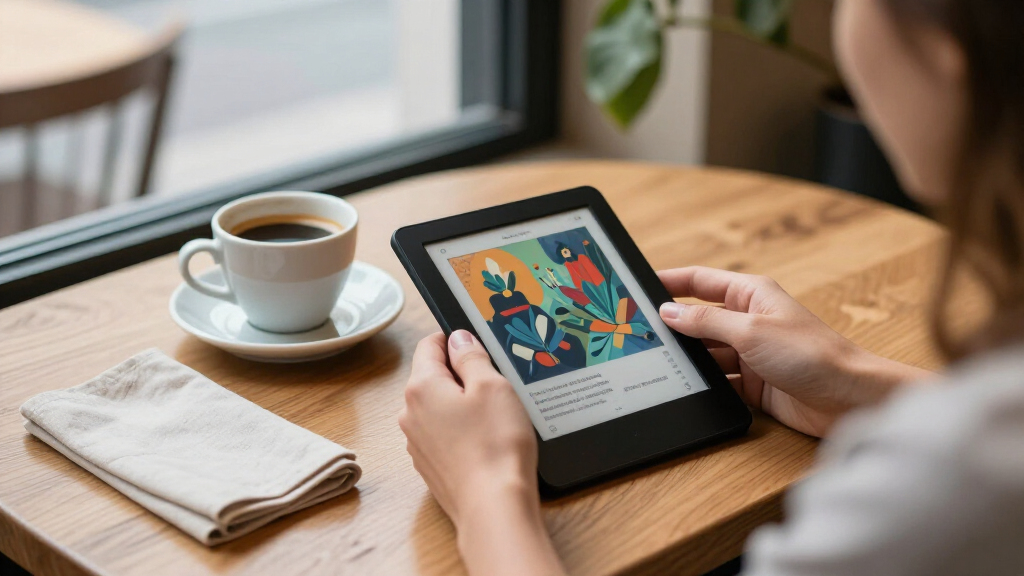
How We Picked
My ranking logic starts with the question that defines this category: how well does each device deliver color without ruining the core reading experience? I evaluated color rendering quality and refresh behavior, since slow or ghosty color screens undermine the entire reason to buy one. From there, I weighed screen size and hardware comfort (weight, buttons, front-light warmth), ecosystem openness (EPUB and library-app support versus proprietary stores), and feature depth like waterproofing, stylus input, and cellular connectivity.
Devices rose or fell based on who they serve rather than raw specs. A 7-inch open-ecosystem reader with page buttons ranked above a similarly priced closed-ecosystem model because it fits more buyer types. Android-based units were judged as hybrids — they had to justify their complexity with genuine productivity value. Finally, I factored in total cost of ownership: bundled accessories, stylus requirements, and storage ceilings all shaped the final order.
Factors to Consider When Choosing E-readers With Color Screens
Color e-readers look similar on a spec sheet but behave very differently in daily use. Before picking from the lineup above, work through these factors — they explain most of the price gaps between models and will steer you toward the right device faster than any feature list.Understand What Color E Ink Can and Cannot Do
Every device in this roundup uses color-filtered E Ink rather than an LCD or OLED panel, and that shapes every expectation you should have. Colors render at roughly half the resolution of the underlying black-and-white layer, and saturation is muted — covers, maps, and comics gain useful context, but nothing here rivals a tablet. The color layer also reduces overall brightness, so front-light performance matters more than on monochrome readers. Buyers who expect vibrant graphic novels are the ones most often disappointed, while readers who mostly want color book covers, highlighted text, and PDFs with diagrams tend to be delighted. Ask yourself honestly how much of your library actually benefits from color before paying a premium for it.
Match the Ecosystem to Your Library
The single most common buying mistake in this category is choosing hardware before choosing an ecosystem. Amazon’s Colorsoft models deliver polished software, excellent store integration, and strong sync — but they push you toward Amazon’s formats and make sideloading EPUB files clunkier. Kobo devices natively read EPUB, integrate smoothly with library-lending services like OverDrive in many regions, and let you manage files yourself. Android-based readers from Bigme and BOOX sidestep the question entirely by letting you install any reading app, at the cost of a busier interface. If you already own hundreds of books in one store, switching ecosystems means re-buying or converting files, so weigh that hidden cost carefully.
Decide Whether You Actually Need a Stylus
Note-taking support is the biggest price and weight differentiator in this lineup, and it’s easy to overbuy. Students, annotators, and professionals who mark up PDFs genuinely benefit from pen-equipped devices like the Kindle Scribe Colorsoft or Bigme B7 Pro. But stylus models are larger, heavier, and drain battery faster, and if you only read novels, that extra hardware is dead weight. Watch the fine print, too: the Musnap Ocean C supports handwriting but ships without the stylus, so the true cost is higher than the listing suggests. A smaller, lighter reader you carry everywhere beats a note-taking slab that stays home.
Size, Weight, and One-Handed Comfort
Screen size in this category runs from a pocketable 6 inches up to 11 inches, and the difference shapes how you’ll actually use the device. Six and seven-inch readers like the Kobo Clara Colour and BOOX Go Color 7 are comfortable for one-handed reading and commuting; 7.8-inch and larger panels suit PDFs, comics, and desk use. Remember that color layers dim the display, so larger screens also demand stronger, more even front lighting. Physical page-turn buttons — present on the Kobo Libra Colour — matter more than buyers expect for long reading sessions. Handle your priorities honestly: portability and documents rarely coexist in one comfortable device.
Storage, Connectivity, and Future-Proofing
Storage needs are smaller than phone habits suggest — text books are tiny — but color content changes the math. Comics, illustrated PDFs, and manga consume gigabytes quickly, which is where 32GB and 256GB options like the Bigme B7 Pro pull ahead of 16GB Kindles and Kobos. Cellular connectivity (4G calling on the Bigme) is a niche perk useful for travelers who buy books away from Wi-Fi, but most readers will never use it. Also check refresh-mode options: Android-based readers let you tune speed versus ghosting per app, which keeps older hardware feeling responsive longer. Buy storage and flexibility for the content you’ll own in three years, not just today.
Watch for Bundles, Editions, and Renewed Units
This category is crowded with near-identical variants, and knowing what separates them prevents overpaying. Amazon’s Colorsoft appears as a base 16GB model, a Signature Edition with more storage and wireless charging, an Essentials Bundle with cover and adapter, and renewed units — the screen is the same across most of them, so choose based on accessories and software (ad-free lock screens) rather than the badge. Kobo’s Libra and Clara Colour come in black and white finishes with identical internals. Bundles only save money if you’d buy the accessories anyway. My advice: pick the model tier first, then decide whether any bundle genuinely matches what you were going to purchase separately.
Frequently Asked Questions
Is a color e-reader worth it if I mostly read regular novels?
For pure text reading, a color screen adds weight to the yes-or-no question without adding much value. Colors render beautifully on covers and illustrated diagrams, but the body text of a novel looks identical to a monochrome display, and the color layer actually makes the screen slightly dimmer. If 90 percent of your library is standard fiction, a monochrome reader will give you better contrast and battery life for the money. Color earns its keep when you read comics, manga, cookbooks, textbooks, PDFs with charts, or highlighted technical documents — that’s the audience these 14 devices genuinely serve. Be honest about your library composition before paying the color premium.
Should I choose the Kobo Libra Colour or the Kindle Colorsoft?
The decision comes down to ecosystem more than hardware. The Kobo Libra Colour offers native EPUB support, library-lending integration, physical page-turn buttons, and waterproofing, which makes it the more flexible choice for readers with mixed or non-Amazon libraries. The Kindle Colorsoft counters with Amazon’s smoother storefront, tighter syncing, and stronger customer support infrastructure, plus the Signature Edition adds wireless charging. If your books already live in your Amazon account, switching to Kobo means converting files or re-buying, which erodes Kobo’s advantages quickly. Readers who borrow from public libraries or shop multiple stores will feel boxed in by the Kindle. Both have excellent screens, so let your existing library make the call.
Why would I buy an Android-based color e-reader like the Bigme B7 Pro?
Android color e-readers trade simplicity for control, and that trade pays off for a specific buyer. With the Bigme B7 Pro, you can install any reading app, run productivity tools, take handwritten notes with the included stylus, and even use 4G calling — effectively replacing a tablet and an e-reader with one device. The costs are real: a busier interface, shorter battery life than dedicated readers, more frequent updates to manage, and a steeper learning curve. Compared with a Kindle or Kobo, it’s overkill for someone who just wants to read before bed. But students, researchers, and professionals who annotate heavily will find the consolidation worthwhile. Choose it for what it replaces, not for the reading experience itself.
How much storage do I need on a color e-reader?
It depends almost entirely on how much visual content you read. Text-based books consume a few megabytes each, so a 16GB device holds thousands of novels without strain — that’s why base Kindles and Kobos remain viable for fiction readers. The picture changes with comics, manga, and illustrated PDFs, which can run hundreds of megabytes per volume and fill a 16GB device within a year of heavy collecting. That’s the case for the 32GB PocketBook InkPad Color 3 or the 256GB Bigme B7 Pro. Also check whether the device accepts expandable storage, since a microSD slot can future-proof a smaller-capacity purchase. My rule of thumb: text readers can buy the cheapest tier, visual-content collectors should start at 32GB.
What’s the difference between the various Kindle Colorsoft editions and bundles in this roundup?
The differences are mostly storage, accessories, and software rather than screen quality — the display is essentially shared across the lineup. The base 16GB model comes in ad-supported and no-ads versions, and the no-ads software is worth the small premium for a cleaner lock screen. The Signature Edition adds storage and wireless charging, which suits readers who want fewer cables and heavier libraries. The Essentials Bundle simply bundles a fabric cover and power adapter, which only saves money if you planned to buy those items separately. Renewed units offer the same hardware with cosmetic wear at a lower cost, a reasonable path for cautious budgets. Pick your tier based on storage and accessories, and don’t expect any edition to read differently.
Conclusion
After comparing all 14 devices, my recommendations fall cleanly by buyer type. For best overall, the Kobo Libra Colour hits the sweet spot of screen size, waterproofing, page buttons, and an open ecosystem that fits the widest range of readers. The Kobo Clara Colour is my best value pick — it delivers the same Kaleido 3 color experience in a compact, budget-friendly package for readers who don’t need the extras. For best premium, the Bigme B7 Pro justifies its price with 256GB of storage, an included stylus, 4G calling, and full Android flexibility, while the Kindle Colorsoft Signature Edition is the premium choice for anyone committed to Amazon’s ecosystem. Beginners should start with the Kindle Colorsoft 16GB or Kobo Clara Colour — simple, polished, and hard to outgrow quickly. For specific needs: note-takers and PDF annotators get the most from the Kindle Scribe Colorsoft or Bigme B7 Pro, comic and manga collectors should look at the PocketBook InkPad Color 3’s larger 7.8-inch panel and 32GB of storage, and app-flexibility seekers will appreciate the BOOX Go Color 7 Gen II. Whatever you choose, remember that every color e-reader trades some brightness and battery for hue — buy for the content you actually read, and you’ll be happy with any of these picks.
Fall Picks
fall essentials
As an affiliate, we earn on qualifying purchases.