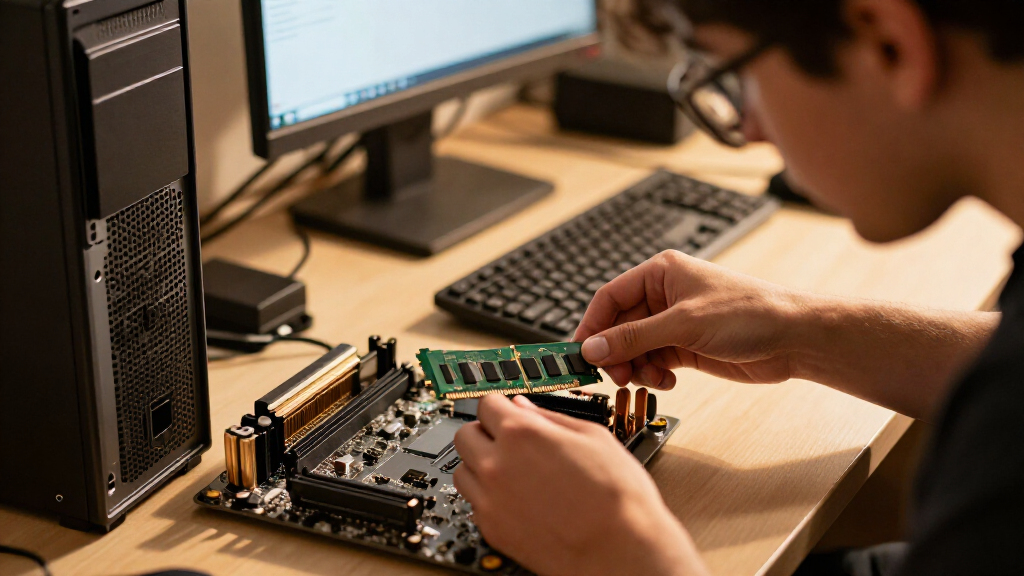

The best DDR3 RAM for most desktop upgrades is the G.SKILL RipjawsX 16GB (2 x 8GB) DDR3-1600 kit, which pairs a useful capacity with a widely supported speed and a matched dual-channel set. For a larger workload, Gigastone’s 32GB kit offers four 8GB modules, while Crucial’s DDR3L-1600 kit is a sensible alternative for systems that support lower-voltage memory. The main tradeoffs are capacity versus motherboard compatibility, standard DDR3 versus DDR3L voltage, and whether faster-rated memory can actually run at its advertised speed in an older system. Check your motherboard and processor requirements before choosing a kit. Read on for the full comparison and guidance on which option fits your PC.

Get the latest gadgets delivered free with Prime
- Fast, free delivery on millions of items
- Prime Video, Amazon Music and more included
- Member-only deals all year
Complete the kit



Key Takeaways
- DDR3-1600 is the practical center of this lineup: it appears across many 16GB and 32GB options and is a safer starting point than assuming a faster kit will run at its rated speed.
- Capacity changes the fit more than brand alone: the 16GB kits suit common older-PC upgrades, while Gigastone and Corsair Dominator Platinum offer 32GB in four-module configurations that require four usable slots.
- DDR3L needs a compatibility check: Crucial, Timetec, and Silicon Power list DDR3L or dual DDR3/DDR3L support, but the motherboard still determines acceptable voltage and module type.
- Higher speed is not automatically a better upgrade: the 1866MHz Dominator Platinum and 2400MHz Vengeance Pro can be limited by the CPU or board, making standard 1600MHz kits a more straightforward match for many systems.
- Matched pairs matter for ordinary upgrades: many picks provide two 8GB modules for a 16GB kit, while the ROYEMAI pair totals only 8GB and is a lower-capacity option for lighter use.


| DDR3 RAM | Memory type | Capacity | Voltage | Form factor |
|---|---|---|---|---|
| G.SKILL RipjawsX 16GB | DDR3 | 16GB (2 x 8GB) | 1.5V | 240-pin UDIMM |
| Gigastone 32GB | DDR3/DDR3L | 32GB (4 x 8GB) | 1.35V/1.5V | 240-pin UDIMM |
| Crucial 16GB Kit | DDR3L | 16GB (2 x 8GB) | 1.35V or 1.5V | 240-pin UDIMM |
| Timetec 16GB | DDR3L/DDR3 | 16GB (2 x 8GB) | 1.35V/1.5V | 240-pin UDIMM |
| ROYEMAI 8GB | DDR3 | 8GB (2 x 4GB) | 1.5V | 240-pin UDIMM |
| G.SKILL RipjawsX Series 16GB D | DDR3 | 16GB (2 x 8GB) | 1.5V | 240-pin UDIMM |
| Silicon Power 16GB | DDR3L | 16GB (2 x 8GB) | 1.35V / 1.5V | 240-pin UDIMM |
| Corsair Vengeance Pro 32GB | DDR3 | 32GB (4 x 8GB) | 1.5V | 240-pin DIMM |
| Corsair Dominator Platinum 32G | DDR3 | 32GB (4 x 8GB) | 1.5V | 240-pin DIMM |
| TEAMGROUP Elite 16GB DDR3 Desk | DDR3 | 16GB (2 x 8GB) | 1.5V | 240-pin UDIMM |
| Acclamator 16GB DDR3 RAM Kit | DDR3 | 16GB (2 x 8GB) | 1.5V | 240-pin unbuffered UDIMM |
| Samsung 16GB | DDR3 | 16GB (2 x 8GB) | 1.5V | 240-pin DIMM, UDIMM |
| Corsair Vengeance Pro 16GB | DDR3 | 16GB (2 x 8GB) | 1.65V listed; product data also states 1.5V | 240-pin DIMM |
More Details on Our Top Picks
G.SKILL RipjawsX 16GB (2 x 8GB) DDR3-1600 Desktop Memory Kit
For a compatible desktop that needs a straightforward capacity upgrade, I rank this matched 16GB kit first. Its two 8GB modules can run in dual-channel configurations, while 1600 MT/s and CL10 timings offer a balanced fit for many DDR3-era systems. JEDEC profiles provide a standard setup path, and Intel XMP gives supported systems another way to apply the rated settings. Compared with the Crucial 16GB DDR3L kit, this G.SKILL kit is standard 1.5V DDR3 rather than dual-voltage DDR3L, so it suits buyers whose motherboard calls for conventional DDR3. The tradeoff is a narrower voltage fit, and the 40mm red heatsinks may crowd some CPU coolers. Mixed memory kits can also cause instability, so I’d use it as a matched pair.
Pros:- Matched 2 x 8GB configuration supports dual-channel operation
- Includes JEDEC and Intel XMP profiles
- 1600 MT/s rating suits compatible DDR3 desktop platforms
- Red heatsinks provide a distinctive appearance
Cons:- Requires compatible hardware and BIOS settings to reach the rated speed
- Standard 1.5V DDR3 is less voltage-flexible than the Crucial DDR3L kit
- Mixing it with other memory kits can cause instability
Best for: Desktop owners with two available memory slots who want a matched 16GB DDR3-1600 kit and a choice of JEDEC or XMP profiles.
Not ideal for: Owners of DDR3L-only systems, laptops, or compact desktops where the 40mm heatsinks may interfere with a CPU cooler.
- Capacity:16GB (2 x 8GB)
- Memory type:DDR3
- Speed:1600 MT/s
- Timings:CL10-10-10-30
- Voltage:1.5V
- Form factor:240-pin UDIMM
- Profiles:JEDEC and Intel XMP
- Heatsink height:40mm
Our verdict“Choose this matched kit for a conventional DDR3 desktop upgrade when you want 16GB, 1600 MT/s support, and XMP flexibility.”
Gigastone 32GB (4 x 8GB) DDR3/DDR3L 1600MHz Desktop RAM Kit
I place this Gigastone kit first for buyers who need 32GB in one matched set. Four 8GB modules provide twice the capacity of the G.SKILL RipjawsX 16GB kit, making this a better fit for a compatible desktop with four memory slots and workloads that benefit from more RAM. Its 1.35V/1.5V operation also gives it broader voltage flexibility than the standard 1.5V G.SKILL kit. The tradeoff is physical and platform-specific: all four slots must be available, and the motherboard must support DDR3 or DDR3L 240-pin UDIMMs and the desired capacity. CL11 timings are less aggressive than some DDR3 kits, and filling every slot can leave less room for future expansion. I’d check the motherboard’s memory limits before choosing it.
Pros:- 32GB total capacity from four 8GB modules
- Supports both 1.35V and 1.5V operation
- Rated for 1600MHz operation on compatible systems
- Five-year warranty
Cons:- Requires four available memory slots
- Compatibility depends on support for DDR3/DDR3L 240-pin UDIMMs and the full capacity
- CL11 timings are less aggressive than lower-latency DDR3 alternatives
Best for: Desktop users with four compatible memory slots who need 32GB for memory-heavy multitasking or other supported workloads.
Not ideal for: Owners of two-slot desktops, systems with lower memory limits, or buyers who want to preserve open slots for later upgrades.
- Capacity:32GB (4 x 8GB)
- Memory type:DDR3/DDR3L
- Speed:1600MHz
- CAS latency:CL11
- Voltage:1.35V/1.5V
- Form factor:240-pin UDIMM
- ECC:Non-ECC
- Warranty:5 years
Our verdict“Pick Gigastone when a compatible four-slot desktop needs 32GB more than it needs open slots or tighter timings.”
Crucial 16GB Kit (2 x 8GB) DDR3L-1600 CL11 UDIMM Desktop Memory
The Crucial kit earns a distinct place for buyers who need DDR3L flexibility without giving up a standard two-module 16GB setup. Its 1.35V or 1.5V operation can match systems designed for either voltage, unlike the G.SKILL RipjawsX 16GB kit, which is specified for 1.5V. Both offer 2 x 8GB at 1600 MT/s, but Crucial’s CL11 timings are less tight than G.SKILL’s CL10. That difference makes this a fit-first choice rather than a pick for buyers prioritizing the listed timing. The unbuffered, non-ECC design is aimed at compatible desktops, not servers, and support is limited to systems that accept DDR3L UDIMMs. Its limited lifetime warranty adds long-term coverage, but cannot overcome a motherboard mismatch.
Pros:- Dual-voltage support at 1.35V or 1.5V
- Matched 2 x 8GB kit provides 16GB total
- 1600 MT/s rating for compatible systems
- Limited lifetime warranty
Cons:- Works only in systems that support DDR3L UDIMM memory
- CL11 timings are looser than the G.SKILL RipjawsX kit’s CL10
- Non-ECC, unbuffered design is not intended for systems requiring registered or ECC memory
Best for: Desktop owners whose motherboard supports DDR3L and who need a 16GB matched kit that can operate at either 1.35V or 1.5V.
Not ideal for: Buyers whose systems require standard DDR3 only, or who want tighter listed timings than CL11.
- Capacity:16GB (2 x 8GB)
- Memory type:DDR3L
- Speed:1600 MT/s (PC3-12800)
- Latency:CL11
- Voltage:1.35V or 1.5V
- Form factor:240-pin UDIMM
- Rank and configuration:2Rx8
- Warranty:Limited lifetime
Our verdict“Choose Crucial when DDR3L support and dual-voltage operation matter more than tighter timings.”
Timetec 16GB (2x8GB) DDR3L/DDR3 1600MHz 240-Pin UDIMM Desktop Memory Kit
Timetec is the more flexible fit for buyers whose desktop documentation allows either DDR3L or standard DDR3. Like the Crucial 16GB kit, it supports 1.35V and 1.5V, but its product data explicitly lists compatibility with Intel and AMD desktop systems. The matched 2 x 8GB, 1600MHz configuration keeps capacity and speed comparable with the G.SKILL RipjawsX kit, though Timetec uses CL11 timings rather than CL10. A lifetime warranty and free technical support add coverage, but they do not replace checking the motherboard’s memory requirements. This is a desktop UDIMM kit, not laptop memory, and the PCB color can vary between production batches. I’d choose it over Crucial when the stated DDR3/DDR3L flexibility suits the system.
Pros:- Supports DDR3L and DDR3 at 1.35V or 1.5V
- Matched 2 x 8GB kit provides 16GB
- Listed for compatible Intel and AMD desktop systems
- Lifetime warranty and free technical support
Cons:- Not compatible with laptops
- CL11 timings are looser than the G.SKILL RipjawsX kit’s CL10
- PCB color may vary by production batch
Best for: Desktop owners with Intel or AMD systems that support 240-pin DDR3 or DDR3L UDIMMs and want dual-voltage 16GB memory.
Not ideal for: Laptop owners, or desktop users seeking lower listed latency than CL11 or a consistent PCB color.
- Capacity:16GB (2 x 8GB)
- Memory type:DDR3L/DDR3
- Speed:1600MHz
- Latency:CL11
- Voltage:1.35V/1.5V
- Form factor:240-pin UDIMM
- Rank:Dual rank 2Rx8
- Warranty:Lifetime
Our verdict“Choose Timetec for a compatible desktop when dual-voltage DDR3/DDR3L support and long warranty coverage take priority over tighter timings.”
ROYEMAI 8GB (2 x 4GB) DDR3-1333 PC3-10600 Desktop RAM Kit
ROYEMAI makes the most sense for an older desktop that supports DDR3-1333 and needs a modest 8GB matched upgrade, not a high-capacity refresh. Two 4GB modules can suit a system with limited memory support, while the CL9 specification is tighter than the CL11 timing listed for the Timetec 16GB kit. That comparison does not make ROYEMAI faster overall: its rated 1333MHz speed is below the 1600MHz kits from Timetec, Crucial, and G.SKILL. It also offers half the capacity of those 16GB options. Compatibility depends on the PC’s supported memory type, slots, and maximum capacity, and the product’s troubleshooting guidance may involve reducing memory speed if startup or stability issues arise. Check the system manual before buying.
Pros:- Two 4GB modules provide an 8GB matched kit
- CL9 listed latency
- 1.5V operation for compatible DDR3 desktops
- Lifetime warranty and technical support are offered
Cons:- 1333MHz rating is lower than the 1600MHz kits in this roundup
- 8GB total capacity is less than the 16GB and 32GB alternatives
- System support limits and possible speed reductions can complicate setup
Best for: Owners of older DDR3 desktop PCs that support 1333MHz memory and need an 8GB kit made from two 4GB modules.
Not ideal for: Users seeking 16GB or more, systems rated for faster memory, or laptop owners who need a different module form factor.
- Capacity:8GB (2 x 4GB)
- Memory type:DDR3
- Speed:1333MHz (PC3-10600)
- CAS latency:CL9
- Voltage:1.5V
- Form factor:240-pin UDIMM
- Rank:Dual rank
- ECC:Non-ECC
Our verdict“Choose ROYEMAI for a compatible older desktop with an 8GB target, but opt for a 1600MHz 16GB kit if the system supports it.”
G.SKILL RipjawsX Series 16GB DDR3 Desktop Memory Kit (2 x 8GB, 1600 MT/s, CL9)
This matched 16GB kit pairs 1600 MT/s with CL9 timings, giving it a timing advantage over the CL11 TEAMGROUP Elite and Silicon Power kits at the same rated speed. Two 8GB modules are a practical fit for a compatible desktop that needs a memory refresh without filling all four slots. It supports both JEDEC defaults and an Intel XMP profile, so the rated settings can be selected through a compatible BIOS rather than relying only on automatic defaults. The tradeoff is that XMP operation depends on the motherboard, processor, and BIOS; this is not a universal speed guarantee. Unlike Silicon Power’s DDR3L kit, this RipjawsX listing specifies standard 1.5V operation, so buyers should confirm their system’s memory requirements before choosing.
Pros:- Matched 2 x 8GB kit provides 16GB while leaving other slots available.
- CL9-9-9-24 timings are tighter than the CL11 timings of the TEAMGROUP Elite and Silicon Power kits.
- Supports JEDEC defaults and an Intel XMP profile.
- Runs at a specified 1.5V.
Cons:- Rated XMP speed can depend on compatible hardware and BIOS settings.
- Mixing this kit with other memory can cause instability or system failure.
Best for: Desktop owners with DDR3 UDIMM support who want a matched 16GB kit and CL9 timings at 1600 MT/s.
Not ideal for: Buyers whose systems require low-voltage DDR3L operation or who cannot verify XMP and BIOS compatibility.
- Capacity:16GB (2 x 8GB)
- Memory type:DDR3
- Form factor:240-pin UDIMM
- Timings:CL9-9-9-24
- Voltage:1.5V
- Profiles:JEDEC default and Intel XMP
- ECC:Non-ECC
Our verdict“Choose RipjawsX if you want tighter CL9 timings in a 16GB DDR3 kit and have a system that supports its 1.5V and XMP settings.”
Silicon Power 16GB (2 x 8GB) DDR3L 1600MHz Desktop Memory Kit
The Silicon Power kit’s main distinction is dual-voltage DDR3L operation: its 2 x 8GB modules support both 1.35V and 1.5V, which gives buyers more flexibility than the standard 1.5V TEAMGROUP Elite or G.SKILL RipjawsX kits. It is rated at 1600MHz with CL11 timings, so it prioritizes broad DDR3L/DDR3 desktop compatibility over the tighter timings offered by the RipjawsX. Factory stability and compatibility testing and a lifetime warranty add reassurance for someone replacing aging desktop memory, though neither removes the need to check motherboard support. This is a useful middle ground for a DDR3L-capable machine, but it is not a speed-focused choice: the 1866MHz Corsair Dominator Platinum is rated faster, while requiring a compatible platform and four slots.
Pros:- Two 8GB modules provide 16GB in a matched kit.
- Supports both 1.35V and 1.5V operation.
- Rated for compatibility with DDR3L and DDR3 desktop motherboards.
- Includes a lifetime warranty.
Cons:- CL11 timings are looser than the CL9 G.SKILL RipjawsX and Corsair Vengeance Pro kits.
- Compatibility is limited to systems that accept DDR3 or DDR3L UDIMMs.
Best for: Desktop owners with DDR3L or DDR3 UDIMM support who want a 16GB kit that can operate at either 1.35V or 1.5V.
Not ideal for: Buyers seeking CL9 timings or memory for laptops, servers, or systems without DDR3/DDR3L desktop UDIMM support.
- Capacity:16GB (2 x 8GB)
- Memory type:DDR3L
- Form factor:240-pin UDIMM
- Latency:CL11
- Voltage:1.35V / 1.5V
- Compatibility:DDR3L / DDR3 desktop motherboards
- Warranty:Lifetime
Our verdict“Pick Silicon Power for a 16GB desktop kit when dual-voltage DDR3L/DDR3 flexibility matters more than tighter timings.”
Corsair Vengeance Pro 32GB (4 x 8GB) DDR3 1600MHz Desktop Memory Kit, Red
For a compatible desktop with four open memory slots, this kit delivers 32GB as a single matched set, doubling the capacity of the 16GB G.SKILL RipjawsX and TEAMGROUP Elite kits. Its 1600MHz rating and CL9 latency also give it tighter timings than the CL11 TEAMGROUP modules, while the included heatsinks add physical protection and a more substantial appearance. The tradeoff is the four-module layout: it occupies every slot on many older boards, leaving no easy capacity expansion without replacing modules. Its listed platform compatibility centers on Intel Z68 and Z77, so I would verify the motherboard and processor support before buying rather than assume it suits any DDR3 desktop. Compared with the faster 1866MHz Dominator Platinum, this Vengeance Pro kit emphasizes capacity at 1600MHz.
Pros:- Provides 32GB through four matched 8GB modules.
- CL9 latency at a rated 1600MHz.
- Heatsinks are included on the modules.
- Listed as compatible with Intel Z68 and Z77 platforms.
Cons:- Uses all four DIMM slots on many compatible motherboards.
- Listed compatibility is limited to specific Intel platform families.
- The two-year warranty is shorter than the lifetime warranties listed for several competing kits.
Best for: Owners of compatible Intel Z68 or Z77 desktops who need 32GB now and have four available DIMM slots.
Not ideal for: Builders who need an open slot for later expansion or whose motherboard compatibility is not established for this four-module kit.
- Capacity:32GB (4 x 8GB)
- Memory type:DDR3
- CAS latency:CL9
- Voltage:1.5V
- Form factor:240-pin DIMM
- Memory type:Unbuffered
- Cooling:Heatsinks
- Warranty:2 years
Our verdict“Choose this Vengeance Pro kit when a supported four-slot DDR3 desktop needs 32GB at 1600MHz without prioritizing higher frequency.”
Corsair Dominator Platinum 32GB (4 x 8GB) DDR3 1866MHz Desktop Memory
The Dominator Platinum combines 32GB capacity with a 1866MHz rating, making it the speed-focused alternative to the 1600MHz Corsair Vengeance Pro 32GB kit. It also has Corsair DHX cooling and a white LED light pipe with a user-swappable light bar, features aimed at builders who care about both module cooling design and a visible internal finish. Its 10-11-10-30 timings are not as tight as the CL9 Vengeance Pro timings, so the higher rated speed does not make it an across-the-board winner. Four 8GB modules also use all available slots on many boards, and the listed compatibility names specific Intel DDR3 motherboard families. This is a specialist pick for a supported older build; buyers who only need 16GB can avoid the extra capacity and full-slot layout with the G.SKILL RipjawsX.
Pros:- 32GB capacity supplied as four matched 8GB modules.
- 1866MHz rated speed is higher than the 1600MHz Corsair Vengeance Pro kit.
- Corsair DHX cooling technology.
- White LED light pipe and user-swappable light bar.
Cons:- Four modules can fill all slots and limit later upgrades.
- Listed compatibility is limited to supported DDR3 motherboard families.
- 10-11-10-30 timings are looser than the CL9 timing on the Vengeance Pro kit.
Best for: Owners of compatible Intel Z77, X79, Z68, or P67 DDR3 desktops who want 32GB, a 1866MHz rating, and configurable white lighting.
Not ideal for: Buyers with unverified motherboard support, only two available DIMM slots, or no need for 32GB and decorative lighting.
- Capacity:32GB (4 x 8GB)
- Memory type:DDR3
- Timings:10-11-10-30
- Voltage:1.5V
- Form factor:240-pin DIMM
- Cooling:Corsair DHX
- Lighting:White LED light pipe with user-swappable light bar
- Warranty:Limited lifetime
Our verdict“Choose the Dominator Platinum if your listed-compatible DDR3 platform can use all 32GB and you value its higher rated speed and lighting features.”
TEAMGROUP Elite 16GB DDR3 Desktop Memory Kit (2 x 8GB, 1600MHz)
The TEAMGROUP Elite is a straightforward 16GB, 1600MHz kit for standard DDR3 desktop systems, with two 8GB unbuffered, non-ECC modules and 1.5V operation. Its CL11 timing is less aggressive than the CL9 G.SKILL RipjawsX and Corsair Vengeance Pro kits, so this is a fit-focused option rather than the choice for buyers chasing tighter timings. Unlike the Silicon Power kit, it does not list 1.35V DDR3L support; that distinction matters if a motherboard specifically calls for low-voltage memory. TEAMGROUP lists JEDEC compliance, free technical support, and a lifetime warranty, making the kit a simple replacement candidate when its specifications match the desktop. Its compatibility remains limited to DDR3 desktop systems, so it is not a universal upgrade for newer machines.
Pros:- Two 8GB modules provide 16GB in a matched kit.
- JEDEC-standard 1600MHz operation at 1.5V.
- Non-ECC, unbuffered UDIMM format suits compatible desktop systems.
- Includes lifetime warranty and free technical support.
Cons:- CL11 timings are looser than the CL9 G.SKILL RipjawsX and Corsair Vengeance Pro kits.
- Listed for DDR3 desktop systems only, with no stated DDR3L 1.35V operation.
Best for: Desktop owners with standard 1.5V DDR3 UDIMM support who want a basic 16GB matched kit with JEDEC-standard operation.
Not ideal for: Buyers who need DDR3L 1.35V support, CL9 timings, or memory for a laptop or a newer DDR4/DDR5 system.
- Capacity:16GB (2 x 8GB)
- Memory type:DDR3
- Latency:CL11
- Voltage:1.5V
- Form factor:240-pin UDIMM
- ECC and buffering:Non-ECC, unbuffered
- Warranty:Lifetime
Our verdict“Choose TEAMGROUP Elite for a no-frills 16GB DDR3 desktop replacement when standard 1.5V operation matters more than tighter timings.”
Acclamator 16GB DDR3 RAM Kit (2 x 8GB), 1600MHz, CL11, 1.5V, 240-Pin UDIMM
The Acclamator 16GB kit is a practical choice for a compatible desktop that needs a standard DDR3 capacity upgrade without higher-speed tuning features. Its two 8GB modules can run in dual-channel mode when the motherboard supports it, while the 1600MHz rating and 1.5V specification suit many DDR3 desktop platforms. Compared with the Samsung 16GB DDR3-1600 kit, it offers the same listed capacity, speed, and CL11 latency, so the supplied specifications do not establish a performance advantage for either. The main distinction is Acclamator’s stated unlimited U.S. warranty. This remains an older-generation, non-ECC UDIMM kit: check the motherboard’s memory support before buying, and skip it for laptops or systems needing DDR4 or DDR5. Its CL11 timing is also less aggressive than some DDR3 alternatives.
Pros:- Two 8GB modules support dual-channel operation on compatible systems.
- 1600MHz DDR3 speed and 1.5V specification suit many DDR3 desktop platforms.
- Unbuffered, non-ECC 240-pin UDIMM format is clearly identified.
- Product data states an unlimited warranty within the United States.
Cons:- Requires a motherboard and processor that support DDR3 memory.
- CL11 timings are less aggressive than some DDR3 kits.
- Not suitable for laptops or systems requiring another memory format.
Best for: Desktop owners replacing or expanding memory in a DDR3-compatible motherboard who want two 8GB modules and a stated U.S. warranty.
Not ideal for: Laptop owners and builders with DDR4 or DDR5 systems; this is a 240-pin desktop UDIMM kit, not a universal memory upgrade.
- Capacity:16GB (2 x 8GB)
- Memory type:DDR3
- Speed:1600MHz (PC3-12800)
- CAS latency:CL11
- Voltage:1.5V
- Form factor:240-pin unbuffered UDIMM
- ECC:Non-ECC
- Warranty:Unlimited warranty within the United States
Our verdict“Choose this kit for a compatible DDR3 desktop needing a conventional 16GB dual-channel upgrade, especially if the stated U.S. warranty matters to you.”
Samsung 16GB (2 x 8GB) DDR3 1600 MHz Desktop Memory Kit
The Samsung 16GB kit keeps the specification simple: two 8GB desktop UDIMMs, DDR3-1600, CL11, and 1.5V. That makes it a sensible match for owners checking an existing desktop’s memory type and looking for a like-for-like DDR3 replacement. Its listed configuration closely matches the Acclamator 16GB kit, including capacity, speed, and latency; Acclamator explicitly states an unlimited U.S. warranty, while Samsung’s supplied details do not list a warranty. Neither kit offers the higher rated speed or XMP overclocking support found on the Corsair Vengeance Pro 2400MHz. The Samsung’s advantage is a clearly identified desktop kit and model number, not a stated speed lead. Confirm your board supports 8GB modules and DDR3 before buying, since this memory will not fit newer-generation systems.
Pros:- Two 8GB modules provide 16GB total capacity.
- DDR3-1600 (PC3-12800) speed is specified.
- 1.5V and CL11 are listed for straightforward platform matching.
- Model number and desktop UDIMM form factor are provided.
Cons:- Compatibility is limited to desktops that support DDR3 UDIMMs.
- No warranty details are included in the supplied product data.
- Its 1600MHz rating is below the Corsair Vengeance Pro 2400MHz kit’s rated speed.
Best for: Desktop owners who have confirmed they need 240-pin DDR3-1600 UDIMMs and want a clearly identified two-module 16GB kit.
Not ideal for: Buyers seeking higher-speed DDR3 tuning, a stated warranty, or memory for DDR4/DDR5 motherboards.
- Capacity:16GB (2 x 8GB)
- Memory type:DDR3
- Speed:1600MHz (PC3-12800)
- CAS latency:CL11
- Voltage:1.5V
- Form factor:240-pin DIMM, UDIMM
- Compatible devices:Desktop
- Model:M378B1G73QH0-CK0
Our verdict“Pick the Samsung kit for a confirmed DDR3 desktop upgrade when a clearly specified 16GB, 1600MHz configuration matters more than overclocking features.”
Corsair Vengeance Pro 16GB (2 x 8GB) DDR3 2400MHz Desktop RAM, Red
For a DDR3 system built to use faster memory, the Corsair Vengeance Pro 2400MHz stands apart from the two 1600MHz kits here. Its 2 x 8GB layout supports dual-channel operation, and Intel XMP 1.3 can make setting its rated profile easier on compatible boards and processors. The tradeoff is platform dependence: the kit lists a 1.65V operating voltage and a 1333MHz SPD speed, so reaching 2400MHz relies on support and configuration rather than being a safe assumption for every DDR3 PC. By comparison, the Samsung 16GB DDR3-1600 kit has a lower listed speed but a simpler 1.5V specification. The red heat spreaders also make this a more conspicuous fit than plain modules, and the supplied data gives inconsistent voltage information. Check motherboard support before choosing it.
Pros:- Rated for 2400MHz, faster than the 1600MHz Acclamator and Samsung kits.
- Two 8GB modules are configured for dual-channel operation.
- Intel XMP 1.3 offers a supported route to its rated profile.
- Red heat spreaders provide a distinct visual finish.
Cons:- Reaching 2400MHz depends on motherboard and processor support.
- The listed SPD speed is 1333MHz, below the advertised rated speed.
- Voltage information is inconsistent, with 1.65V listed alongside a 1.5V claim.
Best for: Enthusiasts with a DDR3 motherboard and processor that support 2400MHz memory and Intel XMP who want a higher-speed 16GB kit.
Not ideal for: Owners of older or basic DDR3 systems that default to 1333/1600MHz, or buyers who need a conservative 1.5V memory specification.
- Capacity:16GB (2 x 8GB)
- Memory type:DDR3
- Tested latency:11-13-13-31
- CAS latency:CL11
- Voltage:1.65V listed; product data also states 1.5V
- Form factor:240-pin DIMM
- SPD speed:1333MHz
- Overclocking support:Intel XMP 1.3
Our verdict“Choose the Corsair Vengeance Pro only if your DDR3 platform supports its XMP profile and higher voltage; otherwise, a 1600MHz kit is the simpler match.”

How We Picked
I compared these kits by the factors that decide whether an older desktop memory upgrade is useful and likely to fit: capacity, module count, rated speed, voltage type, and desktop UDIMM format. I gave more weight to broadly useful configurations, such as paired 8GB modules at 1600MHz, than to a higher speed rating that may depend on motherboard and processor support. I also separated kits by their practical role: general upgrades, larger-capacity builds, lower-voltage needs, and buyers seeking faster or more distinctive memory.
The ranking reflects usefulness across a wider range of compatible DDR3 desktop systems, not a claim that every kit will work in every board. A product’s stated specifications do not establish compatibility with a specific PC, so I treated unusual capacity, module count, speed, and DDR3L labeling as reasons to check the system manual before buying. Kits with a clear, common configuration rank ahead of more specialized options; the latter can still be the better choice when their specific capacity or speed fits the buyer’s hardware.
| DDR3 RAM | Memory type |
|---|---|
| G.SKILL RipjawsX 16GB | DDR3 |
| Gigastone 32GB | DDR3/DDR3L |
| Crucial 16GB Kit | DDR3L |
| Timetec 16GB | DDR3L/DDR3 |
| ROYEMAI 8GB | DDR3 |
| G.SKILL RipjawsX Series 16GB D | DDR3 |
| Silicon Power 16GB | DDR3L |
| Corsair Vengeance Pro 32GB | DDR3 |
| Corsair Dominator Platinum 32G | DDR3 |
| TEAMGROUP Elite 16GB DDR3 Desk | DDR3 |
| Acclamator 16GB DDR3 RAM Kit | DDR3 |
| Samsung 16GB | DDR3 |
| Corsair Vengeance Pro 16GB | DDR3 |
Factors to Consider When Choosing Best DDR3 RAM
DDR3 is an older standard, so the right purchase is usually the kit that fits your existing system—not the one with the biggest number on its label. I recommend checking the motherboard manual and current memory configuration before comparing the options below. These checks can prevent a kit from going unused or running below its rated specification.
Confirm the desktop memory type and slot layout
Start with the motherboard model, not just the computer’s age or processor name. DDR3 desktop UDIMMs are physically and electrically different from laptop SO-DIMMs and newer DDR4 or DDR5 modules, so those types cannot be substituted. Check how many memory slots the board has and its maximum supported capacity; a 32GB four-module kit is no help if the system has only two slots. Also check the board’s per-slot capacity limit, since some older models cannot use higher-capacity modules even when the total appears supported. If the PC is from a major manufacturer, its service manual can be more useful than a generic specification page.
Choose capacity for the workload and the board
For many older desktop tasks, moving from a small installed amount to 16GB can address memory pressure without needing a four-module kit. A 32GB kit makes more sense for heavier multitasking or memory-intensive work, but only when the board and processor support that capacity. Before replacing memory, find out whether the existing modules can be retained; mixing old and new sticks can force the system to use the slowest shared settings or create stability problems. Two-module kits leave more slots open than four-module kits, though the board’s supported channel layout matters too. Avoid buying capacity solely because it is the largest option in a list.
Treat rated speed as a ceiling, not a promise
Memory marked 1600, 1866, or 2400MHz may run at a lower speed if the motherboard or CPU does not support the rated setting. The system can also apply conservative default timings until a supported memory profile is selected in firmware. Faster-rated DDR3 can be useful when the rest of the platform supports it, but it may offer little practical gain on a system capped at a lower speed. Check the board’s supported memory speeds and whether the desired setting requires manual configuration. For a simple upgrade, a compatible 1600MHz kit is often easier to match than a high-speed kit with stricter platform requirements.
Check DDR3 and DDR3L voltage requirements
DDR3 and DDR3L labels refer to voltage expectations, and motherboard support determines which type is appropriate. Some kits are described as DDR3L/DDR3, but that wording alone does not prove that a specific board accepts both. Compare the kit specification with the motherboard manual and the voltage of the installed modules. Mixing modules with different voltage requirements can make compatibility less predictable, particularly on older systems with limited firmware options. If the system documentation is unclear, matching the original memory type and voltage is a safer route than choosing based on the DDR3L label alone.
Match module count and channel configuration
Two matched modules are a common way to populate a desktop board’s dual-channel memory configuration, but they should go in the slots the manual specifies. Four-module kits can fill all slots and reach a larger total capacity, yet they leave no room for later expansion and may place more load on the memory controller. A kit’s total capacity can be easy to misread: two 4GB sticks add up to 8GB, not 16GB. When adding to existing RAM, match capacity, speed, timings, and voltage as closely as possible, or replace the set with a matched kit. Use the motherboard’s slot map rather than guessing which sockets form a pair.
Decide when a premium or specialized kit is worthwhile
Paying attention to speed or build features makes sense only when the system can use them and the workload benefits. A higher-rated kit such as a 1866MHz or 2400MHz option is a more specialized choice than a mainstream 1600MHz kit; verify platform support before treating the rating as an upgrade. Distinctive heat spreaders may suit a visible build, but they can also be taller than plain modules and may conflict with nearby CPU coolers. For a basic office or family PC, reliable fit and adequate capacity are usually more useful than chasing a premium specification. Spend your effort first on compatibility, then on features the PC can actually use.
Frequently Asked Questions
Can I use DDR3L RAM in a motherboard that currently has DDR3?
It depends on the motherboard’s supported memory voltage and the exact module specification; the DDR3L label alone does not settle compatibility. Some modules are listed for both DDR3 and DDR3L operation, while others have narrower voltage requirements. Check the system manual or manufacturer support page for the accepted memory type and voltage before ordering. Avoid mixing DDR3 and DDR3L modules unless the documentation supports that combination. If the existing RAM works well, matching its type and voltage reduces uncertainty.
Will a 2400MHz DDR3 kit run at 2400MHz in my older PC?
Not necessarily. The motherboard and processor set limits on supported memory speeds, and the system may run a faster-rated kit at a lower supported speed. Some boards also require a memory profile or manual firmware setting to reach the kit’s rated speed. Confirm the board’s supported speeds and the CPU’s memory specifications before choosing a high-speed kit. If your platform tops out at 1600MHz, a faster rating may not deliver a meaningful benefit.
Should I buy a 32GB kit with four modules or a 16GB kit with two?
Choose based on the system’s workload, slot count, and maximum supported capacity. A 32GB four-stick kit can suit heavier multitasking when the board supports four modules and that total capacity, but it fills every slot and leaves less room to expand. A 16GB two-stick kit is a simpler fit for many general upgrades and keeps additional slots available. Check the motherboard’s per-slot capacity limit as well as its total limit. If you do not have a clear need for more memory, start by confirming whether 16GB meets your use.
Can I add one of these kits to the RAM already installed in my computer?
Possibly, but adding memory is less predictable than replacing the existing set with a matched kit. The modules should be compatible in type, voltage, capacity, and supported speed, and the motherboard must have open slots. When unlike modules are combined, the system may use slower shared settings or fail to start reliably. Check the board’s recommended slot arrangement and compatibility notes before mixing kits. If stability matters more than keeping the old sticks, using a matched pair or full kit is the simpler approach.
How do I know whether a DDR3 desktop kit will physically fit my PC?
Confirm that the computer uses desktop UDIMM slots rather than laptop SO-DIMM slots, and verify that it accepts DDR3 rather than another generation. The motherboard’s manual or model-specific memory list can confirm module type, slot count, and capacity limits. Also check the height of memory with heat spreaders if a large CPU cooler sits close to the slots. Do not rely on the computer’s age or a seller’s broad compatibility wording alone. Matching the part type and board specifications is the best way to avoid an unusable purchase.
Conclusion
For most compatible DDR3 desktops, I’d choose the G.SKILL RipjawsX 16GB DDR3-1600 kit as best overall for its straightforward paired-module configuration. The best value-style choice is the TEAMGROUP Elite 16GB DDR3-1600 kit when you want a conventional capacity and speed without seeking higher specifications; the Gigastone 32GB kit is a better fit when your board supports four modules and you need the extra capacity. For a premium, speed-focused build, the Corsair Dominator Platinum 32GB DDR3-1866 is the specialized pick, but only if your platform supports its rating. Beginners should start with the Crucial 16GB DDR3L-1600 kit after checking their system’s voltage and module requirements. For a specific lower-capacity upgrade, ROYEMAI’s 8GB pair suits lighter needs; for any buyer, the motherboard manual should make the final call.