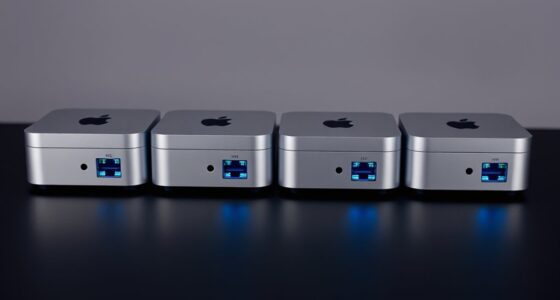

The best MacBooks and iPads depend on whether you need a full desktop-style workflow, a portable tablet, or both. I’d name the 13-inch MacBook Air with M5 the best overall choice for most laptop buyers, while the iPad Air 13-inch with M4 stands out for flexible tablet use and the 14-inch MacBook Pro with M5 Pro for demanding work. The central tradeoff is straightforward: MacBooks handle sustained multitasking and traditional apps better, while iPads offer touch input and a lighter, more adaptable setup. Older and entry-level models can suit basic tasks, but their memory, storage, or remaining software support may limit how long they feel comfortable to use. Read on for the full comparison and guidance on choosing the right fit.

Get the latest gadgets delivered free with Prime
- Fast, free delivery on millions of items
- Prime Video, Amazon Music and more included
- Member-only deals all year
Complete the kit



Key Takeaways
- The 13-inch MacBook Air with M5 is the strongest all-round laptop fit in this lineup: its 16GB memory and 512GB SSD give it more room for multitasking and files than the older or entry-level Air options.
- The iPad Air M4 is the more balanced tablet choice for many buyers, while the iPad Pro M5 is better suited to people who will make use of its premium performance and display rather than simple browsing and note-taking.
- Screen size is a workflow decision, not just a viewing preference: the 15-inch Air and 16-inch Pro give more space, but the 13-inch Air is easier to carry day to day.
- The MacBook Pro models are aimed at sustained, demanding workloads; buyers doing routine school, office, and web tasks may get better value from an Air instead.
- The older Intel and low-storage models require the most compromise. Their lower memory and storage, along with their age, make them harder to recommend for buyers seeking a long-lasting primary computer.
| Apple MacBook Air 13-inch Laptop with M5 Chip, 16GB Memory, 512GB SSD, Liquid Retina Display, and Touch ID | 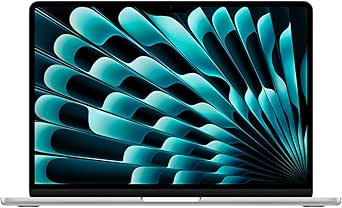 | Best MacBook for Everyday Work | Chip: Apple M5 | Display: 13.6-inch Liquid Retina | Unified memory: 16GB | VIEW LATEST PRICE | See Our Full Breakdown |
| Apple iPad Pro 13-inch (M5) – 256GB, Wi-Fi, Space Black |  | Best Premium iPad for Creative Work | Chip: Apple M5 | Display: 13-inch Ultra Retina XDR | Storage: 256GB | VIEW LATEST PRICE | See Our Full Breakdown |
| Apple iPad Air 13-inch (M4) – 128GB, Wi-Fi 7, Space Gray |  | Best Large-Screen iPad Value | Chip: Apple M4 | Display: 13-inch Liquid Retina | Storage: 128GB | VIEW LATEST PRICE | See Our Full Breakdown |
| Apple 2026 MacBook Pro 14.2-inch (M5 Pro, 18-Core CPU, 20-Core GPU, 24GB RAM, 2TB SSD, Silver) |  | Best MacBook for Professional Workloads | Processor: Apple M5 Pro, 18-core CPU and 20-core GPU | Display: 14.2-inch Liquid Retina XDR, 1600 nits peak and 1000 nits sustained | Unified memory: 24GB | VIEW LATEST PRICE | See Our Full Breakdown |
| Apple iPad 11-inch with A16 Chip, 128GB, Wi-Fi 6, Silver |  | Best iPad for Beginners | Chip: Apple A16 | Display: 11-inch Liquid Retina with True Tone | Storage: 128GB | VIEW LATEST PRICE | See Our Full Breakdown |
| Apple 2026 MacBook Pro 14.2-inch (M5 Pro/Max, Space Black) |  | Best Compact Pro MacBook | Display: 14.2-inch PROLED XDR, Tandem OLED, up to 2000 nits peak brightness | Processor: Apple M5 Pro or M5 Max | Battery life: Up to 22 hours | VIEW LATEST PRICE | See Our Full Breakdown |
| Apple 2026 MacBook Pro 16.2-inch Laptop with M5 Pro Chip, 18-Core CPU, 20-Core GPU, 24GB Unified Memory, 1TB SSD, Wi-Fi 7, Silver | 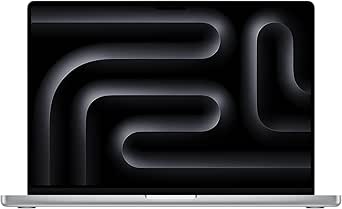 | Best MacBook for a Large Pro Workspace | Processor: Apple M5 Pro, 18-core CPU and 20-core GPU | Display: 16.2-inch Liquid Retina XDR, up to 1600 nits peak brightness | Memory: 24GB unified memory | VIEW LATEST PRICE | See Our Full Breakdown |
| Apple MacBook Air 15-inch Laptop with M5 Chip, 16GB Memory, 512GB SSD, Liquid Retina Display, and Wi-Fi 7 (Silver) |  | Best Large-Screen MacBook Air | Chip: Apple M5 | Display: 15.3-inch Liquid Retina | Memory and storage: 16GB unified memory; 512GB SSD | VIEW LATEST PRICE | See Our Full Breakdown |
| Apple 2023 MacBook Pro 16-inch with M3 Pro, 18GB Memory, 512GB SSD |  | Best Previous-Generation Large-Screen Pro | Processor and GPU: Apple M3 Pro, 12-core CPU and 18-core GPU | Display: 16.2-inch Liquid Retina XDR, 3456 x 2234 pixels | Memory and storage: 18GB unified memory; 512GB SSD | VIEW LATEST PRICE | See Our Full Breakdown |
| Apple MacBook Air 13.3-inch, 1.8 GHz Core i5, 8 GB RAM, 128 GB SSD (2017, MQD32LL/A) |  | Best Refurbished MacBook for Basic Tasks | Model year and condition: 2017; certified refurbished | Processor and graphics: 1.8 GHz Intel Core i5, Turbo Boost up to 2.9 GHz; Intel HD Graphics 6000 | Memory and storage: 8GB 1600 MHz LPDDR3; 128GB SSD | VIEW LATEST PRICE | See Our Full Breakdown |
| Apple MacBook Neo 13-inch Laptop with A18 Pro Chip, 8GB Memory, 256GB SSD, Liquid Retina Display, Silver |  | Best Compact MacBook for Everyday Use | Processor: A18 Pro | Display: 13-inch Liquid Retina; supports 1 billion colors | Memory: 8GB unified memory | VIEW LATEST PRICE | See Our Full Breakdown |
| Apple MacBook Air (Late 2020, Renewed) – 13.3-inch, M1 Chip, 8GB RAM, 128GB SSD, Space Gray | 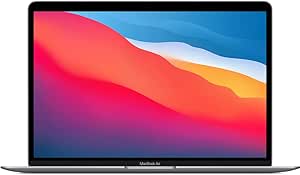 | Best Renewed MacBook for Students | Processor: Apple M1, 8-core CPU, 7-core GPU, 16-core Neural Engine | Display: 13.3-inch Retina, 2560 × 1600, True Tone | Memory: 8GB RAM | VIEW LATEST PRICE | See Our Full Breakdown |
| Apple MacBook Pro 13-inch (2019), Intel Core i5, 8GB RAM, 256GB SSD, Space Gray (Renewed) |  | Best for Buyers Who Need a 256GB SSD in an Older MacBook | Model year: 2019 | Processor: 1.4GHz quad-core 8th-generation Intel Core i5 | Display: 13-inch Retina, 2560 × 1600, True Tone, 60Hz | VIEW LATEST PRICE | See Our Full Breakdown |
| MacBooks and iPad | Display | Storage | Weight | Battery life |
|---|---|---|---|---|
| Apple MacBook Air 13-inch Lapt | 13.6-inch Liquid Retina | 512GB SSD | 2.71 pounds | Up to 18 hours |
| Apple iPad Pro 13-inch | 13-inch Ultra Retina XDR | 256GB | 1.28 pounds | — |
| Apple iPad Air 13-inch | 13-inch Liquid Retina | 128GB | 1.36 pounds | — |
| Apple 2026 MacBook Pro 14.2-in | 14.2-inch Liquid Retina XDR, 1600 nits peak and 1000 nits sustained | 2TB SSD | 3.52 pounds | — |
| Apple iPad 11-inch with A16 Ch | 11-inch Liquid Retina with True Tone | 128GB | 1.05 pounds | — |
| Apple 2026 MacBook Pro 14.2-in | 14.2-inch PROLED XDR, Tandem OLED, up to 2000 nits peak brightness | — | — | Up to 22 hours |
| Apple 2026 MacBook Pro 16.2-in | 16.2-inch Liquid Retina XDR, up to 1600 nits peak brightness | 1TB SSD | — | — |
| Apple MacBook Air 15-inch Lapt | 15.3-inch Liquid Retina | — | — | Up to 18 hours |
| Apple 2023 MacBook Pro 16-inch | 16.2-inch Liquid Retina XDR, 3456 x 2234 pixels | — | — | Up to 22 hours, depending on use and configuration |
| Apple MacBook Air 13.3-inch | 13.3-inch glossy display, up to 1440 x 900 | — | — | — |
| Apple MacBook Neo 13-inch Lapt | 13-inch Liquid Retina; supports 1 billion colors | 256GB SSD | 2.71 pounds | Up to 16 hours |
| Apple MacBook Air | 13.3-inch Retina, 2560 × 1600, True Tone | 128GB SSD | 2.8 pounds | Up to 18 hours |
| Apple MacBook Pro 13-inch | 13-inch Retina, 2560 × 1600, True Tone, 60Hz | 256GB SSD | — | Up to 10 hours |
More Details on Our Top Picks
Apple MacBook Air 13-inch Laptop with M5 Chip, 16GB Memory, 512GB SSD, Liquid Retina Display, and Touch ID
The 13-inch MacBook Air with M5 is my pick for everyday laptop buyers who want a lightweight Mac without stepping up to a Pro. At 2.71 pounds, it is easier to carry than the 3.52-pound 14-inch MacBook Pro with M5 Pro, while its 16GB of unified memory and 512GB SSD give common work, study, and multitasking tasks room to breathe. The 12MP Center Stage camera is useful for video calls, and support for two external displays makes a compact desk setup more practical.
The tradeoff is connectivity: you get two Thunderbolt 4 ports, MagSafe, and a headphone jack, rather than the Pro’s broader mix of Thunderbolt 5, HDMI, and SDXC. Its fanless Air design also suits general workloads better than sustained, demanding professional tasks. Choose this over the 15-inch MacBook Air if carrying ease matters more than a larger screen.
Pros:- 2.71-pound design is convenient for daily travel
- 16GB unified memory and 512GB SSD suit a broad range of everyday tasks
- 12MP Center Stage camera supports video calls and Desk View
- Supports up to two external displays
Cons:- Only two Thunderbolt 4 ports, so multiple wired accessories may require a hub
- Battery runtime varies with workload and settings
- Less suited than the MacBook Pro to sustained professional workloads
Best for: Students, commuters, and general-purpose Mac users who want a capable, portable laptop for work, study, video calls, and everyday multitasking.
Not ideal for: Video professionals and other users with sustained demanding workloads or several wired peripherals who would benefit from the MacBook Pro’s stronger performance and wider port selection.
- Chip:Apple M5
- Display:13.6-inch Liquid Retina
- Unified memory:16GB
- Storage:512GB SSD
- Weight:2.71 pounds
- Camera:12MP Center Stage
- Battery life:Up to 18 hours
- Ports and wireless:Two Thunderbolt 4 ports, MagSafe, headphone jack, Wi-Fi 7, Bluetooth 6
Our verdict“Choose the 13-inch MacBook Air if you want a light, well-equipped everyday Mac and do not need the MacBook Pro’s extra performance or ports.”
Apple iPad Pro 13-inch (M5) – 256GB, Wi-Fi, Space Black
The 13-inch iPad Pro with M5 is the premium tablet choice here, especially for creative work where the display and Pencil-compatible workflow matter more than laptop-style ports. Its Ultra Retina XDR display with ProMotion gives visual projects a more capable canvas than the Liquid Retina screen on the iPad Air 13-inch. The M5 chip, LiDAR-equipped rear camera, and Wi-Fi 7 also make it a better fit for demanding tablet workflows than the A16 iPad.
That capability comes with practical limits: this configuration has 256GB of storage, and the Apple Pencil and Magic Keyboard are separate purchases. It also does not replace a MacBook for every workflow; the MacBook Air 13-inch offers macOS and a built-in keyboard in one device. Pick the Pro when a high-end touch display and tablet flexibility are central to your work, not simply because it is the most powerful iPad in this group.
Pros:- 13-inch Ultra Retina XDR display with ProMotion and high brightness
- M5 chip is suited to demanding apps and professional tablet workflows
- 12MP rear camera includes a LiDAR scanner
- Wi-Fi 7 connectivity
Cons:- Apple Pencil and Magic Keyboard are sold separately
- 256GB configuration may constrain users with large local media libraries
- Less suited than a MacBook Air to workflows that depend on macOS and a built-in keyboard
Best for: Illustrators, video and photo creators, and professionals who want a large, high-end iPad display for Pencil-based work, media, and demanding tablet apps.
Not ideal for: Buyers seeking an affordable general-use tablet, ample base storage, or a complete keyboard-and-pencil setup without purchasing accessories separately.
- Chip:Apple M5
- Display:13-inch Ultra Retina XDR
- Storage:256GB
- Connectivity:Wi-Fi 7 with Apple N1
- Front camera:12MP Landscape Center Stage
- Back camera:12MP Wide with LiDAR Scanner
- Weight:1.28 pounds
- Color:Space Black
Our verdict“Choose this iPad Pro if display quality and creative tablet work justify the accessory costs and you do not need a MacBook-style setup.”
Apple iPad Air 13-inch (M4) – 128GB, Wi-Fi 7, Space Gray
The 13-inch iPad Air with M4 brings a generous screen and strong performance to a less specialized tablet than the iPad Pro. Its Liquid Retina display, P3 wide color, and True Tone make it a capable choice for reading, drawing, multitasking, and watching video, while the M4 chip has headroom for heavier apps and AI tasks. Compared with the 13-inch iPad Pro, this model gives up the Ultra Retina XDR display and ProMotion, but keeps the large format that makes split-screen work and Pencil use more comfortable.
The main constraint is the 128GB base storage, which can fill quickly with downloaded media or large creative files. Apple Pencil and Magic Keyboard are also sold separately, so it is not a complete laptop replacement out of the box. I’d choose this over the 11-inch A16 iPad for a bigger workspace and stronger multitasking; choose the standard iPad instead if compactness and basic everyday use matter more.
Pros:- 13-inch Liquid Retina display offers a spacious canvas for multitasking
- M4 chip supports demanding apps and AI tasks
- P3 wide color and True Tone support comfortable, color-rich viewing
- Wi-Fi 7 and Touch ID are built in
Cons:- 128GB base storage may be restrictive for large files and offline media
- Apple Pencil and Magic Keyboard are sold separately
- Display lacks the iPad Pro’s Ultra Retina XDR and ProMotion features
Best for: Students, note-takers, and casual creators who want a large tablet display and strong multitasking performance without stepping up to the iPad Pro.
Not ideal for: People who store large libraries of apps and video locally, need the Pro’s XDR display, or expect a keyboard and Pencil to be included.
- Chip:Apple M4
- Display:13-inch Liquid Retina
- Storage:128GB
- Connectivity:Wi-Fi 7 with Apple N1
- Front camera:12MP Center Stage
- Back camera:12MP Wide
- Weight:1.36 pounds
- Security:Touch ID
Our verdict“Pick the iPad Air 13-inch if you want a large, capable tablet for study and creative tasks but can live with 128GB storage and a less advanced display than the Pro.”
Apple 2026 MacBook Pro 14.2-inch (M5 Pro, 18-Core CPU, 20-Core GPU, 24GB RAM, 2TB SSD, Silver)
For sustained professional workloads, the 14-inch MacBook Pro with M5 Pro is the clear step up from the MacBook Air. Its 18-core CPU, 20-core GPU, and 24GB of unified memory are built for more demanding editing, development, and AI tasks, while the 2TB SSD provides room for substantial project files. The Liquid Retina XDR display is another advantage for detailed visual work, and three Thunderbolt 5 ports plus HDMI and SDXC reduce the need for adapters compared with the Air’s more limited connections.
The cost of that capability is portability: at 3.52 pounds, it is noticeably heavier than the 2.71-pound MacBook Air. Its 14.2-inch screen also gives less workspace than the listed 16-inch MacBook Pro, and this configuration supports up to three external displays. I’d reserve this machine for buyers whose workloads justify the performance, storage, and ports; everyday users may find the Air a better carry-around choice.
Pros:- M5 Pro with an 18-core CPU and 20-core GPU targets demanding workloads
- 24GB unified memory and 2TB SSD provide capacity for large projects
- Liquid Retina XDR display reaches 1600 nits peak brightness
- Three Thunderbolt 5 ports, HDMI, SDXC, and MagSafe offer broad connectivity
Cons:- At 3.52 pounds, it is heavier than the MacBook Air 13-inch
- Supports up to three external displays in this configuration
- More capability than everyday browsing, study, and office work typically require
Best for: Developers, video editors, and other professionals who need substantial processing power, local storage, a bright XDR display, and multiple built-in connection options.
Not ideal for: Students and frequent travelers focused on low weight, or everyday users whose work does not make use of Pro-level performance and connectivity.
- Processor:Apple M5 Pro, 18-core CPU and 20-core GPU
- Display:14.2-inch Liquid Retina XDR, 1600 nits peak and 1000 nits sustained
- Unified memory:24GB
- Storage:2TB SSD
- Ports:Three Thunderbolt 5, HDMI, SDXC, MagSafe 3
- Wireless:Wi-Fi 7 and Bluetooth 6
- Camera:12MP Center Stage
- Weight:3.52 pounds
Our verdict“Choose this MacBook Pro when professional workloads and built-in connectivity matter more than the Air’s lighter weight.”
Apple iPad 11-inch with A16 Chip, 128GB, Wi-Fi 6, Silver
The 11-inch iPad with A16 is the straightforward choice for first-time tablet buyers and households that mainly need web browsing, video calls, reading, and everyday apps. Its 1.05-pound body is easier to hold than either 13-inch iPad, and 128GB gives a practical starting point for apps and downloaded content. The A16 chip also supports more than basic browsing, including gaming and photo or video editing, while Touch ID and USB-C cover convenient unlocking and wired charging.
Compared with the M4 iPad Air, this standard iPad has a smaller screen, Wi-Fi 6 rather than Wi-Fi 7, and less performance headroom for intensive multitasking. It is also not a ready-made work setup: the Apple Pencil and Magic Keyboard Folio are separate accessories. Choose it for accessible everyday tablet use; step up to the Air for a larger workspace and more demanding creative tasks, or to the MacBook Air if you need macOS.
Pros:- Light 1.05-pound design is easy to carry and hold
- A16 chip supports everyday apps, gaming, and photo or video editing
- 11-inch Liquid Retina display includes True Tone
- Touch ID, USB-C, and 12MP Center Stage front camera are built in
Cons:- Apple Pencil and Magic Keyboard Folio are sold separately
- Wi-Fi 6 is a step below the Wi-Fi 7 connectivity on the iPad Air and iPad Pro
- Smaller display and less performance headroom than the M4 iPad Air
Best for: First-time iPad owners, families, and casual users seeking a light tablet for browsing, streaming, video calls, and common apps.
Not ideal for: Illustrators and multitaskers who want a larger display and M-series performance, or laptop buyers who need macOS and a built-in keyboard.
- Chip:Apple A16
- Display:11-inch Liquid Retina with True Tone
- Storage:128GB
- Connectivity:Wi-Fi 6 and USB-C
- Front camera:12MP Center Stage
- Rear camera:12MP Wide with True Tone flash and 4K video recording
- Security:Touch ID
- Weight:1.05 pounds
Our verdict“Choose this iPad for approachable everyday tablet use; move to the iPad Air if you need a larger screen and more headroom for creative work.”
Apple 2026 MacBook Pro 14.2-inch (M5 Pro/Max, Space Black)
The 14.2-inch MacBook Pro suits creative professionals who need a powerful machine without the larger footprint of the 16.2-inch M5 Pro model. Its PROLED XDR display, with high peak brightness and strong contrast, is geared toward detailed visual work, while the M5 Pro or M5 Max options bring more headroom for graphics-heavy and AI workloads than the M5 MacBook Air. Three Thunderbolt 5 ports, HDMI, and an SDXC slot also make it easier to connect work gear without carrying a stack of adapters. The tradeoff is that this compact Pro still weighs just over three pounds and may be more machine than general office or study tasks require. Storage needs careful planning for large media projects, and its premium professional feature set is not aimed at casual buyers.
Pros:- Bright, high-contrast 14.2-inch display suited to detailed creative work
- M5 Pro or M5 Max configurations provide options for demanding graphics and AI tasks
- Thunderbolt 5, HDMI, and SDXC reduce reliance on adapters
- Up to 22 hours of stated battery life
Cons:- Professional-class capabilities may be unnecessary for routine school or office work
- Large creative files can put pressure on available storage
- Touch functionality is limited to gestures rather than full touchscreen interaction
Best for: Video editors, photographers, and other mobile creators who want a high-end display, pro-level performance options, and built-in ports in a smaller laptop.
Not ideal for: Students and everyday users focused on browsing, writing, and streaming; the M5 MacBook Air is a simpler fit for those workloads.
- Display:14.2-inch PROLED XDR, Tandem OLED, up to 2000 nits peak brightness
- Processor:Apple M5 Pro or M5 Max
- Battery life:Up to 22 hours
- Connectivity:3x Thunderbolt 5, MagSafe 3, HDMI, SDXC, Wi-Fi 7, Bluetooth 6
- Camera:12MP Center Stage
- Audio:Six-speaker sound system
- Dimensions and weight:12.24 x 0.59 x 8.52 inches; 3.04 pounds
- Color and model:Space Black; MJ2K4LL/A
Our verdict“Choose this MacBook Pro if you need serious creative performance and ports in a more compact package than the 16-inch model.”
Apple 2026 MacBook Pro 16.2-inch Laptop with M5 Pro Chip, 18-Core CPU, 20-Core GPU, 24GB Unified Memory, 1TB SSD, Wi-Fi 7, Silver
This 16.2-inch MacBook Pro is the lineup’s better fit for professionals who want ample screen space for timelines, layered projects, or several work windows side by side. Its M5 Pro chip, 24GB of unified memory, and 1TB SSD give demanding creative and AI workflows more room than the 15-inch M5 MacBook Air, while the three Thunderbolt 5 ports, HDMI, and SDXC slot suit a desk with varied peripherals. The large XDR display and six-speaker system also make it a strong standalone work-and-media machine. That workspace comes with a portability cost: at 4.71 pounds, it is substantially heavier than the 14.2-inch M5 Pro/Max model. The M5 Pro configuration also supports up to three external displays, so buyers who need a larger multi-monitor array should check that limit before choosing.
Pros:- Large 16.2-inch XDR screen gives demanding projects more working space
- M5 Pro, 24GB unified memory, and 1TB SSD suit resource-intensive workflows
- Thunderbolt 5, HDMI, and SDXC provide versatile built-in connections
- Supports up to three external displays
Cons:- At 4.71 pounds, it is less convenient to carry than the 14.2-inch Pro
- M5 Pro configuration is limited to three external displays
- Its professional specifications are unnecessary for many everyday users
Best for: Video editors, software developers, and other professionals who want a large built-in display, substantial memory, and a 1TB drive for ongoing projects.
Not ideal for: Frequent commuters or travelers who prioritize a light bag; the 14.2-inch M5 Pro/Max MacBook Pro is the more portable pro option.
- Processor:Apple M5 Pro, 18-core CPU and 20-core GPU
- Display:16.2-inch Liquid Retina XDR, up to 1600 nits peak brightness
- Memory:24GB unified memory
- Storage:1TB SSD
- Connectivity:3x Thunderbolt 5, HDMI, SDXC, MagSafe 3, Wi-Fi 7, Bluetooth 6
- External displays:Up to three
- Camera and audio:12MP Center Stage camera; six speakers with Spatial Audio and three studio-quality mics
- Dimensions and weight:9.77 x 0.66 x 14.01 inches; 4.71 pounds
Our verdict“Pick this model if a large screen and capable internal hardware matter more than keeping your laptop bag light.”
Apple MacBook Air 15-inch Laptop with M5 Chip, 16GB Memory, 512GB SSD, Liquid Retina Display, and Wi-Fi 7 (Silver)
The 15-inch MacBook Air is the middle ground for buyers who want a roomier laptop screen but do not need the ports and pro-focused hardware of a MacBook Pro. Its 15.3-inch Liquid Retina display gives documents, spreadsheets, and creative apps more space than the 13-inch M5 MacBook Air, while the M5 chip, 16GB memory, and 512GB SSD make it a better-equipped everyday choice than the refurbished 2017 Air. At 3.32 pounds and 0.45 inches thick, it remains relatively easy to carry for a large-screen notebook. The compromises are its two Thunderbolt 4 ports and lack of the Pro models’ HDMI and SDXC connections, which can mean adapters for some desk setups. It also does not offer the same XDR display or performance options as the M5 Pro MacBook Pros.
Pros:- 15.3-inch display provides more workspace than the 13-inch MacBook Air
- M5 chip, 16GB memory, and 512GB SSD support everyday multitasking and creative work
- Up to 18 hours of stated battery life
- Wi-Fi 7 and support for up to two external displays
Cons:- Two Thunderbolt 4 ports may require adapters for a multi-peripheral setup
- Lacks the XDR display and pro-level chip options of the MacBook Pro models
Best for: Students and mobile professionals who want a spacious screen for multitasking and media without carrying a MacBook Pro.
Not ideal for: Color-critical creators and users with several wired peripherals; the MacBook Pro models offer XDR displays and broader built-in connectivity.
- Chip:Apple M5
- Display:15.3-inch Liquid Retina
- Memory and storage:16GB unified memory; 512GB SSD
- Battery life:Up to 18 hours
- Ports:Two Thunderbolt 4 ports, MagSafe charging port, headphone jack
- Wireless:Wi-Fi 7, Bluetooth 6
- Camera and external displays:12MP Center Stage; supports up to two external displays
- Dimensions and weight:9.35 x 0.45 x 13.4 inches; 3.32 pounds
Our verdict“Choose this Air if you value a large everyday screen and portability more than the MacBook Pro’s specialized display and connections.”
Apple 2023 MacBook Pro 16-inch with M3 Pro, 18GB Memory, 512GB SSD
This 16-inch MacBook Pro with M3 Pro offers a large XDR screen, substantial graphics capability, and up to 22 hours of stated battery life in a previous-generation configuration. Its 18GB of unified memory and 512GB SSD can suit demanding work, while the six-speaker system makes it more capable for media playback than the M5 MacBook Air. Compared with the newer 16.2-inch M5 Pro model, however, it has an older chip, less memory, and less storage; buyers who need newer connectivity should also note that the supplied specifications list Wi-Fi 802.11ax rather than Wi-Fi 7. The stated 8.3-pound weight is a major portability drawback, even beside the already substantial current 16-inch Pro. This makes the most sense for a desk-based user who wants the large-screen Pro format and can accept older hardware.
Pros:- 16.2-inch Liquid Retina XDR display supports high-brightness HDR
- M3 Pro with a 12-core CPU and 18-core GPU targets demanding creative workloads
- Up to 22 hours of stated battery life
- Six-speaker system with Spatial Audio
Cons:- Listed weight of 8.3 pounds makes it unusually burdensome to carry
- Older M3 Pro generation trails the M5 Pro 16.2-inch model in chip generation
- 512GB SSD and 18GB memory offer less capacity than the newer 16-inch configuration
Best for: Desk-based creators or developers who want a large XDR display and Pro-class chip for demanding work and do not need the newest generation.
Not ideal for: Frequent travelers and buyers seeking the latest chip, Wi-Fi 7, or a lighter 16-inch Pro; the M5 Pro 16.2-inch model is a stronger match.
- Processor and GPU:Apple M3 Pro, 12-core CPU and 18-core GPU
- Display:16.2-inch Liquid Retina XDR, 3456 x 2234 pixels
- Memory and storage:18GB unified memory; 512GB SSD
- Battery life:Up to 22 hours, depending on use and configuration
- Camera:1080p FaceTime HD
- Audio:Three-mic array; six-speaker system with Spatial Audio
- Wireless and ports:Wi-Fi 802.11ax; USB ports, HDMI, and Thunderbolt interfaces
- Dimensions and weight:14.01 x 9.77 x 0.66 inches; 8.3 pounds
Our verdict“Consider this older Pro if you want a large XDR workspace for mostly stationary work and do not need the M5 model’s newer hardware.”
Apple MacBook Air 13.3-inch, 1.8 GHz Core i5, 8 GB RAM, 128 GB SSD (2017, MQD32LL/A)
This refurbished 2017 MacBook Air is the entry point for buyers who need a familiar laptop for simple tasks and are comfortable with older hardware. Its aluminum body weighs 2.96 pounds, and the included SDXC slot can be handy for moving files from a camera without an added reader. Still, its Intel Core i5, 8GB of memory, and 128GB SSD are a clear step down from the M5 MacBook Air’s newer chip and larger listed storage, limiting its appeal for multitasking, newer creative software, and keeping files locally. The glossy 1440 × 900 display also lacks the detail and modern display capabilities of the current Air models. Refurbishment, testing, and a minimum 90-day warranty offer some reassurance, but buyers should treat this as a basic-use machine rather than a long-term performance choice.
Pros:- Lightweight aluminum unibody design at 2.96 pounds
- SDXC card slot supports direct transfers from compatible cards
- Certified refurbished with testing and a minimum 90-day warranty
Cons:- Older Intel processor and 8GB memory are poorly suited to demanding modern workloads
- 128GB SSD leaves little room for apps and local files
- Glossy 1440 × 900 display and Bluetooth 4.0 are dated beside current MacBook Air models
Best for: A budget-conscious buyer who needs a lightweight refurbished Mac for basic writing, web use, and occasional file transfers.
Not ideal for: Students or professionals who need modern multitasking, a sharper display, large local storage, or newer wireless features; a current M5 MacBook Air is a more capable fit.
- Model year and condition:2017; certified refurbished
- Processor and graphics:1.8 GHz Intel Core i5, Turbo Boost up to 2.9 GHz; Intel HD Graphics 6000
- Memory and storage:8GB 1600 MHz LPDDR3; 128GB SSD
- Display:13.3-inch glossy display, up to 1440 x 900
- Battery:40 Wh lithium-ion; up to 12 hours
- Wireless:802.11ac Wi-Fi, Bluetooth 4.0
- Ports and slots:SDXC card slot
- Dimensions and weight:12.8 x 8.94 x 0.68 inches; 2.96 pounds
- Warranty:Minimum 90 days
Our verdict“Choose this refurbished Air only for basic computing and a lightweight design, not for demanding apps or a long-term upgrade path.”
Apple MacBook Neo 13-inch Laptop with A18 Pro Chip, 8GB Memory, 256GB SSD, Liquid Retina Display, Silver
The 13-inch MacBook Neo is the compact pick for buyers who want a current-feeling laptop in a light aluminum frame. Its A18 Pro chip and up to 16 hours of listed battery life suit everyday browsing, schoolwork, video calls, and streaming, while the Liquid Retina display’s support for 1 billion colors gives photos and video a richer presentation. At 2.71 pounds, it is easy to carry, and the 1080p camera, dual microphones, and side-firing speakers make it better equipped for calls than a bare-bones travel machine.
Compared with the M1 MacBook Air in this roundup, the Neo offers more storage and a newer chip, but the Air has a longer listed battery life and a higher-resolution display. The Neo’s 8GB memory and 256GB SSD also leave limited room for demanding multitasking or a large local library, and some features work best with an iPhone. I’d skip it for professional workloads or buyers seeking generous headroom.
Pros:- Portable 2.71-pound aluminum enclosure
- A18 Pro chip for everyday computing
- Liquid Retina display supports 1 billion colors
- 1080p camera, dual microphones, and side-firing speakers
Cons:- 8GB of unified memory can constrain demanding multitasking
- 256GB SSD may fill quickly with large files and apps
- Some features are designed to work with an iPhone
Best for: Students and frequent travelers who want a lightweight MacBook for everyday work, video calls, and media, especially if they also use an iPhone.
Not ideal for: Creative professionals, heavy multitaskers, or buyers who need ample memory and storage for demanding software and large files.
- Processor:A18 Pro
- Display:13-inch Liquid Retina; supports 1 billion colors
- Memory:8GB unified memory
- Storage:256GB SSD
- Battery life:Up to 16 hours
- Camera:1080p FaceTime HD
- Weight:2.71 pounds
- Material:Recycled aluminum enclosure
Our verdict“Choose the MacBook Neo for portable everyday computing and a modern display, but pick a better-equipped MacBook if you need more memory or storage.”
Apple MacBook Air (Late 2020, Renewed) – 13.3-inch, M1 Chip, 8GB RAM, 128GB SSD, Space Gray
The renewed M1 MacBook Air suits students and home users whose work centers on documents, web apps, calls, and entertainment. Its 8-core CPU handles those everyday tasks efficiently, while the 13.3-inch Retina display adds True Tone to adapt its color balance to the room. A backlit Magic Keyboard and Touch ID make daily login and typing convenient, and its listed battery life of up to 18 hours is the longest among these three older or entry-level MacBook picks.
Against the MacBook Neo, this Air offers a longer stated battery life and a 2560 × 1600 display, but it is a renewed model with just 128GB of storage. That capacity can become restrictive if you keep photos, videos, or large course files locally. Its 8GB RAM is not upgradable, so it is a less comfortable choice for heavy multitasking than the newer, better-equipped MacBooks in the roundup. Renewed condition can also mean cosmetic wear.
Pros:- M1 chip with an 8-core CPU for everyday tasks
- 13.3-inch Retina display with True Tone
- Backlit Magic Keyboard and Touch ID
- Listed battery life of up to 18 hours
Cons:- 128GB SSD provides limited room for local files and apps
- 8GB RAM is not upgradable
- Renewed condition may include minor cosmetic wear
Best for: Students and budget-conscious home users who mainly use browser apps, documents, video calls, and streaming, and can work within 128GB of storage.
Not ideal for: Buyers who need a new device, substantial local storage, or extra memory for demanding creative work and frequent multitasking.
- Processor:Apple M1, 8-core CPU, 7-core GPU, 16-core Neural Engine
- Display:13.3-inch Retina, 2560 × 1600, True Tone
- Memory:8GB RAM
- Storage:128GB SSD
- Battery life:Up to 18 hours
- Weight:2.8 pounds
- Connectivity:Wi-Fi 6 and Bluetooth 5.0
- Condition:Renewed
Our verdict“Pick this renewed Air for student and home essentials if its 128GB storage limit works for you and you are comfortable buying renewed.”
Apple MacBook Pro 13-inch (2019), Intel Core i5, 8GB RAM, 256GB SSD, Space Gray (Renewed)
This 2019 13-inch MacBook Pro is the older, renewed option for buyers who want a 256GB SSD and a traditional Mac laptop with Touch ID and a Retina display. True Tone adjusts the display’s color balance to the surrounding light, while the Touch Bar adds context-sensitive controls above the keyboard. At 2.6 pounds, it is also the lightest of these three picks. Its two Thunderbolt 3/USB-C ports offer fast connections, though they leave little room for peripherals without an adapter or hub.
Compared with the M1 MacBook Air, this Pro has twice the listed storage and a Touch Bar, but its older Intel processor and up to 10 hours of listed battery life make it less appealing for all-day mobility. The 8GB of DDR3 memory may constrain newer or heavier workloads, and its renewed condition comes with a 90-day limited warranty. I’d choose it only when its specific storage and controls matter more than newer hardware and longer battery life.
Pros:- 256GB SSD, double the storage of the listed M1 MacBook Air
- 13-inch Retina display with True Tone
- Touch ID and Touch Bar controls
- Light 2.6-pound design
Cons:- Older 8th-generation Intel processor is a weaker fit for demanding workloads
- 8GB of memory can limit multitasking
- Two USB-C/Thunderbolt ports and a 90-day limited warranty
Best for: Buyers seeking a lightweight renewed MacBook with a 256GB SSD, Touch ID, and Touch Bar for basic office, browsing, and media tasks.
Not ideal for: People who need longer battery life, modern high-performance hardware, more memory, or a longer warranty for demanding work.
- Model year:2019
- Processor:1.4GHz quad-core 8th-generation Intel Core i5
- Display:13-inch Retina, 2560 × 1600, True Tone, 60Hz
- Memory:8GB DDR3, 2133MHz
- Storage:256GB SSD
- Graphics:Intel Iris Plus Graphics 645
- Ports:2 Thunderbolt 3 / USB-C
- Battery life:Up to 10 hours
- Warranty:90-day limited warranty
Our verdict“Choose this renewed Pro only if its 256GB storage and Touch Bar appeal to you more than newer hardware, longer battery life, and added memory.”

How We Picked
I ranked these 13 options by how well each suits a clear buyer need, not by treating every MacBook and iPad as interchangeable. I weighed performance, memory, storage, screen size, portability, and day-to-day flexibility, then considered whether the device’s capabilities match common work, study, creative, and general-use tasks. For iPads, I also considered the distinct tablet workflow: touch-first use can be a benefit, but it may require accessories or app-specific adjustments for buyers accustomed to a laptop.
The order favors options that combine useful performance and capacity with broad appeal, while specialized premium models follow where their extra capability serves a narrower audience. Newer chips and stronger configurations rank ahead of older hardware for buyers who want a dependable primary device. Entry-level and previous-generation options remain relevant for lighter workloads, but their limitations in memory, storage, or age count against them. Because this list spans two device types, the ranking also makes clear when a tablet is a better fit than a laptop—and when it is not.
| MacBooks and iPad | Battery life |
|---|---|
| Apple MacBook Air 13-inch Lapt | Up to 18 hours |
| Apple iPad Pro 13-inch | — |
| Apple iPad Air 13-inch | — |
| Apple 2026 MacBook Pro 14.2-in | — |
| Apple iPad 11-inch with A16 Ch | — |
| Apple 2026 MacBook Pro 14.2-in | Up to 22 hours |
| Apple 2026 MacBook Pro 16.2-in | — |
| Apple MacBook Air 15-inch Lapt | Up to 18 hours |
| Apple 2023 MacBook Pro 16-inch | Up to 22 hours, depending on use and configuration |
| Apple MacBook Air 13.3-inch | — |
| Apple MacBook Neo 13-inch Lapt | Up to 16 hours |
| Apple MacBook Air | Up to 18 hours |
| Apple MacBook Pro 13-inch | Up to 10 hours |
Factors to Consider When Choosing Best MacBooks And IPads
Before choosing from this list, decide what kind of work the device must handle and how you expect to use it over time. A MacBook and an iPad are not direct substitutes for every buyer, even when their screens and processors sound comparable. These broader checks can help you avoid paying for power you will not use or choosing a compact device that quickly feels constrained.
Choose a MacBook or iPad by your everyday workflow
Start with the apps and tasks you need, rather than the device category that sounds more versatile. A MacBook is the safer choice when you regularly manage files, work across several desktop windows, use specialist computer software, or type for long stretches. An iPad suits reading, handwriting, drawing, media, and touch-based tasks, but some laptop workflows can require extra accessories or different apps. A keyboard can make a tablet more productive, yet it does not automatically make every app behave like its desktop counterpart. If this will be your only computer, list your essential tasks and confirm that each works comfortably on your chosen operating system.
Match screen size to where you work
A larger display can make side-by-side documents, timelines, and detailed creative work easier to manage, especially if you spend much of the day at a desk. The tradeoff is a larger device to carry and store, so frequent commuters may value a 13-inch model more than extra screen area. Think about whether you often connect an external monitor: if so, you may not need to carry a large built-in display everywhere. Tablets also benefit from larger screens for drawing and split-screen use, but a compact tablet can be more comfortable for reading and handheld use. Choose for your most common setting, not the occasional task that would be easier on a bigger screen.
Buy enough memory and storage for your actual habits
Memory affects how comfortably a computer handles multiple open apps, large documents, and demanding creative work; storage determines how much you can keep available without constant cleanup. Buyers often focus on processor names and overlook a configuration that may be too tight for their files or multitasking habits. Estimate how much space your photos, video, school materials, and downloaded media occupy now, then leave room for future growth. Cloud storage can help with file access, but it is not a full substitute for local capacity when you work offline or keep large projects on hand. If you cannot upgrade a configuration later, choosing a more generous setup at the outset can prevent an early bottleneck.
Pay for performance only when your workload can use it
Premium chips and Pro-tier laptops make more sense for sustained work such as demanding video editing, complex development, or large creative projects than for browsing and routine documents. A stronger configuration may save time when tasks are intensive, but it can be wasted on work that an Air or standard iPad handles smoothly. Ask whether your applications regularly push your current device, rather than assuming a higher-tier chip will improve every task. Also separate burst performance from long sessions: buyers who render, compile, or export for extended periods may benefit more from a Pro model. For everyday school or office use, a balanced laptop with adequate memory and storage is often a better match.
Account for tablet accessories and app compatibility
An iPad’s purchase decision does not end with the tablet itself if you need laptop-like typing, a stylus, or a stand for desk work. Those extras affect portability and the total setup you will actually carry, so compare the complete workflow rather than the tablet alone. Check whether your required apps support the features you need, including file handling, external displays, and collaboration tools. Buyers who mostly consume media or take occasional notes may not need to build a full accessory kit. If the iPad is meant to replace a laptop, test the task list against the tablet’s software and input methods before committing.
Treat older and renewed models as age-sensitive choices
An older MacBook can remain useful for basic tasks, but its age affects more than speed: battery condition, operating-system support, repair options, and compatibility with newer software all matter. Renewed devices can make older hardware accessible, yet the condition of the battery and included warranty terms deserve close attention. Avoid judging an older model only by whether it still turns on or can browse the web today. For a primary device you expect to keep for years, newer hardware with more memory and storage is generally the lower-risk direction. Older options are a better fit when the workload is modest and you accept a shorter useful horizon.
Frequently Asked Questions
Should I choose an iPad or a MacBook as my only computer?
I would choose a MacBook if your routine includes desktop software, managing many files, sustained typing, or several full-size apps at once. An iPad can serve as an only device for reading, communication, note-taking, drawing, and many everyday tasks, but its fit depends more heavily on the apps you use. Before deciding, check your required software and try the most demanding task in your normal workflow. If the iPad needs a keyboard, stylus, or other accessories to cover those tasks, account for the extra setup and how often you will carry it. When you are unsure and need one device for varied work, a MacBook is usually the more flexible computer.
Is a MacBook Air enough for video editing or creative work?
A current MacBook Air can make sense for occasional edits, photo work, and creative projects that do not involve long, demanding sessions. The bigger question is how often you work with high-resolution footage, complex timelines, large files, or repeated exports. Those sustained workloads are a stronger reason to choose a MacBook Pro, especially if delays would disrupt paid or time-sensitive work. Memory and storage matter alongside the chip: large projects can quickly strain a minimal configuration. For casual creative use, the Air is the more balanced choice; for intensive production, prioritize the Pro’s added headroom.
Is the iPad Pro worth choosing over the iPad Air?
The iPad Pro makes the most sense when its premium performance and display features matter to your work, such as demanding creative tasks or frequent use with a large screen. The iPad Air is a more sensible fit for general productivity, schoolwork, drawing, and media if you do not need the Pro’s higher-end capabilities. Consider how often you would use the Pro’s advantages, rather than buying it on the assumption that premium means better for every task. Also check whether your preferred accessories and apps support the workflow you expect. If your tablet use is mostly browsing, notes, and streaming, the Air is likely the more proportionate choice.
Should I buy an older or renewed MacBook to save on a basic computer?
An older or renewed MacBook can suit light browsing, basic documents, and a limited-use secondary role, but age brings risks that are easy to overlook. Battery health, available storage, memory limits, software compatibility, and repair support can affect daily use even when the laptop appears functional. A renewed listing should be checked for its condition terms, battery expectations, and warranty coverage. Older Intel models in this lineup are especially difficult to recommend as long-term primary computers because their hardware is far behind the newer options. If you need a laptop to last through years of changing apps and workloads, a newer entry-level model is usually a safer bet.
Which matters more for a long-lasting MacBook: a newer chip or more memory and storage?
There is no single answer because the chip, memory, and storage solve different problems. A newer chip can improve performance and compatibility, while sufficient memory helps keep multitasking smooth and storage gives you room for apps and files. A fast processor cannot make a cramped configuration feel roomy once your work outgrows its memory or drive. Think about the apps you expect to run and the files you keep locally, then avoid choosing a configuration that is already close to your needs. For many buyers, a balanced newer model with enough memory and storage is a better long-term choice than chasing the highest processor tier.
Conclusion
For most laptop buyers, I recommend the 13-inch MacBook Air with M5 as the best overall: it balances portability with a stronger memory and storage setup than the older Air models here. The best value depends on your device type and workload: the iPad Air M4 is the balanced tablet pick, while the standard iPad A16 is a simpler fit for basic tablet tasks. For a best premium choice, choose the 14-inch MacBook Pro with M5 Pro for demanding work, or the iPad Pro M5 if you specifically want a high-end tablet. Beginners who mainly browse, write, and handle everyday tasks can start with the standard iPad; those who need a traditional computer should choose the MacBook Air instead. For a larger screen, look at the 15-inch Air or 16-inch Pro; for a highly portable tablet, the 11-inch iPad is the more natural fit. I would skip the older Intel and low-capacity renewed models as a main computer unless your needs are modest and you accept their age-related limits.
Black Friday Picks

Amazon Kindle Paperwhite (16 GB, 11th Generation, 2021) – 6.8-inch Display, Adjustable Warm Light, Black
As an affiliate, we earn on qualifying purchases.