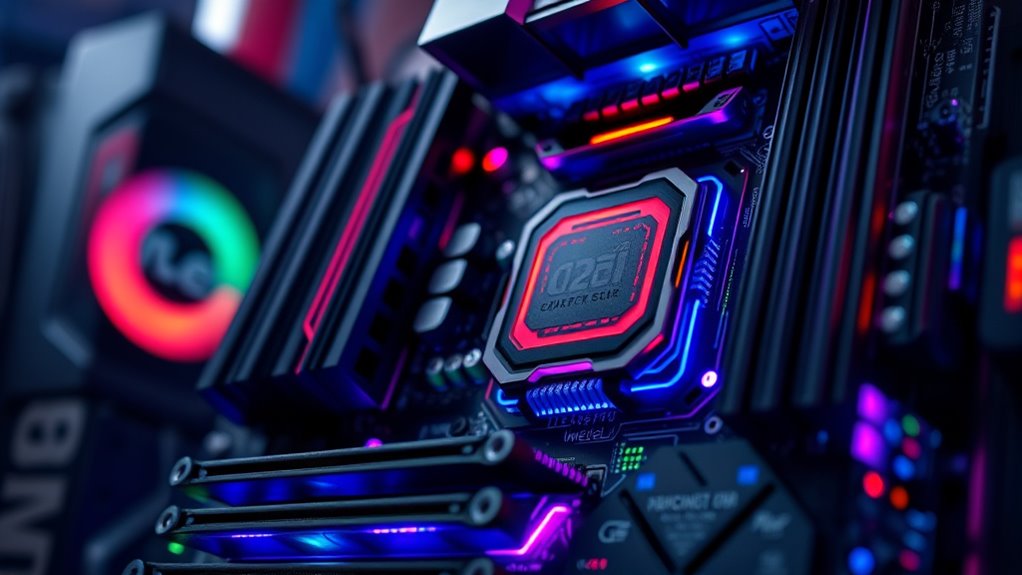

When choosing an LGA1700 motherboard, the options can feel overwhelming with varied features and price points. The ASUS TUF Gaming Z790-Plus WiFi stands out for its balanced performance and durability, making it a solid all-around choice. For those prioritizing compact builds, the ASRock B760M-ITX/D4 WiFi offers excellent features in a small form factor. Meanwhile, the GIGABYTE Z790 AORUS Elite AX caters to enthusiasts seeking high-end connectivity and future-proofing. Each choice involves tradeoffs between features, price, and expansion options. Continue reading to see how these options compare and which one best fits your needs.

Get the latest gadgets delivered free with Prime
- Fast, free delivery on millions of items
- Prime Video, Amazon Music and more included
- Member-only deals all year
Complete the kit



Key Takeaways
- The top motherboards offer a mix of PCIe 5.0 support and DDR5 options for future-proofing.
- Micro-ATX and mini-ITX models excel for compact builds but often have fewer expansion slots.
- Price differences often reflect core features like Wi-Fi 6E, multiple M.2 slots, and robust VRMs.
- Motherboards supporting DDR4 remain a budget-friendly choice, but DDR5 boards are more future-proof.
- Features like Thunderbolt and 2.5Gb Ethernet are generally reserved for higher-tier models.
| ASUS TUF Gaming Z790-Plus WiFi LGA 1700 Motherboard |  | Best Overall for High-End Performance and Durability | Socket: LGA 1700 | Supported CPUs: 12th, 13th & 14th Gen Intel Core | Memory: DDR5 | VIEW ON AMAZON | See Our Full Breakdown |
| MSI PRO B760M-P DDR4 Motherboard (Supports 12th/13th/14th Gen Intel Processors, LGA 1700, DDR4, PCIe 4.0, M.2, USB 3.2 Gen2, HDMI/DP, mATX) |  | Best Value for Versatile and Cost-Effective Builds | Socket: LGA 1700 | Supported Processors: 12th/13th/14th Gen Intel Core | Memory Technology: DDR4 | VIEW ON AMAZON | See Our Full Breakdown |
| ASRock H610M-HDV/M.2 R2.0 Micro-ATX Motherboard for Intel 12th/13th/14th Gen Core Processors |  | Best for Compact Versatility and Budget Builds | Model: H610M-HDV/M.2 R2.0 | Form Factor: Micro-ATX | Socket: LGA1700 | VIEW ON AMAZON | See Our Full Breakdown |
| MSI PRO H610M-G DDR4 Motherboard |  | Best for Basic Stability and Budget Builds | Socket: LGA 1700 | Supported Processors: 12th/13th/14th Gen Intel Core | Memory Type: DDR4 | VIEW ON AMAZON | See Our Full Breakdown |
| ASRock B760M-ITX/D4 WiFi Motherboard for 13th & 12th Gen Intel Core Processors |  | Best for Small Form Factor with WiFi | Processor Support: 12th/13th Gen Intel Core | Memory Support: DDR4 5333MHz (OC) | Form Factor: Mini-ITX | VIEW ON AMAZON | See Our Full Breakdown |
| ASUS B760M-AYW WiFi D4 II Motherboard, Intel LGA 1700, microATX, PCIe 5.0, Dual M.2, DDR4, Wi-Fi 6, 2.5Gb Ethernet, HDMI |  | Best MicroATX for Future-Ready Connectivity | Socket: LGA 1700 | Form Factor: microATX | Memory Support: DDR4 | VIEW ON AMAZON | See Our Full Breakdown |
| GIGABYTE Z790 AORUS Elite AX LGA 1700 ATX Motherboard |  | Best High-End ATX with DDR5 for Power Users | Socket: LGA 1700 | Supported Processors: Intel Core 12th/13th/14th Gen | Memory: DDR5, 4 SMD DIMMs | VIEW ON AMAZON | See Our Full Breakdown |
| ASUS Z790-AYW WiFi II Motherboard with PCIe 5.0, DDR5, WiFi 6, 2.5Gb LAN, and Thunderbolt |  | Premium White-Themed Motherboard with Thunderbolt and PCIe 5.0 | Socket: LGA 1700 | Supported Processors: Intel Core 12th/13th/14th Gen | Memory Technology: DDR5 | VIEW ON AMAZON | See Our Full Breakdown |
| GIGABYTE B760M Gaming Plus WiFi DDR4 Motherboard, LGA 1700, Intel B760, M-ATX, 2 M.2, PCIe 4.0, Front USB 3.2 Gen 1 Type-C, 6 GbE LAN |  | Best Budget Gaming MicroATX with Good Connectivity | Socket: LGA 1700 | Chipset: Intel B760 | Memory Technology: DDR4 | VIEW ON AMAZON | See Our Full Breakdown |
| MSI PRO B760-P WiFi DDR4 Motherboard – Supports 12th/13th/14th Gen Intel Processors, LGA 1700, PCIe 4.0, M.2, Wi-Fi 6E, Bluetooth 5.3, ATX |  | Best Professional-Grade ATX with Robust Connectivity | Socket: LGA 1700 | Chipset: Intel B760 | Memory Technology: DDR4 | VIEW ON AMAZON | See Our Full Breakdown |
| GIGABYTE Z790 Eagle AX LGA 1700 ATX Motherboard |  | Best Overall for High-End Gaming and Productivity | Processor Socket: LGA 1700 | Supported Processors: Intel Core 14th/13th/12th Gen | Memory Technology: DDR5 | VIEW ON AMAZON | See Our Full Breakdown |
| ASRock B760M Pro-A/D4 WiFi Micro ATX Motherboard, Intel LGA1700, DDR4 5333+ (OC), PCIe 4.0, 2.5G LAN, Wi-Fi 6E, 7+1+1 Dr.MOS |  | Best Value for Compact DDR4 Gaming Builds | Form Factor: Micro-ATX | Supported Processors: 12th, 13th, 14th Gen Intel Core | Memory Technology: DDR4 | VIEW ON AMAZON | See Our Full Breakdown |
| ASRock B760M Pro RS Motherboard DDR5 7200MHz HDMI DisplayPort PCIe Gen5 for 12th & 13th Gen Intel Core Processors |  | Best for High-Speed DDR5 and Future Expansion | Processor Socket: LGA 1700 | Supported Processors: 12th and 13th Gen Intel Core | Memory Technology: DDR5 | VIEW ON AMAZON | See Our Full Breakdown |
| lga1700 motherboard | Socket | Supported Processors | Memory Technology | Form Factor |
|---|---|---|---|---|
| ASUS TUF Gaming Z790-Plus WiFi | LGA 1700 | — | — | — |
| MSI PRO B760M-P DDR4 Motherboa | LGA 1700 | 12th/13th/14th Gen Intel Core | DDR4 | — |
| ASRock H610M-HDV/M.2 R2.0 Micr | LGA1700 | — | — | Micro-ATX |
| MSI PRO H610M-G DDR4 Motherboa | LGA 1700 | 12th/13th/14th Gen Intel Core | — | — |
| ASRock B760M-ITX/D4 WiFi Mothe | — | — | — | Mini-ITX |
| ASUS B760M-AYW WiFi D4 II Moth | LGA 1700 | — | — | microATX |
| GIGABYTE Z790 AORUS Elite AX L | LGA 1700 | Intel Core 12th/13th/14th Gen | — | ATX |
| ASUS Z790-AYW WiFi II Motherbo | LGA 1700 | Intel Core 12th/13th/14th Gen | DDR5 | — |
| GIGABYTE B760M Gaming Plus WiF | LGA 1700 | — | DDR4 | Micro-ATX |
| MSI PRO B760-P WiFi DDR4 Mothe | LGA 1700 | — | DDR4 | ATX |
| GIGABYTE Z790 Eagle AX LGA 170 | — | Intel Core 14th/13th/12th Gen | DDR5 | — |
| ASRock B760M Pro-A/D4 WiFi Mic | — | 12th, 13th, 14th Gen Intel Core | DDR4 | Micro-ATX |
| ASRock B760M Pro RS Motherboar | — | 12th and 13th Gen Intel Core | DDR5 | — |
More Details on Our Top Picks
ASUS TUF Gaming Z790-Plus WiFi LGA 1700 Motherboard
This motherboard stands out for supporting 12th, 13th, and 14th Gen Intel Core processors with PCIe 5.0 and DDR5 memory, making it a future-proof choice. Its military-grade components ensure durability, and connectivity options like WiFi 6 AX201, Thunderbolt 4, and 2.5Gb LAN provide ultra-fast networking. Compared with the MSI PRO B760M-P, which offers DDR4 support, this model’s DDR5 compatibility delivers noticeably better performance for demanding tasks. However, its premium price and complex setup can be a barrier for newcomers. This pick is ideal for gamers and enthusiasts who want a reliable, long-lasting system with the latest features, despite the higher cost and setup complexity.
Pros:- Supports latest Intel processors with PCIe 5.0 and DDR5
- Military-grade components for enhanced durability
- Multiple high-speed connectivity options including WiFi 6 and Thunderbolt 4
Cons:- Premium price may be prohibitive for some users
- Complex setup process for newcomers
Best for: Enthusiasts and gamers seeking cutting-edge features and durability
Not ideal for: Budget-conscious builders or beginners who prefer straightforward, less expensive options
- Socket:LGA 1700
- Supported CPUs:12th, 13th & 14th Gen Intel Core
- Memory:DDR5
- PCIe:5.0
- M.2 Slots:4
- WiFi:WiFi 6 AX201
Our verdict“This motherboard is best suited for experienced users who want the latest tech and durability, and are willing to pay a premium for it.”
MSI PRO B760M-P DDR4 Motherboard (Supports 12th/13th/14th Gen Intel Processors, LGA 1700, DDR4, PCIe 4.0, M.2, USB 3.2 Gen2, HDMI/DP, mATX)
This motherboard supports 12th, 13th, and 14th Gen Intel CPUs with DDR4 memory, offering a balanced mix of features for those looking to maximize value. Its PCIe 4.0 and multiple M.2 slots ensure fast storage and expansion options, comparable to the ASUS TUF Z790-Plus but at a lower cost and with DDR4 instead of DDR5. The absence of integrated WiFi or Bluetooth is a notable drawback compared to the ASRock B760M-ITX, which includes WiFi, but MSI’s robust power design provides reliable stability for everyday use. This board is well-suited for users who want a dependable platform without the expense of DDR5 or the latest PCIe 5.0 features.
Pros:- Supports a wide range of Intel 12th, 13th, and 14th Gen processors
- High-speed DDR4 memory support up to 4800 MHz
- Multiple PCIe 4.0 and M.2 slots for expansion
Cons:- Limited to DDR4 memory, missing DDR5 support
- No integrated WiFi or Bluetooth, requiring additional adapters
Best for: Budget-conscious users needing a reliable platform for multitasking and moderate gaming
Not ideal for: High-end gamers or future-proof builders aiming for PCIe 5.0 and DDR5 capabilities
- Socket:LGA 1700
- Supported Processors:12th/13th/14th Gen Intel Core
- Memory Technology:DDR4
- Maximum RAM:128 GB
- PCIe:4.0
- SATA Ports:4
Our verdict“A strong choice for budget-minded users who prioritize stability and compatibility over cutting-edge features.”
ASRock H610M-HDV/M.2 R2.0 Micro-ATX Motherboard for Intel 12th/13th/14th Gen Core Processors
This Micro-ATX motherboard supports the latest Intel processors with LGA1700 socket and DDR4 3200 memory, offering a versatile platform in a smaller form factor. Its PCIe 4.0 support and Ultra M.2 slot enable fast storage options, making it suitable for compact setups like office or home use. Unlike the ASUS TUF Z790, which offers more features and durability, this board’s limited ports and unspecified cooling solutions suggest it’s better for basic or secondary builds. Its triple display output adds multi-monitor flexibility, but the lack of integrated WiFi or detailed power delivery info could be a concern for longer-term stability. Ideal for space-constrained or budget-conscious users who need multi-display support without high-end features.
Pros:- Supports latest Intel 12th, 13th, and 14th Gen processors
- Includes PCIe 4.0 for fast expansion
- Supports triple display outputs
Cons:- Limited information on cooling and power delivery
- No WiFi or Bluetooth
Best for: Small form factor builders or users on a tight budget needing multi-monitor support
Not ideal for: High-performance gaming or overclocking enthusiasts seeking extensive features
- Model:H610M-HDV/M.2 R2.0
- Form Factor:Micro-ATX
- Socket:LGA1700
- Memory Support:DDR4 3200
- Expansion Slots:PCIe 4.0
- Display Outputs:Triple
Our verdict“Ideal for compact builds or secondary systems where space and budget are priorities, with basic multi-monitor capabilities.”
MSI PRO H610M-G DDR4 Motherboard
This motherboard is designed for budget-conscious builders needing compatibility with 12th, 13th, and 14th Gen Intel CPUs, supporting DDR4 memory and PCIe 4.0. Its basic feature set, including 1Gbps LAN and M.2 slots, offers reliable performance for everyday tasks. Compared with the MSI PRO B760M-P, it lacks the higher memory speeds and some expansion options but remains a solid foundation for office PCs or home setups. The absence of WiFi and Bluetooth means additional adapters are necessary for connectivity, which could increase overall cost. This board suits users who want simplicity and stability without overpaying for extra features, though it might fall short for gaming or high-performance applications.
Pros:- Supports latest Intel processors with DDR4 memory
- Includes PCIe 4.0 and M.2 slots for expansion
- Digital power design enhances stability
Cons:- Limited to basic features, no WiFi or Bluetooth
- Basic features may not meet high-end gaming needs
Best for: Home or office users on a tight budget needing stable, straightforward builds
Not ideal for: Gamers or power users requiring WiFi, Bluetooth, or overclocking features
- Socket:LGA 1700
- Supported Processors:12th/13th/14th Gen Intel Core
- Memory Type:DDR4
- PCIe:4
- SATA:6Gb/s
- LAN:1Gbps
Our verdict“A dependable choice for budget builds focused on basic performance and stability.”
ASRock B760M-ITX/D4 WiFi Motherboard for 13th & 12th Gen Intel Core Processors
This compact ITX motherboard supports 12th and 13th Gen Intel processors with DDR4 memory up to 5333MHz (OC), ideal for small, space-saving builds. Its 5+1+1 power phase and Dr.MOS design aim for stable operation, similar to the ASUS B760M-AYW but in a smaller package. While it offers WiFi 6 and DisplayPort outputs, the specs do not specify integrated WiFi details, which might mean an M.2 WiFi card is required. The limited size restricts expansion and upgrade options compared to larger boards like the ASUS TUF Z790, but it’s perfect for users prioritizing space without sacrificing performance for everyday tasks and light gaming. Not suitable for high-end overclocking or extensive expansion needs.
Pros:- Supports 12th and 13th Gen Intel Core processors
- High-speed DDR4 support up to 5333MHz (OC)
- Small form factor ideal for compact builds
Cons:- Limited expansion options due to small size
- WiFi support not explicitly detailed, may need extra card
Best for: Mini-ITX builders seeking WiFi support and high-speed DDR4 memory in a compact system
Not ideal for: Users needing multiple PCIe slots or extensive upgrade potential
- Processor Support:12th/13th Gen Intel Core
- Memory Support:DDR4 5333MHz (OC)
- Form Factor:Mini-ITX
- Power Phase:5+1+1 with Dr.MOS
- Graphics Output:HDMI, DisplayPort
Our verdict“Excellent for space-constrained builds where WiFi and decent performance are priorities, but lacks extensive upgrade paths.”
ASUS B760M-AYW WiFi D4 II Motherboard, Intel LGA 1700, microATX, PCIe 5.0, Dual M.2, DDR4, Wi-Fi 6, 2.5Gb Ethernet, HDMI
The ASUS B760M-AYW WiFi D4 II stands out for its compact microATX form factor combined with PCIe 5.0 support, making it suitable for those wanting a smaller build without sacrificing modern expansion. Compared to larger ATX boards like the GIGABYTE Z790 AORUS Elite AX, it offers fewer expansion slots but keeps the feature set streamlined for budget-conscious users who still value Wi-Fi 6 and high-speed Ethernet. Its reliance on DDR4 memory limits some future-proofing, especially when DDR5 is increasingly common in high-end builds. The dual M.2 slots provide ample SSD options, but the single HDMI port may restrict multi-display setups for multimedia users. It’s best suited for those who want a compact, feature-rich motherboard but are okay with DDR4 and limited graphics outputs.
Pros:- Supports latest Intel 13th and 14th Gen processors with LGA 1700 socket
- Includes PCIe 5.0 support for high-speed expansion cards
- Features Wi-Fi 6 and 2.5Gb Ethernet for fast network connectivity
- Dual M.2 slots for SSD expansion
Cons:- Limited to DDR4 memory, which may become outdated compared to DDR5
- Only one HDMI port may restrict multi-display options
- No integrated graphics support for non-Intel CPUs
Best for: Small form factor builders who prioritize modern connectivity and high-speed networking in a budget-friendly package.
Not ideal for: Users planning to upgrade to DDR5 in the near future or needing multiple HDMI outputs for multi-monitor setups.
- Socket:LGA 1700
- Form Factor:microATX
- Memory Support:DDR4
- Memory Slots:2
- Maximum Memory Speed:8000 MHz
- PCIe Support:PCIe 5.0 x16
- M.2 Slots:2
- Ethernet:Realtek 2.5Gb
- Wi-Fi:Wi-Fi 6
Our verdict“This motherboard makes sense for users building compact, high-performance PCs with modern connectivity but who are fine with DDR4 and limited display outputs.”
GIGABYTE Z790 AORUS Elite AX LGA 1700 ATX Motherboard
The GIGABYTE Z790 AORUS Elite AX is designed for enthusiasts who want top-tier performance from their LGA 1700 platform. Its support for DDR5 memory and PCIe 5.0 makes it stand out against DDR4-based boards like the ASUS B760M-AYW. While this increases the overall cost, it provides a significant leap in future-proofing and speed. The robust 16+1+2 VRM phases and advanced thermal design ensure stability under demanding workloads, making it ideal for overclockers or high-performance setups. However, its complexity and premium price tag might be overwhelming for first-time builders or those on a tighter budget. This motherboard suits users who demand maximum performance and are prepared to invest in cutting-edge features.
Pros:- Supports latest Intel 14th/13th/12th Gen processors
- DDR5 memory support for faster, more future-proof RAM
- High-quality power design with 16+1+2 phases for stability
- Multiple M.2 slots with thermal guards
Cons:- Premium price increases overall system cost
- Complex setup may challenge novices
- Requires DDR5 memory, which is more expensive and less widely available
Best for: High-performance PC builders and overclockers seeking DDR5 support and extensive thermal management.
Not ideal for: Beginners or users with limited budgets who prefer DDR4 or simpler setup processes.
- Socket:LGA 1700
- Supported Processors:Intel Core 12th/13th/14th Gen
- Memory:DDR5, 4 SMD DIMMs
- Power Phases:16+1+2 Digital VRM
- Thermal Design:M.2 Thermal Guard III, Heatsinks
- Expansion Slots:4 PCIe 4.0 x4 M.2
- Connectivity:USB 3.2 Gen 2×2 Type-C, Wi-Fi 6E, 2.5GbE
- Form Factor:ATX
Our verdict“This motherboard is ideal for serious enthusiasts looking for cutting-edge features and maximum performance at a higher price point.”
ASUS Z790-AYW WiFi II Motherboard with PCIe 5.0, DDR5, WiFi 6, 2.5Gb LAN, and Thunderbolt
The ASUS Z790-AYW WiFi II makes a compelling choice for users who want a visually striking build with high-end features. Its white PCB and sleek design set it apart from standard boards like the GIGABYTE Z790 AORUS Elite AX. Supporting PCIe 5.0 and DDR5, it offers future-proofing for demanding workloads and gaming. The inclusion of Thunderbolt 4 and numerous USB ports caters to creators and professionals needing fast data transfer. However, its premium positioning and complex feature set may be overkill for casual users or those with less demanding needs. This model is best suited for builders who want a high-performance, aesthetically distinctive motherboard with top connectivity options.
Pros:- Supports PCIe 5.0 and DDR5 for future-proof performance
- Includes Thunderbolt 4 for fast data transfer
- Multiple M.2 slots and comprehensive cooling features
- Stunning white PCB design
Cons:- High price point may deter budget builds
- Complex setup for those unfamiliar with advanced features
- Overkill for casual or non-creative users
Best for: Content creators and high-end PC builders seeking a visually appealing motherboard with Thunderbolt 4 and PCIe 5.0 support.
Not ideal for: Budget-conscious users or beginners who do not need Thunderbolt or the extensive feature set.
- Socket:LGA 1700
- Supported Processors:Intel Core 12th/13th/14th Gen
- Memory Technology:DDR5
- Max Memory:192 GB
- Number of RAM Slots:4
- Number of PCIe Slots:5
- Number of M.2 Slots:3
- Thunderbolt:Supported (USB4)
Our verdict“This motherboard is best for users wanting a high-performance, aesthetically distinctive platform with cutting-edge connectivity options.”
GIGABYTE B760M Gaming Plus WiFi DDR4 Motherboard, LGA 1700, Intel B760, M-ATX, 2 M.2, PCIe 4.0, Front USB 3.2 Gen 1 Type-C, 6 GbE LAN
The GIGABYTE B760M Gaming Plus WiFi offers a balanced mix of features for gamers on a budget. Its support for Intel 12th to 14th Gen processors with DDR4 memory makes it a cost-effective choice compared to DDR5-based boards like the GIGABYTE Z790 AORUS Elite AX. The inclusion of PCIe 4.0, dual M.2 slots, and front USB Type-C enhances expandability without inflating the overall system cost. Its 6 GbE LAN provides reliable wired connectivity perfect for gaming or streaming. The main tradeoff involves limited future-proofing, as it lacks PCIe 5.0 and DDR5 support, and its feature set is more suited for entry or mid-tier builds. This motherboard is a smart pick for gamers who prioritize value and dependable performance over cutting-edge tech.
Pros:- Supports latest Intel 12th/13th/14th Gen processors
- Includes PCIe 4.0 and dual M.2 slots for fast storage
- Reliable 6 GbE LAN for stable wired networking
- Affordable price point
Cons:- Limited to DDR4 memory, restricting future upgrades
- No PCIe 5.0 support, which is becoming more common
- Less feature-rich compared to high-end motherboards
Best for: Budget-conscious gamers and PC builders seeking reliable performance with essential features.
Not ideal for: Enthusiasts aiming for DDR5 support or PCIe 5.0 expansion, or users planning high-end future upgrades.
- Socket:LGA 1700
- Chipset:Intel B760
- Memory Technology:DDR4
- Memory Slots:4
- Maximum RAM:128 GB
- Storage Capacity:64 GB RAM
- Number of SATA Ports:6
- Ethernet Ports:1
- Form Factor:Micro-ATX
Our verdict“This motherboard provides solid performance for gamers who want value without sacrificing essential features.”
MSI PRO B760-P WiFi DDR4 Motherboard – Supports 12th/13th/14th Gen Intel Processors, LGA 1700, PCIe 4.0, M.2, Wi-Fi 6E, Bluetooth 5.3, ATX
The MSI PRO B760-P WiFi offers a well-rounded platform for professional or high-performance builds, supporting 12th to 14th Gen Intel CPUs. Its ATX form factor allows more expansion options compared to microATX alternatives, making it suitable for workstations or gaming rigs that need extra PCIe slots and storage. The inclusion of Wi-Fi 6E and Bluetooth 5.3 ensures modern wireless connectivity, while the robust power delivery and extended heatsink design promote stability under load. Unlike the ASUS B760M-AYW, it provides more room for add-ons and upgrades but at the expense of larger physical size. This motherboard is ideal for users who want a reliable, feature-rich platform with plenty of room for future expansion.
Pros:- Supports Intel 12th/13th/14th Gen processors with LGA 1700
- ATX form factor with more expansion slots
- Includes Wi-Fi 6E and Bluetooth 5.3 for advanced wireless connectivity
- Enhanced power delivery for stable performance
Cons:- Larger size makes it less suitable for compact cases
- Limited to DDR4 memory, missing DDR5 support
- Basic feature set compared to premium enthusiast boards
Best for: Professional users or gamers who need extensive PCIe and storage options in a full-sized ATX form factor.
Not ideal for: Small form factor builders or those seeking minimalistic, budget-friendly solutions.
- Socket:LGA 1700
- Chipset:Intel B760
- Memory Technology:DDR4
- Memory Slots:4
- Maximum RAM:128 GB
- Expansion Slots:Multiple PCIe slots
- Connectivity:Wi-Fi 6E, Bluetooth 5.3
- Form Factor:ATX
Our verdict“This motherboard offers a great balance of expandability and connectivity for professional or high-performance builds in a larger format.”
GIGABYTE Z790 Eagle AX LGA 1700 ATX Motherboard
The GIGABYTE Z790 Eagle AX stands out for its support of the latest Intel 14th, 13th, and 12th Gen processors, making it ideal for users seeking future-proofing. Its DDR5 compatibility and PCIe 5.0 support provide exceptional performance for demanding tasks, surpassing the ASRock B760M Pro RS in expandability and speed. However, its complex setup may pose challenges for newcomers, and the limited SATA ports could restrict storage options. Compared to more budget-oriented boards, this model emphasizes cutting-edge features, but that comes with increased complexity and higher cost. This motherboard makes the most sense for enthusiasts and professionals prioritizing top-tier performance and future readiness.
Pros:- Supports latest Intel 14th/13th/12th Gen processors for longevity
- High-speed DDR5 memory compatibility up to 4400 MHz
- Multiple M.2 slots and PCIe 5.0 support for superior expandability
- Advanced thermal design with heatsinks for sustained high performance
Cons:- Complex setup can be challenging for less experienced builders
- Limited SATA ports (only 1), restricting storage options
Best for: Power users, gamers, and content creators who need high-speed, expandable connectivity and are comfortable with advanced setup
Not ideal for: Beginners or users with simple builds who prefer straightforward installation and more SATA ports for storage
- Processor Socket:LGA 1700
- Supported Processors:Intel Core 14th/13th/12th Gen
- Memory Technology:DDR5
- Memory Slots:4
- Maximum RAM:256 GB
- Connectivity:PCIe 5.0, WiFi 6E, 2.5GbE, USB-C 3.2
- Storage:3 M.2 slots, 1 SATA 3 port
- Main Power Connector:ATX
- Chipset:Z790
Our verdict“This motherboard is best suited for enthusiasts and professionals seeking cutting-edge features and future-proofing, despite its setup complexity.”
ASRock B760M Pro-A/D4 WiFi Micro ATX Motherboard, Intel LGA1700, DDR4 5333+ (OC), PCIe 4.0, 2.5G LAN, Wi-Fi 6E, 7+1+1 Dr.MOS
The ASRock B760M Pro-A/D4 offers a compact Micro-ATX design that supports 12th to 14th Gen Intel processors, making it a solid choice for budget-conscious users who still want modern features. Its DDR4 support up to 5333+ MHz provides high-speed memory options at a lower cost than DDR5, unlike the GIGABYTE Z790 Eagle AX. While it lacks PCIe 5.0 and DDR5, it compensates with dual M.2 slots, 2.5G LAN, and Wi-Fi 6E, making it suitable for gaming and productivity in smaller cases. The smaller form factor restricts upgrade flexibility and might require careful case selection. Compared to the DDR5-based options, this motherboard focuses on affordability and simplicity, but at the expense of future-proofing and maximum performance.
Pros:- Supports latest Intel processors with reliable performance
- High-speed DDR4 memory overclocking up to 5333+ MHz
- Dual M.2 slots and 4 SATA ports for flexible storage options
- Includes Wi-Fi 6E and 2.5G LAN for fast networking
Cons:- Limited to DDR4 memory, missing out on DDR5 advantages
- Small form factor may restrict compatibility with larger cases
- Lacks PCIe 5.0 support for future expansion
Best for: Budget-conscious gamers and PC builders who need a compact, reliable board with modern networking capabilities
Not ideal for: Users aiming for high-end future-proof systems or planning to upgrade to DDR5 memory later
- Form Factor:Micro-ATX
- Supported Processors:12th, 13th, 14th Gen Intel Core
- Memory Technology:DDR4
- Memory Slots:4
- Maximum RAM:128 GB
- Storage:2 M.2, 4 SATA3
- Networking:2.5G LAN, Wi-Fi 6E
- PCIe Slots:2 x PCIe 4.0 x16, 1 x PCIe 4.0 x1
- Chipset:B760
Our verdict“This motherboard is ideal for budget builds in small cases that don’t need cutting-edge DDR5 features but still want fast networking and reliable performance.”
ASRock B760M Pro RS Motherboard DDR5 7200MHz HDMI DisplayPort PCIe Gen5 for 12th & 13th Gen Intel Core Processors
The ASRock B760M Pro RS caters to users seeking high-speed DDR5 memory support up to 7200MHz (OC) and PCIe 5.0, positioning itself as a future-proof option for gaming and productivity. Its support for 12th and 13th Gen Intel processors offers flexibility, and multiple M.2 slots with HDMI and DisplayPort outputs enhance multimedia capabilities. Compared with the GIGABYTE Z790 Eagle AX, it sacrifices some expandability and advanced thermal features for a more affordable price point, but still delivers high-speed connectivity. A potential drawback is the limited warranty info and lack of built-in Wi-Fi, which might require additional components for wireless connectivity. Overall, this model is best for users prioritizing DDR5 speed and PCIe 5.0 support without needing the most advanced thermal management.
Pros:- Supports DDR5 memory up to 7200MHz (OC) for high-speed performance
- PCIe 5.0 support for future expansion and high-speed peripherals
- Multiple M.2 slots and HDMI/DisplayPort outputs for multimedia
- Compatible with 12th and 13th Gen Intel CPUs for versatility
Cons:- Limited warranty information available
- No integrated Wi-Fi or Bluetooth, requiring external adapters
- Less advanced thermal management compared to higher-end boards
Best for: Enthusiasts and gamers who want cutting-edge DDR5 memory speeds and PCIe 5.0, especially in more affordable packages
Not ideal for: Beginners or users who require integrated Wi-Fi or robust warranty support without additional purchases
- Processor Socket:LGA 1700
- Supported Processors:12th and 13th Gen Intel Core
- Memory Technology:DDR5
- Maximum RAM:192 GB
- Number of RAM Slots:4
- Storage:Multiple M.2, SATA
- Graphics Outputs:HDMI, DisplayPort
- Expansion Slots:PCIe 5.0 x16, PCIe 4.0 slots
- Chipset:B760
Our verdict“This motherboard is a strong choice for enthusiasts focused on DDR5 and PCIe 5.0, especially those comfortable adding wireless upgrades separately.”

How We Picked
These motherboards were evaluated based on a combination of performance capabilities, build quality, feature set, compatibility with the latest Intel processors, and value for money. I prioritized models that offer a good balance of expandability, durability, and ease of use for different user needs. The ranking also considers the latest connectivity standards like PCIe 5.0, Wi-Fi 6E, and DDR5 support, which are essential for future-proofing. Pricing was factored in to highlight options suitable for various budgets, from entry-level to premium builds. Ultimately, these selections aim to help buyers identify options that provide the best mix of features and reliability for their specific use case.| lga1700 motherboard | Socket | Memory Technology | Form Factor |
|---|---|---|---|
| ASUS TUF Gaming Z790-Plus WiFi | LGA 1700 | — | — |
| MSI PRO B760M-P DDR4 Motherboa | LGA 1700 | DDR4 | — |
| ASRock H610M-HDV/M.2 R2.0 Micr | LGA1700 | — | Micro-ATX |
| MSI PRO H610M-G DDR4 Motherboa | LGA 1700 | — | — |
| ASRock B760M-ITX/D4 WiFi Mothe | — | — | Mini-ITX |
| ASUS B760M-AYW WiFi D4 II Moth | LGA 1700 | — | microATX |
| GIGABYTE Z790 AORUS Elite AX L | LGA 1700 | — | ATX |
| ASUS Z790-AYW WiFi II Motherbo | LGA 1700 | DDR5 | — |
| GIGABYTE B760M Gaming Plus WiF | LGA 1700 | DDR4 | Micro-ATX |
| MSI PRO B760-P WiFi DDR4 Mothe | LGA 1700 | DDR4 | ATX |
| GIGABYTE Z790 Eagle AX LGA 170 | — | DDR5 | — |
| ASRock B760M Pro-A/D4 WiFi Mic | — | DDR4 | Micro-ATX |
| ASRock B760M Pro RS Motherboar | — | DDR5 | — |
Factors to Consider When Choosing Lga1700 Motherboards
Choosing the right LGA1700 motherboard requires considering several key factors beyond just compatibility. Your decision should reflect your intended use—gaming, content creation, or general productivity—as well as future upgrade plans. The following sections highlight the most important considerations to help you make an informed choice and avoid common pitfalls.Processor Compatibility and Chipset Features
Ensuring your motherboard supports your chosen Intel processor is fundamental. The LGA1700 socket works with 12th, 13th, and upcoming 14th Gen Intel CPUs, but chipset features vary. For example, Z790 boards offer extensive overclocking and connectivity options, while H610 chips are more basic. Matching your processor choice with the right chipset ensures compatibility and maximizes performance without paying for unnecessary features.
Memory Support: DDR4 vs DDR5
Deciding between DDR4 and DDR5 memory impacts both budget and performance. DDR4 boards tend to be more affordable and have broader compatibility with existing RAM, making them ideal for budget-conscious builds. DDR5 offers higher speeds and future-proofing, but at a premium. Your choice should align with your performance needs and whether you plan to upgrade components gradually or build a high-end system from the start.
Expansion and Connectivity Options
Consider how many M.2 slots, PCIe lanes, USB ports, and Ethernet options you need. High-end models typically support PCIe 5.0, multiple M.2 drives, and 10Gb Ethernet for demanding users. Conversely, budget boards might limit expansion but still support essential features for everyday tasks. Think about your current and future storage, GPU, and network requirements to avoid bottlenecks.
Build Quality and Durability
The longevity of your motherboard depends on its build quality. Features like reinforced PCIe slots, high-quality VRMs for stable power delivery, and quality heatsinks contribute to reliability, especially under overclocking or heavy workloads. Skimping on build quality may lead to thermal issues or component failure over time, so weigh durability alongside features.
Price and Value for Money
While premium motherboards offer the latest features, they come with higher price tags. Conversely, mid-range and budget options can provide excellent value if they meet your core needs. Balance your budget with required features to avoid paying extra for unnecessary bells and whistles. Consider future upgrade plans as well—spending more upfront on a feature-rich board can save money later.
Frequently Asked Questions
Is it better to choose a motherboard with DDR4 or DDR5 support?
The decision depends on your budget and performance goals. DDR4 motherboards are generally less expensive and compatible with a wide range of RAM modules, making them suitable for budget builds or upgrades. DDR5 offers faster speeds and improved future-proofing, but at a higher cost. If you plan to keep your system for several years and want top-tier performance, investing in DDR5 makes sense; otherwise, DDR4 remains a practical choice.
Do I need a motherboard with PCIe 5.0 support?
PCIe 5.0 support is primarily beneficial if you plan to use the latest high-speed SSDs or future graphics cards that leverage the increased bandwidth. For most current gaming or productivity tasks, PCIe 4.0 provides ample performance. However, if you want the most future-proof setup, choosing a PCIe 5.0-compatible motherboard ensures compatibility with upcoming hardware, though it may come at a higher price.
Are high-end features like Thunderbolt worth paying extra for?
Thunderbolt offers fast data transfer and versatile connectivity, which can be valuable for professionals working with high-speed peripherals or external displays. If your workflow relies on such features, investing in a motherboard with Thunderbolt support makes sense. For most gamers or everyday users, these features are less critical, and standard USB and HDMI ports suffice.
Should I prioritize Wi-Fi 6E on my motherboard?
Wi-Fi 6E provides faster wireless speeds and better performance in congested environments, which is beneficial if you rely on wireless connectivity. It can also future-proof your build as Wi-Fi 6E becomes more widespread. However, if you primarily use wired Ethernet, this feature may be less relevant, and you can allocate your budget elsewhere.
How many M.2 slots should I look for in a motherboard?
The number of M.2 slots determines how many NVMe SSDs you can install directly on your motherboard. For most gaming or general use builds, 2 M.2 slots are sufficient. Content creators or professionals working with large datasets might prefer 3 or more slots for expanded storage options. Keep in mind that additional M.2 slots may reduce available PCIe lanes for other peripherals, so balance your storage needs with overall performance.
Conclusion
For most users, the ASUS TUF Gaming Z790-Plus WiFi offers a well-rounded mix of features, durability, and price, making it the best overall choice. Budget builders or those upgrading incrementally will appreciate the MSI PRO B760M-P DDR4 for its affordability and solid performance. Enthusiasts seeking premium features like PCIe 5.0, DDR5, and Thunderbolt should consider the ASUS Z790-AYW WiFi II or the GIGABYTE Z790 AORUS Elite AX. Beginners or users with limited space might prefer compact options like the ASRock B760M-ITX/D4 WiFi. Your ideal motherboard depends on your specific needs, budget, and upgrade plans.
Halloween Picks
halloween
As an affiliate, we earn on qualifying purchases.