
The best ESP32 development boards balance easy programming, useful connectivity, and the right extras for your project. I’d put the ELEGOO ESP32 Development Boards 3-Pack first for its practical set of standard ESP-WROOM-32 boards, while the AITRIP touchscreen 2-pack suits projects that need a built-in display and the Hosyond ESP32-S3 3-pack offers a different platform for buyers seeking S3 features. The main tradeoffs are standard ESP32 versus ESP32-S3, bare boards versus tutorials and accessories, and single-board simplicity versus multi-board value. A board that is convenient for learning may be less useful for a compact finished build, and a pin-rich model still needs to match your wiring and software. Read on for the full breakdown and guidance on choosing the right fit.

Get the latest gadgets delivered free with Prime
- Fast, free delivery on millions of items
- Prime Video, Amazon Music and more included
- Member-only deals all year
Complete the kit



Key Takeaways
- The ELEGOO ESP32 3-pack is the strongest general-purpose starting point: it combines familiar ESP-WROOM-32 boards with USB-C and wireless connectivity without tying buyers to a screen or larger starter bundle.
- Display requirements change the shortlist: the AITRIP touchscreen 2-pack adds an integrated 2.8-inch, 240 × 320 display, which can simplify interface projects but is unnecessary for sensor nodes and basic controllers.
- ESP32-S3 boards are a separate choice, not an automatic upgrade: the Hosyond N16R8 3-pack is aimed at S3-focused builds, so buyers should check library and pin compatibility before choosing it over standard ESP-WROOM-32 boards.
- Starter kits trade simplicity for extra hardware: ELEGOO, LAFVIN, SUUOO, and Freenove bundles can help beginners learn through guided projects, while experienced builders may prefer boards without kit components.
- USB-C and pack size solve different problems: USB-C is a convenient connection, while 3-, 6-, and 2-board bundles suit different project counts; neither detail alone guarantees compatibility with a case, cable, or breadboard.
| AITRIP ESP32 Development Board with 2.8-Inch Touchscreen, 240 × 320, 2-Pack |  | Best for Display-Based Projects | Model: ESP32-2432S028R | Quantity: 2 boards | Display: 2.8-inch TFT touchscreen, 240 × 320 | VIEW LATEST PRICE | See Our Full Breakdown |
| AITRIP ESP32 30-Pin Development Board with Wi-Fi and Bluetooth |  | Best for a Straightforward Single-Board Build | Model: ESP-WROOM-32 / ESP-32S | Quantity: 1 board | Pin count: 30 | VIEW LATEST PRICE | See Our Full Breakdown |
| ELEGOO ESP-32 Super Starter Kit with Tutorial |  | Best for Guided Learning | Processor: Espressif dual-core | Installed RAM: 520 KB SRAM | Wireless: Wi-Fi 802.11b/g/n and Bluetooth 4.2 | VIEW LATEST PRICE | See Our Full Breakdown |
| LAFVIN ESP32 Basic Starter Kit with Tutorial |  | Best for First Electronics Projects | Model: ESP32 Basic Starter Kit | Connectivity: Bluetooth and Wi-Fi | Compatible IDE: Arduino IDE | VIEW LATEST PRICE | See Our Full Breakdown |
| SUUOO ESP32 Development Board Starter Kit with Wi-Fi and Bluetooth |  | Best for Organized Component Storage | Processor: Espressif dual-core | Connectivity: Wi-Fi, Bluetooth, USB | Compatible devices: PC | VIEW LATEST PRICE | See Our Full Breakdown |
| hiBCTR 6-Pack ESP32-DevKitC-32 Development Boards, USB-C, 38-Pin |  | Best for Multi-Board Prototyping | Model: ESP32-DevKitC-32 | Chip: ESP-32D | Pack size: 6 boards | VIEW LATEST PRICE | See Our Full Breakdown |
| Freenove ESP32 Development Board Kit, 2-Pack |  | Best for Guided Learning | Quantity: 2 boards | Processor: Dual-core 32-bit | Processor speed: Up to 240 MHz | VIEW LATEST PRICE | See Our Full Breakdown |
| Hosyond 3-Pack ESP32-S3 Development Boards, N16R8, Dual-Core, Wi-Fi and Bluetooth |  | Best for Memory-Heavy Projects | Model: N16R8 | Quantity: 3 boards | Processor: Dual-core 32-bit Xtensa LX7 | VIEW LATEST PRICE | See Our Full Breakdown |
| AITRIP ESP32 ESP-WROOM-32 Development Board with USB-C | 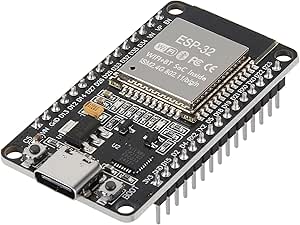 | Best Single-Board Reference Pick | Module: ESP-WROOM-32 | Processor: Dual-core 32-bit, 240 MHz | Pins and I/O: 30 pins, 22 I/O ports | VIEW LATEST PRICE | See Our Full Breakdown |
| AITRIP 3-Pack ESP32 Development Boards with USB-C and Wi-Fi/Bluetooth |  | Best Value for Repeat Builds | Quantity: 3 boards | Module: ESP32-WROOM-32 | Processor cores: Dual-core | VIEW LATEST PRICE | See Our Full Breakdown |
| ESP32 ESP-WROOM-32 Development Boards, 3-Pack |  | Best for Core ESP32 Projects | Quantity: 3 boards | Processor: Dual-core Tensilica LX6 | Processor speed: Up to 240 MHz | VIEW LATEST PRICE | See Our Full Breakdown |
| ELEGOO ESP32 Development Boards, 3-Pack, ESP-WROOM-32, USB-C, Wi-Fi and Bluetooth 4.2 |  | Best for USB-C Programming | Brand and model: ELEGOO EL-SM-012 | Quantity: 3 boards | Module: ESP-WROOM-32 | VIEW LATEST PRICE | See Our Full Breakdown |
| 3-Pack ESP32 Type-C 38-Pin Development Boards with GPIO Breakout Boards |  | Best for GPIO Bench Wiring | Package contents: 3 ESP32 Type-C development boards and 3 breakout boards | Pins: 38 | Processor: Dual-core Tensilica LX6, up to 240 MHz | VIEW LATEST PRICE | See Our Full Breakdown |
| ESP32 development board | Processor | Connectivity | Quantity |
|---|---|---|---|
| AITRIP ESP32 Development Board | ESP32-D0WDQ6 dual-core, up to 240 MHz | — | 2 boards |
| AITRIP ESP32 30-Pin Developmen | Dual-core, up to 240 MHz | UART and USB | 1 board |
| ELEGOO ESP-32 Super Starter Ki | Espressif dual-core | — | — |
| LAFVIN ESP32 Basic Starter Kit | — | Bluetooth and Wi-Fi | — |
| SUUOO ESP32 Development Board | Espressif dual-core | Wi-Fi, Bluetooth, USB | — |
| hiBCTR 6-Pack ESP32-DevKitC-32 | — | 2.4 GHz Wi-Fi, Bluetooth, USB Type-C | — |
| Freenove ESP32 Development Boa | Dual-core 32-bit | 2.4 GHz Wi-Fi, Bluetooth 4.2 LE, USB | 2 boards |
| Hosyond 3-Pack ESP32-S3 Develo | Dual-core 32-bit Xtensa LX7 | 2.4 GHz Wi-Fi, Bluetooth 5.0 LE | 3 boards |
| AITRIP ESP32 ESP-WROOM-32 Deve | Dual-core 32-bit, 240 MHz | Wi-Fi, Bluetooth, USB-C | — |
| AITRIP 3-Pack ESP32 Developmen | — | — | 3 boards |
| ESP32 ESP-WROOM-32 Development | Dual-core Tensilica LX6 | — | 3 boards |
| ELEGOO ESP32 Development Board | 32-bit dual-core ESP32, up to 240 MHz | GPIO, UART, SPI, I2C | 3 boards |
| 3-Pack ESP32 Type-C 38-Pin Dev | Dual-core Tensilica LX6, up to 240 MHz | Wi-Fi (802.11b/g/n), Bluetooth Classic and LE | — |
More Details on Our Top Picks
AITRIP ESP32 Development Board with 2.8-Inch Touchscreen, 240 × 320, 2-Pack
I’d choose this pair when a project needs its own touchscreen interface, not just a microcontroller for a breadboard. Each board combines an ESP32 dual-core processor with Wi-Fi and Bluetooth, and the 2.8-inch, 240 × 320 display can make a prototype feel more like a standalone device. Camera compatibility and TF card support also give it more room for image or data-logging experiments than the simpler AITRIP 30-pin board.
The tradeoff is that the display takes up space and makes this a less flexible starting point for projects built around a conventional breadboard layout. The listed 4 GB storage and USB details may need checking before purchase, too. I’d pick the ELEGOO kit instead for guided component-level lessons; this two-pack is better when the screen itself is central to the build.
Pros:- Two boards make it possible to build a pair of prototypes or keep a spare.
- Built-in 2.8-inch touchscreen supports interactive projects without a separate display.
- Wi-Fi and Bluetooth support connected IoT projects.
- Camera compatibility and TF card support broaden the project options.
Cons:- The display occupies board area that simpler breadboard projects may need.
- The listed memory and USB specifications may require verification before selecting accessories or planning a build.
Best for: Makers building ESP32 prototypes with a local touchscreen interface, especially IoT dashboards or camera-related experiments.
Not ideal for: Learners who want a conventional breadboard-first setup or step-by-step project kit; the screen-focused boards and limited tutorial information are a less direct fit.
- Model:ESP32-2432S028R
- Quantity:2 boards
- Display:2.8-inch TFT touchscreen, 240 × 320
- Processor:ESP32-D0WDQ6 dual-core, up to 240 MHz
- Installed RAM:520 KB
- Wireless:Wi-Fi and Bluetooth
- Interfaces:UART, SPI, I2C, PWM, ADC, DAC
- Additional support:OV2640 and OV7670 cameras; TF card
Our verdict“Choose this two-pack when an ESP32 touchscreen is a core project requirement; pick the ELEGOO kit for more structured electronics lessons.”
AITRIP ESP32 30-Pin Development Board with Wi-Fi and Bluetooth
This is the most direct choice in this group for someone who wants one ESP32 board for a Wi-Fi or Bluetooth project, without paying for a touchscreen or sorting through a box of starter components. Its 30-pin layout, USB connection, and Arduino IDE compatibility suit basic prototyping, while AP, STA, and AP+STA modes give network experiments useful flexibility.
Compared with the AITRIP touchscreen two-pack, this board is simpler and easier to dedicate to a compact build, but it lacks the built-in display and second board. It also offers less learning material out of the box than the ELEGOO starter kit. The listing’s memory information is unclear, so I’d verify the exact board revision and pinout before relying on it for a design that needs specific resources. It’s a sensible bare-board pick, not a complete teaching setup.
Pros:- Combines Wi-Fi and Bluetooth on a single development board.
- Arduino IDE compatibility fits common ESP32 learning and prototyping workflows.
- AP, STA, and AP+STA modes support varied network setups.
- 30-pin format provides a practical base for general-purpose projects.
Cons:- No display, sensors, or other project components are included in the described package.
- Memory specifications are unclear, which may complicate planning for resource-sensitive projects.
Best for: Arduino IDE users who need a single ESP32 board for a basic wireless prototype and already have cables and components.
Not ideal for: Beginners who need sensors, a breadboard, or guided lessons included, and buyers who need a clearly documented memory configuration.
- Model:ESP-WROOM-32 / ESP-32S
- Quantity:1 board
- Pin count:30
- Processor:Dual-core, up to 240 MHz
- Wireless:2.4 GHz Wi-Fi 802.11b/g/n and Bluetooth
- Operating modes:AP, STA, AP+STA
- Connectivity:UART and USB
- USB ports:1
Our verdict“Pick this board for a simple, single-board wireless build, but choose the ELEGOO kit if you need parts and lessons alongside the ESP32.”
ELEGOO ESP-32 Super Starter Kit with Tutorial
I’d put this kit first for a beginner who wants a guided route from board to working project. It pairs an Arduino IDE-compatible ESP-32 with more than 35 modules and components, then adds online tutorials for over 30 projects. That combination gives a learner more to practice with than the single-board AITRIP option and a clearer lesson path than the component-focused SUUOO kit.
The broad parts selection is useful for trying sensors and IoT ideas, but it also means this is a larger learning package rather than a streamlined board for one specific build. The tutorials are online, so they depend on access to the material, and the listing describes the included parts with differing counts. I’d choose the LAFVIN kit for a more explicitly basic set of components and assembly lessons; this ELEGOO package better suits someone who wants a wider set of experiments.
Pros:- Includes more than 35 modules and components for varied experiments.
- Online guidance covers over 30 projects.
- Arduino IDE compatibility supports a familiar programming workflow.
- Wi-Fi and Bluetooth 4.2 support connected project work.
Cons:- Tutorial material is online rather than described as a printed guide.
- The listing gives differing descriptions of the component quantity.
Best for: New Arduino IDE learners who want an ESP32, assorted modules, and guided projects for practicing electronics and IoT.
Not ideal for: Buyers seeking only a development board or a fully self-contained printed manual; the tutorial is online and the parts count is described inconsistently.
- Processor:Espressif dual-core
- Installed RAM:520 KB SRAM
- Wireless:Wi-Fi 802.11b/g/n and Bluetooth 4.2
- Other connectivity:GPIO, I2C, USB
- USB ports:1
- Compatible software:Arduino IDE
- Included components:More than 35 modules and components
- Tutorials:30+ projects
Our verdict“Choose the ELEGOO kit if you want a broad set of parts and guided projects; choose the AITRIP single board if you already have components.”
LAFVIN ESP32 Basic Starter Kit with Tutorial
The LAFVIN kit is aimed at a learner who wants to connect familiar starter components to an ESP32 and follow code and assembly lessons. Its mix includes an OLED, breadboard, DHT11 temperature and humidity sensor, PIR motion sensor, and basic input and output parts, so early projects can move beyond blinking an LED. Compared with the ELEGOO kit, its identity is more explicitly introductory; compared with the SUUOO kit, the listing emphasizes tutorials rather than a storage case.
That focus brings a practical limitation: the tutorial must be downloaded separately, and the parts need to be assembled by the buyer. The kit is not as appealing for someone who wants a ready-to-run finished device or a standalone touchscreen like the AITRIP display boards. I’d choose it for hands-on fundamentals, provided the learner is comfortable setting up a breadboard and following build instructions.
Pros:- Includes a useful mix of sensors, OLED display, breadboard, and basic circuit components.
- Tutorials include code and assembly lessons.
- Arduino IDE compatibility suits introductory ESP32 programming.
- Wi-Fi and Bluetooth enable connected projects as skills advance.
Cons:- Tutorial material must be downloaded separately.
- The kit requires hands-on assembly and setup rather than offering a ready-built project.
Best for: Beginners who want to learn Arduino IDE programming and basic sensor, display, and breadboard wiring through guided builds.
Not ideal for: Buyers who want a ready-assembled project, a built-in touchscreen board, or tutorials supplied without a separate download.
- Model:ESP32 Basic Starter Kit
- Connectivity:Bluetooth and Wi-Fi
- Compatible IDE:Arduino IDE
- Display:0.96-inch OLED
- Breadboard:830-point
- Sensors:DHT11 temperature and humidity sensor; HC-SR501 PIR motion sensor
- Other included components:Obstacle avoidance module, photosensitive resistor, 5V 2-channel relay, potentiometer, buzzer, buttons, resistors, LEDs, and Dupont wires
- USB ports:1
Our verdict“Choose LAFVIN for guided breadboard and sensor fundamentals; choose AITRIP’s touchscreen pair for a display-led build instead.”
SUUOO ESP32 Development Board Starter Kit with Wi-Fi and Bluetooth
SUUOO’s clearest point of difference is its storage case paired with a broad component assortment. The kit includes more than 20 component types, an 830-point breadboard, jumper wires, an OLED display, sensors, and a relay, giving a PC-connected ESP32 learner plenty to explore without sourcing every part separately. Compared with the AITRIP 30-pin board, it is a more complete project package; compared with LAFVIN, the case is a practical advantage for keeping pieces together between sessions.
The main compromise is uncertainty about exact quantities: the listing names component types but does not say how many of each are supplied. That makes it harder to plan repeated builds or replace a specific part. It also doesn’t describe a tutorial program as clearly as ELEGOO or LAFVIN. I’d favor SUUOO when organization and a varied parts selection matter more than a defined lesson sequence.
Pros:- Storage case helps keep the kit’s components together.
- More than 20 component types support varied electronics and IoT experiments.
- Includes an 830-point breadboard, jumper wires, and USB cable.
- ESP32 board supports Wi-Fi and Bluetooth.
Cons:- Exact quantities for individual components are not specified.
- The description does not provide a detailed tutorial or lesson sequence.
Best for: Hobbyists or students who want a varied ESP32 component set that can be stored together between breadboard projects.
Not ideal for: Learners who need a clearly specified count of each part or a detailed, project-by-project tutorial path.
- Processor:Espressif dual-core
- Connectivity:Wi-Fi, Bluetooth, USB
- Compatible devices:PC
- Breadboard:830 tie points
- Temperature and humidity sensor:DHT11
- Motion sensor:HC-SR501 PIR
- Relay module:2-channel, 5V; rated 10A at 250VAC / 15A at 125VAC
- Included components:More than 20 types, including OLED display, LEDs, buzzers, buttons, jumper wires, resistors, and USB cable
Our verdict“Choose SUUOO if you value a stored-together assortment for open-ended builds; choose ELEGOO or LAFVIN for a clearer tutorial-led learning path.”
hiBCTR 6-Pack ESP32-DevKitC-32 Development Boards, USB-C, 38-Pin
The six-board bundle is the practical pick when a project needs several ESP32 nodes, or when I want spare boards for parallel experiments. Its 38-pin layout gives more connection points than the 30-pin AITRIP ESP32 ESP-WROOM-32 Development Board with USB-C, which can help when a build uses several sensors or peripherals. Both options provide Wi-Fi and Bluetooth, but hiBCTR’s larger pin count and six-board quantity suit repeatable builds better than a single-board setup. USB-C and support for UART, SPI, I2C, PWM, DAC, and ADC cover common development needs. The tradeoff is that the listing does not provide the tutorial support found with the Freenove kit, and setup may require installing drivers and configuring the Arduino IDE. I’d choose it for hardware quantity, not guided learning.
Pros:- Six boards support parallel prototyping or multiple project nodes
- 38-pin layout offers more connection points than 30-pin alternatives in this batch
- USB-C connectivity
- Supports common UART, SPI, I2C, PWM, DAC, and ADC interfaces
Cons:- Arduino IDE setup may require driver installation and configuration
- No tutorial or guided project material is listed
- Detailed memory and processor-speed specifications are not provided
Best for: Makers building several Wi-Fi or Bluetooth prototypes at once, classroom groups, and developers who want matching boards for a multi-node project.
Not ideal for: First-time programmers who want included step-by-step lessons, or projects that need more detailed processor and memory specifications before choosing a board.
- Model:ESP32-DevKitC-32
- Chip:ESP-32D
- Pack size:6 boards
- Pin count:38
- Connectivity:2.4 GHz Wi-Fi, Bluetooth, USB Type-C
- Interfaces:UART, SPI, I2C, PWM, DAC, ADC
Our verdict“Choose this bundle when board quantity and a 38-pin layout matter more than included lessons or detailed hardware documentation.”
Freenove ESP32 Development Board Kit, 2-Pack
The Freenove kit puts learning resources ahead of board quantity: it includes two ESP32 boards plus online or downloadable tutorials with example projects in both MicroPython and C. That makes it a better fit for a newcomer who wants a path from basic code to working projects than the hiBCTR six-pack, which supplies more boards but no listed lessons. The hardware is capable enough to grow with a learner, with a dual-core 32-bit processor running up to 240 MHz, 4 MB flash, and 520 KB SRAM, alongside Wi-Fi and Bluetooth 4.2 LE. The tradeoff is that the tutorial is digital rather than printed, and a computer with the IDE and driver installed is still required. Compared with the Hosyond ESP32-S3 three-pack, it has less listed flash and no PSRAM, but its project guidance is the stronger reason to choose it.
Pros:- Includes two development boards
- Tutorials provide step-by-step example projects
- Examples support both MicroPython and C
- Dual-core processor runs at up to 240 MHz
Cons:- Tutorial material is online or downloadable, not printed
- Requires a computer with the IDE and driver installed
- 4 MB flash and 520 KB SRAM are less generous than the Hosyond ESP32-S3 board’s listed memory
Best for: Beginners and educators who want two boards and structured examples that introduce both MicroPython and C.
Not ideal for: Buyers who need high flash capacity or PSRAM for memory-heavy ESP32-S3 projects, or learners who require a printed manual.
- Quantity:2 boards
- Processor:Dual-core 32-bit
- Processor speed:Up to 240 MHz
- Flash storage:4 MB
- RAM:520 KB SRAM
- Connectivity:2.4 GHz Wi-Fi, Bluetooth 4.2 LE, USB
- Programming languages:MicroPython and C
Our verdict“Pick Freenove if guided examples matter more than maximum memory or a larger board bundle.”
Hosyond 3-Pack ESP32-S3 Development Boards, N16R8, Dual-Core, Wi-Fi and Bluetooth
Among these five options, the Hosyond stands out for its 16 MB flash and 8 MB PSRAM, a useful step up for projects that need more room for code, assets, or runtime data. Its ESP32-S3 dual-core Xtensa LX7 processor runs at up to 240 MHz, while Bluetooth 5.0 LE and 2.4 GHz Wi-Fi support connected builds. Compared with the Freenove two-pack, Hosyond supplies three boards and substantially more listed memory, but Freenove includes tutorials and examples in two languages. The Hosyond also offers USB and UART programming modes through its two Type-C ports, giving builders flexibility across programming and debugging workflows. Its tradeoffs are limited documentation in the provided details and no listed warranty; the listing also does not name a tutorial package. I’d favor it when memory capacity matters more than beginner guidance.
Pros:- 16 MB flash and 8 MB PSRAM provide more memory headroom than the listed Freenove board
- Three boards included
- Bluetooth 5.0 LE and 2.4 GHz Wi-Fi
- Two Type-C ports support USB and UART programming modes
Cons:- No warranty is listed in the supplied product details
- No tutorial or example-project bundle is specified
- The extra memory may be unnecessary for simple sensor or GPIO projects
Best for: ESP32 developers building memory-demanding connected projects who want multiple S3 boards and USB/UART programming options.
Not ideal for: New learners seeking bundled lessons, or buyers who require a clearly stated warranty and fuller support details.
- Model:N16R8
- Quantity:3 boards
- Processor:Dual-core 32-bit Xtensa LX7
- Processor speed:Up to 240 MHz
- Flash storage:16 MB
- PSRAM:8 MB
- Connectivity:2.4 GHz Wi-Fi, Bluetooth 5.0 LE
- USB ports and modes:2 Type-C ports; USB and UART programming
Our verdict“Choose Hosyond for ESP32-S3 projects that can use its larger memory pool, but pick Freenove if guided learning is the priority.”
AITRIP ESP32 ESP-WROOM-32 Development Board with USB-C
This AITRIP board is the straightforward choice when I need one USB-C ESP32 board with a clearly listed set of interfaces and sensors, rather than a multi-board pack. Its 30-pin layout and 22 I/O ports cover common Arduino-compatible builds, while Wi-Fi, Bluetooth, ADC, DAC, I2C, SPI, PWM, and other interfaces leave room to expand. Compared with the AITRIP three-pack in this batch, this listing gives more detail about the board’s I/O, power input, operating temperature, and on-chip sensors; the three-pack is more practical when matching boards are needed. There is a documentation caveat: the product details give inconsistent memory figures, listing 32 Mbit flash as well as 4 MB capacity. The stated 300 mA consumption at 3.3 V also makes power planning worth attention for battery projects.
Pros:- USB-C connector and 30-pin layout
- Lists 22 I/O ports and a broad range of common interfaces
- On-chip Hall, temperature, and capacitive-touch sensors are specified
- Power input and operating-temperature details are provided
Cons:- Memory details are inconsistent, listing both 32 Mbit flash and 4 MB capacity
- Listed power consumption is 300 mA at 3.3 V, which may complicate battery-powered builds
- Single board offers less quantity than the AITRIP three-pack
Best for: Arduino-compatible makers who need one USB-C ESP32 board with a 30-pin layout and listed sensor and interface details.
Not ideal for: Battery-powered builders focused on low current draw, or buyers who need unambiguous memory specifications or several matching boards.
- Module:ESP-WROOM-32
- Processor:Dual-core 32-bit, 240 MHz
- Pins and I/O:30 pins, 22 I/O ports
- Connectivity:Wi-Fi, Bluetooth, USB-C
- Interfaces:UART, SPI, SDIO, I2C, PWM, I2S, IR, ADC, DAC
- Memory listed:32 Mbit flash and 4 MB capacity (details inconsistent)
- Power:USB 5 V; pin input 5.0–12 V; listed consumption 300 mA at 3.3 V
- Operating temperature:-20 to 85 °C
Our verdict“Choose this single-board AITRIP when you want a detailed 30-pin feature set, but verify memory needs and power draw before designing around it.”
AITRIP 3-Pack ESP32 Development Boards with USB-C and Wi-Fi/Bluetooth
For repeat builds using a familiar ESP32-WROOM-32 layout, this AITRIP bundle pairs three 30-pin boards with USB-C and a built-in CP2102 USB-to-TTL module. That combination is useful when I want matching boards for a small network or need spares without buying a single-board option like the AITRIP ESP32 ESP-WROOM-32 Development Board with USB-C. It supports 2.4 GHz Wi-Fi, Bluetooth, and AP, STA, or AP+STA network modes, so projects can connect to an existing network, host one, or combine both roles. Firmware support includes MicroPython and FreeRTOS, with NodeLua also listed. Compared with the hiBCTR six-pack, it offers half as many boards and fewer pins, but names its USB-to-serial chip and supported firmware more specifically. The supplied details omit processor speed, memory, and other performance figures, so I’d avoid choosing it for tightly specified hardware requirements.
Pros:- Three matching ESP32-WROOM-32 boards included
- USB-C interface with CP2102 USB-to-TTL module
- Supports AP, STA, and AP+STA wireless modes
- Lists MicroPython, FreeRTOS, and NodeLua firmware support
Cons:- 30-pin layout has fewer connection points than the hiBCTR 38-pin boards
- Processor speed, flash, and RAM are not specified in the supplied details
- No tutorial or example-project materials are listed
Best for: Makers assembling several matching 30-pin ESP32 prototypes who want USB-C, a named USB-to-serial chip, and flexible network modes.
Not ideal for: Developers who need documented flash, RAM, or processor-speed figures, or projects that require a 38-pin layout or more boards.
- Quantity:3 boards
- Module:ESP32-WROOM-32
- Processor cores:Dual-core
- Pins:30
- USB interface:USB-C with CP2102 USB-to-TTL
- Wireless connectivity:2.4 GHz Wi-Fi and Bluetooth
- Network modes:AP, STA, AP+STA
- Supported firmware:MicroPython, FreeRTOS, NodeLua
Our verdict“Pick this AITRIP pack for three matching USB-C boards and flexible networking, but choose a better-documented option when memory or speed limits matter.”
ESP32 ESP-WROOM-32 Development Boards, 3-Pack
I’d pick this three-pack for building several standard ESP32 prototypes without paying for extras like breakout boards or a bundled starter kit. Its dual-core processor up to 240 MHz, 2.4 GHz Wi-Fi, and Bluetooth Classic and LE cover common sensor, control, and connected-device projects. The reset and boot buttons also make flashing and recovery more direct than on boards without onboard controls. Compared with the ELEGOO ESP32 Development Boards 3-Pack, this listing gives less detail about its USB interface and firmware-update features, so it is harder to judge the programming setup before purchase. The listed RAM and storage information appears inconsistent, which complicates planning projects with tighter memory requirements. I’d choose it for routine Arduino IDE work, but favor a better-documented option when exact memory figures matter.
Pros:- Three boards support several simultaneous builds or provide convenient spares.
- Wi-Fi and Bluetooth Classic/LE enable wireless projects without add-on radios.
- Arduino IDE compatibility suits a familiar beginner and prototyping workflow.
- UART, SPI, I2C, ADC, DAC, and capacitive-touch support cover varied peripherals.
Cons:- Product information has inconsistent RAM and storage figures, making memory planning uncertain.
- USB connector and programming-interface details are not specified in the supplied product data.
Best for: Arduino IDE users who want three general-purpose ESP32 boards for parallel prototypes, classroom exercises, or spare project hardware.
Not ideal for: Developers whose project depends on verified RAM or flash capacity, or who want clearly specified USB-C programming details before buying.
- Quantity:3 boards
- Processor:Dual-core Tensilica LX6
- Processor speed:Up to 240 MHz
- RAM:512 KB SRAM
- Wireless:2.4 GHz Wi-Fi (802.11b/g/n), Bluetooth Classic and LE
- Wi-Fi modes:AP, STA, AP+STA
- Interfaces and peripherals:UART, SPI, I2C, ADC, DAC, capacitive touch
- Dimensions:2.05 × 1.18 × 0.59 in
- Compatibility:Arduino IDE
Our verdict“Choose this pack for three capable, Arduino-friendly ESP32 boards, but skip it if confirmed memory and USB details are essential to your project.”
ELEGOO ESP32 Development Boards, 3-Pack, ESP-WROOM-32, USB-C, Wi-Fi and Bluetooth 4.2
This ELEGOO pack is the clearest fit here for buyers who want USB-C programming across three standard ESP32 boards. Its CP2102 USB interface gives a defined route for connecting a board to a computer, while the dual-core ESP32 up to 240 MHz and Wi-Fi and Bluetooth cover the same broad project territory as the B08D5ZD528 three-pack. The difference is documentation: ELEGOO lists 520 KB RAM and 4 MB storage, making capacity easier to plan around than with that alternative’s inconsistent memory details. Low-power modes and OTA updates add flexibility for connected devices, though OTA depends on a compatible software framework rather than working as a standalone feature. I’d keep in mind that the pack does not include a USB-C cable; it is a practical choice for a bench with cables already on hand, less so for a ready-to-connect kit.
Pros:- USB-C with a CP2102 interface provides a clearly specified programming connection.
- Three boards are useful for parallel prototypes, spares, or group projects.
- Listed 520 KB RAM and 4 MB storage offer clearer capacity information than some competing listings.
- Low-power modes and OTA update support suit connected projects using a compatible framework.
Cons:- USB-C cable is not included.
- OTA updates depend on a compatible software framework and setup.
- The supplied details do not list a broader set of peripherals such as ADC, DAC, or capacitive touch.
Best for: Makers who need several ESP32 boards with a specified USB-C/CP2102 programming interface and clearly listed memory and storage.
Not ideal for: Buyers expecting a cable in the box, or beginners who want a complete starter kit with parts and guided lessons.
- Brand and model:ELEGOO EL-SM-012
- Quantity:3 boards
- Module:ESP-WROOM-32
- Processor:32-bit dual-core ESP32, up to 240 MHz
- Wireless:2.4 GHz Wi-Fi, Bluetooth Classic and BLE 4.2
- USB interface:USB-C with CP2102
- Connectivity:GPIO, UART, SPI, I2C
- Memory and storage:520 KB RAM; 4 MB storage
- USB-C cable:Not included
Our verdict“Pick this ELEGOO pack if USB-C, a specified CP2102 interface, and clearly stated memory matter more than having a cable or starter-kit extras.”
3-Pack ESP32 Type-C 38-Pin Development Boards with GPIO Breakout Boards
This bundle is the specialized pick for builders who want more convenient GPIO wiring alongside three ESP32 boards. Each included breakout board splits one GPIO connection into two terminals, which can help when a project needs that signal available at more than one connection point. The boards retain the familiar dual-core ESP32 up to 240 MHz with Wi-Fi and Bluetooth, so the bundle still handles common wireless prototypes. Unlike the ELEGOO USB-C three-pack, the supplied product details do not identify a USB programming interface or memory storage figure; its distinction is the wiring accessory, not fuller documentation. Fit is a real limitation: the breakouts are made for 38-pin narrow boards without mounting holes and do not work with ESP-32 DevKit V1. I’d choose it for a matching bench setup, but verify board dimensions and mounting style first.
Pros:- Includes three ESP32 boards plus three matching GPIO breakout boards.
- Each breakout provides two terminals for one GPIO connection.
- 38-pin boards support Wi-Fi and Bluetooth Classic/LE for wireless prototypes.
- Lua programming support adds an alternative to common ESP32 development workflows.
Cons:- Breakout boards are not compatible with ESP-32 DevKit V1.
- Breakout boards fit only 38-pin narrow boards without mounting holes.
- The supplied product data does not specify flash storage or the USB programming interface.
Best for: Makers using compatible 38-pin narrow ESP32 boards who want included breakout boards to simplify GPIO connections during prototyping.
Not ideal for: Owners of ESP-32 DevKit V1 or boards with mounting holes, and buyers who need confirmed flash capacity or USB-interface details.
- Package contents:3 ESP32 Type-C development boards and 3 breakout boards
- Pins:38
- Processor:Dual-core Tensilica LX6, up to 240 MHz
- Installed RAM:512 KB
- Connectivity:Wi-Fi (802.11b/g/n), Bluetooth Classic and LE
- Supported Wi-Fi modes:AP, STA, AP+STA
- GPIO breakout:Expands one GPIO pin to two terminals
- Breakout compatibility:38-pin narrow ESP32 boards without mounting holes; not compatible with ESP-32 DevKit V1
Our verdict“Choose this bundle when its narrow 38-pin GPIO breakouts match your board and wiring needs, but avoid it if you use DevKit V1 or require broader interface details.”
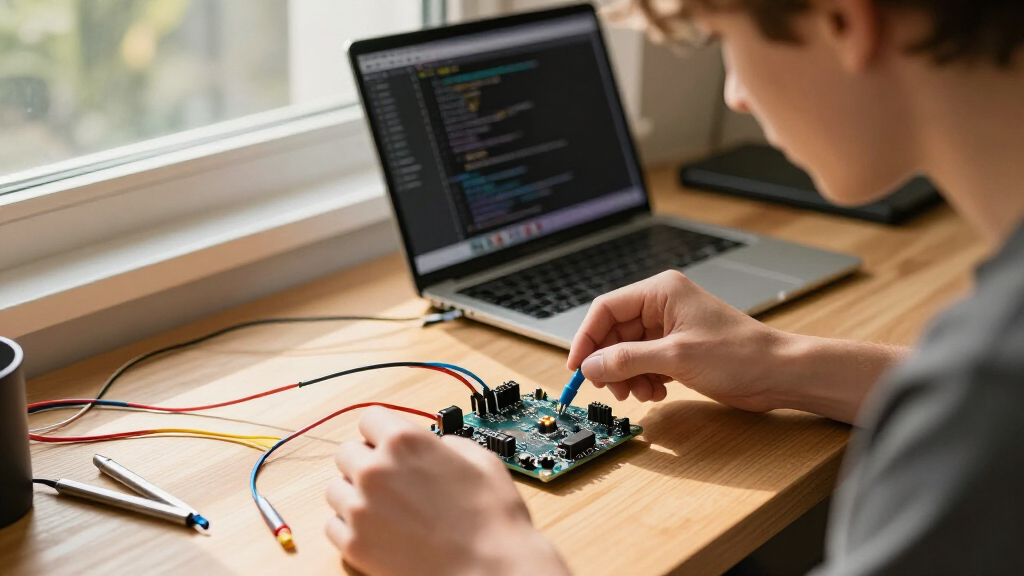
How We Picked
I ranked these boards by how well their form, platform, and included extras match common ESP32 buying needs: building a first project, stocking a workbench, adding a display, or choosing an ESP32-S3. I gave more weight to practical usability, clear board identity, USB connection type, useful pack size, and whether a kit’s tutorials or accessories add value beyond the boards themselves. A familiar ESP-WROOM-32 option earns a broad-use position when it offers a straightforward path for typical Wi-Fi and Bluetooth projects; specialist hardware ranks higher only for buyers who need that feature.
The ordering also reflects tradeoffs rather than treating every bundle as interchangeable. A larger multipack can be useful for repeated builds but may be excessive for one project, and a starter kit can reduce setup friction while adding parts a buyer may not need. I distinguish standard ESP32 boards from ESP32-S3 models and from screen-equipped options, since chip family, pin layout, display integration, and software support can affect whether a board fits an existing design. Where the provided product details do not establish a specific compatibility or accessory claim, I avoid treating it as a proven advantage.
Factors to Consider When Choosing Best ESP32 Development Boards
Before choosing among these ESP32 development boards, match the board to the project and the tools you already use. A model with more pins or bundled components is not automatically a better fit: connector access, chip family, display needs, and how many boards you will actually use can matter more.
Choose the chip family around software compatibility
Start by checking whether your project calls for a standard ESP-WROOM-32 board or an ESP32-S3. They are not interchangeable labels, and example code, libraries, pin assignments, and peripheral support can differ between chip families. If you are following a tutorial or adapting an existing design, matching its stated board can save debugging time. Choose an S3 model when your software and project specifically support that family, rather than assuming a newer-sounding model will work as a drop-in replacement. For a first build, a familiar standard ESP32 board often keeps the number of variables lower.
Check the pin layout before planning the wiring
Pin count is only useful when the pins you need are accessible and suitable for your intended signals. Compare the board’s pinout with the sensors, display, motors, and other peripherals in your plan, and check whether any pins have special startup or peripheral roles. A 38-pin layout may offer more connection choices than a smaller board, but it can also be awkward in a compact enclosure or on a crowded breadboard. GPIO breakout boards can make wiring easier, though they add another physical component to fit into the build. Sketching the connections before ordering can prevent a board from forcing a redesign.
Treat USB connector type as a compatibility check
USB-C can make cable selection more convenient, but the connector alone does not tell you everything about programming or power. Check that your computer cable supports data rather than charging only, and confirm that the board’s programming method fits your operating system and development setup. Also look at connector placement if the board will sit inside a case or connect to a display or shield. A USB-C version may be preferable for a newer cable setup, while an existing project may be easier to maintain with the same connector and board layout it already uses. Do not assume that identical connector shapes imply identical pin layouts or board behavior.
Buy a starter kit only when its contents support your learning plan
A tutorial-led kit can provide a clearer route from setup to a working circuit, especially if you are learning both programming and basic electronics. Its value depends on whether the lessons match your skill level and whether the included components relate to projects you want to build. Before choosing a bundle, check what is actually included rather than relying on the word “starter” to imply a particular set of parts. If you already have a breadboard, jumper wires, and common sensors, a board-only pack may avoid redundant components. For a classroom or shared workshop, several boards can matter more than a large assortment of parts for one learner.
Pick a pack size based on prototypes, spares, and deployment
Multipacks can help when you are building several devices, keeping a spare for testing, or teaching a group, but they are not inherently a better deal for a single prototype. Think about whether you need boards for parallel experiments or only one final installation. Using the same board across prototypes can simplify software and wiring, while mixing models may introduce differences in pin layout or setup. For a one-off project, prioritize the right chip and form factor over the number of boards in the package. If you choose a larger pack, plan how you will label and store the boards so prototypes remain easy to identify.
Add a built-in screen only when the interface earns its space
An integrated touchscreen can reduce the need to select and wire a separate display, making it appealing for dashboards, handheld controllers, and local user interfaces. That convenience comes with a fixed screen size, resolution, and physical layout, so it may not fit every enclosure or interaction design. A screen-equipped board also adds setup and software considerations that a simple sensor node does not need. If the project only sends readings over Wi-Fi or Bluetooth, a basic board is usually a more direct starting point. Decide on the interface early: adding a screen later can change both wiring and the enclosure.
Frequently Asked Questions
Should I choose a standard ESP32 board or the Hosyond ESP32-S3 boards?
Choose the standard ESP32 when your tutorial, existing code, or planned peripherals are built around ESP-WROOM-32 and you want to keep setup familiar. Pick the Hosyond ESP32-S3 option when your project specifically targets the S3 family and its software supports that board. Do not assume code or pin assignments will transfer unchanged between families. Check the exact board definition and library notes before committing, especially for displays and other peripherals. If you are still learning the basics, matching the board used in your guide is often the smoother route.
Is a touchscreen ESP32 board a good first board?
It can be a good first choice if your goal is to build an interface that needs local controls or visible information. The AITRIP touchscreen model combines an ESP32 board with a 2.8-inch display, so you can plan around an integrated screen instead of selecting a separate one. That also adds display setup and software work, which may distract from learning basic GPIO, Wi-Fi, or Bluetooth projects. For a first sensor or automation build, a simpler board or a tutorial kit may offer a more gradual learning path. Choose the touchscreen when the screen is central to the project, not just because it is included.
Do I need USB-C for ESP32 programming?
No; USB-C is a connector choice, not a requirement for ESP32 development. A board with another USB connector can still fit your workflow if you have the right data cable and programming setup. USB-C may suit a newer cable collection, but buyers should check that the cable carries data and that the board works with their computer and development environment. Connector placement can also matter if the board has to fit inside a small enclosure. Choose for compatibility with your tools and build, rather than treating USB-C as a guarantee of easier programming.
Should I buy a multi-board pack or a tutorial starter kit?
A multi-board pack makes more sense when you plan to build several devices, compare prototypes, or keep a spare board for troubleshooting. A tutorial kit is usually a better match when you need guided lessons and supporting components to get a first circuit running. Check the included parts and learning materials, since kit contents differ and may overlap with equipment you already own. If your project is already defined and you have the basic electronics supplies, a board pack can be the more focused choice. For a beginner without components or a project plan, a tutorial-led bundle may reduce the amount of separate setup.
How many GPIO pins do I need for my project?
Count the connections your design needs, including sensors, control signals, communication buses, and any display or expansion hardware. Then compare that list with the board pinout, checking which pins are usable for your chosen functions rather than relying on the headline pin count. Some pins may have special roles or restrictions, and the board’s physical width can affect breadboard access. Leave room for future additions if you expect the design to grow. A larger pin count is helpful only when those pins are accessible and compatible with the devices you plan to connect.
Conclusion
For a dependable all-purpose starting point, I’d choose the ELEGOO ESP32 Development Boards 3-Pack; it suits buyers who want standard ESP-WROOM-32 boards for typical projects. The AITRIP 30-Pin board is a practical value-oriented direction for someone who needs a straightforward board rather than a full kit, while the ELEGOO ESP-32 Super Starter Kit is the better beginner choice when guided projects and included components matter. For a more specialized build, select the AITRIP touchscreen 2-pack for an integrated display or the Hosyond ESP32-S3 3-pack when your software and design call for the S3 family. Buyers stocking a workshop can look at the 6-pack or other multi-board bundles, but should match connector and pin layout before ordering. My recommendation is to settle the chip family and project needs first, then choose the bundle size that fits how many boards you will use.
Halloween Picks
halloween
As an affiliate, we earn on qualifying purchases.