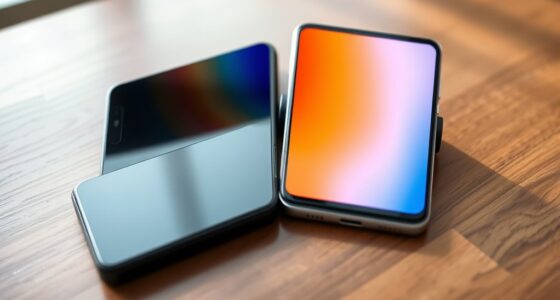
If you love fast-paced gaming or animations, a 120Hz display can make everything look smoother and respond quicker. It’s great for responsiveness and can enhance your overall experience, especially during quick scrolling or gameplay. However, if you’re mainly browsing, messaging, or watching videos, you might not notice much difference. Keep in mind, higher refresh rates can drain your battery faster. To discover if it’s worth it for you, explore what this tech can really do.

Get the latest gadgets delivered free — and shop member deals
- Fast, free delivery on millions of items
- Access to Prime Big Deal Days deals on October 6–7
- Prime Video, Amazon Music and more included
Key Takeaways
- High refresh rates improve scrolling smoothness and responsiveness, especially beneficial for fast-paced gaming and animations.
- They can significantly reduce motion blur, providing a more polished visual experience.
- Increased power consumption may lead to faster battery drain, making high-refresh displays less ideal for casual or all-day use.
- The benefits are most noticeable for gamers and users who prioritize fluid visuals, less so for browsing or video viewing.
- Adaptive refresh rate technology helps balance performance and battery life, making high-refresh screens more practical.

If you’re looking for a smoother smartphone experience, 120Hz displays are quickly becoming a standard feature. These screens refresh twice as fast as traditional 60Hz displays, making everything from scrolling through social media to playing games feel noticeably more fluid. But before you rush to upgrade, it’s worth considering whether that high refresh rate truly benefits you, especially in regard to gaming performance and battery life.
When it comes to gaming, a 120Hz display can considerably enhance your experience. Fast-paced games that require quick reactions, like first-person shooters or racing titles, become more responsive and visually smoother. The higher refresh rate reduces motion blur and makes gameplay feel more natural, giving you a slight edge over opponents who might be using standard screens. However, to fully enjoy these benefits, your device’s hardware must also be capable of delivering high frame rates. If your phone struggles to match the refresh rate with stable frame output, you might not notice much difference, and the extra smoothness could be compromised by lag or stuttering.
Battery life is another important consideration. A 120Hz display consumes more power than a 60Hz screen because it refreshes the image twice as often. This extra activity can lead to faster battery drain, which might be a concern if you rely heavily on your phone throughout the day. Some smartphones offer adaptive refresh rate technology that automatically lowers the refresh rate when you’re not engaging in intensive tasks, helping conserve battery life. Without such features, you may find yourself charging more frequently, especially if you use your device for gaming or watching videos at high refresh rates.
In practical terms, whether you need a 120Hz display depends on your usage habits. If you’re a mobile gamer who prioritizes smooth gameplay and quick response times, the benefits often outweigh the potential downsides. On the other hand, if you mostly use your phone for messaging, browsing, or watching videos, a 60Hz display might suffice and help preserve battery performance. Some users find that the difference in everyday tasks isn’t particularly significant enough to justify the increased power consumption, especially since many apps and content are optimized for standard refresh rates.
Ultimately, a 120Hz display offers a more polished, responsive experience, but it’s not a necessity for everyone. Consider how you use your phone most often and whether the enhanced gaming performance and smoother visuals are worth the trade-off in battery life. If you’re willing to manage your device’s power consumption, a high refresh rate can make your daily interactions more enjoyable and visually impressive. Additionally, ongoing advancements in display technology are making high-refresh-rate screens more energy-efficient, which could influence future purchasing decisions.
As an affiliate, we earn on qualifying purchases.
Frequently Asked Questions
How Does a 120HZ Display Impact Battery Life?
A 120Hz display can impact your battery life, especially during intensive use. Higher refresh rates consume more power because the screen updates more frequently, which can reduce your device’s stamina during gaming or scrolling. However, many smartphones optimize power consumption for display smoothness, so if you turn off high refresh rate features or reduce it, you’ll preserve battery life while still enjoying smooth visuals when needed.
Are 120HZ Screens More Prone to Damage or Wear?
You might worry that 120Hz screens are more prone to damage, but durability concerns are minimal if you handle your phone carefully. Studies show modern screens are designed to withstand daily wear and tear, maintaining screen longevity over years. While higher refresh rates don’t directly cause more damage, using a protective case and avoiding drops can markedly extend your display’s lifespan and keep your device looking new longer.
Do All Apps Support 120HZ Refresh Rates?
Not all apps support 120Hz refresh rates, but many modern games and apps are optimized for higher refresh rates to enhance gaming performance and smoothness. You might notice some apps default to lower refresh rates, resulting in less fluid visuals. Your device’s compatibility and app updates influence this. To get the best experience, check if your favorite apps are optimized for 120Hz, ensuring you enjoy smoother gameplay and scrolling.
Is a Higher Refresh Rate Noticeable to the Naked Eye?
Yes, a higher refresh rate is noticeable to the naked eye. Imagine scrolling through your screen, where motion feels smoother, sharp, and more fluid. This visual clarity enhances your gaming experience, making fast-paced action look crisp and seamless. Once you see the difference, it’s hard to go back. The extra smoothness draws you in, providing a more immersive experience that elevates your overall smartphone use.
Can Switching Between Refresh Rates Conserve Power Effectively?
Switching between refresh rates with adaptive refresh technology can effectively conserve power. When you lower the refresh rate, your device reduces the GPU workload, leading to less battery drain. This feature automatically adjusts based on your activity, so you get smooth visuals when needed and save power during static or less demanding tasks. Embracing adaptive refresh helps extend your phone’s battery life without sacrificing overall performance.
adaptive refresh rate smartphones
As an affiliate, we earn on qualifying purchases.
As an affiliate, we earn on qualifying purchases.
Conclusion
Ultimately, whether a 120Hz display is worth it depends on what you value most. If you crave smoother scrolling and gaming, it’s a game-changer. But if you’re just a casual user, it might be more than you need. Don’t put all your eggs in one basket—consider your habits and budget first. Sometimes, it’s better to keep your eyes open and see the big picture before jumping on the hype train.
gaming smartphones with high refresh rate
As an affiliate, we earn on qualifying purchases.
As an affiliate, we earn on qualifying purchases.
smartphone screen protector for high refresh rate
As an affiliate, we earn on qualifying purchases.
As an affiliate, we earn on qualifying purchases.
Fall Picks
fall essentials
As an affiliate, we earn on qualifying purchases.