
Your phone’s refresh rate determines how often the display updates each second, affecting how smooth and responsive your screen feels during daily tasks like scrolling, browsing, or gaming. Higher refresh rates (like 90Hz or 120Hz) make motion look more fluid and interactions more seamless, but they can use more battery. If you’re curious about how this balance impacts your device’s performance and longevity, explore further to get the full picture.
Listen free for 30 days with Audible
Thousands of audiobooks and originals — cancel anytime.
As an affiliate, we earn on qualifying purchases.
Key Takeaways
- The refresh rate indicates how often your screen updates per second, affecting motion smoothness.
- Higher refresh rates (90Hz, 120Hz) make scrolling and animations appear smoother during daily use.
- They can enhance responsiveness and UI fluidity, improving overall user experience.
- Higher refresh rates may drain battery faster unless adaptive technology adjusts based on activity.
- For most users, 60Hz offers a good balance between smooth visuals and battery efficiency.
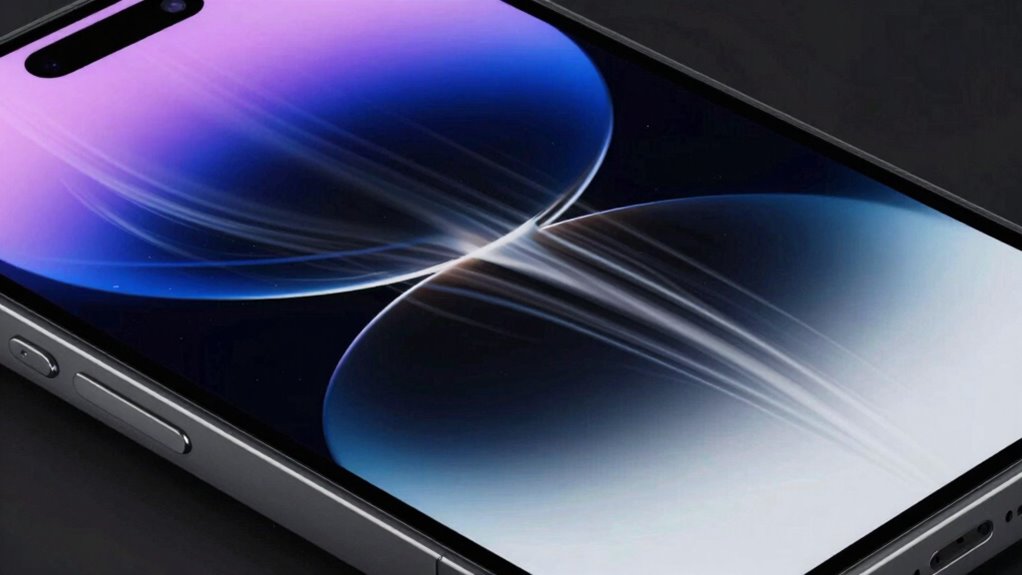
When choosing a new phone, you might have come across the term “refresh rate” and wondered what it actually means for your daily use. The refresh rate indicates how many times the display updates per second, measured in Hertz (Hz). A higher refresh rate, like 90Hz or 120Hz, results in smoother motion on your screen, which is especially noticeable when scrolling through apps, browsing websites, or playing games. This smoothness can make your interactions feel more responsive and fluid, enhancing your overall experience.
However, a higher refresh rate isn’t just about visual appeal. It can also influence your phone’s battery life. While 60Hz screens are generally more power-efficient, higher refresh rates demand more from your device’s GPU and processor, which can drain the battery faster. If you’re someone who uses your phone heavily throughout the day for gaming, streaming, or multitasking, you might notice quicker battery depletion with a high-refresh-rate display. Some phones now offer adaptive refresh rate technology that automatically adjusts the refresh rate based on what you’re doing. This feature helps conserve battery life and performance, making your device more efficient without sacrificing visual quality when it’s most needed.
Higher refresh rates boost smoothness but can drain your battery faster; adaptive tech helps balance performance and power.
Speaking of gaming performance, a higher refresh rate makes a significant difference. Fast-paced games, especially first-person shooters or racing titles, benefit from the smoother visuals. With a 120Hz display, you’ll see more fluid motion and less motion blur, giving you a competitive edge and making gameplay more enjoyable. It’s not just about looks — the quicker updates help your reactions feel more immediate and precise. That said, to truly benefit from a higher refresh rate in gaming, your phone’s hardware and the game’s optimization need to support it. Otherwise, you might not notice much difference compared to a standard 60Hz screen.
In daily use, the impact of refresh rate varies based on your habits. If you prioritize battery life or don’t play many fast-paced games, a 60Hz or 90Hz display might serve you just fine. But if you’re a gamer or someone who appreciates buttery-smooth scrolling and transitions, investing in a device with a higher refresh rate can elevate your experience. Just keep in mind that higher refresh rates tend to come with a trade-off in battery endurance, so balancing your preferences and usage needs is key. Additionally, display technology continues to evolve, offering more options to optimize your experience based on your needs, including adaptive refresh rate features that help extend battery life while maintaining smooth visuals. Ultimately, understanding what refresh rate means helps you choose a phone that aligns with your daily routines and gaming performance expectations.
As an affiliate, we earn on qualifying purchases.
Frequently Asked Questions
Does a Higher Refresh Rate Improve Battery Life?
A higher refresh rate doesn’t typically improve battery life; in fact, it often consumes more power due to increased display technology activity. Your device’s refresh rate optimization helps balance performance and battery life, but a higher refresh rate usually drains your battery faster during intensive use. If you want better longevity, consider lowering the refresh rate when high performance isn’t necessary.
Can I Change My Phone’s Refresh Rate Manually?
Yes, you can change your phone’s refresh rate manually if your device supports adjustable settings. To do this, navigate to your screen calibration or display settings, where you’ll find options to select different refresh rates. Make certain your hardware compatibility, as not all phones allow manual adjustments. Changing the refresh rate can improve your experience, but be mindful that some devices may experience reduced battery life or performance issues when switching between settings.
Is a 120HZ Refresh Rate Noticeable in Everyday Activities?
Yes, a 120Hz refresh rate is noticeable in everyday activities. You’ll see smoother animations, scrolling, and interactions, reducing screen flicker and making visuals feel more fluid. This enhanced visual smoothness improves your overall experience, especially when browsing, gaming, or watching videos. While you might not notice it constantly, the difference becomes clear during quick movements or fast-paced content, providing a noticeably more responsive and comfortable viewing experience.
Do Gaming Phones Always Have Higher Refresh Rates?
Not all gaming phones have higher refresh rates, but most aim for exceptional screen smoothness and refresh consistency to give you an edge. You might think a standard phone suffices, yet the thrill of ultra-smooth gameplay can make a real difference. High refresh rates provide that silky feel, making every swipe and tap more responsive. So, if you crave intense gaming, a higher refresh rate could be your secret weapon.
How Does Refresh Rate Affect App Performance?
A higher refresh rate improves app performance by providing smoother visuals, reducing screen flickering, and making interactions feel more natural. When you use apps, you’ll notice quicker response times and enhanced visual clarity, especially during scrolling or animations. This means your experience becomes more seamless and enjoyable. So, a high refresh rate helps your device deliver better visual smoothness, making apps look and feel more responsive in everyday use.
As an affiliate, we earn on qualifying purchases.
Conclusion
Remember, while a higher refresh rate can make your phone feel smoother, it’s not the only factor that matters. Choose what best fits your needs and budget, rather than chasing the highest number. As the saying goes, “Don’t put all your eggs in one basket.” Focus on what enhances your daily experience, and don’t get caught up in the hype. Ultimately, a good balance will serve you best in the long run.
gaming phone with high refresh rate
As an affiliate, we earn on qualifying purchases.
As an affiliate, we earn on qualifying purchases.
smartphone screen protector 120Hz
As an affiliate, we earn on qualifying purchases.
As an affiliate, we earn on qualifying purchases.
Fall Picks
fall essentials
As an affiliate, we earn on qualifying purchases.