
To make your old smartphone feel faster, start by enabling battery-saving modes and reducing screen brightness to limit background activity. Clear cached data and delete unused apps to free storage and improve responsiveness. Manage background processes and restrict or uninstall apps that drain resources. Regular software updates and maintenance help fix bugs and boost efficiency. By following these steps, you can give your device a fresh kick—stick around for more detailed tips to optimize your phone’s performance.

Get the latest gadgets delivered free with Prime
- Fast, free delivery on millions of items
- Prime Video, Amazon Music and more included
- Member-only deals all year
Key Takeaways
- Enable battery-saving modes and reduce screen brightness to lower system load and improve speed.
- Uninstall or disable unused apps and clear cache to free storage and enhance responsiveness.
- Regularly update the device software to fix bugs and optimize performance.
- Limit background app activity and processes to reduce system lag.
- Perform regular maintenance like clearing cache and monitoring battery health for sustained speed.
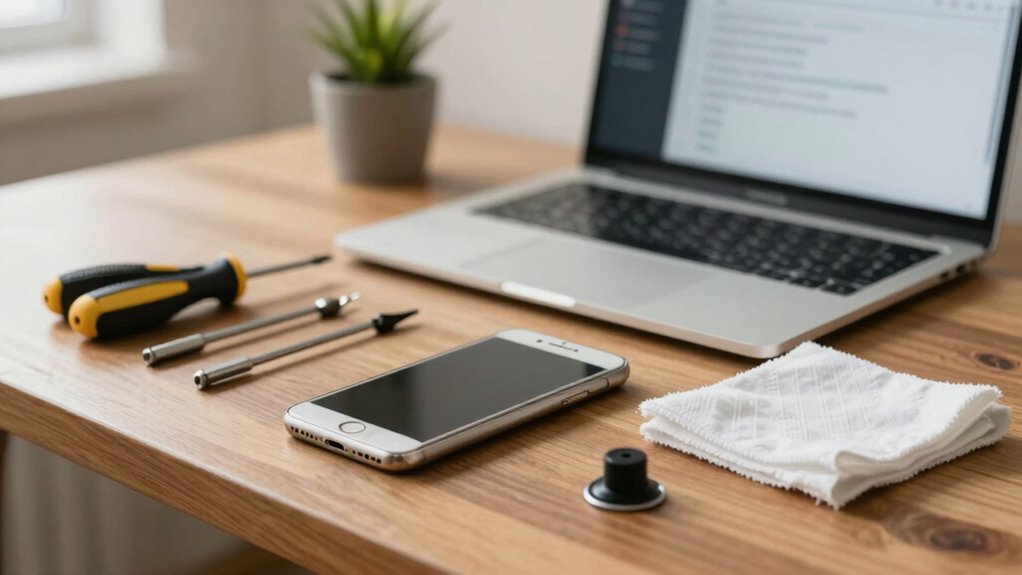
If your old smartphone has started lagging and feels sluggish, there are simple steps you can take to breathe new life into it. The first thing to focus on is optimizing its performance, and two key areas are battery optimization and storage management. Over time, apps and system processes drain your battery faster and clutter your storage, both of which can slow down your device. Tackling these issues can significantly improve speed and responsiveness.
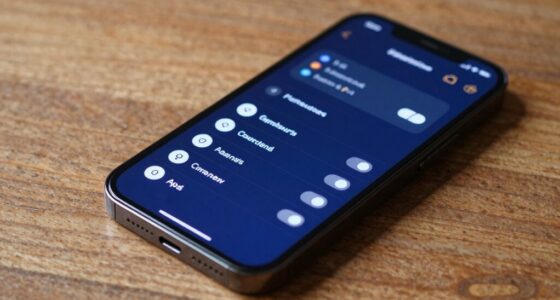
Start by adjusting your battery settings. Many smartphones have built-in power-saving modes that limit background activity, reduce screen brightness, and disable unnecessary features. Enable these modes to conserve energy, reducing the load on your processor and preventing apps from running in the background unnecessarily. This not only extends your battery life but also frees up system resources, helping your phone run smoother. Additionally, check which apps consume the most power and consider uninstalling or disabling those that aren’t essential. This minimizes background processes, resulting in faster app launches and less lag overall.
Enable power-saving modes and disable unnecessary apps to boost performance and extend battery life.
Next, focus on storage management. Over time, your device accumulates files, photos, videos, and cached data that can clog the storage and cause sluggishness. Start by deleting old or unused apps, especially those that run in the background or have large cache files. Clearing cache regularly can free up significant space and improve app performance. Many phones offer a quick option to clear cached data in the settings menu, making it a straightforward task. Also, transfer large files like photos and videos to cloud storage or your computer, freeing up space on your device. A less cluttered storage system allows your phone to access data more quickly, reducing lag and increasing overall speed. Incorporating system optimization techniques can further enhance your device’s performance and longevity. Regularly updating your device’s software can also fix bugs and improve efficiency, which is an essential performance enhancement step. Being aware of and managing battery health can also contribute to better device performance over time. Additionally, understanding the importance of contrast ratio, which affects how well details are visible in dark scenes, can be beneficial if you’re also considering improving your device’s display for better overall experience.
Products Worth Considering

Jackery Explorer 1000 v2 Portable Power Station

Jackery Explorer 300 Portable Power Station, 292Wh

Logitech MX Keys S Wireless Keyboard, Graphite
As an affiliate, we earn on qualifying purchases.
Frequently Asked Questions
Can Installing Custom ROMS Improve My Phone’s Speed?
Installing custom ROMs can greatly improve your phone’s speed by offering a lightweight, optimized version of Android tailored for better performance. Custom ROMs often remove bloatware and unnecessary background processes, leading to a noticeable performance boost. If you’re comfortable with flashing software and backing up data, this process can revitalize your old device, making it feel faster and more responsive. Just make certain you choose a reputable ROM for the best results.
Will Replacing the Battery Boost Performance?
Think of your phone’s battery like a heart—when it’s worn out, everything slows down. Replacing the battery can breathe new life into your device, boosting performance by improving battery health and power management. A fresh battery provides a steady flow of energy, preventing the phone from throttling itself to save power. With a new heart, your old phone can regain some of its former speed and responsiveness.
How Often Should I Clear App Caches?
You should clear app caches regularly, about once a month, to keep your device running smoothly. App updates often include performance improvements, so keep them current. Proper storage management is key—delete unnecessary files and clear cached data to free up space. Regular cache clearing prevents apps from slowing down your phone, helping it feel faster and more responsive. Staying on top of app updates and cache clearing keeps your old smartphone performing at its best.
Are There Specific Apps That Slow Down Old Phones?
Yes, some apps can slow down your old phone more than others. Heavy apps like social media, games, or those running in the background often drain battery health and hog resources, making your device sluggish. To improve performance, focus on app optimization by uninstalling or disabling unnecessary apps and clearing caches. This helps free up system resources, ensuring your phone runs smoother and maintains better battery health over time.
Is Factory Resetting the Best Way to Improve Speed?
Imagine your phone as a cluttered desk—factory resetting is like clearing everything off to boost speed. It can improve performance temporarily, but for lasting results, focus on software updates and hardware upgrades. Resetting removes unnecessary files and apps, making your device feel faster. However, combining it with the latest software updates and considering hardware enhancements, like replacing the battery, ensures your old phone stays responsive longer.
Conclusion
Think of your old smartphone like a vintage car — with a little tuning, it can still run smoothly. Just like replacing old spark plugs or oil, clearing out clutter, updating software, and limiting background apps can breathe new life into it. I once revived my sluggish phone by doing these tricks, and it felt like steering a classic car down a new, smooth highway. With some TLC, your device can hit the fast lane again.