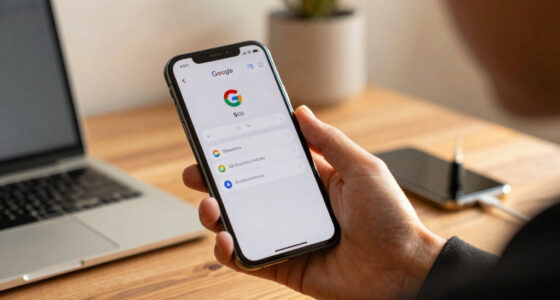

Mobile apps drain your battery even when you’re not using them because they keep running in the background, performing tasks like checking for updates, tracking your location, or syncing data. Many apps request permissions that allow continuous activity, which increases power consumption over time. Poorly optimized apps and excessive background processes can also speed up battery drain. If you want to learn how to minimize this drain, there’s more to take into account beyond just closing apps.

Get the latest gadgets delivered free — and shop member deals
- Fast, free delivery on millions of items
- Access to Prime Big Deal Days deals on October 6–7
- Prime Video, Amazon Music and more included
Key Takeaways
- Apps often run background processes like GPS, network, or CPU tasks, which consume power even when not actively used.
- Permissions such as location access enable continuous tracking, increasing battery drain without user interaction.
- Background data refreshes for social media or messaging apps keep them updated, draining battery over time.
- Poorly optimized apps perform unnecessary background activities, leading to faster battery depletion.
- Managing app permissions and restricting background activity can significantly extend battery life.
Ever wondered why your phone’s battery drains so quickly even when you’re not actively using it? It’s frustrating to notice your battery life shrinking without any apparent reason. The culprit often lies in how mobile apps operate behind the scenes. Even when you’ve closed an app, it might still be running in the background, performing tasks you’re unaware of. This background activity can considerably drain your battery because apps continue to use resources like CPU, GPS, or network connections without your direct involvement.
Apps running in the background can secretly drain your battery without your knowledge.
One key factor is app permissions. Many apps request access to features like location, camera, contacts, or microphone. When granted, these permissions enable apps to function more effectively but also allow them to run background processes that consume power. For example, a weather app with location access can keep tracking your whereabouts to provide real-time updates, even when you’re not actively checking it. Over time, these continuous background activities add up, leading to faster battery depletion.
You might not realize that some apps are designed to stay active in the background to improve user experience, but this often comes at the cost of battery life. Social media apps, messaging platforms, and news apps frequently refresh data in the background to deliver updates instantaneously. While that makes for a seamless experience, it also means your device is constantly working, even if you’re not directly engaging with these apps. The more permissions they have, the more power they tend to use in the background.
To make matters worse, many apps are optimized poorly, leading to excessive background activity. They might refresh content more often than necessary or keep running background services that aren’t essential. This kind of inefficient behavior drains your battery rapidly. The good news is that you can take control. Adjust your app permissions to limit what apps can access or run in the background. Many smartphones now allow you to restrict background activity for individual apps, which can help conserve your battery.
In essence, the combination of app permissions and background activity is what keeps draining your battery, even when you think your phone should be idle. Being mindful of which permissions you grant and managing background processes can considerably extend your device’s battery life. So, next time your battery seems to vanish without explanation, look into your app permissions and background activity settings — you might just find the solution.
Android app background activity blocker
As an affiliate, we earn on qualifying purchases.
As an affiliate, we earn on qualifying purchases.
Frequently Asked Questions
Can Background App Updates Significantly Affect Battery Life?
Yes, background app updates can substantially affect battery life. When apps run background processes or perform updates without your knowledge, they consume power even when you’re not actively using them. To improve your device’s battery, you should optimize app settings, restrict background activity, and keep apps updated efficiently. This reduces unnecessary background processes, helping your battery last longer and ensuring better overall device performance.
Do App Permissions Influence Battery Drain?
Think of your phone as a busy city, where app permissions are like gatekeepers. If permissions are misused, apps can secretly access resources, causing unseen battery drain. Proper background activity management acts like city patrols, keeping unnecessary activity in check. When permissions are unchecked or misused, apps run amok, draining your battery even when you’re not actively using them. Managing app permissions helps keep your device’s energy in check.
How Does Push Notification Frequency Impact Battery Usage?
Push notification frequency considerably impacts your battery usage. When notification settings are set to high frequency, your device constantly checks for updates, draining more power. If you lower notification frequency, your phone conserves energy by checking less often. Adjust your notification settings to balance staying informed and extending battery life. By customizing notification frequency, you minimize background activity, which helps preserve your device’s battery even when you’re not actively using apps.
Are There Specific App Types That Drain More Battery?
Certain app types, like social media, streaming, and navigation apps, tend to drain your battery more because they require constant data updates and GPS usage. To minimize this, you should focus on app resource management and background activity optimization. By limiting background processes and adjusting app settings, you help reduce unnecessary battery drain, ensuring your device runs longer even when these apps are not actively in use.
Does Device Age Affect How Apps Drain Battery?
Your device’s age dramatically worsens battery drain, making it feel like your phone’s lifespan is shrinking by the day. As your device ages, battery degradation kicks in, causing apps to gobble more power even when idle. Over time, older devices struggle to manage app activity efficiently, leading to faster battery drain. Upgrading or maintaining your device can help restore battery life and prevent those frustrating, quick-draining days.
As an affiliate, we earn on qualifying purchases.
Conclusion
Even when you’re not actively using them, mobile apps can secretly drain your battery. For example, a fitness app might run background processes to track your activity, consuming power without your knowledge. To save battery life, regularly check app permissions and close unused apps. Staying aware of how apps operate in the background helps you extend your device’s battery life, ensuring you’re not caught off guard when you need your phone the most.
As an affiliate, we earn on qualifying purchases.
app permission manager for Android
As an affiliate, we earn on qualifying purchases.
As an affiliate, we earn on qualifying purchases.
Halloween Picks
halloween
As an affiliate, we earn on qualifying purchases.