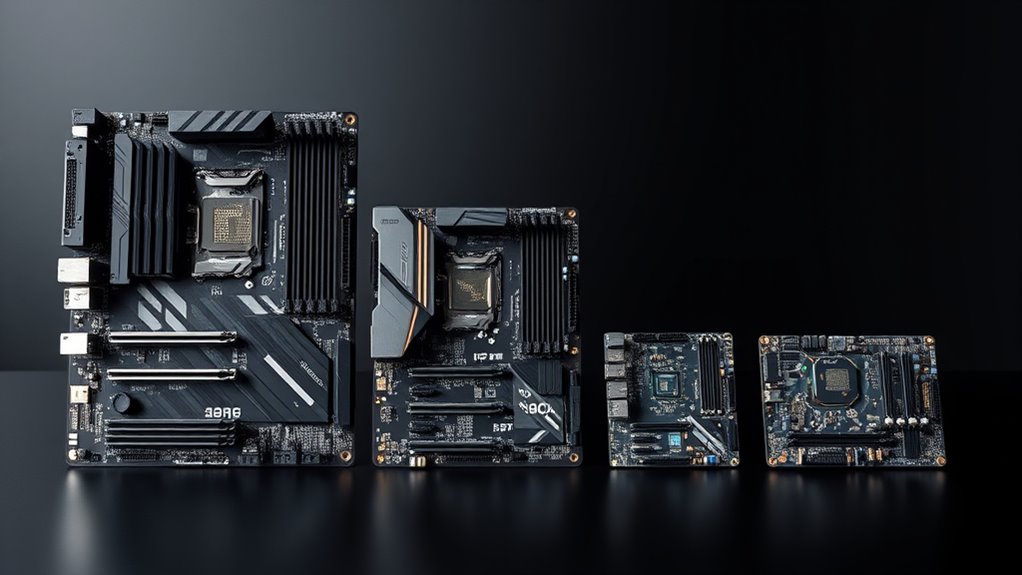

When choosing between ATX, MicroATX, and ITX motherboards, consider your need for expandability and space. ATX boards are larger, offering more RAM slots, PCIe slots, and better cooling options, ideal for high-performance builds. MicroATX is a good middle ground, fitting in smaller cases while still providing decent expansion. ITX boards are compact, best for small cases but limit upgrade options. If you want to learn more about each size’s benefits, keep exploring the details.
Key Takeaways
- ATX motherboards are the largest, offering the most expansion slots and RAM capacity, ideal for high-performance builds.
- MicroATX motherboards balance size and expandability, with 2-3 RAM slots and support for most components.
- ITX motherboards are the smallest, typically with a single RAM slot, suited for compact, energy-efficient systems.
- Larger motherboards like ATX require bigger cases and more powerful power supplies; smaller ones fit compact cases.
- Motherboard size directly impacts upgrade potential, compatibility, airflow, and overall system flexibility.
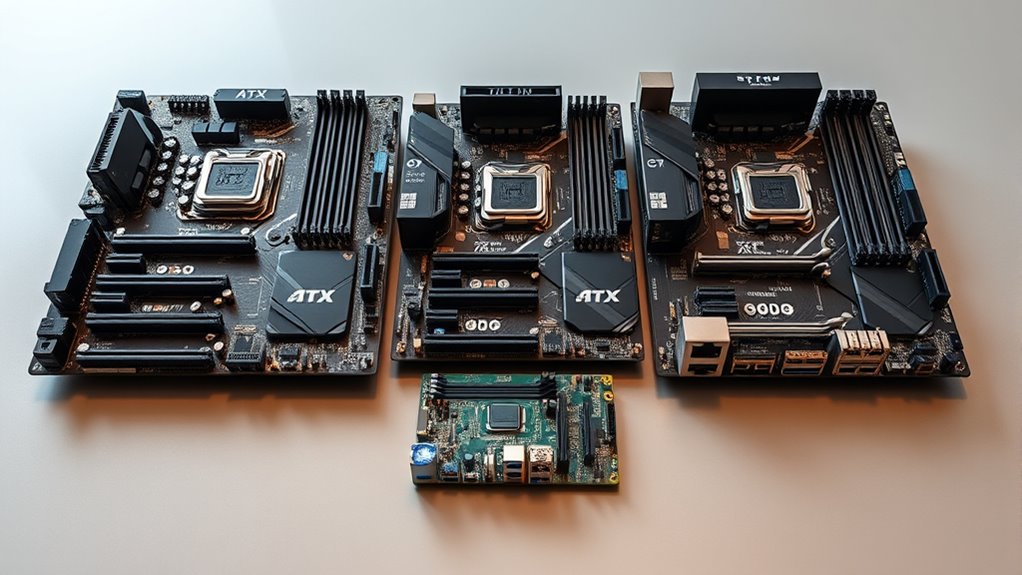
Motherboards come in various sizes, each designed to fit different cases and meet specific performance needs. When choosing between ATX, MicroATX, and ITX, you need to consider how these sizes impact your build, especially regarding RAM compatibility and power supply requirements. The size of the motherboard determines how many RAM slots you’ll have, which directly affects your ability to upgrade or expand your system’s memory. ATX motherboards typically offer four or more RAM slots, giving you plenty of room for future upgrades, while MicroATX boards usually have two or three slots, and ITX boards often just one. If you’re planning to run memory-intensive applications or want the flexibility to add more RAM later, an ATX is often the best choice.
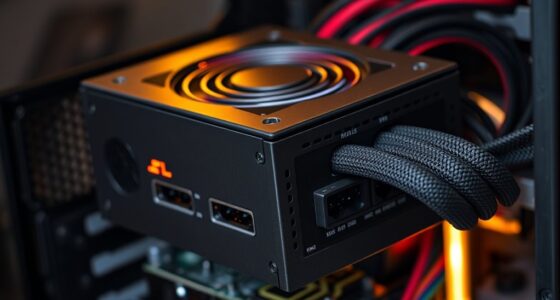
Power supply requirements are another key factor influenced by motherboard size. Larger boards like ATX generally require more robust power supplies because they support more components and higher wattage configurations. They also tend to have more PCIe slots for graphics cards, storage devices, and other peripherals, which increases overall power needs. Conversely, smaller motherboards like ITX consume less power because they support fewer components. They are designed to work with smaller, more efficient power supplies, which makes them ideal for compact builds or energy-conscious setups. When selecting a motherboard size, you should also ensure your power supply can meet the demands of your entire system, including CPU, GPU, RAM, and peripherals.
Additionally, motherboard compatibility with various case sizes is vital. ATX motherboards fit larger cases, providing better airflow and more room for expansion cards and additional cooling options. MicroATX boards fit slightly smaller cases, offering a balance between expansion and compactness. ITX boards are designed for small cases, such as mini-ITX enclosures, which are perfect if you want a portable PC or a sleek, space-saving build. However, the smaller the motherboard, the fewer options you have for adding extra components, which could limit future upgrades.
Frequently Asked Questions
Can Motherboard Size Affect Overclocking Potential?
Yes, your motherboard size can affect overclocking potential. Larger boards like ATX usually have better power delivery and more space for heat dissipation, which are essential for stable overclocking. Smaller boards like ITX may struggle with limited power phases and less efficient heat management. So, if you’re aiming to push your components, a bigger motherboard can give you an edge by supporting higher overclocks safely.
Are Smaller Motherboards More Durable Than Larger Ones?
Smaller motherboard form factors, like ITX, aren’t necessarily more durable than larger ones like ATX. Durability depends on build quality, materials, and handling, not size alone. However, smaller boards can face compatibility challenges, limiting upgrade options and expansion slots, which might affect long-term reliability. You should consider these factors rather than size alone when evaluating a motherboard’s durability for your build.
How Does Motherboard Size Impact Future Upgrades?
Your motherboard size directly affects future upgrades by influencing your system’s expandability options. A larger motherboard, like ATX, offers a compact design with more PCIe slots, RAM slots, and drive bays, making upgrades easier. Conversely, smaller boards, such as ITX, limit expandability due to fewer slots. If you plan future upgrades, select a larger motherboard to guarantee you have enough space and options for growth.
Do All Cases Support All Motherboard Sizes?
Not all cases support every motherboard size, much like fitting a key into a lock. When choosing a case, check its compatibility for ATX, microATX, or ITX motherboards. Consider portability, as smaller cases like ITX are easier to carry, but larger ATX cases offer more upgrade options. Always confirm case specifications to guarantee your preferred motherboard fits, balancing your needs for space, expansion, and travel convenience.
Is There a Performance Difference Between Motherboard Sizes?
You won’t notice a significant performance difference between motherboard sizes like ATX, MicroATX, or ITX because performance depends more on your CPU, GPU, and RAM. However, smaller boards like ITX can have slightly higher power consumption due to compact components, and they often cost more for specialized features. So, choose your motherboard size based on your build needs and budget, not just performance.
Conclusion
Choosing the right motherboard size is like selecting the perfect canvas for your masterpiece; whether it’s the expansive ATX, the versatile MicroATX, or the compact ITX, each offers a unique space to bring your vision to life. Picture your build as a finely tuned instrument, where size influences harmony and performance. By understanding these options, you’ll craft a system that not only fits your needs but also fuels your passion for creation and innovation.