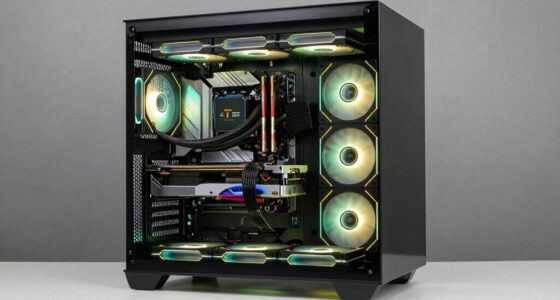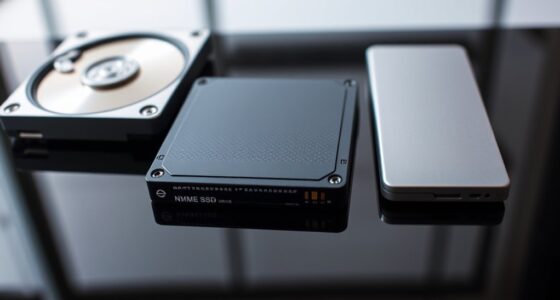
To judge a prebuilt gaming PC, check its upgrade options for RAM, storage, and GPU to guarantee future-proofing. Verify the warranty coverage and focus on key specs like a solid CPU, GPU, and SSDs for performance. Assess cooling solutions and build quality through reviews, as proper airflow and durable construction boost longevity. Compatibility and upgrade potential are also critical. Staying vigilant helps you avoid bad specs—keep exploring to uncover even smarter choices.

Get the latest gadgets delivered free — and shop member deals
- Fast, free delivery on millions of items
- Access to Prime Big Deal Days deals on October 6–7
- Prime Video, Amazon Music and more included
Key Takeaways
- Check upgrade options for RAM, storage, and GPU to ensure future-proofing and flexibility.
- Verify warranty details and coverage to assess manufacturer confidence and potential repair costs.
- Review CPU and GPU benchmarks, focusing on real-world gaming performance rather than just clock speeds.
- Assess cooling solutions and airflow design to prevent overheating and ensure system longevity.
- Confirm component compatibility and build quality through reviews to prevent bottlenecks and ease future upgrades.
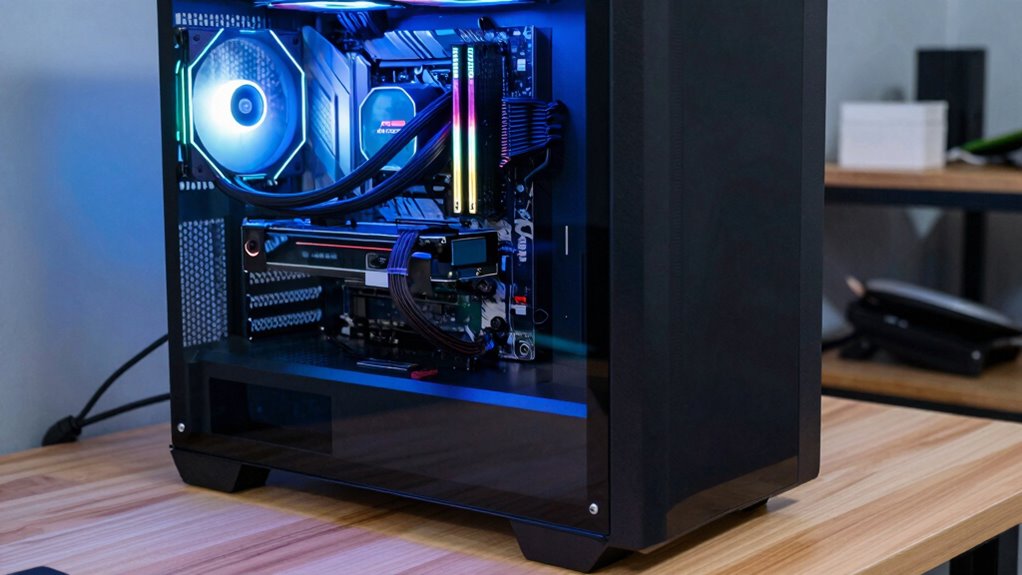
Buying a prebuilt gaming PC can save you time and effort, but it’s essential to know how to evaluate its quality and performance. When you’re shopping, don’t just focus on flashy specs or the price tag; instead, look deeper into what truly matters. One of the first things to consider is the customization options. While prebuilt PCs come assembled, some manufacturers offer upgrades or configuration choices that can adapt the system to your future needs. Check if you can easily swap out components like RAM, storage, or graphics cards later on. A system with flexible upgrade paths indicates better build quality and gives you room to improve performance without buying a new machine.
Prioritize upgrade options and build quality to ensure your gaming PC remains future-proof and easy to maintain.
Warranty coverage is another key aspect often overlooked. A solid warranty protects your investment and can save you headaches if parts fail or if you encounter compatibility issues. Read the fine print to see what’s covered — does the warranty include labor, parts, or both? How long does it last? A longer warranty or one that covers more components is usually a sign of confidence from the manufacturer and provides peace of mind. Remember, a cheaper system might end up costing more in repairs or replacements if it lacks proper warranty coverage, so weigh this factor carefully.
Beyond customization options and warranty, pay attention to the specifications that directly impact gaming performance. Focus on the CPU and GPU, as they’re the backbone of any gaming rig. Don’t be fooled by high clock speeds alone; check benchmarks and reviews to see how these components perform in real-world gaming scenarios. RAM is also essential — aim for at least 16GB for smooth multitasking and future-proofing. Storage matters too; opt for SSDs over HDDs for faster load times and better overall responsiveness. Just be cautious of systems that boast high specs but skimp on essential components or use low-quality parts. Additionally, understanding system cooling is vital, as overheating can cause throttling and reduce your PC’s lifespan. Proper cooling solutions can also influence system longevity, ensuring your investment endures through many gaming sessions.
Furthermore, it’s important to consider component compatibility, as mismatched parts can lead to performance issues or upgrade limitations down the line. A well-constructed case with good airflow ensures your system stays cool during intensive gaming sessions, which prolongs component lifespan. If possible, look for user reviews or videos showing the actual build to assess its quality. Remember, a prebuilt gaming PC isn’t just about the specs on paper; it’s about how well those parts work together and how easily you can maintain or upgrade the system later on. Evaluating these factors carefully helps you avoid falling for bad specs and ensures you get a machine that truly delivers the gaming performance you desire.
prebuilt gaming PC upgrade options
As an affiliate, we earn on qualifying purchases.
As an affiliate, we earn on qualifying purchases.
Frequently Asked Questions
How Important Is Brand Reputation When Choosing a Prebuilt Gaming PC?
Brand reputation matters because it reflects build quality and customer satisfaction. You should consider brand loyalty, as trusted brands often deliver better components and reliable support. Avoid falling for lesser-known brands with questionable build quality, even if they offer a cheaper price. A reputable brand guarantees you’re investing in a prebuilt gaming PC that’s durable, performs well, and provides peace of mind with warranty and support services.
Can a Lower-Cost Prebuilt Still Perform Well for Gaming?
A lower-cost prebuilt can still perform well for gaming if you check performance benchmarks and guarantee it has a solid GPU and CPU combo. Look for models with room for upgrades, like extra RAM or better storage, to boost performance later. While you might miss high-end specs, a balanced build with good benchmarks often delivers smooth gameplay without breaking the bank.
Do Prebuilt PCS Allow for Future Upgrades?
Yes, many prebuilt PCs offer upgrade potential, but you should check compatibility concerns first. Look for systems with accessible cases, compatible motherboards, and sufficient power supplies, so you can add or replace components easily later. Keep in mind that some prebuilt models may have limited upgrade options due to proprietary parts or tight space constraints. Always research the specific model’s upgrade capabilities before purchasing to guarantee future expandability.
How Does Warranty Coverage Impact the Overall Value?
Warranty coverage substantially impacts the overall value of a prebuilt gaming PC. It offers peace of mind, protecting you against potential hardware failures, and reflects the brand’s reputation for quality. When evaluating options, consider the length and scope of the warranty—longer, extensive coverage usually indicates better value. A reputable brand with solid warranty coverage ensures you’re supported long-term, making your investment more worthwhile.
Are Prebuilt Gaming PCS More Reliable Than Custom Builds?
Prebuilt gaming PCs tend to be more reliable than custom builds because they undergo rigorous testing and come with warranties. They often include custom cooling solutions, which enhance stability and longevity. While custom builds offer upgrade potential, prebuilt systems are designed for consistency and fewer compatibility issues. If you prefer hassle-free performance and peace of mind, a prebuilt gaming PC might be the more dependable choice.
As an affiliate, we earn on qualifying purchases.
Conclusion
When evaluating a prebuilt gaming PC, remember that specs alone don’t tell the whole story. Focus on the quality of components, cooling, and future upgrade potential. Did you know that 65% of gamers upgrade their PCs within two years? This highlights the importance of choosing a system that can grow with you. By being informed and cautious, you’ll avoid bad specs and enjoy smoother gaming experiences for years to come.
As an affiliate, we earn on qualifying purchases.
As an affiliate, we earn on qualifying purchases.
Fall Picks
fall essentials
As an affiliate, we earn on qualifying purchases.