
For most everyday tasks like web browsing, streaming videos, or document work, integrated graphics are sufficient and can save you money and power. If you enjoy casual gaming, watch videos, or use basic creative software, you probably won’t need a dedicated graphics card. However, for high-end gaming, professional rendering, or VR experiences, a dedicated GPU becomes essential. Explore further to see if your needs match these situations or if integrated graphics will do.
Key Takeaways
- Integrated graphics are sufficient for everyday tasks like browsing, streaming, and document editing.
- Casual gaming and older titles run smoothly without a dedicated graphics card.
- Professional tasks such as 3D modeling and video editing benefit from a dedicated GPU.
- High-performance gaming, VR, and demanding creative work require a dedicated graphics card.
- Budget, system upgrade plans, and future needs influence whether integrated graphics are enough.

msi Gaming GeForce GT 1030 4GB DDR4 64-bit HDCP Support DirectX 12 DP/HDMI Single Fan OC Graphics Card (GT 1030 4GD4 LP OC)
- Chipset: NVIDIA GeForce GT 1030
- Video Memory: 4GB DDR4
- Boost Clock: 1430 MHz
As an affiliate, we earn on qualifying purchases.
As an affiliate, we earn on qualifying purchases.
Understanding the Differences Between Integrated and Dedicated Graphics

When it comes to graphics in your computer, understanding the difference between integrated and dedicated graphics is essential. Integrated graphics share your CPU’s resources, making them suitable for everyday tasks but limiting performance for demanding activities. Dedicated graphics cards have their own memory and processing power, delivering better visuals and faster rendering. If you’re into VR gaming, dedicated GPUs handle the high frame rates and detailed visuals smoothly. Cryptocurrency mining also favors dedicated graphics because they can process complex calculations more efficiently without burdening your CPU. While integrated graphics are enough for browsing and office work, they fall short in high-performance scenarios like VR gaming and cryptocurrency mining. Knowing these differences helps you choose the right setup for your needs and avoid unnecessary expenses.

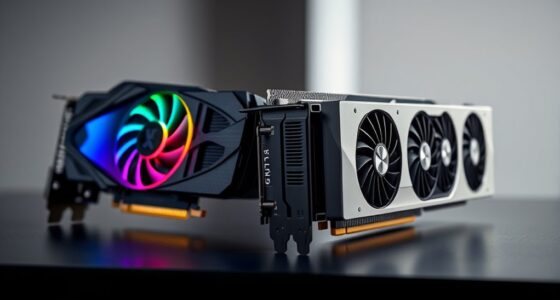
msi Gaming RTX 3050 Ventus 2X 6G OC Graphics Card (NVIDIA RTX 3050, 96-Bit, Boost Clock: 1492 MHz, 6GB GDDR6 14 Gbps, HDMI/DP, Ampere Architecture)
- Chipset: GeForce RTX 3050
- Boost Clock: 1492 MHz
- Memory Speed: 14 Gbps
As an affiliate, we earn on qualifying purchases.
As an affiliate, we earn on qualifying purchases.
Typical Use Cases for Integrated Graphics
If your daily tasks include browsing the web, working on documents, or streaming videos, integrated graphics can handle these easily. For casual gamers who play less demanding titles, integrated graphics often provide sufficient performance. Understanding these typical use cases helps determine if you really need a dedicated graphics card. Additionally, home theatre projectors can be an excellent alternative for enjoying high-quality visuals without the need for a powerful graphics card. In some cases, the visual experience provided by integrated graphics is more than adequate for everyday entertainment and work. Recognizing the specific application requirements can further help decide whether integrated graphics will meet your needs. Moreover, considering the environmental impact of your hardware choices can influence whether integrated solutions are preferable for eco-conscious users. Upgrading to integrated graphics can also lead to reduced energy consumption, contributing to a more sustainable setup.
Everyday Computing Tasks
Integrated graphics are perfectly capable of handling many everyday computing tasks that don’t require high performance. For browsing the web, streaming videos, and working with documents, integrated graphics deliver smooth visuals without the need for a dedicated card. Even virtual reality experiences at basic levels are manageable on some systems, provided the hardware meets minimum requirements. Cryptocurrency mining, while more demanding, can sometimes be done with integrated graphics for small-scale or hobbyist projects, though it’s generally less efficient than specialized hardware. For most daily activities, integrated graphics offer reliable performance, saving you money and reducing power consumption. If your tasks stay within standard productivity and light multimedia use, you likely won’t miss a dedicated graphics card. Additionally, understanding the transformative power of decluttering can help you optimize your workspace for better organization and efficiency. Recognizing the capabilities of integrated graphics can help you make informed decisions about upgrading your system in the future. Moreover, advancements in integrated graphics technology continue to narrow the gap with dedicated solutions, making them increasingly suitable for a wider range of tasks. As technology progresses, the performance of integrated graphics improves, allowing for more complex and demanding applications to run smoothly on systems without dedicated cards. Staying updated on graphics hardware advancements can help you decide when an upgrade might be beneficial.
Casual Gaming Needs
Many casual gamers find that integrated graphics are more than enough for their needs. If you enjoy playing less demanding titles or older games, integrated graphics handle them comfortably. For example, you can enjoy indie games, platformers, or puzzle games without worrying about frame drops. However, if you’re into VR gaming, integrated graphics may struggle with smooth performance, but some modern CPUs are improving in this area. Additionally, integrated graphics are not suited for crypto mining, which relies on powerful GPUs. For light gaming, casual browsing, and streaming, integrated graphics work well, saving your budget for other components. If your gaming is limited to simple titles, you won’t need a dedicated graphics card, making integrated graphics a practical choice. As technology advances, some integrated solutions are beginning to support AI-enhanced graphics features, offering better visual quality without a discrete card. Furthermore, ongoing innovations in appliance labs research are contributing to the development of more capable integrated graphics solutions, making them suitable for an increasing range of tasks.
msi Gaming RTX 3050 Ventus 2X 6G OC Graphics Card (NVIDIA RTX 3050, 96-Bit, Boost Clock: 1492 MHz, 6GB GDDR6 14 Gbps, HDMI/DP, Ampere Architecture)
- Chipset: GeForce RTX 3050
- Boost Clock: 1492 MHz
- Memory Speed: 14 Gbps
As an affiliate, we earn on qualifying purchases.
As an affiliate, we earn on qualifying purchases.
When a Dedicated Graphics Card Becomes Necessary

If you’re into high-performance gaming, professional graphic work, or advanced rendering, a dedicated graphics card becomes essential. Integrated graphics simply can’t handle the demanding visuals and processing power these tasks require. In these cases, upgrading to a dedicated GPU guarantees smooth, efficient performance. Additionally, for tasks such as professional graphic work, having a dedicated card can significantly improve rendering times and overall productivity. Moreover, a dedicated GPU often provides better support for high-resolution displays and multiple monitors, enhancing your overall workflow and visual experience. As AI-driven applications become more prevalent in creative workflows, a dedicated GPU also enables smoother operation of AI-powered software, making it a valuable investment for professionals. Understanding decoding slang can also help you better navigate online communities and tech forums where such terms frequently pop up.
High-Performance Gaming Needs
When your gaming needs surpass basic performance, a dedicated graphics card becomes essential. High-performance gaming demands smooth frame rates, detailed graphics, and minimal latency. If you’re into playing the latest AAA titles at high settings, integrated graphics just won’t suffice. A dedicated card also handles intensive tasks like cryptocurrency mining or virtual reality with ease, providing the power needed for immersive experiences.
Consider these factors:
- Running games at 4K resolution with high frame rates
- Engaging in VR gaming for realistic immersion
- Performing cryptocurrency mining efficiently
- Maintaining performance during demanding, resource-heavy titles
- Effective wall organization can also help keep your gaming setup clutter-free and enhance your overall experience
If these are your gaming priorities, investing in a dedicated graphics card is a smart move to ensure peak performance and experience.
Professional Graphic Workflows
Professional graphic workflows demand a dedicated graphics card to handle complex rendering, large files, and advanced software features. Without it, tasks like 3D modeling, video editing, and CAD work slow down considerably. A high-quality GPU offers better overclocking potential, enabling you to push performance further, but it also requires effective thermal management to prevent overheating. Here’s a breakdown of key factors:
| Feature | Importance | Impact on Workflow |
|---|---|---|
| Overclocking Potential | Boosts performance during intensive tasks | Faster rendering and smoother previews |
| Thermal Management | Keeps GPU stable during prolonged use | Prevents crashes and maintains efficiency |
| VRAM Size | Handles large files and textures | Reduces lag and improves detail clarity |
| CUDA/Core Cores | Accelerates processing power | Speeds up rendering times |
| Driver Stability | Ensures software compatibility | Reduces bugs and system crashes |
Additionally, a dedicated GPU can significantly enhance overall productivity by offloading graphic processing from the CPU, especially in demanding professional workflows. Incorporating proper cooling solutions is essential to sustain high performance and longevity of the GPU under heavy workloads. Proper thermal management not only safeguards your investment but also ensures consistent GPU performance, making it a crucial aspect of a professional setup. Furthermore, selecting a GPU with robust thermal design can help maintain peak performance during extended periods of high utilization. To maximize energy efficiency, choosing a GPU with advanced power management features can be beneficial for reducing overall power consumption and heat output.
Advanced Rendering Capabilities
Advanced rendering tasks demand a dedicated graphics card because they require rapid processing of complex visuals and detailed textures. Integrated graphics often struggle with these demands, leading to lag, artifacts, or crashes. When your projects involve high-resolution rendering, real-time 3D modeling, or intricate visual effects, a dedicated GPU guarantees smooth performance. Hardware compatibility is vital, as some software heavily relies on specific GPU features for peak operation. Software optimization also plays a role, with many rendering engines designed to leverage dedicated graphics for faster processing. Additionally, staying informed about current news in Indonesia can help you understand the technological developments influencing hardware availability and standards.

QTHREE GT 210 Graphic Card,1024 MB,DDR3,64 Bits,HDMI,DVI,VGA,589 MHz Core Frequency Desktop Video Card for PC Working,PCI Express x16,Low Profile
- Memory Capacity: 1GB DDR3 RAM for smooth performance
- Core Clock Speed: 589MHz core frequency
- Memory Speed: Up to 1066MHz
As an affiliate, we earn on qualifying purchases.
As an affiliate, we earn on qualifying purchases.
Assessing Your Performance Needs and Budget

Before choosing a graphics card, it’s vital to evaluate what kind of performance you really need and how much you’re willing to spend. Consider your daily tasks—if you mainly browse, stream, or do light photo editing, integrated graphics might suffice. For gaming or 3D rendering, a dedicated card could be necessary. Your budget considerations play an important role; set a clear limit to avoid overspending on features you won’t use. Also, think about upgrade timing: if your current system meets your needs now but might fall short soon, planning for an upgrade helps you allocate funds effectively. Balancing performance needs with your financial situation ensures you make a choice that’s both practical and future-proof.
The Impact on Power Consumption and System Design

Choosing a powerful graphics card can substantially increase your system’s power consumption, which in turn impacts your overall system design. Higher power draw means you need a more robust power supply and better cooling solutions, affecting both cost and complexity. This also influences power efficiency, as high-performance GPUs tend to consume more energy without always delivering proportional benefits. Additionally, investing in a high-end graphics card may reduce your system’s flexibility for future upgrades or alternative uses, as it ties up resources. Consider these points:
Choosing a high-end GPU increases power needs, costs, and limits future upgrade options.
- Increased energy costs and heat output
- Need for advanced cooling solutions
- Reduced system flexibility for upgrades
- Balancing power efficiency with performance demands
Future-Proofing Your Setup: When to Upgrade

Deciding when to upgrade your graphics card is essential for maintaining peak performance and avoiding unnecessary expenses. If you’re into VR gaming or cryptocurrency mining, consider future-proofing by upgrading before your current card becomes a bottleneck. Look for signs like lag during demanding tasks or increased power usage. To help you evaluate, here’s a quick comparison:
| Upgrade Indicator | Recommended Action |
|---|---|
| VR gaming performance drops | Upgrade to a higher-end GPU |
| Cryptocurrency mining slows | Invest in a more efficient card |
| System struggles with new games | Consider a future-proof model |
| Power consumption spikes | Upgrade to a more efficient card |
Stay proactive to ensure your setup remains ready for evolving demands.
Frequently Asked Questions
Can Integrated Graphics Handle Virtual Reality Applications?
Integrated graphics generally can’t handle VR gaming effectively, especially when it comes to high graphics quality. You might experience lag, lower frame rates, and a less immersive experience. For smooth VR applications, a dedicated graphics card is essential, as integrated graphics lack the power needed to render detailed visuals quickly. So, if you’re serious about VR, investing in a dedicated graphics card will markedly improve your experience.
How Do Integrated Graphics Perform With 4K Gaming?
For 4K gaming, integrated graphics struggle to keep up, making your gameplay feel choppy and unplayable at times. While integrated performance has improved, it still can’t deliver smooth, high-quality visuals at 4K resolution. If you’re serious about gaming or want immersive visuals, a dedicated graphics card is essential. Otherwise, you’ll be stuck with lower settings and compromised performance, ruining the experience you crave.
Are Integrated Graphics Suitable for Professional Video Editing?
Integrated graphics can be suitable for professional video editing if you’re on a tight budget and prioritize power efficiency. While they handle basic editing and small projects well, they may struggle with large, complex files or high-resolution outputs. You’ll benefit from lower power consumption and cost savings, but for demanding tasks, a dedicated graphics card offers better performance and faster rendering. Consider your project needs before deciding.
Do Integrated Graphics Support Multiple Monitors Effectively?
Yes, integrated graphics support multiple monitors effectively, with about 60% of users reporting improved productivity with multi-monitor setups. You can easily connect two or three displays, making multitasking smoother. While integrated graphics handle everyday tasks well, they might struggle with high-resolution or gaming screens. Still, for work or general use, integrated graphics provide a cost-effective way to enhance your productivity without needing a dedicated graphics card.
How Does Overclocking Affect Integrated Graphics Performance?
Overclocking integrated graphics boosts performance but increases power consumption and heat output, making GPU cooling more important. You’ll notice faster graphics processing, but it also strains your system’s cooling, risking overheating. To maintain stability, make certain your cooling solutions are adequate, and monitor power draw carefully. Overclocking pushes integrated graphics beyond stock speeds, so weigh the performance gains against potential thermal and power-related challenges.
Conclusion
Ultimately, whether you need a dedicated graphics card depends on your specific needs. If you’re mainly browsing, streaming, or doing light tasks, integrated graphics will do just fine—like Sarah, who upgraded her PC for work and saved money. But if gaming or video editing is your passion, investing in a dedicated card pays off. Assess your performance needs and budget carefully to make the best choice for your setup.