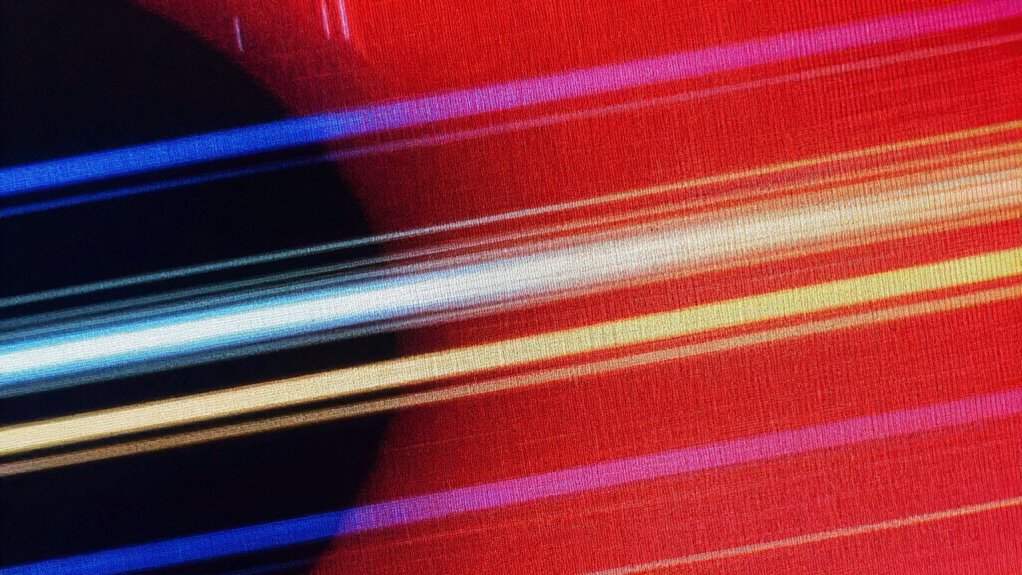

Motion blur and ghosting happen when your display’s refresh rate and response time aren’t optimized. If the refresh rate is low, the screen updates fewer times per second, making fast objects look smeared. Slow response times cause pixels to lag, leaving faint trails or ghost images behind moving objects. To get clearer visuals during quick scenes, both high refresh rates and quick response times are needed. Keep exploring to learn how these factors work together to improve your display’s motion quality.

Get the latest gadgets delivered free with Prime
- Fast, free delivery on millions of items
- Prime Video, Amazon Music and more included
- Member-only deals all year
Key Takeaways
- Low refresh rates reduce image updates, increasing perceived motion blur during fast scenes.
- Slow pixel response times cause ghosting and trailing effects behind moving objects.
- Combining low refresh rate and slow response time worsens motion blur and ghosting.
- Panel technology and calibration settings influence how well displays handle fast motion.
- Overdrive and motion blur reduction features can mitigate ghosting but may introduce artifacts if misused.
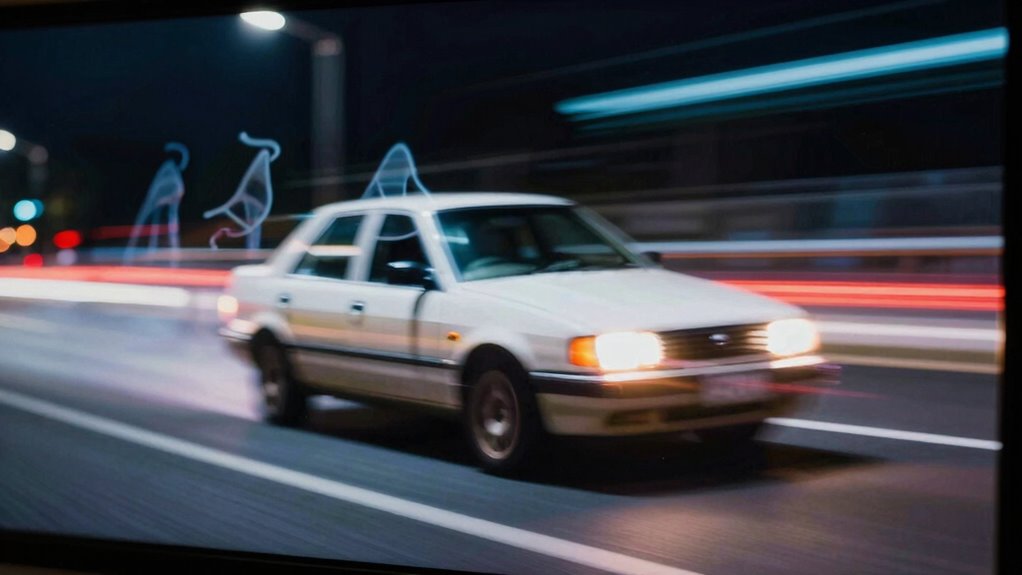
If you’ve noticed motion blur or ghosting on your display, understanding the causes can help you troubleshoot and improve your viewing experience. These issues often stem from how your screen refreshes images and how quickly pixels change from one color to another. The refresh rate, measured in hertz (Hz), indicates how many times per second your display updates the image. A low refresh rate can make fast-moving objects appear blurry or smeared because the screen isn’t updating quickly enough to keep up with motion. Higher refresh rates, like 120Hz or 144Hz, can considerably reduce motion blur and make fast-paced scenes look clearer and smoother.
Higher refresh rates like 120Hz or 144Hz reduce motion blur for clearer, smoother fast-paced scenes.
Response time plays a vital role in this process too. It refers to how quickly individual pixels can change from one color to another. If your display has a slow response time, you’ll notice ghosting—where a faint trail follows moving objects—or lingering afterimages. This delay causes the pixels to lag behind the motion, creating a ghost-like effect. Gaming monitors and high-end screens often advertise low response times, sometimes as low as 1ms, which help minimize ghosting and produce sharper images during rapid movements. Additionally, the pixel response time directly impacts how well your display handles fast motion. The panel technology used can influence how well these factors work together and affect overall motion clarity. A proper understanding of these display specifications can help you select a monitor that suits your needs for fast-paced gaming or video editing.
The combination of a low refresh rate and slow response time is often the main culprits behind motion blur and ghosting. Even a display with a high refresh rate can suffer from ghosting if the response time is slow. Conversely, a fast response time can mitigate ghosting issues, but if the refresh rate is low, motion blur may still be apparent. Modern displays aim for a balance, offering both high refresh rates and quick response times to deliver smooth, sharp images during fast action scenes. Moreover, the display calibration and settings like motion blur reduction features or overdrive settings can help improve image clarity, but they might introduce artifacts if not properly configured. Proper calibration can significantly enhance visual performance, especially for fast-moving content, by optimizing these adjustable parameters.
Products Worth Considering

LG UltraGear 32GX850A-B 32-inch 4K UHD Glossy OLED Gaming Monitor

Samsung 27-Inch Odyssey OLED G5 QHD Gaming Monitor

Samsung 34-Inch Odyssey G5 Ultra-Wide Curved Gaming Monitor
As an affiliate, we earn on qualifying purchases.
Frequently Asked Questions
Can Motion Blur Be Completely Eliminated on Modern Displays?
Motion blur can’t be completely eliminated on modern displays, but you can minimize it. Display technology improvements, like higher refresh rates and faster response times, help reduce blurring and ghosting. When you choose a monitor or TV with a high refresh rate, such as 120Hz or above, you’ll notice smoother motion. However, some residual blur may still exist, especially in fast-paced scenes, so understanding your display’s specs helps you make better choices.
Does Watching Fast-Paced Videos Increase Ghosting Effects?
Watching fast-paced videos can heighten ghosting effects, especially if you’re prone to motion sickness or visual fatigue. As your eyes strain to keep up with rapid movements, ghosting becomes more noticeable, creating a disorienting experience. This subtle yet persistent issue can intensify discomfort, making you feel uneasy or exhausted. So, if you’re sensitive, consider reducing motion blur or taking breaks—your eyes will thank you for it.
Are Gaming Monitors More Prone to Ghosting Than Regular Screens?
Yes, gaming monitors are generally more prone to ghosting than regular screens. This is because they often have higher refresh rates and faster response times, designed to deliver smoother gameplay. However, these specs can sometimes cause more motion blur or ghosting if not optimized properly. If you want to minimize ghosting, look for monitors with low response times and high refresh rates, which help reduce trailing effects during fast-moving scenes.
How Does Ambient Lighting Influence Motion Blur Visibility?
Ambient lighting greatly influences how you perceive motion blur and ghosting. Bright surroundings can make ghosting more noticeable, while dimmer environments often reduce its visibility. Proper ambient light, with glare reduction, helps your eyes see clearer, minimizing the perception of motion blur. Adjusting your room lighting to balance brightness and glare control can enhance your display experience, making fast-moving images look sharper and smoother without distracting artifacts.
Can Adjusting Display Settings Reduce Ghosting Without Hardware Changes?
Think of your display as a racing car; tweaking settings can improve its lap times. Adjusting calibration techniques and increasing display refresh rates can considerably reduce ghosting without hardware changes. Higher refresh rates make your screen’s movements smoother, while proper calibration sharpens image clarity. By fine-tuning these settings, you can minimize ghosting, giving you a clearer, more fluid visual experience—like upgrading your car’s suspension without changing the engine.
Conclusion
Understanding what causes motion blur and ghosting helps you make better display choices, but sometimes, these effects whisper subtle reminders that perfection is a fleeting ideal. Embrace the imperfections as part of the experience, guiding you to appreciate the nuances rather than seek flawlessness. After all, in the dance of light and shadow, it’s the journey and your perspective that truly matter, turning technical quirks into opportunities for deeper connection with your display.