TL;DR
LG monitors have been found to automatically install software updates via Windows Update without user consent. This raises privacy and security questions, with LG and Microsoft investigating the issue. The full scope and implications are still unclear.
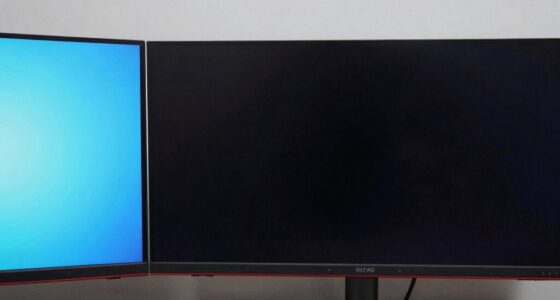
LG monitors are installing software silently through Windows Update without user consent, according to multiple user reports. This development raises concerns over privacy, security, and user control, especially as the updates occur without explicit approval or notification. LG and Microsoft have acknowledged the reports and are investigating the matter.
Multiple users have reported that their LG monitors, when connected to Windows PCs, initiate automatic software installations via Windows Update. These installations happen in the background, without prompting or notification, leading to questions about transparency and user control. LG has not officially confirmed the scope of the issue but stated they are looking into the reports.
Microsoft has also responded, indicating that the updates are being delivered through standard Windows Update channels, but the automatic and silent nature of these installs is unusual. Experts warn that such behavior could have security implications if malicious software is bundled or if user consent is bypassed.
Potential Privacy and Security Risks of Unapproved Software
This incident underscores the importance of user control over device updates and raises concerns about privacy violations. Automatic, silent installations could be exploited for malicious purposes or lead to data collection without user awareness. It also questions the transparency of LG’s update practices and Microsoft’s update management policies.
monitor firmware update blocker
As an affiliate, we earn on qualifying purchases.
As an affiliate, we earn on qualifying purchases.
Background on Firmware Updates and Device Software Installations
LG monitors have previously been praised for their image quality and features, but recent reports suggest a new issue with firmware or software updates. Firmware updates for monitors are typically delivered through manufacturer apps or manual downloads. The recent reports indicate a shift toward delivering updates via Windows Update, a process that can be automatic and less transparent. Similar concerns have arisen in the past with other hardware brands, but this case is notable due to the silent nature of the installation.
“I noticed my LG monitor started installing software overnight without any prompt or notification. I didn’t authorize it, and I’m concerned about what’s being installed.”
— affected user
monitor privacy protection software
As an affiliate, we earn on qualifying purchases.
As an affiliate, we earn on qualifying purchases.
Extent of Software Installation and User Impact Still Unknown
It remains unclear how widespread this issue is, what specific software is being installed, and whether malicious payloads are involved. LG has not provided detailed information, and Microsoft’s investigation is ongoing. The full scope of affected devices and potential security risks are still being determined.
monitor security software for Windows
As an affiliate, we earn on qualifying purchases.
As an affiliate, we earn on qualifying purchases.
LG and Microsoft to Clarify Update Practices and Address Concerns
LG and Microsoft are expected to release updates or clarifications in the coming weeks. Users are advised to monitor their devices for unexpected software installations and consider disabling automatic updates if concerned. Further investigations will reveal whether this is an isolated incident or indicative of broader update practices.
monitor driver update management
As an affiliate, we earn on qualifying purchases.
As an affiliate, we earn on qualifying purchases.
Key Questions
Is this issue specific to LG monitors or affecting other brands?
Currently, reports focus on LG monitors, but similar concerns could apply to other hardware if they use Windows Update for firmware or software delivery. No evidence suggests widespread issues beyond LG at this time.
Can users prevent these silent installations?
Users can disable automatic updates in Windows settings or disconnect monitors from the internet during setup. However, this may impede receiving important updates or security patches.
Should I be worried about security risks?
While there is no confirmed malicious intent, silent installations without user approval pose potential security risks, especially if malicious software is bundled or exploited. Users should stay informed and follow updates from LG and Microsoft.
What should affected users do now?
Monitor their devices for unexpected behaviors, consider disabling automatic updates temporarily, and stay tuned for official statements from LG and Microsoft. Reporting issues to support channels is also recommended.
Source: hn