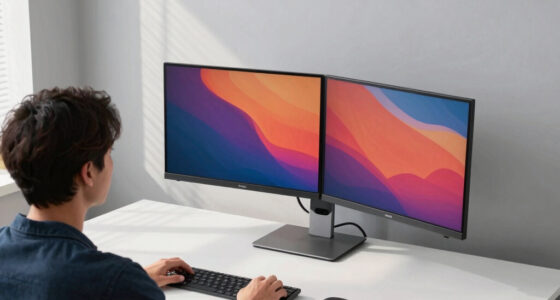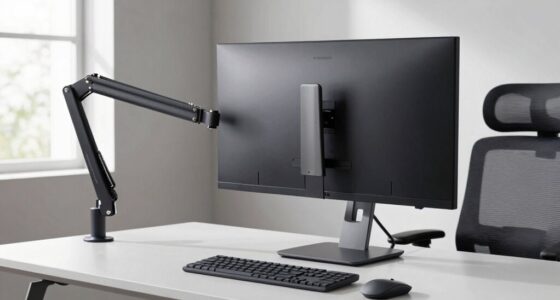
Curved monitors work well when you have enough space and you sit directly in front of them, improving immersion and reducing eye strain. They’re ideal for gaming and certain office tasks but can cause distortions or reflections if your workspace is cramped or cluttered. Proper positioning is key. If your setup doesn’t align with these factors, you might find them less effective. Keep exploring to discover how to make curved monitors suit your specific environment and needs.

Get the latest gadgets delivered free — and shop member deals
- Fast, free delivery on millions of items
- Access to Prime Big Deal Days deals on October 6–7
- Prime Video, Amazon Music and more included
Key Takeaways
- The size and curvature degree of the monitor must match the user’s seating distance for optimal immersion and minimal distortion.
- Adequate workspace and desk space are necessary to position large curved monitors comfortably.
- Proper ergonomic setup, including monitor height and angle, enhances benefits and reduces strain.
- Curved monitors excel in immersive gaming but may cause distortions or reflections in work environments.
- Multiple monitor configurations can be challenging due to alignment issues and visual inconsistencies.

Have you ever wondered if a curved monitor could enhance your viewing experience? If you spend hours gaming or working at a desk, you might find that a curved screen offers benefits that flat monitors simply can’t match. When it comes to gaming immersion, the curvature wraps the display around your field of vision, making you feel more involved in the action. Instead of looking at a flat plane, your eyes naturally follow the curve, reducing eye strain and providing a more natural viewing angle. This creates a sense of depth, so fast-paced games feel more realistic and engaging. Additionally, color accuracy can be affected by the curvature, influencing how true-to-life images appear, especially in tasks like photo editing or graphic design. However, the effectiveness of this depends heavily on the size and curvature degree of the monitor, as well as your seating position. If the curve is too steep or your desk setup isn’t ideal, you might find yourself adjusting your head more often to see the entire display, which can negate the immersion benefits. Additionally, some users may experience visual distortions that can impact your overall experience with curved monitors.
On the other hand, office ergonomics is another key factor to evaluate. Curved monitors can improve your posture and reduce neck strain if positioned correctly. By placing the screen directly in front of you and at eye level, you minimize the need to turn your head or tilt your neck repeatedly. This setup promotes better alignment and can help prevent discomfort over long work sessions. But, if your desk is small or you share your workspace with others, a curved monitor could be less practical. The shape means you need sufficient space to place it comfortably, and if your monitor is too large or your desk too cramped, you might end up with awkward viewing angles or reflections that distract you. Additionally, some users find that curved screens distort images or make it difficult to align multiple monitors, which can hinder productivity. The visual accuracy of certain curved displays may also be compromised, especially for detailed tasks like graphic design.
Ultimately, whether a curved monitor works for your setup depends on your specific needs and environment. If you want to maximize gaming immersion and create a more natural viewing experience, a curved display can be a game-changer—just assure it’s the right size and curvature for your setup. For office work, the key is proper placement and desk space; a well-positioned curved monitor can support better ergonomics and reduce strain. But, if space is limited or your work involves precise visual tasks like graphic design, the drawbacks—such as potential distortions or reflections—might outweigh the benefits. Proper monitor placement and understanding your workspace are essential to making the most of a curved screen. In the end, understanding how your space, tasks, and preferences interact will help you decide if a curved monitor is the right fit.
As an affiliate, we earn on qualifying purchases.
Frequently Asked Questions
Do Curved Monitors Cause Eye Strain Over Long Periods?
Curved monitors generally don’t cause eye strain over long periods if you take proper ergonomic measures. They can reduce visual distortion by providing a more natural viewing angle, which eases eye movement and minimizes fatigue. However, if you sit too close or have poor lighting, you might experience discomfort. To avoid strain, adjust your monitor’s position and lighting, and take regular breaks, maximizing the ergonomic benefits of your curved display.
Are Curved Monitors Suitable for Professional Graphic Design?
Curved monitors are suitable for professional graphic design because they enhance color accuracy and offer ergonomic benefits. Their curved screens help you see details more clearly, reducing eye strain and improving focus. With consistent color reproduction across the entire display, you get accurate visuals for your projects. If your workspace accommodates the curve, you’ll find that a curved monitor supports your creative flow and boosts productivity.
How Do Curved Screens Affect Multi-Monitor Setups?
Curved screens can enhance your multi-monitor setup by providing better ergonomic benefits, reducing eye strain, and offering a more immersive experience. They help create a seamless viewing arc, minimizing distortions and gaps between screens. Plus, the aesthetic appeal of curved monitors adds a modern, sleek look to your workspace. However, if your setup involves a wide or irregular arrangement, the curvature might cause alignment issues, affecting overall comfort and visual consistency.
Can Curved Monitors Improve Gaming Experiences Significantly?
Absolutely, curved monitors can markedly boost your gaming experience by providing immersive viewing and ergonomic benefits. The gentle curve wraps around your field of vision, reducing eye strain and enhancing depth perception, making gameplay more engaging. You’ll notice a more natural, comfortable stance that minimizes neck movement. Whether you’re racing, shooting, or exploring, the curved display helps you stay immersed and comfortable, elevating your gaming to a new level.
Are Curved Monitors More Prone to Glare and Reflections?
Curved monitors can be more prone to glare and reflections, especially if placed near bright light sources. However, you can mitigate these issues with glare reduction techniques like matte screens or adjusting your monitor’s position. Reflection mitigation is also possible by positioning the monitor away from direct light and using curtains or adjustable blinds. While they may reflect more in certain setups, proper placement can minimize glare and improve your viewing experience.
As an affiliate, we earn on qualifying purchases.
Conclusion
Choosing a curved monitor is like finding the perfect dance partner—you’ll glide smoothly if the fit’s right, but stumble if it’s not. Consider your setup, viewing distance, and what you prioritize. When aligned well, it’s a seamless experience that pulls you into your work or play. Otherwise, it can feel more like a misstep. So, weigh your options carefully—your perfect visual harmony might just be a curve away.
As an affiliate, we earn on qualifying purchases.
As an affiliate, we earn on qualifying purchases.
Fall Picks
fall essentials
As an affiliate, we earn on qualifying purchases.