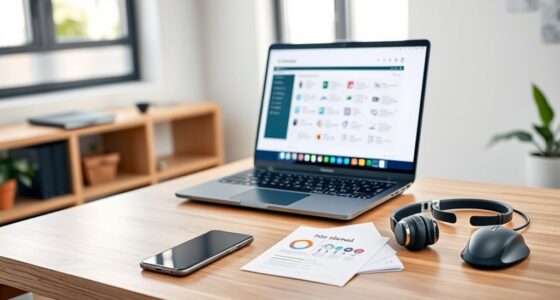
One major mistake is ignoring your work environment needs, like portability or battery life, which can limit mobility. You might choose a laptop with high specs you don’t need or one that’s too bulky. Overlooking software compatibility or durability can cause frustrations down the line. Failing to take into account future upgrades or peripheral support can also lead to buying outdated or incompatible devices. Keep these points in mind to make smarter choices, and discover what else you should consider.

Get the latest gadgets delivered free — and shop member deals
- Fast, free delivery on millions of items
- Access to Prime Big Deal Days deals on October 6–7
- Prime Video, Amazon Music and more included
Key Takeaways
- Ignoring portability and mobility needs can lead to choosing bulky, impractical laptops for remote work.
- Overlooking software compatibility risks delays and frustration with essential work applications.
- Neglecting battery life and durability results in devices that can’t handle daily on-the-go use.
- Failing to consider future upgrade options and hardware standards shortens the device’s useful lifespan.
- Not verifying peripheral compatibility may cause issues with projectors, accessories, and future hardware needs.

When you’re shopping for a work laptop, it’s easy to fall into common traps that can cost you time, money, and productivity. One of the biggest mistakes is not considering your specific work environment, especially if you’re involved in remote work. If you plan to work from home or other remote locations, you need a device that’s portable, reliable, and capable of handling your daily tasks without constant hassle. Overspending on high-end specs you don’t need or choosing a bulky machine that’s difficult to carry around can hinder your efficiency. Conversely, opting for a budget model that lacks essential features might save money upfront but will slow you down later, forcing you to upgrade sooner than expected. Think about your typical workday and the environments you’ll operate in to strike the right balance.
Another critical mistake is neglecting software compatibility. You might find a sleek, powerful laptop, but if it doesn’t support your essential applications or operating system, it becomes a useless investment. Before making a purchase, ensure that the laptop can run all your work-related software smoothly. For example, if you rely on specific tools that are Windows-based, buying a Mac might introduce unnecessary complications unless you’re prepared for workarounds. Compatibility issues can lead to delays, frustration, and even security vulnerabilities if you try to force incompatible software to run. Check the specifications and consult your IT department if necessary to confirm that the new device will integrate seamlessly into your existing workflow. Additionally, understanding the importance of projector features like resolution and contrast ratio can help optimize presentations and collaborative sessions. Being aware of hardware standards can also ensure your device stays compatible with future peripherals and accessories. Staying informed about the latest hardware standards can help you choose a device that remains functional and secure for years to come.
Failing to prioritize durability and battery life is another common mistake. When you’re constantly on the move, you need a laptop that can withstand daily wear and tear and keep up with your schedule. A device with weak build quality or poor battery performance can interrupt your productivity and force you to carry extra chargers or replacements. Look for models with robust construction and at least a full day’s worth of battery life, especially if you often work in locations without reliable power sources. Considering durability standards can give you a better idea of how well the device will hold up over time and in different environments.
Lastly, many overlook the importance of future-proofing. Technology advances rapidly, and buying a laptop with outdated hardware or limited upgrade options can leave you behind in a year or two. Invest in a machine that offers some room for upgrades or at least meets the latest standards for performance and security. This way, you ensure your investment remains valuable longer and supports your evolving work needs, especially as remote work continues to grow and software requirements become more demanding.
portable work laptop with long battery life
As an affiliate, we earn on qualifying purchases.
As an affiliate, we earn on qualifying purchases.
Frequently Asked Questions
How Important Is Brand Reputation When Choosing a Work Laptop?
Brand reputation matters when choosing a work laptop because it often reflects product quality and customer satisfaction. You should consider brand loyalty and look at customer reviews to gauge reliability and performance. A reputable brand is more likely to provide good support and durability, reducing potential headaches down the line. Don’t just go for the most popular name—research and read reviews to guarantee your choice fits your work needs.
Should I Prioritize Portability Over Performance?
You should balance portability and performance based on your work needs. While a lightweight, portable laptop offers better battery life and easy mobility, it might lack the power for intensive tasks. If your job involves frequent travel or commuting, prioritize a lighter device with solid battery life. However, if you handle demanding applications, opt for performance, even if it means a slightly heavier machine. Consider your daily tasks to find the best fit.
What Security Features Should I Look for in a Work Laptop?
You should look for biometric security features like fingerprint scanners or facial recognition, which offer quick, reliable access while keeping your data safe. Additionally, prioritize encryption technology built into the device or software, ensuring your sensitive work information stays protected from unauthorized access. Combining biometric security with strong encryption provides a robust defense, helping you maintain confidentiality and comply with company security policies.
How Much RAM Do I Need for Multitasking?
For multitasking, you should aim for at least 8GB of RAM, which handles multiple applications smoothly. If you work with demanding programs or keep many tabs open, 16GB or more is better. Consider the memory capacity and whether a RAM upgrade is possible later, especially if you anticipate needing more power down the line. Upgrading RAM can extend your laptop’s lifespan and improve overall performance.
Is It Better to Buy a New or Refurbished Work Laptop?
Is buying a refurbished work laptop a smart choice? It can be if you prioritize cost savings, but consider battery life and screen quality. Refurbished models often have shorter battery life and sometimes lower screen quality compared to new ones. However, if you find a certified refurbished laptop with good reviews, it can serve your needs well without breaking the bank. Just make sure to check warranties and return policies first.
durable business laptop for remote work
As an affiliate, we earn on qualifying purchases.
As an affiliate, we earn on qualifying purchases.
Conclusion
Remember, choosing the right work laptop is like steering through the labyrinth of Daedalus—every decision shapes your journey. Avoid common pitfalls, prioritize your needs, and don’t be swayed by shiny distractions. By staying vigilant and thoughtful, you’ll steer clear of the Minotaur of costly mistakes. In this quest for productivity, your best tool is awareness—ensuring your investment becomes a loyal companion on your professional path, not a forgotten echo in the maze.
laptop with software compatibility for Windows and Mac
As an affiliate, we earn on qualifying purchases.
As an affiliate, we earn on qualifying purchases.
peripheral-compatible ultrabook for presentations
As an affiliate, we earn on qualifying purchases.
As an affiliate, we earn on qualifying purchases.
Fall Picks
fall essentials
As an affiliate, we earn on qualifying purchases.