A curved monitor can substantially enhance your gaming experience by providing increased immersion and better peripheral vision, making fast-paced games feel more engaging. Its ergonomic design reduces eye and neck strain during long sessions, helping you stay comfortable. Plus, the natural flow of visuals improves reaction times and aiming accuracy. Although they tend to cost more and may have some edge distortion, if you want to learn more about how these screens can benefit your gaming, keep exploring.

Get the latest gadgets delivered free — and shop member deals
- Fast, free delivery on millions of items
- Access to Prime Big Deal Days deals on October 6–7
- Prime Video, Amazon Music and more included
Key Takeaways
- Curved monitors enhance immersion and peripheral vision, improving gaming experience, especially in fast-paced genres like FPS and racing.
- They reduce eye strain and glare by distributing light evenly, making long gaming sessions more comfortable.
- Larger, ultra-wide curved screens offer better depth and natural visual flow, aiding in precise aiming and quick reactions.
- Curved screens can distort images at edges, which may affect tasks requiring precise image alignment or professional editing.
- Personal preference and budget influence whether a curved monitor’s immersive benefits outweigh potential setup limitations.
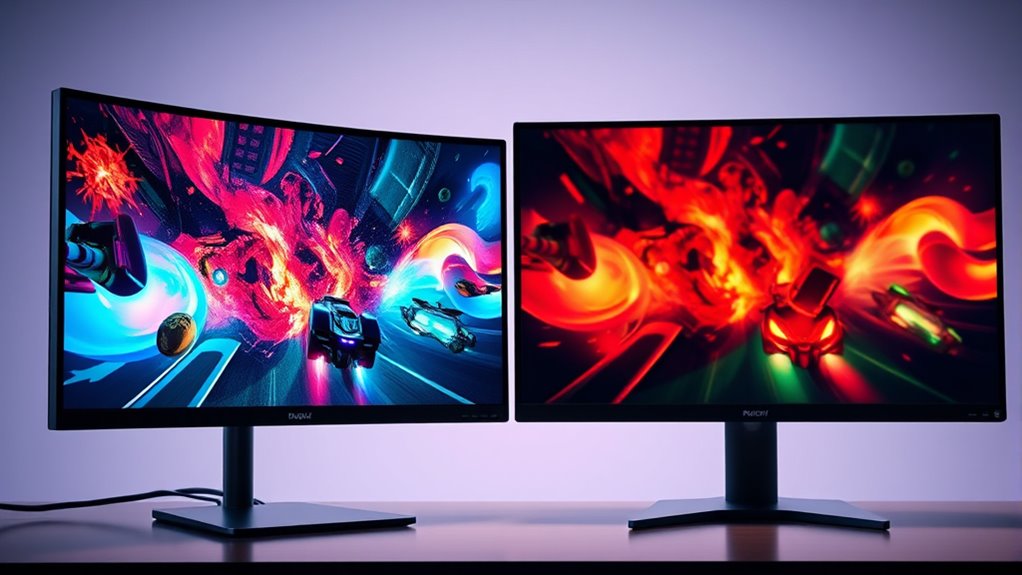
When choosing between curved and flat monitors, understanding their differences can help you make the right decision for your needs. If you’re into gaming, you might wonder whether a curved screen offers real advantages over a flat one. Curved monitors are designed to wrap around your field of view, creating a more immersive experience. This design can substantially enhance ergonomics benefits by reducing eye strain and neck fatigue, as your eyes naturally follow the curve without needing to shift focus as much. The slight inward bend helps distribute light evenly across the screen, making visuals more comfortable for long gaming sessions. Additionally, the curve minimizes glare and reflections from ambient light, which can be a game-changer in brightly lit rooms. Furthermore, refresh rates are often higher in gaming monitors, contributing to smoother motion and better responsiveness during gameplay. Aesthetic appeal is another factor to contemplate. Many gamers and enthusiasts find curved monitors visually striking—they look modern, sleek, and futuristic. The curvature adds a sense of depth and dimension that flat screens often lack, making your gaming setup stand out. This visual impact can boost your overall gaming environment, creating a more engaging atmosphere. However, aesthetic appeal varies from person to person; some may prefer the minimalist, traditional look of flat monitors, especially if their setup is more professional or office-oriented. From a gaming perspective, curved screens can offer advantages such as better peripheral vision, which enhances situational awareness during fast-paced games. With a wide, curved display, you can see more of the game world without turning your head, providing a competitive edge. The immersive experience is particularly noticeable with larger, ultra-wide monitors, where the curvature makes the visuals feel more natural and less fragmented across the screen. This can translate into more precise aiming and quicker reaction times, especially in genres like first-person shooters or racing games. That said, curved monitors aren’t perfect for everyone. They can sometimes distort images at the edges, which might be distracting or problematic for tasks requiring precise alignment, such as graphic design or video editing. They also tend to be more expensive than flat screens, although prices have gradually come down. If you’re someone who values ergonomic benefits and wants a more immersive gaming experience, a curved monitor could be a worthwhile investment. But if you prefer a simpler aesthetic or need a screen that’s easier to set up in multi-monitor configurations, a flat monitor might suit you better. Ultimately, it boils down to your personal preferences, budget, and the kind of gaming or work environment you want to create.
Frequently Asked Questions
Do Curved Monitors Cause Eye Strain During Prolonged Gaming Sessions?
Curved monitors can cause eye strain during long gaming sessions if you experience eye fatigue or visual distortion. The curvature might lead to uneven focus, making your eyes work harder to see clearly. However, if your eyes adapt well, you may not notice much discomfort. To mitigate issues, take regular breaks, adjust brightness, and make sure your monitor is positioned correctly. This helps reduce eye fatigue and makes gaming more comfortable.
Are Curved Screens Better for Multi-Monitor Setups?
Yes, curved screens excel in multi-monitor setups because they offer ergonomic benefits by reducing neck strain and providing a seamless viewing experience. Their immersive aesthetic appeal draws you in, making extended sessions more comfortable. The gentle curve aligns with your natural field of vision, minimizing distortions and distractions. If you’re seeking a cohesive, visually impressive workspace, a curved monitor transforms your multi-monitor setup into an engaging, ergonomic environment that enhances your overall experience.
How Does Curvature Affect Color Accuracy and Image Quality?
Curvature can impact color accuracy and image quality by causing slight color distortion, especially at the edges, due to the way light interacts with the screen’s surface. However, it often enhances contrast, making images appear more vibrant and immersive. For the best results, choose a high-quality curved monitor with good panel technology, and keep calibration in mind to minimize color discrepancies and guarantee sharp, accurate visuals.
Can Curved Monitors Improve Immersion in Virtual Reality Environments?
Ever wonder if curved monitors boost VR immersion? They can enhance your experience by wrapping visuals around your vision, making virtual environments feel more natural. Plus, their ergonomic benefits reduce eye strain during long sessions, and their aesthetic appeal adds a sleek look to your setup. So, yes, a curved monitor can make VR feel more immersive, creating a more engaging and comfortable virtual experience.
Are Curved Monitors Suitable for Professional Graphic Design Work?
Curved monitors are suitable for professional graphic design work because they offer ergonomic benefits, reducing eye strain during long sessions. Their immersive design helps you focus on details, enhancing precision. Additionally, the aesthetic appeal of a curved screen creates a modern, sleek look that can elevate your workspace. If you value comfort and visual appeal, a curved monitor can be a great choice for your graphic design needs.
Conclusion
So, if you’re serious about gaming, a curved monitor isn’t just a choice—it’s your secret weapon to conquer every game. It drags you into the action like a vortex, making every race, fight, or adventure feel like it’s happening just for you. Skip it, and you might as well be watching from the sidelines. Trust me, once you go curved, flat screens will feel like they’re holding you back in a world where immersion is king!
Fall Picks
fall essentials
As an affiliate, we earn on qualifying purchases.