
Choosing between a controller and a mouse with keyboard depends on your gaming style and genre. If you prefer precision and quick targeting, especially in FPS games, a mouse and keyboard are better. For comfort and intuitive controls in racing or platformers, controllers excel. Each offers unique benefits, so consider your preferences and the games you play most. Keep exploring to discover which setup suits you best and enhances your gameplay experience.
Key Takeaways
- Mouse and keyboard offer superior aiming precision, especially in FPS and tactical shooter games.
- Controllers provide ergonomic comfort and are ideal for racing, platformers, and extended gaming sessions.
- The choice depends on game genre; controllers excel in racing and platformers, while mouse and keyboard dominate competitive shooters.
- Ease of use favors controllers for beginners, but mouse and keyboard can lead to higher skill and performance over time.
- Technological features and personal comfort influence which device is better suited for individual gaming preferences.
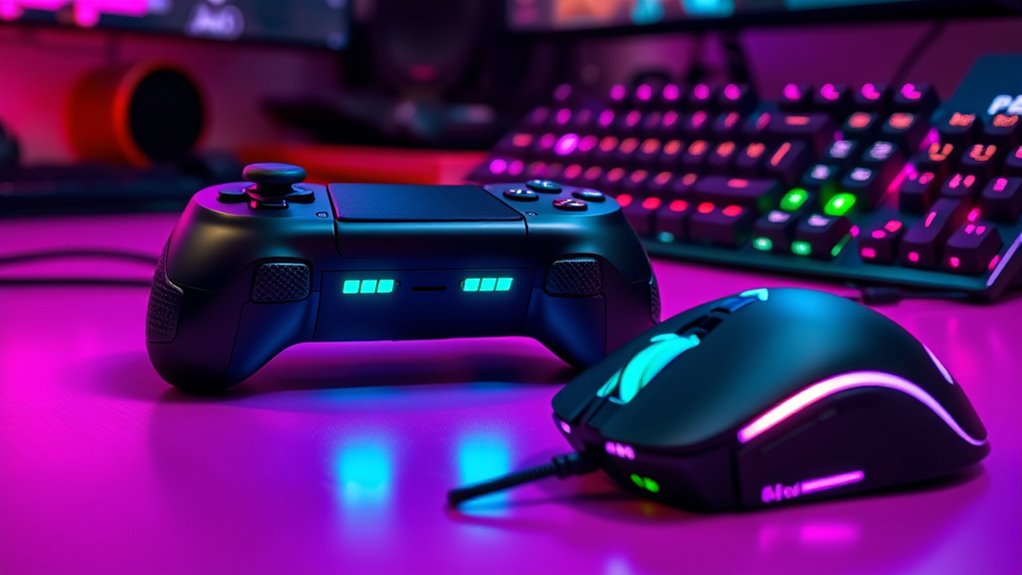
When it comes to gaming, choosing between a controller and a mouse and keyboard often sparks debate among players. Both setups have their strengths and are suited to different playstyles and game genres. If you’re focused on aiming accuracy, a mouse and keyboard generally give you an edge. The precision of a mouse allows you to make fine, controlled movements, which is essential in first-person shooters and other fast-paced games. With a mouse, you can quickly target enemies, track their movements, and land shots with greater consistency. The sensitivity settings can be customized to your preference, making it easier to refine your aiming accuracy over time.
Aiming accuracy with a mouse and keyboard gives gamers a competitive edge in fast-paced shooters.
On the other hand, comfort level is a significant factor that influences your choice. Controllers are designed to be ergonomic, fitting comfortably in your hands for extended gaming sessions. They offer thumbsticks, triggers, and buttons that can be more intuitive for some players, especially during long play sessions. If you prefer a more natural grip and find that holding a controller reduces fatigue, it might be the better option for you. Additionally, controllers often have built-in vibration feedback, which can enhance immersion and make gameplay feel more engaging.
However, aiming accuracy isn’t the only consideration. For some genres, such as racing games or platformers, a controller’s analog sticks provide smooth, gradual control that feels more natural compared to a mouse’s pixel-perfect precision. Conversely, in tactical shooters or games requiring quick, precise targeting, the mouse’s pinpoint control often leads to better performance. The choice ultimately depends on what feels most comfortable and effective for your gaming style.
Another aspect to evaluate is the learning curve. If you’re new to gaming, you might find a controller easier to pick up because of its familiar layout and ergonomic design. But if you’re aiming to improve your skills in FPS games, investing time in mastering a mouse and keyboard can pay off, especially since many competitive players swear by their precision.
Furthermore, the technology behind gaming peripherals has advanced significantly, offering features like customizable buttons and adjustable sensitivity to tailor your setup to your needs. Ultimately, your decision should weigh your comfort level against your need for aiming accuracy. Some players prefer the tactile feedback and comfort of controllers, while others prioritize the precision and speed offered by a mouse and keyboard. Neither is inherently better — it’s about what helps you perform your best and enjoy your gaming experience.

Logitech G502 Hero Wired Gaming Mouse – Black
- HERO Sensor: 25600 DPI precision tracking
- Programmable Buttons: 11 customizable buttons for gameplay
- Dual Mode Scroll Wheel: Hyper-fast and ratcheted scrolling
As an affiliate, we earn on qualifying purchases.
As an affiliate, we earn on qualifying purchases.
Frequently Asked Questions
How Do Controller and Mouse/Keyboard Compare in Esports Competitiveness?
In esports, mouse and keyboard often lead in competitiveness because of their precision and customization options. You benefit from better controller ergonomics, which can reduce fatigue, but keyboard customization allows for tailored controls, improving performance. While controllers excel in comfort and ease of use, especially in console-based games, skilled players leverage the mouse’s accuracy, making it a preferred choice for many competitive gaming scenarios.
Can Switching Between Controller and Mouse/Keyboard Improve Gaming Skills?
Switching between controller and mouse and keyboard can improve your gaming skills by enhancing input versatility and adaptability. You challenge yourself to manage different input methods, which improves input lag awareness and input consistency. This variation sharpens your overall reflexes, decision-making, and muscle memory. By practicing with both, you become more flexible and better prepared for different game scenarios, making you a more well-rounded and skilled gamer.
Which Setup Offers Better Comfort for Long Gaming Sessions?
Research suggests that ergonomic design plays a significant role in comfort during long gaming sessions. You’ll likely find controllers more comfortable because their shape reduces hand fatigue, thanks to their ergonomic design that fits naturally in your hands. Meanwhile, a mouse and keyboard can cause strain if not set up properly. For extended play, a controller generally offers better comfort, helping you stay focused without discomfort or fatigue.
Are There Specific Genres Better Suited for Controllers or Mouse/Keyboard?
You’ll find controllers excel in genres like racing, fighting, and platformers, thanks to their intuitive, ergonomic design. Meanwhile, mouse and keyboard suit first-person shooters, real-time strategy, and MOBA games, offering precision and quick access to commands. Your genre preferences and accessibility considerations shape your best choice—if you need fine control, go mouse and keyboard; for comfort and ease, a controller might be better.
How Does Latency Differ Between Controllers and Mouse/Keyboard?
Imagine your finger hovering just above the buttons, ready to strike—latency can feel like a sluggish echo. With wireless controllers, input delay often increases due to signal transmission, causing a slight lag. Mouse and keyboard typically offer lower latency because of direct wired connections or advanced wireless tech. This means your commands register faster, giving you a more responsive experience—crucial in fast-paced games where split-second reactions make all the difference.

8BitDo Ultimate 2C Wireless Controller for Windows PC and Android, with 1000 Hz Polling Rate, Hall Effect Joysticks and Triggers, and Remappable L4/R4 Bumpers (Green)
- Compatibility: Windows and Android support
- Polling Rate: 1000Hz for fast response
- Hall Effect Components: Joysticks and triggers for durability
As an affiliate, we earn on qualifying purchases.
As an affiliate, we earn on qualifying purchases.
Conclusion
Ultimately, your choice depends on your gaming style. Did you know that 70% of professional esports players favor mouse and keyboard for precision? If you crave accuracy and quick reactions, go for the mouse and keyboard. But if you prefer comfort and intuitive controls, a controller might suit you better. Remember, it’s about what helps you enjoy the game most. So, try both and find what feels right—your best gaming experience awaits.

Redragon Mechanical Gaming Keyboard Wired, 11 Programmable Backlit Modes, Hot-Swappable Red Switch, Anti-Ghosting, Double-Shot PBT Keycaps, Light Up Keyboard for PC Mac
- Vibrant Backlit Modes: 11 customizable lighting effects
- Adjustable Brightness & Speed: 5 levels for light control
- Clear Double-Shot Keycaps: Enhanced backlight and durability
As an affiliate, we earn on qualifying purchases.
As an affiliate, we earn on qualifying purchases.

Logitech G F310 Wired Gamepad Controller Console – Blue/Black
- Wide Game Compatibility: Supports old and new titles
- Customizable Controls: Program keyboard and mouse commands
- Familiar Layout: Xbox 360-style button configuration
As an affiliate, we earn on qualifying purchases.
As an affiliate, we earn on qualifying purchases.