OLED burn-in happens when static images, like menus or logos, leave ghostly marks on your screen over time. This can affect anyone who uses their device with long-lasting static content, especially gamers, content creators, or anyone who keeps screens on for extended periods. Although newer models have improved resistance, it’s still a risk worth understanding to protect your display’s longevity. Keep exploring to discover how you can prevent and manage burn-in effectively.

Get the latest gadgets delivered free — and shop member deals
- Fast, free delivery on millions of items
- Access to Prime Big Deal Days deals on October 6–7
- Prime Video, Amazon Music and more included
Key Takeaways
- OLED burn-in refers to persistent ghost images caused by static content leaving permanent pixel wear.
- Modern OLED screens have improved resistance but are still susceptible to burn-in from static images.
- Users who frequently display static UI elements or long-lasting images are at higher risk.
- Burn-in can affect anyone using OLED devices, especially those with prolonged, static content display.
- Implementing preventative measures like pixel-shifting and screen savers helps extend OLED lifespan.
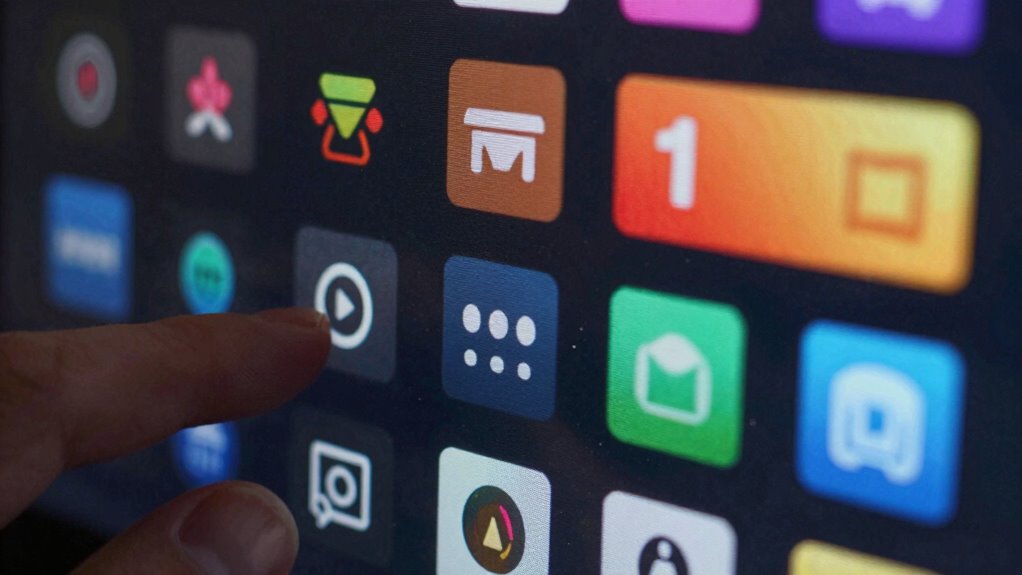
Have you ever noticed ghostly images lingering on an OLED screen even after they’ve disappeared from view? That’s a telltale sign of burn-in, a phenomenon where static images leave a faint, permanent imprint on your display. While OLED technology offers stunning contrast and vibrant colors, it’s also more susceptible to this issue because each pixel is individually lit. Over time, if the same elements—like navigation bars or logos—stay in one place for too long, those pixels can wear unevenly. This uneven wear impacts screen longevity, meaning your display’s overall lifespan could be shortened if you don’t take steps to prevent it.
Fortunately, you can do quite a bit to mitigate burn-in and extend your OLED screen’s life. Regular display calibration helps here. By adjusting your device’s brightness, contrast, and pixel settings, you’re dispersing the wear more evenly across the panel. Many modern devices come with built-in calibration tools or adaptive brightness features that automatically minimize the risk. It’s a smart way to preserve both picture quality and the longevity of your screen, especially if you use your device for many hours daily. Additionally, using features like pixel-shifting techniques can help distribute wear more evenly and prevent static images from causing burn-in. Incorporating screen management practices, such as avoiding static UI elements when possible, can further reduce risks. Some manufacturers also utilize screen longevity technologies that help prolong the lifespan of OLED displays. Recognizing and understanding OLED technology can help you make better decisions about usage and care.
Who should care about OLED burn-in? Well, if you’re someone who relies heavily on your screen—like a gamer, a content creator, or someone who keeps static images up for long periods—you definitely want to pay attention. The longer you expose your display to static UI elements or consistent images, the higher the risk of burn-in developing. Even casual users aren’t immune if they leave a static image on for extended periods, such as a paused video frame or a persistent notification bar. For those who want their device to last several years without visible degradation, understanding burn-in and taking preventive measures is essential.
It’s also worth noting that newer OLED models tend to have improved resistance to burn-in thanks to better screen longevity technologies. Manufacturers now incorporate pixel-shifting techniques, screen savers, and advanced calibration algorithms to minimize risks. Nevertheless, awareness remains key. You should be mindful of how you use your device—avoiding static images when possible, adjusting display settings, and making use of calibration tools. These small actions can make a big difference in ensuring your OLED screen stays vibrant and free of ghostly remnants far longer. After all, protecting your investment means understanding the delicate balance between enjoying stunning visuals and preserving the health of your display over time.
OLED screen burn-in prevention tools
As an affiliate, we earn on qualifying purchases.
As an affiliate, we earn on qualifying purchases.
Frequently Asked Questions
Can OLED Burn-In Affect Smartphone Screens Differently Than TVS?
Yes, OLED burn-in can affect smartphone screens differently than TVs. Smartphone panels face more frequent use and static images, which may impact panel longevity and cause uneven burn-in over time. TVs typically have larger screens, and their static content is less frequent, helping preserve color accuracy longer. Your phone’s smaller display makes it more susceptible to burn-in, affecting both panel longevity and overall picture quality.
How Long Does It Typically Take for Burn-In to Appear?
Burn-in can appear within a few hours to several hundred hours of screen use, depending on your habits. You might notice pixel degradation over time, especially if you display static images for long periods. To protect screen longevity, avoid leaving static images on the screen for extended periods. Regularly changing content and using screen savers help prevent burn-in, ensuring your display stays vibrant and functional longer.
Are There Specific Content Types That Increase Burn-In Risk?
Yes, static images and high contrast content increase your risk of burn-in on OLED screens. When you leave static images like logos or menus onscreen for extended periods, it causes uneven wear on pixels. High contrast images, such as bright text on dark backgrounds, accelerate this process. To prevent burn-in, avoid leaving static images for too long and adjust brightness settings, especially during long gaming or streaming sessions.
What Are the Best Practices to Prevent OLED Burn-In?
Imagine your screen’s pixels fighting a fierce battle to stay fresh! To prevent OLED burn-in, you should regularly calibrate your screen, ensuring best display settings. Maintain smart usage patterns—avoid static images for long periods, use screen savers, and turn off your device when not in use. These simple yet powerful habits protect your display, keeping it vibrant and pixel-perfect for years to come.
Does OLED Burn-In Affect the Resale Value of Devices?
Yes, OLED burn-in can affect your device’s resale value because it impacts screen longevity and display durability. Buyers often see burn-in as a sign of wear, which may lower the device’s worth. To maintain value, you should take steps to prevent burn-in, like adjusting settings and avoiding static images. A well-maintained screen with minimal burn-in keeps your device appealing and preserves its resale potential.
pixel-shifting screensaver for OLED devices
As an affiliate, we earn on qualifying purchases.
As an affiliate, we earn on qualifying purchases.
Conclusion
Now that you know what OLED burn-in is and who’s most at risk, it’s clear that awareness is your best defense. While burn-in might not be a dealbreaker for everyone, it’s wise to stay vigilant if you’re a heavy viewer or gamer. Remember, it’s better to be safe than sorry—don’t let this issue catch you off guard and spoil your viewing experience. Stay informed, and enjoy your OLED screen worry-free!
As an affiliate, we earn on qualifying purchases.
screen saver apps for OLED screens
As an affiliate, we earn on qualifying purchases.
As an affiliate, we earn on qualifying purchases.
Fall Picks
fall essentials
As an affiliate, we earn on qualifying purchases.