
To choose the right GPU without chasing hype, focus on your specific needs like gaming, content creation, or professional work. Consider the architecture for better performance and efficiency, and guarantee driver compatibility to avoid issues. Check that your power supply and case size can support the card, and avoid overpaying for overhyped models. Prioritize real-world benchmarks over marketing buzz, and if you want to make a smarter choice, there are more key factors you’ll want to explore.
Key Takeaways
- Prioritize your specific needs, like gaming, content creation, or professional work, over the latest trends.
- Evaluate the GPU’s architecture for performance, efficiency, and future-proofing rather than hype-driven models.
- Ensure driver support and compatibility with your operating system and software for stable performance.
- Match the GPU with your existing hardware, considering power supply, case size, and CPU bottlenecks.
- Focus on real-world benchmarks and price-to-performance ratio instead of marketing claims or new releases.
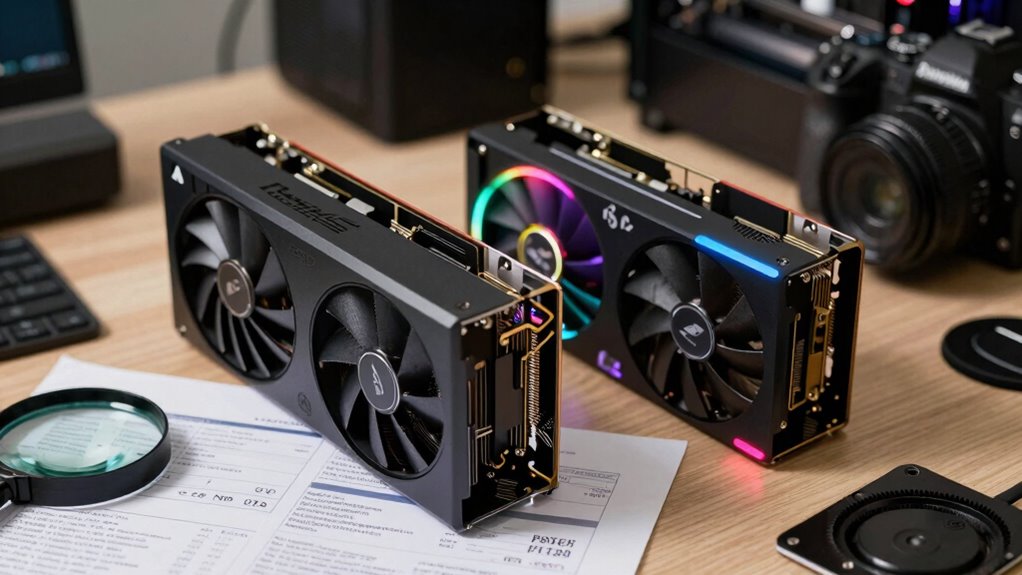
Are you overwhelmed by the options when trying to pick the right GPU? With so many brands, models, and specs out there, it’s easy to get lost in the hype and forget what truly matters for your needs. The key is to focus on what will serve you best rather than chasing the latest buzz. One of the most important factors to consider is GPU architecture. This refers to the design and technology behind the graphics card, which influences performance, power efficiency, and future-proofing. For example, newer architectures typically offer better performance per watt and advanced features like improved ray tracing or AI capabilities. Understanding the architecture helps you gauge whether a GPU is suited for your tasks, be it gaming, content creation, or professional work. Additionally, staying informed about emerging trends in architecture can help you make more future-proof choices as technology evolves. Recognizing these trends can also guide you toward long-term compatibility**** with upcoming software and hardware advancements.
Focus on GPU architecture to ensure optimal performance, efficiency, and future-proofing for your specific tasks.
Driver compatibility is another crucial aspect that often gets overlooked in the excitement over raw specs. Your chosen GPU must work seamlessly with your operating system and software. Manufacturers regularly release driver updates that optimize performance, fix bugs, and add new features. If the driver support isn’t reliable or compatible with your system, you might face crashes, graphical glitches, or performance drops—frustrating setbacks that diminish your experience. Before making a purchase, check the manufacturer’s website to ensure the GPU is compatible with your OS and that driver updates are frequent and stable. Moreover, driver stability plays a vital role in maintaining long-term performance and minimizing technical issues.
Beyond architecture and driver support, consider your hardware configuration. Is your power supply sufficient? Does your case have enough space? Will your CPU bottleneck the GPU’s performance? These questions help you select a card that works well within your existing setup. Don’t get swayed by the highest-end models if your budget or system can’t handle them. Instead, look for a balanced choice that offers the best performance for your specific use case.
Price-to-performance is another metric to keep in mind. A GPU with cutting-edge features might be tempting, but it’s not always necessary if it exceeds your needs. Sometimes, a mid-range card delivers more than enough power for gaming or creative work without breaking the bank. Remember, hype often pushes prices higher than they should be, so do your research and compare benchmarks relevant to your tasks.
In the end, choosing the right GPU isn’t about chasing trends but about understanding your needs, technical compatibility, and the real-world performance of each card. Focus on architecture, driver support, and your system’s capabilities, and you’ll make a smarter, more satisfying choice—without falling for the hype.

msi Gaming RTX 3050 Ventus 2X 6G OC Graphics Card (NVIDIA RTX 3050, 96-Bit, Boost Clock: 1492 MHz, 6GB GDDR6 14 Gbps, HDMI/DP, Ampere Architecture)
- Chipset: GeForce RTX 3050
- Boost Clock: 1492 MHz
- Memory Speed: 14 Gbps
As an affiliate, we earn on qualifying purchases.
As an affiliate, we earn on qualifying purchases.
Frequently Asked Questions
How Does GPU Compatibility Vary Between Different Motherboard Models?
GPU compatibility varies between motherboard models mainly due to different PCIe slots, BIOS updates, and driver support. You need to check if your motherboard’s PCIe slot matches your GPU’s interface. Also, make certain your BIOS is up-to-date, as it improves driver compatibility and stability. Some motherboards might require specific BIOS updates for newer GPUs, so always verify compatibility before purchasing to avoid issues during installation.
What Is the Impact of GPU Size on Case Compatibility?
Think of your GPU as a tall skyscraper; its size impacts case compatibility like fitting a building into a city. Larger GPU dimensions may block airflow, causing heat buildup, and might not fit in smaller cases. Always measure your case’s maximum GPU length and width, and consider case airflow to guarantee your GPU can breathe freely and fit comfortably, preventing overheating and optimizing performance.
Are There Specific Power Supply Requirements for High-End GPUS?
Yes, high-end GPUs often demand specific power supply requirements. You need a power supply with sufficient wattage compatibility to handle the GPU’s power draw, typically listed in the manufacturer’s specs. Check the recommended wattage and confirm your power supply has the appropriate connectors. Opt for a reliable unit to prevent stability issues, and consider a little extra wattage beyond the minimum for future upgrades or overclocking.
How Do I Evaluate GPU Cooling Solutions Effectively?
Imagine you’re comparing two GPUs: one with a sleek fan design and another with advanced liquid cooling. To evaluate their cooling solutions, focus on their thermal performance during intense gaming or rendering. Check reviews for noise levels, ensuring the system stays quiet under load. A good cooling solution maintains low temperatures and noise, prolonging GPU lifespan and providing a better user experience. Prioritize these factors over flashy features for effective cooling.
What Are the Long-Term Considerations When Choosing a GPU?
When choosing a GPU, consider long-term factors like the potential for GPU overclocking, which can boost performance but increase heat and power demands. Pay attention to VRAM importance, especially if you plan to game or work with large files; more VRAM helps future-proof your system. Also, think about upcoming software updates and compatibility to guarantee your GPU remains effective and relevant over time.

PNY NVIDIA GeForce RTX™ 5080 Epic-X™ ARGB OC Triple Fan, Graphics Card (16GB GDDR7, 256-bit, Boost Speed: 2775 MHz, PCIe® 5.0, HDMI®/DP 2.1, 2.99-Slot, NVIDIA Blackwell Architecture, DLSS 4)
- AI-Enhanced Gaming Performance: DLSS 4 for faster FPS and visuals
- High Responsiveness: NVIDIA Reflex 2 reduces latency
- Powerful AI Capabilities: Built-in AI processors for various tasks
As an affiliate, we earn on qualifying purchases.
As an affiliate, we earn on qualifying purchases.
Conclusion
Think of selecting a GPU as sailing a ship through changing tides. Don’t chase every flashy promise or follow the noisy crowd; instead, steer by your own needs and the steady stars of reliable reviews. With patience and careful navigation, you’ll find the perfect vessel that carries you smoothly through your gaming or creative voyage. Trust your compass, stay the course, and enjoy the journey—your ideal GPU awaits just beyond the horizon.

Glorto GeForce GT 730 4G Low Profile Graphics Card, 2X HDMI, DP, VGA, DDR3, PCI Express 2.0 x8, Entry Level GPU for PC, SFF and HTPC, Compatible with Windows 11
- Graphics Card Model: NVIDIA GeForce GT 730
- Memory Size: 4096MB DDR3
- Core Frequency: 902MHz
As an affiliate, we earn on qualifying purchases.
As an affiliate, we earn on qualifying purchases.

High-Performance Gaming Desktop PC – Ryzen 7 5700X, GeForce RTX 3050 8GB
- High-Performance CPU: Ryzen 7 5700X with 8 cores
- Ample RAM: 16GB DDR4 for multitasking
- Powerful Graphics Card: GeForce RTX 3050 8GB GDDR6
As an affiliate, we earn on qualifying purchases.
As an affiliate, we earn on qualifying purchases.