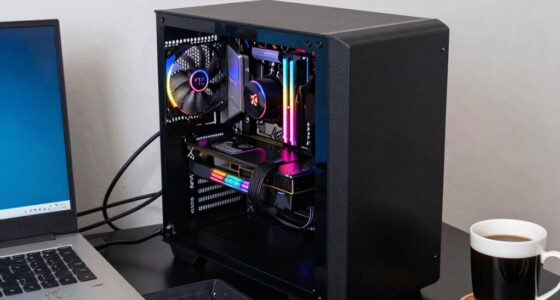

AIO liquid cooling helps you manage heat more effectively in a modern build, allowing for higher CPU and GPU overclocking without risking overheating. It reduces noise by running fans and pumps at lower speeds and saves space with a sleek, compact design. Plus, its sealed setup means less maintenance and worry about leaks. If you want to discover how it can boost your system’s performance and keep things cool, keep exploring the benefits further.

Get the latest gadgets delivered free with Prime
- Fast, free delivery on millions of items
- Prime Video, Amazon Music and more included
- Member-only deals all year
Key Takeaways
- Enhances overclocking potential by efficiently managing higher heat output from high-performance CPUs and GPUs.
- Provides superior thermal management, maintaining optimal component temperatures and preventing thermal throttling.
- Reduces noise levels by allowing fans and pumps to operate at lower speeds during heat dissipation.
- Saves space and improves aesthetics with a sleek, compact design, freeing up RAM clearance and customizing options.
- Offers a low-maintenance, sealed system that minimizes leaks and simplifies cooling management in modern PC builds.

If you’re looking to improve your PC’s cooling performance, AIO liquid cooling systems offer compelling advantages. One of the most significant benefits is their ability to enhance overclocking performance. When you push your CPU or GPU beyond stock speeds, heat becomes a major concern. Traditional air coolers can struggle to keep temperatures in check, especially under heavy loads. An AIO liquid cooling setup efficiently transfers heat away from your components, allowing you to safely increase clock speeds without risking thermal throttling or damage. This means you can squeeze more power out of your hardware, unlocking better gaming, rendering, or computational performance. The liquid’s superior thermal conductivity compared to air ensures that your components stay cooler at higher frequencies, giving you a clear edge in performance. Additionally, the calibration of cooling systems can further optimize temperature management, ensuring your components operate within ideal thermal ranges. Proper thermal management is crucial for maintaining system stability and longevity, especially during intensive tasks. The sealing of modern AIO units minimizes maintenance needs and reduces the risk of leaks, making them a reliable choice for most users. Furthermore, advancements in manufacturing quality have significantly improved the durability and safety of these sealed units over time. AIO systems can also incorporate smart monitoring features, allowing users to track temperatures and performance in real-time for even better thermal control.
AIO liquid cooling boosts overclocking, keeps components cooler, and enhances gaming and rendering performance.
Another critical aspect AIO liquid coolers address is noise level reduction. Fans on air coolers can become loud when they ramp up to dissipate increased heat, becoming a distraction during gaming or work. With an AIO system, the pump and radiator work together to maintain lower overall temperatures, often allowing fans to run at lower speeds. As a result, your system stays quieter, creating a more comfortable environment. This reduction in noise isn’t just a convenience; it can significantly improve your overall user experience, especially if you’re sensitive to background sounds or record audio and need a silent setup.
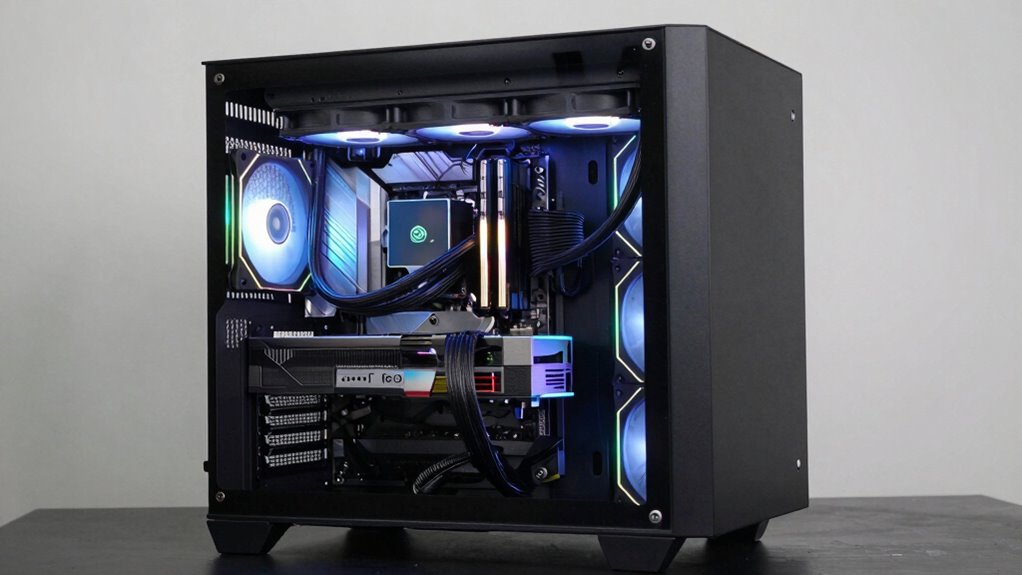
Beyond performance and noise, AIO liquid coolers also solve space and aesthetic concerns. They occupy less room around the CPU socket compared to large air coolers, giving you more flexibility for RAM clearance or custom modifications. Plus, their sleek, modern design adds a clean, high-tech look to your build, making your system visually appealing. Maintenance is minimal, as modern AIOs are sealed units, reducing the worry about leaks or the need for regular cleaning, unlike custom water loops.
In essence, AIO liquid cooling systems address core issues faced by users who want high-performance, quiet, and visually appealing PCs. They enable better overclocking by efficiently managing heat, reduce noise levels by lowering fan speeds, and free up space inside your case. If you’re aiming for a build that maximizes performance without sacrificing silence or aesthetics, investing in an AIO liquid cooling solution is a strategic choice that really solves the cooling challenges of a modern, high-powered PC.
As an affiliate, we earn on qualifying purchases.
Frequently Asked Questions
How Often Should I Replace or Service My AIO Liquid Cooler?
You should service your AIO liquid cooler every 6 to 12 months for maximum performance. Follow a maintenance schedule that includes checking for leaks and ensuring the pump operates smoothly. Regularly inspect the tubes and fittings for any signs of wear or corrosion to prevent leaks. Keeping up with these simple steps helps prevent issues, prolongs the cooler’s lifespan, and maintains effective heat dissipation in your modern build.
Are AIO Coolers Compatible With All CPU Sockets?
AIO coolers aren’t compatible with all CPU sockets, so compatibility issues can arise depending on your motherboard. You might face installation challenges if your socket isn’t supported or if mounting brackets don’t align properly. Always check your cooler’s specifications against your CPU socket type before purchasing. Some brands offer universal brackets, but confirming compatibility helps guarantee smooth installation and peak cooling performance.
Do AIO Liquid Coolers Improve Gaming Performance?
Yes, AIO liquid coolers can improve gaming performance by allowing better overclocking benefits, pushing your CPU to higher speeds safely. They also reduce noise levels compared to traditional air coolers, making your gaming experience more enjoyable. With improved thermal management, your system stays cooler during intense gaming sessions, which helps maintain performance and longevity. Overall, an AIO cooler enhances both your gaming experience and your system’s stability.
What Are the Potential Risks of AIO Liquid Cooling Failure?
You face potential risks like leaks, which can damage your components if leak prevention isn’t flawless. Failure of the pump or coolant can lead to overheating, impacting performance and longevity. Regular maintenance procedures, such as checking for leaks and guaranteeing proper fluid levels, help mitigate these risks. Staying vigilant and maintaining your AIO liquid cooling system ensures it functions reliably, reducing the chance of costly damage or system failures.
Can AIO Liquid Coolers Be Customized or Upgraded?
Yes, you can customize or upgrade AIO liquid coolers. You might swap out fans for different styles to enhance aesthetics or reduce pump noise, improving your build’s look and sound. Some models allow you to replace or upgrade the pump, helping to optimize performance or address noise issues. While not as flexible as custom loops, AIO coolers still offer options for personalization and minor upgrades to suit your preferences.
sealed liquid cooling system for PC
As an affiliate, we earn on qualifying purchases.
As an affiliate, we earn on qualifying purchases.
Conclusion
In the end, AIO liquid cooling keeps your system cool, quiet, and reliable. It’s like a gust of fresh air for your build, preventing overheating and reducing noise. It’s your shield against thermal throttling, your partner in stability, your promise of performance. By choosing liquid cooling, you’re not just cooling components—you’re cooling the chaos, calming the heat, and creating a steady, serene environment for your PC to thrive.
high performance AIO liquid cooler
As an affiliate, we earn on qualifying purchases.
As an affiliate, we earn on qualifying purchases.
quiet all-in-one liquid CPU cooler
As an affiliate, we earn on qualifying purchases.
As an affiliate, we earn on qualifying purchases.
Halloween Picks
halloween
As an affiliate, we earn on qualifying purchases.