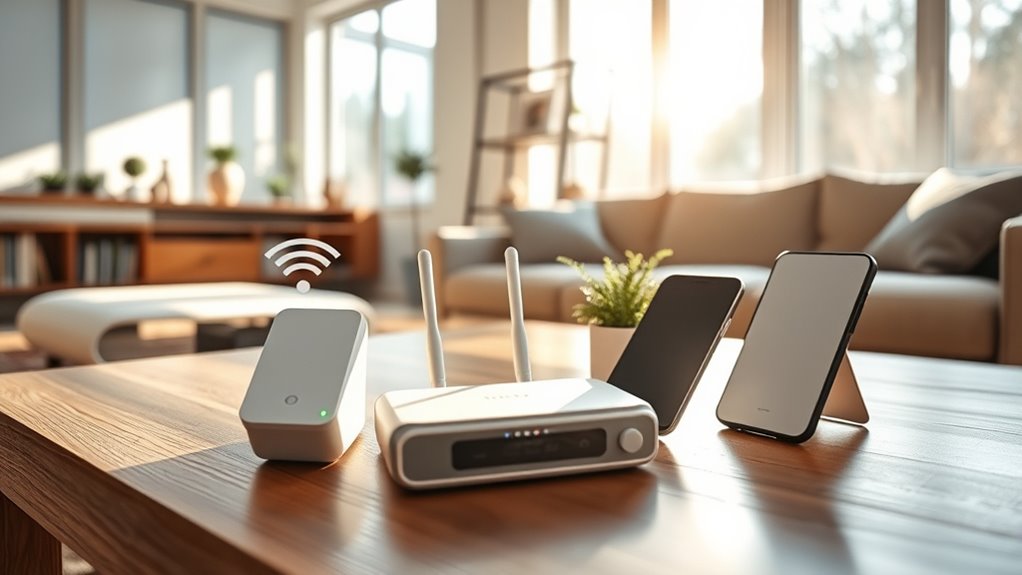

To boost your cell signal at home, start by positioning your device near windows or upper floors away from thick walls and metal structures. Keep electronics like Wi-Fi routers, cordless phones, and microwaves away from your phone to reduce interference. Consider installing a signal booster or femtocell to improve coverage, especially in rural areas. Reflective surfaces can help direct signals into difficult spots. If you’re interested, there are more simple strategies to maximize your reception.
Key Takeaways
- Reposition your device near windows or upper floors to reduce interference and improve signal entry.
- Minimize household electronic interference by keeping phones away from Wi-Fi routers, microwaves, and cordless phones.
- Install a cell signal booster or repeater near windows or strong-signal areas to amplify reception.
- Remove physical obstructions like thick walls or metal structures that block signals into your home.
- Keep device software updated to enhance connectivity and optimize network compatibility.

Having a weak cell signal at home can be frustrating, but there are effective ways to improve it. One of the main factors influencing your signal strength is cell tower proximity. If you’re located far from the nearest cell tower, your device has to work harder to connect, resulting in weaker signals and dropped calls. To address this, you might consider using a cell signal booster or a femtocell device that connects directly to your internet, effectively bringing the cell tower closer to your home. These devices amplify the existing signal and can markedly enhance your reception, especially in rural or suburban areas where towers are spaced farther apart.
Another vital aspect to consider is signal interference. Various household electronics and structural elements can disrupt cellular signals, causing frequent drops and slow data speeds. Common culprits include Wi-Fi routers, cordless phones, microwave ovens, and even certain building materials like thick concrete or metal framing. To minimize interference, try to keep your phone away from these electronic devices, particularly when making calls or using data-heavy apps. Positioning your phone near a window or on an upper floor can also help bypass some of the interference caused by walls and furniture. If you notice persistent issues, turning off or relocating devices that may be causing interference can make a noticeable difference.
Minimize interference by keeping devices away from Wi-Fi routers, cordless phones, microwaves, and thick building materials.
You can also improve your signal by optimizing your environment for better reception. For example, removing obstructions from windows or using reflective surfaces can help bounce signals into your home. If your house has poor reception on multiple floors or areas, consider installing a signal booster or a small repeater system that redistributes the enhanced signal throughout your home. Remember, these boosters work best when placed near a window or an area with the strongest existing signal. Additionally, updating your device’s software can sometimes improve sensitivity and connection stability, as manufacturers often release updates that optimize network compatibility. Interestingly, some modern flat iron bikes are equipped with advanced electric power systems that can contribute to more reliable connectivity in smart or tech-integrated homes.
Ultimately, understanding the relationship between cell tower proximity and signal interference allows you to take targeted actions to improve your home’s cell reception. Whether it’s investing in a booster, reducing electronic interference, or repositioning your device, these strategies can help you enjoy more reliable calls, faster data, and fewer dropped connections. Improving your cell signal isn’t always immediate, but with some adjustments and the right equipment, you’ll notice a marked difference in your everyday connectivity.

EVEO Screen Cleaner Spray - Large Screen Cleaner Bottle - TV Screen Cleaner, Computer Screen Cleaner, for Laptop, Phone, Ipad - Computer Cleaning kit Electronic Cleaner (1 Pack)
Screen Cleaner is Your Screen’s New Bestfriend! - EVEO is proud to present a screen cleaner that’s perfectly...
As an affiliate, we earn on qualifying purchases.
Frequently Asked Questions
Can Moving Furniture Improve Cell Reception Indoors?
Absolutely, moving furniture can dramatically boost your cell reception! Poor furniture placement often causes signal obstruction, turning your cozy space into a dead zone. By rearranging heavy or bulky pieces away from windows and walls, you clear the path for signals to flow freely. Even small adjustments can make a huge difference — so don’t hesitate to experiment. Your indoor signal strength can become so strong, it’s almost like magic!
Do Cell Signal Boosters Work With All Carriers?
Yes, cell signal boosters work with most carriers, but you should check carrier compatibility before purchasing. Boosters are designed to support multiple networks, so confirming compatibility ensures peak performance. During booster installation, follow the manufacturer’s instructions closely, as proper setup maximizes signal improvement. Keep in mind that some boosters may have limited support for certain carriers, so verifying compatibility beforehand helps you get the best results for your specific provider.
Is There an App to Test My Home’s Signal Strength?
Think of cell signal apps as your digital detective, uncovering hidden signal strengths around your home. Yes, there are apps and signal strength meters you can use to test your coverage. These tools help you identify weak spots and optimize your setup. Simply download a reputable cell signal app, walk around your house, and watch the readings improve. It’s like giving your phone a personalized map of the best spots for strong signals.
How Do Window Films Affect Cell Signal Quality?
Window tinting and glass reflectivity can negatively impact your cell signal quality. Reflective films increase signal loss by blocking or bouncing signals away from your devices, especially if your home has high glass reflectivity. To improve reception, consider using less reflective window films or installing signal boosters. Keep in mind that reducing reflective tinting can help your cell signals penetrate better, ensuring clearer calls and faster data at home.
Can Changing My Wi-Fi Router Improve Cell Reception?
Up to 50% of poor cell reception can be caused by Wi-Fi interference and mismatched signal frequencies. Changing your Wi-Fi router can help, especially if you switch to a dual-band model that operates on both 2.4 GHz and 5 GHz. This reduces interference with your cell signal and improves overall reception. Opt for a newer router with better range and fewer signal conflicts to guarantee stronger, more reliable cell connectivity.

Screen Cleaner Spray (16oz - 473ml) – Best Large Cleaning Kit for LCD LED OLED TV, Smartphone, iPad, Laptop, Touchscreen, Computer Monitor, Electronic Devices, Microfiber Cloth Wipes and 2 Nozzles
SCREEN CLEANER SPRAY and cloth are designed for the high-end devices and works flawlessly for all electronic screens,...
As an affiliate, we earn on qualifying purchases.
Conclusion
Boosting your cell signal at home is easier than you think. With simple tips like adjusting your location or using signal boosters, you can stay connected no matter where you are. Did you know that 80% of smartphone calls drop due to poor signal? Don’t let bad reception hold you back—try these tricks today and enjoy clearer calls, faster data, and better connectivity right from your own home.
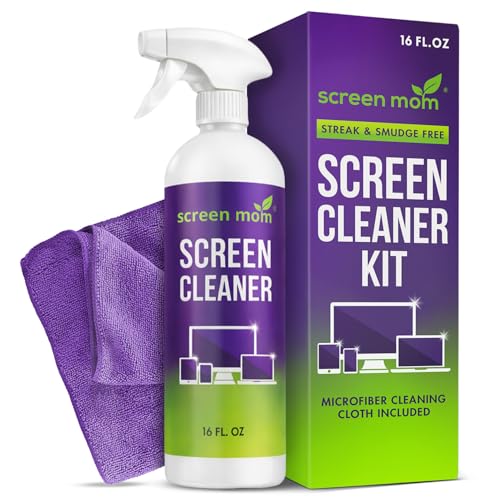
Screen Mom Screen Cleaner Spray and Microfiber Cloth 16oz Screen Cleaner Spray and Wipe for TV, Laptop, Computer, Phone, iPad, Car Screen Cleaning Kit Electronic Cleaner Spray
STREAK FREE FORMULA FOR CRYSTAL CLEAR SCREENS: Screen Mom tv cleaner spray and cloth advanced streak-free screen cleaner...
As an affiliate, we earn on qualifying purchases.

TP-Link Omada Long Range Outdoor Access Point - WiFi Extender Universal Compatible, WiFi 6 AX1800 High Density, Up to 3,500 sq.ft, IP68 Weatherproof, PoE Powered(EAP625-Outdoor HD)
Tri-Band Six-Stream Outdoor WiFi 7: Up to 9.3 Gbps.
As an affiliate, we earn on qualifying purchases.