
TL;DR
A buying guide compares 13 portable SSD listings from Samsung, SanDisk and SSK by capacity, advertised performance, intended use and portability. It recommends the Samsung T7 as an everyday option, while noting that top T9 speeds require compatible USB 3.2 Gen 2×2 hardware and that some SanDisk listings contain conflicting specifications.
Thorsten Meyer AI has published a comparison of 13 portable SSD listings from Samsung, SanDisk and SSK, focusing on storage capacity, advertised transfer speeds, interface requirements and portability. The guide recommends the 1TB Samsung T7 as a general-purpose starting point, while warning that faster performance depends on a computer and cable that support the drive’s interface.

Get the latest gadgets delivered free with Prime
- Fast, free delivery on millions of items
- Prime Video, Amazon Music and more included
- Member-only deals all year
The comparison covers drives with capacities from 500GB to 4TB. It presents the Samsung T7 as an everyday choice with a USB 3.2 Gen 2 connection and up to 1,050MB/s read speed. The guide says the model includes encryption and cables for USB-C and USB-A connections, and notes that reaching its maximum speed requires a compatible host and UASP support.
Samsung’s T9 models are listed with up to 2,000MB/s read and write speeds in 1TB, 2TB and 4TB capacities. Those are advertised maximums: the guide says achieving them requires USB 3.2 Gen 2×2 support, a suitable cable and UASP support. For SanDisk, the standard Portable SSD models are described as straightforward storage options, while Extreme models are aimed at people who want a more rugged design. The source lists some Extreme models with read speeds up to 1,050MB/s and write speeds up to 1,000MB/s.
Other entries include the SSK 500GB portable SSD, listed at up to 1,050MB/s read and 1,000MB/s write, and standard SanDisk models in 500GB, 1TB and 2TB capacities. For several SanDisk listings, the source does not provide a maximum write-speed figure. It also flags conflicting product-page details for some Extreme drives, including protection ratings and stated drop distances.
Choose a Portable SSD That Fits Your Setup
A comparison of 13 listings weighs capacity, advertised speed and portability. The right drive depends on what your computer and cable can support.
Everyday or High-Speed?
The guide frames the Samsung T7 as an everyday starting point and the T9 for large transfers with compatible hardware.
- 1TB capacity and USB 3.2 Gen 2
- Up to 1,050MB/s read speed
- Encryption and USB-C and USB-A cables included
- 1TB, 2TB and 4TB capacities
- Up to 2,000MB/s read and write
- Needs USB 3.2 Gen 2×2, a suitable cable and UASP support
Match Capacity to Your Needs
Smaller drives suit lighter carry needs; larger capacities leave more room for media and project files.
Compare 500GB options with 2TB or 4TB models based on the space you need.
Confirm your computer’s port and cable support the drive’s interface and advertised speed.
Check current specifications for write speed and any protection rating before buying.
Three Brands, Different Tradeoffs
The listings range from straightforward storage to models intended for rugged use.
Broad compatibility
The T7 is presented as a balanced option for everyday transfers.
Simple or rugged
Standard models offer straightforward storage; Extreme models are aimed at buyers seeking a rugged design.
Compact capacity
The 500GB listing advertises up to 1,050MB/s read and 1,000MB/s write.
What the Listings Can’t Confirm
The comparison summarizes product-page claims, not independent performance or durability results.
Matching SSD Speed to Your Setup
The comparison’s central consumer point is that an advertised speed is only useful when the rest of a setup can support it. A USB 3.2 Gen 2×2 drive such as the T9 may be a poor fit for a computer without that interface; buyers could pay for performance their device cannot reach. Checking the computer’s port, cable and drive’s exact model before purchase can help avoid that mismatch.
Capacity and physical design also shape the choice. A 500GB drive may suit lighter carry needs, while 2TB or 4TB models provide more space for media libraries and project files. The guide’s flagged specification conflicts matter for buyers who are choosing a rugged-style drive based on its stated resistance to water, dust or drops. Those details should be confirmed against the exact product listing before relying on them.
Products Worth Considering

Apple Watch Ultra 4 GPS + Cellular, 49 mm
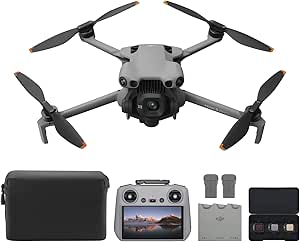
DJI Mini 5 Pro Fly More Combo Plus with DJI RC 2

Anker SOLIX C1000 Gen 2 Portable Power Station with 200W Solar Panel
As an affiliate, we earn on qualifying purchases.
Three Brands, Different Tradeoffs
The source frames its comparison around three practical tradeoffs: capacity versus portability, everyday speed versus higher advertised performance, and rugged features versus a simpler design. It presents the Samsung T7 as a balance of capacity and broad compatibility, and the T9 as an option for users who regularly transfer large files and have the required hardware.
The recommendations are based on product listings and the guide’s stated intended uses. The supplied material does not describe independent benchmark testing, a standardized durability test, or a direct measurement of real-world performance across all 13 models. Its speed figures should consequently be read as advertised maximums, not as a guarantee of sustained transfer rates in every workload.
“The Samsung T7 is the balanced starting point: its 1TB capacity and USB 3.2 Gen 2 interface suit everyday transfers.”
— Thorsten Meyer AI buying guide
Listing Details Need Checking
Some product specifications remain uncertain in the supplied source. It reports conflicting water and dust ratings, as well as different drop-protection distances, across certain SanDisk Extreme listings. The source also identifies differences among listings that share a brand and capacity, particularly for SanDisk Extreme models, but the supplied material does not resolve which specifications are current for each exact product.
Prices, availability, warranty terms and sustained real-world speeds are not established in the source. It does not provide testing methods or explain how the 13 listings were selected. Readers should check the exact model number and current manufacturer or retailer specifications before buying.
Check the Exact Model Before Buying
Before choosing a drive, buyers can compare the exact model number, capacity and interface with their computer’s ports and cable. They should also check current write-speed information and verify any water, dust or drop rating directly on the listing for the model they intend to purchase.
The comparison provides a snapshot of listed options; prices, stock and product-page specifications can change. The supplied material does not announce a future update or testing milestone, so there is no confirmed next publication date.
Key Questions
Which portable SSD does the guide recommend for everyday use?
It presents the 1TB Samsung T7 as a balanced starting point, citing its USB 3.2 Gen 2 connection and everyday capacity. Its maximum advertised speed depends on compatible hardware and UASP support.
Will a Samsung T9 reach 2,000MB/s on any computer?
No. The guide says the advertised maximum requires a USB 3.2 Gen 2×2 host, a compatible cable and UASP support. Actual performance can depend on the connected device and workload.
Which capacities are included in the comparison?
The listed drives range from 500GB to 4TB. The guide associates smaller capacities with lighter carry needs and larger options with bigger media collections or project files.
Are the rugged ratings for the SanDisk Extreme models consistent?
The source flags conflicting water and dust ratings and drop distances in some listings. Check the exact model’s current specifications before relying on a protection rating.
Source: Thorsten Meyer AI