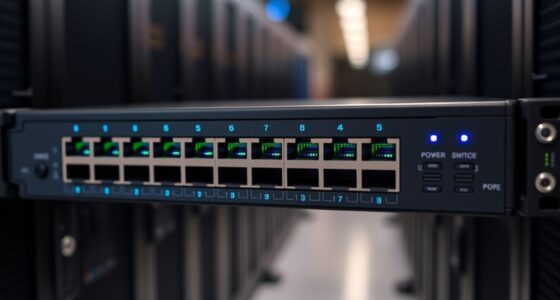

Choosing among the best Home Assistant hubs means deciding how much control, device compatibility, and setup work you want. I put Home Assistant Green first for buyers who want the official Home Assistant experience in a ready-to-run box, while the Hubitat Elevation C-8 Pro is the stronger fit for broad radio support and fast local automations. The Homey Pro Mini is a polished alternative for a mixed-protocol home that uses Zigbee, Matter, or Thread.

Get the latest gadgets delivered free with Prime
- Fast, free delivery on millions of items
- Prime Video, Amazon Music and more included
- Member-only deals all year
The key tradeoff is not simply which box lists the most protocols. Green needs separate radios for Zigbee, Z-Wave, or Thread, while Hubitat has those radios built in but can ask more of a new user. Homey Pro Mini is easy to position as a compact multi-platform controller, though Z-Wave and Bluetooth require an additional Bridge. SONOFF Bridge Max and HomeClaw offer different routes for buyers prioritizing a Zigbee gateway or simplified Home Assistant deployment, but their supplied feature details leave more unanswered questions. I rank these options by how clearly they serve a Home Assistant buyer, how much hardware they need beyond the hub, and the tradeoffs I would want resolved before choosing.
Complete the kit



Key Takeaways
- Home Assistant Green is the clearest direct route into Home Assistant OS, but Z-Wave, Zigbee, and Thread need compatible USB radios.
- Hubitat Elevation C-8 Pro combines Z-Wave, Zigbee, Matter, and Bluetooth support with local automation and no required subscription; expect a steeper setup.
- Homey Pro Mini includes Ethernet and supports Zigbee, Matter, and Thread, but its Z-Wave and Bluetooth expansion depends on a separately purchased Homey Bridge.
- SONOFF Bridge Max is the lineup’s gateway-focused choice for Zigbee and eWeLink devices, with Wi-Fi and Ethernet connectivity and a local web console.
- HomeClaw promises ready-made Home Assistant deployment and AI features, but its missing detailed interface and radio specifications make it harder to compare confidently.
| Home Assistant Green |  | Best Overall for a Straightforward Home Assistant Start | Operating system: Home Assistant OS | Memory: 4 GB RAM | Storage: 32 GB | VIEW LATEST PRICE | See Our Full Breakdown |
| Hubitat Elevation C-8 Pro Smart Home Hub – Z-Wave Zigbee Matter |  | Best for Built-In Radio Variety and Local Automations | Protocols: Z-Wave 800 Series, Zigbee 3.0, Matter 1.5, Bluetooth | Antennas: Two external antennas for Z-Wave and Zigbee | Processing: Local automation processing | VIEW LATEST PRICE | See Our Full Breakdown |
| Homey Pro Mini | Smart Home Hub for Home Automation with Zigbee, Ethernet, Matter & Thread |  | Best Compact Multi-Protocol Alternative | Protocols: Zigbee, Matter, Thread, Ethernet | Local processing: Supported | Automation: Homey Flow | VIEW LATEST PRICE | See Our Full Breakdown |
| SONOFF Bridge Max Smart Home Hub (Bridge-M) |  | Best Zigbee Gateway with Local Web Management | Connectivity: Wi-Fi, Ethernet, Zigbee | Supported device ecosystems: Zigbee, BTHome, and eWeLink | Network standards: Wi-Fi 802.11a/b/g/n/ac/ax; Zigbee IEEE 802.15.4 | VIEW LATEST PRICE | See Our Full Breakdown |
| HomeClaw Smart Home Gateway with Home Assistant & OpenClaw AI |  | Best for Buyers Seeking a Preconfigured Home Assistant Pitch | Home Assistant setup: One-click installation claim | AI: Integrated AI server and OpenClaw AI branding | Matter: Matter bridging claimed | VIEW LATEST PRICE | See Our Full Breakdown |
| Home Assistant hub | Weight |
|---|---|
| Home Assistant Green | — |
| Hubitat Elevation C-8 Pro Smar | 0.16 lb |
| Homey Pro Mini | Smart Home Hu | — |
| SONOFF Bridge Max Smart Home H | 2.88 ounces |
| HomeClaw Smart Home Gateway wi | 4.3 ounces |
More Details on Our Top Picks
Home Assistant Green
Home Assistant Green earns my top position because it is the most direct answer to the title: Home Assistant OS is pre-installed, so a buyer gets a dedicated platform rather than needing to assemble a host and install the software separately. Its 4 GB of RAM and 32 GB of storage give the system defined hardware resources, while the fanless design suits a quiet shelf or network cabinet. Ethernet provides a wired connection; that is a sensible fit for a stationary automation hub, even though it rules out placing it wherever Wi-Fi happens to reach.
Its central compromise is radio expansion. The listing describes support for Z-Wave, Zigbee, and Thread USB devices, but the unit has no built-in Wi-Fi and does not list those radios as integrated. A buyer should treat Green as the Home Assistant computer and plan for compatible USB hardware when devices use those protocols. Compared with the Hubitat C-8 Pro, Green is a clearer Home Assistant platform but requires extra radio planning; Hubitat lists Z-Wave and Zigbee directly and may be more convenient for a household already using those networks.
Green also differs from Homey Pro Mini: Homey names Zigbee, Matter, and Thread support in its hub, while Green’s value is its native Home Assistant OS foundation and room to shape automations within that system. I would choose Green for a buyer who wants Home Assistant itself, expects to build a system over time, and is comfortable selecting add-ons. I would skip it if built-in wireless radios, Wi-Fi placement, or a fully specified appliance-style experience matter more than direct access to Home Assistant.
Pros:- Home Assistant OS comes pre-installed for a direct start with the platform.
- 4 GB RAM and 32 GB storage are specified for a dedicated hub.
- Fanless, compact design avoids an active cooling fan.
- USB expansion supports compatible Z-Wave, Zigbee, and Thread devices.
Cons:- No built-in Wi-Fi; Ethernet is the listed network connection.
- Wireless protocols require compatible USB devices rather than integrated radios.
Best for: Buyers who want a dedicated, pre-installed Home Assistant OS hub and are comfortable adding compatible USB radios as needed.
Not ideal for: Anyone who needs built-in Wi-Fi, integrated Z-Wave or Zigbee radios, or a hub that requires no extra hardware planning.
- Operating system:Home Assistant OS
- Memory:4 GB RAM
- Storage:32 GB
- Network:Ethernet; no built-in Wi-Fi listed
- Ports:2 USB ports
- Wireless expansion:Compatible USB devices for Z-Wave, Zigbee, and Thread
- Size:4.41 × 4.41 × 1.26 inches
- Design:Compact and fanless
Our verdict“I recommend Home Assistant Green to buyers who want the clearest official Home Assistant starting point and do not mind adding radios for their devices.”
Hubitat Elevation C-8 Pro Smart Home Hub – Z-Wave Zigbee Matter
The Hubitat Elevation C-8 Pro is my pick for households that value a broad set of integrated radios and responsive local automation more than the most direct Home Assistant installation. Its listed support covers Z-Wave 800 Series, Zigbee 3.0, Matter 1.5, and Bluetooth, with two external antennas assigned to Z-Wave and Zigbee. That combination can reduce the need to add separate radio hardware compared with Home Assistant Green, where those connections depend on compatible USB devices.
Hubitat also puts the emphasis on local processing. Its description says automations can respond without internet access, and Rule Machine offers a more hands-on route to building rules. No subscription is required for full platform features. Those are useful advantages for someone who wants automations to remain within the home and is willing to learn the hub’s controls. Its integrations with Alexa, Google Home, Apple HomeKit, and Ring cameras also give it a wider stated assistant and device ecosystem than a protocol list alone might suggest.
The tradeoff is setup effort. The supplied material warns that beginners may find configuration complex, and it does not provide much detail about the user interface. Compared with Homey Pro Mini, Hubitat has a stronger listed radio spread, while Homey presents a simpler-sounding Flow approach and includes Thread support. Compared with Green, C-8 Pro is a controller with listed radios, not the most explicit official Home Assistant OS box. I would choose it for local rules and built-in protocol flexibility, but a buyer set on Home Assistant itself should check that it matches their intended software path before choosing it over Green.
Pros:- Lists Z-Wave 800 Series, Zigbee 3.0, Matter 1.5, and Bluetooth support.
- Local processing supports fast automations without relying on internet access.
- No subscription is required for full platform features.
- External Z-Wave and Zigbee antennas are specified for expanded wireless range.
Cons:- Setup may be complex for beginners.
- The supplied product details give limited information about the user interface.
- Compatible smart devices are still needed to make use of its protocol support.
Best for: Experienced smart-home owners who want local automations, multiple built-in radio protocols, and no required subscription.
Not ideal for: Beginners seeking the simplest setup or buyers who specifically require a clearly documented Home Assistant OS installation.
- Protocols:Z-Wave 800 Series, Zigbee 3.0, Matter 1.5, Bluetooth
- Antennas:Two external antennas for Z-Wave and Zigbee
- Processing:Local automation processing
- Automation:Rule Machine and AI-assisted routines
- Platform integrations:Alexa, Google Home, Apple HomeKit, and Ring cameras
- Subscription:None required for full functionality
- Dimensions:3.23 × 2.95 × 0.67 inches
- Weight:0.16 lb
Our verdict“I would choose the C-8 Pro over Green when built-in radio breadth and local rules matter more than a direct Home Assistant OS starting point.”
Homey Pro Mini | Smart Home Hub for Home Automation with Zigbee, Ethernet, Matter & Thread
Homey Pro Mini stands out for buyers who want a small, locally processing hub built around Zigbee, Matter, and Thread, with Ethernet rather than a wireless network connection. Its stated compatibility with Siri, Alexa, and Google Home makes it appealing for a home that spans more than one voice assistant. Homey Flow and real-time energy monitoring add a practical automation angle: the hub is not just a radio bridge, but a place to organize routines and monitor connected devices.
Compared with Home Assistant Green, Homey’s protocol list includes Zigbee, Matter, and Thread without specifying a USB-radio route, while Green is the more direct pick for running Home Assistant OS. The Mini also has a sharper limitation than its broad platform pitch might first suggest: Z-Wave and Bluetooth need a separate Homey Bridge. Hubitat C-8 Pro lists both Z-Wave and Bluetooth support directly, so it is a better match for buyers with those devices and who prefer to avoid an added accessory.
Homey’s local data processing and no-subscription claim for full feature access are positives, but the description also notes that support is limited to certain brands and devices. I would check the compatibility of specific lights, sensors, and appliances before building around it. This is a better option than SONOFF Bridge Max for someone who wants a broader automation hub rather than a Zigbee gateway, but it is not the most direct Home Assistant choice in this group. Pick it for its compact multi-protocol approach; pass if your devices depend on Z-Wave or you want to run Home Assistant OS directly.
Pros:- Supports Zigbee, Matter, and Thread in the listed protocol set.
- Local data processing supports privacy-focused operation.
- Homey Flow and real-time energy monitoring provide automation and device insight.
- Lists compatibility with Siri, Alexa, and Google Home.
Cons:- Z-Wave and Bluetooth require a separate Homey Bridge.
- The supplied description says device support is limited to certain brands and products.
Best for: Buyers wanting a compact local hub for Zigbee, Matter, and Thread devices with voice-assistant compatibility.
Not ideal for: Households centered on Z-Wave or Bluetooth devices, or buyers who want Home Assistant OS as the hub’s stated operating system.
- Protocols:Zigbee, Matter, Thread, Ethernet
- Local processing:Supported
- Automation:Homey Flow
- Energy features:Real-time energy monitoring
- Voice assistant compatibility:Siri, Amazon Alexa, Google Home
- Z-Wave and Bluetooth:Requires a separately purchased Homey Bridge
- Model:HOMEY-PRO-MINI-US-01
Our verdict“I would pick Homey Pro Mini for a compact Zigbee, Matter, and Thread setup, but not for a Z-Wave-heavy home or direct Home Assistant OS use.”
SONOFF Bridge Max Smart Home Hub (Bridge-M)
The SONOFF Bridge Max is best understood as a gateway-focused pick, rather than a like-for-like substitute for a dedicated Home Assistant OS machine. It lists Zigbee, BTHome, and eWeLink device support, along with Wi-Fi and Ethernet connectivity. Its local web console is the standout distinction: buyers who want a browser-based way to manage a gateway and prefer cloud-free control may find that more relevant than a longer list of automation features.
Compared with Home Assistant Green, SONOFF’s listing gives more attention to Zigbee gateway duties and less to running Home Assistant OS. Green is the clearer choice for building around Home Assistant; the Bridge Max may suit someone extending a Zigbee and eWeLink setup. Its Alexa, Google Home, and Apple Home compatibility is useful for homes that blend voice-assistant ecosystems. The listed security-sensor support, alarms, and notifications also point to a role in basic monitoring, though the product information does not explain how those features are configured or how broadly third-party devices work.
That uncertainty is a real drawback beside Hubitat C-8 Pro, which states support for several radio protocols and Rule Machine, and beside Homey Pro Mini, which describes Flow and energy monitoring. SONOFF’s protocol list does not establish built-in Z-Wave support, despite a confusing note in the supplied description mentioning Matter support elsewhere. I would not assume Matter or Z-Wave compatibility without confirmation from the manufacturer. The Bridge Max makes sense when Zigbee gateway management and local web access are the priorities; buyers seeking a well-defined Home Assistant host should choose Green instead.
Pros:- Supports Zigbee, BTHome, and eWeLink devices.
- Offers Wi-Fi and Ethernet network connections.
- Local web console is specified for management without cloud reliance.
- Lists security-sensor, alarm, and notification features.
Cons:- Its listed protocol support does not specify Z-Wave.
- The supplied information gives limited detail about the user interface and automation capabilities.
- Its role as a gateway is less direct for buyers seeking a dedicated Home Assistant OS host.
Best for: Owners of Zigbee, BTHome, or eWeLink devices who want a gateway with Ethernet or Wi-Fi and local web-console access.
Not ideal for: Buyers who need a clearly specified Home Assistant OS host, integrated Z-Wave, or detailed documentation of automation features.
- Connectivity:Wi-Fi, Ethernet, Zigbee
- Supported device ecosystems:Zigbee, BTHome, and eWeLink
- Network standards:Wi-Fi 802.11a/b/g/n/ac/ax; Zigbee IEEE 802.15.4
- Management:Local web console
- Voice and smart-home platforms:Alexa, Google Home, Apple Home
- Power:5 volts
- Weight:2.88 ounces
- Warranty:2 years
Our verdict“I would choose Bridge Max for a Zigbee-centered gateway setup with local web management, not as my first pick for running Home Assistant itself.”
HomeClaw Smart Home Gateway with Home Assistant & OpenClaw AI
HomeClaw Gateway is aimed at buyers who want Home Assistant deployment packaged with setup assistance, multi-brand integration, and an AI server. Its one-click installation claim and stated local control make it different from Green’s straightforward official Home Assistant OS appliance: HomeClaw emphasizes quick deployment and household AI tasks, while Green’s supplied details are more concrete about the operating system, memory, storage, and ports. If avoiding manual installation is the main goal, HomeClaw’s promise may appeal, but the available product information does not explain the interface or what the AI server can do day to day.
The connectivity story needs careful reading. The product claims Matter bridging and broad device integration, but buyers need a separate USB dongle for Z-Wave or Zigbee. That makes it less self-contained for common radio-based device setups than Hubitat C-8 Pro, which lists several protocols with external antennas, and less specific than Homey Pro Mini’s stated Zigbee, Matter, and Thread support. A buyer should confirm which Matter devices and integrations are supported, and what hardware the chosen devices need, before treating the gateway as a universal bridge.
HomeClaw’s compact black unit weighs 4.3 ounces, but the description also says some setup features may be complex for beginners. That sits in tension with the no-coding and one-click language: it could mean initial installation is simple while later configuration takes more care, but the listing does not clarify. I rank it last because the core Home Assistant promise is less fully specified than Green’s pre-installed Home Assistant OS, and its radio requirements add another purchase. It may suit an early adopter who specifically wants its integrated AI concept and is willing to verify the details; conservative buyers should favor Green.
Pros:- Promotes one-click Home Assistant installation without coding.
- Claims local control and secure remote access.
- Offers a Matter-bridging and multi-brand integration approach.
- Includes an integrated AI server for household tasks.
Cons:- A separate USB dongle is required for Z-Wave or Zigbee devices.
- Detailed interface and hardware specifications are limited.
- The description says some setup features may be complex despite its quick-install pitch.
Best for: Early adopters interested in a packaged Home Assistant deployment, local control, and an integrated AI server concept.
Not ideal for: Buyers who need clearly documented hardware, built-in Z-Wave or Zigbee radios, or a fully explained interface and setup process.
- Home Assistant setup:One-click installation claim
- AI:Integrated AI server and OpenClaw AI branding
- Matter:Matter bridging claimed
- Local control:Supported according to product description
- Remote access:Secure remote access claimed
- Additional radio hardware:Separate USB dongle required for Z-Wave or Zigbee
- Dimensions:6.57 × 3.98 × 2.05 inches
- Weight:4.3 ounces
Our verdict“I would consider HomeClaw only after confirming its exact hardware and device support; Green is the safer choice when a clearly specified Home Assistant hub matters most.”
How We Picked
I ranked these products for readers specifically looking for a Home Assistant hub, not just any smart-home controller. My first question was whether the supplied information clearly describes a path to running or extending Home Assistant. That puts Home Assistant Green at the top: it ships with Home Assistant OS, whereas other entries are separate automation hubs or gateway products whose relationship to Home Assistant is less clearly documented.
Next I compared local control, supported protocols, built-in radios, and the hardware a buyer may need to add. A protocol name matters most when it removes a separate purchase or solves a real compatibility need. Hubitat’s listed Z-Wave and Zigbee radios, for example, are a different proposition from Green’s support for USB-connected radios. Homey Pro Mini has Zigbee, Matter, and Thread but needs Homey Bridge for Z-Wave and Bluetooth. I also weighed network options, stated automation tools, and subscription requirements where those details were provided.
Finally, I considered setup clarity and evidence gaps. A ready-to-run operating system, a technical local console, and an AI-led setup pitch suit different buyers. I did not treat claims such as “AI-assisted” or “easy” as proof of a particular interface or capability when specifics were not supplied. That uncertainty affects the ranking: products with less complete information can still fit a clear use case, but I place them below options with a more explicit Home Assistant path and better-defined expansion choices. Product roles reflect these distinctions rather than suggesting that one hub is best for every household.
Factors to Consider When Choosing Best Home Assistant Hubs
I would start by deciding whether you need a machine that runs Home Assistant, a hub that coordinates compatible devices, or a gateway for one particular radio ecosystem. Those categories overlap in marketing, but they are not interchangeable. The distinction explains why Green ranks above the other options for a Home Assistant-specific shortlist, while Hubitat, Homey, and SONOFF can be stronger fits for particular device mixes.
Decide whether Home Assistant itself is the priority
If you want Home Assistant OS on a dedicated appliance, Home Assistant Green is the most clearly specified match here. It arrives with the operating system installed, and the product details identify its memory, storage, Ethernet, and USB ports. HomeClaw also pitches a quick Home Assistant installation, but its supplied hardware and interface details are thinner. I would favor Green when predictability matters and HomeClaw only if its AI server or setup approach is a specific draw that you have verified.
Hubitat Elevation C-8 Pro is different: it is described as a local smart-home hub with its own automation tools and platform integrations. That can make it a compelling controller, but the information supplied does not position it as a pre-installed Home Assistant OS host. Before buying any controller on a Home Assistant shortlist, match the product to the software you plan to use. A broad smart-home feature list does not by itself mean the hub runs Home Assistant.
Match the radios to the devices you already own
Write down the protocols used by your existing sensors, switches, locks, and lights before choosing. The C-8 Pro lists Z-Wave, Zigbee, Matter, and Bluetooth, so it is the most explicit integrated-radio choice in this group. Homey Pro Mini lists Zigbee, Matter, and Thread; its stated gap is Z-Wave and Bluetooth, which need a separately purchased Bridge. SONOFF Bridge Max is oriented around Zigbee, BTHome, and eWeLink rather than a similarly broad list.
Green supports connections to Z-Wave, Zigbee, and Thread through compatible USB devices, but the product itself has two USB ports and no listed built-in Wi-Fi. HomeClaw also needs a separate USB dongle for Z-Wave or Zigbee. I would count extra radios as both added hardware and a compatibility decision: check that the dongle matches the protocol, device, and software setup you intend to use. The product details here do not settle every device-level compatibility question.
Choose your preferred balance of local control and simplicity
Local processing is a stated strength of Green, Hubitat, Homey, and HomeClaw, though the products describe it in different ways. Hubitat specifically says automations can respond without internet access. Green runs Home Assistant OS, and Homey describes local data processing. SONOFF advertises a local web console for management. These are useful signals, but buyers should separate local automation from remote access: controlling a home while away may involve different services and setup than a rule running inside the home.
Setup effort also varies. Green’s pre-installed software gives it a defined starting point, but adding USB radios means more choices. Hubitat can reward someone who wants to build rules in Rule Machine, yet its setup is flagged as complex for beginners. Homey Flow may suit people who want a more guided automation concept, though device compatibility remains brand-dependent. A promise of one-click setup on HomeClaw is appealing, but its own description warns that some setup features may be complex. I would choose based on the exact tasks you want to automate, not a general ease-of-use claim.
Check expansion, network placement, and long-term needs
Where the hub sits can shape the experience. Green and Homey Pro Mini list Ethernet, which offers a wired connection but ties placement to a network port. SONOFF Bridge Max offers Ethernet and Wi-Fi. The supplied C-8 Pro details highlight external Z-Wave and Zigbee antennas, useful when radio reach is a concern, while Green is fanless and compact. HomeClaw is also compact by its listed dimensions, but physical size does not answer questions about performance or expansion.
Think beyond the first few devices. A hub may need to coordinate new sensors, add a second radio, or connect to another assistant later. Hubitat lists integrations with Alexa, Google Home, Apple HomeKit, and Ring cameras; Homey lists Siri, Alexa, and Google Home; SONOFF lists Alexa, Google Home, and Apple Home. Green’s main expansion route here is USB hardware. I would keep a short record of required platforms and devices, then compare it against the hub’s stated support rather than assuming all products with Matter or Zigbee labels behave the same way.
Frequently Asked Questions
Which option is the most direct Home Assistant hub in this roundup?
Home Assistant Green is the most direct fit because Home Assistant OS comes pre-installed. HomeClaw also advertises Home Assistant deployment, but its supplied hardware and interface details are less specific. Green is the clearer choice when you want a dedicated host for Home Assistant; remember that Z-Wave, Zigbee, and Thread connections require compatible USB devices.
Do I need extra hardware to connect Z-Wave or Zigbee devices?
That depends on the hub. The C-8 Pro lists Z-Wave and Zigbee support with external antennas, while Home Assistant Green describes support through compatible USB devices. HomeClaw requires a separate USB dongle for Z-Wave or Zigbee, and Homey Pro Mini requires a Homey Bridge for Z-Wave. SONOFF Bridge Max is centered on Zigbee, BTHome, and eWeLink; its supplied details do not specify Z-Wave support.
Which hub is better for a beginner?
I would start by comparing Home Assistant Green and Homey Pro Mini, depending on the software you want. Green has Home Assistant OS installed, though radio expansion still takes planning. Homey describes Flow automation and local processing, but device compatibility should be checked and Z-Wave needs a separate Bridge. Hubitat warns that setup may be complex, while HomeClaw’s one-click pitch is paired with limited interface detail and a note that some setup features may be complex.
Can these hubs keep automations running without internet?
Several descriptions point to local operation. Hubitat explicitly says its local processing allows fast automation responses without internet, and Green, Homey, and HomeClaw also describe local processing or control. These claims do not mean every feature, remote connection, voice assistant, or cloud-linked device will work offline. I would check each device and integration’s dependencies if offline operation is a firm requirement.
How should I choose between Hubitat C-8 Pro and Home Assistant Green?
Choose Home Assistant Green if you want a dedicated machine with Home Assistant OS already installed and are willing to add compatible USB radios. Choose Hubitat C-8 Pro if built-in listed support for Z-Wave, Zigbee, Matter, and Bluetooth, plus local Rule Machine automations, matters more than a direct Home Assistant OS starting point. Their roles differ: Green is the clearest Home Assistant host, while Hubitat is the more radio-rich local smart-home controller.
Conclusion
For a dedicated Home Assistant foundation, I recommend Home Assistant Green: its pre-installed Home Assistant OS makes its role easy to understand, though you will need compatible USB radios for wireless protocols. Choose Hubitat Elevation C-8 Pro if your priority is local automation and a broad set of listed built-in protocols, and you are comfortable with a more involved setup. For Zigbee, Matter, and Thread alongside a compact multi-platform hub, Homey Pro Mini is the better fit, provided its device compatibility works for your home and you can accept the separate Bridge requirement for Z-Wave.
SONOFF Bridge Max makes more sense for a Zigbee-centered gateway and local web management than for running Home Assistant itself. I would reserve HomeClaw for buyers drawn to its packaged AI and installation pitch who are prepared to confirm the hardware, radios, and interface details first. My shortlist would begin with the software and protocols you actually need: Green for Home Assistant OS, Hubitat for built-in radio breadth and local rules, and Homey for a compact Zigbee-Matter-Thread mix.
Halloween Picks
halloween
As an affiliate, we earn on qualifying purchases.