The best sticker making machines depend on whether you want to print full-color designs, cut vinyl, or add adhesive to artwork you already have. For a versatile craft setup, I’d put the Cricut Joy Xtra Smart Cutting Machine Bundle in the overall lead, while the Liene PixCut S1 Inspire Kit stands out for integrated color printing and cutting. The Xyron Create-A-Sticker 5-inch is a simpler fit for applying adhesive without a printer or digital workflow. The main tradeoffs are creative control versus convenience, plus machine footprint, material limits, and ongoing consumables. Read on for how all 15 options compare and which type of sticker maker fits your projects.

Get the latest gadgets delivered free with Prime
- Fast, free delivery on millions of items
- Prime Video, Amazon Music and more included
- Member-only deals all year
Complete the kit



Key Takeaways
- Cutting versatility favors the Cricut options: Joy Xtra and Maker 4 support a broader craft workflow than adhesive applicators or label printers, but they call for more setup and design work.
- Printing and cutting in one device is a distinct advantage: the Liene PixCut S1 kits target ready-to-print photo and color sticker projects, unlike machines that mainly cut supplied material.
- Xyron models solve a narrower, simpler problem: they add adhesive to small pieces without requiring software, but they do not print designs or cut complex shapes.
- Thermal printers are best for labels and simple graphics: Phomemo, SUPVAN, and the kids’ models emphasize portable output, while color craft stickers call for a different kind of machine.
- Bundle contents matter as much as the machine: Cricut, Liene, and Likcut packages vary in included materials and accessories, so buyers should check what is supplied before comparing setups.
| Cricut Joy 2 Essential Bundle + Rainbow Sampler |  | Best for Small-Space Versatility | Weight: 2 lb (0.91 kg) | Cutting width: 4.5 in (11.4 cm) | Materials compatibility: 75+ materials, including vinyl, iron-on, printable materials, and cardstock | VIEW LATEST PRICE | See Our Full Breakdown |
| Xyron Create-A-Sticker Mini 2.5-inch Sticker and Label Maker Bundle with Permanent Refill Cartridge |  | Best for Simple, No-Power Crafting | Sticker capacity: Up to 2.5 in | Operation: Manual; no electricity or heat required | Adhesive: Permanent | VIEW LATEST PRICE | See Our Full Breakdown |
| Phomemo M110 Label Printer, Portable Thermal Sticker Printer with Display |  | Best for Small Monochrome Labels | Printer type: Thermal | Output: Black and white | Resolution: 203 dpi | VIEW LATEST PRICE | See Our Full Breakdown |
| Likcut S41 Vinyl Cutter Machine, Printable Sticker Maker Bundle with Case |  | Best for Wider DIY Decals | Cutting width: 8.5 in | Active surface area: 8.5 in | Operation mode: Automatic | VIEW LATEST PRICE | See Our Full Breakdown |
| Liene PixCut S1 Inspire Kit – All-in-One Color Sticker Printer & Cutting Machine |  | Best All-in-One Color Sticker Maker | Printer type: Thermal dye sublimation | Output: Color | Resolution: 300 × 300 dpi | VIEW LATEST PRICE | See Our Full Breakdown |
| Liene PixCut S1 Photo Sticker Printer Creator Plus Pack |  | Best for Photo-Quality Stickers | Printer type: Thermal dye sublimation | Output: Color | Print resolution: 300 dpi | VIEW LATEST PRICE | See Our Full Breakdown |
| Xyron Create-A-Sticker Mini 2.5” Sticker and Label Maker Machine, Portable, Includes Permanent Adhesive |  | Best for Simple, No-Power Crafting | Maximum media width: 2.5 inches | Operation: Manual, push-button feed | Included adhesive: 10 feet of permanent adhesive | VIEW LATEST PRICE | See Our Full Breakdown |
| SUPVAN T50M Pro Bluetooth Label Maker with Tape, Black |  | Best for Waterproof Text Labels | Printer type: Thermal | Output: Monochrome | Resolution: 203 dpi | VIEW LATEST PRICE | See Our Full Breakdown |
| Cricut Joy Xtra Smart Cutting Machine Bundle | 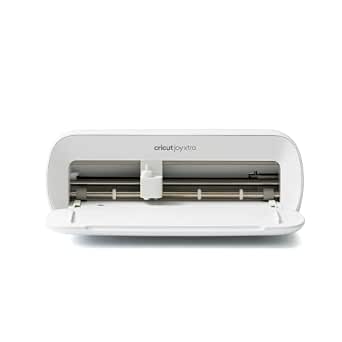 | Best for Versatile Craft Cutting | Model: 8002490 | Operation mode: Automatic | Active surface area: 95.94 sq in | VIEW LATEST PRICE | See Our Full Breakdown |
| Cricut StickerPix Print + Cut™ Essential Bundle, Sea Green |  | Best All-in-One Sticker Production | Printer type: Dye sublimation | Output: Color | Print media: Glossy photo paper and labels | VIEW LATEST PRICE | See Our Full Breakdown |
| Xyron X150 Sticker Maker, Makes 1.5″ Stickers, For Scrapbooking, Crafts, Cards, School Projects, Acid-Free Adhesive, Portable |  | Best for Tiny, No-Mess Projects | Maximum sticker width: 1.5 inches | Adhesive length: 20 feet | Refillable: Yes | VIEW LATEST PRICE | See Our Full Breakdown |
| AI Voice Sticker Maker for Kids, Mini Inkless Thermal Printer, Portable Sticker Printer for DIY Crafts and Doodles |  | Best for Voice-Driven Kids’ Crafts | Printer type: Thermal | Print resolution: 203 × 203 dpi | Maximum media size: 2.25 inches | VIEW LATEST PRICE | See Our Full Breakdown |
| Sticker Maker by Hello Blink – Portable Bluetooth Thermal Sticker Printer for Kids |  | Best for Portable Kids’ Sticker Activities | Printer type: Thermal | Connectivity: Bluetooth | Maximum media size: 5 × 7 inches | VIEW LATEST PRICE | See Our Full Breakdown |
| Xyron Create-a-Sticker 5″ Sticker and Label Maker Machine for Crafts and Small Business |  | Best for Manual Wide-Format Stickers | Maximum width: 5 inches | Included cartridge: 5-inch × 10-foot permanent adhesive cartridge | Model: XRN500EN | VIEW LATEST PRICE | See Our Full Breakdown |
| Cricut Maker 4 Cutting Machine Ultimate Beginner Sticker Making Bundle |  | Best for Advanced Custom Sticker Projects | Brand: Cricut | Model: z20-11084-N4 | Compatible devices: Computers, mobile devices, and inkjet printers | VIEW LATEST PRICE | See Our Full Breakdown |
| sticker making machine | Weight | Dimensions |
|---|---|---|
| Cricut Joy 2 Essential Bundle | 2 lb (0.91 kg) | — |
| Xyron Create-A-Sticker Mini 2. | — | — |
| Phomemo M110 Label Printer | 222.8 g | 4.48 × 2.44 × 3.43 in |
| Likcut S41 Vinyl Cutter Machin | — | — |
| Liene PixCut S1 Inspire Kit | 2.9 kg | 11.06 × 7.72 × 4.13 in |
| Liene PixCut S1 Photo Sticker | — | — |
| Xyron Create-A-Sticker Mini 2. | — | 5.5 × 5.5 × 6.5 inches |
| SUPVAN T50M Pro Bluetooth Labe | 433 g | 5.9 × 2.6 × 4.3 inches |
| Cricut Joy Xtra Smart Cutting | — | — |
| Cricut StickerPix Print + Cut™ | — | 8 × 11.3 × 4.1 inches |
| Xyron X150 Sticker Maker | 4.8 ounces | 4 × 4 × 4 inches |
| AI Voice Sticker Maker for Kid | 300 g | 3.7 × 3.5 × 3.18 inches |
| Sticker Maker by Hello Blink | 0.44 kg | — |
| Xyron Create-a-Sticker 5" Stic | 0.5 kg | 5.91 × 9.06 × 5.91 inches |
| Cricut Maker 4 Cutting Machine | — | — |
More Details on Our Top Picks
Cricut Joy 2 Essential Bundle + Rainbow Sampler
The Cricut Joy 2 suits crafters who want to make more than stickers: it cuts vinyl, cardstock, iron-on, and printable materials, while a home inkjet printer can supply the color for printable designs. At 2 pounds, it is easier to store or move than the Likcut S41, though its 4.5-inch cutting width also limits project size compared with that machine’s 8.5-inch area. Unlike the Liene PixCut S1, Joy 2 is not an all-in-one color printer and cutter; it depends on a separate printer for full-color stickers. That flexibility across materials is its strength, but the added steps and need for a compatible connected device make it less direct for someone who only wants to print and cut stickers. Choose it for varied small projects, not wide designs.
Pros:- Lightweight, compact design is easy to store in a small craft area.
- Works with 75+ listed materials, including vinyl, iron-on, printable materials, and cardstock.
- Can make full-color sticker projects when paired with a home inkjet printer.
- Bluetooth connectivity supports use with mobile and desktop devices.
Cons:- The 4.5-inch cutting width restricts larger sticker and decal designs.
- A separate inkjet printer is needed for full-color printed stickers.
- Use requires a Bluetooth-enabled device and an internet connection.
Best for: Crafters in apartments or shared workspaces who want a compact cutter for small stickers, labels, cards, and other material projects.
Not ideal for: People making wide stickers or seeking a single-device color print-and-cut workflow; its 4.5-inch cutting width is limited, and full-color printing relies on a separate inkjet printer.
- Weight:2 lb (0.91 kg)
- Cutting width:4.5 in (11.4 cm)
- Materials compatibility:75+ materials, including vinyl, iron-on, printable materials, and cardstock
- Connectivity:Bluetooth
- Included projects:Up to 50
- Color sticker workflow:Compatible with a home inkjet printer for full-color stickers
Our verdict“Pick the Cricut Joy 2 if you want a compact cutter for varied small crafts and already have access to an inkjet printer for color stickers.”
Xyron Create-A-Sticker Mini 2.5-inch Sticker and Label Maker Bundle with Permanent Refill Cartridge
The Xyron Create-A-Sticker Mini takes the simplest route in this group: feed a small item through the manual machine and apply permanent adhesive without a printer, app, heat, or electricity. That makes it more approachable for classroom tables and quick paper crafts than the Cricut Joy 2, which requires a connected device and cutting setup. The tradeoff is that this is an adhesive applicator, not a printer or cutter; your designs must already be made, and the 2.5-inch format rules out larger stickers. Its included 20-foot permanent adhesive refill supports repeated small projects, but manual operation and narrow capacity make it a poor match for production work. I’d choose it for uncomplicated, hands-on crafting rather than custom color printing or precise contour cuts.
Pros:- Runs without electricity, heat, or a digital setup.
- Mess-free manual process works well for shared craft spaces.
- Includes a 20-foot permanent adhesive refill.
- Portable size is suited to small projects and on-the-go crafting.
Cons:- Accepts designs only up to 2.5 inches.
- Applies adhesive but does not print or cut sticker artwork.
- Manual feeding can take effort and is inefficient for larger batches.
Best for: Teachers, parents, and paper crafters who want a portable, power-free way to add permanent adhesive to small, pre-made designs.
Not ideal for: Sticker sellers or makers who need printed artwork, contour cutting, larger formats, or a fast workflow for high volumes.
- Sticker capacity:Up to 2.5 in
- Operation:Manual; no electricity or heat required
- Adhesive:Permanent
- Included refill:20 ft
- Machine dimensions:2.5 × 2.5 in
- Suitable materials:Paper, fabric, and wood
Our verdict“Choose this Xyron if your projects are small and you want an easy, power-free way to make pre-cut paper or fabric pieces sticky.”
Phomemo M110 Label Printer, Portable Thermal Sticker Printer with Display
The Phomemo M110 is the practical choice when “stickers” means functional labels rather than colorful artwork. Its thermal system prints black-and-white labels without ink cartridges, and the app offers more than 3,000 templates plus OCR text recognition for turning image text into editable copy. That makes it more suited to organizing stock, files, or household supplies than the Liene PixCut S1, which produces color stickers and cuts them to shape. The M110 is also notably portable at 222.8 g, but its maximum media width of 50 mm limits label size and design. Bluetooth app setup adds a digital step, and the monochrome output rules it out for illustrated or full-color sticker sheets. I’d pick it for compact labeling, not decorative sticker making.
Pros:- Thermal printing avoids the need for ink.
- Compact 222.8 g body is easy to carry between work areas.
- App provides more than 3,000 templates and OCR text recognition.
- Bluetooth connectivity supports printing from compatible mobile devices.
Cons:- Prints only in black and white.
- Maximum media size is limited to 50 mm.
- App and Bluetooth setup may require troubleshooting.
Best for: Home organizers and small-business owners who need portable, custom black-and-white labels for products, storage, or supplies.
Not ideal for: Artists and hobbyists who want full-color stickers, die-cut shapes, or formats wider than 50 mm.
- Printer type:Thermal
- Output:Black and white
- Resolution:203 dpi
- Maximum media size:50 mm
- Connectivity:Bluetooth; USB hardware interface
- Weight:222.8 g
- Dimensions:4.48 × 2.44 × 3.43 in
- Compatible systems:Android, iOS, Chrome OS, macOS 10 and above, Windows 7 and above
Our verdict“Choose the M110 for portable, text-focused labels, but choose the Liene PixCut S1 or a cutter-and-printer setup for colorful custom stickers.”
Likcut S41 Vinyl Cutter Machine, Printable Sticker Maker Bundle with Case
The Likcut S41 offers a wider cutting area than the Cricut Joy 2, making it a better fit for larger decals and sticker layouts that exceed 4.5 inches. Its 8.5-inch active surface, automatic operation, and stated 0.2 mm accuracy suit makers who want to cut designs from bundled materials for tumblers, laptops, and similar projects. The included vinyl bundle also gives a beginner supplies to start with, while USB-C and wireless connectivity offer more setup choice than a Bluetooth-only workflow. It is still a cutter rather than an all-in-one color printer: compared with the Liene PixCut S1, users need a separate way to print artwork before cutting printable stickers. Its width is limited to 8.5 inches, so larger-format work remains out of reach.
Pros:- 8.5-inch active cutting area accommodates wider designs than the Cricut Joy 2.
- Bundle includes the cutter, adapter, USB-C cable, and vinyl materials.
- Supports wired and wireless connectivity.
- Listed 0.2 mm accuracy is suited to detailed decal work.
Cons:- An external printer is needed for full-color printed sticker designs.
- The 8.5-inch cutting width still limits larger projects.
- The provided product details do not specify a broad supported-material list.
Best for: DIY crafters who want a wider cutting surface for custom decals and sticker projects and are comfortable sourcing or using a separate printer.
Not ideal for: Buyers who want color printing and cutting in one device, or who need a cutting width greater than 8.5 inches.
- Cutting width:8.5 in
- Active surface area:8.5 in
- Operation mode:Automatic
- Accuracy tolerance:0.2 mm
- Connectivity:Wired and wireless
- Included components:Cutting machine, adapter, USB-C cable, vinyl bundle
Our verdict“Pick the Likcut S41 if a wider cutting area and included vinyl matter more than having printing and cutting combined.”
Liene PixCut S1 Inspire Kit – All-in-One Color Sticker Printer & Cutting Machine
The Liene PixCut S1 Inspire Kit is the clearest pick here for buyers who want to print and cut stickers with one device. Its thermal dye-sublimation system produces color output at 300 × 300 dpi, then the machine cuts designs, while AI-powered image extraction helps isolate artwork for sticker-ready shapes. That integrated workflow is simpler than pairing a separate printer with the Cricut Joy 2 or Likcut S41. The compact 4 × 7-inch media limit, however, makes it less adaptable for larger designs than the Likcut’s 8.5-inch cutting width, and the one-page-per-minute speed is a poor fit for frequent large batches. At 2.9 kg, it is also less portable than the small Xyron Mini. Choose it for convenient, colorful small-format stickers rather than speed or broad-format cutting.
Pros:- Combines color printing and die-cutting in one device.
- 300 × 300 dpi dye-sublimation output is designed for vibrant sticker artwork.
- AI-powered image extraction supports cutting around artwork.
- Stickers are described as waterproof and scratch-resistant.
Cons:- Maximum media size of 4 × 7 inches limits sticker dimensions.
- One-page-per-minute print speed is slow for larger batches.
- Bluetooth connectivity is required for the stated workflow.
Best for: Hobbyists and small creative businesses that want colorful, shaped stickers from a single Bluetooth-connected print-and-cut machine.
Not ideal for: High-volume makers, people needing media larger than 4 × 7 inches, or buyers who prioritize a lightweight, easily carried machine.
- Printer type:Thermal dye sublimation
- Output:Color
- Resolution:300 × 300 dpi
- Print speed:1 page per minute
- Maximum media size:4 × 7 in
- Connectivity:Bluetooth
- Weight:2.9 kg
- Dimensions:11.06 × 7.72 × 4.13 in
- Sticker durability:Described as waterproof and scratch-resistant
Our verdict“Choose the PixCut S1 if you want a simple all-in-one route to colorful, cut-to-shape stickers and can work within its small media format.”
Liene PixCut S1 Photo Sticker Printer Creator Plus Pack
The Liene PixCut S1 is a strong fit for makers who want a finished color sticker without pairing a printer with a separate cutter. Its dye-sublimation printing and AI-guided cutting combine in one workflow, while the 300 dpi output suits photo-based crafts, gift labels, and detailed designs. Compared with the Xyron Create-A-Sticker Mini, which adds adhesive to artwork you already have, the PixCut prints the image itself and cuts its outline. That convenience comes with narrower use: it is built for stickers and labels, not general printing or large-format projects. Full operation depends on a smartphone app, so it is less appealing to anyone who prefers a computer-first or device-free setup. I’d rank it ahead of basic adhesive applicators for custom color work, but below a versatile cutter when material range matters more than an all-in-one sticker workflow.
Pros:- Prints and cuts stickers in one device, reducing separate steps and equipment.
- 300 dpi color output is suited to photo stickers and detailed artwork.
- AI-guided auto-cropping and cutting help create shaped designs.
- Thermal dye-sublimation output is described as waterproof and fade-resistant.
Cons:- Full functionality depends on a smartphone app.
- Limited to sticker and label work rather than general or large-format printing.
- Less suitable than a dedicated cutting machine for projects across many material types.
Best for: Craft sellers and hobbyists who want vivid, custom photo stickers with printing and contour cutting in one smartphone-led workflow.
Not ideal for: People who need large-format prints, broad material-cutting options, or a machine that works without a smartphone app.
- Printer type:Thermal dye sublimation
- Output:Color
- Print resolution:300 dpi
- Color depth:24 bits per pixel
- Print media:Labels
- Functions:All-in-one printing and cutting
- Connection:Bluetooth
Our verdict“Choose the PixCut S1 if your priority is custom, durable color stickers made with an integrated print-and-cut workflow.”
Xyron Create-A-Sticker Mini 2.5” Sticker and Label Maker Machine, Portable, Includes Permanent Adhesive
The Xyron Create-A-Sticker Mini is for adding adhesive to small pieces of art, not printing images. Feed in a cutout up to 2.5 inches wide, turn the mechanism, and it comes out with a clean adhesive backing—no electricity, ink, or liquid glue. That makes it simpler to start using than the app-based Liene PixCut S1, but it cannot print or automatically contour-cut a design. Its portable size and preloaded permanent adhesive work well for school projects, scrapbooking, and quick labels; the included adhesive is acid-free. The tradeoff appears when projects get larger or numerous: the narrow feed and manual operation take more handling than a powered workflow. I’d choose it for straightforward, small-format sticking, while the Cricut Joy Xtra is a better match for people who want to cut designs from different materials.
Pros:- Manual operation needs no electricity or heat.
- Applies adhesive without the mess of liquid glue.
- Compact body suits classrooms, craft tables, and portable kits.
- Includes 10 feet of acid-free permanent adhesive.
Cons:- Accepts designs only up to 2.5 inches wide.
- Does not print artwork or cut custom shapes.
- Manual feeding can be slow for larger projects.
Best for: Teachers, scrapbookers, and families who want a portable, electricity-free way to add adhesive to small paper designs.
Not ideal for: Makers creating wide stickers, printing original artwork, or processing large batches quickly.
- Maximum media width:2.5 inches
- Operation:Manual, push-button feed
- Included adhesive:10 feet of permanent adhesive
- Adhesive type:Acid-free
- Item weight:14.2 g
- Dimensions:5.5 × 5.5 × 6.5 inches
- Functions:Adhesive application for stickers and labels
Our verdict“Pick the Xyron Mini for small paper crafts that need quick, tidy adhesive rather than printing or automated cutting.”
SUPVAN T50M Pro Bluetooth Label Maker with Tape, Black
The SUPVAN T50M Pro suits buyers whose “stickers” are mainly functional labels: storage names, small business tags, or organization labels with text and simple graphics. Its inkless thermal printing avoids separate ink or toner, and the app provides fonts, icons, and image customization. The resulting monochrome labels are described as waterproof, which favors practical use over decorative color. That is the key difference from the Liene PixCut S1, which prints full-color stickers and cuts shapes, but serves a less general labeling role. The T50M Pro is compact and works with Bluetooth or USB, though its listed media size is only 1-5/8 × 1-3/16 inches. I would not choose it for large artwork or colorful planner stickers; it is a focused label printer, not a print-and-cut craft machine.
Pros:- Inkless thermal printing does not require ink or toner.
- Waterproof labels suit practical organization and identification tasks.
- App customization includes fonts, icons, and images.
- Bluetooth and USB connectivity support phone and computer workflows.
Cons:- Monochrome output cannot reproduce colorful sticker designs.
- Listed maximum media size is small at 1-5/8 × 1-3/16 inches.
- Bluetooth is part of the intended phone-based workflow.
Best for: Home organizers and small-business owners who need compact, durable monochrome labels with app-based text and icon customization.
Not ideal for: Sticker makers who want full-color artwork, custom contour cuts, or labels wider than the listed media size.
- Printer type:Thermal
- Output:Monochrome
- Resolution:203 dpi
- Maximum media size:1-5/8 × 1-3/16 inches
- Connectivity:Bluetooth and USB
- USB interface:USB Type-C
- Weight:433 g
- Dimensions:5.9 × 2.6 × 4.3 inches
- Included tape:White, 40 × 30 mm
Our verdict“Choose the T50M Pro for small, durable text labels, not for colorful decorative stickers or die-cut artwork.”
Cricut Joy Xtra Smart Cutting Machine Bundle
The Cricut Joy Xtra is a cutting machine first, which makes it a better choice than the Xyron Create-A-Sticker Mini for makers who want to cut shapes from vinyl, cardstock, and iron-on as well as prepare Print-Then-Cut stickers. It can cut, draw, and foil across more than 50 materials, so one machine supports projects well beyond labels. For sticker making, that versatility is valuable if you already have an inkjet printer or want to expand into cards and decals. Unlike the Cricut StickerPix Print + Cut Essential Bundle, it does not combine printing, laminating, and cutting in one device; printing is a separate part of the workflow. Its compact format also limits working area, and Design Space takes time to learn. I’d favor it for a broad craft setup, not for buyers seeking the simplest sticker-only appliance.
Pros:- Cuts, draws, and foils on more than 50 materials.
- Supports Print-Then-Cut designs when paired with a compatible inkjet printer.
- Works with the free Design Space app and includes a digital content bundle.
- Compact footprint suits smaller craft spaces.
Cons:- Printing is not built in, so sticker production requires a separate printer.
- Limited active surface area can restrict larger designs.
- Design Space may take time to learn, and some content requires a paid subscription.
Best for: Crafters who want a compact cutter for Print-Then-Cut stickers alongside cards, decals, and projects using varied materials.
Not ideal for: Buyers who want built-in printing and laminating, a large work area, or a very simple sticker-only workflow.
- Model:8002490
- Operation mode:Automatic
- Active surface area:95.94 sq in
- Compatible materials:More than 50, including vinyl, cardstock, and iron-on
- Functions:Cut, draw, and foil
- Compatible devices:Inkjet printers, computers, tablets, and smartphones
- Included components:Machine, digital content bundle, USB cable, power adapter, welcome card, and practice materials
- Warranty:1-year manufacturer warranty
Our verdict“Choose the Joy Xtra if you want sticker cutting as part of a wider craft toolkit and can accept a separate printing step.”
Cricut StickerPix Print + Cut™ Essential Bundle, Sea Green
The Cricut StickerPix Print + Cut Essential Bundle is the most direct fit here for buyers who want to print, laminate, and cut stickers in one connected workflow. Its dye-sublimation color output is designed for vivid prints with water, scratch, and fade resistance, while the starter supplies cover 18 sticker sheets and 18 photo prints. Compared with the Cricut Joy Xtra, this bundle focuses more tightly on finished printed stickers rather than cutting across a broad range of craft materials. The tradeoff is that it depends on a compatible phone or computer, Bluetooth, and high-speed internet; it is not a stand-alone manual tool like the Xyron Create-A-Sticker Mini. Some content and features also require Cricut Access, and compatible materials or accessories may need to be purchased separately. I’d choose it for home makers who value a streamlined color workflow over broad cutting versatility.
Pros:- Combines printing, laminating, and cutting in one workflow.
- Produces vivid color output described as water-, scratch-, and fade-resistant.
- Starter supplies cover 18 sticker sheets and 18 photo prints.
- Editable templates and one-click transformations simplify design preparation.
Cons:- Requires a compatible mobile device or computer, Bluetooth, and high-speed internet.
- Some content and features require a paid Cricut Access subscription.
- Compatible materials and accessories are sold separately.
Best for: Home crafters who want a guided, integrated workflow for colorful stickers, labels, and photo prints, with starter materials included.
Not ideal for: Makers who need broad material-cutting capability, offline operation, or a machine that avoids app and subscription dependencies.
- Printer type:Dye sublimation
- Output:Color
- Print media:Glossy photo paper and labels
- Functions:Print, laminate, and cut
- Dimensions:8 × 11.3 × 4.1 inches
- Included sticker supplies:Materials for 18 sticker sheets
- Included photo supplies:Materials for 18 photo prints
- Connectivity requirement:Bluetooth-compatible computer or mobile device and high-speed internet
Our verdict“Pick StickerPix if you want a guided all-in-one route to durable color stickers and do not need a general-purpose craft cutter.”
Xyron X150 Sticker Maker, Makes 1.5″ Stickers, For Scrapbooking, Crafts, Cards, School Projects, Acid-Free Adhesive, Portable
The Xyron X150 is a simple choice for turning small paper pieces, photos, and intricate cutouts into stickers without ink, electricity, or a separate adhesive step. Its 1.5-inch width suits card accents, scrapbook details, and school crafts, while the manual feed keeps the process portable and contained. Compared with the wider Xyron Create-a-Sticker 5-inch, this one takes up less room but cannot handle larger labels or designs. It includes permanent adhesive, and refillable cartridges let you change adhesive type; repositionable adhesive is sold separately. The tradeoff is scale: feeding pieces one at a time can be slow for a large batch, and the narrow opening rules out many everyday sticker formats. I’d choose it for small, detailed work rather than general-purpose production.
Pros:- Applies adhesive without electricity, heat, or a messy glue step
- Compact 4-inch form and 4.8-ounce weight suit portable craft kits
- Refillable cartridge supports permanent or repositionable adhesive options
- Handles small, intricate shapes and varied craft materials
Cons:- Maximum sticker width is only 1.5 inches
- Repositionable adhesive cartridge is sold separately
- Manual feeding is inefficient for high-volume projects
Best for: Scrapbookers, card makers, and parents who need a portable way to adhere small, intricate paper pieces without glue.
Not ideal for: Crafters making wide labels or large batches, since the 1.5-inch opening and manual feed limit size and throughput.
- Maximum sticker width:1.5 inches
- Adhesive length:20 feet
- Refillable:Yes
- Included:Permanent adhesive cartridge and ideas book
- Dimensions:4 × 4 × 4 inches
- Weight:4.8 ounces
Our verdict“Choose the X150 for small, detailed stickers and portable crafting; pick the Xyron Create-a-Sticker 5-inch for wider projects.”
AI Voice Sticker Maker for Kids, Mini Inkless Thermal Printer, Portable Sticker Printer for DIY Crafts and Doodles
This mini thermal printer has a distinctly playful purpose: children can use voice-to-image generation to make simple designs, then print them as black-and-white stickers. The included rolls and markers give kids something to decorate right away, while Bluetooth supports printing from a phone or tablet. Compared with the Hello Blink Sticker Maker, its standout feature is voice-led creation rather than a focus on a broader thermal sticker format. That can make it appealing for imaginative play, but it is not the pick for polished, full-color artwork: output is black and white at 203 × 203 dpi, and the small media size limits design scale. Full functionality also depends on a compatible mobile device. I’d treat it as a children’s creative toy, not a substitute for a color printer-and-cutter setup.
Pros:- Voice-to-image feature gives kids an unusual, interactive way to start designs
- Portable 300-gram build and built-in battery support crafting away from a desk
- Includes multiple thermal sticker rolls and markers for decorating prints
- Bluetooth and USB connectivity support compatible devices
Cons:- Prints in black and white only
- Full functionality relies on a compatible smartphone or tablet
- Maximum media size is about 2.25 inches, limiting sticker scale
Best for: Families with children who want a compact craft toy for turning spoken ideas and simple mobile graphics into stickers.
Not ideal for: Artists, small-business sellers, or anyone needing full-color, high-detail stickers or larger-format output.
- Printer type:Thermal
- Print resolution:203 × 203 dpi
- Maximum media size:2.25 inches
- Print color:Black
- Connectivity:Bluetooth and USB
- Weight:300 g
- Dimensions:3.7 × 3.5 × 3.18 inches
Our verdict“Pick this for children who value voice-led creative play, not for buyers seeking color-accurate or professional sticker output.”
Sticker Maker by Hello Blink – Portable Bluetooth Thermal Sticker Printer for Kids
The Hello Blink Sticker Maker is aimed at kids who want to print from a phone or tablet and then personalize their stickers with markers. Its ink-free thermal printing avoids ink cartridges, and the package includes two sticker rolls and four markers to support coloring and gifting projects. Compared with the voice-led AI Voice Sticker Maker, Hello Blink is less focused on generating images from spoken prompts and lists a larger maximum media size of 5 × 7 inches. That extra format flexibility may suit bigger craft sheets, though the supplied specs do not establish full-color printing despite the color output listing. It still uses thermal paper, requires a compatible mobile device, and has a small output-sheet capacity. I’d choose it for casual, portable craft sessions, not for durable or production-grade sticker runs.
Pros:- Thermal printing works without ink cartridges
- Bluetooth connection supports wireless printing from compatible devices
- Includes two sticker rolls and four markers for hands-on decorating
- Listed 5 × 7-inch maximum media size offers more room than the AI Voice Sticker Maker
Cons:- Requires a compatible smartphone or tablet for printing
- Thermal-paper-only media limits material choices
- Output sheet capacity is listed as two, which can interrupt longer sessions
Best for: Parents seeking a mobile-connected craft printer for children to print designs and add marker color during supervised projects.
Not ideal for: Buyers who need confirmed full-color prints, large production runs, or stickers on materials beyond thermal paper.
- Printer type:Thermal
- Connectivity:Bluetooth
- Maximum media size:5 × 7 inches
- Print media:Thermal paper
- Included accessories:Two sticker paper rolls and four markers
- Weight:0.44 kg
- Output sheet capacity:2
Our verdict“Choose Hello Blink for mobile, marker-friendly kids’ crafts, but look to a dedicated color printing and cutting setup for finished retail-style stickers.”
Xyron Create-a-Sticker 5″ Sticker and Label Maker Machine for Crafts and Small Business
The Xyron Create-a-Sticker 5-inch is a practical adhesive applicator for crafters who already have paper designs and want to turn them into stickers or labels without a printer, heat, or liquid glue. Its 5-inch feed width accommodates pieces far larger than the X150’s 1.5-inch limit, making it more useful for packaging labels and larger embellishments. A permanent adhesive cartridge comes preloaded, so it is ready for straightforward projects, and the non-electric design works wherever a craft surface is available. Unlike the Cricut Maker 4 bundle, it does not print or cut designs; it only applies adhesive to materials fed through it. That simplicity also means manual effort and one fixed width, while continued use calls for replacement cartridges. I’d favor it for quick, clean adhesive application, not for designing or producing complex sticker sheets.
Pros:- Handles materials up to 5 inches wide, substantially wider than the X150
- Manual, non-electric operation avoids heat and liquid adhesive
- Includes a preloaded 5-inch permanent adhesive cartridge
- Compact, portable design suits craft tables and small workspaces
Cons:- Does not print or cut designs; it only applies adhesive
- Refill cartridges must be purchased for continued use
- Manual operation can take effort during frequent or high-volume work
Best for: Scrapbookers, makers, and small-business packers who need a quick way to add adhesive to paper labels up to five inches wide.
Not ideal for: People who need a machine to print, contour-cut, or create waterproof custom artwork rather than apply adhesive to existing pieces.
- Maximum width:5 inches
- Included cartridge:5-inch × 10-foot permanent adhesive cartridge
- Model:XRN500EN
- Dimensions:5.91 × 9.06 × 5.91 inches
- Weight:0.5 kg
- Material:Plastic
- Warranty:1-year limited warranty
Our verdict“Choose this Xyron for clean, manual adhesive application on wider paper pieces; choose the Cricut Maker 4 when printing and cutting are part of the job.”
Cricut Maker 4 Cutting Machine Ultimate Beginner Sticker Making Bundle
The Cricut Maker 4 bundle is the most capable option here for buyers who want to build custom sticker designs and cut them to shape, rather than simply add adhesive to existing art. Its Print Then Cut workflow pairs with a compatible inkjet printer, while the included waterproof sticker paper, adhesive vinyl, and tools provide materials for getting started. Compared with the manual Xyron Create-a-Sticker 5-inch, this bundle offers design-and-cut flexibility but also brings more setup, software, and equipment requirements. The machine itself does not replace the inkjet printer needed to print designs, and the supplied specs do not detail cutting dimensions or print resolution. This makes most sense for committed crafters or small sellers who want more control over shapes and materials; it is excessive for occasional paper stickers.
Pros:- Print Then Cut workflow supports custom-shaped sticker designs
- Bundle includes waterproof sticker paper, adhesive vinyl, and tools
- Supports both personal craft projects and small-business production
- Compatible with computers and mobile devices
Cons:- Requires a compatible inkjet printer for printed sticker artwork
- More setup and equipment are involved than with manual Xyron machines
- The supplied product data does not specify cutting dimensions or print resolution
Best for: Committed sticker makers and small-business creators who already have, or plan to use, a compatible inkjet printer and want custom-cut designs.
Not ideal for: Casual crafters seeking a quick adhesive applicator, or buyers without an inkjet printer who expect the machine to print designs on its own.
- Brand:Cricut
- Model:z20-11084-N4
- Compatible devices:Computers, mobile devices, and inkjet printers
- Active surface area:3.6 m²
- Included materials:Waterproof sticker paper, adhesive vinyl, and tools
- Color:Seashell
- Warranty:1 year
Our verdict“Choose the Maker 4 bundle for custom printed-and-cut stickers and broader craft control, provided you are prepared to supply a compatible inkjet printer.”

How We Picked
I compared these machines by the jobs they can actually handle: printing, contour cutting, vinyl cutting, adding adhesive, or producing labels. I gave more weight to useful workflow and output flexibility than to the number of accessories in a bundle, then considered ease of setup, machine footprint, material compatibility, and likely upkeep. A machine that prints and cuts earns a different place from a manual adhesive applicator because they solve different problems, not because one is automatically better.
The order favors options that cover a wider range of sticker projects without losing sight of who benefits from simpler tools. The Cricut Joy Xtra leads as a flexible craft choice, while the Liene kits rank highly for integrated color output and Xyron models suit quick adhesive application. Portable label printers and children’s thermal printers rank lower for general sticker-making because their output and creative range are more specialized. Bundle variation also affects fit: I treat included supplies as a starting point, not a substitute for checking refill and material compatibility.
Factors to Consider When Choosing Best Sticker Making Machines
Before choosing a machine, define the sticker you want to make and how often you expect to make it. A photo sticker, a cut vinyl decal, a school label, and a paper shape with adhesive need different workflows. These broader tradeoffs can help narrow the field before you compare models.
Start With the Finished Sticker, Not the Machine
Write down what the finished item needs to do: stick to a water bottle, label a storage bin, decorate a journal, or reproduce a photo. Those uses call for different materials and output, and a machine’s marketing term may not tell you which workflow it supports. A thermal label printer typically produces monochrome or limited-color label output, while a craft cutting machine depends on a separate printer for printed artwork. Adhesive applicators add stickiness to material you provide but do not create the image or shape. Choosing by finished result prevents paying for functions you will not use—or discovering that a simple label maker cannot produce the color art you wanted.
Separate Printing, Cutting, and Adhesive Application
Sticker making can involve three separate jobs: creating the artwork, printing it, and cutting or applying adhesive. Some systems combine more than one step, but many require a printer, design app, compatible media, and a cutting machine to work together. Before buying, map the complete process from digital file or drawing to finished sticker, including any tools you already own. A low-cost machine can become a less convenient choice if it leaves you to source several extra components. Conversely, a manual adhesive tool can be the sensible choice when your artwork is already printed and you only need a quick way to make it sticky.
Check Material and Size Limits Against Your Projects
Machine width and supported materials set practical limits on what you can make, even when the software offers many design options. Small-format machines can be convenient for cards and labels, but they may require multiple passes or smaller designs for larger projects. Cutting thick or specialty materials can also call for compatible blades, mats, or settings rather than the basic bundle contents. Think about your largest recurring project—not just the small sample sticker that comes in a kit. Leave room for future materials only if you are willing to learn the setup and buy compatible supplies.
Budget for Refills, Media, and Workflow Costs
The machine is only one part of the ongoing cost of making stickers. Thermal printers use compatible rolls or labels, adhesive applicators need refill cartridges, and craft cutters may use blades, mats, printable sheets, or vinyl. Compare the availability and format of these consumables before committing to a system, especially if you plan to make many copies. Bundles can provide a useful first set of materials, but they do not tell you how easy it will be to replenish them. A less complex tool may be more economical for occasional projects, while frequent makers may value flexible material choices enough to accept a more involved setup.
Match Setup Time to Your Patience and Skill
Digital cutters and print-and-cut systems reward customization, but they bring software, calibration, file preparation, and material-setting steps. If you enjoy adjusting designs and experimenting, those steps can expand what you make. If you need a quick label or a one-off paper sticker, a simpler device may suit your routine better. For a child’s craft setup, factor in who will manage pairing, loading supplies, and troubleshooting—not just who will press the button. A good match is the machine you will actually use, rather than the one with the longest list of possible projects.
Consider Durability and Where the Stickers Will Go
A sticker intended for a notebook has different demands from one that will face water, sunlight, friction, or frequent handling. The printed material, ink or thermal process, adhesive, and any protective layer all affect how well a finished sticker holds up. Do not assume that a machine advertised for sticker projects automatically produces weather-resistant results. Check material guidance for the surface and conditions you have in mind, and test a small batch before making a large run. For keepsakes and indoor crafts, convenience may matter most; for outdoor use, compatible durable media and protective finishing deserve more attention.
Frequently Asked Questions
Do I need a separate printer to make full-color stickers?
It depends on the machine’s workflow. A cutting machine such as a Cricut can cut printed designs, but it generally relies on a separate printer to produce the color artwork. The Liene PixCut S1 kits combine printing and cutting functions, which can reduce the number of devices in the process. Manual Xyron applicators do not print at all; they add adhesive to pieces you already have. Check whether the listing includes the printer, compatible media, and any needed supplies rather than assuming “sticker maker” means an all-in-one color system.
Can a thermal label printer make the same stickers as a color craft machine?
No: thermal label printers are designed around label and simple graphic output, not the same full-color craft workflow as a photo sticker printer or a printer paired with a cutter. They can be a practical choice for organization labels, simple icons, or quick portable printing, depending on the model and media. They are a poor fit if your main goal is colorful illustrations, photographs, or detailed printed designs. Think about the image style you need before comparing portability or convenience. Also check the printer’s supported label size and media type, since those shape the final result.
Is a manual adhesive applicator enough for making stickers?
It can be enough if you already have printed or cut artwork and want to apply adhesive without a digital setup. Xyron’s Create-A-Sticker options are aimed at that narrower task, with different widths suited to different pieces. They will not print a design or cut a complex outline for you, so the artwork and shape must come from another source or be prepared by hand. This approach can be convenient for scrapbooking, cards, and small craft batches. For custom printed shapes or repeated designs, a printer-and-cutter workflow is a better match.
Which type of sticker maker makes the most sense for a beginner?
Choose based on the first projects you plan to make, not on which machine has the fewest buttons. A simple label printer or adhesive applicator can be easier to start with when the goal is labels or paper crafts. A Cricut-style cutter offers more room to grow, but requires learning design software and preparing materials. An integrated print-and-cut kit can simplify the device setup while still involving media choices and file handling. Before buying, check that the included instructions, supplies, and design tools match the person who will use it.
What should I check before buying a bundle?
Look beyond the word “bundle” and confirm the exact machine, included materials, tools, and refill type. Starter supplies may be limited, and not every accessory is necessary for the sticker projects you have in mind. Check whether the bundle includes a printer when the workflow needs printed artwork, or just a cutter that works with material you supply. Confirm the material sizes and consumables the machine accepts, since incompatible media can create avoidable setup problems. If you already own tools such as a printer or cutting mat, compare the bundle against what you actually need rather than treating every included item as added value.
Conclusion
For the broadest craft capability in this lineup, I’d choose the Cricut Joy Xtra Smart Cutting Machine Bundle as best overall; the Cricut Maker 4 is the best premium direction for buyers who want a more expansive cutting setup. For beginners who want less software and fewer steps, the Xyron Create-A-Sticker 5-inch is a straightforward choice for adding adhesive to prepared artwork, while the Xyron Mini suits smaller pieces. The Liene PixCut S1 Inspire Kit is my pick for buyers focused on printed color stickers and an integrated print-and-cut workflow. For labels and portable thermal output, look to the Phomemo M110 or SUPVAN T50M Pro; for children’s simple craft printing, compare the two kid-focused thermal options. The best choice comes down to the output you need: print, cut, label, or apply adhesive.
Black Friday Picks

Bose TV Speaker Compact Soundbar with Bluetooth and HDMI-ARC, Black
As an affiliate, we earn on qualifying purchases.