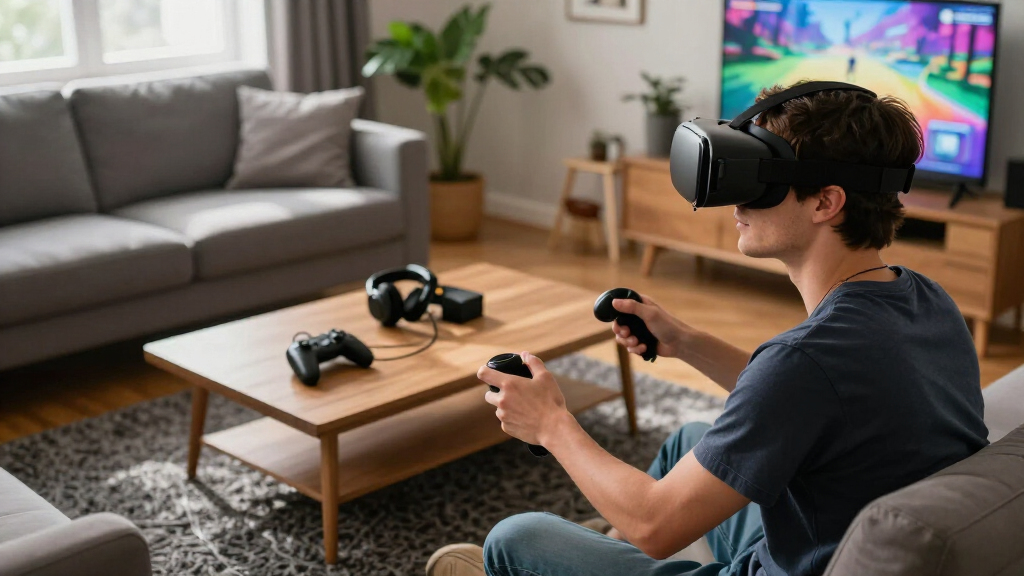

For most players, the Meta Quest 3 is the best overall VR headset for gaming in this lineup, pairing standalone play with PC VR flexibility. The Meta Quest 3S is a more accessible way into the Quest library, while the Pimax Crystal Super targets PC gamers who put visual detail ahead of convenience. The main tradeoffs are standalone freedom versus PC-powered performance, image quality versus comfort and setup, and a current headset versus older or renewed hardware. Phone viewers from TECKNET and DESTEK cost less to get started with, but they do not offer the same dedicated gaming experience as a standalone or PC VR system. Read on for how all 11 options compare and which one fits your play space, library, and budget.

Get the latest gadgets delivered free with Prime
- Fast, free delivery on millions of items
- Prime Video, Amazon Music and more included
- Member-only deals all year
Complete the kit

Key Takeaways
- Meta Quest 3 is the strongest all-around gaming choice here because it combines standalone play with PC VR support, giving buyers more ways to use one headset than phone viewers or PC-dependent models.
- Meta Quest 3S is the more practical entry into Quest gaming, while the Quest 3 is the better fit for buyers who place greater weight on display and mixed-reality capabilities.
- Pimax Crystal Super is a specialist PC VR pick: its very high per-eye resolution and wide field of view suit graphics-focused setups, but the PC connection and hardware demands reduce its appeal as a general-purpose headset.
- Storage capacity and renewed status matter most when the headset is a long-term library device; compare the two Quest 2 storage options and renewed Quest models against the newer Quest 3 family before choosing.
- Phone VR viewers are a different class of product: TECKNET and DESTEK can suit basic phone-based viewing, but buyers seeking full-featured gaming should favor a dedicated standalone or PC VR headset.
| TECKNET VR Headset for Phone with Controller |  | Best Phone-Based Gaming Pick | Field of view: 110 degrees | Phone compatibility: Smartphones with 4.7–7.2-inch screens | Weight: 268g | VIEW LATEST PRICE | See Our Full Breakdown |
| Meta Quest 3S 128GB Virtual Reality Headset with Gorilla Tag Bundle |  | Best for Beginners | Storage: 128GB | Battery life: 2+ hours | Memory: 8GB RAM | VIEW LATEST PRICE | See Our Full Breakdown |
| Meta Quest 3 512GB Virtual Reality Headset with Gorilla Tag Bundle |  | Best Overall Standalone Gaming Headset | Storage: 512GB | Display: 4K+ Infinite Display | Processor: Snapdragon XR2 Gen 2 | VIEW LATEST PRICE | See Our Full Breakdown |
| Meta Quest Pro VR Headset with 256GB Storage and 12-Month VR Field Trips Subscription |  | Best for Mixed-Reality Gaming and Tracking | Storage: 256GB | Memory: 12GB RAM | Sensors: 10 VR/MR sensors | VIEW LATEST PRICE | See Our Full Breakdown |
| HTC Vive Focus Vision — Mixed Reality and PC VR Headset with Controllers |  | Best for High-Detail PC VR | Display: 5K; 2448 × 2448 pixels per eye | Field of view: Up to 120° | Refresh rate: 90Hz | VIEW LATEST PRICE | See Our Full Breakdown |
| Meta Quest 2 — Advanced All-In-One Virtual Reality Headset — 128 GB |  | Best Standalone Gaming Entry | Storage: 128 GB | Headset type: All-in-one virtual reality headset | Wireless: Yes | VIEW LATEST PRICE | See Our Full Breakdown |
| Pimax Crystal Super VR Headset – 3840×3840 per eye, 140° FOV, Eye Tracking, DP Connection |  | Best for PC Simulation Immersion | Resolution: 3840 × 3840 per eye | Field of view: 140° | Refresh rate: 90Hz | VIEW LATEST PRICE | See Our Full Breakdown |
| Meta Quest 2 — Advanced All-In-One Virtual Reality Headset — 256 GB (Renewed) |  | Best for a Larger Quest 2 Library | Storage capacity: 256 GB | Display resolution: 1832 × 1920 pixels per eye | Display type: LCD | VIEW LATEST PRICE | See Our Full Breakdown |
| Meta Quest 3S 128GB Virtual Reality Headset (Renewed Premium) |  | Best Renewed Pick for Newer Quest Hardware | Storage capacity: 128 GB | Resolution: 2064 × 2208 pixels | Display type: LCD | VIEW LATEST PRICE | See Our Full Breakdown |
| DESTEK V5 VR Headset for Phones & Kids – Fits All Smartphone Sizes |  | Best Phone-Based VR Starter | Headset type: Smartphone VR headset | Compatible screen size: 5.5 to 7.0 inches | Field of view: 110° | VIEW LATEST PRICE | See Our Full Breakdown |
| HTC Vive XR Elite with Deluxe Pack — Mixed Reality and PC VR Headset + Controllers |  | Best for Flexible Standalone and PC VR | Resolution: 3840 × 1920 | Field of View: Up to 110° | Refresh Rate: 90Hz | VIEW LATEST PRICE | See Our Full Breakdown |
| VR headsets for gaming | Field of view |
|---|---|
| TECKNET VR Headset for Phone w | 110 degrees |
| Meta Quest 3S 128GB Virtual Re | — |
| Meta Quest 3 512GB Virtual Rea | — |
| Meta Quest Pro VR Headset with | — |
| HTC Vive Focus Vision | Up to 120° |
| Meta Quest 2 | — |
| Pimax Crystal Super VR Headset | 140° |
| Meta Quest 2 | 90° |
| Meta Quest 3S 128GB Virtual Re | 96° |
| DESTEK V5 VR Headset for Phone | 110° |
| HTC Vive XR Elite with Deluxe | Up to 110° |
More Details on Our Top Picks
TECKNET VR Headset for Phone with Controller
I’d choose the TECKNET when phone compatibility matters more than access to a full standalone VR game library. Its 110° field of view and included Bluetooth controller make it more game-oriented than a basic phone viewer, while adjustable pupil distance and focal length offer some flexibility for different users. At 268g, it is also a lighter setup than the dedicated Meta Quest 3S or Quest 3. The tradeoff is that your phone supplies the screen and processing, so the experience depends on the device and compatible apps; it does not turn ordinary images into 3D automatically. You’ll need to download suitable apps, and larger phones may require removing the screen frame. I’d skip it if you want a self-contained headset with purpose-built VR games.
Pros:- 110° field of view provides a wide viewing area for compatible phone VR content.
- Bluetooth button controller supports basic interaction in games and apps.
- Adjustable pupil distance and focal length allow some fit and focus tuning.
- 268g headset is lighter than the dedicated Meta Quest models in this roundup.
Cons:- Gaming depends on the smartphone’s performance and compatible apps rather than dedicated headset hardware.
- Apps must be downloaded, and ordinary images are not automatically converted to 3D.
- Some larger phones require removal of the screen frame, and compatibility is limited to 4.7–7.2-inch screens.
Best for: Phone owners who want an inexpensive-feeling entry into app-based VR games and videos without buying a standalone headset.
Not ideal for: Players seeking a broad native VR game library, console-like performance, or a headset that works without a compatible smartphone and apps.
- Field of view:110 degrees
- Phone compatibility:Smartphones with 4.7–7.2-inch screens
- Weight:268g
- Lens protection:Blue light blocking
- Pupil distance:Adjustable
- Focal length:Adjustable
- Controller:Bluetooth button control
- Warranty:36 months
Our verdict“Choose the TECKNET for lightweight phone-based VR play, but pick a Meta Quest headset for a dedicated gaming system.”
Meta Quest 3S 128GB Virtual Reality Headset with Gorilla Tag Bundle
I’d point first-time standalone VR buyers toward the Meta Quest 3S: it runs games on the headset, works wirelessly, and includes a Gorilla Tag bundle to give new owners a clear starting point. Its Snapdragon XR2 Gen 2 processor and 8GB of RAM support a more capable gaming setup than the phone-dependent TECKNET, while dual RGB cameras add color passthrough for mixed reality. The main compromise against the Meta Quest 3 512GB is storage: 128GB leaves less room for a growing game collection. Battery life is listed at 2+ hours, so long sessions may call for a break or recharge. This is the more accessible way into the Quest ecosystem, but players who keep many large games installed should favor the higher-capacity Quest 3.
Pros:- Standalone wireless play avoids the phone dependence of the TECKNET.
- Snapdragon XR2 Gen 2 processor and 8GB RAM support dedicated VR gaming.
- Gorilla Tag bundle and three-month game trial provide a ready-made starting point.
- Dual RGB cameras enable color passthrough for mixed-reality experiences.
Cons:- 128GB storage is more restrictive than the Meta Quest 3’s 512GB capacity.
- Listed battery life of 2+ hours may not cover longer play sessions.
- Room setup and play-space preparation are needed for the best experience.
Best for: New VR players who want a wireless, standalone headset with a bundled game experience and do not need a large installed library.
Not ideal for: Players who keep many games installed at once or expect long uninterrupted sessions without charging.
- Storage:128GB
- Battery life:2+ hours
- Memory:8GB RAM
- Processor:Snapdragon XR2 Gen 2
- Cameras:Dual RGB color cameras
- Connectivity:Wireless standalone headset
- Bundle:Gorilla Tag bundle and 3-month game trial
Our verdict“Pick the Quest 3S if you want a straightforward standalone entry into VR gaming and can live with less storage than the Quest 3.”
Meta Quest 3 512GB Virtual Reality Headset with Gorilla Tag Bundle
For most players who want a standalone headset, I rank the Meta Quest 3 512GB above the Quest 3S because its 4K+ Infinite Display and much larger storage capacity better suit a long-term gaming library. Both use the Snapdragon XR2 Gen 2 and have 8GB RAM, so the Quest 3’s case is not a different processor; it is the sharper display and room for more games before you have to manage storage. Wireless play keeps the setup simple compared with the PC-connected HTC Vive Focus Vision, though that HTC offers a higher stated per-eye resolution and more advanced tracking features. The Quest 3 still has a listed battery life of 2+ hours, limiting marathon sessions. I’d choose it as the balanced gaming pick, but not if PC VR features matter more than convenience.
Pros:- 4K+ Infinite Display is a stronger visual draw than the Quest 3S in this lineup.
- 512GB storage gives a game library more room than the Quest 3S’s 128GB.
- Wireless standalone play avoids the PC setup associated with the HTC Vive Focus Vision.
- Snapdragon XR2 Gen 2 and 8GB RAM power the headset’s gaming and mixed-reality features.
Cons:- Listed battery life of 2+ hours can interrupt extended gaming sessions.
- It lacks the HTC Vive Focus Vision’s stated eye, hand, and full-body tracking features.
- Players focused on PC VR may prefer a headset built around PC connectivity.
Best for: Standalone gamers who want a sharper display and space for a substantial library without building their setup around a PC.
Not ideal for: PC VR enthusiasts prioritizing advanced tracking, or players who need long sessions without charging breaks.
- Storage:512GB
- Display:4K+ Infinite Display
- Processor:Snapdragon XR2 Gen 2
- Memory:8GB RAM
- Battery life:2+ hours
- Cameras:Dual RGB color cameras
- Bundle:Gorilla Tag bundle and game trial
Our verdict“Choose the Quest 3 for a sharp, spacious standalone gaming library, unless PC VR tracking or longer play between charges is your priority.”
Meta Quest Pro VR Headset with 256GB Storage and 12-Month VR Field Trips Subscription
The Meta Quest Pro earns a place for players who value mixed-reality interaction and controller precision more than maximum game storage. Its self-tracking Touch Pro controllers, 10 VR/MR sensors, and advanced haptics set it apart from the Quest 3S, whose appeal is simpler standalone gaming and a bundled game. The Pro’s 256GB capacity sits between the Quest 3S and Quest 3, but its strongest gaming distinction is how its tracking and passthrough features can support more involved VR and mixed-reality play. Resizable screens and spatial audio also suit users who move between games and other virtual activities. The tradeoff is that this is a more specialized proposition: the 12-month field-trip subscription is educational rather than a gaming benefit, and the product data calls for sufficient room-scale space. I’d skip it if straightforward gaming is the only goal.
Pros:- Self-tracking Touch Pro controllers support precise interaction without relying solely on headset tracking.
- 10 VR/MR sensors and advanced haptics add depth to compatible games.
- Mixed-reality passthrough and spatial audio broaden the range of gaming experiences.
- 256GB storage exceeds the Quest 3S’s 128GB capacity.
Cons:- Its specialized mixed-reality and productivity features may be excessive for players seeking basic VR gaming.
- Room-scale play requires sufficient space.
- The included 12-month VR field-trips subscription is educational rather than a direct gaming advantage.
Best for: VR players who want self-tracking controllers, advanced haptics, and mixed-reality features for games that benefit from precise interaction.
Not ideal for: Budget-conscious or casual gamers seeking a simple game-first headset, especially if educational field trips and multitasking features have little appeal.
- Storage:256GB
- Memory:12GB RAM
- Sensors:10 VR/MR sensors
- Controllers:Meta Quest Touch Pro with self-tracking cameras
- Haptics:Multi-point advanced haptics
- Mixed reality:Passthrough
- Audio:Spatial audio
- Included subscription:12-month VR field trips subscription
Our verdict“Choose the Quest Pro for tracking-rich mixed-reality play, but choose the Quest 3 for a more straightforward game-first standalone headset.”
HTC Vive Focus Vision — Mixed Reality and PC VR Headset with Controllers
I’d put the HTC Vive Focus Vision at the top for players prioritizing high-detail PC VR and advanced tracking over the simplicity of a Quest. Its 5K display, up-to-120° field of view, and 90Hz refresh rate are aimed at immersive visuals, while DisplayPort streaming, Wi-Fi, and Ethernet offer several connection paths. Eye, hand, and full-body tracking support with VIVE Ultimate Trackers gives it a different focus from the Meta Quest 3, which is the cleaner choice for wireless standalone gaming and a larger built-in game library. Expandable MicroSD storage and a hot-swappable front battery add flexibility, but the setup is more involved, and the magnesium frame may cause fatigue over long sessions. I’d skip it if you want an uncomplicated headset for occasional play.
Pros:- 5K resolution at 2448 × 2448 pixels per eye targets fine visual detail.
- Up to 120° field of view and 90Hz refresh rate support an immersive gaming view.
- Eye, hand, and full-body tracking options exceed the feature focus of the Meta Quest 3.
- MicroSD expansion up to 2TB and a hot-swappable battery offer flexibility for extended use.
Cons:- Setup can be more complex than the wireless standalone Meta Quest 3.
- The magnesium frame may cause fatigue during long sessions.
- Its advanced PC VR features may be unnecessary for casual or phone-based VR players.
Best for: PC VR enthusiasts who want high-resolution visuals, broad tracking options, and the ability to connect through DisplayPort or network links.
Not ideal for: Casual players who want a simple standalone setup, or users sensitive to headset weight and complex configuration.
- Display:5K; 2448 × 2448 pixels per eye
- Field of view:Up to 120°
- Refresh rate:90Hz
- Memory:12GB RAM
- Storage:Expandable up to 2TB via MicroSD
- Battery:Hot-swappable front battery
- Tracking:Eye, hand, and full-body tracking with VIVE Ultimate Trackers
- Connectivity:DisplayPort streaming, Wi-Fi, and Ethernet
- Compatibility:SteamVR and VIVEPORT
Our verdict“Choose the Vive Focus Vision for high-detail PC VR and extensive tracking, but choose the Quest 3 for easier wireless gaming.”
Meta Quest 2 — Advanced All-In-One Virtual Reality Headset — 128 GB
I’d pick the 128GB Meta Quest 2 for buyers who want to start playing VR games without adding a gaming PC or console. Its wireless, all-in-one design makes setup and moving between play spaces simpler than with the wired Pimax Crystal Super, while hand tracking and 3D audio add useful immersion beyond the controllers. The product description cites a library of more than 500 titles, giving players plenty of variety across genres. The tradeoff is that 128GB can constrain a game collection, particularly for people who keep several large titles installed. It also relies on a clear play area and has less room for visual detail than the Pimax’s high-resolution PC-focused display. Compared with the newer Quest 3S, this is the more basic choice; it makes sense when standalone access matters more than newer hardware.
Pros:- Standalone wireless play avoids the need for a PC or console
- Portable design is easy to set up in different play spaces
- Hand tracking adds an alternative to controller-based interaction
- Access to a library described as containing over 500 titles
Cons:- 128GB storage may limit how many games can stay installed
- Requires a designated clear area for safer movement
- Visual detail is a weaker fit for buyers seeking high-end PC simulation
Best for: First-time VR players who want a wireless headset with a broad game library and no PC or console requirement
Not ideal for: Players who want the sharpest simulator visuals, need extensive installed-game storage, or lack a safe open play area
- Storage:128 GB
- Headset type:All-in-one virtual reality headset
- Wireless:Yes
- PC or console required:No
- Hand tracking:Yes
- Audio:3D audio
- Battery:Built-in
- Game library:Over 500 titles, according to the product description
Our verdict“Choose the 128GB Quest 2 for accessible, cable-free VR gaming, but look to the Quest 3S or a PC headset if newer hardware or sharper visuals matter more.”
Pimax Crystal Super VR Headset – 3840×3840 per eye, 140° FOV, Eye Tracking, DP Connection
For flight and racing sim players with a powerful PC, I rank the Pimax Crystal Super above standalone headsets for visual immersion. Its 3840 × 3840 resolution per eye and 140° field of view are aimed at making cockpit detail and peripheral scenery easier to see; the Quest 2 and Quest 3S are far more convenient but do not share this PC-first visual brief. A 90Hz refresh rate and eye tracking support responsive gameplay, while adjustable IPD helps tailor the fit. The compromises are substantial: this headset connects by DisplayPort and USB, restricting movement, and its high resolution calls for a powerful GPU. That makes it a poor casual or first headset for someone who just wants to pick up and play. I’d choose it over the wireless Meta models only when simulator fidelity outweighs portability and PC demands.
Pros:- 3840 × 3840 resolution per eye targets highly detailed simulator views
- 140° field of view offers more peripheral visibility than the listed Meta Quest 2
- Eye tracking and 90Hz refresh rate support responsive gameplay
- Adjustable IPD allows users to tailor lens spacing
Cons:- Requires a powerful PC GPU to make practical use of its resolution
- DisplayPort and USB connection limit freedom of movement
- More specialized and demanding to set up than standalone Quest headsets
Best for: Flight and racing simulator enthusiasts with a powerful gaming PC who prioritize wide, detailed views over wireless freedom
Not ideal for: Casual players, wireless-first buyers, or anyone whose PC graphics card cannot drive the high resolution effectively
- Resolution:3840 × 3840 per eye
- Field of view:140°
- Refresh rate:90Hz
- Display:QLED with Mini-LED local dimming
- Lens technology:Aspherical
- Eye tracking:Yes
- IPD adjustment:Adjustable
- Connectivity:Wired; DisplayPort and USB
Our verdict“Pick the Pimax Crystal Super for high-detail PC flight or racing sims, not for a simple wireless headset experience.”
Meta Quest 2 — Advanced All-In-One Virtual Reality Headset — 256 GB (Renewed)
This renewed 256GB Quest 2 is the better Quest 2 pick for players who want more room for games than the 128GB model offers. Both versions deliver standalone wireless play, a 1832 × 1920-per-eye LCD display and a 90Hz refresh rate, so the extra storage—not a stated jump in display or performance—is the main reason to choose this one. Motion-sensing controllers and adjustable straps suit regular play, while casting adds a way to share what’s on the headset. Compared with the newer Quest 3S, it has a larger listed storage capacity but older-generation hardware. Its renewed condition also means warranty coverage may be limited, and the stated battery life can restrict long sessions. I’d favor it over the 128GB Quest 2 for a larger installed collection, but only if the renewed status is acceptable.
Pros:- 256GB storage gives a game library more room than the 128GB Quest 2
- Standalone wireless use does not require a PC for play
- 90Hz LCD display and motion-sensing controllers support active gaming
- Headset casting makes it possible to share gameplay
Cons:- Renewed condition may come with limited warranty coverage
- Battery life may not support extended sessions without a break
- Older Quest 2 platform is less suitable for buyers prioritizing newer hardware
Best for: Quest buyers who want more installed-game space than the 128GB model and are comfortable purchasing a renewed headset
Not ideal for: Buyers who want new-product warranty certainty, newer Quest hardware, or long gaming sessions without charging breaks
- Storage capacity:256 GB
- Display resolution:1832 × 1920 pixels per eye
- Display type:LCD
- Refresh rate:90Hz
- Field of view:90°
- Connectivity:Bluetooth
- Controllers:Motion-sensing controllers
- Use:Standalone; headset casting
- Condition:Renewed
Our verdict“Choose this renewed Quest 2 over the 128GB version when storage capacity is the priority and renewed-product terms work for you.”
Meta Quest 3S 128GB Virtual Reality Headset (Renewed Premium)
The renewed Meta Quest 3S suits players who want newer standalone gaming hardware without moving to a tethered PC headset. Its Snapdragon XR2 Gen 2 processor and 8GB of RAM are the key distinction from the Quest 2 models here, while dual RGB cameras add passthrough for mixed-reality play. At 128GB, though, it has less listed storage than the renewed 256GB Quest 2, so buyers with a large installed library may prefer that model. The 90Hz LCD display and wireless operation fit general gaming, but the stated battery life of over two hours can interrupt long sessions. A three-month game-access trial is included, though it should not be the sole reason to buy. I’d choose this over the Quest 2 for its newer processor and mixed-reality features, while keeping its renewed status and battery limit in view.
Pros:- Snapdragon XR2 Gen 2 processor and 8GB RAM distinguish it from the listed Quest 2 models
- Dual RGB cameras provide passthrough for mixed-reality experiences
- Wireless standalone operation supports untethered play
- Includes a three-month trial for access to over 40 games
Cons:- 128GB storage is less than the renewed 256GB Quest 2
- Stated battery life is over two hours, which may limit long sessions
- Renewed Premium condition may not suit buyers seeking a new headset
Best for: Players seeking a renewed standalone headset with newer Quest processing and passthrough features for VR and mixed-reality games
Not ideal for: Gamers who need more than 128GB of storage, want long untethered sessions, or prefer the warranty certainty of a new headset
- Storage capacity:128 GB
- Resolution:2064 × 2208 pixels
- Display type:LCD
- Refresh rate:90Hz
- Processor:Snapdragon XR2 Gen 2
- Memory:8GB RAM
- Field of view:96°
- Battery life:Over 2 hours
- Passthrough cameras:Dual RGB cameras
Our verdict“Pick the renewed Quest 3S for newer standalone processing and mixed-reality features, but choose the 256GB Quest 2 if storage matters more.”
DESTEK V5 VR Headset for Phones & Kids – Fits All Smartphone Sizes
The DESTEK V5 is a phone holder for casual VR-style gaming and viewing, not a substitute for a dedicated headset such as the Meta Quest 2. It fits smartphones with 5.5- to 7-inch screens and advertises a 110° field of view, giving families a low-complexity way to try compatible phone apps. Its supplied Bluetooth controller has a major platform caveat: full interactive controller functions require Android, while iOS use is limited to YouTube controls; the headset’s touch buttons provide another interaction option. The product also points buyers to an experience video, a useful signal that phone-based VR can vary by app and may not match standalone gaming. I’d consider it for occasional, supervised use with a compatible phone, but skip it for players seeking a broad, polished game library, tracking features, or Quest-like controls.
Pros:- Fits compatible smartphones with screens from 5.5 to 7 inches
- 110° field of view is suited to phone-based viewing and simple VR experiences
- Includes a Bluetooth controller and headset touch buttons
- Does not require buying a separate dedicated VR display
Cons:- Full interactive Bluetooth controller functions require Android; iOS control is limited
- Gaming depends on compatible smartphone apps rather than a dedicated headset library
- Product information does not provide detailed display, tracking, or headset performance specifications
Best for: Families with a compatible 5.5- to 7-inch smartphone who want an entry-level way to try phone-based VR apps and videos
Not ideal for: Dedicated VR gamers, iPhone users expecting full Bluetooth controller interaction, or buyers seeking standalone games and headset tracking
- Headset type:Smartphone VR headset
- Compatible screen size:5.5 to 7.0 inches
- Field of view:110°
- Controller:Bluetooth controller included
- Android controller support:Immersive navigation, motion control, and virtual interaction
- iOS controller support:YouTube app controls and music playback
- Touch controls:Headset touch buttons
- Lenses:Anti-blue-light lenses
Our verdict“Choose the DESTEK V5 for casual smartphone VR on a compatible phone, not as a replacement for a standalone gaming headset like the Quest 2.”
HTC Vive XR Elite with Deluxe Pack — Mixed Reality and PC VR Headset + Controllers
I’d pick the Vive XR Elite for gaming when flexibility matters more than having the simplest setup. It supports standalone play and PC VR, so you can use it untethered or connect to a gaming PC; unlike the Meta Quest 3, though, wired streaming requires a separately sold USB cable. Its 3840 × 1920 resolution, up-to-110-degree field of view, and built-in speakers are suited to immersive play, while adjustable IPD and diopter settings let more players tune the image to their eyes. The lightweight design and swappable battery offer comfort and a way to extend sessions, but each battery lasts up to two hours. Full-color passthrough adds mixed-reality options, though hand tracking depends on game support. I’d choose this over phone-based headsets for dedicated VR gaming, but skip it if you want a low-fuss headset with long sessions straight out of the box.
Pros:- Supports both standalone gaming and PC VR
- Stepless IPD and diopter adjustments help tailor the view to different eyes
- Swappable battery can extend play beyond a single charge
- Lightweight design, built-in speakers, and full-color passthrough support varied play
Cons:- Battery life is listed at up to two hours per battery
- VIVE USB Streaming Cable for wired PC play is sold separately
- Hand-tracking features depend on individual VR titles
Best for: PC VR players who also want a standalone headset, adjustable lens correction, and the option to extend play with a spare battery.
Not ideal for: Gamers who want long sessions without battery changes or a wired PC connection without buying an additional cable.
- Resolution:3840 × 1920
- Field of View:Up to 110°
- Refresh Rate:90Hz
- Battery Life:Up to 2 hours
- Adjustments:Stepless IPD and diopter
- Tracking Cameras:4 wide field-of-view cameras
- Audio:Built-in speakers
- Connectivity:Wireless or USB streaming; VIVE USB Streaming Cable sold separately
Our verdict“Choose the Vive XR Elite if you want one headset for standalone and PC VR gaming and are comfortable managing battery swaps and optional accessories.”
How We Picked
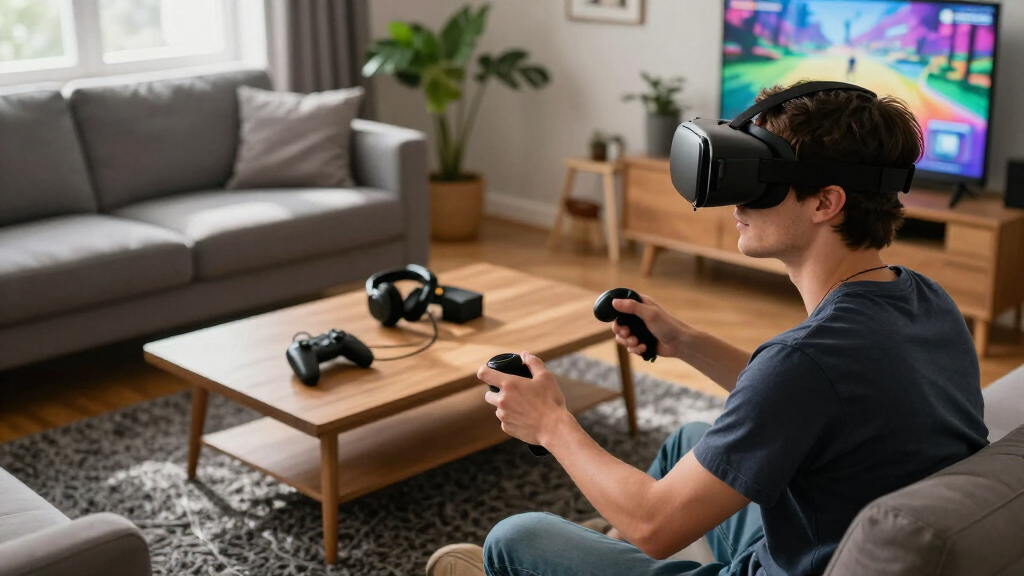
I ranked these VR headsets for gaming by how well they serve actual play: game access, tracking and controls, image experience, setup demands, comfort, and flexibility across standalone and PC VR. A headset that can run games without a computer has a clear convenience advantage, while a PC-connected model needs to justify its extra setup with meaningful visual or platform benefits. I also weighed storage, fit for different player types, and whether a product is new, renewed, or primarily a phone viewer.
The order favors versatile gaming systems first, then specialist PC VR options and older or renewed standalone models, with phone viewers lower because they do not match the play experience of dedicated headsets. Within each group, the ranking reflects tradeoffs rather than one specification: the Quest 3 leads as a flexible all-rounder, the 3S makes a case for approachable standalone gaming, and the Pimax suits a narrower high-end PC audience. Bundle contents and subscriptions can vary, so I treat them as secondary to the headset’s core gaming fit.
Factors to Consider When Choosing VR Headsets For Gaming
Choosing among these models is less about chasing the biggest spec and more about matching the headset to your games, space, and tolerance for setup. I would settle the platform question first, then weigh image quality, comfort, storage, and the risks of older or renewed hardware.
Choose Standalone, PC VR, or Phone-Based Play
A standalone headset runs games on its own, making it easier to play in different rooms and a better fit for households without a gaming PC. PC VR can deliver access to computer-based games and use the PC’s graphics hardware, but the experience depends on a compatible machine and a more involved setup. Phone viewers use a smartphone as the display and are not equivalent to dedicated gaming systems with purpose-built tracking and controls. A common mistake is buying a PC VR headset before checking whether the computer meets the headset and game requirements. Decide which games and platform you want first; headset specifications cannot make an unavailable game library appear.
Match Visual Priorities to Your Hardware
Resolution and field of view affect how much detail and surrounding scenery you can see, but they do not tell the whole story of image quality or gameplay. A high-resolution PC headset such as the Pimax Crystal Super makes most sense when the computer can render demanding VR games smoothly. A standalone model trades some potential PC-powered performance for simpler setup and a self-contained experience. Before paying for premium display specifications, check the graphics demands of the games you play and the capabilities of your PC. Buyers often overvalue a headline resolution while overlooking performance stability, which can have a greater effect on play comfort. For a mixed library, flexibility may matter more than the highest display specification.
Treat Comfort and Fit as Gaming Features
Comfort shapes how long a headset is enjoyable to wear, especially in games that involve frequent head movement. Weight distribution, facial fit, adjustability, and whether glasses fit comfortably can matter more during a long session than a small specification advantage. A headset that can be adjusted for multiple players may work better in a shared home, but frequent readjustment can interrupt play. Phone viewers also depend on the phone’s size and fit, so check device compatibility rather than assuming every large-screen phone will sit securely. If possible, check the return policy and fit guidance before buying, since comfort is personal and product descriptions cannot predict every face shape. Budget for replacement or upgraded fit accessories only after confirming that the headset itself suits your games.
Estimate Storage From Your Game Habits
Storage capacity matters most for players who keep several large games installed and prefer not to manage downloads between sessions. A larger-capacity model can reduce that housekeeping, but it does not make games run better by itself. If you mainly play a small rotation or have reliable internet and do not mind reinstalling titles, lower storage may be adequate. Compare the 128GB and 256GB Quest 2 options by how you actually maintain a library, not by assuming the larger number is automatically necessary. Also check whether the storage can be expanded before planning around future upgrades. Bundle titles take space too, so count them as part of the library rather than as free capacity.
Weigh Renewed and Older Models Against Support
Older and renewed headsets can be appealing when the goal is to enter a platform without buying its newest hardware, but their condition and included protections can differ. Check the seller’s renewal standards, warranty, return window, included accessories, and battery condition where those details are available. A renewed headset may save money, yet a short battery life or missing controller can erase much of the advantage. Also look at the current game catalog and software support for the model before treating a past-generation headset as a long-term purchase. Buyers who want years of new releases may prefer a current model, while a player with a specific compatible game in mind may be content with an older one. Compare the complete package, not just the model name.
Pay More for a Specific Advantage, Not a Spec Sheet
A premium headset is worthwhile when its strengths solve a real problem for you, such as a demand for detailed PC visuals or mixed-reality features. It is less compelling if you mostly want casual standalone games and will not use the added capabilities. Factor in the rest of the setup too: a PC VR headset can call for a capable computer and suitable play space, while a standalone headset is more self-contained. Bundles and subscriptions can add value only if you will use the included game or service and understand any continuing requirements. Phone viewers may suit basic viewing or a limited use case, but they are a poor substitute for dedicated gaming hardware if you expect modern tracking and a deep game library. Set a maximum total spend for the whole setup before comparing premium features.
Frequently Asked Questions
Is the Meta Quest 3 worth choosing over the Quest 3S for gaming?
Choose the Quest 3 if its display and mixed-reality advantages matter to you and you want one headset for standalone and PC VR play. The Quest 3S makes more sense when access to the Quest game library is the main goal and you want a simpler entry point. Both belong to the same broad standalone ecosystem, so the choice is not simply about whether one can play games and the other cannot. Compare comfort, storage, and the features you will use rather than judging by model number alone. If you mainly play a few familiar titles, the 3S may be enough; if you value a more capable all-round experience, the Quest 3 is the stronger fit.
Do I need a gaming PC for any of these headsets?
You do not need a gaming PC to use the standalone Quest models, which are designed to run compatible games on the headset. PC VR models such as the Pimax Crystal Super are aimed at computer-connected play, and the HTC Vive options can support PC VR as well as other modes depending on setup. A PC connection does not automatically improve every game; your computer must have enough graphics performance for the headset and title. Check the manufacturer’s current compatibility requirements before buying, including ports and graphics hardware. If you do not already own a suitable PC, include that cost and setup in your decision rather than comparing headset features alone.
Can a phone VR headset replace a Meta Quest for gaming?
No, not for most dedicated VR gaming. TECKNET and DESTEK are phone viewers that rely on a compatible smartphone, while Quest headsets are purpose-built systems with dedicated tracking and game controls. A phone viewer can work for basic VR viewing or limited phone-based experiences, but its game selection and interaction are not comparable to a standalone headset’s platform. Check the exact phone size and compatibility range before ordering one. If your goal is to play current, interactive VR games, a dedicated headset is the safer choice; choose phone VR only when its simpler use case matches what you want.
Should I buy a renewed Quest headset or a newer model?
A renewed Quest can make sense if you have a specific use for that model and the seller offers clear condition, return, and warranty terms. A newer headset is generally the better direction for buyers who want current hardware and a longer-term gaming device, but the right choice depends on the games you plan to play and the complete package. Check battery condition, controllers, facial interface, charging accessories, and whether the listing identifies the exact storage capacity. Do not assume renewed means lightly used or that every accessory is included. Compare the total risk and included support against the benefits of a newer model before deciding.
Which headset is the best fit if I already own a gaming PC?
If you want highly detailed PC VR and your system can handle demanding titles, the Pimax Crystal Super is the specialist option in this roundup. The HTC Vive Focus Vision and Vive XR Elite are worth comparing if you want HTC’s mixed-reality and PC VR approach, while the Quest 3 offers a more flexible route that can also run games standalone. Check PC requirements, connection method, available play space, and the games you intend to use before choosing. Owning a gaming PC alone does not guarantee a smooth VR experience, since VR can place different demands on graphics hardware than ordinary monitor gaming. Pick the headset whose strengths match your game library and setup habits.
Conclusion
For the best overall, I recommend the Meta Quest 3 for its balance of standalone gaming and PC VR flexibility. The Meta Quest 3S is my best value-style entry point for buyers focused on getting into standalone Quest games, while the Pimax Crystal Super is the best premium pick for PC players prioritizing visual detail and willing to support a demanding setup. For beginners, I would start with the Quest 3S rather than a PC-dependent headset or a phone viewer. Choose an HTC Vive model if its mixed-reality and PC VR features match a specific setup, an older or renewed Quest if its condition and game support check out, and TECKNET or DESTEK only for basic phone-based VR needs. The best fit is the one that suits your games and hardware, not simply the one with the longest feature list.