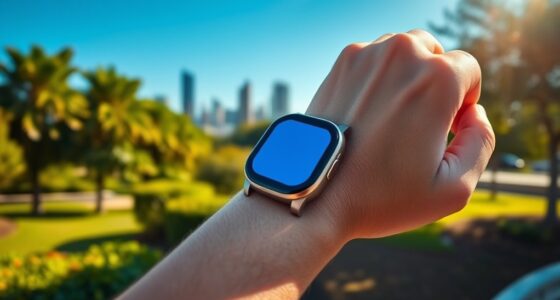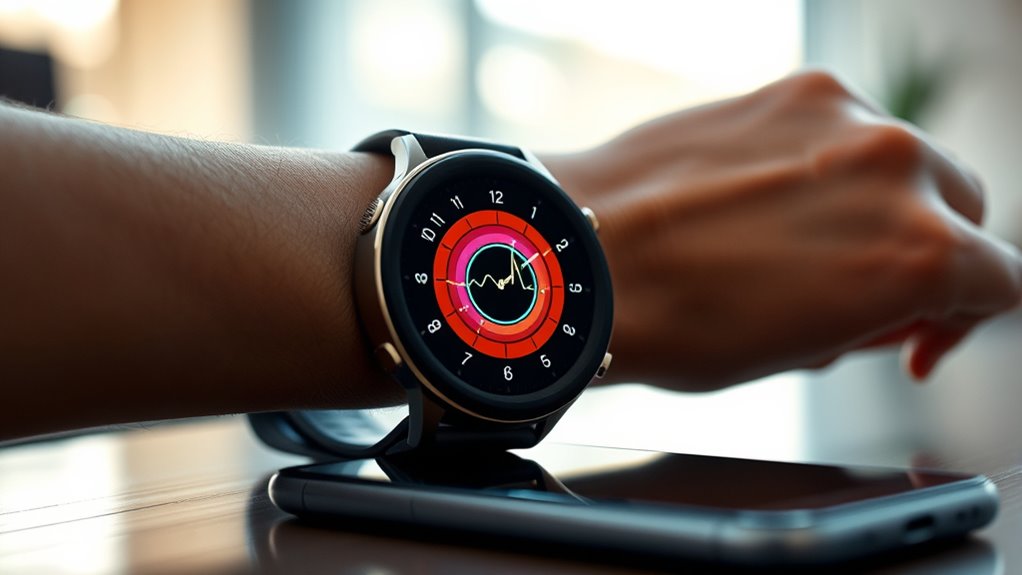
To cut your phone screen time with your smartwatch, start by customizing notifications so only important alerts come through, reducing unnecessary device checks. Use health tracking features to monitor your activity and set daily goals for screen time limits. Enable gentle alerts when you approach those limits and utilize summaries to stay informed without constant pings. Pairing these strategies can build healthier digital habits—keep exploring to discover more tips for mindful device use.
Key Takeaways
- Customize notifications to only alert you to essential messages, reducing unnecessary phone checks.
- Set daily screen time goals and receive alerts when approaching limits to encourage mindful usage.
- Use smartwatch health tracking to monitor habits and motivate reductions in social media and scrolling.
- Rely on curated, passive notifications and summaries to stay informed without constant device engagement.
- Integrate usage limits with health data to develop disciplined digital habits and promote overall wellbeing.

In today’s digital age, your smartwatch and phone constantly compete for your attention, making it easy to spend more time staring at screens than you realize. Every ping, buzz, or vibration pulls you back into your devices, often without you even noticing how much time slips away. But there’s a way to regain control—by leveraging your smartwatch to cut down on unnecessary screen time. Smartwatches are more than just stylish accessories; they’re powerful tools to help you manage your digital habits, especially through features like app notifications and health tracking.
App notifications are designed to keep you informed, but they can also become a major distraction. Instead of letting every alert pull you into your phone, customize which notifications you actually want to see on your smartwatch. Turn off non-essential alerts, so your watch only buzzes for important messages or calls. This way, you stay informed without constantly checking your phone, reducing your overall screen exposure. When your watch vibrates with a carefully curated set of notifications, you get to decide if it warrants your attention, or if it can wait. Over time, this controlled approach helps you resist the habit of compulsively checking your device every time it pings.
Health tracking features on your smartwatch can also motivate you to spend less time glued to screens. Many devices monitor your activity levels, sleep patterns, and even stress levels, providing you with insights that encourage healthier habits. When you focus on your health data, you naturally spend less time mindlessly scrolling through social media or endless news feeds. Instead, you become more aware of how your screen time impacts your overall well-being. Use these insights to set daily goals, such as reducing screen time before bed or during meals, and let your smartwatch serve as a reminder to stay active and present.
Another effective strategy is to set specific limits on your device usage. Many smartwatches allow you to create daily goals for app usage or total screen time. When you hit those limits, your watch can gently alert you to step away. This creates a boundary that keeps your digital habits in check, helping you avoid the trap of constant connectivity. Pairing this with health tracking data gives you a holistic view of how your digital habits affect your physical health, motivating you to make smarter choices. Recognizing passive voice in your notifications and summaries can help identify areas where your habits might be unintentionally set in stone.

Smart Watches for Women, Smart Watch for Android Phones & iPhone, Fitness Watches for Women with Alexa, Call & Notification Alerts, Tracks Heart Rate/Sleep Smartwatches (Dark Purlple, 1.8 inches)
- Built-in Alexa and Notifications: Make/answer calls, messages, weather, and more
- 120 Sports Modes & Waterproof: Tracks various activities, 3 ATM water resistance
- Health and Sleep Monitoring: Heart rate, stress, blood oxygen, sleep, menstrual cycle
As an affiliate, we earn on qualifying purchases.
As an affiliate, we earn on qualifying purchases.
Frequently Asked Questions
Can Smartwatch Features Fully Replace Phone Notifications?
Smartwatch features can’t fully replace phone notifications, but they come close. You can get instant alerts on your wearable health device, helping you stay connected without constantly checking your phone. Plus, many smartwatches offer fitness tracking to boost your health goals. While they handle calls, messages, and quick updates, some detailed notifications still require your phone. Overall, they reduce screen-time and improve digital wellbeing effectively.
How Accurate Are Smartwatch Screen-Time Tracking Tools?
Smartwatch screen-time tracking tools are generally quite accurate, but they do have some tracking limitations. You’ll find that they accurately record active usage like checking notifications or apps, but may miss passive screen-on time or background activities. Keep in mind that, while helpful, these tools aren’t perfect, so you should regularly review your data for a better understanding of your overall screen time and make adjustments accordingly.
Are There Privacy Concerns With Smartwatch Monitoring?
You should be aware that smartwatch monitoring raises privacy concerns, especially around data privacy and third-party apps. When you grant access to your data, it could be shared or sold without your explicit consent. Always review app permissions and privacy policies before installing new apps. To protect yourself, stick with trusted developers and limit data sharing, ensuring your personal information stays secure while using your smartwatch to manage screen time.
How Do I Customize Notifications on My Smartwatch?
You can customize notifications on your smartwatch by accessing the notification settings in the companion app on your phone. From there, you can choose which app alerts you want to receive, enabling you to filter out unnecessary notifications. Adjust these settings to suit your preferences, ensuring you get only the alerts that matter most. This way, you reduce distractions and stay focused, optimizing your digital wellbeing.
Can Smartwatches Help Reduce Overall Digital Addiction?
Sure, smartwatches can help you tackle digital addiction—if you’re willing to embrace a digital detox. They promote behavioral change by nudging you to stay off your phone, encouraging mindful usage and reducing screen time. Think of it as your personal digital coach, subtly reminding you to breathe and disconnect. So, yes, your smartwatch isn’t just a gadget; it’s your tiny rebel against endless scrolling and digital overindulgence.

Fitness Tracker with Step Counter/Calories/Stopwatch, Activity Tracker, Health Tracker with Heart Rate Monitor, Sleep Tracker,1.10''AMOLED Touch Color Screen, Pedometer Watch for Women Men
- All-day activity tracking: Steps, calories, distance, and time
- 1.10 inch AMOLED HD touchscreen: Color display with multiple watch faces
- 5 ATM waterproof design: Water, dust, and sweat resistant
As an affiliate, we earn on qualifying purchases.
As an affiliate, we earn on qualifying purchases.
Conclusion
So, next time you find yourself mindlessly scrolling, just blame your smartwatch for trying to save you from a digital coma. With a few clever tweaks, you can reclaim your time, but hey, who needs boredom-free moments when you’ve got that tiny screen addiction? Remember, your smartwatch is just there to remind you you’re *too* connected—so maybe, just maybe, it’s time to let your phone take a little vacation. Your sanity will thank you.

Smart Watch for Men, 1.39" HD Touchscreen Smartwatch with 120 Sports Modes, AI Voice Assistant, Heart Rate/Sleep Monitor, Bluetooth Call & Music Control Fitness Watch for iPhone/Android (Black)
- High-Definition Touchscreen: 1.39-inch HD IPS display for clear visuals
- 120 Sports Modes: Tracks various activities like running and swimming
- Health Monitoring: Heart rate and sleep tracking features
As an affiliate, we earn on qualifying purchases.
As an affiliate, we earn on qualifying purchases.
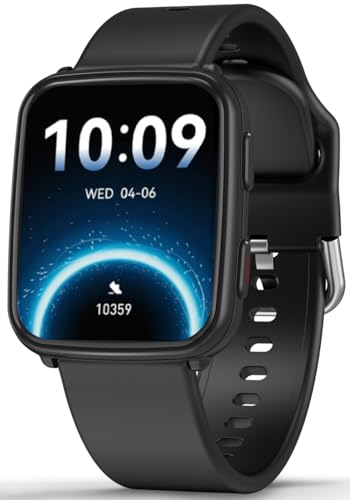
MorePro Fitness Tracker with 24/7 Heart Rate & Blood Pressure Monitor, Blood Oxygen & Sleep Tracker, Smart Watch with Step Calorie Counter, IP68 Waterproof Activity Tracker for Women Men Android iOS
- 24/7 Heart Rate & Blood Pressure Monitoring: Continuous health tracking for proactive wellness
- On-Demand Blood Oxygen Checks: Quickly measure blood oxygen levels anytime
- Sleep Tracking with Deep & Light Sleep: Monitor sleep stages and wake-ups
As an affiliate, we earn on qualifying purchases.
As an affiliate, we earn on qualifying purchases.