When it comes to remote work, a reliable webcam can make or break your video calls. The Logitech C920e stands out as the best overall choice for its solid 1080p quality and proven compatibility with major platforms like Zoom and Microsoft Teams. For those seeking ultra-high resolution, the Logitech Brio Ultra 4K delivers stunning clarity, though it comes at a higher price. Meanwhile, the Anker PowerConf C200 offers excellent low-light performance without breaking the bank. Each option balances performance, usability, and price differently, and understanding these tradeoffs is key to selecting the right fit. Continue reading for a full breakdown of these top webcams and what makes each ideal—or not—for your specific needs.
Open a free Amazon Business account
Business pricing, bulk buying and tax-exempt orders.
Create a free accountAs an affiliate, we earn on qualifying purchases.
Complete the kit



Key Takeaways
- The best webcams for remote work prioritize reliable 1080p video quality with smooth frame rates.
- High-end options like the Logitech Brio 4K excel in resolution but come with a premium price tag.
- Built-in microphones and noise reduction features are vital for clear communication in virtual meetings.
- Low-light correction and wide-angle lenses significantly impact video quality in varied environments.
- Price ranges vary widely; balancing features with budget is crucial for long-term satisfaction.
| Logitech C920e HD 1080p Webcam with Microphone, Certified for Zoom and Microsoft Teams |  | Best Overall for Professional Remote Work | Resolution: 1080p HD | Field of View: 78° | Microphones: 2 omnidirectional microphones | VIEW ON AMAZON | See Our Full Breakdown |
| Dell 2K QHD Webcam WB3023 with Sony Sensor and Noise Reduction Microphone |  | Best for Vibrant 2K Video with Noise-Free Audio | Resolution: 2K QHD | Sensor Type: Sony CMOS | Viewing Angle: 71.5° | VIEW ON AMAZON | See Our Full Breakdown |
| Pro HD 1080p/30fps Webcam with Tripod, External USB Camera for PC and Laptop |  | Best for Content Creators and Video Conferencing on a Budget | Resolution: 1080p / 30fps | Lens Type: Wide Angle | Microphones: Dual noise-cancelling | VIEW ON AMAZON | See Our Full Breakdown |
| Anker PowerConf C200 2K Webcam for PC, Laptop, Mac with Low-Light Correction |  | Best for Bright, Clear Video in Dim Settings | Resolution: 2K Ultra-Clear | Microphones: AI Noise Cancellation | Low-Light Performance: Superior | VIEW ON AMAZON | See Our Full Breakdown |
| Logitech Brio Ultra 4K HD Webcam for Streaming and Meetings – Black |  | Best for High-Detail Streaming and Advanced Features | Resolution: Up to 4K at 30 fps | Field of View: 65°, 78°, 90° preset | Microphones: Dual noise-canceling | VIEW ON AMAZON | See Our Full Breakdown |
| EMEET C60E Dual-Camera 4K Webcam for Streaming, Wide-Angle & Telephoto |  | Best for Versatile Streaming with Dual-Camera Flexibility | Sensor Type: CMOS | Connectivity Technology: USB | Color: Black | VIEW ON AMAZON | See Our Full Breakdown |
| NexiGo N60 1080P Webcam with Microphone, Privacy Cover, USB HD Computer Web Camera for Video Calls and Conferencing |  | Best for Simple, Reliable HD Video Calls | Resolution: 1920 x 1080 at 30fps | Lens: 3.6mm glass lens | Microphone: Built-in noise-canceling | VIEW ON AMAZON | See Our Full Breakdown |
| Logitech C920x HD Pro PC Webcam Full 1080p/30fps Video |  | Best for High-Quality Video Conferencing and Content Creation | Resolution: Full 1080p at 30 fps | Autofocus: Yes | Lighting Adjustment: Yes | VIEW ON AMAZON | See Our Full Breakdown |
| Logitech Brio 101 Full HD 1080p Webcam for Streaming and Meetings – Black |  | Best for Environmentally Conscious Users and Basic HD Streaming | Resolution: 1080p Full HD | Connectivity: USB A | Built-in Microphone: Yes | VIEW ON AMAZON | See Our Full Breakdown |
| Logitech MX Brio Ultra HD 4K Webcam – Graphite |  | Best for Professional 4K Streaming and High-Resolution Output | Resolution: 4K at 30fps, 1080p at 60fps | Sensor Size: 70% larger pixels | Microphones: Dual beamforming noise-reducing | VIEW ON AMAZON | See Our Full Breakdown |
| Logitech C925e Business Webcam HD 1080p/30fps with Light Correction |  | Best Overall for Professional Video Calls | Resolution: 1080p | Frame Rate: 30 fps | Field of View: 78° | VIEW ON AMAZON | See Our Full Breakdown |
| EMEET 1080P Webcam with Microphone, C960 Web Camera, 2 Mics, Streaming Webcam |  | Best for Broad Home Office Use and Portability | Resolution: 1080p | Viewing Angle: 90° | Focus Type: Fixed | VIEW ON AMAZON | See Our Full Breakdown |
| Logitech 4K Webcam |  | Best for Ultra HD Streaming and High-Resolution Conferencing | Resolution: 4K Ultra HD | Zoom: 5x HD | Field of View: 90°, 78°, 65° | VIEW ON AMAZON | See Our Full Breakdown |
| 1080P HD Webcam with Microphone, Noise Cancellation, Privacy Cover, Wide-Angle Lens, Auto Light Correction, Plug & Play USB Webcam |  | Best Budget-Friendly Wide-Angle Webcam | Resolution: 1080p | Lens: Wide-angle | Microphone: Noise-canceling | VIEW ON AMAZON | See Our Full Breakdown |
| Logitech Brio 505 Full HD 1080p Business Webcam with Auto Light Correction |  | Best Business Webcam with Auto Framing and Light Adjustment | Resolution: Full HD 1080p | Auto Light Correction: Yes | Auto Framing: Yes | VIEW ON AMAZON | See Our Full Breakdown |
| webcams for remote work | Resolution | Microphones |
|---|---|---|
| Logitech C920e HD 1080p Webcam | 1080p HD | 2 omnidirectional microphones |
| Dell 2K QHD Webcam WB3023 with | 2K QHD | — |
| Pro HD 1080p/30fps Webcam with | 1080p / 30fps | Dual noise-cancelling |
| Anker PowerConf C200 2K Webcam | 2K Ultra-Clear | AI Noise Cancellation |
| Logitech Brio Ultra 4K HD Webc | Up to 4K at 30 fps | Dual noise-canceling |
| EMEET C60E Dual-Camera 4K Webc | — | — |
| NexiGo N60 1080P Webcam with M | 1920 x 1080 at 30fps | — |
| Logitech C920x HD Pro PC Webca | Full 1080p at 30 fps | Stereo dual mics |
| Logitech Brio 101 Full HD 1080 | 1080p Full HD | — |
| Logitech MX Brio Ultra HD 4K W | 4K at 30fps, 1080p at 60fps | Dual beamforming noise-reducing |
| Logitech C925e Business Webcam | 1080p | — |
| EMEET 1080P Webcam with Microp | 1080p | Dual noise-canceling |
| Logitech 4K Webcam | 4K Ultra HD | Dual noise-canceling |
| 1080P HD Webcam with Microphon | 1080p | — |
| Logitech Brio 505 Full HD 1080 | Full HD 1080p | Dual noise reduction |
More Details on Our Top Picks
Logitech C920e HD 1080p Webcam with Microphone, Certified for Zoom and Microsoft Teams
The Logitech C920e stands out as the best overall choice for remote workers who prioritize reliable, high-quality video and audio. It offers 1080p HD resolution with autofocus and automatic light correction, ensuring sharp images in varied lighting conditions—features that outperform many basic webcams. Its dual omnidirectional microphones deliver clear audio, reducing the need for external mics. While the fixed 78° field of view suits most desk setups, it may not be ideal for wide-angle needs or group calls. The webcam’s versatile mounting options, including tripod compatibility, make it adaptable for different workspaces. Compared to the Logitech Brio, it lacks 4K resolution but is more affordable and easier to set up. Its main tradeoff is the fixed view, which might limit flexibility for users needing a broader shot. This webcam is perfect for remote professionals seeking dependable, plug-and-play performance without extra bells and whistles.
Pros:- High-quality 1080p HD video with autofocus
- Clear audio from two omnidirectional microphones
- Automatic light correction for varied environments
- Versatile mounting options including tripod compatibility
Cons:- Fixed 78° field of view limits wide-angle framing
- Requires external power for some mounting setups
- No 4K or ultra-wide capabilities
Best for: Remote workers and professionals who need dependable HD quality for daily video calls and meetings.
Not ideal for: Users who require ultra-wide shots or 4K resolution for high-end streaming or content creation.
- Resolution:1080p HD
- Field of View:78°
- Microphones:2 omnidirectional microphones
- Autofocus:Yes
- Light Correction:Automatic
- Privacy Cover:Attachable flip-up cover
Our verdict“A solid, reliable choice for professionals prioritizing quality and ease of use in typical remote work setups.”
Dell 2K QHD Webcam WB3023 with Sony Sensor and Noise Reduction Microphone
The Dell WB3023 makes a compelling case for those who want vibrant, detailed video quality. Its 2K QHD resolution provides sharper images than typical 1080p webcams, especially noticeable on larger screens or close-ups. The Sony CMOS sensor enhances color accuracy and brightness, outperforming similar models like the Logitech C920e in visual detail. Its built-in noise reduction microphone ensures clear audio, vital for professional calls. However, it lacks water resistance and outdoor suitability, and its USB-A connector may pose compatibility issues on newer laptops. The absence of built-in lighting means environments with poor illumination could still be problematic. Compared with the Pro HD 1080p webcam, it sacrifices some low-light performance for higher resolution. This webcam suits remote workers who prioritize image clarity and crisp audio but don’t need 4K or wide-angle views.
Pros:- Sharp 2K QHD image quality with vibrant detail
- Sony sensor for accurate colors and brightness
- Built-in noise reduction microphone
- Privacy shutter for security
Cons:- Limited water resistance, unsuitable for outdoor use
- No built-in lighting or low-light enhancement
- Requires USB-A port, which may need adapters
Best for: Remote professionals focused on high-resolution video and clear audio for daily meetings and presentations.
Not ideal for: Outdoor or mobile users needing water resistance or ultra-wide shots.
- Resolution:2K QHD
- Sensor Type:Sony CMOS
- Viewing Angle:71.5°
- Microphone:Noise reduction
- Privacy Shutter:Yes
- Connectivity:USB-A
Our verdict“Ideal for remote workers who want high-quality visuals and audio without the need for 4K or wide-angle features.”
Pro HD 1080p/30fps Webcam with Tripod, External USB Camera for PC and Laptop
The Pro HD 1080p/30fps Webcam offers a balanced mix of features suitable for professional calls and casual streaming. Its smooth 30fps video ensures natural motion, beating some lower-framerate webcams. The included adjustable tripod allows flexible positioning, making it a strong choice for content creators or those who need on-the-fly framing adjustments. Dual noise-cancelling microphones improve audio clarity, but unlike higher-end models, it lacks internal audio controls or mute buttons. Its wide-angle lens captures more of your workspace, which is great for showing surroundings but might be distracting for focused meetings. Compared to the Logitech Brio, it doesn’t support 4K but still delivers solid 1080p quality at a more affordable price. The main tradeoff is the absence of advanced features like auto low-light correction or built-in storage, making it more suitable for users who prioritize straightforward performance.
Pros:- Smooth 1080p at 30fps for natural motion
- Includes adjustable tripod for flexible setup
- Dual noise-cancelling microphones improve audio clarity
- Wide-angle lens captures more of the workspace
Cons:- Lacks internal storage or advanced features
- No auto low-light correction
- Limited to 1080p resolution
Best for: Content creators, streamers, or remote workers who want a reliable, affordable webcam with flexible mounting options.
Not ideal for: Users needing 4K resolution or advanced low-light performance.
- Resolution:1080p / 30fps
- Lens Type:Wide Angle
- Microphones:Dual noise-cancelling
- Mounting:Tripod included
- Connectivity:USB
- Focal Length:60 centimeters
Our verdict“A practical choice for content creators or professionals seeking reliable video quality at an affordable price.”
Anker PowerConf C200 2K Webcam for PC, Laptop, Mac with Low-Light Correction
The Anker PowerConf C200 is tailored for remote workers who need dependable, detailed video in less-than-ideal lighting. Its 2K resolution delivers crisp images, surpassing many 1080p models like the Logitech C920e. The AI noise-canceling microphones actively reduce background noise, making conversations clearer, especially in noisy environments. Its low-light correction feature significantly enhances visibility in dim rooms, a common challenge for remote workers. The adjustable viewing angles—65°, 78°, and 95°—offer flexibility for framing. However, it lacks a dedicated mute button for microphones, which can be inconvenient during quick meetings. Also, software is required to change angles, adding a layer of complexity. Compared with the Logitech Brio, it emphasizes low-light performance over ultra-high resolution. This webcam is ideal for those working in variable lighting conditions who value detailed, clear visuals and audio clarity.
Pros:- Sharp 2K image quality for detailed visuals
- Effective AI noise cancellation microphones
- Excellent low-light correction
- Flexible viewing angles
Cons:- No dedicated microphone mute button
- Requires software to adjust angles
- Price not specified
Best for: Remote workers in dim or variable lighting environments needing high-resolution, noise-free video.
Not ideal for: Mobile users or those prioritizing ultra-wide shots or 4K resolution.
- Resolution:2K Ultra-Clear
- Microphones:AI Noise Cancellation
- Low-Light Performance:Superior
- Viewing Angles:65°, 78°, 95°
- Privacy Feature:Sliding lens cover
- Compatibility:Windows 7+ and macOS 10.11+
Our verdict“Perfect for remote professionals who need high-quality visuals and audio in challenging lighting conditions.”
Logitech Brio Ultra 4K HD Webcam for Streaming and Meetings – Black
The Logitech Brio delivers exceptional video quality for users who want 4K resolution and a suite of advanced features. Its up to 4K at 30 fps resolution captures stunning detail, making it ideal for high-quality streaming or professional presentations. The adjustable field of view—65°, 78°, or 90°—offers flexibility in framing, while RightLight 3 and HDR automatically optimize lighting and color, outperforming standard webcams in challenging environments. The dual noise-canceling microphones produce clear audio, and support for Windows Hello facial recognition adds a security layer. The main tradeoff is its premium price and larger, bulkier design, which may not suit everyone. Compared with the Dell WB3023, it offers higher resolution but at a higher cost and size. This camera best serves professionals and streamers who need top-tier image detail and advanced features for daily use.
Pros:- Stunning 4K video with rich detail and color
- Flexible field of view options
- Automatic lighting adjustments with HDR
- Supports Windows Hello facial recognition
Cons:- High price point
- Bulkier and larger than standard webcams
- Requires compatible software for full feature set
Best for: Content creators and professionals seeking the highest quality video and advanced features for streaming and meetings.
Not ideal for: Budget-conscious users or those with limited desk space needing a compact webcam.
- Resolution:Up to 4K at 30 fps
- Field of View:65°, 78°, 90° preset
- Microphones:Dual noise-canceling
- Lighting:RightLight 3 and HDR
- Facial Recognition:Windows Hello
- Warranty:1 year limited
Our verdict“The ideal choice for those who need top-quality, detailed video and advanced features for professional streaming or high-end meetings.”
EMEET C60E Dual-Camera 4K Webcam for Streaming, Wide-Angle & Telephoto
This webcam stands out for its dual-camera setup, providing both wide-angle and telephoto views, which makes it ideal for streamers and presenters needing dynamic shot options. Compared with the Logitech Brio, which offers superior 4K quality but lacks multiple lenses, the C60E offers more flexibility at a similar price point. The smart dual control via remote and software allows quick adjustments, but the lack of zoom support in 4K or 60FPS limits its effectiveness for close-up detail. Its RGB lighting adds aesthetic appeal, especially in professional or personal setups, but it’s limited to USB 2.0, which may affect data transfer speed and compatibility. In essence, this pick is best for users who want a creative, multi-angle streaming tool rather than the highest possible resolution or advanced features.
Pros:- Dual-camera setup with wide-angle and telephoto lenses for versatile views
- Smart control options via remote and software for quick adjustments
- RGB lighting enhances aesthetics and visibility
Cons:- Zoom not supported in 4K, 60FPS, or YUY2 modes
- Limited to USB 2.0 connectivity, which may restrict data transfer speeds
Best for: Content creators or remote presenters who need multiple angles and flexible control during live streams or professional presentations
Not ideal for: Users seeking the highest resolution with minimal setup, as 4K doesn’t support zoom or high frame rate modes, limiting close-up detail
- Sensor Type:CMOS
- Connectivity Technology:USB
- Color:Black
- Special Features:2 Mics, RGB Lighting, Remote Control, Dual Cameras
- Photo Sensor Size:1/2.8-inch
- Viewing Angle:73 degrees
- Display Resolution:Maximum UHD
- Audio Supported:AAC, PCM
Our verdict“This webcam is ideal for streamers or professionals who want multiple angles and aesthetic control over their video feeds.”
NexiGo N60 1080P Webcam with Microphone, Privacy Cover, USB HD Computer Web Camera for Video Calls and Conferencing
The NexiGo N60 is a straightforward choice for users prioritizing clear 1080p video and ease of use. Unlike the Logitech C920x, which adds background editing features, the N60 focuses on quality with its 1920 x 1080 resolution and built-in noise-canceling microphone, making it suitable for everyday video calls and virtual meetings. Its plug-and-play setup and broad OS compatibility make it accessible for most users, but the fixed focus lens could be a limitation for those needing to switch distances frequently. The included privacy cover adds security for sensitive calls, yet it doesn’t offer advanced controls or higher frame rates, which might matter for casual streaming. This webcam makes sense for remote workers who want a dependable, no-fuss device for daily communication.
Pros:- High-quality 1080p video with clear image reproduction
- Built-in noise-canceling microphone improves audio clarity
- Easy plug-and-play with broad OS support
Cons:- Fixed focus lens limits versatility for different distances
- Not compatible with gaming consoles like Xbox or PlayStation
Best for: Remote workers and small teams seeking reliable, high-quality 1080p video and straightforward setup
Not ideal for: Gamers or streamers requiring adjustable focus or higher frame rates for fast-paced content
- Resolution:1920 x 1080 at 30fps
- Lens:3.6mm glass lens
- Microphone:Built-in noise-canceling
- Compatibility:USB 2.0/3.0, Mac OS X 10.7+, Windows 7/8/10/11, Android 4.0+, Linux 2.6.24, Chrome OS
- Privacy Cover:Yes
- Water Resistance Level:Not water resistant
Our verdict“This webcam suits remote workers needing dependable, sharp HD video for daily meetings and calls without complex setup.”
Logitech C920x HD Pro PC Webcam Full 1080p/30fps Video
The Logitech C920x delivers sharp, detailed 1080p video with autofocus and automatic light correction, making it a versatile choice for professional video meetings or streaming sessions. Compared to the Logitech Brio 101, which offers 4K resolution, the C920x’s strength lies in its proven reliability and compatibility with most conferencing software, supported by its stereo microphones that produce natural sound. The included 3-month XSplit VCam license adds value for users interested in background editing, but it lacks a privacy shutter, which might be a concern for privacy-conscious users. While it’s limited to 30fps at 1080p, this is generally sufficient for smooth video calls. Overall, this webcam balances quality and ease of use for content creators and remote workers alike.
Pros:- Sharp 1080p video with autofocus and automatic light correction
- Stereo microphones for natural, clear audio
- Includes background removal software with XSplit VCam license
Cons:- No privacy shutter included
- Limited to 30 fps at 1080p, which may affect fast motion
Best for: Professionals and streamers seeking reliable, high-quality 1080p video with optional background editing
Not ideal for: Those needing 4K resolution or advanced customization options for streaming setups
- Resolution:Full 1080p at 30 fps
- Autofocus:Yes
- Lighting Adjustment:Yes
- Microphones:Stereo dual mics
- Includes:3-month XSplit VCam license
- Compatibility:Windows 11, Mac
Our verdict“This webcam offers a solid balance of image quality and ease of use for professional video calls and streaming content.”
Logitech Brio 101 Full HD 1080p Webcam for Streaming and Meetings – Black
The Logitech Brio 101 emphasizes sustainability with its 77% post-consumer recycled plastic, while providing reliable 1080p video quality suitable for meetings and streaming. Unlike the MX Brio Ultra HD 4K model, the Brio 101 offers a more affordable, straightforward option with essential features like RightLight auto-brightness and a privacy shutter. It’s a competent choice for those who want decent image quality without the complexity of advanced controls, but it is limited to USB A, which could restrict compatibility with newer devices favoring USB-C. The basic feature set makes it less ideal for content creators needing extensive customization or higher frame rates, but it’s perfect for casual, eco-conscious users who prioritize privacy and simplicity.
Pros:- High-quality 1080p video with auto-brightness
- Privacy shutter for peace of mind
- Made with 77% post-consumer recycled plastic
Cons:- Limited to USB A connection, no USB-C support
- Basic features lacking advanced customization
Best for: Remote workers or small teams prioritizing eco-friendly design and reliable HD video for daily meetings
Not ideal for: Advanced streamers or users requiring high frame rate and customizable settings for professional content
- Resolution:1080p Full HD
- Connectivity:USB A
- Built-in Microphone:Yes
- Privacy Shutter:Yes
- Material:77% post-consumer recycled plastic
- Compatibility:Windows, Mac, Linux
Our verdict“This webcam is suited for eco-minded professionals who want dependable HD video without extra complexity.”
Logitech MX Brio Ultra HD 4K Webcam – Graphite
The Logitech MX Brio offers stunning 4K resolution at 30fps or 1080p at 60fps, making it ideal for users who need ultra-high-definition streaming or recording. Its AI-enhanced image quality and customizable controls allow for sharp, clear visuals in various lighting conditions, surpassing the standard 1080p options like the C920x. The dual beamforming microphones improve audio quality, and the built-in privacy shutter adds security. However, its premium price and reliance on USB-C for full feature access may be barriers for some, and the complex setup for advanced controls can be daunting for casual users. This model suits highly professional environments where maximum image quality and customization are priorities.
Pros:- Stunning 4K streaming with AI-enhanced clarity
- Adjustable controls for tailored image quality
- Effective noise reduction microphones and privacy shutter
Cons:- Premium price may be prohibitive for some
- Requires USB-C port for full features
- Setup can be complex for non-technical users
Best for: Content creators, remote professionals, or streamers demanding top-tier 4K resolution and advanced image controls
Not ideal for: Budget-conscious users or those with older devices lacking USB-C ports, as full functionality requires modern ports
- Resolution:4K at 30fps, 1080p at 60fps
- Sensor Size:70% larger pixels
- Microphones:Dual beamforming noise-reducing
- Compatibility:Windows, macOS, Chrome OS, Linux
- Features:AI-enhanced image quality, adjustable lighting, privacy shutter
- Mounting:Tilt and Show Mode for sharing notes
Our verdict“This webcam is best suited for professionals who need the highest resolution and advanced customization for streaming or recording.”
Logitech C925e Business Webcam HD 1080p/30fps with Light Correction
The Logitech C925e stands out as the most balanced choice for remote workers who need reliable, high-quality video without extra fuss. Its 1080p resolution at 30 fps ensures sharp images, while built-in stereo microphones deliver clear audio—ideal for professional settings. Compared with the Logitech Brio 505, it doesn’t support 4K, but this simplifies setup and reduces cost for daily conferencing. The RightLight 2 technology automatically adjusts for lighting conditions, making it versatile across home environments. However, its USB-A only connection limits flexibility, and the lack of image stabilization means shaky mounts can affect stability. The compact size makes it easy to position but may restrict some mounting options. Overall, this model is a solid pick for those prioritizing dependable video quality and ease of use.
Pros:- High-quality 1080p video at 30 fps
- Built-in stereo microphones for clear audio
- Plug-and-play USB-A connection for easy setup
- Automatic light correction with RightLight 2
Cons:- Limited to USB-A connectivity, no wireless option
- No image stabilization feature
- Compact design may limit mounting options
Best for: Remote workers who want reliable 1080p video with good audio in a straightforward package.
Not ideal for: Users seeking 4K resolution or wireless connectivity, as this model is limited to USB-A and does not support higher resolutions.
- Resolution:1080p
- Frame Rate:30 fps
- Field of View:78°
- Connectivity:USB-A
- Built-in Microphones:Stereo
- Light Correction:RightLight 2
Our verdict“This webcam is ideal for professionals who need dependable, high-quality video without extra features or complexity.”
EMEET 1080P Webcam with Microphone, C960 Web Camera, 2 Mics, Streaming Webcam
The EMEET C960 offers a well-rounded package for remote workers needing versatile video and audio. Its full HD 1080p resolution with a 90-degree wide angle makes it suitable for group calls or online teaching, providing a broader perspective than narrower webcams like the Logitech C925e. The dual noise-canceling microphones improve audio clarity, especially in noisy environments, and the auto low-light correction helps maintain image quality in dim settings. The foldable design enhances portability, making it a good choice for those who travel or switch workspaces frequently. Still, it lacks Windows Hello support, which limits secure login options on compatible devices, and its fixed focus may not be ideal for close-up tasks. It’s perfect for users who prioritize wide-angle coverage and flexible use.
Pros:- Wide 90-degree viewing angle
- Dual noise-canceling microphones
- Automatic low-light correction
- Foldable, portable design
Cons:- No autofocus feature, fixed focus only
- Incompatible with Windows Hello functions
- Lacks adjustable mounting options
Best for: Home office users, online teachers, or remote workers who need a portable yet broad-view webcam.
Not ideal for: Those requiring advanced autofocus or Windows Hello compatibility, as this model’s fixed focus and lack of biometric login support limit its functionality.
- Resolution:1080p
- Viewing Angle:90°
- Focus Type:Fixed
- Microphones:Dual noise-canceling
- Light Correction:Auto low-light
- Connectivity:USB
Our verdict“This webcam suits users seeking wide coverage and portability for diverse home or mobile setups.”
Logitech 4K Webcam
The Logitech 4K Webcam delivers exceptional clarity with four times the resolution of standard HD, making it ideal for professionals who need detailed, crisp images. Its 5x HD zoom and multiple field of view options give flexible framing, while HDR technology and auto light adjustment ensure good picture quality across different lighting conditions. The dual noise-canceling microphones add to its appeal for high-stakes virtual meetings or streaming. Compared with the Logitech Brio 505, this model offers higher resolution but is discontinued, which may limit support and availability. Its heavier weight and lack of rugged features mean it’s less suited for rough handling or mobile use. Nevertheless, for stationary setups demanding top-tier image quality, this remains a compelling choice.
Pros:- Ultra HD 4K resolution for detailed images
- Multiple field of view options
- HDR and auto light adjustment
- 5x HD zoom for framing flexibility
Cons:- Discontinued product, limited support
- Requires compatible software for full feature access
- Lack of rugged or water-resistant features
Best for: Content creators, streamers, or remote workers needing detailed 4K video quality for high-profile meetings or streaming.
Not ideal for: Those who require a current, supported model or need a webcam with advanced security features like a privacy shutter, as support is limited due to discontinuation.
- Resolution:4K Ultra HD
- Zoom:5x HD
- Field of View:90°, 78°, 65°
- Frame Rate:Up to 90 fps
- Microphones:Dual noise-canceling
- Lighting:HDR, auto light adjustment
Our verdict“This webcam is best for users prioritizing ultra-high-definition video for stationary, professional streaming or conferencing setups.”
1080P HD Webcam with Microphone, Noise Cancellation, Privacy Cover, Wide-Angle Lens, Auto Light Correction, Plug & Play USB Webcam
This 1080p HD webcam provides a broad field of view with its wide-angle lens and includes essential features like noise-canceling microphone and automatic light correction. Its plug-and-play USB setup makes it accessible for most users, especially those new to webcams or seeking quick setup. Compared to the EMEET C960, it offers a similar resolution but emphasizes a wider perspective, which is useful for larger groups or more immersive calls. The built-in privacy cover adds security, but the lack of autofocus or adjustable mount limits customization. It’s a practical choice for budget-conscious users who want a simple, wide-angle camera for everyday video calls and streaming without extra frills.
Pros:- 1080p resolution with wide-angle view
- Built-in noise-canceling microphone
- Automatic light correction
- Privacy cover included
Cons:- No adjustable mount or tripod compatibility
- Limited to fixed focus, no autofocus
- Basic feature set without advanced controls
Best for: Beginners, students, or casual remote workers needing a budget-friendly, wide-angle webcam for frequent video calls.
Not ideal for: Power users or those needing adjustable mounts, autofocus, or higher resolutions, as this model offers basic features at a lower price point.
- Resolution:1080p
- Lens:Wide-angle
- Microphone:Noise-canceling
- Light Correction:Auto
- Privacy Cover:Yes
- Connectivity:USB
Our verdict“This webcam suits users who want an affordable, easy-to-use device for everyday video calls with a broad field of view.”
Logitech Brio 505 Full HD 1080p Business Webcam with Auto Light Correction
The Logitech Brio 505 is tailored for professional environments, combining 1080p resolution with auto light correction and auto framing to keep remote workers looking sharp and centered without manual adjustments. Its dual noise reduction microphones enhance audio clarity, essential for clear communication in busy or noisy home offices. As a business-grade device, it integrates seamlessly with most major platforms and includes a privacy shutter for added security. Compared to the Logitech C925e, it offers more advanced features like auto framing, but at a higher price point. Its reliance on software for some features and limited resolution beyond 1080p might deter users needing ultra-high-definition quality. Still, this camera hits a sweet spot for consistent, professional video quality.
Pros:- 1080p resolution with auto light correction
- Auto framing keeps you centered
- Includes privacy shutter
- Compatible with major conferencing platforms
Cons:- Limited to 1080p resolution, no 4K option
- Requires software for some features like auto framing
- Higher price for a webcam with this resolution
Best for: Remote professionals who want a reliable, feature-rich webcam compatible with multiple platforms and security features.
Not ideal for: Users seeking 4K resolution or those on a tight budget, as this model emphasizes features over ultra-high resolution and comes at a higher cost.
- Resolution:Full HD 1080p
- Auto Light Correction:Yes
- Auto Framing:Yes
- Microphones:Dual noise reduction
- Privacy Shutter:Yes
- Compatibility:Multiple platforms
Our verdict“This webcam is a strong choice for remote workers seeking consistent, professional-quality video with security features integrated.”
How We Picked
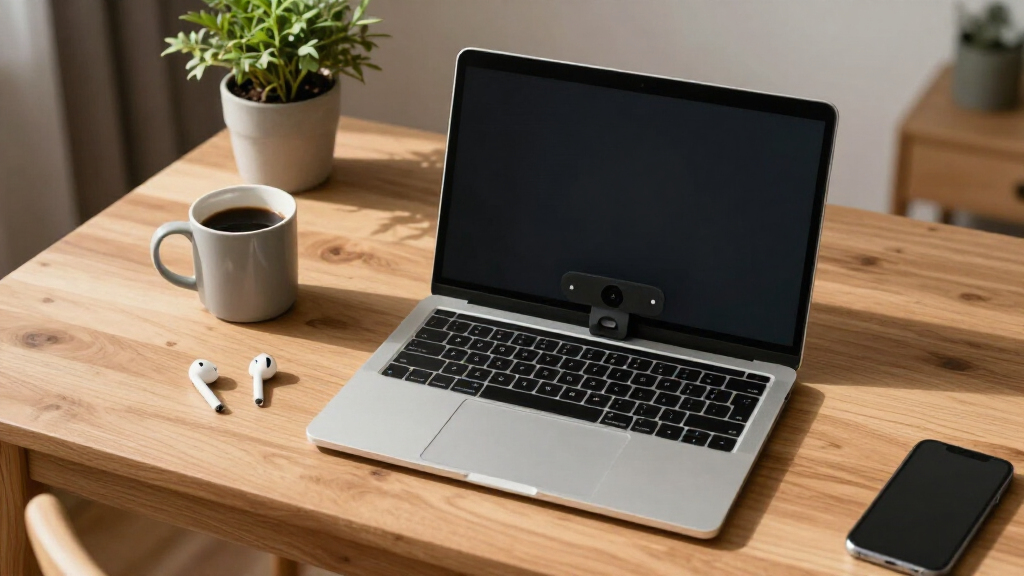
To determine the best webcams for remote work, I evaluated each model based on core performance factors such as video resolution, frame rate stability, and autofocus accuracy. Build quality and ease of setup also played a role, as well as the inclusion of features like noise-canceling microphones and low-light correction. Value for money was a key consideration, balancing feature set against price. Finally, compatibility with common remote work platforms like Zoom and Teams was essential, ensuring each webcam could seamlessly integrate into typical virtual workflows. The ranking reflects a mix of these criteria, emphasizing models that deliver reliable, high-quality video for everyday remote work scenarios.Factors to Consider When Choosing Webcams For Remote Work
Choosing the right webcam for remote work involves weighing several important factors. Beyond just resolution, aspects like low-light performance, microphone quality, and ease of use can dramatically influence your experience. Understanding these considerations helps avoid common pitfalls, such as overspending on unnecessary features or choosing a model that doesn’t fit your environment. The following sections outline key factors to keep in mind for making an informed purchase that aligns with your specific remote work needs.Video Quality and Resolution
Higher resolution webcams, such as 4K models, provide sharper images, which are especially beneficial for presentations or professional profiles. However, 1080p webcams often offer sufficient clarity for most remote work needs and come at a lower cost. Consider your typical usage—if you frequently share detailed visuals or need a future-proof setup, investing in higher resolution makes sense. Keep in mind that higher resolutions demand more bandwidth and processing power, so ensure your hardware can support it without lag.
Microphone Quality
Built-in microphones vary significantly in quality. A good microphone with noise cancellation can eliminate background noise and improve voice clarity, reducing the need for an external mic. If your workspace is noisy or you often participate in large meetings, prioritize webcams with advanced microphones. Conversely, if you already own a dedicated microphone, you might opt for a simpler webcam, saving costs without sacrificing audio quality.
Lighting and Environment Compatibility
Webcams with low-light correction or wide dynamic range help maintain clear video in dim or uneven lighting conditions. Consider your typical environment—if you work in a darker room or have variable lighting, investing in a model with these features can improve your appearance without additional lights. Avoid webcams that struggle in low-light settings, as poor image quality can detract from your professionalism.
Ease of Setup and Compatibility
Simplicity matters, especially if you’re not tech-savvy. USB plug-and-play models reduce setup time and troubleshooting. Compatibility with major platforms like Zoom, Teams, or Skype should be verified—some webcams are optimized for specific software, which can streamline your experience. Be cautious of models that require extra drivers or complicated configurations, as they can cause frustration and delay your meetings.
Price and Long-Term Value
While it’s tempting to opt for the cheapest model, investing in a mid-range or premium webcam can pay off through better durability, features, and image quality. Consider your long-term needs: if remote work is your main activity, a higher-quality webcam can make your calls look more professional, boosting your confidence and impression. Conversely, if your budget is tight, focus on models that meet essential criteria without unnecessary extras.
Frequently Asked Questions
Is 1080p resolution enough for professional remote work?
Yes, a 1080p webcam generally provides sharp, clear video suitable for most professional settings. It strikes a good balance between quality and bandwidth requirements, ensuring smooth streaming without taxing your system. For regular meetings, presentations, or interviews, 1080p is typically sufficient. However, if you frequently produce content or want the highest detail, a 4K webcam may be worth considering, despite the higher cost and bandwidth needs.Should I prioritize a webcam with a built-in microphone or buy separately?
Many webcams come with integrated microphones that are adequate for everyday use, offering convenience and simplicity. However, if you need superior audio quality—such as for podcasts, large meetings, or noisy environments—investing in a dedicated microphone can provide clearer, more reliable sound. For most remote workers, a webcam with a decent noise-canceling mic is a practical compromise, but for critical audio tasks, separate equipment is preferable.How important is low-light correction in a webcam?
Low-light correction can significantly improve video quality, especially if your workspace isn’t brightly lit or if lighting conditions vary throughout the day. Webcams with this feature automatically adjust brightness and contrast, ensuring you appear clear and professional regardless of ambient lighting. If your environment is consistently well-lit, this feature might be less critical, but for variable or dim lighting, it helps prevent grainy or dark images.Can I use a gaming or streaming webcam for remote work?
Absolutely, many gaming and streaming webcams offer high resolutions, fast frame rates, and good autofocus, making them suitable for professional video calls. However, they tend to be more expensive and may include features irrelevant to remote work, like advanced streaming options. Ensure compatibility with your conferencing software and consider whether their higher price aligns with your specific needs—often, dedicated remote work webcams provide similar quality at a lower cost.What is the benefit of a 4K webcam for remote work?
A 4K webcam delivers exceptionally detailed images, which can elevate your professional appearance and improve visual clarity for viewers. It’s particularly valuable if you share detailed visuals or need to crop your image without losing quality. However, 4K webcams require more bandwidth, processing power, and storage, which can strain your system and network. For most remote workers, 1080p offers a more practical balance between quality and performance, unless high resolution is a priority.Conclusion
For everyday remote work, the Logitech C920e remains the best overall choice thanks to its reliable 1080p quality and platform compatibility. If you want to invest in high-end features and top-tier resolution, the Logitech Brio Ultra 4K suits professionals who frequently share high-detail visuals. Budget-conscious users should consider the Anker PowerConf C200 for solid performance without overspending. Beginners will appreciate plug-and-play models like the NexiGo N60 for straightforward setup. For those with specific needs—such as streaming, wide-angle shots, or enhanced low-light performance—specialized options like the EMEET C60E or Logitech Brio 505 are worth exploring. Your choice hinges on balancing your work environment, technical demands, and budget considerations.
NFL season / tailgating Picks
team gear
As an affiliate, we earn on qualifying purchases.