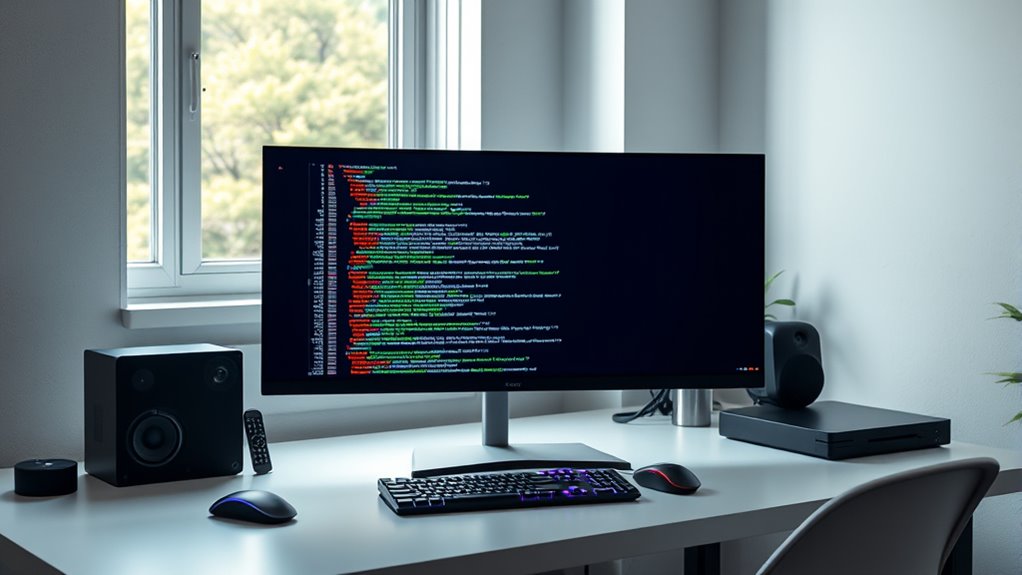

Choosing the right monitor for coding involves balancing screen size, resolution, color accuracy, and ergonomics. The Dell 34 Monitor S3425DW stands out as the best overall thanks to its ultra-wide WQHD display and eye comfort features, ideal for long coding sessions. The BenQ Programming Monitor RD280UG offers a tailored experience with coding-specific modes and a 3:2 aspect ratio, making it a strong choice for dedicated developers. Meanwhile, the LG 27US500-W delivers 4K clarity at a more accessible price point. These options highlight the tradeoffs between resolution, size, and price that every coder must consider. Keep reading to see the full breakdown of these monitors and more options suited to different needs.
Prime for Young Adults — start your free trial
Fast free delivery, streaming and member deals for eligible 18–24 year olds.
Try it freeAs an affiliate, we earn on qualifying purchases.
Complete the kit



Key Takeaways
- Ultra-wide monitors like the Dell S3425DW and INNOCN 34-inch model excel for multitasking and immersive coding workflows.
- Higher resolutions such as 4K provide sharper images but can require more powerful hardware and might introduce scaling issues.
- Refresh rates beyond 75Hz are generally not necessary for coding but benefit secondary uses like gaming or video editing.
- Specialized coding monitors like the BenQ RD280UG offer features like coding modes and specific aspect ratios that can enhance productivity.
- Build quality and ergonomic features, such as height adjustment and flicker-free screens, remain vital for long coding sessions.


| monitors for coding | Refresh Rate | Resolution | Response Time | Connectivity |
|---|---|---|---|---|
| Dell 34 Monitor S3425DW | 120Hz | 3440 x 1440 | 0.03ms | — |
| Sceptre 27-inch Curved Gaming | 180Hz | — | 1ms | 2 HDMI, 2 DisplayPort |
| Samsung 34" ViewFinity S50GC S | 100Hz | Ultra WQHD | — | — |
| Dell 24 Plus Monitor S2425HSM | 144Hz | 1920×1080 | 1ms | — |
| LG 27US500-W Ultrafine 27-Inch | — | — | — | — |
| BenQ Programming Monitor RD280 | 120Hz | 3840 x 2560 pixels | — | HDMI, USB Type C |
| LG 27UP850K-W 27-inch UltraFin | 60Hz | 3840 x 2160 | 5ms | USB Type-C (90W), HDMI, DisplayPort |
| Dell 27 Plus QHD Monitor | 144Hz | 2560×1440 (QHD) | 1ms | HDMI, DisplayPort |
| INNOCN 34-Inch Ultrawide WQHD | 180Hz | 3440×1440 (WQHD) | 1ms | — |
| ViewSonic VS3225-2K 32 Inch QH | 75Hz | 2560×1440 | — | HDMI, DisplayPort |
| LG 34U530A-W 34-inch UltraWide | 100Hz | 2560 x 1080 | — | HDMI, DisplayPort, USB Type-C |
More Details on Our Top Picks
Dell 34 Monitor S3425DW, WQHD VA, 120Hz, FreeSync Premium, Eye Comfort
The Dell S3425DW stands out for its expansive 34-inch curved display, combining a high 3440 x 1440 resolution with a 120Hz refresh rate, making it a strong contender for both work and leisure. Its vibrant colors, with 99% sRGB and 95% DCI-P3 coverage, ensure accurate visuals, surpassing many standard monitors. The inclusion of AMD FreeSync Premium and a rapid 0.03ms response time reduces tearing and lag, ideal for smooth multitasking and media. Compared to the Samsung S50GC, this model emphasizes color accuracy and refresh rate, though it lacks ergonomic adjustments, which may be a drawback for some users. The USB-C port with 65W power delivery adds convenience for modern setups. However, its large footprint demands ample desk space, and details about stand adjustability or built-in speakers remain limited. This monitor is perfect for users who want a wide, vivid display with fluid performance without sacrificing versatility.Pros:- Vivid, true-to-life colors with high sRGB and DCI-P3 coverage
- Smooth, tear-free visuals with 120Hz refresh rate and FreeSync Premium
- Easy connectivity via USB-C with 65W power delivery
Cons:- Large size may require significant desk space
- Limited stand adjustability and unclear built-in speaker quality
Best for: Creative professionals and multitaskers seeking a large, color-accurate display for daily work and entertainment
Not ideal for: Desk users with limited space or those needing extensive ergonomic adjustments, as this monitor lacks advanced stand features
- Display Size:34 inches
- Resolution:3440 x 1440
- Display Technology:LED
- Refresh Rate:120Hz
- Response Time:0.03ms
- Color Gamut:99% sRGB, 95% DCI-P3
- Ports:2 HDMI, 4 USB
- Weight:20.7 pounds
- Dimensions:8.73″D x 31.78″W x 16.2″H
Our verdict“This monitor is ideal for those needing an immersive wide display that balances vibrant visuals with smooth performance for both work and entertainment.”
Sceptre 27-inch Curved Gaming Monitor, 180Hz, 1ms, DisplayPort x2, HDMI x2, Built-in Speakers
The Sceptre 27-inch curved monitor excels with its 180Hz refresh rate and 1ms response time, making it a standout choice for fast-paced gaming and multimedia. Its vibrant 100% sRGB color coverage ensures accurate visuals, comparable to the gaming-focused ViewSonic VS3225-2K, but with a more aggressive refresh rate that benefits gamers more than typical coding tasks. Multiple ports, including HDMI and DisplayPort, support flexible connectivity, and built-in speakers help minimize desk clutter. Compared to the Dell S2425HSM, which offers a 144Hz refresh rate and more ergonomic options, this model prioritizes speed over adjustability. Its 27-inch size might be limiting for users who prefer larger displays for coding, and the higher gaming-specific features could make it pricier. This monitor is best suited for gamers or multimedia enthusiasts who also do some coding on the side.Pros:- High 180Hz refresh rate with 1ms response time for smooth gameplay
- Vibrant, accurate colors with 100% sRGB coverage
- Multiple connectivity options including HDMI and DisplayPort with built-in speakers
Cons:- Limited to 27 inches, which may be small for some coding setups
- Lack of ergonomic stand adjustments and premium build features
Best for: Gamers and multimedia users seeking a fast, vibrant display with integrated audio for casual or competitive gaming
Not ideal for: Professional coders who prioritize ergonomic adjustments or larger screens for extended coding sessions
- Screen Size:27 inches
- Curvature:1500R
- Refresh Rate:180Hz
- Response Time:1ms
- Color Gamut:100% sRGB
- Connectivity:2 HDMI, 2 DisplayPort
- Built-in Speakers:Yes
Our verdict“This monitor is best for gamers and multimedia users who want fast visuals and good color accuracy in a compact size.”
Samsung 34″ ViewFinity S50GC Series Ultra-WQHD Monitor, 100Hz, HDR10, AMD FreeSync, Black
The Samsung ViewFinity S50GC offers a 34-inch ultra-wide 21:9 aspect ratio with Ultra WQHD resolution, making it ideal for multitasking and immersive viewing. Its HDR10 support enriches visuals with vibrant contrast, outperforming standard monitors like the Dell S2425HSM in color depth and screen real estate. The inclusion of PIP and PBP features enhances productivity, especially when managing multiple applications. While the 100Hz refresh rate isn’t suited for high-end gaming, it still provides smooth visuals for everyday tasks. The lack of built-in speakers or a USB hub might be a drawback for some users. Compared to the LG 27US500-W, which emphasizes color accuracy and ergonomic design, this model focuses on expansive workspace and multitasking capabilities. It’s best for creative professionals and multitaskers who need a wide, feature-rich display.Pros:- Wide 21:9 aspect ratio enhances multitasking and immersive viewing experience
- HDR10 support for vibrant, detailed visuals
- Features like PIP, PBP, and eye care technologies boost productivity and comfort
Cons:- Limited to 100Hz, not suitable for high-end gaming
- No mention of built-in speakers or extensive connectivity options
Best for: Creative professionals and multitaskers needing a large, wide-screen display with productivity-enhancing features
Not ideal for: Gamers seeking ultra-fast refresh rates or users requiring extensive ergonomic adjustments
- Screen Size:34 inches
- Aspect Ratio:21:9
- Resolution:Ultra WQHD
- Refresh Rate:100Hz
- HDR:HDR10
- Inputs:2 x HDMI 2.2, 1 x DisplayPort 1.2
- Features:PIP, PBP, Eye Care
Our verdict“This monitor suits professionals and power users who need expansive workspace and versatile multitasking features.”
Dell 24 Plus Monitor S2425HSM – 23.8-inch FHD, 144Hz, 1ms, HDMI, Adjustable, AMD FreeSync, Ash White
The Dell S2425HSM offers a 23.8-inch Full HD display with a rapid 144Hz refresh rate and 1ms response time, making it a compelling choice for gamers and coders who value speed and responsiveness. Its adjustable stand supports personalized comfort, and built-in dual 3W speakers add audio convenience. Compared to the LG 27US500-W, which offers 4K resolution, this Dell model prioritizes high refresh rate and fast response over resolution for sharper motion clarity. The relatively small screen size may feel cramped for extended coding sessions, especially for multitasking or detailed work. Its basic aesthetic and limited connectivity options make it less ideal for users seeking a more elaborate setup. Best suited for users who want a compact, speedy monitor for gaming and quick coding tasks on smaller desks.Pros:- High 144Hz refresh rate with 1ms response time for smooth visuals
- Adjustable stand for ergonomic comfort
- Built-in dual speakers for multimedia convenience
Cons:- Limited to 1080p resolution, not 4K
- Small 23.8-inch screen size may be restrictive for extended coding
Best for: Gamers and coders who need a compact monitor with high refresh rate and quick response for fast-paced work
Not ideal for: Professionals requiring a larger display or higher resolution for long coding sessions or detailed editing
- Display Size:23.8 inches
- Resolution:1920×1080
- Refresh Rate:144Hz
- Response Time:1ms
- Technology:AMD FreeSync
- Speakers:Dual 3W
- Adjustability:Height, Tilt, Pivot, Swivel
Our verdict“This monitor is a smart pick for gamers and coders who prioritize speed and compactness in a smaller display.”
LG 27US500-W Ultrafine 27-Inch 4K UHD HDR10 IPS Monitor
The LG 27US500-W offers a 27-inch 4K UHD IPS display that excels at delivering sharp, vibrant visuals with a broad color spectrum, including 90% DCI-P3. Its HDR10 support enhances contrast and color depth, making it well-suited for creative work like photo editing and content creation. The adjustable ergonomic stand ensures comfortable viewing angles during long sessions, and on-screen controls provide easy customization. Compared to the Samsung ViewFinity S50GC, which emphasizes multitasking with ultra-wide aspect ratios, this LG monitor prioritizes high-resolution detail and color accuracy. The absence of built-in speakers and limited connectivity details might be drawbacks for some users. This model makes the most sense for professionals who need precise, detailed visuals for editing and creative tasks rather than broad multitasking or gaming.Pros:- Sharp 4K UHD resolution with vibrant color support
- Ergonomic stand for comfortable extended use
- HDR10 enhances contrast and color depth
Cons:- No built-in speakers, requiring external audio
- Connectivity options limited in description
Best for: Creative professionals and digital artists seeking a high-resolution, color-accurate display for detailed work
Not ideal for: Casual users or gamers who require high refresh rates or wider screens for multitasking
Our verdict“This monitor is tailored for creative professionals who prioritize detailed visuals and color fidelity in a compact 4K display.”
BenQ Programming Monitor RD280UG 28.2″ 4K+ 120Hz, 3:2 Aspect Ratio, Nano Matte Panel, MoonHalo Backlight, Coding Modes, 2000:1 Contrast, Eye-Care
The BenQ RD280UG stands out for its combination of high resolution, vertical space, and eye comfort, making it ideal for programmers who spend hours coding. Its 3:2 aspect ratio offers more vertical real estate than conventional 16:9 screens, which enhances productivity for lengthy coding sessions. Compared with the LG 27UP850K-W, which also offers 4K resolution, the BenQ’s specialized coding modes and Nano Matte Panel reduce glare, providing less eye strain during extended use. However, its large 28-inch size may demand a spacious desk, and premium features come at a higher price. This monitor makes the most sense for developers prioritizing clarity, glare reduction, and extended comfort over compactness or budget constraints.
Pros:- High-resolution 4K+ display with sharp image clarity
- Low reflection Nano Matte Panel enhances comfort during long hours
- Vertical 3:2 aspect ratio maximizes coding space
- 120Hz refresh rate for smooth cursor and window movements
Cons:- Large size may require a spacious desk setup
- Limited connectivity options could restrict some configurations
- Premium price might be a barrier for budget-conscious buyers
Best for: Developers and programmers who need a large, high-resolution display with glare protection for long coding sessions.
Not ideal for: Users with limited desk space or those seeking a budget-friendly option, as its size and premium features come at a higher cost.
- Display Size:28 inches
- Resolution:3840 x 2560 pixels
- Refresh Rate:120Hz
- Contrast Ratio:2000:1
- Display Type:LED LCD
- Panel Finish:Matte
- Aspect Ratio:3:2
- Connectivity:HDMI, USB Type C
- Additional Features:Nano Matte Panel, MoonHalo Backlight, HDR400, Eye-Care
Our verdict“This monitor is best suited for developers needing a spacious, glare-reducing display for marathon coding sessions.”
LG 27UP850K-W 27-inch UltraFine 4K UHD IPS Monitor
The LG 27UP850K-W offers a well-rounded 4K experience with vibrant colors and versatile connectivity, making it a solid choice for multitasking and media. Its IPS panel ensures wide viewing angles, similar to the ViewSonic VS3225-2K, but with more advanced ergonomic adjustments like height, tilt, and pivot, enhancing comfort during long work or entertainment periods. While it supports HDR 400, its 60Hz refresh rate limits high-end gaming performance compared to the InnLOCKN 34-inch ultrawide. The inclusion of USB-C with 90W power delivery adds convenience, but the premium price may deter budget users. This monitor suits those who want high-quality visuals with flexible connectivity for work, light gaming, and media consumption.
Pros:- Vibrant 4K resolution with HDR 400 support
- USB Type-C with 90W power delivery simplifies desk setup
- Ergonomic stand with height, tilt, and pivot adjustments
- Wide color gamut with 95% DCI-P3 for accurate color reproduction
Cons:- 60Hz refresh rate not suitable for fast-paced gaming
- Response time of 5ms may be slow for competitive gaming
- Premium cost might be excessive for casual users
Best for: Creative professionals and office workers who need a bright, color-accurate display with flexible setup options.
Not ideal for: Hardcore gamers seeking high refresh rates and fast response times, as its 60Hz refresh rate limits gaming performance.
- Display Size:27 inches
- Resolution:3840 x 2160
- HDR:DisplayHDR 400
- Color Gamut:95% DCI-P3
- Refresh Rate:60Hz
- Response Time:5ms
- Connectivity:USB Type-C (90W), HDMI, DisplayPort
- Stand Adjustments:Height, tilt, pivot
Our verdict“This monitor is ideal for professionals who need sharp visuals and flexible connectivity but can accept moderate gaming performance.”
Dell 27 Plus QHD Monitor – S2725DSM
The Dell S2725DSM offers a compelling balance of resolution and speed, making it perfect for users combining productivity with occasional gaming or multimedia. Its 144Hz refresh rate and 1ms response time outperform typical office monitors like the ViewSonic VS3225-2K, ensuring smooth visuals for fast scrolling or quick switching between tasks. The adjustable stand and built-in dual speakers add convenience, but the absence of detailed color accuracy info could be a concern for creative work. It’s a strong candidate for those who want rapid visuals without sacrificing screen size or clarity. However, it lacks some advanced connectivity options, so compatibility with specific setups might be limited.
Pros:- High-resolution QHD display with vibrant detail
- Fast 144Hz refresh rate and 1ms response time
- Adjustable stand for personalized comfort
- Built-in dual 3W speakers for multimedia
Cons:- Lack of detailed color accuracy specifications
- No mention of USB-C or advanced connectivity
- Price not specified, which might influence decision
Best for: Productivity-focused users who want fast response times for multitasking and media, with occasional gaming or fast scrolling.
Not ideal for: Professional color-sensitive tasks like photo editing, due to limited color accuracy details.
- Display Size:27 inches
- Resolution:2560×1440 (QHD)
- Refresh Rate:144Hz
- Response Time:1ms
- Connectivity:HDMI, DisplayPort
- Speakers:Dual 3W
- Stand Adjustments:Height, tilt, pivot, swivel
Our verdict“This monitor suits users needing rapid visuals and comfortable ergonomics for multitasking and media consumption.”
INNOCN 34-Inch Ultrawide WQHD Monitor with 180Hz, HDR, G-SYNC Compatible, Adjustable Stand, HDMI & DisplayPort
The INNOCN 34-inch ultrawide shines for its expansive 21:9 aspect ratio and high refresh rate, making it an excellent choice for multitasking, gaming, and video editing. Its 180Hz refresh rate surpasses many standard monitors like the LG 27UP850K-W, delivering silky smooth gameplay and window switching. Its HDR400 support adds vibrancy, although real-world HDR performance varies. The monitor’s adjustable stand and wide viewing angles cater to extended use, but its large size can overwhelm smaller desks. While it excels for immersive work and play, its complexity and size make it less suitable for users with limited space or those seeking a simple, budget-friendly setup.
Pros:- Ultra-wide 21:9 aspect ratio for multitasking and immersive gaming
- High 180Hz refresh rate and 1ms response time for smooth visuals
- Vivid colors with HDR400 and wide viewing angles
- Fully adjustable ergonomic stand
Cons:- Large size may not fit small desks or office spaces
- HDR quality can vary depending on content
- Potentially overwhelming input options for some users
Best for: Gamers, video editors, and multitaskers who benefit from ultrawide real estate and high refresh rates.
Not ideal for: Users with tight desk space or those prioritizing standard aspect ratios for simple productivity tasks.
- Screen Size:34 inches
- Resolution:3440×1440 (WQHD)
- Refresh Rate:180Hz
- Response Time:1ms
- HDR:HDR400
- Panel Type:IPS
- Stand Adjustments:Height, tilt, swivel, pivot
Our verdict“This ultrawide monitor is best for users who need maximum screen real estate for multitasking and gaming without space constraints.”
ViewSonic VS3225-2K 32 Inch QHD IPS Computer Monitor, 75Hz
The ViewSonic VS3225-2K provides a large, immersive 32-inch QHD display suited for both work and entertainment. Its 75Hz refresh rate is comparable to many productivity monitors like the LG 27UP850K-W, but it’s less ideal for fast-paced gaming. The frameless design enhances multi-monitor setups, and the wide viewing angles ensure consistent visuals from different positions. While it offers eye care features like Flicker-Free and Blue Light Filter, the lack of higher refresh rates and detailed color accuracy info limits its appeal for creative professionals. This monitor makes sense for users who want a spacious display for general use and casual media consumption but not for high-end gaming or color-critical tasks.
Pros:- Large 32-inch QHD display with immersive visuals
- Sleek frameless design ideal for multi-monitor setups
- Eye care features for extended use
- Flexible connectivity options
Cons:- Limited to 75Hz, not suited for high-speed gaming
- No mention of built-in speakers or advanced ports
- Minimal color accuracy info for creative tasks
Best for: Office workers and multimedia users needing a large, comfortable display for everyday tasks.
Not ideal for: Gamers and creative professionals requiring high refresh rates and precise color accuracy.
- Size:32 inches
- Resolution:2560×1440
- Refresh Rate:75Hz
- Panel Type:IPS
- Connectivity:HDMI, DisplayPort
- Warranty:3 years
Our verdict“This monitor is best for users seeking a large, comfortable display for productivity and casual media use, not high-end gaming or professional color work.”
LG 34U530A-W 34-inch UltraWide WFHD IPS Computer Monitor
The LG 34U530A-W offers a broad 21:9 aspect ratio that significantly enhances multitasking, especially when compared to standard 16:9 screens like the Dell 24 Plus. Its 2560×1080 resolution ensures sharp visuals but falls short of 4K clarity, which might be noticeable for detailed design or coding tasks. The inclusion of HDR 400 and a 100Hz refresh rate provides smoother, more vibrant visuals, a step above typical office monitors but less than high-end gaming or professional color-accurate displays. Its multiple connectivity options, including USB Type-C, make it versatile for modern setups. The adjustable stand improves ergonomic comfort, yet the large footprint demands ample desk space. Built-in speakers are convenient but lack audiophile quality, and the Full HD resolution might be limiting for those seeking ultra-sharp detail. Overall, this monitor is well-suited for developers who value wide space and multimedia use without requiring 4K precision, but it’s not ideal for those prioritizing pixel-perfect clarity or minimal desk real estate.
Pros:- Extensive horizontal space improves multitasking efficiency
- Vibrant HDR color and smooth 100Hz refresh rate enhance visual experience
- Multiple connectivity options including USB Type-C for modern peripherals
- Adjustable stand allows personalized ergonomic setup
Cons:- Requires a large, spacious desk to accommodate size
- Built-in speakers are basic and may not satisfy audiophiles
- Resolution is only Full HD, limiting sharpness for detailed work
Best for: Developers and creative professionals seeking an expansive workspace and vibrant visuals for multitasking and media consumption.
Not ideal for: Those needing ultra-high resolution for pixel-perfect design or limited desk space that can’t accommodate a 34-inch ultrawide setup.
- Size:34 inches
- Resolution:2560 x 1080
- Refresh Rate:100Hz
- HDR:DisplayHDR 400
- Panel Type:IPS
- Connectivity:HDMI, DisplayPort, USB Type-C
- Stand Adjustments:Height, tilt, swivel
- Color Coverage:sRGB 99%
Our verdict“This monitor is best for users who prioritize wide workspace and versatile multimedia capabilities over ultra-high resolution or compact size.”
How We Picked
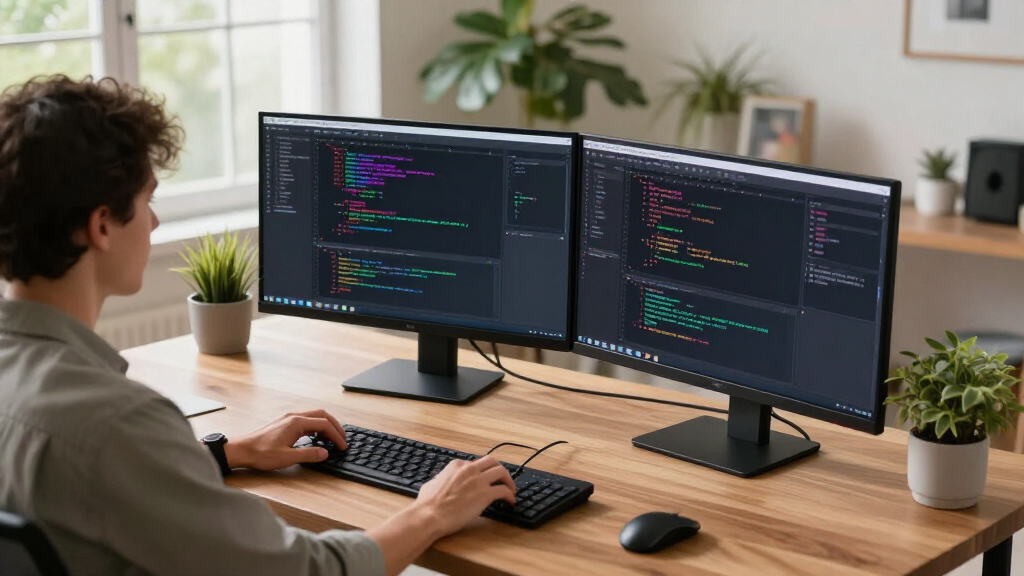
The monitors included in this roundup were selected based on a combination of performance, usability, build quality, and value. Priority was given to models that balance screen real estate, resolution, and eye comfort, all crucial for prolonged coding periods. We also considered user reviews and professional recommendations to identify monitors that excel in real-world scenarios. The ranking reflects a mix of features, price points, and versatility, with an eye toward helping different types of coders find suitable options. Ultimately, these choices represent the best tradeoffs for various budgets and coding workflows.Factors to Consider When Choosing Monitors For Coding
When selecting a monitor for coding, several factors come into play that can significantly impact your comfort and productivity. Understanding these considerations helps avoid common pitfalls, such as choosing a screen that’s too small or lacking ergonomic features. A well-chosen monitor can reduce eye strain, improve focus, and make multitasking more manageable. Here are key aspects to evaluate:Screen Size and Aspect Ratio
Opt for a screen size that fits your workspace and provides enough real estate for multiple windows. Ultra-wide monitors or 32-inch+ screens are popular among coders for their ability to display more code and reference materials simultaneously. An aspect ratio of 16:9 is standard, but 21:9 ultra-wides or 3:2 ratios can offer even better multitasking. However, larger screens can demand more desk space and may require more powerful hardware to drive high resolutions smoothly.
Resolution and Clarity
Higher resolutions like 4K or QHD provide sharper images, reducing eye strain during long periods of work. For coding, clarity helps read small text and distinguishes subtle color differences, especially if you work with design or front-end development. Keep in mind that higher resolutions may need scaling adjustments for Windows or macOS, which can sometimes cause interface inconsistencies. Balance resolution with your GPU capabilities to maintain smooth performance.
Ergonomics and Eye Comfort
Adjustable height, tilt, and swivel features are essential to maintain good posture and reduce fatigue. Monitors with flicker-free displays and blue light filters can significantly lessen eye strain during extended coding sessions. Consider models that meet standards like TUV Eye Comfort or similar certifications. Investing in ergonomic features pays off over time, especially if you spend many hours at your desk daily.
Color Accuracy and Panel Quality
If your coding involves UI/UX design or front-end work, color accuracy and wide color gamuts become important. IPS panels generally offer better color reproduction and viewing angles compared to TN or VA panels. Nano IPS and other advanced panel types provide more vibrant and consistent images, which can enhance your coding environment. However, for pure backend or script writing, these features are less critical than screen size and resolution.
Connectivity and Compatibility
Ensure the monitor has the ports you need, such as multiple HDMI, DisplayPort, or USB-C. USB-C can simplify setup by delivering power, video, and data over a single cable. Compatibility with your hardware setup minimizes clutter and setup headaches. Consider future-proofing with adjustable stands and multiple input options, especially if you plan to upgrade your hardware down the line.
Frequently Asked Questions
Is a 4K monitor necessary for coding?
While 4K monitors provide sharper text and images, they are not strictly necessary for coding. Many developers find QHD (1440p) or even full HD sufficient, especially if their GPU cannot handle 4K smoothly. The key is balancing resolution with screen size and scaling to ensure comfortable reading without sacrificing performance. For those working with detailed UI elements or design, 4K can be a worthwhile upgrade, but it’s not a must-have for every coder.
Should I prioritize ultra-wide monitors for coding?
Ultra-wide monitors can greatly enhance productivity by allowing multiple windows to be open side-by-side without overlapping. They are especially beneficial for multitasking and working with complex projects. However, they tend to be more expensive and require larger desk space. If your workflow involves extensive multitasking or split-screen work, an ultra-wide monitor offers tangible benefits. Otherwise, a standard large monitor might be more practical and budget-friendly.
What refresh rate do I need for coding?
For most coding tasks, a refresh rate of 60Hz to 75Hz is sufficient. Higher refresh rates, like 120Hz or above, are more relevant for gaming or high-motion video editing. Investing in a higher refresh rate monitor for coding alone may not provide noticeable benefits and could increase costs unnecessarily. Focus instead on resolution, size, and ergonomics for a more impactful upgrade.
Are curved monitors better for programming?
Curved monitors can reduce glare and distortions, providing a more immersive experience, especially on larger screens. They can help maintain focus across the entire display, which is useful for long coding sessions. However, some users prefer flat screens for their straightforwardness and easier multi-monitor setups. The choice largely depends on personal preference and workspace configuration, but curved monitors can be a comfortable option for extended use.
How important are ergonomic features in a coding monitor?
Ergonomic features like height adjustment, tilt, swivel, and pivot are vital for maintaining good posture during long hours of coding. They help reduce neck and eye strain and can prevent discomfort or repetitive strain injuries. Monitors lacking these adjustments may lead to poor ergonomics, which over time can impact health and productivity. Investing in a model with solid ergonomic options is often worth the extra cost for the comfort it provides over many years.
Conclusion
For general coding needs and long hours, the Dell 34 Monitor S3425DW offers the best balance of size, clarity, and eye comfort, making it the top overall pick. Budget-conscious developers or students should consider the LG 27US500-W for its 4K resolution at a friendly price. Power users with a focus on multitasking may find the INNOCN 34-inch Ultrawide or Samsung ViewFinity ideal. Those working extensively with UI design or needing color precision should look toward premium options like the LG 27UP850K-W. Ultimately, your choice hinges on your workflow, space, and budget, but this list covers the best options for a variety of coding environments.
Fall yard work Picks
leaf blowers
As an affiliate, we earn on qualifying purchases.