
If you’re looking for the best HDR monitors under $500 that deliver stunning visuals, I’ve got you covered. I recommend models with high refresh rates, fast response times, and wide color gamuts like DCI-P3 or sRGB, all while supporting HDR-10 or higher for vibrant, accurate colors. Features like high brightness (600+ nits), curved screens, and ergonomic stands make a big difference. Keep going to discover the top options that combine quality and affordability.
Key Takeaways
- Many HDR monitors under $500 offer high brightness levels (600+ nits) for vibrant, detailed HDR visuals.
- These monitors feature wide color gamuts like sRGB 99%+ and DCI-P3 for accurate, vivid colors.
- They include high refresh rates (120Hz-200Hz) and fast response times for smooth, responsive gaming and multimedia.
- Design options such as curved screens, ergonomic stands, and ultrawide formats enhance immersion and comfort.
- Connectivity features like HDMI, DisplayPort, and VESA mount support versatile setups and professional workflows.
ASUS TUF Gaming 27” 1440P HDR Monitor (VG27AQ3A)
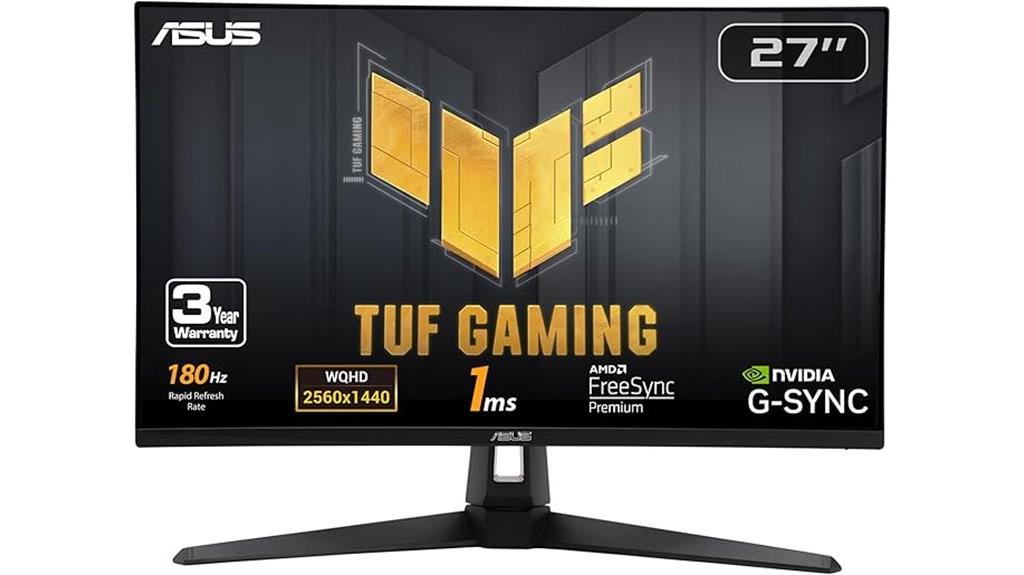
If you’re a serious gamer looking for a monitor that delivers smooth, vibrant visuals without breaking the bank, the ASUS TUF Gaming 27” 1440P HDR Monitor (VG27AQ3A) is an excellent choice. It features a 27-inch QHD IPS panel with a 180Hz refresh rate and 1ms response time, ensuring ultra-smooth gameplay. Support for HDR-10 enhances contrast and brightness, while 130% sRGB provides vivid, accurate colors. With ASUS’s ELMB Sync technology, combined with FreeSync and G-SYNC compatibility, you get sharp, tear-free visuals even at high frame rates. It’s a perfect blend of performance and affordability for immersive gaming experiences.
Best For: serious gamers seeking a high-performance, affordable monitor with vibrant visuals and smooth gameplay.
Pros:
- 180Hz refresh rate and 1ms response time for ultra-smooth gaming visuals
- Supports HDR-10 and 130% sRGB for vibrant, accurate colors and enhanced contrast
- Compatible with FreeSync Premium, G-SYNC, and ELMB Sync technology for tear-free, ghosting-free gameplay
Cons:
- No built-in USB hub or extensive connectivity options beyond HDMI and DisplayPort
- Slightly larger footprint may require dedicated space on desk
- Lacks advanced ergonomic features like height adjustment or swivel
Acer Nitro 27 Inch QHD Gaming Monitor (KG271U N3bmiipx)

The Acer Nitro 27 Inch QHD Gaming Monitor (KG271U N3bmiipx) stands out as an excellent choice for gamers and creative pros who need high performance without overspending. Its 27-inch IPS panel delivers sharp 2560×1440 resolution with vibrant colors, thanks to a wide DCI-P3 95% gamut and HDR 10 support. With up to 180Hz refresh rate via DisplayPort and a 1ms response time, it ensures smooth gameplay. The zero-frame design maximizes screen space, while ergonomic tilt enhances comfort. Equipped with multiple ports, including HDMI and DisplayPort, and VESA compatibility, it’s versatile for gaming and creative tasks alike. This monitor balances affordability with impressive visual quality.
Best For: gamers seeking a high-refresh-rate monitor with vibrant visuals and creative professionals requiring accurate color reproduction.
Pros:
- Excellent 2560×1440 QHD resolution with vibrant DCI-P3 95% color gamut for detailed visuals.
- High refresh rate up to 180Hz via DisplayPort ensures smooth gameplay.
- Supports HDR 10 and AMD FreeSync technology for enhanced visual quality and reduced tearing.
Cons:
- Limited to 144Hz when connected via HDMI, slightly below the maximum DisplayPort refresh rate.
- No built-in speakers or USB hub, which may be a drawback for some users.
- The stand’s tilt adjustment only, without height or swivel options, might limit ergonomic customization.
SANSUI 32 Inch Curved Gaming Monitor with 240Hz Refresh Rate
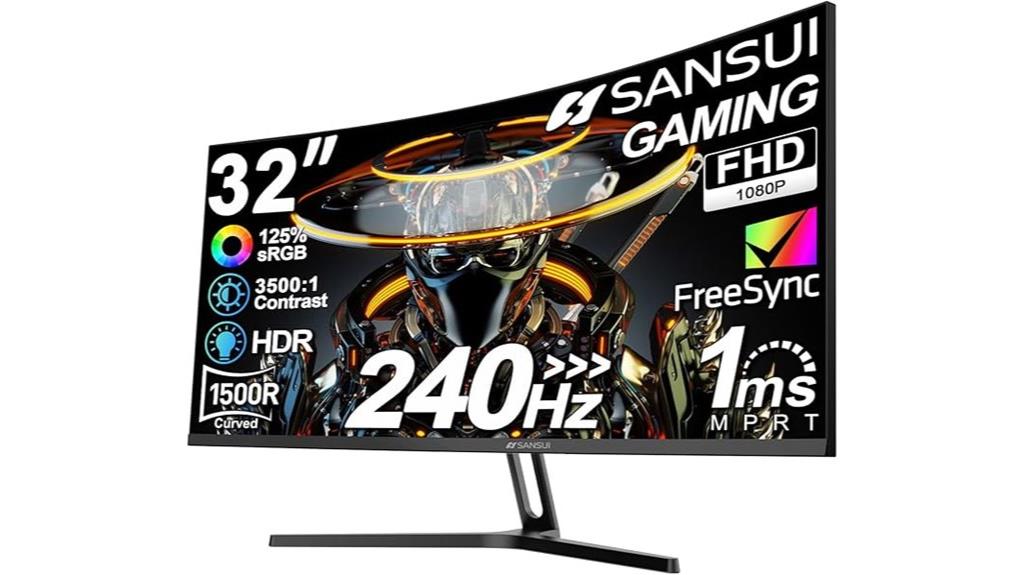
Gamers seeking a smooth, immersive experience will appreciate the SANSUI 32 Inch Curved Gaming Monitor, which boasts a 240Hz refresh rate and a 1500R curvature. The large 32-inch display with Full HD resolution offers sharp visuals, enhanced by a 125% sRGB color gamut and HDR technology for vibrant colors and contrast. Its 1ms response time and FreeSync support ensure tear-free, fluid gameplay. The curved design provides a more immersive feel, while tilt adjustment and VESA compatibility add ergonomic flexibility. With HDMI and DisplayPort 1.4, it’s easy to connect your gaming setup. Overall, it’s a solid choice for gamers on a budget who want quality visuals.
Best For: gamers seeking an immersive, smooth, and vibrant gaming experience on a budget with a curved display and high refresh rate.
Pros:
- 240Hz high refresh rate ensures ultra-smooth gameplay
- Curved 1500R design enhances immersion and viewing experience
- Supports FreeSync technology for tear-free gaming
Cons:
- No built-in speakers, requiring external audio solutions
- Limited ergonomic adjustments (only tilt)
- Full HD resolution may not satisfy those seeking higher detail levels
SANSUI 24 Inch Gaming Monitor (ES-G24F4L)

For gamers seeking a responsive, vibrant display without breaking the bank, the SANSUI 24 Inch Gaming Monitor (ES-G24F4L) stands out. It offers sharp 1080P FHD resolution, a 200Hz refresh rate (supported up to 180Hz), and a 1ms response time, ensuring ultra-smooth gameplay. HDR technology and a 110% sRGB color gamut deliver rich, lifelike visuals, while a 4000:1 contrast ratio adds depth. Features like FreeSync minimize tearing, and multiple gaming modes optimize visuals for different genres. Its frameless design, adjustable tilt, and eye-care technology make it comfortable to use for extended gaming sessions—all backed by a 1-year warranty and supportive accessories.
Best For: gamers and entertainment enthusiasts seeking a responsive, high-quality display with vibrant visuals and adjustable comfort features at an affordable price.
Pros:
- 1080P FHD resolution with HDR technology and 110% sRGB for vivid, lifelike colors
- 200Hz refresh rate (supported up to 180Hz) and 1ms response time for ultra-smooth gameplay
- Adjustable tilt, VESA compatibility, and eye-care technology for extended comfort
Cons:
- Limited to 24 inches, which may be small for some users’ preferences
- Supports up to 180Hz, slightly below the advertised 200Hz maximum refresh rate
- Only a 1-year warranty, which is standard but shorter than some premium models
Samsung 32-Inch Odyssey G50D Gaming Monitor

If you’re looking for a high-performance gaming monitor that combines sharp visuals with smooth gameplay, the Samsung 32-Inch Odyssey G50D is an excellent choice. Its QHD resolution delivers 1.7 times the pixel density of Full HD, ensuring detailed, crisp images. The VESA DisplayHDR 400 enhances contrast, revealing deeper blacks and brighter whites. With a 180Hz refresh rate and 1ms response time, it offers ultrasmooth gameplay with minimal motion blur. Support for G-Sync and FreeSync keeps visuals synchronized, reducing tearing and stuttering. Plus, the adjustable stand and eye-friendly features make long gaming sessions comfortable without sacrificing performance.
Best For: gamers and multimedia enthusiasts seeking a high-resolution, smooth, and customizable gaming experience with eye comfort features.
Pros:
- High 180Hz refresh rate and 1ms response time for ultrasmooth gameplay and minimal motion blur.
- VESA DisplayHDR 400 and QHD resolution deliver vivid, detailed visuals with excellent contrast.
- Ergonomic stand with adjustable height, tilt, and swivel for personalized comfort during extended gaming sessions.
Cons:
- May be priced higher than standard Full HD monitors due to advanced features.
- Limited to 32 inches, which might be small for some users preferring larger screens for immersive gaming.
- Lacks built-in speakers, so additional audio accessories are needed for sound.
ASUS TUF Gaming 32″ 1440P HDR Curved Monitor
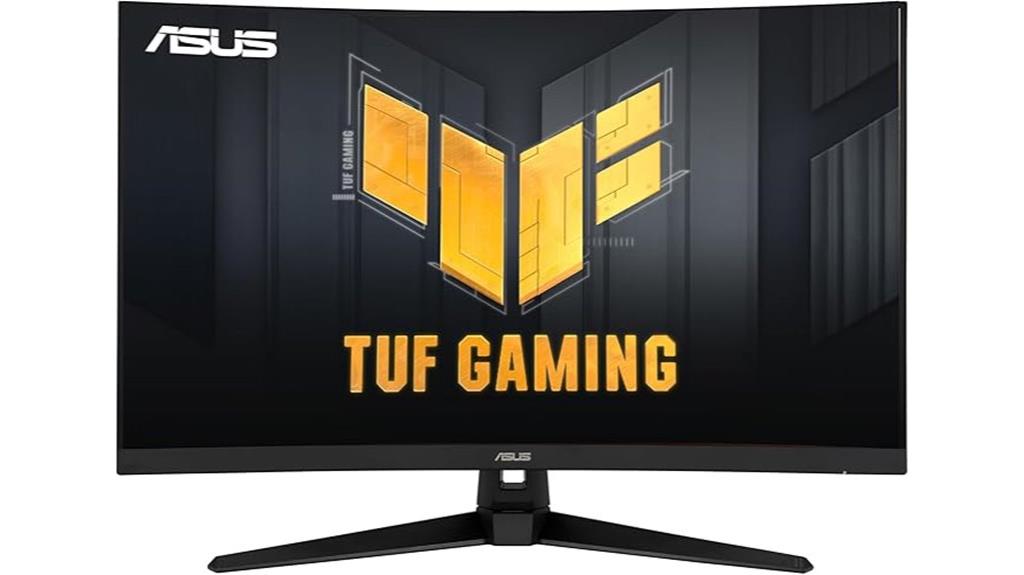
The ASUS TUF Gaming 32″ 1440P HDR Curved Monitor stands out as an excellent choice for gamers seeking immersive visuals and smooth gameplay without breaking the bank. Its 31.5-inch WQHD curved display with a 1500R radius delivers a more natural viewing experience, supported by HDR-10 for vibrant contrast and lifelike colors. The 165Hz refresh rate and 1ms response time, enhanced by ASUS Extreme Low Motion Blur technology, ensure ultra-smooth gameplay. With FreeSync Premium support, it eliminates stuttering and tearing, providing a seamless experience. Plus, its shadow boost feature enhances dark scene details, making it perfect for intense gaming sessions.
Best For: gamers and creative professionals seeking a high-performance, immersive monitor with vibrant visuals and smooth gameplay.
Pros:
- 165Hz refresh rate and 1ms response time for ultra-smooth gaming experiences
- Supports HDR-10 and Shadow Boost for enhanced contrast and dark scene details
- VESA mountable and versatile with built-in speakers for flexible setup
Cons:
- May be more expensive than standard 1080p monitors
- Curved design might not suit all workspace setups or preferences
- Limited to 1440p resolution, which may not be ideal for ultra-high-resolution needs
Dell 32 Plus 4K Monitor (S3225QS)

The Dell 32 Plus 4K Monitor (S3225QS) stands out as an excellent choice for creative professionals and content creators who need a large, high-resolution display with accurate color reproduction. Its 31.5-inch 4K VA panel delivers vivid, true-to-life colors with 99% sRGB and 95% DCI-P3 coverage, ensuring vibrant visuals. HDR readiness and a 1500:1 contrast ratio add depth and detail, while the 120Hz refresh rate and 0.03ms response time provide smooth, responsive visuals. Designed with a sleek, ultra-thin bezel and an ash white finish, it combines aesthetics with functionality, making it a versatile, all-around monitor for both work and entertainment.
Best For: creative professionals and content creators seeking a large, high-resolution display with accurate color reproduction and versatile performance.
Pros:
- Exceptional 4K resolution with vivid, true-to-life colors thanks to 99% sRGB and 95% DCI-P3 coverage
- HDR readiness and high contrast ratio for detailed, immersive visuals
- Sleek, ultra-thin bezel design with modern ash white finish enhances aesthetics and workspace appeal
Cons:
- Limited to a 120Hz refresh rate, which may be less ideal for high-end gaming
- Premium price point could be a consideration for budget-conscious users
- No built-in speakers with advanced sound features, requiring separate audio solutions
SANSUI 34-Inch Curved Gaming Monitor (UWQHD 3440×1440, 165Hz, HDR, FreeSync)
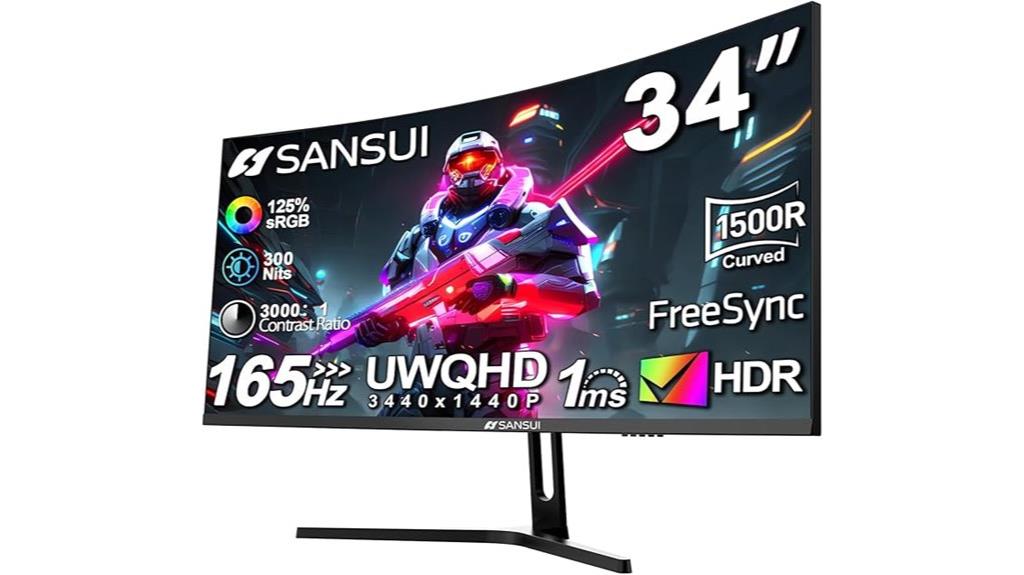
Gamers and creative professionals seeking an immersive experience will appreciate the SANSUI 34-Inch Curved Gaming Monitor, which combines a stunning UWQHD resolution with a wide 21:9 aspect ratio. Its 1500R curvature enhances immersion, making gameplay and creative work more engaging. With a 165Hz refresh rate and 1ms response time, this monitor ensures smooth, responsive visuals, while HDR support delivers vibrant colors and contrast. The monitor also features FreeSync for tear-free gaming, wide viewing angles, and adjustable tilt for comfort. Multiple connectivity options, including dual DisplayPort and HDMI, make it versatile. Overall, it’s a great balance of performance, visuals, and ergonomics under $500.
Best For: gamers and creative professionals seeking an immersive, high-performance ultrawide monitor with vibrant visuals and smooth gameplay under $500.
Pros:
- Ultra-wide UWQHD 3440×1440 resolution with 1500R curvature for immersive viewing
- Fast 165Hz refresh rate and 1ms response time for smooth, responsive gameplay
- Supports HDR, FreeSync, and wide color coverage (125% sRGB, 95% DCI-P3) for vibrant visuals
Cons:
- Limited HDMI support at 100Hz compared to DisplayPort’s 165Hz
- Tilt adjustment only, no height or swivel adjustments for ergonomics
- Requires VESA mount for more flexible positioning
LG 27US500-W 27-Inch 4K UHD HDR10 IPS Monitor

If you’re looking for a versatile HDR monitor that balances stunning visuals with professional-quality color accuracy, the LG 27US500-W is an excellent choice. Its 27-inch 4K UHD display offers sharp details, with a 1000:1 contrast ratio that produces deep blacks and vivid colors. Support for HDR10 and a wide 90% DCI-P3 color gamut ensure true-to-life images, perfect for creative work or immersive viewing. The IPS panel provides wide viewing angles, while the onscreen control makes adjusting settings easy. With HDMI and DisplayPort inputs, a sleek borderless design, and ergonomic tilt adjustments, this monitor delivers both style and functionality—all under $500.
Best For: creative professionals and multimedia enthusiasts seeking a high-quality, versatile 4K HDR monitor with accurate colors and wide viewing angles.
Pros:
- Stunning 27-inch 4K UHD display with vibrant, true-to-life colors supported by HDR10 and a wide DCI-P3 color gamut
- IPS panel ensures consistent, wide viewing angles perfect for detailed digital work and collaboration
- User-friendly onscreen control and ergonomic stand for easy customization and comfortable viewing
Cons:
- Limited to HDMI and DisplayPort inputs, lacking additional connectivity options like USB-C or USB hubs
- Borderless design may reduce space for on-screen toolbars or window management in some workflows
- Price point under $500 may still be higher than basic monitors, potentially limiting options for budget-conscious buyers
ASUS ProArt 27” 4K HDR Monitor (PA279CRV)

For creative professionals seeking exceptional color accuracy, the ASUS ProArt 27” 4K HDR Monitor (PA279CRV) stands out as a top choice under $500. Its 27-inch 4K UHD IPS panel offers wide 178° viewing angles and vibrant colors, thanks to 99% DCI-P3 and Adobe RGB coverage. Factory pre-calibrated and Calman Verified with a Delta E below 2, it guarantees true-to-life visuals right out of the box. With extensive connectivity options like USB-C with 96W Power Delivery, HDMI, and DisplayPort, it’s versatile for different setups. Plus, its ergonomic design, 3-year warranty, and included Adobe Creative Cloud subscription make it a compelling choice for professionals.
Best For: creative professionals and content creators seeking high color accuracy and versatile connectivity within a budget under $500.
Pros:
- Factory pre-calibrated and Calman Verified with Delta E < 2 for precise color accuracy
- Wide color coverage with 99% DCI-P3 and Adobe RGB for vibrant, true-to-life visuals
- Extensive connectivity options including USB-C with 96W Power Delivery, HDMI, DisplayPort, and USB hub
Cons:
- Slightly larger footprint may require more desk space
- Limited to 3-year warranty, which may be shorter than some high-end monitors
- No built-in speakers or additional multimedia features
SANSUI 27 Inch Curved Gaming Monitor with Speakers and HDMI

The SANSUI 27 Inch Curved Gaming Monitor stands out as a top choice for anyone seeking an immersive viewing experience on a budget. Its 1500R curved screen creates a natural, panoramic feel, perfect for gaming and entertainment. With a Full HD resolution, HDR support, and a contrast ratio of 3000:1, it delivers vibrant, detailed visuals. The fast 1ms response time and 200Hz refresh rate ensure smooth gameplay, especially with FreeSync technology. Built-in dual 2W speakers, multiple input options, and features like Shadow Booster and crosshair make it versatile. Plus, its eye-friendly anti-glare coating and adjustable tilt add to user comfort and convenience.
Best For: gamers and entertainment enthusiasts seeking an immersive, curved display with fast response times on a budget.
Pros:
- 1500R curved screen provides a natural, panoramic viewing experience.
- 200Hz refresh rate and 1ms response time ensure smooth, responsive gameplay.
- Built-in dual 2W speakers and multiple input options enhance multimedia versatility.
Cons:
- Full HD resolution may be less sharp for professional or detailed graphic work.
- Limited tilt adjustment (5°-15°) might not suit all ergonomic preferences.
- No mention of height adjustment, which could affect long-term comfort.
LG 27GS60QC-B Ultragear Curved Gaming Monitor (27-Inch QHD, 180Hz, 1ms, AMD FreeSync)

Gamers seeking smooth, immersive visuals will appreciate the LG 27GS60QC-B Ultragear’s 180Hz refresh rate and 1ms response time, which deliver ultra-responsive gameplay without motion blur. Its 27-inch VA panel with QHD resolution provides sharp, vibrant images, enhanced by HDR10 support and 99% sRGB coverage. The curved 1000R screen boosts immersion by wrapping around your vision. Features like AMD FreeSync ensure tear-free gaming, while Dynamic Action Sync minimizes input lag. With a sleek, borderless design and adjustable stand, it combines style and comfort. Overall, this monitor offers excellent performance for fast-paced gaming within a budget-friendly price point.
Best For: gamers seeking a high-performance, immersive monitor with smooth visuals and quick response times for fast-paced gameplay.
Pros:
- 180Hz refresh rate and 1ms response time for ultra-smooth gameplay
- Curved 1000R screen enhances immersion and peripheral vision
- Supports HDR10 and 99% sRGB for vibrant, high-quality visuals
Cons:
- Limited to two HDMI ports, which may be restrictive for multi-device setups
- Slightly heavy at around 10.58 pounds, requiring sturdy placement
- May have a premium price point compared to standard monitors
ASUS TUF Gaming 27” 4K HDR Monitor (VG27UQ1A)

If you’re seeking a monitor that combines stunning 4K visuals with smooth gameplay, the ASUS TUF Gaming 27” HDR monitor (VG27UQ1A) stands out as an excellent choice. Its 27-inch 4K resolution delivers sharp, detailed images, enhanced further by HDR technology for richer contrast and vibrant colors. With a 160Hz refresh rate and advanced motion blur reduction, it ensures smooth, tear-free gameplay thanks to NVIDIA G-SYNC and AMD FreeSync compatibility. The wide 95% DCI-P3 color gamut guarantees accurate, vivid hues. Plus, the monitor includes useful accessories and a 3-year warranty, making it a versatile and durable option for both gamers and creative professionals.
Best For: gamers and creative professionals seeking stunning 4K visuals combined with ultra-smooth, tear-free gameplay.
Pros:
- 27-inch 4K resolution with HDR for vibrant, detailed images
- 160Hz refresh rate and advanced motion blur reduction for smooth gameplay
- G-SYNC and FreeSync Premium compatibility ensures tear-free experience
Cons:
- Higher price point compared to standard monitors
- Requires a powerful GPU to fully utilize 4K and high refresh rate
- Limited stand adjustability details in the provided specifications
Samsung 32″ Odyssey G55C Gaming Monitor
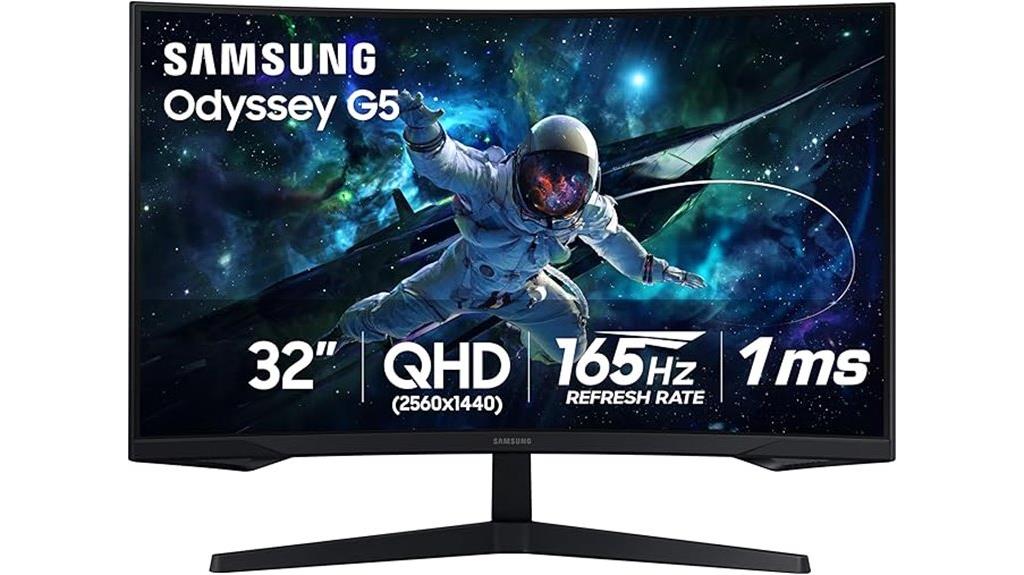
For anyone seeking an immersive gaming experience without breaking the bank, the Samsung 32″ Odyssey G55C Gaming Monitor stands out with its curved 1000R display. The 32-inch QHD panel delivers sharp visuals with 2560×1440 resolution, and HDR10 guarantees vibrant, lifelike colors with deep blacks and bright whites. Its ultra-fast 165Hz refresh rate combined with a 1ms response time keeps gameplay smooth and minimizes motion blur. AMD Radeon FreeSync reduces tearing and stuttering, making it ideal for competitive gaming. Designed for comfort, it features Eye Saver Mode and flicker-free technology, allowing extended gaming sessions without strain. This monitor truly balances performance and affordability.
Best For: gamers seeking an immersive, high-performance monitor that balances vivid visuals with smooth gameplay at an affordable price.
Pros:
- Curved 1000R display enhances immersion by wrapping visuals around peripheral vision.
- 165Hz refresh rate and 1ms response time ensure fluid gameplay with minimal motion blur.
- HDR10 support delivers vibrant, lifelike colors and deep contrast for a more engaging visual experience.
Cons:
- The monitor’s size and curve may not suit all desk setups or preferences.
- Limited adjustment options for tilt and height may affect ergonomic customization.
- The black color and specific model features may not match all aesthetic preferences or existing setups.
SANSUI 27-Inch Curved Gaming Monitor (240Hz, 2K WQHD, HDR, FreeSync, 1ms MPRT)

The SANSUI 27-Inch Curved Gaming Monitor stands out as an excellent choice for anyone seeking a smooth, responsive gaming experience without breaking the bank. Its 240Hz refresh rate and 1ms MPRT guarantee minimal motion blur and fast response times, perfect for intense gameplay. The 2K WQHD resolution delivers sharp visuals with vibrant colors thanks to 120% sRGB and 90% DCI-P3 coverage. HDR support enhances contrast and detail, while FreeSync reduces screen tearing. The curved 1500R display provides an immersive experience, and features like anti-glare, low blue light, and ergonomic adjustments make it comfortable for long gaming sessions—all at an affordable price.
Best For: gamers and entertainment enthusiasts seeking an immersive, high-refresh-rate display with vibrant visuals at an affordable price.
Pros:
- 240Hz refresh rate and 1ms MPRT for ultra-smooth, responsive gameplay
- 2K WQHD resolution with high color accuracy (120% sRGB, 90% DCI-P3) and HDR support for vibrant visuals
- Curved 1500R display enhances immersion and reduces eye strain during long gaming sessions
Cons:
- No built-in speakers, requiring external audio solutions
- Limited to HDMI 2.0 and DP 1.4 ports, which may require adapters for some devices
- Stand tilt adjustment only, without height adjustment or swivel features
Factors to Consider When Choosing Hdr Monitors Under $500

When choosing an HDR monitor under $500, I focus on a few key factors to make certain of the best value. I check the display resolution, brightness levels, and color accuracy to guarantee vibrant visuals. I also consider refresh rates, response times, and connectivity options to match my specific needs.
Display Resolution Quality
Choosing a good HDR monitor under $500 starts with understanding its display resolution quality. A minimum resolution of 2560×1440 (QHD) is essential for sharp, detailed images that showcase HDR content effectively. Higher resolution enhances clarity and depth, making visuals more immersive. Additionally, verify the monitor supports HDR-10 or higher standards, which improve contrast and color accuracy, crucial for true HDR experiences. A wide color gamut, like 130% sRGB or 95% DCI-P3, guarantees vibrant, lifelike colors in HDR mode. Confirm the monitor has HDR certification or standards to guarantee it can render HDR content properly. Finally, a peak brightness of at least 300 nits helps deliver the contrast and luminance needed for stunning HDR visuals, even at this affordable price point.
HDR Brightness Levels
HDR brightness levels considerably impact how vivid and immersive your monitor’s visuals appear. Brightness is measured in nits, with higher values delivering more vibrant and impactful HDR effects. For a noticeable HDR experience, especially in well-lit rooms, I recommend a monitor with at least 600 nits. Monitors below 400 nits often struggle to produce impressive contrast and color depth, limiting HDR performance. Consistent and high brightness levels help reveal details in both dark and bright areas simultaneously, making images look more realistic and engaging. When browsing options under $500, prioritize models offering a minimum of 600 nits. This ensures your HDR content will be lively and true to life, elevating your overall viewing experience without breaking the bank.
Color Accuracy and Gamut
A monitor’s color accuracy and gamut are essential for delivering vibrant, true-to-life visuals, especially in HDR content. A wider color gamut, like 95% DCI-P3 or 130% sRGB, ensures richer and more accurate colors, making images pop. Color accuracy is often measured by Delta E values; values below 2 indicate minimal color difference and high fidelity. HDR support, such as HDR-10, enhances contrast and color depth, creating more lifelike visuals. For professional-quality results, look for monitors covering at least 99% of sRGB or DCI-P3 color spaces. Additionally, checking factory calibration reports helps guarantee the monitor maintains precise colors straight out of the box. Prioritizing these factors guarantees vibrant, accurate, and consistent visuals for HDR content under $500.
Refresh Rate and Response Time
To enjoy smooth and responsive visuals on an HDR monitor under $500, focus on both refresh rate and response time. A higher refresh rate, like 144Hz or above, ensures that fast-moving scenes look fluid and blur-free, which is especially important for gaming and fast video playback. Response time, measured in milliseconds, indicates how quickly a pixel can change color; 1ms or 2ms is ideal to minimize motion blur and ghosting effects during rapid movements. Combining a high refresh rate with a low response time greatly reduces input lag and creates seamless visuals in dynamic scenes. When shopping for an HDR monitor under $500, aim for at least 120Hz refresh rate and a response time of 1-2ms to get the best performance and visual clarity.
Connectivity Options
Choosing the right connectivity options is essential when selecting an HDR monitor under $500, as it determines how easily you can connect your devices and upgrade in the future. Look for monitors with multiple input ports like HDMI, DisplayPort, and USB-C to support various devices and ensure compatibility with future upgrades. It’s important that these ports support HDR standards such as HDR10 or HDR-10, which enhance visual quality across different content. Verify that the monitor has at least two or more connectivity options to allow for multi-device setups and seamless switching. Additionally, ports that support high refresh rates, like 144Hz or higher, can boost gaming and multimedia performance. Clear, easily accessible, and labeled ports also make setup more convenient and user-friendly.
Ergonomic Design Features
Ergonomic design features play a crucial role in selecting an HDR monitor under $500, especially if you plan to use it for extended periods. Look for adjustable stands that offer tilt, swivel, and height adjustments so you can customize your viewing angle for comfort. Monitors with low blue light modes and flicker-free technology help reduce eye strain during long sessions. VESA mount compatibility is a plus, giving you flexible setup options and better workspace ergonomics. Consider curved screens or wide viewing angles, which promote natural posture and minimize neck strain. Additionally, prioritize models with ergonomic certifications or features designed for prolonged use without discomfort. These design elements ensure that your viewing experience remains comfortable, even during extended work or creative sessions.
Price and Warranty Balance
When evaluating HDR monitors under $500, balancing price with warranty coverage is key to guaranteeing long-term value. Many models in this range offer standard 1-year warranties, but some provide extended support options. Cheaper monitors often have shorter warranties, so it’s essential to check if the coverage matches the monitor’s expected lifespan and your usage. Opting for models with comprehensive warranties, especially those that cover dead pixels, backlight issues, or firmware problems, can save you money and stress in the long run. Sometimes, spending a bit more on a monitor with a longer or more inclusive warranty yields better overall value than choosing a cheaper model with limited support. A well-balanced warranty can protect your investment and ensure reliable performance.
Frequently Asked Questions
Do HDR Monitors Under $500 Support Dolby Vision?
Most HDR monitors under $500 don’t support Dolby Vision, but some do offer excellent HDR performance through HDR10 or HLG standards. Dolby Vision requires specific hardware and licensing, which often pushes prices higher. If Dolby Vision is a must-have for you, I recommend checking each monitor’s specs carefully. Generally, though, you’ll find great visual quality with HDR10 support even without Dolby Vision at this price point.
How Does Glare Affect HDR Monitor Visibility and Performance?
Glare can substantially impact HDR monitor visibility and performance by reducing contrast and making details harder to see. When glare hits the screen, it washes out the vibrant colors and deep blacks HDR is meant to deliver, diminishing the overall experience. To minimize this, I recommend choosing monitors with matte screens or using anti-glare filters. Proper placement away from direct light sources also helps maintain ideal picture quality.
Are There Any Color Accuracy Concerns With Budget HDR Monitors?
Yes, there can be color accuracy concerns with budget HDR monitors. I’ve noticed that cheaper models often struggle to display true-to-life colors consistently, especially across different viewing angles. This can impact photo editing or color-sensitive work. However, some budget options still offer decent accuracy if they have good color calibration and wide color gamuts. Just be mindful of these factors when choosing a monitor to guarantee it meets your needs.
Can These Monitors Handle Professional Photo Editing?
Absolutely, these monitors can handle professional photo editing, but with a caveat. Think of them as versatile tools—great for most tasks but not always perfect for ultra-critical color work. They typically offer good color accuracy and decent resolution, which helps in editing. Still, if you’re aiming for the highest precision, investing in a higher-end display might be wise. For hobbyists and semi-professionals, these are a solid choice.
What Gaming Features Are Typically Missing in Sub-$500 HDR Monitors?
Most sub-$500 HDR monitors lack advanced gaming features like high refresh rates above 75Hz, adaptive sync technologies such as G-Sync or FreeSync, and low input lag optimized for fast-paced games. They often prioritize visual quality over smooth gameplay. If you’re into competitive gaming, these missing features could impact your experience. However, for casual gaming and immersive visuals, they still offer solid performance at an affordable price.
Conclusion
Choosing the right HDR monitor under $500 really depends on what you prioritize—whether it’s gaming, creative work, or general use. I once recommended the ASUS VG27AQ3A to a friend looking for sharp visuals and smooth gameplay, and it didn’t disappoint. Just like them, you can find a great balance of quality and affordability here. Think about your needs, weigh the features, and you’ll find a monitor that elevates your experience without breaking the bank.