
If you’re after the best cable modem router combos for seamless internet in 2025, I recommend models like NETGEAR Nighthawk CAX30, ARRIS G20, and Motorola MG8702, which support high speeds, wide coverage, and multiple devices. Devices with DOCSIS 3.1 and WiFi 6 are future-proof options that handle demanding networks effortlessly. To find the perfect fit for your home setup, you’ll want to contemplate compatibility, speed, and features—keep going to discover more options that can elevate your internet experience.
Listen free for 30 days with Audible
Thousands of audiobooks and originals — cancel anytime.
As an affiliate, we earn on qualifying purchases.
Key Takeaways
- Prioritize models with DOCSIS 3.1 and WiFi 6/6E for future-proof, high-speed performance.
- Choose combos compatible with major cable providers like Xfinity, Spectrum, and Cox.
- Opt for devices supporting multi-gig speeds and extensive coverage for large homes.
- Consider ease of setup, management apps, and security features like WPA3 and NETGEAR Armor.
- Balance upfront costs with long-term savings by selecting reliable, rental-free modem-router combos.
NETGEAR Nighthawk Modem Router Combo (CAX30)
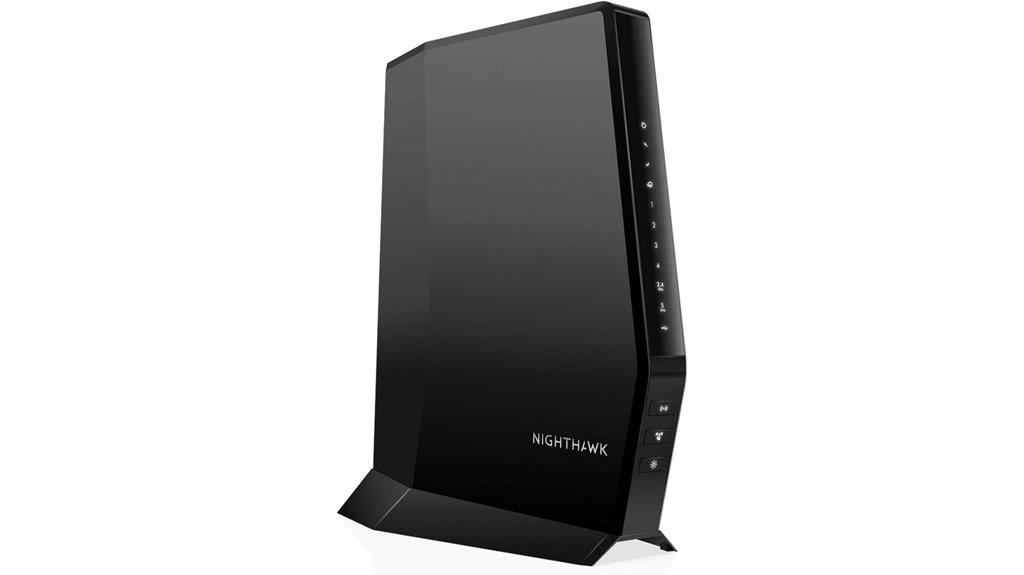
If you’re looking for a reliable all-in-one solution that works seamlessly with major cable providers, the NETGEAR Nighthawk Modem Router Combo (CAX30) is an excellent choice. It’s compatible with providers like Xfinity, Spectrum, and Cox, but not Verizon or AT&T. It replaces both your cable modem and WiFi router, supporting plans up to 2Gbps. With DOCSIS 3.1 and WiFi 6, it delivers fast speeds up to 2.7Gbps and covers up to 2,000 square feet. Plus, it supports 25 devices simultaneously and includes four Gigabit Ethernet ports and a USB 3.0 port, making setup and management straightforward.
Best For: users seeking a reliable, all-in-one cable modem and WiFi router solution compatible with major providers like Xfinity, Spectrum, and Cox, supporting high-speed plans up to 2Gbps.
Pros:
- Combines modem and WiFi router in one device, reducing clutter and rental costs.
- Supports DOCSIS 3.1 and WiFi 6 for fast, future-proof performance.
- Covers up to 2,000 sq. ft. and supports 25 devices simultaneously.
Cons:
- Not compatible with Verizon, AT&T, CenturyLink, or DSL providers.
- Lacks telephone or bundled voice service support.
- May require technical setup for some users, despite being designed for easy installation.
ARRIS G20 Cable Modem Router Combo (AX3000)
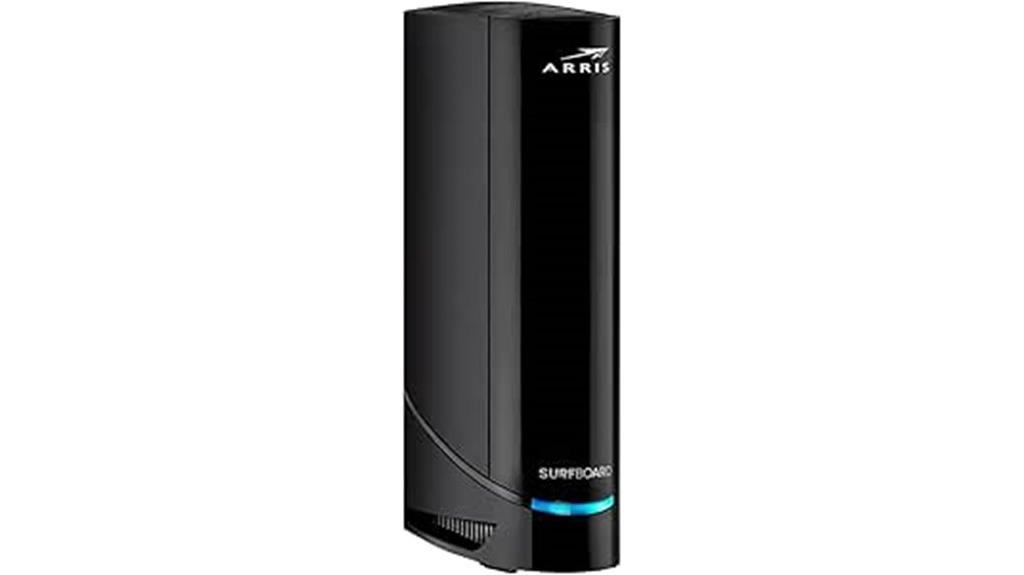
The ARRIS G20 Cable Modem Router Combo (AX3000) is an excellent choice for households that want high-speed, reliable internet without the hassle of rental fees. It uses DOCSIS 3.1 technology, supporting gigabit plans with speeds up to 1.0 Gbps. Powered by Wi-Fi 6, it provides faster, broader coverage for all your devices. Compatible with major ISPs like Xfinity, Cox, and Spectrum, it ensures smooth streaming, gaming, and browsing. With upstream speeds of 450 Mbps, it handles uploads effortlessly. Its compact design and positive reviews make it a popular, cost-effective upgrade for those seeking high performance and savings.
Best For: households seeking high-speed, reliable internet with the convenience of an all-in-one modem-router solution that eliminates rental fees and supports multiple devices with Wi-Fi 6 technology.
Pros:
- Supports gigabit plans with speeds up to 1.0 Gbps, ideal for streaming and gaming
- Equipped with Wi-Fi 6 for faster, wider coverage and better device connectivity
- Compatible with major ISPs like Xfinity, Cox, and Spectrum, providing versatile connectivity options
Cons:
- Larger physical size may require adequate space for setup
- Requires compatible internet service provider (ISP) support, not universal
- Upfront cost may be higher compared to basic modems or routers
NETGEAR Nighthawk AC1900 DOCSIS 3.0 WiFi Cable Modem Router Combo

For those seeking a reliable and budget-friendly all-in-one solution, the NETGEAR Nighthawk AC1900 DOCSIS 3.0 WiFi Cable Modem Router Combo stands out by offering fast speeds and solid coverage. It’s compatible with major providers like Xfinity, Cox, and Spectrum, making setup straightforward. With 24×8 channel bonding, it supports speeds up to 800 Mbps, perfect for streaming and gaming. Covering up to 1800 sq ft and connecting up to 30 devices, it combines wired and wireless connectivity efficiently. Replacing separate devices, it saves up to $150 annually in rental fees while providing strong security protocols like WPA2.
Best For: households seeking a cost-effective, all-in-one cable modem and WiFi router with reliable performance for streaming, gaming, and multiple devices.
Pros:
- Combines modem and router in one device, saving rental costs up to $150 annually
- Supports speeds up to 800 Mbps with 24×8 channel bonding for fast, reliable internet
- Covers up to 1800 sq ft and connects up to 30 devices, ideal for busy households
Cons:
- Not compatible with Verizon, AT&T, CenturyLink, or DSL providers
- Limited to cable internet plans up to 800 Mbps; not suitable for gigabit fiber plans
- Lacks advanced features like mesh networking or multi-user MIMO
Motorola MG8702 Cable Modem & Wi-Fi Router (AC3200)
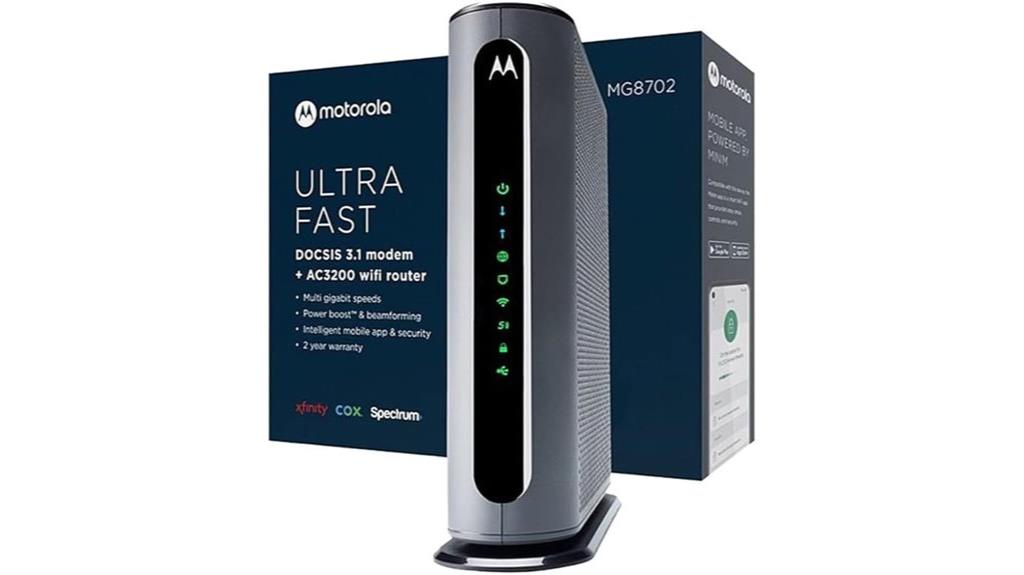
The Motorola MG8702 combines cutting-edge DOCSIS 3.1 technology with an AC3200 Wi-Fi router, making it an ideal choice for those who want future-proof internet performance. It supports ultra-fast speeds and is approved for major providers like Comcast Xfinity, Cox, and Charter Spectrum. The built-in Wi-Fi features Power Boost, Range Boost, and AnyBeam beamforming, ensuring strong, reliable coverage throughout your home. Plus, owning this combo saves up to $168 annually by eliminating rental fees. The included smart app simplifies setup, management, and security, while Motorola’s two-year support adds peace of mind. It’s a dependable, high-performance solution for seamless streaming and browsing.
Best For: households seeking a future-proof, high-speed internet solution with reliable coverage and cost savings through ownership.
Pros:
- Supports ultra-fast DOCSIS 3.1 technology compatible with major providers
- Built-in AC3200 Wi-Fi with Power Boost, Range Boost, and beamforming for strong coverage
- Eliminates rental fees, saving up to $168 annually and offering long-term value
Cons:
- May require technical setup for users unfamiliar with networking equipment
- Larger size could be less suitable for small spaces or cluttered areas
- Advanced features might be unnecessary for users with basic internet needs
ARRIS G18 Cable Modem Router Combo, DOCSIS 3.1 WiFi 6 (AX1800)
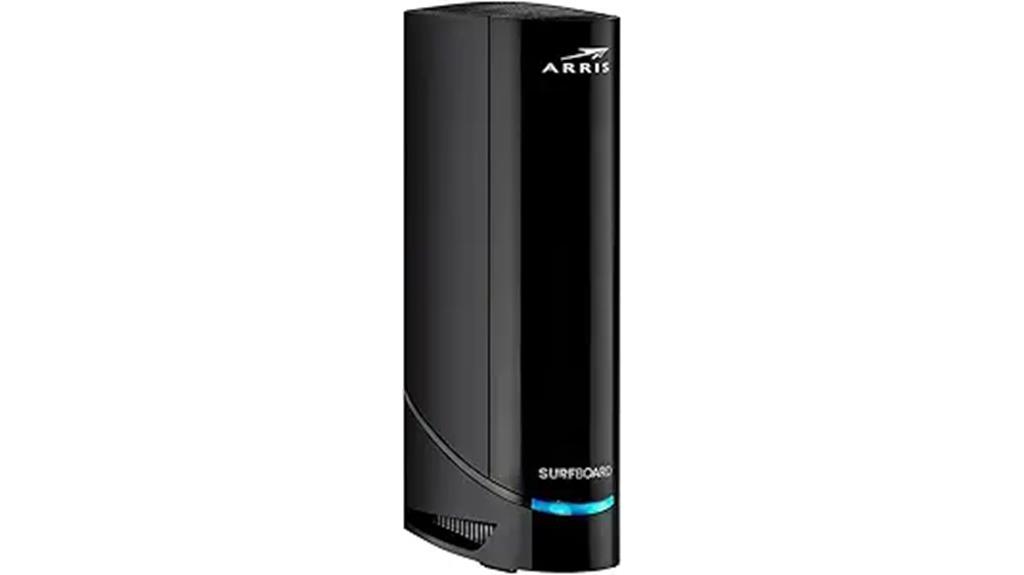
If you’re seeking a reliable cable modem router combo that supports the latest internet standards, the ARRIS G18 with DOCSIS 3.1 and WiFi 6 (AX1800) is an excellent choice. It offers multi-gigabit speeds, enhanced security, and extensive coverage, making it perfect for high-demand activities like streaming and gaming. Compatible with major ISPs such as Comcast Xfinity, Cox, and Spectrum, it easily integrates into your existing setup. Plus, owning this device saves up to $168 annually in rental fees, providing long-term financial benefits. Trusted by over 260 million homes worldwide, the ARRIS G18 ensures fast, reliable internet for modern digital needs.
Best For: households or individuals seeking a high-performance, future-proof cable modem router combo that supports the latest standards for seamless streaming, gaming, and browsing.
Pros:
- Supports DOCSIS 3.1 and WiFi 6 (AX1800) for ultra-fast speeds and improved network efficiency
- Compatible with major ISPs like Xfinity, Cox, and Spectrum for easy integration
- Eliminates rental fees, saving up to $168 annually with long-term cost benefits
Cons:
- May be more expensive upfront compared to basic modems or routers
- Requires compatible internet service plans to fully utilize DOCSIS 3.1 features
- Physical size and dual-band setup might require adequate space and proper placement for optimal coverage
NETGEAR Nighthawk Cable Modem and WiFi 6 Router (CAX80)
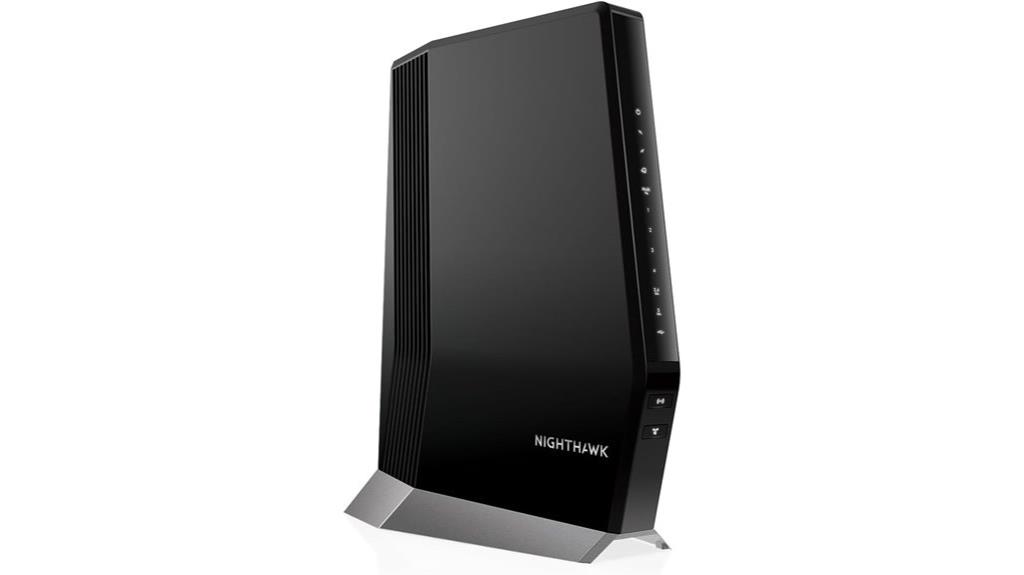
The NETGEAR Nighthawk CAX80 stands out as an excellent choice for anyone seeking high-speed, reliable internet with future-proof technology. It’s compatible with major cable providers like Xfinity, Spectrum, and Cox, supporting plans up to 6Gbps with DOCSIS 3.1 and 32×8 channel bonding. The WiFi 6 (AX6000) dual-band delivers speeds up to 6Gbps and covers up to 2,500 sq. ft., supporting 30 devices simultaneously. With four Gigabit Ethernet ports, a 2.5 G Multi-gig LAN port, and a USB 3.0, it offers versatile connectivity. Easy to set up via the Nighthawk app, it also includes advanced security features for total peace of mind.
Best For: households or individuals seeking high-speed, reliable internet with advanced WiFi 6 technology and versatile connectivity options.
Pros:
- Supports cable plans up to 6Gbps with DOCSIS 3.1 and 32×8 channel bonding for fast, future-proof internet.
- Covers up to 2,500 sq. ft. and supports 30 devices simultaneously, ideal for busy homes.
- Includes multiple connectivity options such as 4 Gigabit Ethernet ports, a 2.5 G Multi-gig LAN port, and a USB 3.0 port for flexible device connections.
Cons:
- Not compatible with Verizon, AT&T, CenturyLink, or DSL providers, limiting its use for certain users.
- Requires a compatible cable internet plan; cannot function as a standalone modem without an active service subscription.
- Slightly higher price point due to advanced features and security options.
ARRIS G34 Cable Modem Router Combo with DOCSIS 3.1, WiFi 6 (AX3000), 1 Gbps
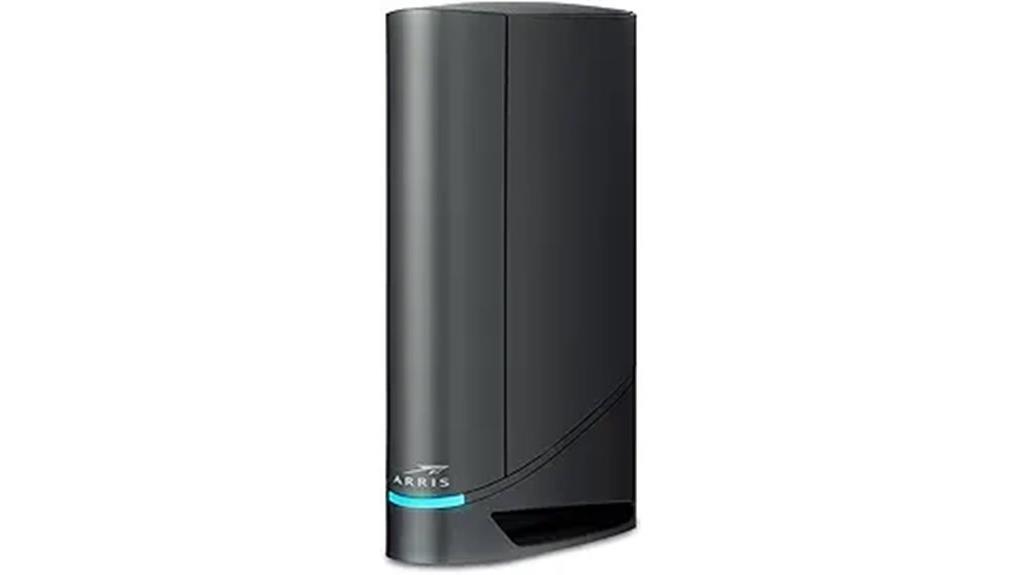
For anyone seeking ultra-fast, reliable home internet, the ARRIS G34 Cable Modem Router Combo stands out with its advanced DOCSIS 3.1 technology and WiFi 6 support. It delivers multi-gig speeds up to 1 Gbps, perfect for streaming, gaming, and downloads. With four Gigabit Ethernet ports and WiFi 6, it offers a strong, stable connection across multiple devices. ARRIS’s reputation as a trusted brand ensures dependable performance, backed by a two-year warranty and easy setup through the SURFboard Central app. Owning this modem combo can also save you money on rental fees, making it a smart, future-proof choice for seamless internet in 2025.
Best For: households or individuals seeking ultra-fast, reliable internet with multi-device connectivity and future-proof technology for streaming, gaming, and downloads.
Pros:
- Supports DOCSIS 3.1 and WiFi 6 for multi-gig speeds up to 1 Gbps.
- Easy setup via the SURFboard Central app with real-time device management.
- Ownership eliminates rental fees, saving up to $168 annually.
Cons:
- No MoCA technology or telephone port included.
- Requires compatible cable internet service up to 1 Gbps—may not be compatible with all providers.
- Limited to WiFi 6 (AX3000), which may be less future-proof than newer WiFi standards.
ARRIS G54 Cable Modem Router Combo
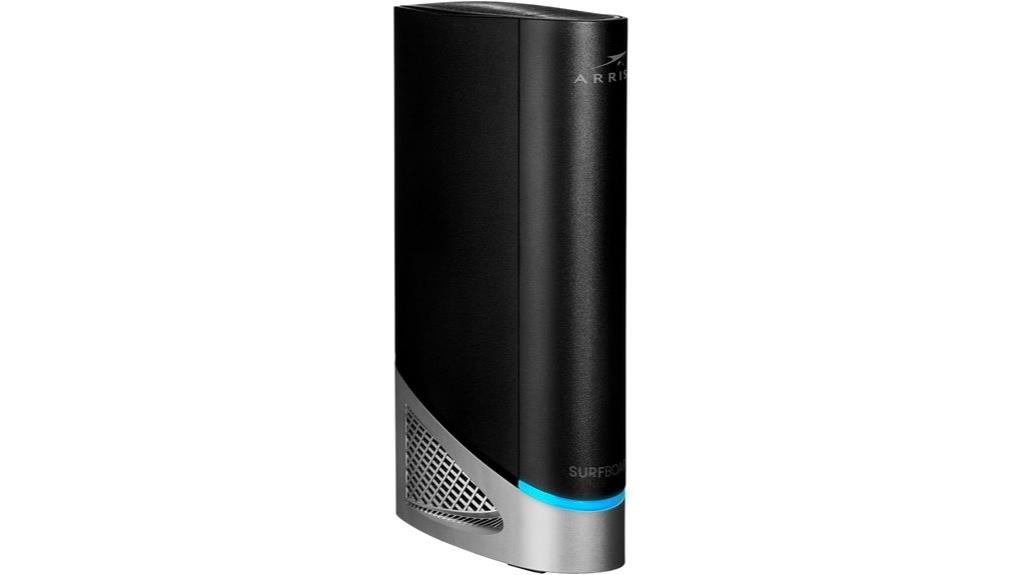
The ARRIS G54 Cable Modem Router Combo stands out as an ideal choice for large households or gamers who need fast, reliable internet across extensive spaces. It combines DOCSIS 3.1 technology with Wi-Fi 7, delivering speeds up to 18 Gbps and coverage up to 5,000 square feet. With four 1-Gigabit Ethernet ports and a 10-Gigabit port, it supports multiple wired devices simultaneously. Compatible with major ISPs like Xfinity, Spectrum, and Cox, owning this modem can save you up to $168 annually in rental fees. Trusted by over 260 million homes, the ARRIS G54 offers high performance and extensive coverage for demanding internet needs.
Best For: households or gamers requiring high-speed, reliable internet coverage across large spaces with multiple wired devices.
Pros:
- Delivers ultra-fast speeds up to 18 Gbps for seamless streaming and gaming
- Extensive coverage up to 5,000 square feet ensures reliable connectivity throughout large homes
- Supports multiple wired devices simultaneously with four 1-Gigabit and one 10-Gigabit Ethernet ports
Cons:
- May be more expensive upfront compared to basic modems for casual users
- Requires compatibility with ISP; not all providers may support all features
- Advanced features might be complex for non-technical users to set up and optimize
NETGEAR Nighthawk Modem Router Combo (CAX30S)

If you’re looking for a reliable cable modem router combo that can handle busy households and smart home devices, the NETGEAR Nighthawk CAX30S is an excellent choice. It’s compatible with major providers like Xfinity, Spectrum, and Cox, supporting plans up to 2Gbps. With DOCSIS 3.1 and 32×8 channel bonding, it delivers fast, high-speed internet. It features dual-band WiFi 6 speeds up to 2.7Gbps, covering up to 2,000 sq. ft. and supporting 25 devices. Plus, it includes four Gigabit Ethernet ports, a USB 3.0 port, and built-in security with NETGEAR Armor, simplifying setup and ensuring online safety.
Best For: households and small offices needing high-speed, reliable WiFi and modem combo with strong security features.
Pros:
- Combines cable modem and WiFi router, saving rental fees and reducing clutter
- Supports DOCSIS 3.1 with 32×8 channel bonding for fast internet plans up to 2Gbps
- Equipped with WiFi 6 (AX2700) for high-speed, dual-band coverage up to 2,000 sq. ft., supporting 25 devices
Cons:
- Not compatible with Verizon, AT&T, CenturyLink, or DSL providers
- Limited to cable plans up to 2Gbps, not suitable for fiber or very high-end plans
- Requires a subscription for advanced security features through NETGEAR Armor
ARRIS SBG7400AC2 Modem Router Combo with DOCSIS 3.0 & AC2350 WiFi
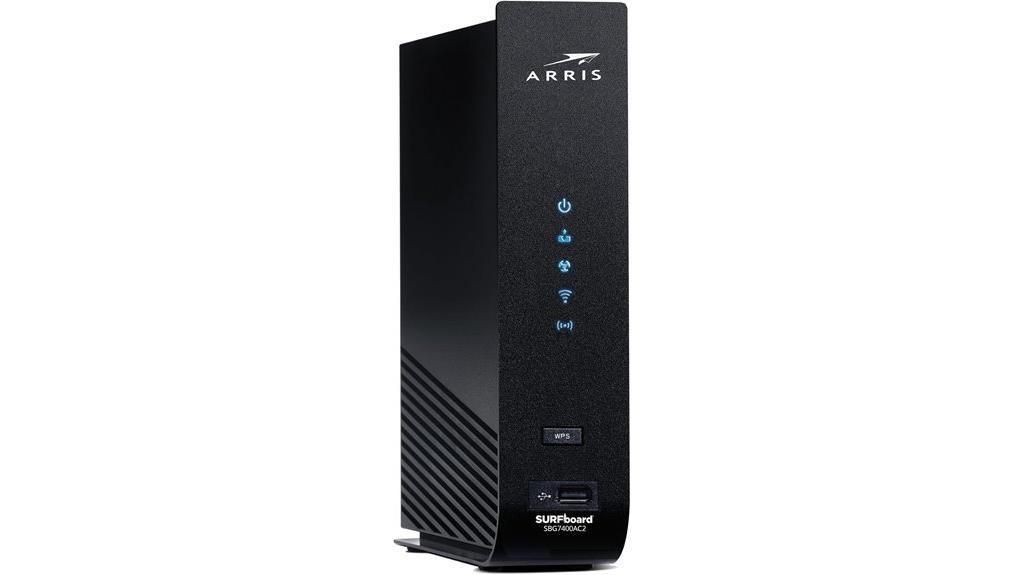
The ARRIS SBG7400AC2 Modem Router Combo stands out as an excellent choice for households seeking reliable high-speed internet with streamlined setup. With support for DOCSIS 3.0 technology, it delivers dependable speeds up to 800 Mbps, perfect for streaming and downloads. Its AC2350 WiFi ensures strong coverage throughout your home, while four 1 Gbps Ethernet ports provide wired flexibility. Owned outright, it saves you up to $168 annually on rental fees and works seamlessly with major providers like Xfinity, Cox, and Spectrum. Easy to set up via the SURFboard app, it offers real-time management, parental controls, and customization for a hassle-free experience.
Best For: households seeking reliable high-speed internet with easy setup, cost savings, and compatibility with major cable providers.
Pros:
- Supports fast internet speeds up to 800 Mbps with DOCSIS 3.0 technology.
- Eliminates monthly rental fees, saving up to $168 annually.
- Easy to install and manage via the SURFboard Central App with features like parental controls.
Cons:
- Not compatible with fiber optic, DSL, or satellite internet services.
- Does not include built-in Wi-Fi or support for cable digital voice services.
- Limited to cable internet providers such as Xfinity, Cox, and Spectrum.
NETGEAR Nighthawk Modem Router Combo C7000
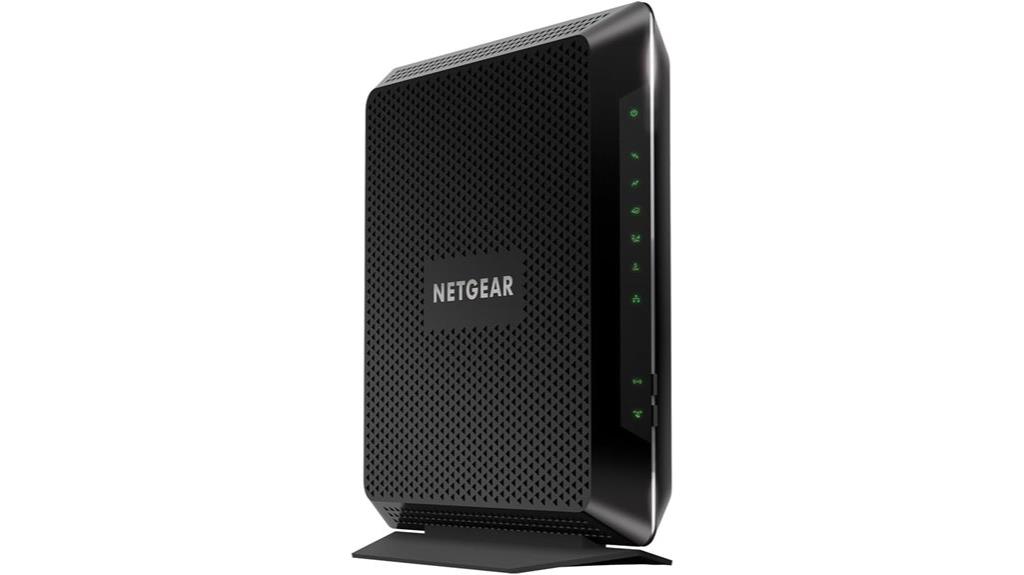
For those seeking a reliable all-in-one solution compatible with major US cable providers, the NETGEAR Nighthawk Modem Router Combo C7000 stands out. It works seamlessly with Xfinity, Spectrum, and Cox, supporting plans up to 800Mbps. This combo replaces both your cable modem and WiFi router, offering WiFi 5 AC1900 speeds and coverage up to 1,800 sq. ft., handling up to 30 devices. With four Gigabit Ethernet ports and a USB 2.0 port, wired connections are straightforward. Security is robust, featuring WPA/WPA2 protocols and NETGEAR Armor for real-time protection. Easy to set up via the Nighthawk app, it also saves you rental fees annually.
Best For: homes in the US seeking a reliable, all-in-one cable modem and WiFi router compatible with major providers like Xfinity, Spectrum, and Cox, supporting plans up to 800Mbps.
Pros:
- Combines modem and router for a streamlined setup and space-saving design
- Supports WiFi 5 AC1900 speeds and covers up to 1,800 sq. ft. for multiple devices
- Built-in security features with NETGEAR Armor for real-time protection
Cons:
- Not compatible with Verizon, AT&T, CenturyLink, or DSL providers
- Limited to WiFi 5 (not WiFi 6), which may be less future-proof
- Only available for use in the US, restricting international users
NETGEAR Nighthawk AC1900 WiFi Cable Modem Router Combo (C7000)
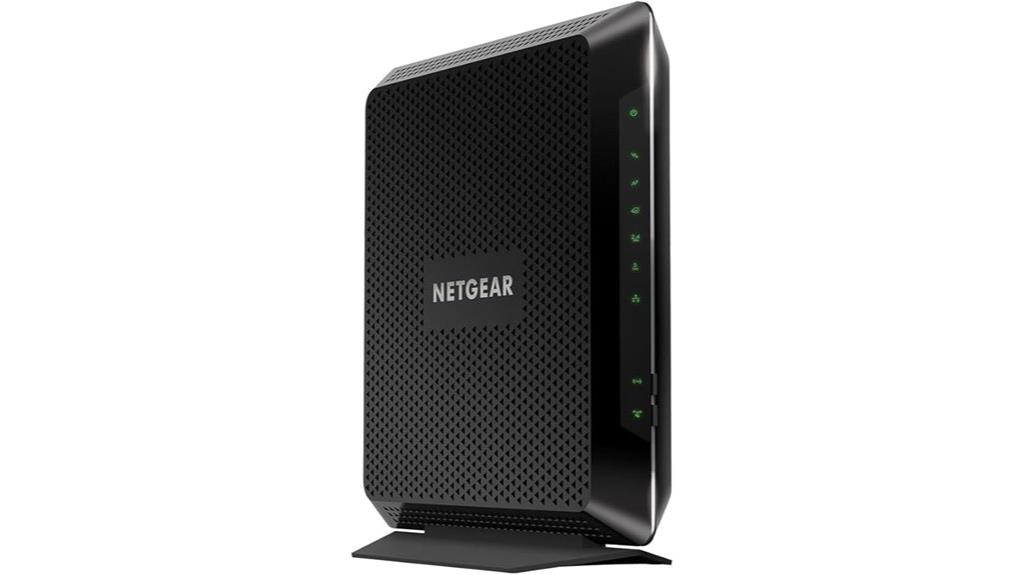
The NETGEAR Nighthawk AC1900 WiFi Cable Modem Router Combo (C7000) stands out as an ideal choice for households with multiple devices seeking reliable, high-speed internet. It’s compatible with major providers like Xfinity, Cox, and Spectrum, saving you rental fees—up to $150 annually. Designed for speeds up to 800 Mbps, it supports 24×8 channel bonding with DOCSIS 3.0 technology, delivering WiFi speeds up to 1900 Mbps. Covering up to 1800 sq ft and supporting 30 devices simultaneously, it offers four Gigabit Ethernet ports and a USB port for added connectivity. It’s a cost-effective, secure solution for seamless internet.
Best For: households with multiple devices seeking reliable, high-speed internet compatible with major cable providers like Xfinity, Cox, and Spectrum.
Pros:
- Supports speeds up to 800 Mbps with DOCSIS 3.0 technology for fast connectivity
- Covers up to 1800 sq ft and supports 30 devices simultaneously
- Saves up to $150 annually by replacing cable modem and WiFi router rental fees
Cons:
- Not compatible with Verizon, AT&T, CenturyLink, or DSL providers
- Limited to cable internet service; not suitable for bundled voice services
- Designed for speeds up to 800 Mbps, which may not meet the needs of ultra-high-speed plans
NETGEAR Orbi Cable Modem Router Combo Mesh System (CBK752)

Looking for a reliable all-in-one solution that can cover your entire home and support multiple devices simultaneously? The NETGEAR Orbi Cable Modem Router Combo (CBK752) delivers just that. It combines a cable modem with a WiFi 6 satellite, providing high-performance coverage of up to 5,000 sq. ft. and supporting over 40 devices. Compatible with major providers like Xfinity and Spectrum, it supports internet speeds up to 4Gbps. Setup is straightforward via the Orbi app, and security is built-in with features like Netgear Armor. Plus, you can expand coverage further with optional Orbi Mesh WiFi 6 satellites, making it ideal for seamless, whole-home connectivity.
Best For: households or small offices seeking a reliable, high-speed, all-in-one internet solution that covers large areas and supports multiple devices seamlessly.
Pros:
- Combines cable modem and WiFi 6 satellite for comprehensive, high-performance coverage up to 5,000 sq. ft.
- Supports internet plans up to 4Gbps and over 40 devices, ideal for streaming, gaming, and work-from-home needs.
- Includes built-in security with Netgear Armor and automatic firmware updates for enhanced device protection.
Cons:
- May be more expensive than basic routers or modems without mesh capabilities.
- Requires setup via the Orbi app, which might be challenging for some users unfamiliar with app-based configuration.
- Coverage expansion depends on optional satellites, which are sold separately and may add to overall cost.
Motorola MT7711 Cable Modem with Router
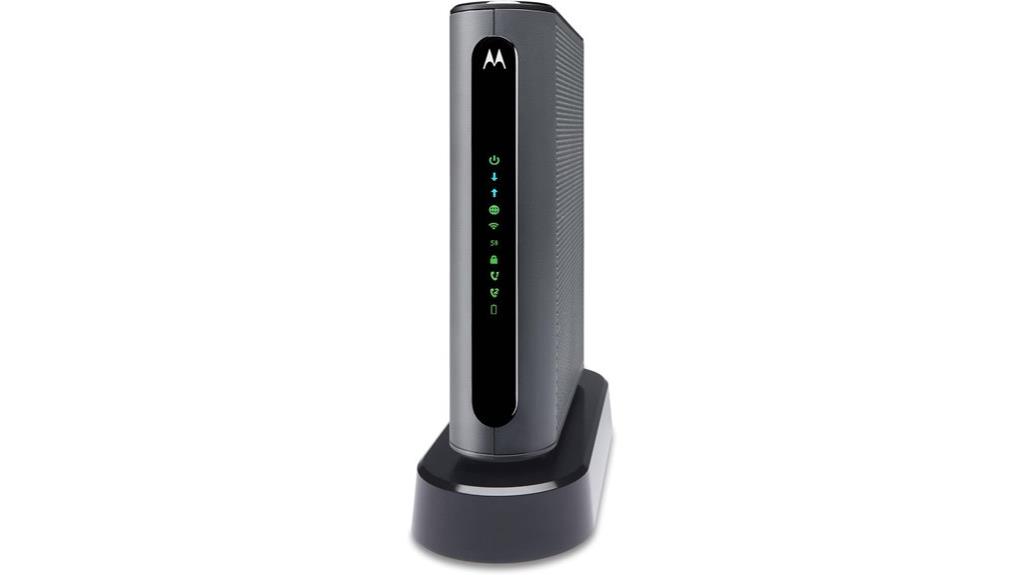
If you need a reliable all-in-one device that handles high-speed internet and voice services, the Motorola MT7711 Cable Modem with Router is an excellent choice. It combines a DOCSIS 3.0 modem with an AC1900 dual-band Wi-Fi router, supporting fast speeds and strong wireless coverage. With two telephone ports for Xfinity Voice, you get features like caller ID and call forwarding. Its Beamforming technology and Wi-Fi Power Boost enhance range and speed, while four Gigabit Ethernet ports ensure stable wired connections. Designed to support up to 253 devices, it’s perfect for busy homes or small offices seeking seamless internet and voice services.
Best For: households or small offices seeking a reliable all-in-one device for high-speed internet, Wi-Fi coverage, and voice services compatible exclusively with Xfinity.
Pros:
- Combines DOCSIS 3.0 modem and AC1900 dual-band Wi-Fi router for versatile connectivity
- Supports up to 253 devices simultaneously, ideal for busy environments
- Includes two telephone ports with advanced Xfinity Voice features like caller ID and call forwarding
Cons:
- Only compatible with Xfinity Internet, limiting its use with other providers
- Requires contacting Motorola support to disable telephone features if not needed
- May be more expensive than standalone modems or routers for some users
ARRIS Surfboard SBG7400AC2-RB Cable Modem & Wi-Fi Router (Refurbished)

For those seeking a budget-friendly yet reliable solution, the refurbished ARRIS Surfboard SBG7400AC2 offers impressive performance by combining a DOCSIS 3.0 cable modem with an AC2350 Wi-Fi router. It’s been professionally inspected, tested, and certified for use with major U.S. providers like Comcast, Cox, and Spectrum. Supporting internet plans up to 800 Mbps, it delivers fast streaming and downloads throughout your home. The four 1 Gbps Ethernet ports provide solid wired connections. Setup is straightforward using the SURFboard Central App, which also allows you to manage your network, activate Wi-Fi, and set parental controls—all in one user-friendly interface.
Best For: budget-conscious households seeking reliable, high-speed internet with easy setup and management.
Pros:
- Combines a cable modem and Wi-Fi router in one device, reducing clutter and cost
- Supports internet plans up to 800 Mbps, suitable for streaming and gaming
- Simple setup via the SURFboard Central App with easy network management
Cons:
- Refurbished device may have a shorter lifespan compared to new units
- Limited to DOCSIS 3.0 technology, which is slower than newer DOCSIS 3.1 standards
- Compatibility with specific ISPs should be verified to ensure optimal performance
Factors to Consider When Choosing Cable Modem Router Combos

When choosing a cable modem router combo, I focus on compatibility with my internet provider, speed needs, and WiFi standards to guarantee smooth performance. I also consider coverage area to avoid dead spots and prioritize security features to protect my network. Keeping these factors in mind helps me select the best device for reliable, fast, and secure internet.
Compatibility With Providers
Choosing a cable modem router combo that works seamlessly with your internet provider starts with verifying compatibility. I always start by checking my provider’s approved device list to guarantee the modem-router combo is compatible. It’s also essential to confirm the device supports my internet plan’s speed, whether it’s up to 1 Gbps or higher. I look for models that use standard technologies like DOCSIS 3.0 or DOCSIS 3.1, depending on what my provider offers. Additionally, if I need voice services, I verify that the device supports my provider’s digital voice features. Finally, I make sure the device is certified for use with my provider, which helps avoid support issues and assures the best performance. Compatibility is key to a smooth, trouble-free internet experience.
Speed and Bandwidth Needs
Understanding your internet speed needs is crucial for selecting the right cable modem router combo. Start by determining your plan’s maximum internet speed to verify the device can handle that bandwidth without bottlenecks. If you have multiple users or smart home devices, opt for a model with higher Wi-Fi standards like Wi-Fi 6, which offers better speed and capacity. Check that the device’s maximum download and upload speeds meet or exceed your current and future plans. Consider how many devices you’ll connect simultaneously; higher device capacity usually means improved speed and performance. Finally, review the channel bonding capabilities, such as DOCSIS 3.1 with 32×8 or higher, to guarantee efficient data transfer rates. Picking a device aligned with these factors ensures seamless, fast internet for your needs.
WiFi Technology Standards
Selecting a cable modem router combo with the right WiFi technology standard directly impacts your network’s speed and reliability. Standards like 802.11n, ac, ax (Wi-Fi 6), and Wi-Fi 6E define how fast your wireless connection can be, the bands it uses, and its overall performance. Wi-Fi 6 (802.11ax) offers faster speeds, higher capacity, and better performance in crowded environments. Wi-Fi 6E pushes this even further into the 6 GHz band, providing additional channels and less interference, resulting in more stable, faster connections. Compatibility with these standards ensures your device can handle the latest features and stay future-proof. Upgrading to newer WiFi standards can considerably boost your network’s performance, especially if you have multiple devices or high bandwidth needs.
Coverage Area Requirements
To guarantee you get reliable WiFi coverage throughout your home or office, it’s essential to evaluate the total square footage and layout of your space. Measure your area accurately, paying attention to walls and barriers that can weaken signals. For larger or multi-story homes, choose a modem-router combo with coverage exceeding your needs to maintain consistent connectivity. Consider devices supporting WiFi 6, as they offer better range and performance, especially over larger areas. Always check the manufacturer’s specifications for maximum coverage in square feet to ensure it aligns with your space. Remember, a device with insufficient range can lead to dead zones and frustrating interruptions, so selecting the right coverage area is vital for seamless internet everywhere you need it.
Security and Privacy Features
When choosing a cable modem router combo, security and privacy features should be top priorities to protect your network and personal data. Look for devices supporting WPA3 or WPA2 protocols, which guarantee strong wireless encryption. Check if the modem-router includes built-in security features like firewalls, intrusion detection, or VPN support to add extra layers of protection. It’s also important to verify if the device offers automatic firmware updates—these patches close vulnerabilities and keep security current. Consider options with parental controls and guest network options to manage privacy for different users. Additionally, a reputable security software subscription, like NETGEAR Armor, provides real-time protection against hackers and malware. Prioritizing these features helps safeguard your connected devices and sensitive information effortlessly.
Frequently Asked Questions
How Do Cable Modem Router Combos Impact Network Security?
Cable modem router combos can improve network security by integrating features like built-in firewalls and automatic updates, which protect against threats. I find that these devices simplify security management because everything’s in one box, reducing potential vulnerabilities from mismatched hardware. However, I always recommend changing default passwords and enabling encryption to maximize protection, as no device is foolproof on its own.
Can These Combos Be Easily Upgraded for Future Technology Standards?
Yes, these combos can often be upgraded, but it’s not always straightforward. I’ve found that many models support firmware updates to improve performance or security, but hardware upgrades usually require replacing the entire device. To stay ahead of future tech, I recommend choosing a combo with modular components or good support for upcoming standards. That way, I can guarantee my network remains robust and ready for what’s next.
What Are the Energy Consumption Differences Among These Models?
Energy consumption varies among these models, with newer, high-performance combos typically using more power due to advanced features. I’ve noticed that energy-efficient models incorporate smart power management, reducing consumption during idle periods. While some may consume slightly more during heavy use, overall, the difference isn’t huge. I recommend checking the specific wattage ratings and Energy Star certifications to find a balance between performance and energy efficiency that suits your needs.
How Do These Devices Handle Multiple Simultaneous Device Connections?
These devices handle multiple connections smoothly by leveraging advanced processors and robust Wi-Fi standards like Wi-Fi 6 or 6E, which efficiently manage numerous devices at once. I’ve noticed that they prioritize bandwidth and reduce lag, even with many gadgets connected. Their smart traffic management guarantees everyone gets a good experience, making streaming, gaming, and work-from-home activities seamless without interruption.
Are There Any Compatibility Issues With Different Cable Providers?
Like a trusted bridge across turbulent waters, these combos generally work well with most cable providers. However, I always recommend double-checking compatibility before purchasing, especially if you have a unique or less common provider. Some providers might have specific requirements or restrictions, just as a castle might have its own gates. Doing a quick compatibility check guarantees smooth sailing without any surprises or service interruptions.
Conclusion
So, here I am, happily recommending these top cable modem router combos, thinking they’ll solve all your internet woes. But really, who knew choosing the perfect one is like picking a needle in a haystack? With so many options promising seamless surfing, you might just end up with a device that’s “almost perfect”—like a GPS that guides you to your neighbor’s house. Ironically, sometimes the best choice is simply trusting your gut.
Flea & tick season Picks
flea and tick prevention
As an affiliate, we earn on qualifying purchases.