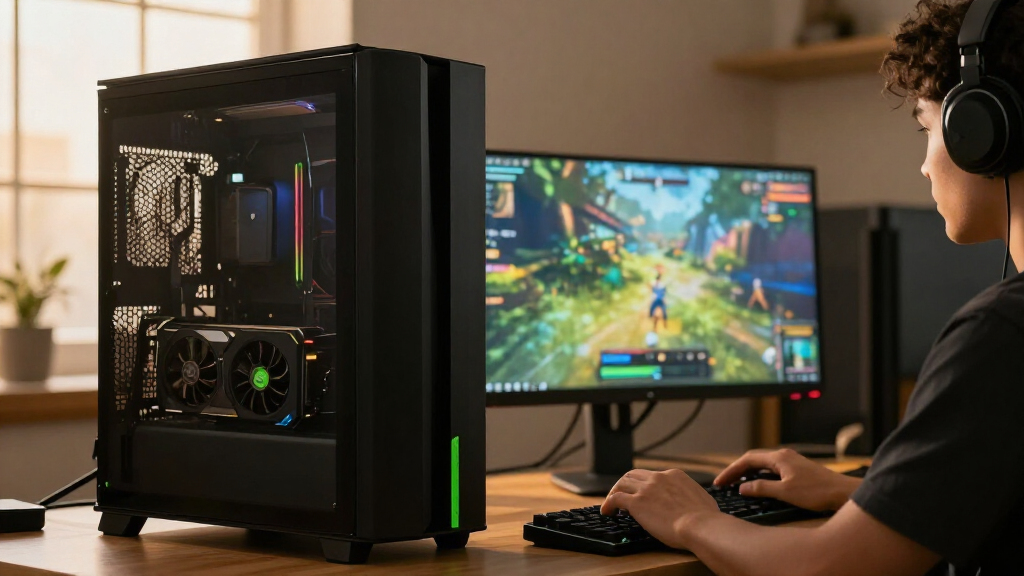

The best NVIDIA RTX graphics cards depend on your resolution, workload, case, and willingness to trade space or cooling complexity for performance. For a strong all-around choice, I’d start with the ASUS TUF Gaming RTX 5080 OC, which pairs a high-end GPU with a durable, conventional air-cooled design. The RTX 5080 Founders Edition offers a more compact alternative, while the ASUS Prime RTX 5070 Ti is a sensible step down for buyers who want strong performance without targeting the 5080 tier. This roundup also includes lower-tier gaming cards and a professional workstation option, each suited to a different kind of build. Read on for the full comparison and guidance on matching a card to your system.

Get the latest gadgets delivered free with Prime
- Fast, free delivery on millions of items
- Prime Video, Amazon Music and more included
- Member-only deals all year
Complete the kit



Key Takeaways
- The RTX 5080 models lead this lineup for high-end gaming: differences between them come down to cooling, size, appearance, and features rather than GPU tier.
- The ASUS TUF RTX 5080 OC is the balanced high-end pick: it avoids the added liquid-cooling hardware of MSI’s SUPRIM Liquid and the specialized build needs of ASUS’s BTF edition.
- The RTX 5070 Ti and RTX 5070 provide meaningful alternatives to buying a 5080: they suit buyers willing to choose a lower GPU tier to better match their workload and system.
- Older and lower-tier cards serve narrower needs: the RTX 3060 12GB, RTX 3050 6GB, and RTX 5060 Ti 16GB differ in generation, memory capacity, and intended performance class, so model names alone do not tell the whole story.
- The RTX 2000 Ada is the workstation-oriented outlier: it belongs on a shortlist for professional environments, not as a default substitute for a gaming GeForce card.
| PNY NVIDIA GeForce RTX 5080 Epic-X RGB OC Triple-Fan Graphics Card |  | Best RGB RTX 5080 | GPU: NVIDIA GeForce RTX 5080 | Architecture: NVIDIA Blackwell | Memory: 16GB GDDR7 | VIEW LATEST PRICE | See Our Full Breakdown |
| MSI Gaming GeForce RTX 3060 Ventus 2X 12G OC V1 Graphics Card |  | Best for Entry-Level RTX Gaming | GPU: NVIDIA GeForce RTX 3060 | Architecture: NVIDIA Ampere | Memory: 12GB GDDR6 | VIEW LATEST PRICE | See Our Full Breakdown |
| MSI Gaming RTX 5080 16G SUPRIM Liquid SOC Graphics Card |  | Best Liquid-Cooled RTX 5080 | GPU: NVIDIA GeForce RTX 5080 | Memory: 16GB GDDR7 | Memory interface: 256-bit | VIEW LATEST PRICE | See Our Full Breakdown |
| ASUS TUF Gaming GeForce RTX 5080 16GB GDDR7 OC Edition Graphics Card |  | Best for Durability and Tuning | GPU: NVIDIA GeForce RTX 5080 | Architecture: NVIDIA Blackwell | Memory: 16GB GDDR7 | VIEW LATEST PRICE | See Our Full Breakdown |
| MSI Gaming RTX 5080 16G Ventus 3X OC Black Graphics Card |  | Best No-Frills Air-Cooled RTX 5080 | GPU: NVIDIA GeForce RTX 5080 | Memory: 16GB GDDR7 | Memory interface: 256-bit | VIEW LATEST PRICE | See Our Full Breakdown |
| ASUS ROG Astral GeForce RTX 5080 16GB GDDR7 White OC Edition Graphics Card |  | Best for Cooling Headroom | GPU: NVIDIA GeForce RTX 5080 | Memory: 16 GB GDDR7 | GPU clock speed: Up to 2790 MHz | VIEW LATEST PRICE | See Our Full Breakdown |
| ASUS Dual GeForce RTX 5060 Ti 16GB GDDR7 OC Edition Gaming Graphics Card |  | Best for Quiet Midrange Builds | GPU: NVIDIA GeForce RTX 5060 Ti | Memory: 16GB GDDR7 | Architecture: NVIDIA Blackwell | VIEW LATEST PRICE | See Our Full Breakdown |
| NVIDIA GeForce RTX 5080 Founders Edition |  | Best Reference Design | GPU: NVIDIA GeForce RTX 5080 | Memory: 16 GB GDDR7 | GPU clock speed: 2806 MHz | VIEW LATEST PRICE | See Our Full Breakdown |
| ASUS TUF Gaming GeForce RTX 5080 16GB GDDR7 BTF OC Edition Graphics Card |  | Best for BTF Builds | GPU: NVIDIA GeForce RTX 5080 | Memory: 16 GB GDDR7 | GPU clock speed: 2730 MHz | VIEW LATEST PRICE | See Our Full Breakdown |
| ASUS Prime NVIDIA GeForce RTX 5070 Ti 16GB GDDR7 OC Edition Gaming Graphics Card |  | Best Compact RTX 5070 Ti | GPU: NVIDIA GeForce RTX 5070 Ti | Memory: 16 GB GDDR7 | GPU clock speed: 2452 MHz | VIEW LATEST PRICE | See Our Full Breakdown |
| ASUS ProArt GeForce RTX 5080 16GB GDDR7 OC Edition Graphics Card |  | Best Overall for Content Creators and High-End Gamers | Memory: 16GB GDDR7 | Architecture: NVIDIA Blackwell | Boosted Clock: 2730 MHz | VIEW LATEST PRICE | See Our Full Breakdown |
| Nvidia RTX 2000 ADA 16GB Graphics Card |  | Best Compact Professional-Grade Card | GPU Memory Size: 16 GB GDDR6 | Form Factor: 2.7″(H) x 6.6″(L), dual slot, half height | Thermal Solution: Blower Active Fan | VIEW LATEST PRICE | See Our Full Breakdown |
| ASUS Prime GeForce RTX 5070 12GB GDDR7 OC Edition Gaming Graphics Card |  | Best for Small-Form-Factor Gaming Builds | Graphics Coprocessor: NVIDIA GeForce RTX 5070 | Memory: 12 GB GDDR7 | GPU Clock Speed: 2587 MHz | VIEW LATEST PRICE | See Our Full Breakdown |
| ASUS Dual GeForce RTX 3050 6GB GDDR6 OC Edition Gaming Graphics Card |  | Best Budget-Friendly 1080p/1440p Gaming Card | Graphics Coprocessor: NVIDIA GeForce RTX 3050 | Memory: 6 GB GDDR6 | GPU Clock Speed: 1500 MHz | VIEW LATEST PRICE | See Our Full Breakdown |
| NVIDIA RTX graphics card | Memory | GPU | Warranty | Interface |
|---|---|---|---|---|
| PNY NVIDIA GeForce RTX 5080 Ep | 16GB GDDR7 | NVIDIA GeForce RTX 5080 | — | PCIe 5.0 x16 |
| MSI Gaming GeForce RTX 3060 Ve | 12GB GDDR6 | NVIDIA GeForce RTX 3060 | 3 years | PCIe 4.0 x16 |
| MSI Gaming RTX 5080 16G SUPRIM | 16GB GDDR7 | NVIDIA GeForce RTX 5080 | 3 years | — |
| ASUS TUF Gaming GeForce RTX 50 | 16GB GDDR7 | NVIDIA GeForce RTX 5080 | — | — |
| MSI Gaming RTX 5080 16G Ventus | 16GB GDDR7 | NVIDIA GeForce RTX 5080 | 3 years | — |
| ASUS ROG Astral GeForce RTX 50 | 16 GB GDDR7 | NVIDIA GeForce RTX 5080 | 3 years | PCI-Express x16 |
| ASUS Dual GeForce RTX 5060 Ti | 16GB GDDR7 | NVIDIA GeForce RTX 5060 Ti | — | — |
| NVIDIA GeForce RTX 5080 Founde | 16 GB GDDR7 | NVIDIA GeForce RTX 5080 | Product warranty available | PCI Express 4.0 |
| ASUS TUF Gaming GeForce RTX 50 | 16 GB GDDR7 | NVIDIA GeForce RTX 5080 | 3 years | PCI-Express x16 |
| ASUS Prime NVIDIA GeForce RTX | 16 GB GDDR7 | NVIDIA GeForce RTX 5070 Ti | 3 years | PCI-Express x16 |
| ASUS ProArt GeForce RTX 5080 1 | 16GB GDDR7 | — | — | — |
| Nvidia RTX 2000 ADA 16GB Graph | — | — | — | — |
| ASUS Prime GeForce RTX 5070 12 | 12 GB GDDR7 | — | 3 years | PCI-Express x16 |
| ASUS Dual GeForce RTX 3050 6GB | 6 GB GDDR6 | — | — | — |
More Details on Our Top Picks
PNY NVIDIA GeForce RTX 5080 Epic-X RGB OC Triple-Fan Graphics Card
The PNY Epic-X makes the most sense for a buyer who wants RTX 5080 performance with lighting that can be matched to a carefully styled PC. Its 16GB of GDDR7, Blackwell architecture, and listed 2775 MHz boost clock put it in the same GPU class as MSI’s RTX 5080 Ventus 3X OC, while customizable ARGB gives it a more visibly expressive look. The triple-fan cooler is a familiar air-cooled approach, unlike the MSI SUPRIM Liquid SOC’s radiator-based design, so it avoids planning a radiator mount. That convenience comes with a space cost: the card measures 12.94 inches long and occupies 2.99 slots. I’d choose it for a roomy build where lighting matters; compact-case builders should check fit first, and buyers who want liquid cooling should compare the SUPRIM.
Pros:- 16GB GDDR7 and Blackwell architecture for demanding gaming and creative workloads.
- Listed 2775 MHz boost clock.
- Triple-fan cooling without a separate radiator installation.
- Customizable ARGB lighting for coordinated PC builds.
Cons:- 12.94-inch length and 2.99-slot thickness can constrain case and neighboring-slot clearance.
- Air cooling may not suit buyers specifically seeking a liquid-cooled RTX 5080 such as the MSI SUPRIM Liquid SOC.
Best for: RTX 5080 buyers building a roomy gaming PC who want customizable ARGB lighting alongside air cooling.
Not ideal for: Small-case builders or buyers seeking a radiator-cooled card; its listed length is 12.94 inches, and its cooler uses three fans.
- GPU:NVIDIA GeForce RTX 5080
- Architecture:NVIDIA Blackwell
- Memory:16GB GDDR7
- Boost clock:2775 MHz
- Memory interface:256-bit
- Interface:PCIe 5.0 x16
- Cooling:Three fans
- Dimensions:12.94 × 5.42 inches
Our verdict“Choose the PNY Epic-X if you want an air-cooled RTX 5080 with customizable lighting and have room for its large triple-fan design.”
MSI Gaming GeForce RTX 3060 Ventus 2X 12G OC V1 Graphics Card
This RTX 3060 is the accessible step into NVIDIA’s RTX lineup in a batch otherwise dominated by RTX 5080 cards. Its 12GB of GDDR6 and Ampere-era ray tracing and Tensor Cores suit players who want those features for a more modest system, while the MSI RTX 5080 Ventus 3X OC targets much more demanding performance and uses newer GDDR7 memory. The difference is more than a spec-sheet gap: buyers choosing the 3060 should set expectations around its older GPU generation and avoid treating its listed 7680 × 4320 output support as a promise of smooth gaming at that resolution. The dual-fan cooler may also be easier to accommodate than the large three-fan RTX 5080 options, though this listing does not provide card dimensions. I’d consider it for a budget-conscious upgrade, not a high-end 4K build.
Pros:- 12GB GDDR6 memory.
- Ray tracing and Tensor Cores on NVIDIA Ampere architecture.
- Dual Torx Twin Fans provide active cooling in a two-fan design.
- Three DisplayPort outputs and one HDMI 2.1 output.
Cons:- Ampere generation is older than the Blackwell RTX 5080 models in this roundup.
- The provided data does not state card dimensions, complicating small-case fit checks.
Best for: Budget-conscious PC gamers moving to an RTX card who want 12GB of memory and can accept an older GPU generation.
Not ideal for: Buyers seeking current-generation RTX 5080 performance, high-end 4K gaming, or a card with fully specified case dimensions.
- GPU:NVIDIA GeForce RTX 3060
- Architecture:NVIDIA Ampere
- Memory:12GB GDDR6
- Memory interface:192-bit
- Boost clock:1807 MHz
- Interface:PCIe 4.0 x16
- Video outputs:3 × DisplayPort 1.4a, 1 × HDMI 2.1
- Cooling:Dual Torx Twin Fans
- Warranty:3 years
Our verdict“Pick the RTX 3060 Ventus 2X for a more modest entry into RTX gaming, and choose an RTX 5080 model if you need a higher-end current-generation GPU.”
MSI Gaming RTX 5080 16G SUPRIM Liquid SOC Graphics Card
The SUPRIM Liquid SOC stands apart from the air-cooled RTX 5080s here by pairing 16GB GDDR7 with a liquid-cooling design. That makes it the clearest fit for builders who prefer a radiator-based GPU cooler and have a case layout that can support one. Its listed 2760 MHz clock is close to the PNY Epic-X’s 2775 MHz boost figure, so the choice between them is better framed around cooling setup and fit than a small difference in listed clock rates. MSI’s RTX 5080 Ventus 3X OC offers an air-cooled alternative for buyers who do not want radiator placement to shape their build. The product data lists one fan and compact card dimensions, but does not give radiator dimensions or mounting requirements. I’d verify those details and case support before choosing this specialized setup.
Pros:- 16GB GDDR7 memory and a 256-bit interface.
- Liquid cooling differentiates it from the air-cooled PNY Epic-X and MSI Ventus 3X OC.
- Listed 2760 MHz GPU clock.
- Three DisplayPort 2.1a outputs and one HDMI 2.1b output.
Cons:- Liquid cooling requires radiator placement and compatibility checks beyond the card dimensions provided.
- The listed one-fan detail does not explain the full cooling assembly or radiator requirements.
Best for: Experienced PC builders who want a liquid-cooled RTX 5080 and have confirmed radiator space and mounting compatibility.
Not ideal for: Buyers seeking a straightforward air-cooled installation or those whose case cannot accommodate the card’s cooling hardware.
- GPU:NVIDIA GeForce RTX 5080
- Memory:16GB GDDR7
- Memory interface:256-bit
- GPU clock:2760 MHz
- Memory clock:30 GHz
- Cooling:Liquid cooling; one fan listed
- Video outputs:3 × DisplayPort 2.1a, 1 × HDMI 2.1b
- Dimensions:10.5 × 4.4 inches
- Warranty:3 years
Our verdict“Choose the SUPRIM Liquid SOC if you want a liquid-cooled RTX 5080 and have verified that your case supports its cooling hardware.”
ASUS TUF Gaming GeForce RTX 5080 16GB GDDR7 OC Edition Graphics Card
The ASUS TUF OC is aimed at buyers who value a substantial cooling and protection package around an RTX 5080. Alongside 16GB GDDR7 and a listed 2730 MHz boost clock, it includes three Axial-tech fans, a GPU bracket, protective PCB coating, and GPU Tweak III software. That feature mix gives it a more durability-and-tuning-focused pitch than the MSI RTX 5080 Ventus 3X OC, whose supplied data emphasizes core specifications rather than those protective extras. The tradeoff is physical commitment: at 348 mm long and 3.6 slots, it is larger than the PNY Epic-X’s listed 2.99-slot design, and ASUS specifies an 850W PSU with a 16-pin 12V-2×6 connector. I’d favor it for a spacious build with a suitable power supply; compact cases and lower-wattage systems should look elsewhere.
Pros:- 16GB GDDR7 on NVIDIA Blackwell architecture.
- Three Axial-tech fans and a fin-array cooling system.
- Includes a GPU bracket and protective PCB coating.
- GPU Tweak III software supports performance tuning.
Cons:- 348 mm length and 3.6-slot thickness demand substantial case clearance.
- Requires an 850W PSU and 16-pin 12V-2×6 connector.
Best for: RTX 5080 builders with a spacious case and suitable power supply who value added card support, protective features, and tuning software.
Not ideal for: Small-case builders or owners of systems without the specified 850W PSU and 16-pin 12V-2×6 connector.
- GPU:NVIDIA GeForce RTX 5080
- Architecture:NVIDIA Blackwell
- Memory:16GB GDDR7
- Boost clock:2730 MHz
- Cooling:Three Axial-tech fans with fin array
- Dimensions:348 mm long; 3.6 slots
- Weight:4.3 lb
- Power supply requirement:850W
- Power connector:16-pin 12V-2×6
Our verdict“Choose the ASUS TUF OC if your case and power supply can handle its large format and you value its listed protection and tuning features.”
MSI Gaming RTX 5080 16G Ventus 3X OC Black Graphics Card
The Ventus 3X OC is the straightforward air-cooled pick among these RTX 5080s. Its 16GB GDDR7, 256-bit interface, and listed 2640 MHz clock cover the core specifications, while three fans avoid the radiator planning required by MSI’s SUPRIM Liquid SOC. Compared with the PNY Epic-X, this listing gives less detail about lighting and physical size, so it suits buyers focused on a simpler black design rather than a showpiece they can coordinate with ARGB. The ASUS TUF OC adds a GPU bracket and protective PCB coating, which may matter more to buyers who want those specific features. The Ventus listing does not provide dimensions or a power-supply requirement, so I’d confirm case clearance and system power support before ordering. It is a sensible fit when the essentials matter most.
Pros:- 16GB GDDR7 memory with a 256-bit interface.
- Three-fan air cooling avoids radiator installation.
- Listed 2640 MHz GPU clock.
- Three DisplayPort 2.1a outputs and one HDMI 2.1b output.
Cons:- The supplied product data does not state card dimensions or a PSU requirement.
- Its listing provides fewer distinct extras than the ASUS TUF OC’s bracket and protective PCB coating.
Best for: RTX 5080 buyers who prefer a black, three-fan air-cooled card and want the core GPU specifications without prioritizing lighting or liquid cooling.
Not ideal for: Small-case builders who need verified dimensions, buyers without a suitable high-power system, or those seeking the added protection features listed for the ASUS TUF OC.
- GPU:NVIDIA GeForce RTX 5080
- Memory:16GB GDDR7
- Memory interface:256-bit
- GPU clock:2640 MHz
- Video outputs:3 × DisplayPort 2.1a, 1 × HDMI 2.1b
- Maximum resolution:7680 × 4320
- Warranty:3 years
Our verdict“Choose the Ventus 3X OC Black if you want a direct, air-cooled RTX 5080 and have independently confirmed case clearance and power support.”
ASUS ROG Astral GeForce RTX 5080 16GB GDDR7 White OC Edition Graphics Card
The ROG Astral RTX 5080 suits buyers who want a factory-overclocked RTX 5080 with cooling hardware built for sustained demanding use. Its vapor chamber, metal shroud, and stated boost clock of up to 2790 MHz distinguish it from the NVIDIA GeForce RTX 5080 Founders Edition, whose listed boost clock is 2806 MHz but whose product data does not specify the same cooling features. That makes the Astral’s appeal its cooling and construction, rather than a higher advertised clock. The white finish adds a visual choice for matching builds. The tradeoff is its 14.1-inch length and 6.3-pound weight, which call for careful case and card support checks. I’d skip it if compact fit or a simpler RTX 5080 build matters more than its premium cooling hardware.
Pros:- Vapor chamber and multi-fan cooling design
- Factory overclocked boost clock listed up to 2790 MHz
- Full metal diecast shroud and backplate
- HDMI 2.1b and DisplayPort 2.1b outputs
Cons:- 14.1-inch length can rule out smaller cases
- 6.3-pound weight may require additional card support
- Premium cooling and construction may be unnecessary for less demanding builds
Best for: RTX 5080 buyers building a spacious desktop who prioritize robust cooling, a metal white shroud, and factory overclocking.
Not ideal for: Small-case builders or buyers who want a lighter, less elaborate card; its 14.1-inch length and 6.3-pound weight demand room and support.
- GPU:NVIDIA GeForce RTX 5080
- Memory:16 GB GDDR7
- GPU clock speed:Up to 2790 MHz
- Video outputs:2 x HDMI 2.1b, 3 x DisplayPort 2.1b
- Interface:PCI-Express x16
- Maximum resolution:7680 x 4320
- Dimensions:14.1 in L x 5.9 in W
- Warranty:3 years
Our verdict“Choose the ROG Astral if you want a premium, factory-overclocked RTX 5080 with substantial cooling hardware and have room for its large, heavy design.”
ASUS Dual GeForce RTX 5060 Ti 16GB GDDR7 OC Edition Gaming Graphics Card
The ASUS Dual RTX 5060 Ti is the midrange choice here for buyers who want 16GB of GDDR7 and quieter operating options without stepping up to an RTX 5080. Its dual BIOS lets owners choose between quiet and performance modes, while 0dB technology can stop the fans under suitable light loads. That gives it a different role from the ASUS Prime RTX 5070 Ti: the Prime is the higher-tier option in this lineup, while the Dual’s listed features emphasize noise flexibility and a 2.5-slot form factor. The tradeoff is that its RTX 5060 Ti GPU sits below the RTX 5070 Ti and RTX 5080 choices for buyers prioritizing the stronger GPU tier. Check case clearance too; 2.5 slots still take meaningful room.
Pros:- 16GB of GDDR7 memory
- Dual BIOS offers quiet and performance modes
- 0dB technology supports fan-stop operation under suitable conditions
- 2.5-slot design
Cons:- RTX 5060 Ti tier is below the RTX 5070 Ti and RTX 5080 options in this roundup
- 2.5-slot thickness may crowd compact builds
- OC mode may increase power use and fan noise
Best for: Gamers assembling a midrange desktop who want 16GB of GDDR7, quiet fan behavior during lighter tasks, and a choice of BIOS modes.
Not ideal for: Buyers targeting the RTX 5070 Ti or RTX 5080 GPU tier, or builders with very tight expansion-slot clearance.
- GPU:NVIDIA GeForce RTX 5060 Ti
- Memory:16GB GDDR7
- Architecture:NVIDIA Blackwell
- Fan design:Axial-tech
- Slot design:2.5-slot
- Cooling feature:0dB technology
- Fan bearings:Dual ball bearings
Our verdict“Pick the ASUS Dual RTX 5060 Ti if quiet flexibility and 16GB memory matter more to you than choosing a higher GPU tier.”
NVIDIA GeForce RTX 5080 Founders Edition
The RTX 5080 Founders Edition is the reference-style pick for buyers who want NVIDIA’s Blackwell feature set and a listed 2806 MHz boost clock in NVIDIA’s own card. Its 16GB of GDDR7, full ray tracing, and DLSS 4 support suit demanding games and creative applications. Compared with the ASUS ROG Astral RTX 5080, the Founders Edition’s advertised boost clock is slightly higher, while the Astral’s product data gives more specific cooling and metal-construction details. That makes the choice less about the GPU family and more about which card’s documented design better fits your priorities. The supplied data lists a 3840 x 2160 maximum display resolution, so buyers planning higher-resolution output should confirm their requirements against the card’s documentation. Power needs, case fit, and cooling capacity also deserve attention.
Pros:- NVIDIA GeForce RTX 5080 with 16GB GDDR7
- Listed boost clock of 2806 MHz
- Supports full ray tracing and DLSS 4
- HDMI and DisplayPort outputs
Cons:- High power use may call for a robust system cooling setup
- Product data gives limited detail about dimensions and cooling
- Listed maximum display resolution is 3840 x 2160
Best for: Buyers seeking an NVIDIA-branded RTX 5080 reference-style card for demanding gaming or creative workloads.
Not ideal for: Builders who need clearly documented dimensions, detailed cooling specifications, or listed support for resolutions above 3840 x 2160.
- GPU:NVIDIA GeForce RTX 5080
- Memory:16 GB GDDR7
- GPU clock speed:2806 MHz
- Features:Full ray tracing, DLSS 4, AI performance enhancements
- Video outputs:HDMI, DisplayPort
- Interface:PCI Express 4.0
- Maximum display resolution:3840 x 2160
- Warranty:Product warranty available
Our verdict“Choose the Founders Edition if you want an NVIDIA-branded RTX 5080 with a strong listed boost clock and DLSS 4 support, and its documented output details fit your display setup.”
ASUS TUF Gaming GeForce RTX 5080 16GB GDDR7 BTF OC Edition Graphics Card
The ASUS TUF RTX 5080 BTF OC makes the most sense for builders interested in ASUS’s BTF motherboard setup as well as a standard desktop configuration. Its detachable GC-HPWR adapter is listed as supporting up to 1000 watts and enabling compatibility with standard and BTF motherboards, giving it a connection option the NVIDIA RTX 5080 Founders Edition does not list. The card pairs that feature with 16GB of GDDR7, a 2730 MHz clock, and a rugged TUF design. Compared with the ROG Astral RTX 5080, its listed clock is lower and the supplied description emphasizes durability and BTF compatibility over the Astral’s vapor chamber. The costs are practical: plan for an 850W recommended PSU, and confirm clearance for its 13.7-inch length before building.
Pros:- Detachable GC-HPWR adapter supports up to 1000W
- Listed compatibility with standard and BTF motherboards
- 16GB GDDR7 and 2730 MHz GPU clock
- Three-year warranty and rugged TUF design
Cons:- 850W recommended PSU may require a system power upgrade
- 13.7-inch length can limit case compatibility
- BTF adapter features may add little value to a standard build
Best for: Desktop builders using or planning a compatible ASUS BTF motherboard who want an RTX 5080 with a detachable GC-HPWR adapter.
Not ideal for: Builders with a lower-capacity power supply, limited case clearance, or no use for BTF compatibility.
- GPU:NVIDIA GeForce RTX 5080
- Memory:16 GB GDDR7
- GPU clock speed:2730 MHz
- Video outputs:2 x HDMI 2.1b, 3 x DisplayPort 2.1b
- Recommended PSU:850W
- Interface:PCI-Express x16
- Maximum resolution:7680 x 4320
- Dimensions:13.7 in L x 5.7 in W
- Warranty:3 years
Our verdict“Choose the TUF RTX 5080 BTF if you want its detachable power adapter for a compatible BTF build and have the PSU and case capacity it requires.”
ASUS Prime NVIDIA GeForce RTX 5070 Ti 16GB GDDR7 OC Edition Gaming Graphics Card
The ASUS Prime RTX 5070 Ti is the lineup’s compact-minded step up from the RTX 5060 Ti, with a 2.5-slot design and 12-inch length that can suit some smaller desktop cases. Its 16GB of GDDR7 also gives buyers a higher GPU tier than the ASUS Dual RTX 5060 Ti while retaining the same listed memory capacity. Axial-tech fans and a phase-change thermal pad are intended to manage heat, but the card is still substantial enough that “compact” depends on the case and available clearance. The ASUS TUF RTX 5080 offers a higher GPU tier and a larger 13.7-inch body, while the Prime focuses on a shorter card and a 750W minimum PSU requirement. Check the 16-pin connector and case dimensions before choosing it for a small-form-factor build.
Pros:- RTX 5070 Ti GPU with 16GB GDDR7
- 2.5-slot design and 12-inch length
- Axial-tech fans and phase-change thermal pad
- Supports maximum resolution up to 7680 x 4320
Cons:- 750W minimum PSU and 16-pin connector may complicate upgrades
- 2.5-slot thickness can still be restrictive in small cases
- Its shorter body does not guarantee compatibility with every compact build
Best for: Small-form-factor builders who want an RTX 5070 Ti with 16GB GDDR7 and have room for a 12-inch, 2.5-slot card.
Not ideal for: Buyers with cases shorter than 12 inches of GPU clearance, no 16-pin power connector, or a PSU below the stated 750W minimum.
- GPU:NVIDIA GeForce RTX 5070 Ti
- Memory:16 GB GDDR7
- GPU clock speed:2452 MHz
- Video outputs:3 x DisplayPort 1.4a, 2 x HDMI 2.1b
- Dimensions:12 in L x 5 in W
- Weight:2.6 pounds
- Interface:PCI-Express x16
- Maximum resolution:7680 x 4320
- Warranty:3 years
Our verdict“Choose the Prime RTX 5070 Ti if you want a higher GPU tier than the RTX 5060 Ti in a shorter design and your case and power supply meet its requirements.”
ASUS ProArt GeForce RTX 5080 16GB GDDR7 OC Edition Graphics Card
The ASUS ProArt GeForce RTX 5080 OC Edition stands out for delivering flagship performance with 16GB of GDDR7 memory, making it a top choice for demanding content creators and gamers who want both power and precision. Compared to the Nvidia RTX 2000 ADA 16GB, it offers more advanced cooling and a sleeker design, but at a higher cost and larger size. The inclusion of USB Type-C connectivity and a vapor chamber heatsink enhances usability and thermal management, ensuring sustained high performance. Its maximum contact heatsink with vapor chamber supports effective heat dissipation, enabling better overclocking potential. However, its size may require a spacious case, and the premium features come with a price premium. This card makes the most sense for those who value cutting-edge performance and aesthetics over budget constraints.
Pros:- High-performance 16GB GDDR7 memory for demanding workloads
- Advanced cooling with vapor chamber and MaxContact heatsink
- Versatile connectivity including USB Type-C
- Premium minimalist design with quality materials
Cons:- Large physical size may limit compatibility in smaller cases
- High-end features significantly increase price
Best for: High-end content creators and gamers who need top-tier performance and advanced cooling
Not ideal for: Budget-conscious users or small-form-factor builds due to its size and cost
- Memory:16GB GDDR7
- Architecture:NVIDIA Blackwell
- Boosted Clock:2730 MHz
- Default Clock:2700 MHz
- Size:2.5-slot
- Connectivity:USB Type-C
- Cooling:MaxContact heatsink with vapor chamber
- Thermal Pad:Phase-change GPU thermal pad
Our verdict“This card suits users who demand premium performance, advanced cooling, and aesthetic appeal, and are willing to pay for it.”
Nvidia RTX 2000 ADA 16GB Graphics Card
The Nvidia RTX 2000 ADA provides 16GB of GDDR6 memory in a compact half-height form factor, making it ideal for professional environments with limited space. Its blower active fan cooling ensures reliable thermal performance in tight cases, and support for 4K resolution makes it suitable for high-resolution workflows. Compared to larger gaming-oriented cards like the ASUS Prime RTX 5070, it’s less suited for gaming but excels in professional tasks such as real-time rendering and CAD work. Its single blower fan keeps the design simple but may lead to higher operating temperatures under sustained load. Connectivity options are limited, primarily supporting Mini DisplayPort, which may restrict multi-monitor setups. Best suited for professionals needing a robust, space-efficient GPU, but less ideal for gaming or users needing extensive ports.
Pros:- 16GB GDDR6 memory capable of handling demanding professional applications
- Compact half-height form factor fits small or cramped cases
- Supports 4K resolution for high-quality visual output
- Nvidia brand reliability with a 3-year warranty
Cons:- Single blower fan can cause higher temperatures under load
- Limited connectivity with only Mini DisplayPort
- Designed primarily for professional rather than gaming purposes
Best for: Creative professionals and small-space workstation users needing reliable 4K output
Not ideal for: Gamers seeking high frame rates or users requiring multiple output options
- GPU Memory Size:16 GB GDDR6
- Form Factor:2.7″(H) x 6.6″(L), dual slot, half height
- Thermal Solution:Blower Active Fan
- Graphics Coprocessor:Nvidia
- Ram Type:GDDR6
- Video Output Interface:Mini DisplayPort
- Memory Clock Speed:1250 MHz
- Maximum Resolution:3840×2160
Our verdict“This GPU is best for professionals needing a space-efficient, high-resolution capable card for demanding creative workflows.”
ASUS Prime GeForce RTX 5070 12GB GDDR7 OC Edition Gaming Graphics Card
The ASUS Prime RTX 5070 OC offers a balanced mix of high performance and compact design, making it an excellent choice for gamers with limited space. Featuring 12GB of GDDR7 memory and a boost clock of 2587 MHz, it provides strong gaming performance at 4K resolutions. Its 2.5-slot design supports effective cooling, thanks to axial-tech fans and a phase-change thermal pad, while dual BIOS options give users flexibility between performance and quieter operation. While it’s somewhat large for ultra-compact builds, it’s more suited for mid-sized cases that can accommodate its dimensions. Compared to the larger RTX 5080 models, it offers a more affordable, power-efficient option for gamers not needing the absolute highest specs. It’s a solid pick for those looking to build or upgrade a compact gaming PC with high-end capabilities.
Pros:- Effective cooling with axial-tech fans and phase-change thermal pad
- Supports small-form-factor builds with a 2.5-slot design
- High boost clock of 2587 MHz for strong gaming performance
- Dual BIOS for performance and quiet modes
Cons:- Relatively large size for ultra-compact builds
- Premium price may be high for some users
- Limited detailed review data available for some models
Best for: Gamers with small or mid-sized cases seeking high-performance 1440p/4K gaming
Not ideal for: Users with very small or ultra-compact cases or those on a strict budget
- Graphics Coprocessor:NVIDIA GeForce RTX 5070
- Memory:12 GB GDDR7
- GPU Clock Speed:2587 MHz
- Video Output Interface:DisplayPort, HDMI
- Item Dimensions:12″L x 5″W
- Number of Fans:3
- Display Maximum Resolution:3840 x 2160
- Interface:PCI-Express x16
- Warranty:3 years
Our verdict“This card is ideal for gamers who want high-end performance in a form factor suitable for smaller cases without sacrificing thermal efficiency.”
ASUS Dual GeForce RTX 3050 6GB GDDR6 OC Edition Gaming Graphics Card
The ASUS Dual RTX 3050 OC Edition provides a capable entry point into ray-traced gaming with 6GB of GDDR6 memory. Its dual Axial-tech fans and IP5X dust resistance make it a durable choice for small builds and casual gamers. While it doesn’t match the raw power of higher-end cards like the ASUS Prime RTX 5070, it excels in delivering smooth gameplay at 1080p and decent 1440p performance, especially with ray tracing enabled. The compact 2-slot design ensures compatibility with most mid-sized cases. Its modest clock speed of 1500 MHz is adequate for most modern titles, but may fall short for ultra-high settings or future demanding releases. This card offers a balanced mix of features and affordability, making it suitable for budget-conscious gamers who want to experience ray tracing without breaking the bank.
Pros:- Good ray-tracing and AI-enhanced graphics at an affordable price
- Effective cooling with dual Axial-tech fans
- Compact 2-slot design fits small cases
- IP5X dust resistance for durability
Cons:- Limited to 6GB VRAM, less future-proof for high-end gaming
- No additional accessories or bundled features
- Lower performance ceiling compared to higher-tier RTX models
Best for: Casual gamers and newcomers looking for solid 1080p/1440p ray-traced gaming
Not ideal for: Enthusiasts or players aiming for ultra-high settings at 4K
- Graphics Coprocessor:NVIDIA GeForce RTX 3050
- Memory:6 GB GDDR6
- GPU Clock Speed:1500 MHz
- Video Output Interface:HDMI
- Memory Clock Speed:1500 MHz
- Number of Fans:2
- Display Maximum Resolution:3840 x 2160
- Dust Resistance:IP5X
- Built-In Media:DUAL-RTX3050-O6G
Our verdict“This graphics card fits budget-conscious gamers seeking reliable 1080p/1440p ray-traced gaming with a compact footprint.”
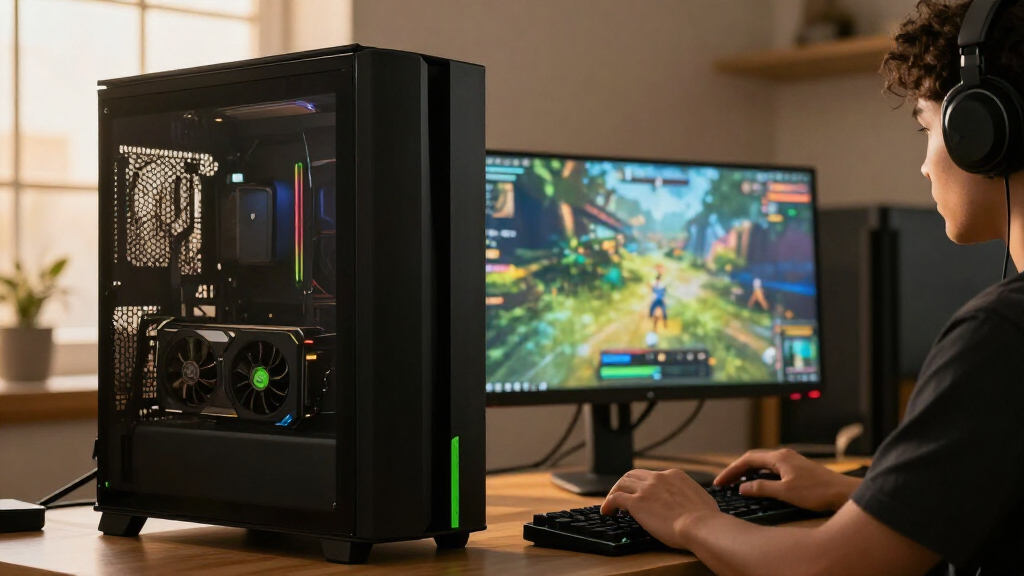
How We Picked
I ranked these cards by how well each model fits a clear buyer need, rather than treating every RTX GPU as a direct gaming competitor. The main criteria were GPU tier, memory capacity, cooling approach, physical footprint, build features, and the likely fit for gaming, creative work, or professional workloads. I also considered the practical costs of a design choice: liquid cooling needs radiator space, a large air cooler needs case clearance, and a BTF connector layout is useful only in a compatible build.
The RTX 5080 models sit near the top because they share the strongest gaming GPU tier represented here, but their order reflects usability and specialization: conventional air-cooled options rank ahead of designs that demand particular cooling or motherboard support. The RTX 5070 Ti and RTX 5070 follow as lower-tier alternatives, while the RTX 5060 Ti, RTX 3060, and RTX 3050 fit more modest gaming needs. I separated the RTX 2000 Ada because professional features and workload compatibility matter more there than GeForce gaming positioning. Exact performance varies with the rest of the PC and the software used, so buyers should treat GPU tier as a starting point, not a guarantee.
| NVIDIA RTX graphics card | GPU | Interface |
|---|---|---|
| PNY NVIDIA GeForce RTX 5080 Ep | NVIDIA GeForce RTX 5080 | PCIe 5.0 x16 |
| MSI Gaming GeForce RTX 3060 Ve | NVIDIA GeForce RTX 3060 | PCIe 4.0 x16 |
| MSI Gaming RTX 5080 16G SUPRIM | NVIDIA GeForce RTX 5080 | — |
| ASUS TUF Gaming GeForce RTX 50 | NVIDIA GeForce RTX 5080 | — |
| MSI Gaming RTX 5080 16G Ventus | NVIDIA GeForce RTX 5080 | — |
| ASUS ROG Astral GeForce RTX 50 | NVIDIA GeForce RTX 5080 | PCI-Express x16 |
| ASUS Dual GeForce RTX 5060 Ti | NVIDIA GeForce RTX 5060 Ti | — |
| NVIDIA GeForce RTX 5080 Founde | NVIDIA GeForce RTX 5080 | PCI Express 4.0 |
| ASUS TUF Gaming GeForce RTX 50 | NVIDIA GeForce RTX 5080 | PCI-Express x16 |
| ASUS Prime NVIDIA GeForce RTX | NVIDIA GeForce RTX 5070 Ti | PCI-Express x16 |
| ASUS ProArt GeForce RTX 5080 1 | — | — |
| Nvidia RTX 2000 ADA 16GB Graph | — | — |
| ASUS Prime GeForce RTX 5070 12 | — | PCI-Express x16 |
| ASUS Dual GeForce RTX 3050 6GB | — | — |
Factors to Consider When Choosing Best NVIDIA RTX Graphics Cards
Before choosing a card, I’d match the GPU to the whole system rather than selecting by model number alone. These cards span several generations and use cases, and the right choice depends on how you play or work, what your case can fit, and which features your software needs.
Match the GPU Tier to Your Display and Workload
Start with the resolution and refresh rate you actually use, then account for demanding games or applications you plan to run. A high-end card can be wasted on a modest display if you would rather spend the budget on a monitor or the rest of the PC. Conversely, a lower-tier GPU may require compromises in graphics settings or frame rate at high resolutions. For creative work, check the demands of your editing, rendering, or compute applications instead of assuming gaming performance predicts every task. I’d also look up benchmarks for the specific software and games you use, since workloads can favor different GPU capabilities. Choose enough headroom for your intended use, but don’t pay for a tier you won’t benefit from.
Compare Memory Capacity With the Jobs You Run
Video memory affects how comfortably a card handles large textures, high-resolution projects, and other memory-heavy workloads. Capacity is not a simple performance ranking: the RTX 3060 in this list has 12GB, while the RTX 3050 has 6GB, and the RTX 5060 Ti and several higher-tier options have 16GB. A larger memory pool can help prevent limits in demanding projects, but it does not make a slower GPU equivalent to a faster one. Check the memory requirements of your games, render scenes, or professional applications before choosing based on capacity alone. Also avoid assuming that a card with a newer generation automatically fits every workload better. Balance memory with GPU class and software support.
Check Case Space, Power, and Cooling as a Set
Graphics cards vary in length, thickness, power needs, and cooling layout, so confirm your case and power supply can support the exact model. Measure clearance around the card, including room for power cables and nearby fans, rather than relying only on the case’s stated maximum length. Liquid-cooled designs such as the MSI SUPRIM Liquid add a radiator and tubing, which changes where the card can fit and how the case must be arranged. Large air-cooled cards can also crowd other expansion slots or restrict airflow. Check the manufacturer’s power-supply and connector guidance for the specific card before ordering. A physically compatible build with poor airflow may still run louder or hotter than expected.
Pay for Cooling and Extras Only When They Solve a Problem
Factory overclocks, elaborate coolers, lighting, and premium materials can improve the experience, but they do not automatically make a card the best purchase for your needs. A larger cooler may be useful if you value quieter operation or sustained workloads, while an extra decorative feature may have little impact on how you use the PC. Compare the standard features and dimensions of board-partner models before paying for a special edition. The Founders Edition offers a different form factor from many large partner cards, while the BTF model relies on a compatible system design. Ask what the extra hardware changes for your build, not just what it adds to the spec sheet. If there is no clear benefit to your use, a simpler model may be the better fit.
Separate Gaming Cards From Workstation Requirements
GeForce cards are the natural starting point for most gaming builds, but professional buyers should check application certification, driver support, and required features. The RTX 2000 Ada is a workstation-oriented product, so its suitability depends on the software and deployment environment rather than its position beside GeForce cards in a list. A gaming GPU may perform well in some creative programs yet lack a feature or support policy required by a business workflow. Check the software vendor’s GPU guidance and any IT requirements before choosing. For mixed use, list the tasks that cannot tolerate compatibility problems and prioritize those. This prevents paying for a workstation card when GeForce is enough—or buying a gaming card that fails a professional requirement.
Consider the Whole Upgrade, Not Just the Graphics Card
A graphics card upgrade can expose limits elsewhere in the PC, including the processor, power supply, case airflow, or display. If a CPU is already limiting frame rates, a much faster GPU may not deliver the improvement you expect in every game. Older systems may need a power-supply replacement or case changes, adding work beyond the card installation. Check connector support and available space before treating an upgrade as a simple swap. For a new build, set aside room in the plan for a suitable monitor and cooling rather than directing every component choice toward the GPU. The best match is the card that improves your complete setup without forcing unwanted compromises elsewhere.
Frequently Asked Questions
Should I choose an RTX 5080 model or step down to an RTX 5070 Ti?
I’d choose between them based on your display, workload, and tolerance for spending on GPU headroom you may not use. The RTX 5080 models represent the higher GPU tier in this lineup, while the ASUS Prime RTX 5070 Ti is a more restrained option for buyers who do not need that class of card. Check benchmarks for your games or applications at your target resolution rather than relying on model names alone. Also compare the card’s size, power requirements, and cooling setup with your build. If your workload does not benefit from the higher tier, the 5070 Ti may be the more balanced system choice.
Is the RTX 3060 12GB a better choice than the RTX 3050 6GB for an entry-level build?
The RTX 3060 12GB and RTX 3050 6GB are both lower-tier options here, but the RTX 3060 has more memory and occupies a different performance class. That extra capacity can be useful for games or projects that use more memory, though memory alone does not determine speed. The RTX 3050 may suit a more constrained build, but buyers should check its performance against their target games and settings. Compare current software requirements and the rest of your system before deciding. If you plan to keep the card for demanding games or memory-heavy tasks, the 3060 is the more capable starting point in this pair.
Will the MSI RTX 5080 SUPRIM Liquid fit in a standard PC case?
Do not judge its fit by the graphics card dimensions alone: the SUPRIM Liquid also needs space for its radiator and tubing. Check the case’s radiator mounting positions, supported radiator size, clearance for other components, and the tubing path before choosing it. Compare that setup with an air-cooled RTX 5080 such as the ASUS TUF or Founders Edition, which avoids radiator placement. A case that supports a radiator may still have conflicts with a front fan, drive cage, or motherboard components. If the layout is uncertain, a conventional air-cooled model is the simpler option.
Should I buy the RTX 2000 Ada for gaming or creative software?
The RTX 2000 Ada is the professional workstation option in this roundup, so I’d shortlist it when a work application, deployment policy, or supported feature points to a workstation GPU. It is not the default gaming choice simply because it carries an RTX name. For creative work, check the software maker’s supported GPU list and whether certified drivers or a specific workflow feature matters to you. If your main goal is gaming, compare the GeForce cards in this list instead. Buyers with mixed workloads should identify their must-have professional tasks before choosing between workstation compatibility and GeForce gaming priorities.
What should I check before buying the ASUS BTF RTX 5080?
Confirm that the rest of your build supports the BTF card’s connector and motherboard arrangement before placing it on your shortlist. This design is meant for compatible system layouts, so it is not a drop-in choice for every conventional PC. Check the exact motherboard, case, power delivery, and installation requirements listed for the model. If you want a standard build without special compatibility checks, compare it with the ASUS TUF or another conventional RTX 5080. The BTF option makes the most sense when its system design is part of your build plan from the start.
Conclusion
For the best overall balance among the high-end cards, I’d choose the ASUS TUF Gaming RTX 5080 OC; it offers a conventional air-cooled route to the lineup’s top gaming tier. The best value in GPU tier is the ASUS Prime RTX 5070 Ti for buyers who want a strong card without stepping up to an RTX 5080. For a best premium build, consider the MSI SUPRIM Liquid if your case can accommodate its radiator, or the ASUS ROG Astral White if appearance is a priority. For beginners and modest gaming systems, compare the RTX 5060 Ti and RTX 3060 against your target resolution and software needs rather than buying the highest model available. For specific needs, the Founders Edition suits buyers seeking a different form factor, the BTF model fits compatible systems, and the RTX 2000 Ada belongs on professional-workstation shortlists. Match the card to your build and workload first; the best choice is the one whose tradeoffs you can actually use.
Fall Picks
fall essentials
As an affiliate, we earn on qualifying purchases.