
If you’re searching for the best mini laptops in 2026, you’re likely looking for devices that combine portability with enough power for daily tasks. The GPD Pocket 4 stands out for its AMD Ryzen 7 performance, making it ideal for power users, while the Microsoft Surface Laptop Go 3 offers a sleek, touchscreen experience perfect for on-the-go productivity. However, compact size often means tradeoffs—whether it’s limited ports, reduced battery life, or lower specs compared to full-sized laptops. Continue reading for a detailed breakdown of the best options across various needs and budgets.

Get the latest gadgets delivered free with Prime
- Fast, free delivery on millions of items
- Prime Video, Amazon Music and more included
- Member-only deals all year
Key Takeaways
- Top mini laptops balance portability with sufficient processing power, but high performance often comes at a premium price.
- 2-in-1 designs and touchscreen features are common in the best mini options, adding versatility for different tasks.
- Battery life varies widely; models with larger batteries or more efficient processors generally last longer on a charge.
- Build quality and keyboard comfort are key considerations, especially for prolonged use, even in compact devices.
- Price ranges from budget-friendly Chromebooks to premium Windows ultrabooks, highlighting that different buyers have distinct priorities.




More Details on Our Top Picks
GPD Pocket 4 Mini Laptop with AMD Ryzen 7 and Radeon GPU
This compact 2-in-1 stands out for its robust AMD Ryzen 7 8840U processor and Radeon 780M GPU, making it a top choice for portable gaming, creative work, or demanding multitasking. Compared with the KOOFORWAY 8″ Mini Laptop, it offers significantly higher processing power and a sharper, high-refresh-rate 8.8″ display, but its small 8.8-inch screen may be less practical for extended use. The modular design allows expandable storage, which is rare among mini laptops, yet its lack of a built-in webcam might be a drawback for video calls. Weighing only 725 grams and running Windows 11, it balances portability with performance. This pick makes the most sense for tech-savvy users who need power on the go without sacrificing flexibility.
Pros:- Powerful AMD Ryzen 7 processor for demanding tasks
- High-resolution 2.5K display with 144Hz refresh rate
- Modular design allows for storage expansion
Cons:- Small 8.8-inch screen may be cramped for prolonged work
- No built-in webcam limits video call options
Best for: Power users and creators who need a portable device with upgrade potential.
Not ideal for: Casual users or those requiring a built-in webcam for frequent video conferencing.
- Processor:AMD Ryzen 7 8840U
- Graphics:AMD Radeon 780M GPU
- RAM:16GB LPDDR5X
- Storage:1TB PCIe Gen4 SSD
- Display:8.8-inch 2560×1600 IPS (144Hz)
- Battery:9 hours video playback
- Weight:725 grams
- OS:Windows 11 Home
- Connectivity:Wi-Fi 6E, Bluetooth 5.3, HDMI 2.1, USB-C
Bottom line: Ideal for tech enthusiasts seeking high performance and expandability in a highly portable package.
Mini Laptop 8″ 2-in-1, Laptop Computer Win 11, Intel N150(up to 3.6GHz), 12GB RAM 512GB SSD
This 8-inch convertible laptop makes a compelling choice for students and mobile professionals who prioritize portability and versatility. Powered by the Intel N150 processor with up to 3.6GHz, it offers smooth multitasking paired with 12GB of RAM, which is a significant advantage over many mini laptops with less memory, like the KOOFORWAY 8″ Mini Laptop. Its full Windows 11 Pro system and touch support make it suitable for note-taking, light work, or entertainment on the go, and its foldable 360° hinge transforms it into a tablet. However, its small display can be limiting for extended productivity, and a lack of dedicated GPU might hinder more graphics-intensive tasks. Weighing just 0.78 kg, this device is perfect for those who need a lightweight, flexible device that can double as a tablet.
Pros:- Ultra-lightweight at 0.78 kg for maximum portability
- Full Windows 11 Pro for productivity and software compatibility
- 360° touchscreen hinge supports tablet mode
Cons:- Small screen size limits extended multitasking
- Limited to integrated graphics, not suitable for intensive gaming or design
Best for: Travelers, students, and light-duty users requiring a compact 2-in-1 device.
Not ideal for: Power users needing high-end processing or dedicated graphics for demanding applications.
- Processor:Intel N150 up to 3.6GHz
- RAM:12GB LPDDR5
- Storage:512GB SSD
- Display:8-inch 1280×800 LCD
- Weight:0.78 kg
- OS:Windows 11 Pro
- Connectivity:Wi-Fi 6, Bluetooth 5.2, USB-C
Bottom line: A superb choice for on-the-move users needing a powerful, foldable mini laptop with tablet functionality.
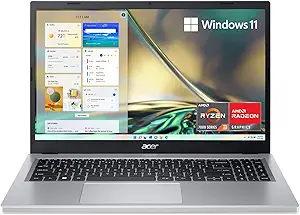
Acer Aspire Go 15 AI Ready Laptop | 15.6″ FHD IPS Display | Intel Core 3 Processor N355
This 15.6-inch model offers a larger display with full HD resolution, making it more suitable for multimedia, web browsing, and productivity tasks compared to smaller mini laptops like the Microsoft Surface Laptop Go 3. Powered by an Intel Core 3 N355 CPU with 8GB DDR5 RAM and 128GB UFS storage, it balances performance with affordability. The inclusion of Wi-Fi 6 and HDMI 2.1 enhances connectivity, and the device’s Windows 11 Home in S Mode supports a familiar interface for most users. Despite the larger screen, it remains fairly lightweight for a 15.6-inch device at around 3.8 pounds, yet its storage capacity may be limiting for heavy media users. This makes it ideal for everyday productivity, light creative work, or AI-enabled tasks, especially for those who prefer a bigger display.
Pros:- Large 15.6” FHD IPS display for comfortable viewing
- Lightweight at 3.8 pounds for a 15.6-inch device
- Supports Wi-Fi 6 and HDMI 2.1 connectivity
Cons:- Limited storage of 128GB may be restrictive
- Processor and integrated graphics are basic for intensive tasks
Best for: Students and professionals seeking a portable laptop with a larger screen for everyday tasks and AI support.
Not ideal for: Power users or gamers requiring high-end graphics and larger storage options.
- Display:15.6″ FHD IPS
- Processor:Intel Core 3 N355
- RAM:8GB DDR5
- Storage:128GB UFS
- Weight:3.8 pounds
- OS:Windows 11 Home in S Mode
- Connectivity:Wi-Fi 6, HDMI 2.1
Bottom line: A suitable everyday laptop for users who prioritize a bigger display in a portable form.
Mini Laptop, Small Laptop Win11 Pro 8 inch HD Touch Screen N150 2-in-1 Pocket PC
This 8-inch mini features a 180° rotatable HD touchscreen and the latest N150 processor, making it a strong contender for business users, students, or casual users who want both portability and functionality. Its compact CNC-machined metal body and support for stylus input make it stand out among ultra-portable devices like the KOOFORWAY 8″ Mini Laptop. The device runs Windows 11 Pro, offering a clean, customizable environment, and its 12GB RAM with 1TB SSD ensures smooth multitasking and ample storage. Its multiple connectivity options, including HDMI and Type-C, add flexibility, though the small display can limit productivity for prolonged use. At just 0.78 kg, it’s ideal for on-the-go professionals and students needing a versatile pocket-sized device.
Pros:- Sturdy metal CNC-machined body for durability
- Pre-installed Windows 11 Pro for professional use
- Supports stylus input for notes and sketches
Cons:- Limited display size may hinder extended work sessions
- Battery life of around 4-5 hours may be limiting
Best for: Business travelers, students, and casual creatives who need a tiny yet capable 2-in-1 device.
Not ideal for: Heavy multitaskers or gamers who need dedicated graphics and a larger screen.
- Display:8-inch HD touchscreen
- Processor:Intel N150 up to 3.6GHz
- RAM:12GB LPDDR5
- Storage:1TB SSD
- Weight:0.78 kg
- OS:Windows 11 Pro
- Connectivity:Wi-Fi 6, HDMI, Type-C
Bottom line: Perfect for on-the-move professionals who need a small, versatile device with professional OS and stylus support.
KOOFORWAY 8″ Mini Laptop 2-in-1 HD Touchscreen Portable, Win 11 Pro
This budget-friendly 8-inch mini laptop provides a good balance of portability and basic functionality for casual users, students, or those on a tight budget. Powered by the Intel N150 processor up to 3.6GHz, it offers sufficient performance for web browsing, light work, and entertainment, though it lags behind the GPD Pocket 4 in processing power. Its full-touch HD display and Windows 11 Pro pre-installation make it flexible for note-taking and light productivity, with a foldable design supporting tablet mode. The device’s lighter weight and low cost make it appealing, but its limited storage and modest specs mean it’s not suitable for intensive multitasking or creative work. Suitable for entry-level users or as a portable secondary device.
Pros:- Affordable price point for a mini 2-in-1 device
- Full HD touchscreen with foldable design
- Pre-installed Windows 11 Pro for flexibility
Cons:- Limited processing power and storage capacity
- Battery life is around 3-4 hours, limiting prolonged use
Best for: Budget-conscious students and casual users needing a small, versatile device.
Not ideal for: Power users or professionals requiring high processing power or large storage capacity.
- Display:8-inch HD touchscreen
- Processor:Intel N150 up to 3.6GHz
- RAM:8GB DDR5
- Storage:512GB SSD
- Weight:0.78 kg
- OS:Windows 11 Pro
- Connectivity:Wi-Fi 6, HDMI, Type-C
Bottom line: A great budget option for basic tasks and light portability, ideal for casual users or as a secondary device.
CHUWI MiniBook X 2-in-1 Laptop
The CHUWI MiniBook X stands out for its flexible 2-in-1 design, making it ideal for users who want a device that can double as a tablet. Its 10.51-inch FHD IPS touchscreen offers crisp visuals, and the 16GB LPDDR5 RAM ensures smooth multitasking compared to smaller, lower-RAM options. However, the small screen size can hinder productivity for detailed tasks, and battery life is limited for all-day use. Compared with larger models like the Acer Chromebook, it sacrifices some screen real estate but gains portability. This pick makes the most sense for frequent travelers or students needing a lightweight, convertible device without sacrificing speed or display quality.
Pros:- Versatile 2-in-1 flip design with touchscreen functionality
- High-resolution display with 100% sRGB coverage
- Lightweight and ultra-portable for travel
Cons:- Small 10.51-inch screen limits productivity for detailed work
- Limited battery life for extended use
Best for: Travelers and students who need a lightweight, convertible device for on-the-go multitasking
Not ideal for: Power users requiring large screens for intensive productivity or long battery life for extended use
- Screen Size:10.51 inches
- Resolution:1920×1200 (FHD IPS)
- RAM:16GB LPDDR5
- Storage:512GB SSD (expandable to 2TB)
- Processor:Intel N150 (up to 3.6GHz)
- Weight:1.96 lbs
Bottom line: This device is perfect for those prioritizing portability and versatility over screen size and battery longevity.
Acer CB315-4H-C8XU Chromebook Laptop | Intel Celeron N4500
The Acer Chromebook CB315 offers a larger 15.6-inch Full HD IPS display, making it a solid choice for students and casual users. Its 4GB LPDDR4X RAM and 64GB eMMC storage are sufficient for browsing, streaming, and light productivity, especially when compared to more expensive mini laptops like the HP OmniBook. The Chromebook’s lightweight and long battery life of up to 10 hours make it highly portable, but the limited storage and lower RAM may restrict multitasking or offline work. Unlike premium options, it prioritizes affordability and simplicity, suitable for users who primarily work online with cloud-based apps. It’s ideal for budget-conscious students or those who need a secondary device for light tasks.
Pros:- Large 15.6-inch Full HD IPS display for comfortable viewing
- Long battery life up to 10 hours
- Lightweight and easy to carry
Cons:- Limited 4GB RAM restricts multitasking with multiple apps
- Only 64GB storage may fill quickly with local files
Best for: Students or casual users seeking an affordable, portable device for browsing and streaming
Not ideal for: Power users or those needing offline heavy multitasking or extensive local storage
- Screen Size:15.6 inches
- Resolution:1920×1080 IPS
- RAM:4GB LPDDR4X
- Storage:64GB eMMC
- Processor:Intel Celeron N4500
- Battery Life:Up to 10 hours
Bottom line: This Chromebook is best suited for light users prioritizing portability and affordability over storage and multitasking capacity.
HP OmniBook 5 14 inch Next Gen AI PC
The HP OmniBook 5 makes a compelling choice for those wanting cutting-edge visuals and AI capabilities. Its 14-inch 2K OLED display provides vibrant colors and deep contrast, surpassing the typical LCD screens of the Microsoft Surface Laptop Go 3. Powered by Snapdragon X Plus, it offers impressive battery life up to 34 hours, far exceeding most mini laptops, and supports AI tools for enhanced productivity. However, its premium features come with a higher price and heavier weight at 2.09 kg. While the Microsoft Surface Laptop Go 3 remains more portable, the OmniBook excels for users who need a balance of advanced visuals, long battery life, and AI features for creative or professional work. It’s best for mobile professionals and creators who value display quality and AI integration over raw portability.
Pros:- Stunning 2K OLED display with rich colors
- Exceptional battery life up to 34 hours
- Built-in AI tools for productivity enhancement
- Premium build quality with recycled materials
Cons:- Heavier at over 2 kg, less portable than lighter models
- Higher price point for premium features
Best for: Creative professionals and mobile workers who desire top-tier display and AI features in a compact form
Not ideal for: Users prioritizing ultraportability or on a tight budget
- Display:14-inch OLED, 1920×1200
- Processor:Qualcomm Snapdragon X Plus
- RAM:16GB LPDDR5x
- Storage:1TB SSD
- Weight:2.09 kg
- Battery Life:Up to 34 hours
Bottom line: This laptop suits users who want a high-quality display and AI features in a portable package, even if it sacrifices some weight and cost efficiency.
Microsoft Surface Laptop Go 3 (2023)
The Microsoft Surface Laptop Go 3 strikes a balance between portability and performance, with a 12.4-inch PixelSense touchscreen that offers more vertical space than smaller mini laptops like the GPD Pocket 3. Powered by an Intel Core i5 and 8GB RAM, it handles everyday tasks smoothly, but falls short for intensive multitasking compared to the HP OmniBook 5 with 16GB RAM. Its lightweight design under 2.5 pounds makes it ideal for students and professionals who need a stylish, portable device. However, the smaller display and modest hardware may limit heavy multitasking or content creation. It’s a practical choice for users who want a reliable, stylish Windows device that’s easy to carry around daily.
Pros:- Vibrant 12.4″ touchscreen with a 3:2 aspect ratio
- Lightweight and highly portable
- Fast sign-in with fingerprint power button
- Stylish, durable metal finish
Cons:- Limited hardware for heavy multitasking
- Smaller screen may be less comfortable for prolonged use
Best for: Students and professionals seeking a stylish, portable Windows laptop for daily tasks
Not ideal for: Power users or content creators needing high-end graphics or extensive multitasking
- Display:12.4-inch PixelSense touchscreen
- Processor:Intel Core i5
- RAM:8GB
- Storage:256GB SSD
- Weight:Under 2.5 pounds
- Battery Life:Up to 15 hours
Bottom line: Best suited for users who prioritize portability and style for routine work and media consumption.
GPD Pocket 3 Mini Laptop (Amber Black)
The GPD Pocket 3 delivers impressive power in a pocketable form factor, with an 8-inch FHD touchscreen and a robust Pentium Gold 7505 processor. Its aluminum alloy body adds durability, and active cooling with copper heat pipes helps maintain performance under load, a step above many tiny laptops like the Mini Laptop 8” 2-in-1. With 16GB RAM and 512GB SSD, it offers decent multitasking capacity for a device this small, but its tiny 8-inch screen can be a challenge for prolonged or detailed work. The limited port selection constrains expandability, and demanding applications may run into performance bottlenecks. Still, for users who need a highly portable device with respectable specs, it’s a compelling choice that balances power and size.
Pros:- Ultra-portable 8-inch form factor
- Active cooling system maintains low temperatures
- Solid build with aluminum body
- Good multitasking with 16GB RAM
Cons:- Small 8-inch screen limits usability for detailed work
- Limited ports reduce expandability
- Performance may struggle with demanding apps
Best for: Tech-savvy users needing a portable Windows device for light productivity and on-the-go tasks
Not ideal for: Power users requiring extensive ports, high-performance gaming, or large screens for content creation
- Display:8-inch FHD
- Processor:Pentium Gold 7505
- RAM:16GB LPDDR4
- Storage:512GB SSD
- Battery Capacity:10000mAh
- Weight:1.5 lbs
Bottom line: Best suited for users who need a compact device capable of light multitasking and portable convenience with a durable build.
Microsoft Surface Laptop Go 12.4″ Laptop, 16GB RAM, 256GB SSD, Platinum (Renewed) | Touchscreen, Intel Core i5-1035G1
This refurbished Surface Laptop Go stands out for its combination of a crisp touchscreen, solid performance from a 10th Gen Intel Core i5, and generous 16GB RAM, making it ideal for users who want a compact device capable of handling multitasking smoothly. Compared to the ASUS Chromebook Flip, it offers a full Windows environment, which is better for productivity but comes with a higher price and slightly heavier weight. Its main tradeoff is the 12.4-inch display’s lower resolution, which may feel limiting for detailed visual work. This pick makes the most sense for professionals or students who need a portable Windows device that balances power and mobility, while those seeking a more affordable or simpler ChromeOS option can skip it.
Pros:- High 16GB RAM for smooth multitasking
- Touchscreen with responsive Windows Hello sign-in
- Lightweight design (just over 3.5 pounds)
Cons:- Lower display resolution (1536 x 1024) limits visual clarity
- Refurbished condition may affect long-term reliability
- Higher price point compared to Chromebooks
Best for: Students and professionals needing a portable Windows laptop with ample RAM for multitasking.
Not ideal for: Casual users or those on a tight budget who prefer simpler or Chromebook-based devices.
- Display Size:12.4 inches
- Resolution:1536 x 1024
- Processor:Intel Core i5-1035G1
- RAM:16GB
- Storage:256GB SSD
- Weight:3.5 pounds
- Operating System:Windows 10 Professional
- Battery Life:Approx. 13 hours
Bottom line: This model is ideal for users who prioritize performance and Windows familiarity in a portable form, despite a higher cost and lower screen resolution.
Acer Aspire 3 A315-24P-R7VH Slim Laptop | 15.6″ Full HD | AMD Ryzen 3 7320U Quad-Core | AMD Radeon Graphics | 8GB LPDDR5 | 128GB NVMe SSD | Wi-Fi 6 | Windows 11 Home
This Acer Aspire 3 offers a well-rounded package with a larger 15.6-inch Full HD display, a capable AMD Ryzen 3 processor, and 8GB of fast LPDDR5 memory, making it an excellent choice for budget-conscious users who need a reliable daily driver. Compared to the Microsoft Surface Laptop Go, it sacrifices some portability for a bigger screen and better value, but the tradeoff is noticeable in weight (around 3.9 pounds) and bulk. Its main drawback is the limited 128GB SSD storage, which may require external drives for media-heavy users. This pick makes sense for students or families seeking a dependable, affordable device that handles browsing, streaming, and light productivity, but power users with storage needs should look elsewhere.
Pros:- Large 15.6″ Full HD IPS display
- Fast AMD Ryzen 3 quad-core processor
- Wi-Fi 6 support for reliable connectivity
Cons:- Limited 128GB SSD storage capacity
- Relatively heavier at nearly 4 pounds
- Basic integrated graphics not suited for gaming or heavy graphics work
Best for: Families and students who need a large-screen, budget-friendly laptop for everyday tasks.
Not ideal for: Travelers or mobile professionals requiring ultra-lightweight or high-storage options.
- Display Size:15.6 inches
- Resolution:1920 x 1080
- Processor:AMD Ryzen 3 7320U
- RAM:8GB LPDDR5
- Storage:128GB NVMe SSD
- Weight:3.9 pounds
- Operating System:Windows 11 Home
- Battery Life:Up to 11 hours
Bottom line: This model delivers solid everyday performance at a compelling price, ideal for home and school use despite its storage and weight limitations.
ASUS Chromebook Flip CX1 Convertible Laptop, 14″ FHD NanoEdge 360-degree Touchscreen, Intel Celeron N4500 Processor, 128GB eMMC Storage, 8GB RAM, ChromeOS, Transparent Silver, CX1400FKA-AS88FT
The ASUS Chromebook Flip CX1 excels as a 2-in-1 device, with a 14-inch FHD touchscreen that flips 360 degrees for multiple usage modes—from tablet to tent to traditional laptop—making it ideal for students and on-the-go users. Its Intel Celeron N4500 provides enough power for web browsing, media streaming, and light multitasking, while the 8GB RAM ensures smooth operation of ChromeOS apps. Compared with the Microsoft Surface Laptop Go, it offers greater versatility in form factor and longer battery life, but the tradeoff is a less powerful processor and limited storage capacity of 128GB eMMC. This device is best suited for casual users, students, or anyone needing a flexible, lightweight device for basic tasks and entertainment, but it’s not for power users or heavy multitaskers.
Pros:- Convertible 360-degree touchscreen design
- Lightweight at just over 3.5 pounds
- Long battery life—up to 11 hours
Cons:- Limited processing power for intensive tasks
- Small 128GB storage may require cloud or external storage
- ChromeOS limitations for Windows-specific software
Best for: Students and casual users who want a versatile, lightweight device with long battery life and multiple modes.
Not ideal for: Power users or those needing robust performance for demanding applications or extensive storage.
- Display Size:14 inches
- Resolution:1920 x 1080
- Processor:Intel Celeron N4500
- RAM:8GB
- Storage:128GB eMMC
- Weight:3.59 pounds
- Battery Life:Up to 11 hours
- Operating System:ChromeOS
Bottom line: This Chromebook offers excellent flexibility and portability for light daily tasks, perfect for students and casual users, though it lacks the power for demanding workloads.
2026 Laptop Computer,15.6 Inch Windows 11 Pro Laptops with Microsoft Office,8GB RAM 256GB SSD,Intel Pentium Process,6H Battery,Mini HDMI,cam|Mic,Portable Thin for College Student Kids Business Work
This Windows 11 Pro laptop combines a 15.6-inch display with a portable, slim design, making it suitable for students and professionals who need a full Windows environment with pre-installed Office 365. Its Intel Pentium processor paired with 8GB RAM ensures decent performance for daily tasks, document editing, and light multitasking. Compared to the Acer Aspire 3, it offers slightly more portability and a more business-oriented feature set, such as the Pro OS and included Office suite. Its main tradeoffs are a modest 256GB SSD, which might fill quickly with large files, and a battery life of around 6 hours, which is less than some competitors. It’s best for users who prioritize a familiar Windows experience in a compact form, but less suitable for power users or those with heavy storage needs.
Pros:- Pre-installed Windows 11 Pro and Office 365
- Lightweight and slim (just over 3.5 pounds)
- Full HD 15.6-inch display with IPS panels
Cons:- Limited 256GB SSD storage
- Battery life around 6 hours, shorter than some rivals
- Basic Pentium processor may struggle with demanding apps
Best for: Students and small-business users needing a portable, Windows-based device with Office pre-installed.
Not ideal for: Heavy multitaskers or users requiring extensive storage or all-day battery life.
- Display Size:15.6 inches
- Resolution:1920 x 1080
- Processor:Intel Pentium
- RAM:8GB
- Storage:256GB SSD
- Weight:3.53 pounds
- Battery Life:Approx. 6 hours
- Operating System:Windows 11 Pro
Bottom line: This device suits users seeking a familiar Windows experience in a portable, business-ready package, but it’s less ideal for intensive tasks or long workdays.
How We Picked
The selection process for these mini laptops focused on a combination of performance, portability, build quality, and value. Devices were evaluated based on processor strength, RAM capacity, storage options, and display quality, ensuring they can handle daily productivity tasks without lag. Portability was assessed through size, weight, and battery life, while user experience factors like keyboard comfort and connectivity options were also considered. The ranking reflects a balance between affordability and features, with higher-tier options placed for those who prioritize premium build and performance, and budget models for basic needs.Factors to Consider When Choosing Best Mini Laptops
Choosing the best mini laptop involves weighing several factors that influence usability and longevity. It’s essential to consider what tasks you’ll perform most often, as performance requirements vary widely. Portability features like size and weight are critical for frequent travelers or students. Battery life can make or break your experience, especially if you need extended unplugged use. Finally, build quality and input comfort influence how enjoyable and durable your device will be over time. Being aware of these broader considerations helps avoid common pitfalls like overspending on features you don’t need or buying a device that’s too underpowered for your tasks.Performance and Power
Opting for a mini laptop with a capable processor and sufficient RAM ensures smooth multitasking and responsiveness. While many compact options come with lower-end chips, investing in a device with a recent Intel Core i5 or AMD Ryzen 5 can provide a noticeable boost in speed and efficiency. Consider what you’ll do most—light browsing and document editing require less power, but creative work or multitasking demands more robust specs. Remember, a smaller device with underpowered hardware might save money initially but could lead to frustration over time.
Display and Size
Display quality varies across mini laptops, from basic HD screens to high-resolution IPS panels. A crisp, bright display enhances productivity and reduces eye strain, especially if you work in different lighting conditions. Screen size is equally important; while 8-inch models excel in portability, they may feel cramped for extended work sessions. Conversely, larger screens around 13-14 inches strike a better balance for usability without sacrificing too much portability. Choosing the right size depends on your primary use—compact for travel, larger for office tasks.
Battery Life
Extended battery life is vital if you plan to use your mini laptop away from power sources regularly. Devices with efficient processors, larger batteries, or optimized operating systems tend to last longer. However, compact batteries often mean compromises in usage time, especially with high-performance chips or bright displays. Reading reviews about real-world battery performance can prevent surprises, and considering models with fast charging capabilities adds convenience for quick top-ups during busy days.
Build Quality and Keyboard
Despite their size, mini laptops should feel sturdy and well-made. Cheaper models often use plastic components that feel flimsy, impacting durability and user experience. Keyboard comfort is also crucial; smaller keyboards can be less comfortable, especially for prolonged typing. Look for models with thoughtfully designed keyboards and quality hinges. A good build quality extends the device’s lifespan and makes daily use more pleasant, even if it costs a bit more upfront.
Connectivity and Ports
Mini laptops often have limited ports, so consider what peripherals you need—USB-C, HDMI, SD card slots, or headphone jacks. Wireless connectivity, like Wi-Fi 6 and Bluetooth 5.2, ensures fast, reliable connections with modern devices. Avoid models with outdated ports or poor wireless standards if you rely heavily on external devices or fast internet. Sometimes, sacrificing a few ports for a slimmer profile is worth it, but for heavier users, a balance of connectivity options should guide your choice.
Frequently Asked Questions
Can I use a mini laptop for serious work or creative tasks?
While some mini laptops are surprisingly powerful, they generally excel at light productivity, browsing, and media consumption. Devices with high-end processors like AMD Ryzen 7 or Core i5/i7 are better suited for more demanding tasks, but still may face thermal or space constraints affecting sustained performance. For creative work involving video editing, 3D modeling, or heavy multitasking, a larger, more capable laptop is typically recommended. Mini laptops are best for portability and basic tasks, not intensive workloads.
How long can I expect the battery to last on a mini laptop?
Battery life varies widely based on the hardware and usage patterns. Many mini laptops with energy-efficient processors and smaller screens can last between 8 to 12 hours, making them suitable for a full workday. Devices with high-performance chips or larger displays may fall short of that, often lasting around 4 to 6 hours under heavy use. Reading detailed battery reviews and considering models with fast-charging features helps set realistic expectations for your daily routines.
Are mini laptops durable enough for travel and daily use?
Durability depends largely on build quality. Well-constructed models with sturdy chassis and quality hinges can withstand daily commutes and travel. Cheaper options often use plastic parts that may crack or wear over time. It’s advisable to look for reviews that mention durability or check for features like reinforced corners. Investing in a protective case or sleeve can also extend the lifespan of your mini laptop, ensuring it remains a reliable companion on the go.
Is it worth paying extra for a touchscreen on a mini laptop?
Touchscreens add a layer of versatility, especially for 2-in-1 convertible models, making navigation more intuitive and enabling quick annotations or sketching. However, they often increase the device’s cost and can drain battery faster. If you frequently switch between work and entertainment or prefer a tablet-like experience, paying extra for a touchscreen makes sense. For purely productivity-focused tasks, a non-touch mini laptop may offer better battery life and potentially lower cost.
What should I prioritize: performance, portability, or price?
Your choice depends on your main use case. If portability is your top priority, opt for lighter models with smaller screens and longer battery life, even if they have slightly lower specs. For more demanding work, performance should take precedence, which might mean accepting a slightly larger device or paying more for higher-end components. If budget is a concern, look for models that strike a balance—many affordable mini laptops can handle everyday tasks well. Clarifying your primary needs helps avoid overspending or ending up with a device that doesn’t meet your expectations.
Conclusion
For those seeking the best overall mini laptop, the Microsoft Surface Laptop Go 3 offers a sleek design combined with solid performance and a touchscreen experience. Budget-conscious buyers should consider the ASUS Chromebook Flip CX1, which provides versatility at a lower price point. Power users or creative professionals who need more punch may prefer the GPD Pocket 4 with its AMD Ryzen 7 chip, despite its higher cost. Beginners or students will find the Acer Aspire Go 15 a good starting point with a balance of features and affordability. Ultimately, your ideal mini laptop hinges on your specific needs: portability, power, or budget. As an affiliate, we earn on qualifying purchases.Halloween Picks
halloween