
The best iPhones and MacBooks roundup here focuses on MacBooks, since all 13 listed products are Apple laptops and no iPhones are included. My best overall pick is the MacBook Air 15-inch (2025) with M4: its larger display and 24GB of memory make it a balanced choice for everyday work. For demanding creative projects, the 16-inch MacBook Pro with M5 Max offers the most headroom, while the 13-inch MacBook Air with M5 favors portability. The main tradeoffs are screen size, sustained performance, memory and storage, and whether a renewed model’s lower-spec configuration fits your needs. Read on for the full breakdown and advice on choosing among these 13 MacBooks.

Get the latest gadgets delivered free with Prime
- Fast, free delivery on millions of items
- Prime Video, Amazon Music and more included
- Member-only deals all year
Complete the kit



Key Takeaways
The 15-inch MacBook Air with M4 and 24GB memory is the roundup’s strongest all-around balance of screen space and working memory without moving to a Pro.
The 16-inch M5 Max MacBook Pro is the most capable configuration listed, but its extensive CPU, GPU, memory, and storage are best matched to demanding professional workloads.
The 13-inch MacBook Air with M5 is the clearest portability pick; choosing it over a 15-inch Air means accepting a smaller workspace.
Several renewed options have appealing specifications, including older M2 Max and M1 Max Pros, but their age and renewed condition make seller, battery, and return-policy checks part of the decision.
Storage varies sharply across the Air lineup, from 256GB to 1TB; buyers with large photo, video, or project libraries should account for that before favoring a thin-and-light model.
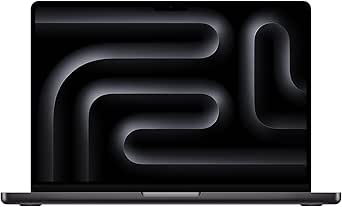
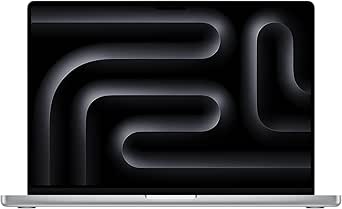


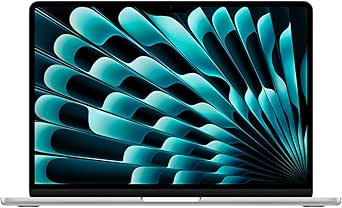


| iPhones and MacBook | Display | Memory | Storage | Weight |
|---|---|---|---|---|
| MacBook Pro 14" | 14-inch Liquid Retina XDR, up to 1600 nits peak brightness | 24GB unified memory | 512GB SSD | 3.52 pounds |
| MacBook Pro | 16.2-inch Liquid Retina XDR, up to 1600 nits peak brightness | 24GB unified memory | 1TB SSD | 4.71 pounds |
| Apple MacBook Air 15-inch | 15.3-inch Liquid Retina, 2880 × 1864 | 16GB unified memory | 1TB SSD | — |
| Apple 14.2-inch MacBook Pro wi | 14.2-inch Liquid Retina XDR, up to 1600 nits peak brightness | 16GB unified memory | 1TB SSD | 3.41 pounds |
| MacBook Air 15-inch | 15.3-inch Liquid Retina, 2880 × 1864, 224 ppi | 24GB unified memory | 512GB SSD | 1.51 kg |
| Apple 2023 MacBook Pro 14-inch | 14-inch LED, 3024 × 1964 pixels | 32GB | 1TB SSD | 4 pounds |
| Apple MacBook Air 15.3-inch La | 15.3-inch Liquid Retina, 2880 × 1864 at 224 ppi | 16GB unified memory | 256GB SSD | 1.51 kg |
| Apple 16.2-inch MacBook Pro wi | 16.2-inch Liquid Retina XDR | 48GB unified memory | 2TB SSD | 4.73 pounds |
| Apple MacBook Air 15-inch Lapt | 15.3-inch Liquid Retina | 16GB unified memory | 512GB SSD | 3.32 pounds |
| MacBook Pro | 14.2-inch ProLED XDR, as described | — | — | 3.04 pounds |
| Apple MacBook Air 13-inch Lapt | 13.6-inch Liquid Retina | 16GB unified memory | 512GB SSD | 2.71 lbs |
| Apple MacBook Pro 14-inch | 14-inch Retina LED, 2560 × 1600 pixels | 64GB | 2TB SSD | — |
| Apple MacBook Pro 2023 16.2" M | 16.2-inch, 3456 × 2234 pixels | 32GB unified memory | 1TB SSD | 2.16 kg |
More Details on Our Top Picks
MacBook Pro 14″ (2024) with M4 Pro, 12-core CPU, 16-core GPU, 24 GB Unified Memory, 512 GB SSD, Space Black
The 14-inch MacBook Pro with M4 Pro suits buyers who need substantial processing and graphics power without carrying a 16-inch workstation. Its 12-core CPU, 16-core GPU, and 24GB of unified memory are a stronger fit for code builds, creative apps, and heavier multitasking than the MacBook Air 15-inch with M4, whose fanless design and integrated graphics better suit everyday work. The XDR display adds a bright, high-contrast workspace, while the smaller chassis is easier to carry than the 16.2-inch M5 Pro model.
The tradeoff is a 512GB SSD, which may fill quickly with large media projects, and neither memory nor storage can be upgraded later. Choose it for demanding work on the move; skip it if your workload is mostly browsing and documents, or if you need more built-in storage.
Pros:- M4 Pro chip and 24GB unified memory suit demanding creative and development workloads.
- 14-inch Liquid Retina XDR display offers high brightness in a portable format.
- All-day battery life supports work away from an outlet.
- More compact and lighter than the 16.2-inch M5 Pro MacBook Pro.
Cons:- 512GB SSD may be limiting for large project files and media libraries.
- Memory and storage are fixed at purchase.
- Built-in lithium-ion battery is not user-removable.
Best for: Developers and creative professionals who need a portable MacBook Pro for demanding applications and value more memory over a larger screen.
Not ideal for: People with large local video or design libraries who need more than 512GB of storage, or casual users who will not benefit from M4 Pro performance.
- Processor:Apple M4 Pro, 12-core CPU
- Graphics:16-core GPU
- Memory:24GB unified memory
- Storage:512GB SSD
- Display:14-inch Liquid Retina XDR, up to 1600 nits peak brightness
- Dimensions:12.31 x 8.71 x 0.61 inches
- Weight:3.52 pounds
- Release date:October 30, 2024
Our verdict“Choose this 14-inch M4 Pro MacBook Pro if you need serious processing power in a more portable package than the 16-inch model.”
MacBook Pro (16.2-inch, 2026) with M5 Pro chip, 24GB Unified Memory, 1TB SSD, Silver
This 16.2-inch MacBook Pro with M5 Pro is the clearest choice here for professionals who want a large built-in screen alongside strong CPU and GPU capability. Its 18-core CPU, 20-core GPU, and 24GB unified memory make demanding creative work a better fit than on the MacBook Air 15-inch with M4; the Air is more portable, but it is not positioned for the same sustained workloads. The XDR panel, SDXC slot, HDMI, three Thunderbolt 5 ports, and Wi-Fi 7 give this model a well-equipped desk setup with fewer adapter needs.
That capability comes with a 4.71-pound chassis, making it the least convenient choice for frequent commuters among these picks. Its 24GB of memory may also be restrictive for some unusually heavy professional workflows. Pick it for screen space and connectivity, not for light travel.
Pros:- 18-core CPU and 20-core GPU target demanding professional workloads.
- Large 16.2-inch Liquid Retina XDR display provides ample working space.
- Thunderbolt 5, HDMI, and SDXC reduce reliance on adapters.
- 1TB SSD offers more project storage than the 512GB M4 Pro 14-inch model.
Cons:- At 4.71 pounds, it is heavier to carry than either MacBook Air in this group.
- No USB-A port for older peripherals.
- 24GB unified memory may constrain some especially memory-intensive workflows.
Best for: Video editors, photographers, and other professionals who want a large XDR screen, broad connectivity, and strong performance in one laptop.
Not ideal for: Frequent commuters and travelers who prioritize a light bag, or specialists whose work needs more than 24GB of unified memory.
- Processor:Apple M5 Pro, 18-core CPU
- Graphics:20-core GPU with Neural Accelerator
- Memory:24GB unified memory
- Storage:1TB SSD
- Display:16.2-inch Liquid Retina XDR, up to 1600 nits peak brightness
- Wireless:Wi-Fi 7
- Ports:Three Thunderbolt 5, MagSafe 3, SDXC, HDMI, and headphone jack
- Weight:4.71 pounds
Our verdict“Choose this model if a large display and high-end connectivity matter more to your work than a lighter travel laptop.”
Apple MacBook Air 15-inch (2023) with M2 Chip, 16GB RAM, 1TB SSD, Midnight (Renewed)
This renewed 15-inch MacBook Air makes sense for buyers who want a spacious display and 1TB of storage without moving up to a MacBook Pro. Its M2 chip and 16GB of unified memory suit everyday productivity, study, and moderate creative work, while the 15.3-inch Liquid Retina display gives documents and split-screen apps room to breathe. Compared with the newer MacBook Air 15-inch with M4, this model has an older processor but doubles the listed storage of that configuration; it also offers more storage than the 512GB M4 Air in this group.
The key compromise is its renewed condition and 90-day warranty, which offer less reassurance than buying a new model. Two Thunderbolt ports also leave limited room for accessories without a hub. It is a sensible fit for buyers who value screen size and capacity over the latest chip.
Pros:- 15.3-inch Liquid Retina display gives more workspace than the 13-inch Air models.
- 1TB SSD provides generous local storage for files and media.
- 16GB unified memory supports everyday multitasking.
- Touch ID and a backlit Magic Keyboard add practical convenience.
Cons:- Renewed condition and a 90-day warranty may not suit buyers seeking a new device.
- M2 is an older chip than the M4 in the 2025 MacBook Air options.
- Only two Thunderbolt ports are listed.
Best for: Students and home-office users seeking a large-screen MacBook Air with 1TB of storage who are comfortable buying a renewed device.
Not ideal for: Buyers who want a new laptop, a longer listed warranty, more ports, or the newer M4 performance of the 2025 MacBook Air.
- Model year:2023
- Processor:Apple M2, 8-core CPU
- Graphics:10-core GPU
- Memory:16GB unified memory
- Storage:1TB SSD
- Display:15.3-inch Liquid Retina, 2880 × 1864
- Wireless:Wi-Fi 6 and Bluetooth 5.3
- Condition and warranty:Renewed; 90-day warranty
Our verdict“Pick this renewed Air if you want a large screen and 1TB of storage at the expense of newer hardware and a new-device warranty.”
Apple 14.2-inch MacBook Pro with M5 Chip, 10-Core CPU and GPU, 16GB Memory, 1TB SSD, Space Black
The 14.2-inch MacBook Pro with M5 is a useful middle ground for buyers who want Pro-class display quality and ports without stepping up to the M5 Pro chip. Its 10-core CPU and GPU, 16GB of unified memory, and 1TB SSD make it better equipped for creative work than the MacBook Air 15-inch with M4, especially when an XDR display, HDMI, and SDXC slot matter. It also supports up to two external displays, making it easier to build a compact workstation.
Compared with the M4 Pro 14-inch MacBook Pro, this configuration has less memory and a less powerful chip, so heavy rendering or large code builds may favor the Pro-tier model. In return, it supplies 1TB of storage and a broad port selection. Its 3.41-pound weight is still more than an Air, and its fixed 16GB memory could limit future workloads.
Pros:- M5 chip and 16GB unified memory handle a broad range of productivity and creative tasks.
- 1TB SSD offers twice the storage of the 512GB M4 Pro configuration.
- XDR display, HDMI, and SDXC slot support a capable desk and media workflow.
- Supports up to two external displays and includes a 12MP Center Stage camera.
Cons:- Less processing and memory headroom than the M4 Pro 14-inch MacBook Pro.
- At 3.41 pounds, it is heavier than the 15-inch M4 MacBook Air.
- Memory is fixed at 16GB.
Best for: Creative professionals and advanced students who want an XDR screen, useful built-in ports, and 1TB of storage without M5 Pro-level performance.
Not ideal for: Users running sustained GPU-heavy work or large memory-hungry projects who would benefit from the M4 Pro’s 24GB memory and stronger chip.
- Processor:Apple M5, 10-core CPU
- Graphics:10-core GPU
- Memory:16GB unified memory
- Storage:1TB SSD
- Display:14.2-inch Liquid Retina XDR, up to 1600 nits peak brightness
- Ports:Three Thunderbolt 4, MagSafe 3, SDXC, HDMI, and headphone jack
- External displays:Supports up to two
- Weight:3.41 pounds
Our verdict“Choose this M5 MacBook Pro if you want a versatile Pro display and connections but do not need the M4 Pro model’s extra performance and memory.”
MacBook Air 15-inch (2025) with M4 chip, 24GB RAM, 512GB SSD, Midnight
The 15-inch MacBook Air with M4 is the strongest fit for buyers who want a roomy screen and substantial memory in a lighter, simpler laptop than a MacBook Pro. Its 24GB of unified memory gives multitasking more headroom than the 16GB in the 14.2-inch M5 MacBook Pro, while the M4 chip and reported battery life of up to 18 hours suit mobile work across a full day. The 15.3-inch display is also larger than the Pro models’ 14-inch screens, though it lacks their XDR display and broad built-in ports.
Its integrated graphics are the main limit: intensive 3D work or sustained GPU-heavy editing is better matched to the M4 Pro or M5 Pro MacBook Pro. Storage is fixed at 512GB, so large media collections may require external or cloud storage. This is an Air for people who prize screen space and memory over Pro-level graphics and connections.
Pros:- 24GB unified memory provides headroom for keeping many apps open.
- 15.3-inch Liquid Retina display offers a generous workspace.
- M4 chip and up to 18 hours of stated battery life suit mobile work.
- Lighter than the 16.2-inch M5 Pro MacBook Pro.
Cons:- Integrated graphics are less suited to demanding GPU-heavy work than MacBook Pro configurations.
- 512GB SSD may be restrictive for large creative projects.
- Memory and storage cannot be upgraded after purchase.
Best for: Mobile multitaskers, students, and office users who want a large display and 24GB of memory without the weight and ports of a MacBook Pro.
Not ideal for: 3D artists and other GPU-intensive users, or anyone who needs more than 512GB of internal storage and cannot rely on external storage.
- Processor:Apple M4
- Memory:24GB unified memory
- Storage:512GB SSD
- Display:15.3-inch Liquid Retina, 2880 × 1864, 224 ppi
- Camera:12MP Center Stage
- Battery life:Up to 18 hours
- Weight:1.51 kg
- Dimensions:9.35 x 13.4 x 0.45 inches
Our verdict“Choose this Air if a large display and 24GB of memory matter more than XDR visuals, Pro ports, or dedicated-class graphics performance.”
Apple 2023 MacBook Pro 14-inch with M2 Max, 32GB RAM, 1TB SSD, Space Gray (Renewed)
The 14-inch MacBook Pro with M2 Max packs workstation-class graphics into a smaller body than the 16-inch MacBook Pro with M5 Max. Its 30-core GPU, 32GB of memory, and 1TB SSD suit demanding creative projects without the larger model’s 4.73-pound carry weight. The 3024 × 1964 display also gives detail-heavy editing work a sharp, compact canvas. The tradeoff is age and condition: this is a renewed 2023 model, with a listed 90-day warranty, so buyers accept more uncertainty than with a new MacBook Air 15-inch with M5. The product data also contains conflicting memory and storage details, which makes verifying the exact configuration before purchase especially important. I’d choose it for GPU-heavy work only if the renewed condition and configuration check out.
Pros:- 30-core GPU is suited to graphics-intensive creative workloads.
- 32GB memory and a listed 1TB SSD provide room for multitasking and local projects.
- High-resolution 14-inch display fits detailed work into a smaller laptop.
- HDMI, SDXC, and Thunderbolt ports support a range of peripherals.
Cons:- Renewed condition and a 90-day warranty offer less assurance than a new model.
- Listing data conflicts on memory and storage, so the configuration needs confirmation.
- M2 Max is an older generation than the M5-series MacBook Pro options.
Best for: Creative professionals who want a compact MacBook Pro with substantial graphics capability and are comfortable buying renewed hardware.
Not ideal for: Buyers who need a new machine, a longer warranty, or an unambiguous configuration; the listing notes conflicting memory and storage details.
- Chip:Apple M2 Max
- CPU:12-core
- GPU:30-core
- Memory:32GB
- Storage:1TB SSD
- Display:14-inch LED, 3024 × 1964 pixels
- Weight:4 pounds
- Ports:HDMI, SDXC, Thunderbolt
- Condition and warranty:Renewed; 90-day Amazon Renewed warranty
Our verdict“Choose this renewed 14-inch Pro for compact, GPU-heavy work if you can confirm its configuration and accept the shorter warranty.”
Apple MacBook Air 15.3-inch Laptop with M4 Chip, 16GB Unified Memory, 256GB SSD, Touch ID – Starlight (Renewed)
This 15.3-inch MacBook Air with M4 offers a roomy screen and current-generation everyday performance without the extra ports and graphics hardware of a MacBook Pro. Its 16GB of unified memory supports ordinary multitasking, while the 2880 × 1864 Liquid Retina display gives documents and video more space than a 13-inch Air. Compared with the newer MacBook Air 15-inch with M5, this renewed M4 configuration has less storage at 256GB and an older chip, so it makes more sense for lighter workloads and cloud-based files than growing local libraries. The listed battery life reaches 18 hours, and Touch ID makes sign-in convenient. Its main compromises are the limited SSD capacity and renewed condition, backed by only a listed 90-day warranty.
Pros:- Large 15.3-inch display provides space for split-screen work and media.
- M4 chip and 16GB unified memory suit everyday multitasking.
- Listed battery life of up to 18 hours supports long days away from an outlet.
- Touch ID and a backlit keyboard add useful everyday conveniences.
Cons:- 256GB SSD leaves limited room for large media libraries and project files.
- Renewed condition comes with a listed 90-day warranty.
- Integrated graphics are less suited to demanding rendering and high-end gaming than MacBook Pro options.
Best for: Students and mobile office users who want a large-screen MacBook Air, use cloud storage, and are comfortable buying a renewed model.
Not ideal for: Video editors, gamers, or buyers who keep large projects locally; the 256GB SSD and integrated graphics are limiting.
- Processor:Apple M4
- Memory:16GB unified memory
- Storage:256GB SSD
- Display:15.3-inch Liquid Retina, 2880 × 1864 at 224 ppi
- Weight:1.51 kg
- Camera:12MP Center Stage
- Battery capacity:66.5 watt-hours
- Security:Touch ID
- Condition and warranty:Renewed; listed 90-day warranty
Our verdict“Pick this renewed M4 Air if a large display matters more than storage capacity or the stronger graphics of a Pro.”
Apple 16.2-inch MacBook Pro with M5 Max, 18-core CPU, 40-core GPU, 48GB Memory, and 2TB SSD – Silver
For demanding production work, the 16.2-inch MacBook Pro with M5 Max is the most capable choice in this batch. Its 18-core CPU, 40-core GPU, and 48GB of unified memory target heavy creative and AI workloads, while the 2TB SSD gives large projects more room than the 1TB renewed M2 Max 14-inch. The Liquid Retina XDR display pairs high peak brightness with a 1,000,000:1 contrast ratio, helping detailed visual work stand out. Its port selection—including Thunderbolt 5, HDMI, and SDXC—also reduces the need for adapters. This power and screen size come with a clear portability cost: at 4.73 pounds, it is less appealing for frequent commuting than either MacBook Air. Buyers who don’t need its graphics headroom may be carrying more laptop than their work requires.
Pros:- 18-core CPU and 40-core GPU are built for demanding compute and graphics work.
- 48GB unified memory and 2TB SSD support large projects and multitasking.
- 16.2-inch XDR display combines high brightness with a 1,000,000:1 contrast ratio.
- Thunderbolt 5, HDMI, and SDXC provide flexible connections, with support for up to four external displays.
Cons:- At 4.73 pounds, it is heavy for regular travel.
- The large chassis is less convenient in tight workspaces and bags.
- Its advanced graphics and display may be unnecessary for routine office and web tasks.
Best for: Video editors, 3D artists, and AI-focused professionals who need high graphics performance, generous memory, and a large XDR display.
Not ideal for: Frequent commuters and everyday users who value a lighter laptop over advanced graphics, extensive ports, or a large screen.
- Processor:Apple M5 Max, 18-core CPU
- Graphics:40-core GPU
- Memory:48GB unified memory
- Storage:2TB SSD
- Display:16.2-inch Liquid Retina XDR
- Brightness:Up to 1600 nits peak; 1000 nits sustained
- Ports:Three Thunderbolt 5, MagSafe 3, SDXC, HDMI, headphone jack
- External displays:Up to four
- Weight:4.73 pounds
Our verdict“Choose this 16-inch M5 Max Pro when demanding creative workloads justify its weight and larger footprint.”
Apple MacBook Air 15-inch Laptop with M5 Chip, 16GB Memory, 512GB SSD, 12MP Center Stage Camera, Touch ID, Wi-Fi 7, Silver
The 15-inch MacBook Air with M5 is the balanced pick for buyers who want a large screen, current chip, and useful storage without stepping up to a Pro. Its 512GB SSD doubles the capacity of the renewed M4 Air in this batch, giving local files and apps more breathing room, while 16GB of memory suits common work and multitasking. The 15.3-inch Liquid Retina display, 12MP Center Stage camera, and six-speaker system make it a strong fit for video calls and media as well as office tasks. Compared with the 16-inch M5 Max MacBook Pro, it is lighter at 3.32 pounds but gives up the Pro’s XDR screen, higher-end graphics, and broader built-in port selection. It supports up to two external displays, which may be enough for a home setup but not a multi-monitor workstation.
Pros:- M5 chip and 16GB unified memory suit everyday productivity and multitasking.
- 512GB SSD offers more local storage than the renewed M4 Air’s 256GB.
- 15.3-inch display, Center Stage camera, and six-speaker system support calls and entertainment.
- Up to 18 hours of listed battery life and a 3.32-pound weight favor mobile use.
Cons:- Two Thunderbolt 4 ports limit built-in peripheral connections.
- External display support tops out at two.
- It lacks the XDR display and high-end graphics hardware of the MacBook Pro models.
Best for: Remote workers, students, and general users who want a portable large-screen laptop for calls, everyday tasks, and media.
Not ideal for: Creative professionals who need high-end GPU performance, an XDR display, or more than two external monitors.
- Chip:Apple M5
- Memory:16GB unified memory
- Storage:512GB SSD
- Display:15.3-inch Liquid Retina
- Camera:12MP Center Stage
- Battery life:Up to 18 hours
- Ports:Two Thunderbolt 4, MagSafe charging port, headphone jack
- External displays:Up to two
- Weight:3.32 pounds
Our verdict“Choose this M5 Air for everyday work on a large screen, and step up to a Pro only if your tasks need its graphics or display advantages.”
MacBook Pro (2026) 14.2-inch ProLED XDR Display – Space Black
The 14.2-inch MacBook Pro (2026) appears to target buyers who want a compact professional display and the M5 Pro or M5 Max platform, without the bulk of the 16.2-inch M5 Max model. The listing cites a ProLED XDR display with up to 2000 nits brightness, up to 22 hours of battery life, and Thunderbolt 5 alongside HDMI, SDXC, and MagSafe 3. Those details suggest a portable workstation with more connectivity than the MacBook Air 15-inch with M5. However, the product data does not specify which processor configuration is included, how much memory or storage it has, or the exact display and port counts beyond broad claims. That uncertainty makes it hard to compare directly with the fully specified M5 Max Pro. I’d shortlist it only after confirming the exact configuration.
Pros:- 14.2-inch format is more compact than the 16.2-inch M5 Max MacBook Pro.
- Listed ProLED XDR display claims up to 2000 nits brightness and a 10 million:1 contrast ratio.
- Description cites up to 22 hours of battery life.
- Listed connectivity includes Thunderbolt 5, HDMI, SDXC, and MagSafe 3.
Cons:- The listing does not identify whether the included chip is M5 Pro or M5 Max.
- Memory and storage capacities are not provided, limiting direct comparison with other models.
- Display and external-display details are not fully specified in the product data.
Best for: Creative professionals who want a smaller MacBook Pro and can verify the processor, memory, storage, and display configuration before buying.
Not ideal for: Buyers who need clear, confirmed specifications to choose a workstation; the listing leaves major configuration details unspecified.
- Model number:MJ2K4LL/A
- Display:14.2-inch ProLED XDR, as described
- Display brightness:Up to 2000 nits, as described
- Processor:M5 Pro or M5 Max; exact configuration unspecified
- Battery life:Up to 22 hours, as described
- Weight:3.04 pounds
- Dimensions:12.24 × 0.59 × 8.52 inches
- Connectivity:Thunderbolt 5, HDMI, SDXC, MagSafe 3, as described
- Release date:October 28, 2026
Our verdict“Consider this compact Pro only after confirming its exact chip, memory, storage, and display configuration.”
Apple MacBook Air 13-inch Laptop with M5 Chip, 16GB Memory, 512GB SSD, Liquid Retina Display, 12MP Camera, Touch ID, Wi-Fi 7, Silver
The 13.6-inch MacBook Air with M5 is the portable pick for students, commuters, and home-office users who want a capable Mac without the bulk of a Pro. Its 2.71-pound build and up to 18 hours of stated battery life suit days spent away from an outlet, while 16GB of unified memory and the M5 chip provide a stronger foundation for multitasking than a basic browsing-and-email laptop. Compared with the 16.2-inch MacBook Pro with M2 Max, this Air is far easier to carry, but it gives up the larger display and Pro-oriented workload headroom. The 12MP Center Stage camera is useful for video calls, and support for two external displays adds desk flexibility. The tradeoffs are a 512GB SSD that may fill quickly with large media libraries and just two Thunderbolt 4 ports.
Pros:- Light 2.71-pound design is convenient for commuting and travel.
- Up to 18 hours of stated battery life supports long workdays away from a charger.
- M5 chip and 16GB unified memory suit multitasking and common creative work.
- 12MP Center Stage camera and support for up to two external displays add flexibility.
Cons:- 512GB SSD may be restrictive for large photo, video, or application libraries.
- Two Thunderbolt 4 ports can mean using a hub when several accessories are connected.
Best for: Students, mobile professionals, and everyday Mac users who prioritize a light laptop, long stated battery life, and video-call features over a large screen or workstation-level power.
Not ideal for: Video editors and other users who routinely store large project files locally or need a wide range of built-in ports without adapters.
- Chip:Apple M5
- Display:13.6-inch Liquid Retina
- Memory:16GB unified memory
- Storage:512GB SSD
- Camera:12MP Center Stage
- Battery life:Up to 18 hours
- Ports:Two Thunderbolt 4, MagSafe charging, headphone jack
- Weight:2.71 lbs
Our verdict“Choose this MacBook Air if portability and everyday capability matter more than the larger display and heavier-duty focus of the MacBook Pro models.”
Apple MacBook Pro 14-inch (2021) with M1 Max, 64GB RAM, 2TB SSD, Silver (Renewed)
This renewed 14-inch MacBook Pro pairs an M1 Max with 64GB of memory and a 2TB SSD, making it a distinct option for professionals whose projects need generous RAM and local storage. The 24-core GPU and 10-core CPU offer more graphics and multitasking resources than the 13.6-inch MacBook Air with M5, while its 2TB drive holds substantially more active work than the Air’s 512GB. That capacity is appealing for large creative libraries, but the older 2021 platform and renewed condition make this a less straightforward choice than a current, new MacBook Pro. The unit is described as professionally inspected, with battery capacity above 80% of its original level and a 90-day limited warranty; accessories may be replacements, and it may arrive in generic packaging. Buyers should weigh the strong memory-and-storage configuration against that condition uncertainty.
Pros:- 64GB of memory supports demanding multitasking and memory-heavy applications.
- 2TB SSD provides substantial room for local project files and media.
- M1 Max combines a 10-core CPU with a 24-core GPU for graphics-intensive work.
- Renewed unit is described as inspected, tested, and carrying battery capacity above 80% of original.
Cons:- Renewed condition, possible replacement accessories, and generic packaging add purchase uncertainty.
- The 90-day limited warranty is shorter than many buyers may want for a primary work computer.
- Its 2021 M1 Max generation is older than the M2 Max and M5 options elsewhere in this roundup.
Best for: Creative professionals and technical users who need 64GB of memory and 2TB of built-in storage, and are comfortable buying a renewed older-generation Mac.
Not ideal for: Buyers who want a new machine, original accessories, a longer stated warranty, or the latest-generation chip and platform.
- Model year:2021
- Processor:Apple M1 Max, 10-core CPU
- Graphics:24-core GPU
- Memory:64GB
- Storage:2TB SSD
- Display:14-inch Retina LED, 2560 × 1600 pixels
- Battery condition:Exceeds 80% of original capacity
- Warranty:90-day limited
Our verdict“Pick this renewed Pro if its 64GB memory and 2TB SSD fit your workload and you accept the age and condition tradeoffs.”
Apple MacBook Pro 2023 16.2″ M2 Max 32GB 1TB SSD Space Gray (Renewed)
The 16.2-inch MacBook Pro with M2 Max is the renewed pick for demanding work that benefits from a roomy display, strong graphics, and a versatile port selection. Its 12-core CPU, up to 38-core GPU, and 32GB of unified memory are better suited to sustained creative workloads than the 13.6-inch MacBook Air with M5, while the Air wins for carrying comfort. The high-resolution display and ports for Thunderbolt 4, HDMI, and SDXC cards can simplify a desk setup and media workflow by reducing adapter needs. Apple’s stated battery life reaches up to 22 hours, though real results depend on workload. This is still a renewed 2023 machine, not a new current-generation Pro; at 2.16kg, it also asks buyers to accept more weight than an Air. Memory and storage cannot be upgraded after purchase.
Pros:- M2 Max with up to 38 GPU cores is designed for demanding graphics and creative workloads.
- 16.2-inch, 3456 × 2234 display provides ample workspace and fine image detail.
- MagSafe, three Thunderbolt 4 ports, HDMI, and SDXC reduce reliance on adapters.
- Up to 22 hours of stated battery life and a six-speaker Spatial Audio system support mobile work and media.
Cons:- At 2.16kg, it is less convenient to carry than the MacBook Air models.
- Renewed condition may not suit buyers seeking a new device.
- The 32GB memory and 1TB SSD are not user-upgradable.
Best for: Video editors, photographers, and other professionals who want a large, high-resolution screen, strong graphics capability, and direct connections for common peripherals.
Not ideal for: Frequent travelers who value a light carry, or buyers who prefer a new laptop and need to expand memory or storage later.
- Processor:Apple M2 Max, 12 CPU cores
- Graphics:Up to 38 GPU cores
- Memory:32GB unified memory
- Storage:1TB SSD
- Display:16.2-inch, 3456 × 2234 pixels
- Battery life:Up to 22 hours
- Ports:MagSafe, three Thunderbolt 4, HDMI, SDXC card slot, headphone jack
- Weight:2.16 kg
Our verdict“Choose this renewed MacBook Pro when a large display, M2 Max graphics, and built-in connectivity matter more than low carry weight or a new-device purchase.”

How We Picked
I ranked these 13 listed MacBooks by how well their specifications suit distinct buyer needs, rather than treating the newest or most powerful configuration as the automatic winner. I weighed chip tier and memory against likely workloads, then compared screen size, storage, portability, and the practical value of an Air versus a Pro. The Air models are positioned for everyday work and mobility; Pro models earn higher placement for buyers who can use their stronger performance, larger memory configurations, or expanded storage.
I also accounted for configuration and condition. A renewed older Pro can offer substantial memory or storage, but it carries more uncertainty than a newer listed model, so it ranks below a comparable current option unless its specific hardware matters to the buyer. Some listings provide limited identifying detail, such as the 2026 14-inch Pro description without a chip or memory configuration; I avoid assuming specifications that are not supplied. This ordering is a fit-based guide, not a claim of hands-on testing.
Factors to Consider When Choosing Best IPhones And MacBooks
Choosing between these MacBooks is less about finding one universally best machine and more about matching the laptop to your daily workload. I would settle the screen-size, memory, and condition questions before paying for a higher chip tier.
Match the chip tier to work you actually do
Web browsing, documents, video calls, and ordinary photo edits rarely call for the largest MacBook Pro configuration in this lineup. A MacBook Air is a sensible fit for those tasks, while a Pro makes more sense when demanding creative or technical work is a regular part of the day. A stronger chip can shorten heavy tasks, but it cannot compensate for choosing a laptop that is too large or expensive for your routine. Buyers should distinguish occasional intensive projects from workloads that run for hours or happen every day. If your needs are mixed, memory and storage may have more lasting value than the highest available GPU tier. Avoid paying for professional-class headroom unless your applications and workload can make use of it.
Choose screen size around your workspace
The 13-inch Air favors a smaller, easier-to-carry setup, while the 15-inch Air gives more room for documents, timelines, and side-by-side windows. The 14-inch Pro sits between those sizes, and the 16-inch Pro is aimed at buyers who prioritize a large built-in workspace. A bigger display can reduce reliance on an external monitor, but it also means carrying a larger laptop. Think about where you work most often, not just where you use the computer occasionally. If you regularly connect to a desk display, a compact laptop may be the more practical choice. If the laptop screen is your primary workspace, the extra room may matter more than maximum portability.
Treat memory and storage as separate decisions
Memory affects how comfortably a laptop handles demanding applications and many tasks at once; storage determines how much data and how many applications fit locally. The listed Air configurations range from 16GB to 24GB of memory and from 256GB to 1TB of storage, so the name alone does not tell you whether a particular configuration will suit you. Large photo libraries, video files, and offline projects can fill a smaller drive sooner than expected. External storage can help, but it adds another device to carry and manage. Buyers should estimate their current local storage use and leave room for growth rather than assuming cloud storage solves every need. When two configurations are otherwise close, prioritize the limitation that would interrupt your actual workflow.
Compare Air and Pro by sustained workload, not status
The MacBook Air models are the lighter, simpler choices for everyday productivity and mobile use, while the Pro models target buyers with heavier performance needs. A Pro is not automatically a better purchase just because it belongs to a higher tier. Consider how often you render, compile, edit large media projects, or run other demanding applications for extended periods. If those tasks are rare, an Air may leave more room in your budget for memory or storage that you will use every day. If they are routine, the Pro configurations with stronger chips and expanded memory are easier to justify. Decide based on the workload’s frequency and impact, not on the appeal of a higher-spec label.
Inspect renewed models with extra care
Renewed models in this roundup include M2 and M1 Max MacBook Pros and earlier MacBook Air configurations. Their memory or storage may suit a buyer better than a newer base configuration, but age and condition add uncertainty. Check the seller’s description for battery condition, included accessories, cosmetic grading, warranty coverage, and the return window before committing. Confirm the exact chip, memory, and storage configuration, since similar product names can refer to quite different machines. Also ask whether the laptop’s remaining software support and battery life match how long you plan to keep it. A renewed model is a better fit when its concrete specification advantage outweighs the value you place on a newer machine and clearer condition history.
Frequently Asked Questions
Why does this roundup of best iPhones and MacBooks include only MacBooks?
The 13 products supplied for this comparison are all MacBooks, and none is an iPhone. I have kept the recommendations limited to those listed products rather than inventing iPhone picks that were not provided. If you are shopping for an iPhone as well, compare it separately by size, camera needs, battery expectations, and how long you plan to keep it. The laptop recommendations here do not identify a best iPhone. This roundup is useful for choosing among the listed Apple computers.
Should I choose a 15-inch MacBook Air or a 14-inch MacBook Pro?
Start with your workload and whether a larger display or Pro-class performance matters more to you. The 15-inch Air offers a spacious screen for everyday tasks, while a 14-inch Pro is the more suitable direction for buyers whose applications regularly demand higher performance. The listed models also differ in chip, memory, storage, and release year, so compare the exact configuration rather than relying on screen size alone. If you mostly browse, write, and join calls, the Air is likely the more fitting class. If intensive creative or technical work is routine, the Pro may be worth the added bulk.
Is the renewed M2 Max or M1 Max MacBook Pro a better buy than a newer MacBook Air?
It depends on whether you value the older Pro’s specific high-memory or high-storage configuration more than a newer Air’s age and condition profile. The renewed M2 Max and M1 Max listings may appeal to buyers with demanding creative work, but renewed condition and battery history need close attention. A newer Air is a more straightforward match for everyday tasks and buyers who prefer a newer listed generation. Check the exact configuration, seller terms, warranty, and return policy before deciding. Choose the renewed Pro only when its capabilities address a real workload need.
Is 256GB of storage enough for a MacBook Air?
It can be enough if your files are mostly documents and streamed media, and you do not keep large project libraries on the laptop. It may feel restrictive for people who store photo collections, video files, games, or several large applications locally. External drives and cloud services can expand capacity, but they introduce extra steps and may not suit offline work. This roundup includes Air configurations with 512GB and 1TB, giving storage-heavy buyers alternatives to the 256GB renewed listing. Estimate your current local use and future projects before choosing the smallest drive.
Which MacBook should I choose if I travel often but still need a large screen?
The 15-inch MacBook Air is the compromise to examine first: it gives more built-in workspace than the 13-inch Air without moving to the 16-inch Pro. If minimizing carry weight and footprint matters most, the 13-inch M5 Air is the more portable direction, though its display is smaller. Buyers who need sustained high performance while traveling may prefer a Pro, but should accept its larger chassis. Think about whether a portable external monitor is realistic for your trips or whether the laptop screen must do all the work. Your travel frequency and need for screen space should decide the tradeoff.
Conclusion
For most buyers, I recommend the 15-inch MacBook Air with M4 and 24GB memory as the best overall option in this lineup: it balances a roomy display with a useful memory configuration. The best value depends on the exact listing and condition, but the renewed M2 Max Pro is worth examining for buyers who need its stronger professional hardware and accept renewed-device checks. For the best premium choice, the 16-inch M5 Max Pro has the broadest listed performance, memory, and storage headroom. Beginners should start with the 13-inch M5 MacBook Air if portability matters, or the 15-inch Air if a larger screen is easier to use. For demanding creative work, choose an M5 Pro or M5 Max MacBook Pro; for routine productivity, skip the cost and size of a Pro unless its added capability solves a specific problem. Since this list contains no iPhones, use it to choose a MacBook and assess iPhone options separately.