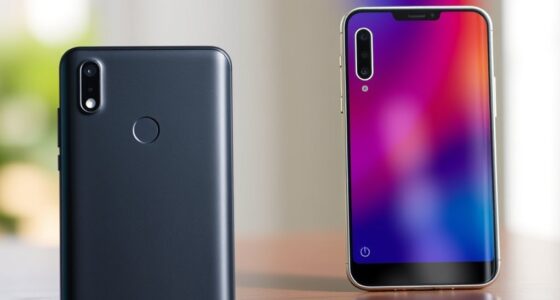
If you’re choosing between AMOLED and LCD, consider what matters most to you. AMOLED screens deliver vibrant colors, deep blacks, and higher contrast, making media and gaming look stunning, while also saving battery life with dark themes. LCDs offer accurate colors, consistent viewing angles, and better durability, making them ideal for professional use and outdoor brightness. Understanding these differences can help you pick the best display—keep going to explore which suits your needs best.

Get the latest gadgets delivered free — and shop member deals
- Fast, free delivery on millions of items
- Access to Prime Big Deal Days deals on October 6–7
- Prime Video, Amazon Music and more included
Key Takeaways
- AMOLED offers vibrant colors, deep blacks, and higher contrast, ideal for media and gaming experiences.
- LCD displays provide more consistent color accuracy and are better suited for professional photo editing.
- AMOLED screens save more battery with dark themes, whereas LCDs consume more power in dark or black visuals.
- LCDs maintain stable color and brightness across viewing angles, making them preferable for outdoor use.
- AMOLED screens are more prone to burn-in over time, while LCDs are less affected and generally more durable long-term.

Are AMOLED and LCD screens truly different in quality and performance? When you’re choosing a smartphone display, these differences matter more than you might think. AMOLED screens shine with their vibrant colors and deep blacks, giving you a more immersive viewing experience. They excel in color accuracy, which means images look rich and true to life. This is especially noticeable when viewing photos, videos, or gaming. The contrast ratio on AMOLED displays is higher because each pixel emits its own light, allowing for truly dark blacks that make colors pop even more. As a result, you’ll notice sharper images with more depth.
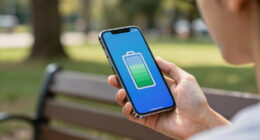
But there’s more to contemplate beyond just picture quality. Power consumption plays a significant role, especially if you’re someone who uses your phone heavily throughout the day. AMOLED screens are generally more power-efficient when displaying darker content because black pixels are turned off completely. This can extend your battery life, making AMOLED devices more appealing if longevity matters to you. LCD screens, by contrast, use a backlight to illuminate the entire display regardless of what’s on it. This means they typically consume more power when showing dark themes or black backgrounds. If you’re someone who prefers a lot of dark mode or darker visuals, an AMOLED display might help you squeeze more out of your battery.
However, LCD screens aren’t without their strengths. They tend to be more consistent in color accuracy across different viewing angles, so whether you’re looking at your phone from the side or head-on, the colors stay true. LCD technology also tends to be less prone to burn-in, a phenomenon where static images leave a faint ghost behind over time — a concern with some AMOLED screens if you keep static images in place for long periods. Additionally, LCDs often have brighter screens overall, which can be advantageous when using your device outdoors in bright sunlight. Furthermore, the color consistency of LCD screens makes them a reliable choice for professional photo editing and accurate color reproduction.
AMOLED smartphone screen protector
As an affiliate, we earn on qualifying purchases.
As an affiliate, we earn on qualifying purchases.
Frequently Asked Questions
How Do AMOLED and LCD Displays Perform in Sunlight Visibility?
In bright sunlight, AMOLED displays excel in outdoor visibility because they produce deeper blacks and higher contrast, reducing sunlight glare. LCD screens may struggle with glare, making content harder to see in direct sunlight. You’ll notice AMOLED screens stay clearer and easier to read outdoors, while LCDs can appear washed out or reflective. So, for better outdoor visibility, AMOLED displays generally perform better in sunlight conditions.
Which Display Type Is More Power-Efficient for Gaming?
You’ll find LCD displays more power-efficient for gaming, mainly because they typically consume less battery during high-refresh rate activity. AMOLED screens can drain your battery faster when displaying bright, vivid images or animations due to higher power consumption for brighter pixels. If you prioritize longer gaming sessions, opt for an LCD with a high refresh rate, as it balances vibrant visuals with lower battery consumption, enhancing your gaming experience.
Are There Health Concerns Associated With AMOLED Screens?
You might be concerned about health issues with AMOLED screens, like screen burn-in and blue light exposure. Screen burn-in can cause persistent ghost images if you leave static images on for too long. Additionally, AMOLED displays emit blue light, which can lead to eye strain and disrupt your sleep patterns. To protect your eyes, use blue light filters and avoid prolonged static images on your device.
How Do AMOLED and LCD Screens Handle Color Accuracy?
You’ll find that AMOLED screens typically excel in color reproduction and calibration accuracy, offering vibrant, deep colors that pop. LCD screens can also deliver accurate colors, but they often require more precise calibration to match AMOLED’s vividness. If you prioritize rich, lively visuals, AMOLED might be better, but for more consistent, natural color reproduction, LCD displays can perform just as well with proper calibration.
What Is the Lifespan Difference Between AMOLED and LCD Displays?
You’ll find that LCD displays generally last longer than AMOLED screens, offering better screen durability over time. AMOLED screens tend to have a shorter lifespan due to organic materials that degrade with use, which can also impact battery life as they age. If you prioritize longevity and consistent performance, an LCD might suit you better, but AMOLED’s vibrant colors can enhance your viewing experience initially.
As an affiliate, we earn on qualifying purchases.
Conclusion
So, now that you’ve weighed AMOLED’s rich colors against LCD’s affordability, it’s clear you’re faced with a tough choice—like deciding between a luxury car and a reliable sedan. But hey, who needs durability when you can have that jaw-dropping display, right? Just remember, whether you go for the eye candy or the budget-friendly option, your phone’s screen will probably be the most exciting thing in your daily routine. Happy choosing!
dark mode battery saver phone case
As an affiliate, we earn on qualifying purchases.
As an affiliate, we earn on qualifying purchases.
outdoor visibility smartphone screen
As an affiliate, we earn on qualifying purchases.
As an affiliate, we earn on qualifying purchases.
Fall Picks
fall essentials
As an affiliate, we earn on qualifying purchases.