
When comparing fingerprint and face unlock security, fingerprint sensors are generally more reliable because they’re harder to spoof with photos or videos. However, they can still be fooled by molds or high-res images, while face recognition systems might be tricked by simple photo attacks if they lack liveness detection. Both methods have vulnerabilities, but understanding their strengths and weaknesses helps you choose the best option for your needs—if you want to learn more, there’s plenty to contemplate.

Get the latest gadgets delivered free with Prime
- Fast, free delivery on millions of items
- Prime Video, Amazon Music and more included
- Member-only deals all year
Key Takeaways
- Fingerprint sensors are quick and reliable but vulnerable to spoofing with molds or high-res images.
- Face unlock offers hands-free convenience but can be deceived by photos or videos without liveness detection.
- Both methods store biometric data locally or on the device, reducing some hacking risks but not eliminating them.
- Combining fingerprint and face recognition with additional security layers enhances overall device protection.
- Neither method is fully secure alone; choosing the more secure option depends on implementation quality and threat context.
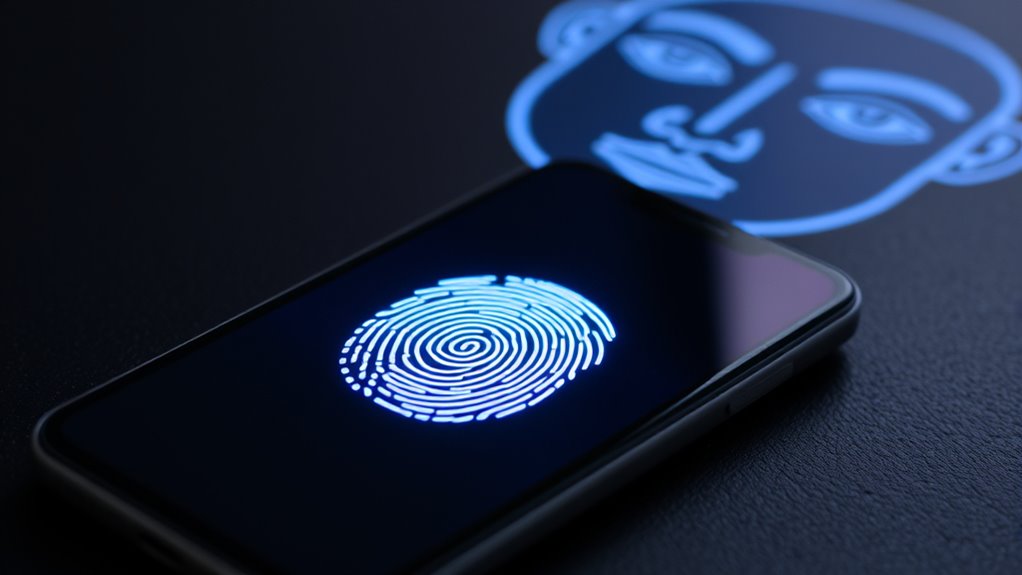
When choosing between fingerprint and face unlock, understanding the strengths and limitations of each can help you decide which method best fits your needs. Both biometric options offer convenience, but they also come with vulnerabilities that could impact your security. It’s important to contemplate not just how easy they are to use, but also their biometric vulnerabilities and privacy concerns. Fingerprint sensors are generally quick and reliable, but they aren’t immune to hacks. Researchers have demonstrated ways to spoof fingerprints using molds or high-resolution images, exposing some biometric vulnerabilities. If someone manages to replicate your fingerprint, they could potentially unlock your device without your permission. Additionally, fingerprint data is stored locally on your device, which is better than cloud storage, but if a breach occurs, this sensitive information could be compromised. Privacy concerns also arise because your fingerprint data is unique and permanent; once stolen, it can’t be changed like a password. You might worry about what happens if your biometric data is leaked or misused, especially if law enforcement or malicious actors try to access it. Moreover, the biometric data security of fingerprint systems varies depending on the device and implementation, affecting overall safety.
Face unlock, on the other hand, relies on facial recognition technology, which offers a hands-free experience. However, this method too has its biometric vulnerabilities. Advanced photo or video spoofing techniques can deceive some facial recognition systems, especially those that aren’t equipped with liveness detection. If a system lacks safeguards to verify you’re physically present, someone could potentially unlock your device with a photo or a mask. Beyond biometric vulnerabilities, privacy concerns are significant because facial data is highly identifiable and personal. When a facial recognition system captures and stores your face, it raises questions about how that data is used, shared, and protected. Some systems store facial templates locally, but others transmit data to cloud servers, increasing the risk of breaches.
Ultimately, choosing between fingerprint and face unlock involves weighing these vulnerabilities and privacy concerns. Fingerprints tend to be more reliable in controlled conditions but are vulnerable to spoofing and theft. Face recognition can be more convenient, especially when your hands are dirty or wet, but it can be fooled by sophisticated spoofing attempts and raises greater privacy issues. Neither method is perfectly secure on its own, but understanding these risks allows you to make a more informed choice. Using additional security layers, like PINs or passwords, remains essential regardless of which biometric option you prefer.
Products Worth Considering

Apple iPad Air 11-inch (M2), 512GB, Wi-Fi, Space Gray

Samsung 32-Inch Odyssey OLED G8 (G80SH) 4K Gaming Monitor

Apple iPad Air (2025) 13‑inch Wi‑Fi 256 GB – Space Gray (M3 chip)
As an affiliate, we earn on qualifying purchases.
Frequently Asked Questions
Can Facial Recognition Be Fooled by Photos or Videos?
Facial recognition can be fooled by photo spoofing or video replay, but advanced systems include anti-spoofing measures to prevent this. These measures detect signs like blinking, depth, and movement to verify it’s a live person. While basic systems might fall for photos or videos, newer technology offers better security against such attacks. So, yes, some systems can be tricked, but many now have safeguards to protect you.
How Do Environmental Factors Affect Fingerprint Scanner Accuracy?
Environmental factors can seriously challenge your fingerprint scanner’s accuracy, sometimes even making it as unreliable as a broken compass. Moisture interference from sweat, rain, or oils can distort the sensor reading, while poor sensor calibration causes misreads. To stay secure, make sure your fingers are dry and clean, and keep the device properly calibrated. These simple steps help your sensor work flawlessly, even in tricky conditions.
Is One Method More Privacy-Conscious Than the Other?
Face access is generally more privacy-conscious because it often stores data securely on your device, minimizing external privacy concerns. Fingerprint scanners may raise privacy issues if biometric data isn’t well protected, as they can be stored remotely or insecurely. You should prioritize devices with robust data storage security and clear privacy policies. Ultimately, choose the method that offers better data protection to safeguard your biometric information.
Do Both Methods Work Equally Well Underwater or in Extreme Conditions?
Both fingerprint and face unlock methods struggle in extreme conditions, but fingerprint sensors generally have better waterproof performance. Water, dirt, or extreme temperatures can impede fingerprint scanners, making them less reliable underwater or in harsh environments. Face unlock may work better in such conditions if there’s sufficient light, but it can also falter in extreme weather or when your face is obscured. Overall, neither method guarantees perfect reliability under all extreme conditions.
Are There Health Risks Associated With Fingerprint or Face Recognition?
You might wonder about health concerns related to biometric safety. Generally, fingerprint and face recognition are safe, with minimal health risks. Fingerprint sensors use light or electrical signals, posing little danger, while face recognition relies on cameras without radiation exposure. However, some people worry about skin irritation from frequent fingerprint scans or privacy issues, but overall, these methods are considered secure and pose no significant health concerns.
Conclusion
Ultimately, both fingerprint and face unlock offer convenient security, but neither is foolproof. While fingerprints are difficult to replicate, skilled hackers can sometimes bypass them. Face unlock is quick but vulnerable to photos or masks. Curiously, some research suggests combining both methods can enhance security—making it harder for someone to trick your device. So, trust your instincts, stay updated on tech improvements, and consider using multi-layered authentication for the best protection.