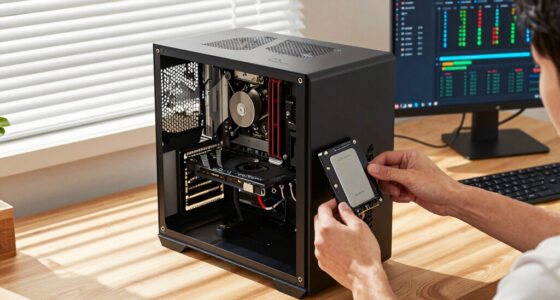
DDR5 offers gamers and everyday users faster speeds, higher bandwidth, and improved power efficiency, but only if your system supports it. Upgrading can boost performance in demanding games and applications, especially with overclocking potential and better heat management. However, compatibility is key—using incompatible hardware risks instability or damage. If your system is ready, DDR5 could be a smart upgrade, but there’s more to take into account to maximize its benefits. Keep exploring to find out how to get the most from DDR5.

Get the latest gadgets delivered free — and shop member deals
- Fast, free delivery on millions of items
- Access to Prime Big Deal Days deals on October 6–7
- Prime Video, Amazon Music and more included
Key Takeaways
- DDR5 offers higher speeds and bandwidth, improving gaming performance and multitasking for everyday users.
- Compatibility with modern motherboards and CPUs is essential before upgrading to DDR5.
- Overclocking potential can boost performance but requires proper cooling and system configuration.
- DDR5’s advanced power management features enhance system stability and energy efficiency.
- Upgrading to DDR5 is best suited for newer platforms; older systems may not support it.

As gaming and demanding applications continue to evolve, DDR5 memory offers a significant upgrade over previous generations, delivering faster speeds and improved efficiency. If you’re considering an upgrade, one of the first things to check is memory compatibility. DDR5 modules require a compatible motherboard and CPU, so verify your system supports DDR5 before making a purchase. Unlike DDR4, which has been around for years, DDR5 is designed with newer platforms in mind, meaning older systems won’t support it. This compatibility is essential because installing incompatible memory can lead to system instability or even hardware damage. Once you confirm compatibility, you’ll notice that DDR5 modules are typically rated for higher speeds and better power management, making them ideal for gaming and high-performance tasks.
Beyond compatibility, a key advantage of DDR5 is its overclocking potential. If you’re someone who enjoys pushing your system to its limits, DDR5 offers more headroom for overclocking compared to DDR4. The increased bandwidth and improved architecture allow you to nudge the memory speeds higher, which can translate into smoother gameplay and quicker load times. However, overclocking isn’t just about setting higher frequencies; it also involves adjusting voltages and timings, so make sure your motherboard supports these tweaks and that you’re comfortable with the process. Overclocking DDR5 can boost performance, but keep in mind that it may also increase heat output, so investing in good cooling is wise. Many DDR5 modules come with built-in overclocking profiles, making it easier for you to enhance performance without extensive manual tuning. Additionally, understanding memory compatibility is crucial to ensure your system benefits fully from DDR5 upgrades. Also, considering the power management features of DDR5 modules can help optimize overall system stability and efficiency.
As an affiliate, we earn on qualifying purchases.
Frequently Asked Questions
Will DDR5 Improve Gaming Performance Significantly Over DDR4?
DDR5 can improve gaming performance slightly over DDR4, but the difference isn’t huge for most gamers. You’ll notice better memory bandwidth and potential for higher speeds, but factors like memory latency and power efficiency matter too. Lower memory latency in DDR4 can sometimes outperform DDR5, especially in latency-sensitive games. Overall, DDR5 offers future-proofing benefits and improved power efficiency, but your gaming experience will mainly depend on your GPU and CPU.
Is DDR5 Compatible With All Current Motherboards?
Imagine you’re upgrading your PC and want DDR5 RAM, but your current motherboard only supports DDR4. The truth is, DDR5 isn’t compatible with all current motherboards because they have different socket types and RAM slots. You need to check your motherboard’s compatibility first. When installing DDR5 RAM, make certain your motherboard supports it to avoid issues with RAM installation and performance.
How Much Does DDR5 Memory Typically Cost?
DDR5 memory typically costs between $150 and $400 per 32GB kit, but prices fluctuate due to market availability and demand. As new technology enters the market, prices can drop or spike unexpectedly. You might find deals during sales or shortages that drive prices higher. Overall, expect to pay a premium over DDR4, especially early on, but keep an eye on market trends for the best deals.
Can DDR5 Be Overclocked Easily?
Overclocking DDR5 is like tuning a high-performance engine—you can push it further, but it takes skill. You can usually do it, but you’ll need to adjust memory latency settings carefully for stability. DDR5 also offers better power efficiency, which helps maintain performance during overclocking. Just remember, pushing beyond recommended speeds may increase heat and reduce lifespan, so proceed with caution and good cooling.
What Are the Main Differences Between DDR4 and DDR5?
You’ll notice DDR5 offers higher speeds and increased bandwidth compared to DDR4, making it better for demanding tasks. While DDR5 has slightly higher memory latency, it compensates with improved power efficiency, consuming less energy during operation. These main differences mean DDR5 provides faster performance for gaming and multitasking, but you may experience a minor delay initially. Overall, DDR5 is more efficient and future-proof, offering better long-term value.
As an affiliate, we earn on qualifying purchases.
Conclusion
If you’re a gamer or everyday user considering DDR5, know that it offers faster speeds and improved efficiency, but the real benefits depend on your specific needs. For example, DDR5 can boost gaming performance by up to 10%, making your experience smoother and more responsive. While the technology is promising, it’s still evolving and may not be necessary for casual users. Weigh your usage habits and future upgrades before making the switch.
As an affiliate, we earn on qualifying purchases.
As an affiliate, we earn on qualifying purchases.
Fall Picks
fall essentials
As an affiliate, we earn on qualifying purchases.