📊 Full opportunity report: Build vs Buy a Prebuilt AI Workstation on ThorstenMeyerAI.com — validation score, market gap, and execution plan.

Get the latest gadgets delivered free with Prime
- Fast, free delivery on millions of items
- Prime Video, Amazon Music and more included
- Member-only deals all year
TL;DR
The traditional cost advantage of building your own AI workstation has diminished in 2026 due to component shortages and rising prices. Buyers must now compare specific costs and consider thermal management and support options.
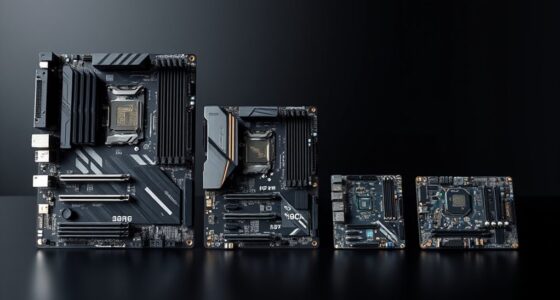
In 2026, the long-standing assumption that building a custom AI workstation is cheaper than buying prebuilt no longer holds true for many configurations, due to unprecedented component shortages and price increases. Both options now require careful cost comparison, with prebuilt systems often matching or undercutting DIY prices.
Component shortages, especially in GPUs, DDR5 RAM, and SSDs, have driven up prices for individual parts, making DIY builds more expensive than before. Meanwhile, prebuilt manufacturers like BIZON, Puget Systems, and Lambda have secured bulk discounts and implemented validated thermal management, allowing them to offer systems at competitive prices with added support and reliability.
For example, a high-end DIY AI workstation that used to cost under $1,000 now often exceeds $1,250 before licensing, while prebuilt systems with similar specs are available at comparable or lower prices. Many vendors perform extensive burn-in testing, thermal tuning, and offer warranties, reducing the risk for buyers.
Build vs buy
an AI workstation.
The real question behind this whole series: do you pull the five heat-and-noise levers yourself, or buy a prebuilt where the vendor pulled them for you? And in 2026, the old “building is cheaper” rule has broken. Match your situation in Part 3.
Why Cost Comparison Matters in 2026 AI Workstation Choices
This shift influences the decision-making process for AI professionals, hobbyists, and students. Buyers should evaluate factors such as thermal management, support, and time investment alongside cost. The choice now involves considerations of control, convenience, and financial efficiency, affecting how individuals and organizations approach AI hardware investments.
As an affiliate, we earn on qualifying purchases.
Component Shortages and Market Shifts Drive New Pricing Realities
Over the past year, shortages in GPUs, DDR5 RAM, and SSDs, combined with increased demand from AI workloads, have caused prices for these components to rise significantly. Bulk purchasing by prebuilt vendors has helped stabilize or lower prices for end users, contrasting with the increased costs of DIY builds due to limited supply and high demand. While DIY builds were historically less expensive, this difference has narrowed or reversed in 2026, affecting the build-versus-buy decision.
"Component shortages and price fluctuations have significantly impacted the economics of building versus buying AI workstations in 2026."
— Thorsten Meyer, AI hardware expert
As an affiliate, we earn on qualifying purchases.
Remaining Questions About Long-Term Cost and Performance
The future trajectory of component prices remains uncertain, with ongoing shortages and market fluctuations. The long-term reliability and upgradeability of prebuilt systems compared to DIY configurations are also subjects of ongoing discussion among industry experts. Developments in AI hardware technology may influence pricing and thermal management strategies in the coming years.
As an affiliate, we earn on qualifying purchases.
Upcoming Market Trends and Buyer Considerations in 2026
Manufacturers are expected to continue improving prebuilt systems with enhanced thermal solutions and support options. Buyers should monitor hardware pricing trends, vendor offerings, and new component releases throughout 2026. Conducting detailed cost comparisons will remain important as supply chain conditions evolve and new AI hardware models become available.
As an affiliate, we earn on qualifying purchases.
Key Questions
Is building my own AI workstation still cheaper than buying prebuilt in 2026?
Cost comparisons depend on current market conditions. Due to component shortages and rising prices, prebuilt systems often offer competitive or lower prices for similar specifications. It is recommended to compare prices for your specific configuration before making a decision.
What are the advantages of buying a prebuilt AI workstation?
Prebuilt systems typically include validated thermal performance, warranties, and support services. They can also save time and effort compared to assembling a system independently.
Can I upgrade a prebuilt AI workstation easily?
Upgradeability varies among models. Some prebuilt systems are designed for easier component upgrades, while others may have limited accessibility. It is advisable to review manufacturer specifications before purchasing.
How do component shortages affect DIY AI workstation costs?
Component shortages can increase the prices of individual parts and limit availability, which may raise the overall cost and complexity of building a DIY AI workstation.
What should I consider when choosing between build and buy in 2026?
Consider factors such as total cost, thermal management, support, upgradeability, and your technical expertise. Given current market conditions, it is important to compare prices for your specific configuration, as the traditional cost advantage of DIY builds has decreased.
Source: ThorstenMeyerAI.com
Fall Picks
fall essentials
As an affiliate, we earn on qualifying purchases.