
TL;DR
Open a free Amazon Business account
Business pricing, bulk buying and tax-exempt orders.
As an affiliate, we earn on qualifying purchases.
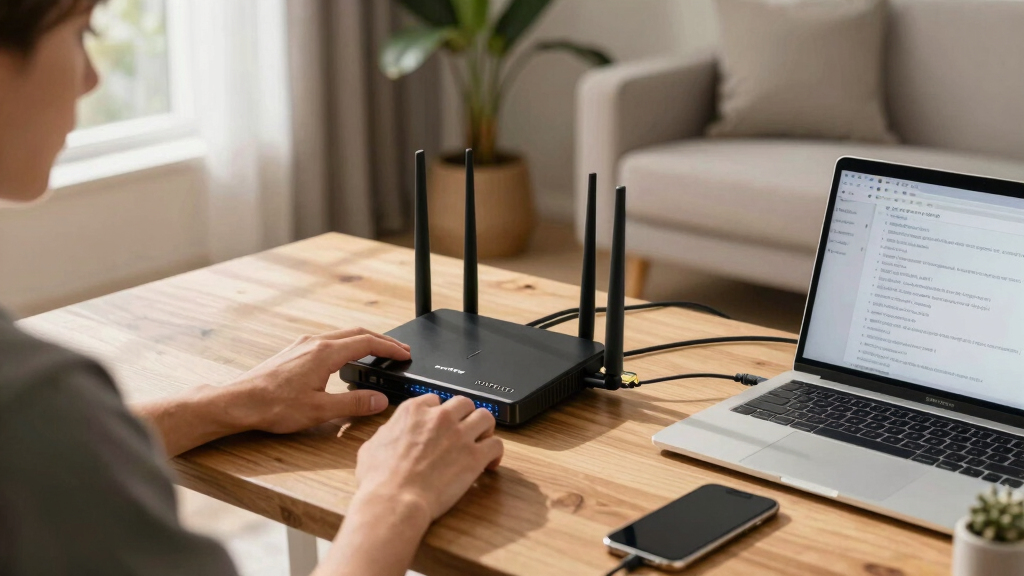
A user improved indoor Wi-Fi roaming on a home network by installing usteer and static neighbor reports on OpenWRT. This enhanced client handoff between access points, addressing issues with Apple device roaming. The setup remains complex but effective, with some limitations still present.
A home user has significantly improved Wi-Fi roaming performance on an OpenWRT-based network by deploying usteer and static neighbor reports, addressing longstanding client handoff issues. This development matters because it demonstrates a viable, low-cost solution for better indoor Wi-Fi mobility without relying on vendor-specific hardware or cloud services.
The user configured a dual SSID setup with separate networks for legacy 2.4GHz devices and modern 5GHz clients, maintaining different security protocols for each. Despite enabling 802.11r/k/v and fast transition, client roaming was suboptimal because clients would often stick to distant access points, especially Apple devices.
To address this, the user installed usteer and its LuCI interface on all four access points, enabling client steering. The key step involved generating and deploying static neighbor reports for each band, which allowed access points to advertise their neighbors explicitly. This led to improved client handoffs, especially on the 5GHz band, with observable shifts in client distribution and increased signal quality.
Why It Matters
This development demonstrates that with open-source tools like OpenWRT, home networks can achieve near-enterprise-grade Wi-Fi roaming performance. It provides an alternative to vendor-specific solutions, which often lock users into proprietary ecosystems. Improved roaming enhances user experience, especially in environments with multiple access points and diverse device types, reducing dead zones and connection drops.
OpenWRT compatible Wi-Fi access points
As an affiliate, we earn on qualifying purchases.
As an affiliate, we earn on qualifying purchases.
Background
Wi-Fi roaming has historically been a challenge in home and small office networks, especially with mixed device ecosystems. While enterprise networks commonly use protocols like 802.11r/k/v to facilitate seamless handoffs, many consumer-grade setups lack proper implementation or customization options. OpenWRT offers advanced features, but configuring effective roaming requires manual setup of neighbor reports and steering mechanisms. Recent efforts have focused on bridging this gap, with community-developed tools like usteer gaining traction.
“Adding usteer and static neighbor reports made a noticeable difference in client roaming behavior, especially on the 5GHz band.”
— the user
“Generating explicit neighbor reports is a key step for effective Wi-Fi steering in open-source setups.”
— OpenWRT community member
Wi-Fi roaming optimization tools
As an affiliate, we earn on qualifying purchases.
As an affiliate, we earn on qualifying purchases.
What Remains Unclear
While the setup shows clear improvements, it remains unclear how universally applicable these configurations are across different hardware models or complex environments. The long-term stability and compatibility with various client devices, especially older or less standard ones, are still being evaluated.
uSteer Wi-Fi client steering device
As an affiliate, we earn on qualifying purchases.
As an affiliate, we earn on qualifying purchases.
What’s Next
Further testing across different device ecosystems and environments will help refine the setup. Future updates may include automation of neighbor report generation and integration with other OpenWRT features. The community might develop more user-friendly tools to simplify this process for broader adoption.
static neighbor report for Wi-Fi
As an affiliate, we earn on qualifying purchases.
As an affiliate, we earn on qualifying purchases.
Key Questions
Can this setup work with all Wi-Fi devices?
It improves roaming for many modern devices, especially those supporting 802.11k/v. However, some older or non-standard devices may still experience issues due to client limitations.
Is this approach suitable for large or commercial networks?
While feasible for small to medium setups, larger or enterprise environments typically require more robust, managed solutions. This setup is best suited for advanced home or lab networks.
Does this setup require specific hardware?
It works with common OpenWRT-compatible access points. Hardware differences may influence performance, and some models may need additional configuration or firmware updates.
Will this configuration affect my network security?
Maintaining separate SSIDs and security protocols for different bands is recommended. Proper configuration is essential to preserve network security while enabling roaming enhancements.
Source: Hacker News
Flea & tick season Picks
flea and tick prevention
As an affiliate, we earn on qualifying purchases.