
Many monitor specs are misunderstood, like resolution, refresh rate, or response time, which often don’t tell the full story. For example, a high refresh rate doesn’t mean smoother gameplay if the response time is slow. Color accuracy and color space coverage are essential if you work with images or videos—misinterpreted as just “vibrant display.” To truly pick the right monitor for your needs, understanding these details helps. Keep going to discover what really matters.

Get the latest gadgets delivered free — and shop member deals
- Fast, free delivery on millions of items
- Access to Prime Big Deal Days deals on October 6–7
- Prime Video, Amazon Music and more included
Key Takeaways
- Response time is often mistaken for input lag; they are different, with response time relating to pixel changes and lag to overall delay.
- Higher color space coverage (like Adobe RGB) doesn’t always mean better for all users; relevance depends on specific professional needs.
- Refresh rate is sometimes confused with response time; higher refresh rates improve smoothness, while response time affects motion clarity.
- Calibration enhances color accuracy but is often overlooked, leading to inaccurate colors even on high-quality monitors.
- Specs like resolution and size are sometimes prioritized over essential performance factors like color accuracy and response time.
Ever wondered what all those numbers and terms on a monitor’s specifications actually mean? It’s common to glance at specs and feel overwhelmed, especially when terms like color accuracy and response time pop up. These specs are essential because they directly impact your experience, whether you’re gaming, editing photos, or working on detailed projects. Understanding what they actually signify helps you pick a monitor that fits your needs without falling for marketing jargon.
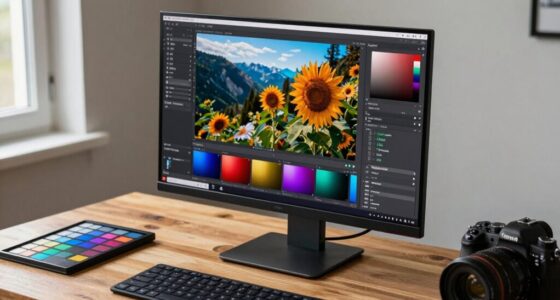
Color accuracy refers to how true the monitor displays colors compared to real life. If you’re into photography, video editing, or any creative work, this spec is significant. A monitor with high color accuracy reproduces colors more precisely, making your work look just as you intend. It’s measured by color spaces like sRGB, Adobe RGB, or DCI-P3, which define the range of colors the monitor can display. The higher the coverage of these color spaces, the more vibrant and accurate the colors will be. Lower color accuracy can mean your images look dull or different than expected, especially when compared to prints or other screens. So, if color precision matters to you, don’t just look at resolution or refresh rates—pay close attention to color calibration and coverage. Additionally, understanding how color spaces influence display performance can help you select a monitor suited for creative tasks. Recognizing the importance of color space coverage can make a significant difference in choosing the right display for your needs. Being aware of color calibration settings and how they affect your display can also ensure you achieve the most accurate color reproduction. Knowing how hardware calibration tools can assist in maintaining color accuracy over time is another helpful aspect for professionals.
High color accuracy ensures vibrant, true-to-life visuals, crucial for creative work like photography and video editing.
Response time, on the other hand, is often misunderstood but equally important, especially for gaming or fast-moving videos. It indicates how quickly a pixel can change from one color to another, usually measured in milliseconds (ms). A lower response time means less motion blur and ghosting, leading to smoother visuals. If you see a monitor with a response time of 1ms or 2ms, it’s likely to perform better during quick action sequences. But beware—some manufacturers highlight “overdrive” or “motion blur reduction” features that can artificially lower response times, which may introduce artifacts or flickering. So, when considering response time, look for real-world reviews and tests rather than just the numbers on the box. It’s also helpful to consider how response time interacts with other specs like refresh rate for an optimal experience.
In essence, understanding these specs means you can avoid buyer’s remorse. High color accuracy benefits creative work, while a low response time enhances gaming and fast-paced media. Don’t focus solely on resolution or refresh rate; grasping what these specifications mean ensures you choose a monitor that genuinely fits your usage. When you know how color accuracy and response time affect your experience, you’re better equipped to pick a monitor that delivers exactly what you need, whether it’s vibrant visuals or smooth gameplay.
monitor with high color accuracy for photo editing
As an affiliate, we earn on qualifying purchases.
As an affiliate, we earn on qualifying purchases.
Frequently Asked Questions
How Does Monitor Size Affect Image Quality?
Monitor size impacts your image quality mainly through screen curvature and bezel thickness. Larger screens with curved displays can provide a more immersive experience, reducing glare and distortion at the edges. Thinner bezels enhance the visual flow, making images appear more seamless and detailed. Keep in mind, bigger isn’t always better if the display doesn’t match your workspace or viewing distance, so choose a size that complements your setup for maximum image quality.
What Is the Ideal Refresh Rate for Gaming?
For gaming, an ideal refresh rate is at least 144Hz, as it reduces gaming latency and provides smoother visuals. Don’t fall for refresh rate myths that higher rates always mean better gaming; your hardware and game type matter too. A higher refresh rate minimizes motion blur, giving you a competitive edge. If you play fast-paced games, choosing 144Hz or higher guarantees a more responsive, immersive experience.
Are Higher Resolutions Always Better?
Coincidence often reveals that higher resolutions aren’t always better for you. While they offer sharper images, factors like color calibration and screen brightness play essential roles in display quality. If your monitor isn’t properly calibrated, the increased resolution might not translate into better visuals. Plus, a screen with ideal brightness ensures vivid colors and better contrast. So, prioritize these aspects over resolution alone to enhance your viewing experience effectively.
How Does Response Time Impact Gaming Performance?
Response time directly impacts your gaming performance by reducing motion blur, making fast movements clearer. A lower response time means less input lag, so your actions register quicker on the screen. This is especially vital in fast-paced games where smooth, sharp visuals give you a competitive edge. If your monitor has a high response time, you might notice ghosting and blurred images, which can distract and hinder your gameplay.
What Is Color Accuracy, and Why Does It Matter?
You might not realize it, but color accuracy is essential for vibrant visuals and true-to-life images. It involves precise color calibration and a wide color gamut, ensuring the display reproduces colors faithfully. When your monitor has high color accuracy, it benefits photo editing, gaming, or streaming by delivering richer, more consistent colors. Poor color accuracy can lead to dull or distorted visuals, diminishing your overall experience and making precise color work difficult.
gaming monitor with low response time
As an affiliate, we earn on qualifying purchases.
As an affiliate, we earn on qualifying purchases.
Conclusion
Think of monitor specs as the notes in a symphony—each one plays an essential role in creating harmony. When you understand the melody behind resolution, refresh rate, and color accuracy, you’re composing your perfect visual experience. Don’t let the jargon drown out your tune. Instead, tune in, decipher the signals, and let your monitor be the orchestra that brings your digital world to life. With clarity and confidence, you’re ready to hit the high notes.
calibrated professional monitor for video editing
As an affiliate, we earn on qualifying purchases.
As an affiliate, we earn on qualifying purchases.
monitor with wide color space coverage
As an affiliate, we earn on qualifying purchases.
As an affiliate, we earn on qualifying purchases.
Evergreen bestsellers Picks
bestsellers
As an affiliate, we earn on qualifying purchases.