Thin laptops often run hotter because their slim design limits space for cooling components and airflow, making heat dissipation more difficult. With less room for fans or heat sinks, the device struggles to cool down during intensive tasks like gaming or video editing. This can cause higher temperatures and potential performance issues. If you want to understand the precise balance between design and thermal management, keep exploring how manufacturers tackle these challenges.
Key Takeaways
- Slim designs limit space for traditional cooling components, reducing heat dissipation capacity.
- Limited airflow and surface area hinder effective cooling during intensive tasks.
- Battery efficiency priorities lead to less robust thermal management, causing heat buildup.
- Advanced materials and cooling solutions are costly or complex, often less effective than larger models.
- Design trade-offs favor portability over optimal heat dissipation, increasing operating temperatures.
As laptops continue to get thinner and more portable, many users notice their devices tend to run hotter than expected. This isn’t just a minor annoyance; it can impact performance and even shorten your laptop’s lifespan. The core reason lies in the balance between maintaining a sleek design and ensuring the device can handle heat effectively. When manufacturers design thin laptops, they often face constraints related to thermal management and battery efficiency, which directly influence how hot your device gets during use.
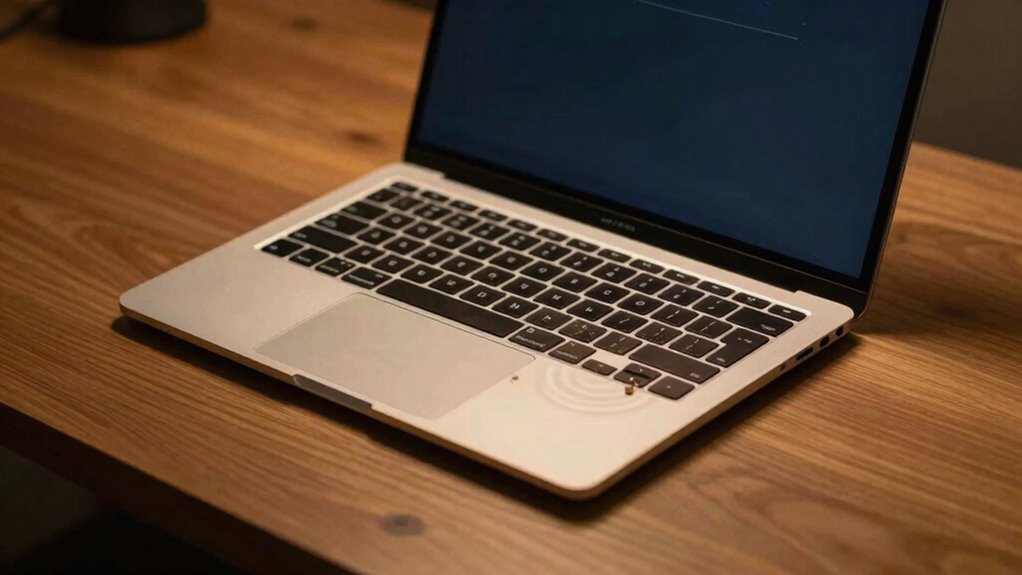
One key factor is thermal design. In a slim profile, there’s less space for traditional cooling components like large fans or heat sinks. Engineers have to get creative, but their options are limited by the thinness of the device. As a result, heat generated by the processor and other components isn’t dissipated as quickly as in bulkier laptops. This buildup of heat causes the device to run hotter, especially during intensive tasks like gaming, video editing, or multitasking. The thermal design has to compensate for limited airflow and reduced surface area for heat dissipation, which inevitably leads to higher operating temperatures. Additionally, this limited space restricts the use of traditional cooling solutions, making it harder to effectively manage heat.
Slim laptops struggle with heat dissipation due to limited space for cooling components.
Furthermore, battery efficiency plays a significant role in how much heat your laptop produces. Modern thin laptops often prioritize battery life and portability over raw power, which means they use smaller batteries or more energy-efficient components. While this enhances battery longevity and makes the device lighter, it can also lead to increased heat if the components are pushed to perform at higher loads. When the processor and GPU work harder, they generate more heat, and with limited space for cooling, that heat can’t escape quickly enough. This cycle causes your device to feel noticeably hot, especially after extended use.
Additionally, the thermal management solutions in thin laptops are often less robust than those in larger models, making effective heat dissipation more challenging. Manufacturers are constantly trying to strike a balance between maintaining a stylish, lightweight design and managing heat effectively. Some use advanced materials or innovative cooling solutions, but these often add cost or complexity. As a user, you may notice that your thin laptop heats up more than older, bulkier models. This isn’t necessarily a flaw but a trade-off in the design process aimed at portability and battery efficiency. Understanding this helps you manage expectations and take measures like using cooling pads or avoiding prolonged high-performance tasks to keep your device cooler.
In essence, the hot-running nature of thin laptops is a direct result of their limited thermal design options and the focus on battery efficiency. While they excel in portability, they often require extra care to prevent overheating, which can affect their overall performance and longevity.

havit HV-F2056 15.6"-17" Laptop Cooler Cooling Pad – Slim Portable USB Powered (3 Fans), Black/Blue
- Ultra-Portable Design: Slim, lightweight, easy to carry
- Ergonomic Stand: Adjustable height for comfort
- Stable Metal Mesh Surface: Supports laptops during transport
As an affiliate, we earn on qualifying purchases.
As an affiliate, we earn on qualifying purchases.
Frequently Asked Questions
Do Thin Laptops Have Better Cooling Designs Than Thicker Ones?
Thin laptops generally don’t have better cooling designs than thicker ones. Their limited space makes it challenging to include advanced thermal management and effective airflow design. As a result, heat builds up more quickly, causing them to run hotter. You might notice fans spinning faster or laptops feeling warm during heavy use. Thicker laptops usually have more room for larger cooling systems, which helps maintain better temperature control.
How Does Ambient Temperature Affect a Thin Laptop’s Heat?
Did you know that ambient temperature can increase a thin laptop’s internal heat by up to 20%? When the environment is warmer, thermal insulation traps more heat inside, making cooling harder. Additionally, higher temperatures can cause airflow obstruction, reducing heat dissipation efficiency. So, in hot surroundings, your thin laptop struggles more to stay cool, risking overheating and performance issues. Keep it in a cool, ventilated space for peak function.
Can Upgrading Components Reduce a Thin Laptop’s Heat?
Upgrading components can help reduce your thin laptop’s heat. Reapplying thermal paste between the CPU and heatsink improves heat transfer, lowering temperatures. Additionally, optimizing fan placement or cleaning existing fans enhances airflow, preventing overheating. However, consider that thin laptops have limited upgrade options, so these adjustments might be minor. Still, maintaining good thermal management can make a noticeable difference in keeping your laptop cooler during intensive use.
Are There Specific Brands Known for Overheating Issues?
Some brands, like certain models from ASUS and Acer, are known for overheating issues due to their design choices. Brand reputation plays a big role, as some manufacturers prioritize slimness over cooling. If you notice frequent overheating complaints from users, it’s a good idea to research specific models before buying. Staying informed helps you avoid laptops that might run hot, ensuring better performance and longevity for your device.
How Often Should I Clean My Thin Laptop’s Vents?
You should clean your thin laptop’s vents every 3 to 6 months to prevent dust buildup that hampers airflow. Regular cleaning helps improve ventilation, reducing overheating and maintaining performance. Use compressed air or a soft brush to carefully remove dust from vents and fans. If you notice your laptop getting hotter or slowing down, it’s a sign you need to clean the vents sooner. Keeping vents clear guarantees better cooling and extends your device’s lifespan.

ARCTIC MX-4 (4 g) – Premium Performance Thermal Paste for All Processors
- Consistent Quality: Reliable performance with proven formula
- High Thermal Conductivity: Efficient heat dissipation with carbon microparticles
- Safe, Non-Conductive: Metal-free and prevents short circuits
As an affiliate, we earn on qualifying purchases.
As an affiliate, we earn on qualifying purchases.
Conclusion
So, next time your sleek laptop heats up unexpectedly, remember it’s not just about design—it’s about balancing power and space. Think of it like trying to fit a marathon runner into a small car; the engine strains, and heat builds up. While it might seem frustrating, understanding this trade-off helps you appreciate the tech behind your slim device. With proper cooling, your laptop can stay cool without sacrificing that stylish, lightweight design you love.

Kootek Laptop Cooling Pad Cooler Stand with 5 Quiet Fans for 12"-17" Laptop
- Quiet Operation: Super quiet fans for distraction-free use
- Enhanced Cooling: 5 fans with adjustable control and LED lights
- Dual USB Hub: Connects additional USB devices
As an affiliate, we earn on qualifying purchases.
As an affiliate, we earn on qualifying purchases.

Laptop NVMe M.2 Heatsink with Nano Thermal Pads,Heat Sink Copper for 2280 M2 SSD Laptop (2pcs)
- Universal Compatibility: Fits M.2 2280 SSDs for laptops and desktops
- Effective Cooling: Reduces SSD temperature by 10-20°C
- Premium Materials: Made of 100% polished copper
As an affiliate, we earn on qualifying purchases.
As an affiliate, we earn on qualifying purchases.