
To know if a laptop display is good, check for accurate colors by looking at images or videos and noticing if they match real life. Test response time by viewing fast-moving scenes to see if there’s blurring or ghosting. Look for high brightness and wide viewing angles to guarantee clarity in different lighting and positions. Consider the display technology, like IPS or OLED, for better color and angles. If you keep exploring, you’ll discover more tips for choosing the perfect screen.
Key Takeaways
- Check for high color accuracy using calibration tools or reviews emphasizing true-to-life colors.
- Test response time with fast-moving images or demo videos to ensure minimal motion blur.
- Assess brightness and viewing angles by viewing the screen in different lighting conditions and angles.
- Verify display technology (IPS, OLED) for better color fidelity and wider viewing angles.
- Consider overall display quality by reviewing resolution, color consistency, contrast, and user feedback.
Have you ever been frustrated by a dull or flickering laptop display? It’s a common issue that can make working or watching videos a real challenge. When evaluating a laptop’s display quality, two essential factors to consider are color accuracy and response time. These elements directly influence how well the screen performs in real-world tasks, whether you’re editing photos, gaming, or simply browsing the web.
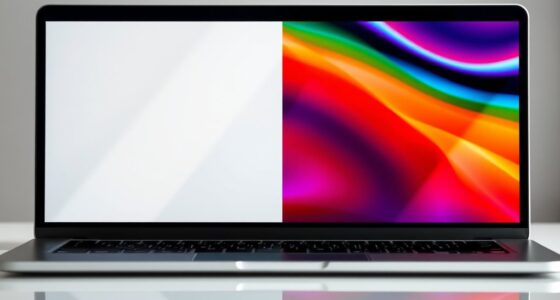
Color accuracy is indispensable if you want your visuals to look true to life. A display with high color accuracy reproduces images, videos, and graphics faithfully, matching what the creator intended. If you’re into photography, design, or video editing, you’ll want a screen that covers a wide color gamut and offers consistent, precise colors. You can test this by viewing color calibration charts or checking reviews that mention color accuracy. If a display skews hues or appears washed out, it indicates poor color reproduction, which can diminish your overall experience. Additionally, understanding display technology can help you make more informed choices, as different types of screens (like IPS or OLED) offer varying benefits in color and viewing angles. A high-quality display also maintains good color fidelity over time, which is crucial for professional work.
Response time is another key factor, especially if you’re into gaming or fast-paced video content. Response time measures how quickly a pixel can change from one color to another. A low response time reduces motion blur and ghosting effects, providing smoother visuals. If your laptop’s response time is sluggish, fast-moving scenes will look blurry or smeared, making gameplay or action sequences less enjoyable. When shopping, look for specifications that mention response times around 5 milliseconds or less for maximum performance. Testing response time might involve viewing demos or reviews that showcase motion clarity.
Brightness and contrast are also worth considering, as they impact visibility in different lighting conditions. A bright display with high contrast ensures your screen remains clear whether you’re indoors or outdoors. However, even the brightest screens can suffer from poor viewing angles, so tilt and angle flexibility matter too. Recognizing the impact of display technology on viewing quality can help you select a screen suited to your needs. Moreover, choosing a display with good color accuracy is crucial for tasks that demand precise visuals. To achieve an optimal viewing experience, consider factors like viewing angles and the quality of the display’s backlighting.
Ultimately, a good laptop display isn’t just about resolution. While a high pixel count helps with sharpness, factors like color accuracy, response time, brightness, and viewing angles determine how satisfying your viewing experience will be. When evaluating a potential purchase, don’t rely solely on specifications—look for actual reviews or test the display yourself if possible. A well-balanced screen that offers accurate colors, quick response times, and good brightness will elevate your entire computing experience, whether you’re working or playing.
As an affiliate, we earn on qualifying purchases.
Frequently Asked Questions
How Does Refresh Rate Affect Display Quality?
A higher refresh rate makes your display smoother, especially during fast-paced activities like gaming or video editing. It reduces motion blur and provides a more fluid experience. Response time also matters, as lower response times minimize ghosting and lag. Together, a good refresh rate and quick response time enhance your display quality, making everything look crisper and more responsive, which is especially noticeable during rapid movements or quick scene changes.
What Is the Impact of Screen Size on Display Clarity?
A larger screen size can enhance your viewing experience, but it doesn’t guarantee clarity. Screen resolution plays a key role—higher resolutions like 1080p or 4K offer sharper images, especially on bigger displays. Additionally, good viewing angles guarantee the display remains clear and vibrant from different positions. So, even with a large screen, if resolution is low or viewing angles are poor, your display clarity could suffer.
Do OLED Screens Always Outperform LCDS?
Did you know OLED screens offer 20-30% better contrast than LCDs? Generally, OLEDs outperform LCDs in display quality, but they might not always be the best choice. OLED screens tend to have better screen durability and richer colors. However, they also consume more power and can suffer from burn-in over time. So, while OLEDs often beat LCDs in visuals, consider your needs for longevity and power efficiency.
How Important Is Color Accuracy for Everyday Use?
Color accuracy is quite important for everyday use, especially if you work with photos, videos, or design. You need a display with proper color calibration to see true colors. Keep in mind that software compatibility affects how well your device manages color profiles. A well-calibrated screen guarantees your content looks consistent across different devices, making your daily tasks more precise and enjoyable.
Can Display Brightness Be Adjusted for Better Viewing?
You can definitely adjust your laptop’s display brightness for better viewing. Did you know that 80% of users prefer screens with good backlight uniformity and viewing angle stability? Most laptops allow you to change brightness through quick access keys or display settings. Adjusting brightness not only enhances visibility but also reduces eye strain, especially in different lighting conditions. Play around with the settings until you find the perfect comfort level.
high response time gaming laptop display
As an affiliate, we earn on qualifying purchases.
As an affiliate, we earn on qualifying purchases.
Conclusion
Think of your laptop display as a window to your world. A clear, vibrant view means you’re seeing life’s details sharply, just like a clean window lets in bright sunlight. But if the glass is foggy or dim, it’s hard to appreciate the view. Choosing a good display isn’t just about specs—it’s about ensuring your window is crystal clear, so you can focus on what truly matters without straining or missing out.
As an affiliate, we earn on qualifying purchases.
laptop display brightness and contrast
As an affiliate, we earn on qualifying purchases.
As an affiliate, we earn on qualifying purchases.