Choosing between a TV stand and a wall mount depends on your space, style, and organization preferences. A stand offers easy access to devices and a traditional look, but it can clutter your floor. Wall mounting creates a sleek, modern feel and frees up space, but it requires careful installation and support. If you want a minimalist setup with tidy wiring, wall mounting is ideal. Keep exploring for more tips to make the best choice for your setup.
Key Takeaways
- Wall mounts save floor space and create a sleek, modern look, while TV stands offer surface space for decor and easy access.
- Wall mounting enhances room openness and minimizes clutter, but requires careful installation and wall support assessment.
- Stands are easier to install and reposition, providing flexibility, whereas wall mounts may need professional help for secure setup.
- Built-in cable management features in stands can reduce cable clutter, while wall mounts may involve routing wires through walls.
- The choice impacts room aesthetics, layout, and convenience, with stands offering traditional appeal and wall mounts promoting minimalism.
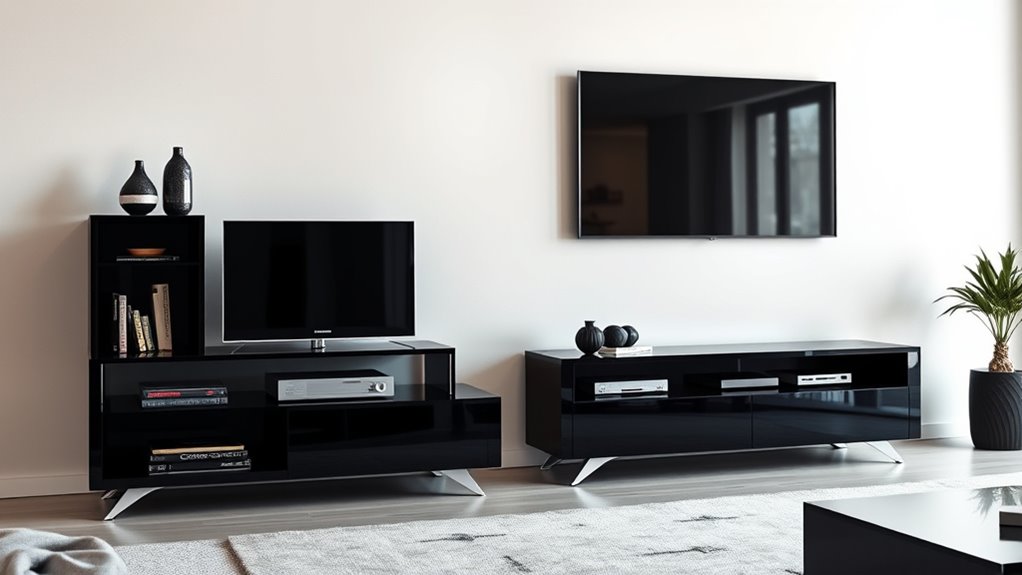
When choosing how to display your TV, you’ll need to decide between a traditional TV stand and a wall mount. This choice impacts not just how your space looks, but also how you manage cables and the overall aesthetic appeal. A TV stand offers a familiar setup, giving you a surface to place your media devices, decorative items, or even storage baskets. However, it can also lead to clutter, especially if cables aren’t managed well. With a stand, you’ll often have to contend with visible wires dangling or snaking across the floor, which detracts from a clean look. To combat this, many stands come with built-in cable management features like channels or clips, making it easier to hide cords and keep your space tidy. Still, cable management on a stand isn’t always foolproof, and the clutter can accumulate if you don’t stay on top of organizing cables regularly.
On the other hand, wall mounting your TV creates a sleek, modern appearance that can profoundly enhance your room’s aesthetic appeal. When mounted properly, your TV appears to float on the wall, giving your space a minimalist vibe that’s both stylish and sophisticated. This setup frees up floor space, making your room feel more open and less cluttered. Plus, with fewer visible cables, your setup looks cleaner and more intentional. Many wall mounts come with integrated cable management systems that route wires through the wall or behind the mount itself, further improving the aesthetic appeal and minimizing visual clutter. However, wall mounting also requires careful planning and installation. You need to ensure the wall can support the weight of your TV, and running cables through the wall may involve additional work or professional assistance. Additionally, considering organized cable management can make a significant difference in maintaining a tidy appearance over time.
Ultimately, your decision hinges on your priorities. If you prefer flexibility, easy access to your devices, and don’t mind managing cables, a TV stand might be your best pick. But if you’re after a sleek, clutter-free look that maximizes space and emphasizes design, wall mounting stands out. Consider how each option aligns with your room’s layout, your aesthetic preferences, and your willingness to handle installation or cable management. Whichever you choose, focusing on cable management will always pay off—keeping cords under control will maintain the clean, attractive look you’re aiming for. The right setup can transform your space into a modern, organized haven where your entertainment system looks as good as it functions.

Perlegear Full Motion Sliding TV Wall Mount for 42-95 inch TVs up to 150 lbs with Cable Management, Fits 12″/16″/24″ Wood Studs, Swivel TV Mount Bracket, Tool-Free Tilt, Max VESA 600x400mm PGTVM41B
- Compatibility: Fits 42-95 inch TVs with VESA 200×100 to 600x400mm
- Wall Compatibility: Suitable for wood studs, concrete, brick walls
- Easy Centering: Horizontally shift to center TV quickly
As an affiliate, we earn on qualifying purchases.
As an affiliate, we earn on qualifying purchases.
Frequently Asked Questions
How Do I Choose Between a TV Stand and Wall Mount for Small Rooms?
To choose between a TV stand and wall mount in small rooms, consider space saving solutions and aesthetic appeal. Wall mounts save floor space and create a sleek look, making your room feel more open. If you prefer a cozy, traditional vibe, a small TV stand can add storage and charm. Ultimately, pick the option that maximizes space while enhancing your room’s style and functionality.
Are Wall Mounts Suitable for All TV Sizes and Weights?
Wall mounts are generally suitable for most TV sizes and weights, but you should always check the mount weight capacity and wall compatibility first. If your TV is particularly heavy or large, make sure the mount can support it securely. Also, verify that your wall type (drywall, concrete, etc.) can handle the mount. Proper installation guarantees safety and ideal viewing, so follow the manufacturer’s guidelines closely.
What Are the Safety Considerations for Wall Mounting a TV?
When wall mounting your TV, prioritize safety by using proper mounting hardware rated for your TV’s size and weight. Make certain the mount is securely anchored to wall studs to prevent accidents. Keep fire safety in mind by avoiding placement near heat sources or flammable materials. Regularly check the mounting hardware for stability, and follow the manufacturer’s instructions to minimize risks and ensure your setup remains safe and secure.
Can a TV Stand Improve Cable Management and Organization?
Think of your TV stand as a silent hero against cable clutter, transforming chaos into calm. It helps improve cable management and organization by providing designated space for devices and hiding cords behind its structure. This not only enhances the aesthetic appeal of your setup but also makes it safer and easier to access. With a stand, you gain a cleaner look and a more streamlined entertainment area that feels as good as it looks.
How Does Lighting and Glare Affect Wall-Mounted TVS Versus Stands?
Lighting glare and ambient brightness can markedly impact your viewing experience, especially with wall-mounted TVs. Wall mounts often expose the screen more directly to windows or light sources, increasing glare, while stands can be positioned to minimize reflections. To optimize your setup, consider adjusting lighting, using curtains, or adding anti-glare screens. Managing lighting and ambient brightness helps reduce glare, ensuring clear, comfortable viewing whether your TV is wall-mounted or on a stand.

Casaottima TV Stand for 65 Inch TV, Entertainment Center, White
- Supports up to 65-inch TV: Fits TVs up to 65 inches
- Built-in power outlet: Includes integrated power outlet
- Cable management system: Clutter-free cable organization
As an affiliate, we earn on qualifying purchases.
As an affiliate, we earn on qualifying purchases.
Conclusion
Choosing between a TV stand and a wall mount is like selecting your home’s heartbeat or its skyline. A stand offers warmth and grounding, while a mount elevates your view, symbolizing ambition and clarity. Ultimately, your choice reflects your personal space’s soul—whether you seek comfort or a clear perspective. Whichever you choose, let it be the foundation or the horizon that inspires your everyday moments, enriching your home with meaning beyond mere furniture.

Mounting Dream TV Wall Mount for 32-70 Inch Television,Mount with Swivel and Tilt, Full Motion Bracket with Articulating Dual Arms, Fits 16inch Studs, Max VESA 400X400 mm, 99lbs, MD2380
- Universal Compatibility: Fits 32-70 inch TVs up to 99 lbs
- VESA and Stud Compatibility: Supports max VESA 400x400mm, fits 16-inch studs
- Full Motion Adjustment: Tilts 5° up, 15° down; swivels left/right
As an affiliate, we earn on qualifying purchases.
As an affiliate, we earn on qualifying purchases.

Furologee TV Stand for TVs up to 55 Inch, Entertainment Center with Open Storage Shelves, Media Console Table with Soundbar Shelf for Living Room, Bedroom, Rustic Brown
- Ample Storage with Shelves and Hooks: Organize media devices and accessories
- Open Space Design: Prevent overheating and easy cable access
- Sturdy and Durable Construction: Particleboard top with metal frame
As an affiliate, we earn on qualifying purchases.
As an affiliate, we earn on qualifying purchases.