To understand audio codecs without getting lost, focus on their key features like bitrate, which balances sound quality and file size. Learn that different codecs use distinct compression algorithms, affecting quality and device support. Recognize that popular formats like MP3 are widely compatible, while newer ones like AAC or Opus offer better efficiency but may support fewer devices. Grasping these basics helps you choose the right codec. Keep exploring, and you’ll discover how to make smarter audio choices.

Get the latest gadgets delivered free with Prime
- Fast, free delivery on millions of items
- Prime Video, Amazon Music and more included
- Member-only deals all year
Key Takeaways
- Focus on basic concepts like compression, bitrate, and compatibility rather than technical details.
- Use simple analogies, such as comparing codecs to different packaging styles for the same product.
- Prioritize understanding how bitrate affects quality and file size for practical decisions.
- Recognize supported formats like MP3 for broad compatibility and newer codecs for better quality.
- Start with common codecs and gradually explore their differences to avoid overwhelm.
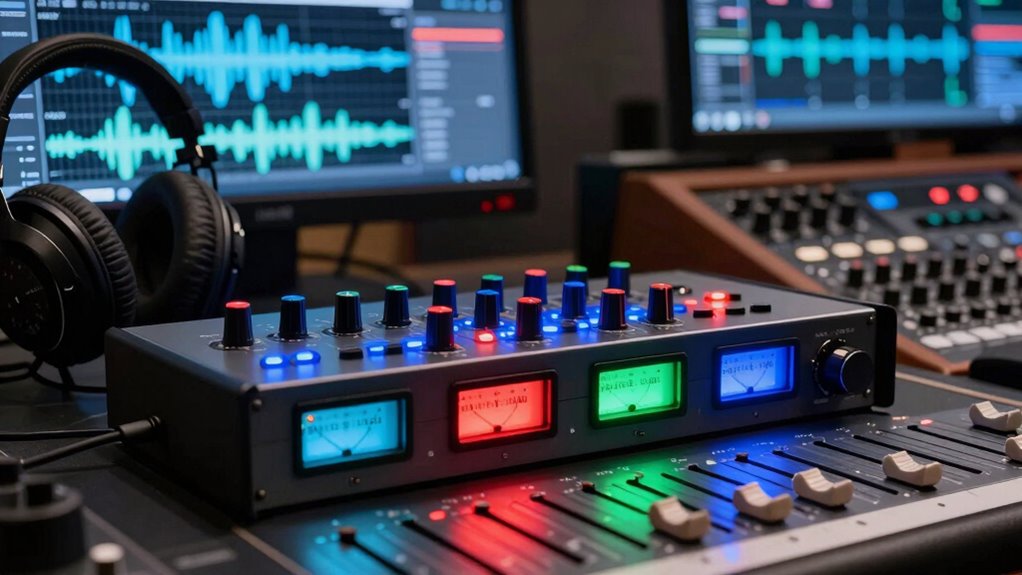
Have you ever wondered how your music or podcasts maintain high quality while taking up less space? It all comes down to audio codecs, which are algorithms that compress and decompress audio files. Understanding how they work can seem overwhelming at first, but focusing on key concepts like bitrate optimization and codec compatibility makes it manageable. Bitrate optimization is essential because it determines the balance between audio quality and file size. Higher bitrates generally mean better sound, but they also produce larger files, which might not be ideal if you want to save storage or stream smoothly. Conversely, lower bitrates reduce file size but can compromise audio fidelity. The trick is finding the right bitrate for your use case, whether you’re listening on high-end headphones or using limited data plans. Many codecs allow you to adjust bitrate settings, giving you control over this balance. Additionally, understanding emerging trends in digital publishing can help you stay updated on the latest audio technologies and codecs. Codec compatibility is another vital aspect. Not all devices or media players support every audio codec, which means your chosen format might not work everywhere. For example, MP3 is widely compatible and supported across nearly all platforms, making it a safe choice if you want your audio to be accessible everywhere. On the other hand, newer codecs like AAC or Opus offer better compression efficiency, providing higher quality at lower bitrates, but they might not be compatible with older devices. When selecting a codec, consider where you’ll be playing your audio and whether compatibility might be an issue. If you need your content to reach the broadest audience or work seamlessly across various devices, sticking to well-supported codecs like MP3 or AAC makes sense. Another point to keep in mind is that different codecs use different algorithms for compression, which affects both quality and compatibility. Some codecs prioritize maintaining audio fidelity at lower bitrates, while others focus on reducing file size as much as possible. Learning the strengths and weaknesses of each codec helps you make smarter choices based on your needs. For instance, if you’re streaming music or podcasts, using a codec optimized for streaming, like Opus, can improve your experience by delivering clear sound even at lower bitrates. It’s also helpful to understand how compression algorithms influence both audio quality and file size, as this knowledge can guide your selection process. Furthermore, a solid grasp of codec efficiency can help you find the optimal balance between quality and file size for your specific use case. Additionally, becoming familiar with the differences between codecs can help you choose the best format for your specific listening environment. Remember, understanding the basics of bitrate optimization and codec compatibility helps you make informed decisions, ensuring your audio files are both high quality and accessible. By focusing on these core concepts, you’ll navigate the world of audio codecs with confidence, avoiding confusion and making choices that suit your listening habits perfectly.
Products Worth Considering
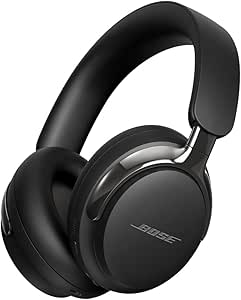
Bose QuietComfort Ultra Headphones (2nd Gen), Wireless Bluetooth Noise-Cancelling Over-Ear Headphones, Black

EcoFlow Delta 3 Ultra 3072Wh Portable Power Station – 3600W AC Output

Bose QuietComfort Headphones (2nd Gen), Wireless Over-Ear Noise-Cancelling Headphones, Hazelnut Taupe
As an affiliate, we earn on qualifying purchases.
Frequently Asked Questions
What Is the Difference Between Lossy and Lossless Codecs?
Lossy codecs compress audio by removing some data, reducing file size, and optimizing bitrate for streaming or storage, but may slightly lower sound quality. Lossless codecs retain all original audio data, ensuring perfect sound reproduction but usually result in larger files. When choosing, consider hardware compatibility—some devices handle lossy better, while others support lossless for higher fidelity. Your choice depends on balancing quality needs and storage or bandwidth constraints.
How Do Audio Codecs Impact Streaming Quality?
When it comes to streaming quality, audio codecs play a subtle yet essential role. They influence how well your audio is delivered through bitrate optimization, balancing clarity and data use. Latency considerations also matter; lower latency ensures smoother playback, especially for live streams. By choosing the right codec, you enhance your listening experience, enjoying clearer sound with minimal buffering, all while managing data efficiently.
Are Some Codecs Better for Specific Devices or Platforms?
Yes, some codecs are better suited for specific devices or platforms. For example, AAC works well on Apple devices due to device compatibility, while Opus is optimized for streaming and real-time communication. When choosing a codec, consider platform optimization and device compatibility to guarantee the best audio experience. Matching codecs to your device’s capabilities helps improve quality and reduce issues, making your listening smoother and more reliable.
How Does Compression Affect Audio Fidelity?
Ever wondered how compression impacts audio fidelity? When you use compression, it reduces the file size, which can lower sound clarity if not managed well. Bitrate optimization guarantees your audio retains quality by balancing compression levels and fidelity. Too much compression might make your sound muddy or dull, but proper settings keep your audio crisp and clear. So, you get compact files without sacrificing the richness of your sound experience.
Can I Convert Between Different Audio Codecs?
Yes, you can convert between different audio codecs using conversion tools. First, check codec compatibility to make sure the source and target formats work with your devices or applications. Use reliable conversion tools like VLC, Audacity, or dedicated audio converters, which allow you to change codecs without losing much quality. Just select your source file, choose the desired output format, and start the conversion process.
Conclusion
By now, you should have a clearer picture of audio codecs and how they impact your listening experience. Remember, understanding the ins and outs of codecs is like finding your footing in a new dance—it takes time, but once you get the rhythm, everything falls into place. Keep exploring, ask questions, and don’t be afraid to dive deeper. With each step, you’ll find yourself more confident, turning a confusing maze into a walk in the park.